Business-grade anti-virus protection isn't just about installing one piece of software anymore; it's a whole security strategy. Think of it as combining endpoint protection on every single device with proactive server-side measures like malware scanning, automated backups, and robust firewalls. This integrated approach is the only real way to defend against modern cyber threats that come at your business from all angles.
Why Your Business Needs More Than Basic Anti-Virus Protection
Imagine your business network is a digital vault holding all your most valuable assets—client data, financial records, and company secrets. Now, picture leaving that vault door wide open. Operating without a serious security strategy is just as risky in today's world.
The days of a simple, set-and-forget anti-virus program are well and truly over. Cybercriminals are using sophisticated tactics that breeze right past basic defences. A single infected email attachment or one click on a compromised website can bring your entire operation to a grinding halt, costing you thousands in downtime and damaging your hard-earned reputation. This isn't just a big-city problem for massive corporations; Australian small businesses are prime targets.
The Modern Threat to Australian SMBs
The uncomfortable truth is that small and medium-sized businesses (SMBs) are finding themselves in the crosshairs more and more. A staggering 53% of Australian SMEs have recently faced at least one cyberattack, a rate that actually outpaces both the U.S. and the U.K. This statistic alone should be a wake-up call.
This shift means your security mindset has to evolve, too. Relying on the free anti-virus that came with your computer is like using a cheap padlock to protect a bank vault. Real protection demands a much more organised and layered approach.
A comprehensive security posture isn’t just about blocking viruses. It's about creating layers of defence that protect your data from every possible entry point—from employee laptops to your web server and customer-facing website.
Building a Layered Defence Strategy
Effective anti-virus protection for business is a system, not a single product. It’s all about integrating several key components to create a resilient security ecosystem. This multi-layered strategy ensures that if one line of defence is breached, others are ready to step in and stop an attack in its tracks.
The foundations of this strategy look something like this:
- Endpoint Protection: This is the modern evolution of anti-virus. It's installed on all company devices (laptops, desktops, servers) to actively watch for suspicious behaviour, not just hunt for known viruses.
- Server-Side Security: Your website and all the data it holds need their own line of defence. Services like automated malware scanning and DDoS-protected firewalls, often included with quality web hosting, block threats before they even get to your digital front door.
- Data Backups: An automated, off-site backup system is your ultimate safety net. If an attack like ransomware gets through, a recent backup means you can restore your data quickly without having to even consider paying a ransom. For example, our business backup solutions can restore your website to a clean state from the previous night's copy.
- Email Filtering: So many attacks begin with a simple phishing email. Advanced spam and malware filtering can stop these threats from ever landing in your team's inboxes in the first place. You can see how this works with services like our premium email filtering.
By combining these elements, you move from being reactive to proactive. You’re preparing your business not just to block the threats you know about, but to withstand the new and unforeseen attacks that are always just around the corner.

Performance you can feel, backed by clients who depend on it. Read how our support and uptime create long‑term customer success.Power Your Business with Better Hosting
Decoding Modern Malware Threats and Defences
To properly shield your business, you first need a solid grasp of the threats you're up against. We've moved far beyond the simple computer viruses of the past. Today, businesses face a constant barrage of sophisticated malware designed with one thing in mind: to exploit your systems for financial gain.
Modern threats are cunning and come in many forms. Ransomware, for instance, can hijack your entire network, encrypting critical files and demanding a hefty ransom for their release. Just imagine your entire WordPress database or customer relationship management (CRM) system being locked tight, bringing your business to a complete standstill.
Then there's spyware, a silent intruder that steals sensitive information directly from your devices. For an eCommerce business, this could mean losing customer payment details or confidential login credentials, leading to catastrophic financial loss and a severely damaged reputation.
The Old Guard Versus the New Detective
Understanding how we fight back against these threats is just as crucial. The technology has evolved significantly, and an analogy helps paint the picture.
Think of traditional anti-virus as a security guard at the front door with a photo album of known criminals. If someone walks in who's an exact match to a photo, they're stopped. But if a new criminal shows up in a clever disguise, the guard is likely to let them pass without a second thought.
This old-school method, known as signature-based detection, is purely reactive. It relies on a constantly updated database of known malware "signatures." While it’s decent at catching common, well-known threats, it's often completely blind to new "zero-day" attacks that have never been seen before.
This chart shows how modern business security is built in layers, starting with individual devices and extending to your network and data backups.
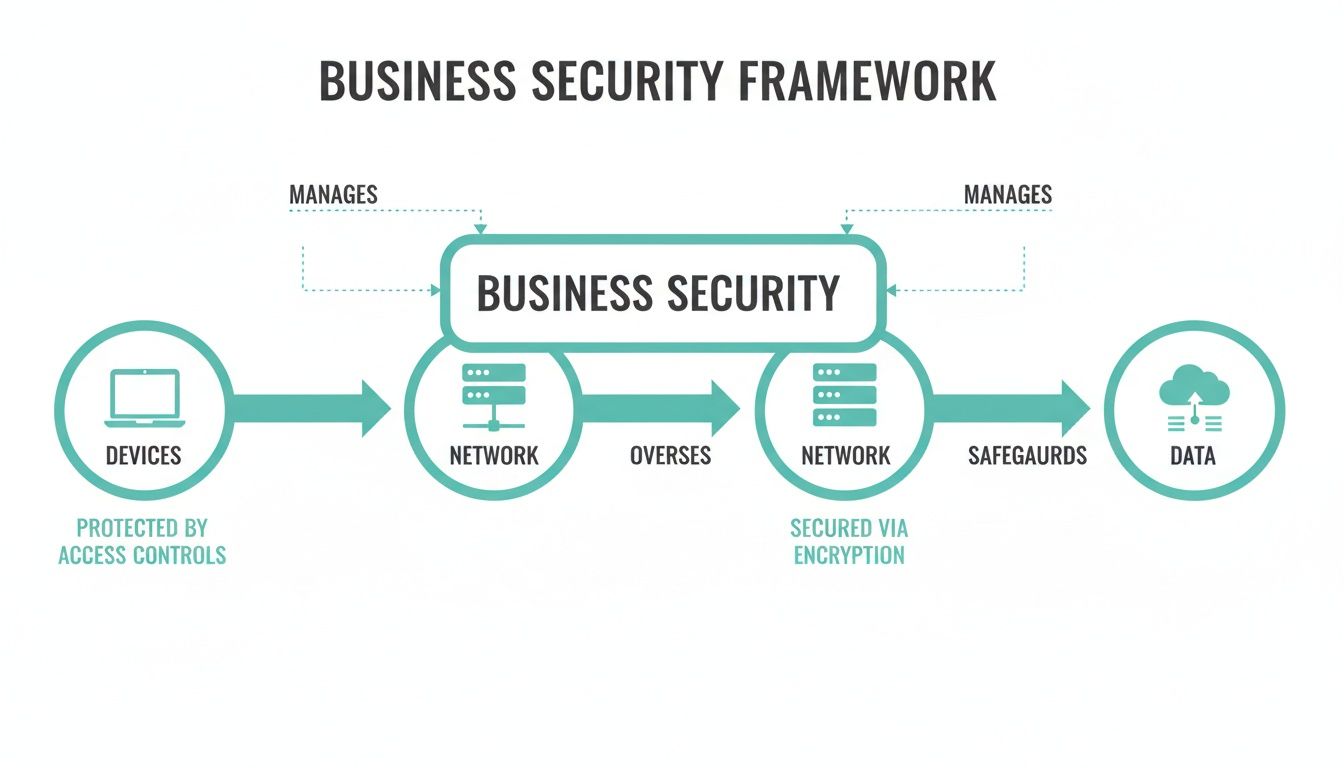
As you can see, real security isn't just about a single piece of software; it's a multi-layered process.
The Rise of Endpoint Detection and Response
This is where modern Endpoint Detection and Response (EDR) solutions come in. Instead of just checking a list of known culprits, an EDR system acts more like a skilled detective, actively monitoring the behaviour of all programs and processes on your network’s endpoints (like computers and servers).
It’s constantly looking for suspicious activity. For example, if a seemingly harmless document suddenly tries to encrypt hundreds of files or communicate with a known malicious server, the EDR system immediately flags this behaviour, isolates the threat, and alerts you before widespread damage can occur.
This proactive, behaviour-based approach is essential for protecting a business against today's polymorphic and ever-changing malware. It’s also where other layers of security, like DNS filtering, become incredibly valuable by blocking connections to malicious websites before they can even deliver their harmful payload.
The Australian Cybersecurity Software Services industry reflects this shift, with anti-virus software being its largest segment. The industry has seen a compound annual growth rate of 2.2% over the past five years, now reaching an estimated $2.1 billion in revenue, according to IBISWorld's analysis.
Comparing Anti-Virus and Endpoint Protection Solutions
To make the choice clearer, it helps to see these two approaches side-by-side. Traditional AV is the baseline, but for most businesses today, the comprehensive oversight of an EDR/XDR solution is a much safer bet.
| Feature | Traditional Anti-Virus (AV) | Endpoint Detection & Response (EDR/XDR) |
|---|---|---|
| Detection Method | Signature-based (matches known threats) | Behaviour-based (monitors for suspicious activity) |
| Threat Focus | Known viruses, worms, and common malware | Zero-day attacks, ransomware, advanced persistent threats (APTs), and fileless malware |
| Response Capability | Limited to quarantining or deleting known malicious files | Automatically isolates endpoints, terminates malicious processes, and provides tools for investigation |
| Visibility | Low; only reports on matched signatures | High; provides full visibility into endpoint activity, showing how and when an attack occurred |
| Management | Simple; set and forget | Requires more active monitoring and management (often managed by an IT provider or internal team) |
| Best For | Basic protection for very small businesses with low risk | Businesses of all sizes that handle sensitive data or cannot afford downtime |
Ultimately, while traditional AV is better than nothing, modern threats demand a modern, detective-like response. An EDR/XDR solution provides the proactive defence needed to spot and stop sophisticated attacks before they can cause serious harm.
How to Conduct a Practical Security Risk Assessment
Before you jump into choosing anti-virus software, you first need a clear map of what you're actually protecting. A security risk assessment might sound intimidating, but it’s really just about answering three straightforward questions: What are my most valuable digital assets? What are the biggest threats to them? And how well are they protected right now?
Think of it like securing your physical office. You wouldn't just buy a random lock. You’d first figure out what’s most valuable (the cash register, computers, client files), then you'd think about the risks (theft, fire), and finally, you'd check if your current locks and alarms are actually doing their job. We’re just applying that same common-sense logic to your digital world.
This process isn’t about turning you into a cybersecurity expert overnight. It’s about getting the clarity you need to make smart decisions about where you invest in security, building a solid foundation for your business’s digital defence.
Step 1: Identify Your Critical Digital Assets
First up, you need to pinpoint the data and systems that your business absolutely cannot function without. If this stuff was stolen, lost, or compromised, what would cause the most damage? Just make a simple, prioritised list.
For most businesses, these assets tend to fall into a few common buckets. Think about what’s most important for your day-to-day operations.
- Customer Data: This could be anything from a client list in a spreadsheet to a full-blown customer database in your CRM or personal info stored on your web server. For an accounting firm, for example, this is their lifeblood.
- Financial Information: This covers your company's bank account details, payroll records, and any payment information you handle for your customers.
- Intellectual Property: This might be your unique business processes, proprietary software code you've developed, your secret-sauce marketing strategies, or product designs.
- Operational Systems: What tools can you not work without? Think about your email server, project management software, or the backend of your eCommerce website.
Practical Example: A marketing agency might identify its most critical assets as its vault of client login credentials for managing websites, its database of campaign results, and the main email server they use for all client communication. Losing any one of these would bring operations to a grinding halt and seriously damage client trust.
Step 2: Pinpoint Potential Threats and Vulnerabilities
Okay, so you know what you’re protecting. The next step is to brainstorm all the ways it could be attacked. This isn't about scaremongering; it's a realistic look at the common ways cybercriminals get in. You’re essentially looking for the weak spots in your current setup.
Again, a simple list is all you need. Just walk through your daily workflow and think about where things could go wrong.
- Human Error: This is, by far, the most common vulnerability. It covers everything from employees falling for phishing emails and using weak passwords to accidentally sharing sensitive data where they shouldn't.
- Software Weaknesses: Are you running outdated software anywhere? Unpatched operating systems, web browsers, or plugins (especially on a WordPress site) are like leaving a door wide open for malware.
- Network Insecurity: This could be an unsecured office Wi-Fi network that anyone can hop onto, or employees connecting to public Wi-Fi on company laptops without any protection.
- Insufficient Access Controls: Does every employee have access to every single file and system, whether they need it or not? A lack of clearly defined user permissions massively increases your risk.
Step 3: Evaluate Your Current Security Posture
Finally, with a clear picture of your assets and the threats they face, you can take an honest look at your existing defences. This is where you connect the dots between your risks and your current level of protection, which will quickly show you where the gaps are.
The goal of this assessment is to move from guesswork to a clear, prioritised action plan. Knowing your specific vulnerabilities allows you to invest in security solutions that address your actual risks, not just perceived ones.
To do this, ask yourself some direct questions about what you have in place right now:
- Do all company devices have professionally managed anti-virus protection for business?
- Is the data on your server and website automatically backed up to an off-site location every single night?
- Do you use a firewall to shield your network and website from malicious traffic?
- Is Multi-Factor Authentication (MFA) switched on for critical accounts like email and online banking?
Your answers will immediately highlight where you're strong and, more importantly, where you're exposed. For instance, you might realise your local computers are protected, but your website's data isn't being backed up at all. This is exactly the kind of insight that helps you build a security strategy that actually works.
For a deeper look at the components that form a complete defence, you can learn more about our comprehensive IT security and protection services.
Host your website with our 5-star rated, cPanel website hosting plans.
Super fast servers, with security included and hosted in your choice of Australian Data Center.
View cPanel Plans
Choosing the Right Anti-Virus Solution for Your Business
Okay, you’ve done your security risk assessment and now have a much clearer picture of what you’re up against. The next step? Picking the right tools for the job. Choosing an anti-virus solution isn't just about grabbing a recognisable brand off the shelf; it’s about carefully matching specific features to the unique risks your business faces every day.
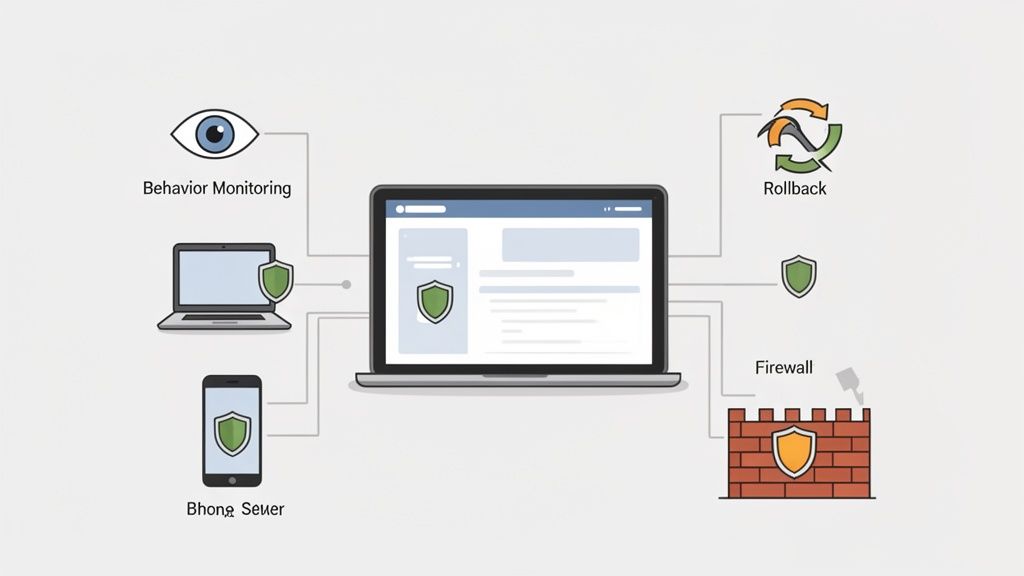
The market is flooded with options, and it's easy to feel overwhelmed. But if you focus on a few core capabilities, you can cut through the noise. Think of a modern business-grade solution less like a simple gatekeeper and more like a vigilant security guard — one that proactively monitors, responds to threats, and can even reverse any damage done.
Core Features Your Business Cannot Ignore
When you start comparing options, you need to look past basic virus scanning. The best solutions today offer a whole suite of integrated tools built to fight modern, sophisticated attacks. These are the key capabilities that separate a consumer-grade product from a true business security platform.
Make sure any solution you're considering has these essentials:
- Real-Time Behavioural Analysis: This is the detective work we touched on earlier. Instead of just checking files against a list of known "bad guys," this feature watches for suspicious actions. For instance, if a Word document suddenly tries to encrypt all your files or access network drives it shouldn't, the system flags it as a likely ransomware attack and shuts it down on the spot.
- Centralised Management: Can you imagine trying to manually check and update security software on every single computer in your office? It’d be a nightmare. A centralised management console lets you (or your IT provider) see every alert, push out updates, and manage security policies for all your devices from one single screen. This is a massive time-saver and ensures no computer gets left behind.
- Ransomware Rollback: This feature is an absolute game-changer. If a ransomware attack somehow gets through and starts encrypting your files, a rollback function can automatically restore the affected files to how they were moments before the attack. It effectively undoes the damage in minutes.
- Integrated Firewall Control: A proper business solution should enhance your existing firewalls, not just ignore them. It lets you set consistent rules across all your computers, blocking unauthorised network traffic and stopping malware from "phoning home" to its masters.
Putting It All Together: A Practical Example
Let's picture a small accounting firm with five employees. After doing their risk assessment, they know their clients' financial data is their most critical asset. They need something much more powerful than basic virus removal.
They'd be looking for an endpoint protection platform with centralised management so their IT consultant can keep an eye on all five computers remotely. Ransomware rollback would be a non-negotiable feature for them, as a data-locking attack would be catastrophic for their business. And because their team receives emails with attachments all day, real-time behavioural analysis provides that crucial safety net against brand-new threats hidden in what look like legitimate documents.
Making an Informed Decision
This focus on business-grade features is why Australian companies are taking their security investments so seriously. CIOs are boosting their cybersecurity budgets by an average of 33% to bring in stronger defences like these in the face of growing threats.
Investing in the right security platform isn't just another business expense; it's a critical investment in your ability to keep operating, no matter what happens. The goal is to find a solution that gives you maximum protection without making things overly complex for your team.
To help you sift through the many options out there, this guide on the best antivirus software for businesses is a great starting point. And while protecting your computers is vital, don't forget that many threats arrive via email. Bolstering your defences with a service like our premium email filtering can block malicious emails before they even have a chance to reach your staff, adding another crucial layer to your overall security strategy. If you choose wisely, you can secure your assets and get back to running your business with confidence.
Building a Complete Business Security Ecosystem
Effective security for your business is a lot more than just the anti-virus software you install on your team’s computers. Real security is about creating an integrated ecosystem where every part of your digital world is protected by multiple, overlapping layers of defence. It’s about connecting the dots between securing local devices and safeguarding your entire online presence, from your website right down to your inbox.
This layered approach is absolutely critical because attackers don’t just knock on one door. They might try to breach your website, send a dodgy email to your staff, or exploit a vulnerability on your server. A complete security ecosystem means you have specific defences ready to counter each of these threats, creating a much more resilient and robust setup.
Beyond the Endpoint: Server-Side Security
While endpoint protection on your laptops and desktops is essential, many of your business's most valuable assets live online—on your web server. This is where server-side security, a key part of high-quality web hosting, forms a vital defensive barrier. It works 24/7 to stop threats before they can even get close to your website or its data.
Think of it like securing a physical storefront. You lock the front door (that’s your endpoint protection), but you also have security cameras and alarms monitoring the entire building (that’s your server-side security). You need both for complete peace of mind.
Key elements of server-side security include:
- Automated Malware Scanning: This is like having a security guard constantly patrolling your web server. It actively scans all the files that make up your website, hunting for any malicious code that attackers may have tried to inject.
- Web Application Firewall (WAF): A WAF acts as a tough shield for your website. It filters out malicious traffic like SQL injection attempts or cross-site scripting attacks, intelligently analysing incoming requests and blocking them before they can exploit potential weaknesses in your site’s code.
- Professional Email Filtering: With a huge chunk of cyberattacks starting with a phishing email, filtering your inbox is non-negotiable. A professional email filtering service blocks spam, malware, and phishing attempts at the server level, so those dangerous messages never even land in your team's inboxes.
The Power of Proactive Hosting Security
At UpTime Web Hosting, these security features aren’t just add-ons; they're built directly into our platform to protect your online assets from the ground up. Our server-side malware scanning runs automatically, finding and quarantining threats to your website files without you needing to lift a finger. This proactive monitoring is your first line of defence against common web-based attacks.
At the same time, our powerful email filtering systems dramatically reduce the risk of an employee accidentally clicking a malicious link. By cleaning your incoming email before it arrives, we shut down one of the most common entry points for ransomware and credential theft. This integrated approach hardens your defences significantly.
Building a complete business security ecosystem involves more than just endpoint protection; it requires addressing all layers. For those looking to deepen their knowledge, exploring some comprehensive network security best practices can provide valuable insights into protecting your entire digital infrastructure.
Your Ultimate Safety Net: Encrypted Off-Site Backups
Even with the best defences in the world, the unthinkable can still happen. A sophisticated zero-day attack or a simple moment of human error could lead to a breach. This is where your final, and arguably most important, layer of security comes into play: automated, encrypted, and off-site backups.
An off-site backup is a complete copy of your website data and databases, stored in a separate, secure physical location. If your live site is ever compromised, encrypted, or corrupted, you have a clean, untouched version ready to be restored in a flash.
This is your ultimate safety net. With our reliable business backup solutions, you can be confident that even in a worst-case scenario, you can recover your data quickly and get back to business with minimal disruption. UpTime Web Hosting performs these encrypted backups nightly, ensuring you always have a recent recovery point. This service transforms a potentially catastrophic event into a manageable inconvenience, providing the assurance every business owner needs.
Fostering a Proactive Security Culture in Your Team
Even the most advanced anti-virus protection for business can be brought down by a single click. Your team is your first and most crucial line of defence, but without the right mindset and training, they can accidentally become your biggest vulnerability. Fostering a proactive security culture is about moving beyond just installing software and empowering your people with the knowledge to spot and sidestep threats themselves.
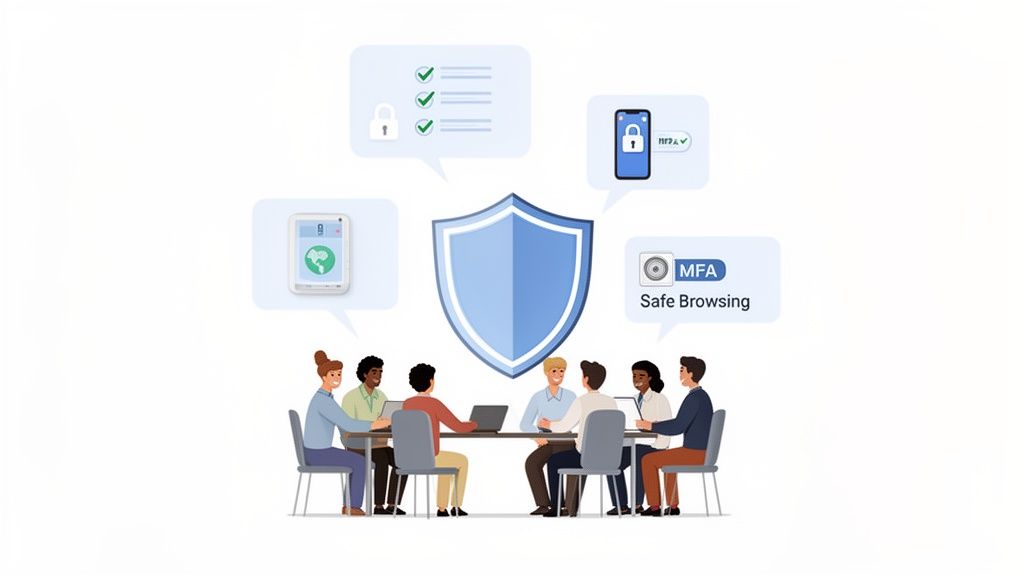
This cultural shift turns security from an "IT problem" into a shared responsibility. When every team member understands their role in protecting the business, strong security habits become second nature.
Implementing Foundational Security Policies
A security-aware culture starts with clear, simple, and non-negotiable ground rules. These foundational policies create a baseline for secure behaviour and massively shrink your attack surface. They don’t need to be complicated, but they absolutely must be enforced consistently.
Start by rolling out a simple checklist of essential security protocols for everyone:
- Strong Password Enforcement: Insist on long, complex passwords (or even better, passphrases) for all business accounts and systems. No exceptions.
- Mandatory Multi-Factor Authentication (MFA): This is one of the single most effective security measures you can implement. Make sure MFA is switched on for all critical services—especially email, banking, and any cloud software you rely on.
- Safe Browsing Protocols: Train your team on the dangers of clicking unknown links and downloading files from sources they don't explicitly trust.
- Secure Wi-Fi Usage: Have a clear policy that bans connecting company devices to unsecured public Wi-Fi networks unless they're using a company-approved VPN.
Actionable Training and Real-World Examples
Policies on paper are useless if your team doesn’t get the "why" behind them. Regular, practical training is what builds genuine awareness and helps your staff recognise threats in the wild.
An employee who can spot a convincing phishing attempt is more valuable than any piece of software. Your goal is to create a 'human firewall' where your team instinctively questions suspicious requests and understands the risks of their digital actions.
For instance, show your team a real-world example of a sophisticated phishing email that’s pretending to be from a trusted brand like Microsoft 365 or Australia Post. Point out the subtle red flags—a slightly misspelled sender address, a sense of false urgency—and teach them to hover over links to see the real destination before they click. This hands-on approach sticks with people far better than a dry memo ever will.
Your First Steps in an Incident Response Plan
Even with the best preparation, things can still go wrong. Knowing exactly what to do in those first few moments of a crisis is critical to containing the damage. Your team doesn't need a complex technical manual, just a simple, clear plan for what to do if they suspect a breach.
Here are the first three steps every single employee must know:
- Isolate the Device: If you think a computer is infected, the very first step is to pull it off the network. Unplug the network cable and turn off the Wi-Fi immediately. This stops the malware from spreading to other computers or servers.
- Do Not Turn Off or Restart: It’s a natural instinct, but resist the urge to shut down or restart the machine. Doing so can wipe valuable evidence from the computer's memory that IT pros need to figure out what happened and how to fix it.
- Report Immediately: This is the most important step. Notify your designated IT support or managed service provider without a second's delay. If the incident involves your website, contact your hosting provider like UpTime Web Hosting straight away through our support channels. The faster the experts know, the faster they can start mitigating the damage.
Register your new domain name at competitive market prices including free domain add-ons like privacy, DNS Hosting, Custom Nameservers and Forwarding.
Always the best price and no nasty renewal price hikes.
Register A Domain Name
Got Questions? We’ve Got Answers.
Stepping into the world of business-grade security can feel a bit daunting, and it's natural to have questions. Here are some straight answers to the things we get asked most often by Australian small business owners, designed to help you make the right call for your company's protection.
Is Free Anti-Virus Good Enough for My Business?
Look, free anti-virus is certainly better than nothing for your personal laptop. But for a business? It just doesn’t cut it.
Think of it this way: your business has far more on the line. Professional security solutions offer centralised management, letting you see the security status of every computer from one dashboard. They also include smarter threat detection that spots suspicious behaviour, not just known viruses. Plus, you get dedicated support when things go wrong and, crucially, you’re properly licensed for commercial use. To protect your business assets, you need a tool that’s actually built for business stakes.
How Do My Hosting Security and Office Anti-Virus Work Together?
They’re two totally different, but equally vital, layers of your security. It’s like having a high-security lock on your office door and a security guard patrolling the building perimeter. One protects the inside, the other protects the outside.
- Your office anti-virus (endpoint protection) is the lock on the door. It guards your individual computers and servers from threats that come in locally, like a dodgy email attachment or an infected USB stick.
- Your web hosting security—things like the server-side malware scanning and firewalls we run at UpTime Web Hosting—is your building's security guard. It protects your website, your online store, and your customer data from attacks coming directly from the internet.
You absolutely need both. A breach could come from either direction, and leaving one unguarded leaves your whole business exposed. If you want to dive deeper into the website side of things, check out our knowledge base article on securing your website.
What’s the Single Most Important First Step I Can Take?
After getting a quality anti-virus sorted, the single biggest security upgrade you can make is to switch on Multi-Factor Authentication (MFA). Seriously. Turn it on for everything critical: your email, online banking, social media, and especially your website admin login.
Stolen passwords are still one of the most common ways criminals break into business systems. MFA shuts that door completely by requiring a second code, usually from your phone. It's a simple step that creates a massive barrier for attackers.
A solid defence isn't just about what's on your computers; it’s about protecting your online foundation, too. At UpTime Web Hosting, our secure hosting plans come standard with server-side malware scanning, DDoS-protected firewalls, and nightly off-site backups. These aren't optional extras; they're a core part of a complete security strategy. Secure your online assets by visiting https://uptimewebhosting.com.au.