It’s a common mistake to think cybercriminals only go after the big fish. The truth? Small businesses are often their preferred targets. For a small business, solid network security isn't some expensive, optional extra; it's a fundamental part of staying in business. It's what protects your finances, your data, and the reputation you've worked so hard to build.
Why Australian Small Businesses Are Prime Targets
So many small business owners fall into the same trap, thinking, "My business is too small to be a target." But from a cybercriminal's perspective, small businesses look like the path of least resistance. They know you’re flat-out running your operations and probably don't have the same hefty security budget as a big corporation, making you an ideal mark.
This isn't just a hunch; the stats tell a grim story. The Australian Signals Directorate (ASD) fields over 84,700 cybercrime reports in a single year. That works out to a new report every 6 minutes. And for small businesses, the financial hit is getting worse, with the average cost of an attack climbing 14% to $56,600.
Common Attacks and Real-World Consequences
We’re not talking about Hollywood-style, complex hacks here. More often than not, it's opportunistic attacks that exploit common, everyday vulnerabilities.
Here are a few practical examples that play out all the time:
- Invoice Scams: A contractor in Sydney gets an email that looks identical to one from a regular supplier, but with new bank details. They pay the invoice, only to realise later they've just sent thousands of dollars straight to a criminal. A real-world instance of this is known as a Business Email Compromise (BEC) attack.
- Ransomware: A Perth café suddenly finds its point-of-sale system and customer database completely locked up. The attackers demand a ransom to restore access, leaving the business unable to trade and facing a major data breach. The notorious WannaCry ransomware attack in 2017 hit businesses of all sizes, showing how widespread this threat can be.
- Phishing: An employee clicks a link in what seems like a legitimate email from Australia Post about a package delivery. Just like that, they've accidentally handed over the keys to the company's entire network by entering their credentials on a fake login page.
The financial loss is just the start. The damage to your reputation from losing customer data can be catastrophic, destroying the trust you’ve spent years building. One incident can put your client relationships and future work in jeopardy.
Shifting from a "Nice-to-Have" to a Necessity
Proper protection is about more than just installing some antivirus software and hoping for the best. It starts with a real understanding of both cybersecurity and data protection strategies.
Think of your network security as your digital front door, your alarm system, and your safe all rolled into one. It’s about creating layers of defence that make your business a much harder—and less appealing—target for attackers looking for a quick payday. This guide will walk you through exactly how to build that defence, step by step.

Performance you can feel, backed by clients who depend on it. Read how our support and uptime create long‑term customer success.Power Your Business with Better Hosting
Building Your First Line of Defence
Think of your network's perimeter as the digital front door to your business. Just like you wouldn't leave your office unlocked overnight, your network needs a solid, locked door to keep intruders out. Getting this first line of defence right is a non-negotiable part of keeping your small business secure.
At the heart of this defence is the firewall. A firewall acts like a security guard for your digital office, inspecting all the data coming in and going out. It checks everyone's credentials and denies entry to anything that looks suspicious or doesn't have the right permissions to be there.
It's a simple concept, but incredibly powerful. Cybercriminals often follow a predictable path, from targeting a small business to the financial fallout of a successful breach.
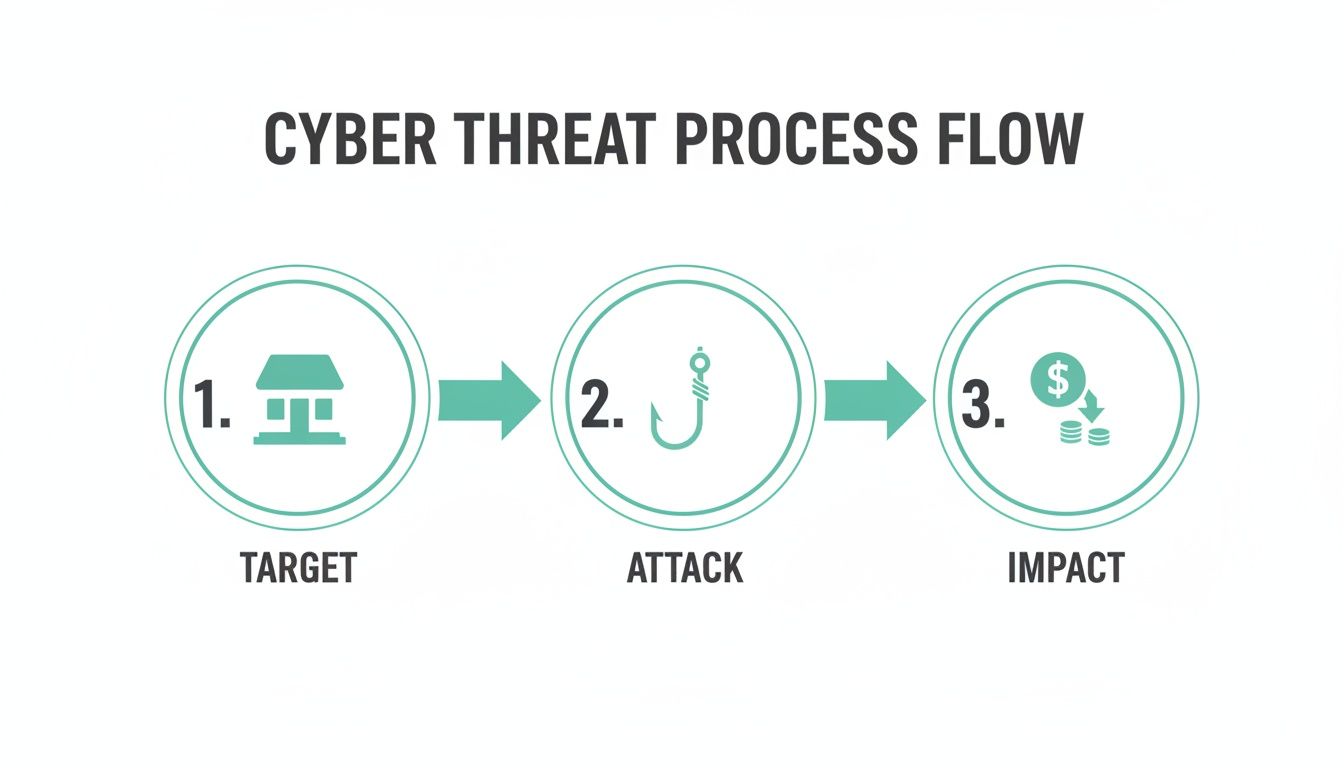
As you can see, a single successful attack can directly lead to serious financial loss. This is exactly why a strong initial defence is so critical—it stops attackers before they can even get started.
Setting Up Your Firewall
Most business-grade routers come with a built-in firewall, but just plugging it in isn't enough. The default settings are often too permissive, so you need to actively configure it to create a strong barrier. While every router's interface is a bit different, the core principles are always the same.
Here's a quick checklist to get you started:
- Change Default Login Details: The very first thing you should do is change the router's default administrator username and password. Attackers have massive lists of these defaults and will try them almost immediately. For example, many routers use "admin" for both the username and password out of the box.
- Disable Unnecessary Services: Turn off features like remote administration unless you have a very specific, secure reason to use it. This closes a common and easily exploited entry point.
- Review Port Forwarding Rules: Only open ports for services you explicitly use and trust. Think of an open port as an unlocked window to your network—you want as few of them as possible. For instance, if you don't run a web server, there's no reason for port 80 or 443 to be open.
For businesses facing a higher risk of targeted attacks, a simple router firewall isn't enough. Services like the DDoS-protected firewalls included with UpTime Web Hosting add a crucial layer of enterprise-grade protection, filtering malicious traffic before it ever reaches your network.
Using Network Segmentation to Isolate Threats
Beyond a strong firewall, another powerful technique is network segmentation. The concept is simple: you create separate, isolated zones within your office network. It's like having different keycards for different areas—you wouldn't give a visitor a key that opens the server room and the finance office.
The most practical way for any small business to do this is by setting up a dedicated guest Wi-Fi network.
This one simple action creates a virtual wall between visitors' devices—their laptops, phones, and tablets—and your critical business systems. A guest network provides them with internet access without giving them a backdoor to your point-of-sale system, customer database, or internal file servers.
If a visitor's device happens to be compromised with malware, segmentation ensures the infection can't spread to your core business network. It's a low-cost security measure that dramatically reduces your risk from outside devices you can't control.
To get the basics right, here is a quick-reference checklist outlining the foundational security measures you should have in place.
Essential Perimeter Security Checklist
| Security Measure | Why It Matters | Actionable Tip |
|---|---|---|
| Firewall Configuration | Acts as the primary gatekeeper, blocking unauthorised traffic. | Change default admin credentials immediately and close all unnecessary ports. |
| Guest Wi-Fi Network | Isolates untrusted visitor devices from your core business network. | Enable "client isolation" on your guest network to prevent guests' devices from seeing each other. |
| DDoS Protection | Prevents your services from being overwhelmed by malicious traffic floods. | Use a hosting provider or firewall service that includes built-in DDoS mitigation. |
| Disable Remote Access | Closes a common attack vector used to gain control of your router. | Only enable remote administration if absolutely essential and secure it with a strong password and IP whitelisting. |
| Regular Firmware Updates | Patches security vulnerabilities discovered by the manufacturer. | Set a recurring calendar reminder to check for and install router firmware updates every quarter. |
This checklist isn't exhaustive, but it covers the non-negotiables. By implementing these measures, you create a much stronger digital perimeter that will deter the vast majority of automated and opportunistic attacks.
Securing Every Device and Connection Point
Let's be honest: your network's security is only as strong as its weakest link. More often than not, that weak link isn't a server tucked away in a cabinet or your main office router. It's an employee's laptop at a café, a mobile phone on public Wi-Fi, or a tablet used for sales calls in the field.
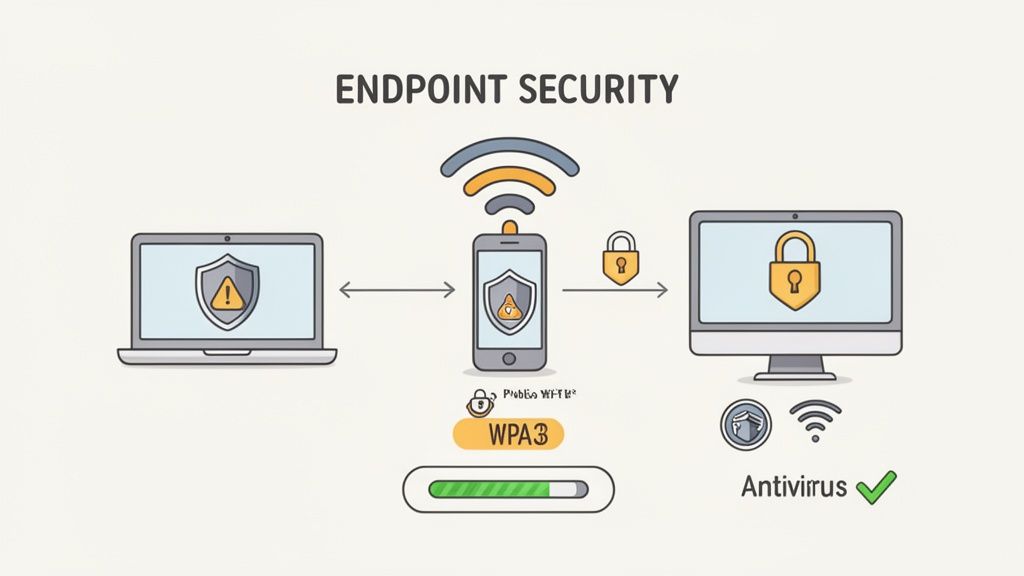
Every single one of these devices—from desktops to smartphones—is an 'endpoint'. Think of them as potential entry points for attackers. This is why we need endpoint hardening, a critical layer in any serious security strategy. It’s all about making sure every device that touches your business data is locked down, kept up-to-date, and monitored, no matter where it is. This is where your security moves beyond the office walls and into the real world.
Hardening Your Endpoints and Wi-Fi
First things first: start treating every device like it's a piece of your core infrastructure. That means activating the built-in software firewalls on all your Windows and macOS systems and, crucially, installing reputable security software. You can learn more about finding the right anti-virus protection for your business to build a solid defence against malware and other nasties.
Just as important is getting into a strict, consistent rhythm with software updates. Those update notifications aren't just about adding new features; they contain vital patches for security holes that criminals are actively looking for and ready to exploit.
Your wireless network is another major connection point that needs your attention. Here are three non-negotiable steps to lock down your office Wi-Fi:
- Use WPA3 Encryption: This is the current gold standard for Wi-Fi security. It offers far stronger protection than the older WPA2 protocol, making it significantly harder for anyone to snoop on your network traffic.
- Change Default Router Passwords: Never, ever leave the default admin password on your router. These are common knowledge online and give attackers an easy backdoor to take control of your entire network.
- Disable Remote Administration: This feature lets someone configure your router from outside your local network. Unless you have a very specific, secure reason for it, turn it off. It closes a massive, and often overlooked, security hole.
Imagine an employee working from a hotel lobby. They connect to the public Wi-Fi to quickly send a client invoice, but the network is compromised. An attacker intercepts the unencrypted data, grabbing both your client's details and your business's financial information in a split second. This is exactly why securing devices before they leave the office is so vital.
Beyond just the active defences, securing a device means thinking about its entire lifecycle. This includes what happens when you're done with it. Processes like ensuring secure data destruction are essential to prevent sensitive business information from being recovered from old hard drives you've thrown out.
Host your website with our 5-star rated, cPanel website hosting plans.
Super fast servers, with security included and hosted in your choice of Australian Data Center.
View cPanel Plans
Protecting Your Website and Online Assets
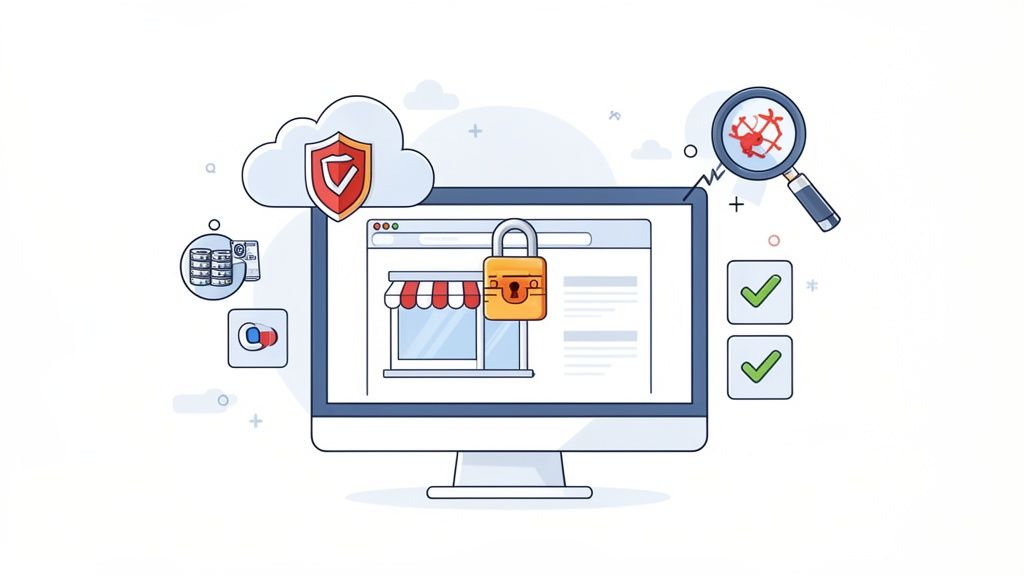
Think of your website as your digital storefront. It's often the first impression a customer has, your primary sales tool, and a direct line to your revenue. If you wouldn't leave your physical shop unlocked overnight, you shouldn't leave your online assets exposed either. A single breach can mean lost sales, stolen customer data, and a hit to your reputation that's incredibly tough to bounce back from.
This is exactly why your network security plan needs to cover more than just the computers in your office. It has to extend to everything you do online, starting with how your website communicates with your customers.
SSL Certificates Are Non-Negotiable
Ever noticed the little padlock icon next to a website address? That’s an SSL (Secure Sockets Layer) certificate at work, and it's what turns 'HTTP' into 'HTTPS'. Essentially, it encrypts all the data flowing between your site and your visitors—things like credit card numbers, passwords, and personal details.
Without that encryption, all that sensitive information is sent as plain text, making it frighteningly easy for a snooper to intercept. These days, a missing SSL is a massive red flag for both customers and search engines. Thankfully, quality providers like UpTime Web Hosting include free SSL certificates with their plans, so there's really no excuse. It's vital to understand why HTTPS is so essential for building trust online.
Your Digital Insurance Policy: Malware Scanning and Backups
Malware scanning and automated backups are your website's insurance policy. You hope you’ll never have to use them, but if disaster strikes, they are absolute business-savers. Regular, automated scans can sniff out malicious code before it gets a chance to do any real damage. Many security plugins like Wordfence for WordPress or services from your hosting provider can automate this process.
Just as important are automated, off-site backups. If your website ever gets hit by ransomware or a critical update goes wrong, having a clean, recent copy stashed away securely means you can get back online fast. It’s all about minimising downtime and data loss.
Picture this common scenario for an Aussie eCommerce store: a hacker exploits a vulnerability in an old WordPress plugin, injects malware, and suddenly all your customers are being redirected to a scam site. Without a recent backup, you’re looking at days of being offline and a very expensive manual cleanup.
Practical Steps for WordPress and eCommerce Sites
If your business runs on a platform like WordPress, you've got a powerful tool at your fingertips. But its popularity also makes it a prime target for attackers. Locking it down is easier than you think, and a good hosting partner can make a world of difference.
Here are a few key practices to put in place:
- Vet Your Plugins: Only install plugins from trusted developers with good reviews and recent updates. Every extra plugin is another potential door for an attacker to try and open. Before installing, check the "Last updated" date and compatibility info on the WordPress plugin repository.
- Enforce Strong Passwords: It sounds simple, but it's crucial. Use long, complex passwords for all your admin accounts. Better yet, enable two-factor authentication for a serious security boost.
- Leverage Hosting Features: A secure Australian hosting partner can do a lot of the heavy lifting for you. For instance, at UpTime Web Hosting, we use CloudLinux, which creates a virtual cage around each hosting account on a shared server. This means even if another site on the same server gets compromised, the infection can't spread to yours.
By choosing a host that builds these security features in from the ground up, you're putting a strong defence in place for your most valuable online asset. That leaves you free to focus on what you do best—running your business.
Developing a Security-First Team Culture
All the best security tech in the world can be completely undone by a single, accidental click. Your firewalls, antivirus software, and secure hosting are absolutely vital, but your team is your human firewall—and they need to be just as strong.
Building a security-first culture isn't about lengthy, boring lectures. It's about making security a shared responsibility, something that's baked into how everyone operates day-to-day.
It all starts with a clear, simple cyber security policy. Even if you're a two-person team, writing down the rules creates clarity and accountability. This document doesn't need to be a dense, legal-style tome. A one-page guide covering the absolute essentials is often more than enough to get started.
A basic policy should cover a few key areas:
- Password Hygiene: Lay out the rules for creating strong, unique passwords (e.g., minimum 12 characters, mix of cases, numbers, symbols) and make multi-factor authentication mandatory. No exceptions.
- Data Handling: Give clear instructions on where to save sensitive client information (e.g., on the secure company server, not on a personal laptop) and exactly how it should be shared securely.
- Device Usage: Set guidelines for using company devices, especially when connecting to public Wi-Fi networks at cafes or airports.
Making Training Practical and Engaging
The goal here is to empower your team, not scare them into inaction. The most effective training is practical and directly relevant to their daily work. Forget dry presentations; one of the best ways to get the message across is with simulated phishing tests.
These are controlled, safe emails designed to look like real phishing attempts. Services like KnowBe4 or Phriendly Phishing offer platforms to manage these simulations.
When an employee clicks a link in one of these simulations, they don't download malware. Instead, they get a gentle, immediate lesson explaining the red flags they missed. It's a powerful "show, don't tell" method that teaches staff how to spot suspicious emails in a real-world context, turning a potential mistake into a valuable learning moment.
Your team needs to understand that a single click on a malicious link can bypass thousands of dollars of security software. When they see security as part of their role, not just an IT problem, your entire defence becomes exponentially stronger.
Despite this, there's a significant gap in preparedness among Australian businesses. Shockingly, only 20% of small businesses have a formal cyber security policy or provide staff with training. This is a seriously worrying trend, especially when you consider 83% of Aussies believe cybercriminals are becoming more sophisticated. It's clear that proactive training is critical.
By investing a small amount of time in training, you can significantly reduce your single biggest vulnerability. When your team knows what to look for—from suspicious email attachments to urgent requests for payment—they become your most active and effective line of defence.
After all, a well-configured firewall can't stop an employee from being tricked into sharing their password, but a well-trained employee can. And don't forget that their company email is a primary target; our guide on how to set up a professional business email provides foundational steps for getting it right from the start.
Common Questions on Small Business Network Security
Even with the best playbook in hand, questions are bound to pop up. Getting clear, straightforward answers is the key to feeling confident that your security efforts are actually making a difference. Let's tackle some of the most common questions we hear from small business owners across Australia.
Where Do I Start With Network Security On a Tight Budget?
You absolutely don't need a massive budget to make a huge impact on your security. The trick is to focus on the high-impact, low-cost fundamentals first—the stuff that gives you the biggest defensive boost for the least amount of cash.
Start by enforcing strong, unique passwords across the board and switching on multi-factor authentication (MFA) for every important account you have, from your email to your accounting software. Seriously, this is the single most effective free defence you have. Next, get into the habit of ensuring all software on every business device is regularly updated. Those updates often contain critical patches for security holes.
Finally, get a routine going for backing up your critical data. It doesn't have to be complicated, but it has to be consistent. You can get a solid plan together with our guide on professional business backup solutions. These simple steps will dramatically raise your security game without costing you a cent.
How Does My Web Host Impact Network Security?
Your web host is one of your most important security partners, whether you realise it or not. A quality Australian provider doesn't just give you server space; they build security right into the platform, taking a lot of the complex, heavy lifting off your plate.
A good, security-focused host will typically provide:
- Server firewalls with DDoS protection to filter out malicious traffic before it even gets close to your website.
- Free SSL certificates to encrypt customer data, which is essential for trust and SEO.
- Regular malware scanning to spot and quarantine threats before they can do real damage.
- Isolated environments, like CloudLinux, which smartly prevent a security issue on another website from spilling over and affecting yours.
They also handle things like automated, off-site backups—a lifesaver when disaster strikes. Choosing a secure host like UpTime Web Hosting means you have a team managing these key security layers for you, so you can get back to running your business.
What Is The Biggest Security Mistake Small Businesses Make?
Without a doubt, the single most dangerous mistake is the "it won't happen to me" mindset. Thinking your business is too small to be a target is a direct line to complacency. That's when you see weak passwords, ignored software updates, and no plan for when things go wrong.
Cybercriminals actively hunt for small and medium-sized businesses precisely because they are often easier targets. You're a target of opportunity, not choice. Acknowledging that you're on their radar is the first—and most critical—step toward building a real defence.
Even with solid network security, things like major cyber-attacks or simple hardware failures can still cause devastating data loss. Knowing who to call for professional data recovery services can be crucial for getting back on your feet and minimising downtime in a worst-case scenario. The second biggest mistake? Having no idea what to do when an incident finally happens.
Ready to build your business on a secure, reliable Australian foundation? At UpTime Web Hosting, we give you the tools and the local support you need to protect what you've built online. From DDoS-protected firewalls to automated malware scanning, our hosting plans are designed to keep your business safe.