Think of your business network as the central nervous system of your entire operation. It's the digital backbone connecting everything from your customer database and financial records to your day-to-day communications. Business network security is simply the practice of keeping that entire system safe from anyone who shouldn't have access to it, whether that means stopping outright theft, preventing disruptions, or blocking unauthorised entry.
It's not just about fending off shadowy hackers in hoodies. It’s about building a tough, resilient digital environment where your critical information, your money, and your hard-earned reputation are properly protected.
Understanding Your Digital Fortress
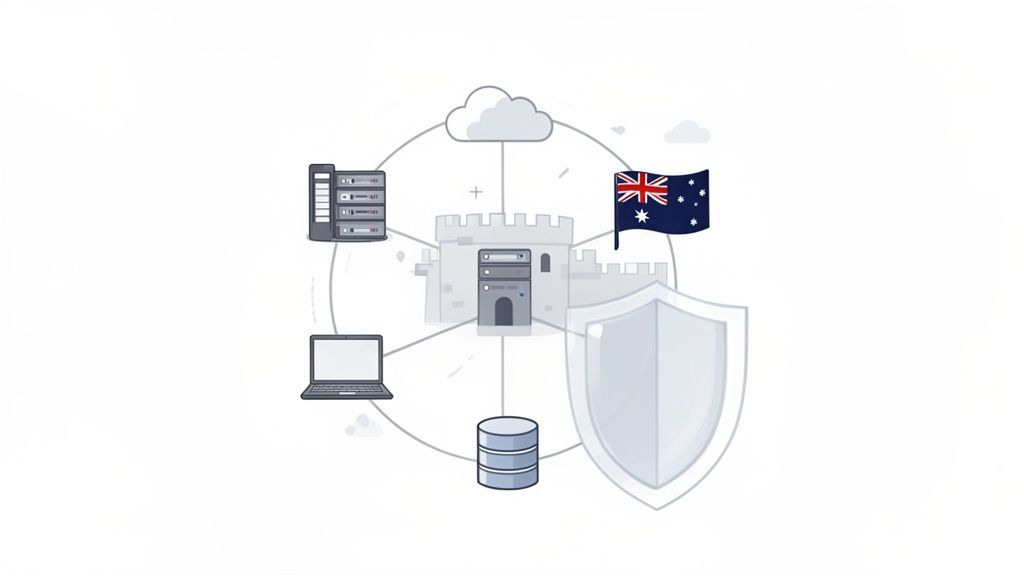
At its heart, good network security is all about creating layers of defence. Think about how you secure your physical office. You’ve got locks on the main doors (that's your firewall), maybe a receptionist or security guard checking IDs (access controls), and security cameras keeping an eye on things (intrusion detection). Your digital network needs that exact same multi-layered approach to be genuinely secure.
This isn't some high-level concept just for the big banks and multinational corporations anymore. For Australian small and medium businesses, strong network security has gone from being an "IT problem" to a fundamental business requirement. A single breach can slam the brakes on your operations, lead to hefty fines, and cause damage to your brand that you might never recover from.
To give you a clearer picture, we can break down a solid security strategy into a few core pillars. These are the foundational concepts we'll be exploring throughout this guide.
The Pillars of Business Network Security
Here’s a quick summary of the core components of a strong network security strategy, which we will explore throughout this guide.
| Pillar | Objective |
|---|---|
| Architectural Controls | The technical hardware and software, like firewalls and VPNs, that form your first line of defence. |
| Policies & Governance | The human side of security—clear rules, procedures for incidents, and robust backup plans. |
| Compliance & Regulation | Meeting legal and industry standards to protect customer data and avoid costly penalties. |
| Hosting & Infrastructure | Ensuring the underlying platform your website and applications run on is secure from the ground up. |
Getting these pillars right is what separates a vulnerable business from a resilient one.
Why It Matters More Than Ever
The reality is, the threat has never been more real. Australian SMBs are squarely in the crosshairs of cybercriminals.
According to the Australian Bureau of Statistics (ABS), a staggering 22% of businesses reported a cybersecurity incident in the year ending June 2022. To put that in perspective, that figure was just 8% back in 2020. That’s a nearly threefold jump, showing just how much the rapid shift to digital work has opened up new doors for attackers.
This is why a proactive defence is no longer optional. A strong security posture is built on protecting three key principles:
- Confidentiality: Keeping your sensitive data private and making sure only the right people can see it.
- Integrity: Ensuring your data is accurate and trustworthy, and can’t be changed without authorisation.
- Availability: Making sure your systems and services are online and accessible when your staff and customers need them.
Protecting these three pillars is the fundamental goal of any business network security strategy. Losing control of any one of them can have immediate and severe consequences for your operations and reputation.
Getting this right isn't just about installing some antivirus software and hoping for the best. It’s a mix of the right technology, clear company policies, and fostering a security-aware culture. Every part of your network needs to be considered, from your internal file sharing to the website your customers visit.
For a deeper dive into protecting your online assets, our guide on comprehensive cybersecurity and data protection is the perfect next step. We'll walk you through the essentials of building a business that's ready for anything.

Performance you can feel, backed by clients who depend on it. Read how our support and uptime create long‑term customer success.Power Your Business with Better Hosting
Understanding the Threats Targeting Your Business
Before you can build a solid defence for your business network, you need to know exactly what you’re up against. Cyber threats aren't just vague concepts you hear about on the news; they are specific, very real risks with damaging consequences for Australian small and medium businesses. Let's cut through the jargon and look at the most common dangers you're likely to face.
These attacks often turn the everyday tools you depend on into weapons against you. An employee’s email, your company website, or even a seemingly innocent invoice from a supplier can become the gateway for an attack. Getting your head around how these threats work is the first step toward building a strong business network security plan.
Phishing and Social Engineering
Phishing is easily one of the most common and successful attack methods out there. It's a type of social engineering where scammers pretend to be someone you trust—like your bank, the ATO, or even a regular supplier—to trick you or your staff into giving away sensitive information.
Practical Example: Picture this: your accounts team gets an email that looks like it's from a major supplier. It says their banking details have changed and asks you to send the next payment to a new account. The logo is correct, the tone is professional, but that new BSB and account number? It belongs to the attacker. One simple payment is all it takes to lose thousands.
This kind of scam preys on human trust and the rush of a busy workday, which makes staff awareness and a healthy dose of scepticism your best defence.
Ransomware Attacks
Ransomware is a nasty piece of malicious software that scrambles all your files, locking you out of your own data. The attackers then demand a ransom, usually in cryptocurrency, to give you the key to unlock everything. For a business, this can mean being cut off from customer records, financial data, and critical operational files, grinding your entire operation to a halt.
Ransomware doesn't just steal your data; it holds your entire business hostage. The downtime alone can be more costly than the ransom itself, leading to lost revenue, reputational damage, and frantic recovery efforts.
To properly shield your business, it’s vital to understand how to prevent ransomware attacks, as they are one of the most destructive threats around. Having strong access controls and regular, isolated backups are your best bet for surviving an attack without paying up. Services like our Managed Off-Site Nightly Backups provide this crucial safety net.
Denial-of-Service (DDoS) Attacks
A Distributed Denial-of-Service (DDoS) attack is all about overwhelming your website or online services with a massive flood of fake traffic. Think of it like a thousand fake customers jamming your phone lines all at once, so no real customers can get through. The entire goal is to knock your business offline.
Practical Example: Your eCommerce store is right in the middle of a big seasonal sale. Suddenly, your website slows to a crawl and then crashes completely. A DDoS attack is flooding your server, and every hour you're offline means hundreds of lost sales and frustrated customers who might never come back.
These threats aren't just hypotheticals. The Office of the Australian Information Commissioner (OAIC) recorded a shocking 1,113 notifiable data breaches across Australia in a recent annual period—that’s a 25% jump from the year before. This sharp rise makes it clear that cyber risks for Australian businesses are only getting worse.
Strengthening your defences starts with the right tools. Learn more about where to begin with our guide on anti-virus protection for business.
Building Your Digital Defence with Core Security Controls
Now that you know what threats are knocking at your digital door, it's time to build the walls, install the locks, and set up the alarms. A solid business network security strategy is all about layered defence. It uses specific tools and technologies—what we call controls—that work together to protect your most valuable assets. Think of it like building a digital fortress, piece by piece.
Each control has a unique job, from guarding the perimeter to protecting individual devices. Getting these foundations right isn't just for big corporations; these are essential, accessible tools for any Australian business that's serious about protecting its operations.
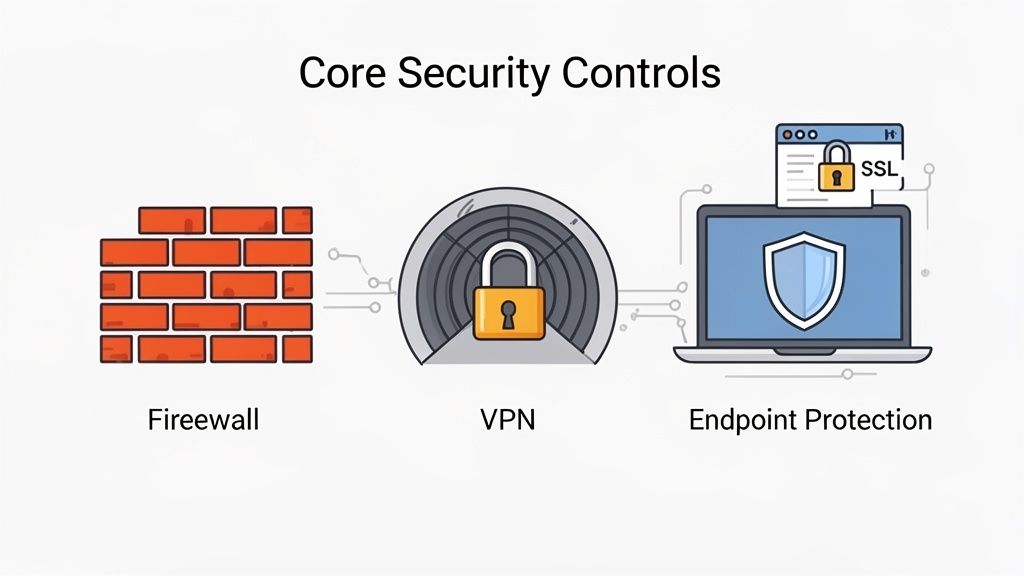
Firewalls: The Digital Gatekeepers
The first and most critical layer of your network defence is the firewall. Picture a security guard standing at the only entrance to your office, checking the ID of everyone who tries to come in or go out. A firewall does exactly that for your network traffic.
It sits between your internal business network and the wider internet, inspecting all the data packets moving in and out. Based on a set of security rules you define, it decides what traffic is safe to allow and what needs to be blocked at the gate.
This is your number one defence against random connection attempts and heaps of automated attacks. Quality hosting services, like ours at UpTime Web Hosting, come with powerful, DDoS-protected firewalls already built-in, giving your website a robust first line of defence from the moment it goes live.
VPNs: Secure Tunnels for Remote Work
With remote and hybrid work becoming the norm, secure connections from outside the office are no longer optional. This is where a Virtual Private Network (VPN) becomes an absolute must-have.
A VPN creates a secure, encrypted "tunnel" over the public internet, linking a remote user's device directly to your business network. It’s like a private, armoured courier for your data, making sure it can't be intercepted or spied on while it's in transit. When an employee connects via the VPN, it's as if they're securely plugged right into the office network.
Practical Example: An employee is working from a cafe and uses the public Wi-Fi to access your company's shared drive. Without a VPN, any sensitive data they're working on could potentially be seen by a snooper on that same public network. With a VPN, all their traffic is scrambled and hidden, making it completely unreadable.
Endpoint Protection: Armour for Every Device
Your network is only as secure as its weakest link. More often than not, that weak link is an individual device, or "endpoint." Endpoints are all the desktops, laptops, servers, and smartphones that connect to your network.
Endpoint Protection Platforms (EPP) are modern security solutions that go way beyond old-school antivirus software. They arm each device with a full suite of defences, including:
- Antivirus and Anti-malware: To catch and block malicious software.
- Device Firewalls: To control traffic directly on the machine itself.
- Behavioural Analysis: To spot unusual activity that might signal a new or unknown threat.
This ensures that even if a threat somehow slips past your main firewall, it can be stopped cold before it infects a device and spreads like wildfire across your network. Our service includes Malware Scanning to protect your website at the server level, forming a key part of this strategy.
A strong perimeter defence is crucial, but it's not enough. Every device connected to your network is a potential entry point for an attack, making comprehensive endpoint protection a non-negotiable part of modern business network security.
MFA and Encryption: Adding Unbreakable Locks
Beyond these foundational controls, two practices—Multi-Factor Authentication (MFA) and encryption—add incredibly powerful layers of security. They're simple to put in place but extremely difficult for attackers to get around.
Multi-Factor Authentication (MFA) is a straightforward idea: it requires a user to provide two or more pieces of evidence to prove their identity before gaining access. Think of it like needing both a key and a unique PIN to open a safe. A password on its own can be stolen, but it’s a lot harder for an attacker to also have your fingerprint or a one-time code from your phone.
Encryption is the process of scrambling your data into an unreadable code, making it totally useless to anyone who doesn't have the correct key to unlock it. This protects your data both "in transit" (as it moves across the network) and "at rest" (when it's just sitting on a server or hard drive).
A perfect example is the SSL certificate that secures your website. It encrypts the connection between a visitor's browser and your web server, protecting sensitive information like logins and credit card details. UpTime Web Hosting includes free SSL certificates with all our hosting plans, so you can easily tick this essential security box. To really get why this matters, you can learn more about the difference between HTTP and HTTPS in our detailed article on our knowledge base.
For those wanting to go even deeper, you can explore comprehensive guides on AWS infrastructure security that cover things like VPC security, firewalls, and DDoS protection in granular detail.
Host your website with our 5-star rated, cPanel website hosting plans.
Super fast servers, with security included and hosted in your choice of Australian Data Center.
View cPanel Plans
Turning Your Team into a Security Asset
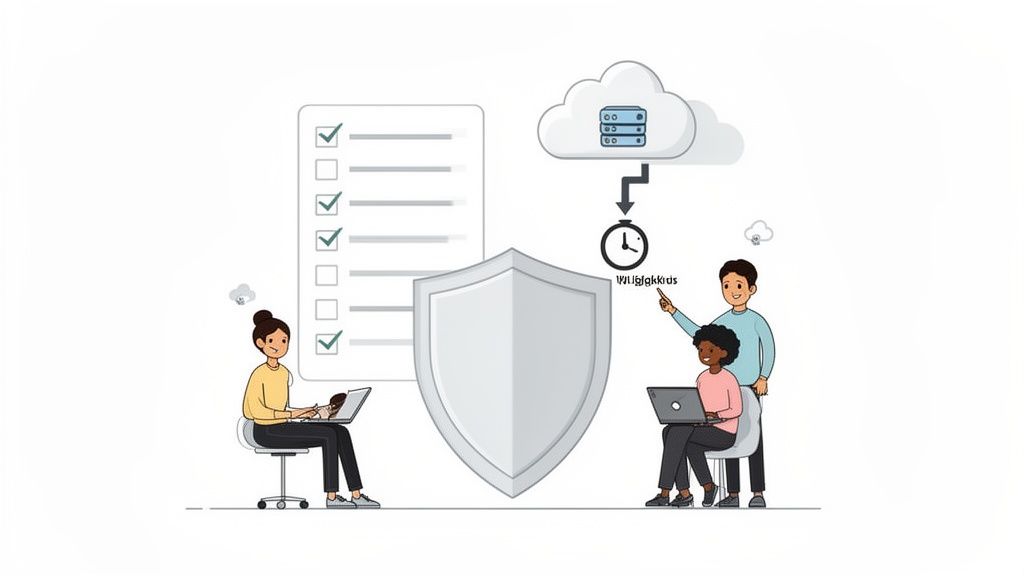
While firewalls and encryption are vital parts of your digital fortress, the strongest walls are useless if someone inside leaves the gate wide open. Your people and the policies they follow are the true first line of defence in any effective business network security strategy. Technology is only half the battle; turning your team into a security-conscious asset is what separates vulnerable businesses from resilient ones.
This shift starts with creating simple, powerful policies that everyone can understand and follow. These aren't complex legal documents but practical guides for day-to-day behaviour, especially when things go wrong. Establishing clear procedures transforms security from an abstract idea into a set of daily habits.
Building Your Human Firewall
Your employees are constantly interacting with potential threats, from suspicious emails to questionable downloads. Without proper guidance, they’re left to make security decisions on their own, often without understanding the real risks involved. This is where you build a human firewall through awareness, training, and clear, actionable policies.
The goal is to create a culture of healthy scepticism and proactive behaviour. It's about empowering every team member to pause and question something that doesn't feel right, rather than clicking first and asking questions later.
Creating an Incident Response Plan
When a security incident happens—and it’s a matter of when, not if—panic is your worst enemy. An Incident Response (IR) Plan is your calm, clear-headed guide for what to do in a crisis. It takes the guesswork out of the equation and ensures a swift, organised reaction to minimise the damage.
A simple IR plan for an SMB doesn't need to be 50 pages long. It can be a one-page document that answers a few key questions:
- Who is in charge? Designate one person to lead the response.
- What is the first step? For example, disconnect the affected machine from the network immediately.
- Who needs to be told? This could include your IT provider, key managers, and potentially customers.
- How do we preserve evidence? Note down the time, the device, and the nature of the suspected incident.
Having this ready beforehand can turn a potential catastrophe into a manageable problem.
The Lifeline of Data Backups
Imagine a ransomware attack encrypts every single file on your network. With no way to get your data back, you face a devastating choice: pay the ransom or lose everything. This is where a robust backup policy becomes your ultimate safety net.
Your data backup isn't just a copy of your files; it's a lifeline for your business. It’s what allows you to confidently recover from a catastrophic data loss event—whether it’s a hardware failure, a natural disaster, or a malicious attack—without paying a cent to criminals.
A strong backup strategy follows the 3-2-1 rule: have three copies of your data on two different types of media, with one copy stored off-site. This is where services like UpTime Web Hosting's Managed Off-Site Nightly Backups are invaluable. By automating this critical process, we ensure you always have a clean, recent copy of your website data stored safely away from your main network, ready for restoration at a moment's notice.
Smart Access Control Policies
The Principle of Least Privilege is a cornerstone of good security. It simply means that each user should only have access to the specific data and systems they absolutely need to do their job—and nothing more. This one concept dramatically reduces your risk.
Here’s a practical example: a marketing coordinator needs access to your website’s blog and social media accounts, but they don't need access to your accounting software or payroll records. By restricting their permissions, you ensure that if their account is ever compromised, the attacker’s access is limited to a small, non-critical part of your business. To ensure your team is using company resources correctly, you can also learn more about how to set up a professional business email for each employee, keeping personal and work communications separate.
Putting together a set of policies doesn't have to be overwhelming. The key is to start with the most critical areas that protect your business and your team.
Essential Security Policy Checklist for SMBs
| Policy | Why It's Critical | Simple First Step |
|---|---|---|
| Incident Response Plan | Ensures a calm, organised reaction during a crisis to minimise damage and downtime. | Designate a single point of contact and write down the first three steps to take. |
| Data Backup Policy | Your ultimate safety net against ransomware, hardware failure, or human error. | Confirm your backups are running automatically and that at least one copy is stored off-site. |
| Patch Management Policy | Keeps software up-to-date, closing security holes that hackers love to exploit. | Enable automatic updates on all computers and software wherever possible. |
| Access Control Policy | Limits potential damage by ensuring employees can only access the data they absolutely need. | Review who has "admin" access to your key systems and remove anyone who doesn't need it. |
Even tackling one of these policies is a huge step forward in securing your business network. Start simple, communicate clearly, and build from there.
Navigating Australian Compliance and Data Laws
For any Aussie business, solid network security isn't just a "nice-to-have"—it's a legal must. Getting your head around your obligations can feel a bit like wading through legal jargon, but the main ideas are actually pretty straightforward. At their core, these laws are all about protecting customer privacy and making sure businesses are responsible for the data they collect.
Getting this wrong isn't just about copping a fine; it can completely shatter the trust you've built with your customers. When you handle someone's personal information, you're the one in charge of keeping it safe, and the law expects you to treat that responsibility seriously.
The Privacy Act and Personal Information
The absolute bedrock of data protection in Australia is the Privacy Act 1988. This piece of legislation lays down the rules for how businesses and government agencies have to handle 'personal information'. But what does that really cover day-to-day?
Essentially, personal information is any detail that could be used to identify a living person. This includes the obvious stuff like names and addresses, but it also goes a lot further:
- Email addresses and phone numbers
- Bank account details and credit card info
- Photos, videos, and in many cases, even an IP address
If your business collects any of this—whether from an online order, a simple contact form, or your own employee records—you're legally on the hook to protect it.
Understanding the Notifiable Data Breaches Scheme
A crucial part of the Privacy Act is the Notifiable Data Breaches (NDB) scheme. This law is crystal clear about what you have to do if your business is hit by a data breach that could cause serious harm to someone.
Put simply, if you lose customer data and there's a real chance it could be used against them (think identity theft or financial fraud), you can't just sweep it under the rug. You are legally required to notify the people affected and the Office of the Australian Information Commissioner (OAIC).
Here’s a real-world example: Imagine a hacker breaks into your eCommerce store's database and makes off with customer names, email addresses, and their purchase histories. Under the NDB scheme, you'd have to act fast. Because that information could easily be used for targeted phishing scams, you'd be obligated to report the breach.
This legal pressure has created a huge demand for local security experts. In fact, Australia's cybersecurity software services industry has ballooned into an estimated $2.1 billion market as businesses scramble to get the right protection in place. You can learn more about the growth of Australia's cybersecurity industry on IBISWorld.
The Importance of Data Sovereignty
Data sovereignty is a simple but powerful idea: your data is subject to the laws of the country where it's physically stored. For many Australian businesses, especially those in sensitive fields like healthcare or finance, keeping data on Aussie soil isn't just a good idea—it's a non-negotiable compliance rule.
This is where your choice of web host suddenly becomes a critical business decision. By choosing a 100% Australian provider like UpTime Web Hosting, with data centres in Sydney, Melbourne, Brisbane, and Perth, you make your compliance journey a whole lot easier. You’re ensuring your website and customer data physically stay in Australia, automatically keeping it all under the protection of our local privacy laws.
Check out our guide to understand more about data sovereignty and why it's important to host your website in Australia. Making this one simple choice gives you peace of mind and builds a rock-solid foundation for your entire compliance strategy.
Your Action Plan for a More Secure Network Today
It's one thing to understand security concepts, but turning that knowledge into real-world protection is what really counts. Let's cut through the theory and create a clear, prioritised checklist to help you make immediate, tangible improvements to your business's network security. We'll focus on the foundational wins you can lock in quickly to build a stronger defence right away.
This simple plan breaks down actions by timeframe, starting with the most critical steps you can take this week.
Your First Week: Immediate Wins
These are high-impact actions that give you the most bang for your buck, significantly reducing your risk with minimal effort. Think of them as the digital equivalent of changing the locks and installing a security alarm on your new premises.
- Enable Multi-Factor Authentication (MFA): If you do nothing else, do this. Turn on MFA for all your critical accounts—email, banking, cloud services, everything. This single step can block over 99.9% of account compromise attacks. It’s a game-changer.
- Verify Your Backups: A backup is only useful if it actually works. Check that your automated backup system is running correctly and that you know how to restore a file. For UpTime Web Hosting clients, this means confirming your Managed Off-Site Nightly Backups are active. A successful backup is your ultimate safety net against a ransomware attack.
- Activate Your Free SSL Certificate: An SSL certificate encrypts the connection between your website and your visitors. This protects their information, builds trust, and is essential for modern business. You can find simple instructions on how to activate your free SSL in our knowledge base.
Your First Month: Building Resilience
Once the immediate essentials are handled, it’s time to build stronger processes and raise your team’s awareness. These next steps are about creating a more resilient security culture that lasts.
- Draft a Simple Incident Response Plan: Don't overthink it. Just create a one-page document outlining who to call and the first three things to do if you suspect a breach. Having this on hand removes panic from the equation and ensures a swift, measured response when things go wrong.
- Conduct a 15-Minute Staff Training Session: Your team is your first line of defence. Spend 15 minutes teaching them how to spot a phishing email. Focus on the common red flags: unexpected attachments, urgent requests for sensitive information, and email addresses that just don't look right.
- Confirm Your Security Tools Are Working: If you're an UpTime customer, double-check that your included Malware Scanning and DDoS-protected firewall are up and running. These tools are working 24/7 in the background to shield your website from automated threats.
Of course, navigating Australian data compliance is a key part of this whole process. You need to be sure you're meeting your legal obligations under the Privacy Act and the Notifiable Data Breaches (NDB) scheme.
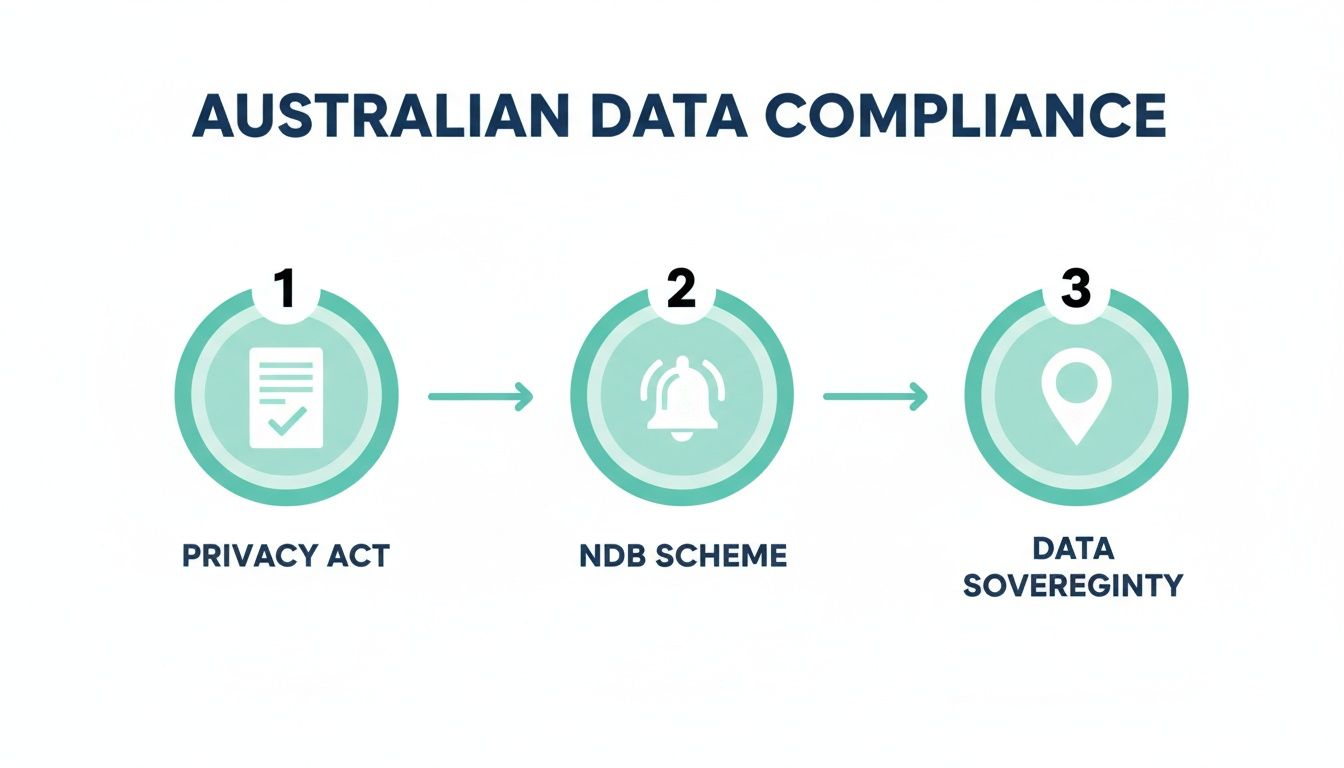
This highlights the key stages you'll go through, from understanding the foundational privacy principles to managing data sovereignty by keeping sensitive information right here in Australia.
By following this straightforward action plan, you methodically layer your defences. You start with quick wins like MFA and verified backups, then build a robust foundation for your business network security, making sure you are prepared for whatever today's digital threats throw at you.
Register your new domain name at competitive market prices including free domain add-ons like privacy, DNS Hosting, Custom Nameservers and Forwarding.
Always the best price and no nasty renewal price hikes.
Register A Domain Name
Frequently Asked Questions
Getting your head around business network security can bring up a lot of questions. Here are some straight answers to the things we hear most often from Australian small and medium business owners.
Is My Web Hosting Security Enough to Protect My Business?
It’s a great start, but it’s only one piece of the puzzle. Think of your secure web hosting as the high-tech security system for your digital shopfront—it protects your website and customer data with things like firewalls, SSL certificates, and malware scanning. It's absolutely critical.
But business network security is about protecting the entire operation. That includes your internal office network, the laptops your team uses, and even your company emails. Your hosting protects the store, but network security protects the storeroom, the office, and the delivery vans too. If you want to dive deeper into the hosting side of things, feel free to explore UpTime’s knowledge base articles.
We're a Small Business. Are We Really a Target?
Yes, absolutely. It’s a common mistake to think criminals only go after the big fish. In reality, attackers often see small businesses as easier targets precisely because they assume they have fewer security resources. The automated bots they use to scan the internet for weaknesses don’t care about your company's size; they just look for an open door.
Practical Example: A local plumbing business might think they're "too small to hack." But an automated scanner finds a vulnerability on their website and injects malware. Now, every customer visiting their site to book a job is at risk, and the business's reputation is on the line.
The good news is that many of the most effective security measures are low-cost or even free to implement. Activating Multi-Factor Authentication, enforcing strong password policies, and running basic staff training won't break the bank, but they make a massive difference.
How Much Does Good Network Security Cost?
There's no single price tag, but it's far more affordable than you might think. You don't need a massive budget to get started. The key is to begin with the foundational, high-impact steps and then invest strategically as your business grows.
For instance, essentials like SSL certificates and regular malware scanning are already built into quality web hosting plans. Ultimately, the cost of putting preventative measures in place is almost always a fraction of the cost of cleaning up after a data breach.
At UpTime Web Hosting, we don't treat security as an optional extra. We build it into every single plan, providing Australian businesses with DDoS-protected firewalls, free SSL, and nightly off-site backups. This gives you a rock-solid foundation for your digital presence. Secure your business today at https://uptimewebhosting.com.au.