At its core, a cloud backup for business is a service that copies your company’s crucial data over the internet to a secure, remote server. Think of it as a digital safety net, making sure you can get back up and running quickly after any kind of data loss—whether it’s from hardware failure, a cyberattack, or simple human error. This kind of protection isn't a "nice-to-have"; it's absolutely essential for business continuity.
Why Cloud Backup Is Your Digital Insurance Policy
Imagine your business data is your most valuable asset. Now, picture it gone in an instant—wiped out by a server crash, locked up by ransomware, or deleted by a misplaced click. That scenario isn't just a technical glitch; it's a potential catastrophe.
This is exactly where cloud backup steps in, acting as a non-negotiable insurance policy for your business. Just like you insure your physical office against fire or theft, a cloud backup protects the very lifeline of your digital operations. It’s what turns a crisis that could shut you down for good into a manageable inconvenience you can recover from.
From Potential Catastrophe to Minor Inconvenience
Let's look at a couple of common scenarios for Australian businesses. A Perth-based digital agency suffers a complete server failure, putting client projects and tight deadlines at risk. Without a backup, they'd be facing devastating reputational and financial damage. With an automated nightly backup, they can restore their systems on new hardware and be operational again within hours.
Or consider a Brisbane eCommerce store that gets hit by malware, corrupting its entire product database. A reliable cloud backup for business means they can simply roll back to a clean version from the previous night, keeping lost sales and customer frustration to a minimum.
A backup strategy turns a potential disaster into a documented procedure. It’s the difference between panic and process, ensuring your business can withstand unexpected events and continue serving customers.
The Power of Local Protection
There’s a massive advantage to storing your data backups in local Australian data centres. It means faster recovery speeds when you need them most and helps you meet data sovereignty requirements, keeping your sensitive information right here, under Australian jurisdiction. You can learn more about how we prioritise your business's comprehensive cybersecurity and data protection.
This local-first approach is fundamental to how we operate. At UpTime Web Hosting, we include encrypted, off-site nightly backups with our hosting plans, giving you a foundational layer of protection from day one. Moving to this kind of robust protection often involves a significant data backup cloud migration, a critical step in modernising how you safeguard your digital assets.
The market reflects this growing understanding. The Australian cloud backup sector brought in USD 93.0 million in revenue, largely driven by SMEs finally realising how vital it is. This trend is only accelerating, with projections expecting the market to hit USD 415.2 million by 2030.

Performance you can feel, backed by clients who depend on it. Read how our support and uptime create long‑term customer success.Power Your Business with Better Hosting
Essential Features of a Business Backup Solution
When you start looking into cloud backup, you quickly realise it’s a world away from simply storing files online. Consumer services are great for your family photos, but a proper business continuity tool is designed to save your entire operation from disaster. The right features all work together, creating a safety net that turns a potential catastrophe into little more than a bump in the road.
Getting your head around these core components is the first step. It helps you pick a service that genuinely protects your business. This isn't just about having a copy of your data; it’s about having the right kind of copy, stored in the right way, ready to go the moment you need it.
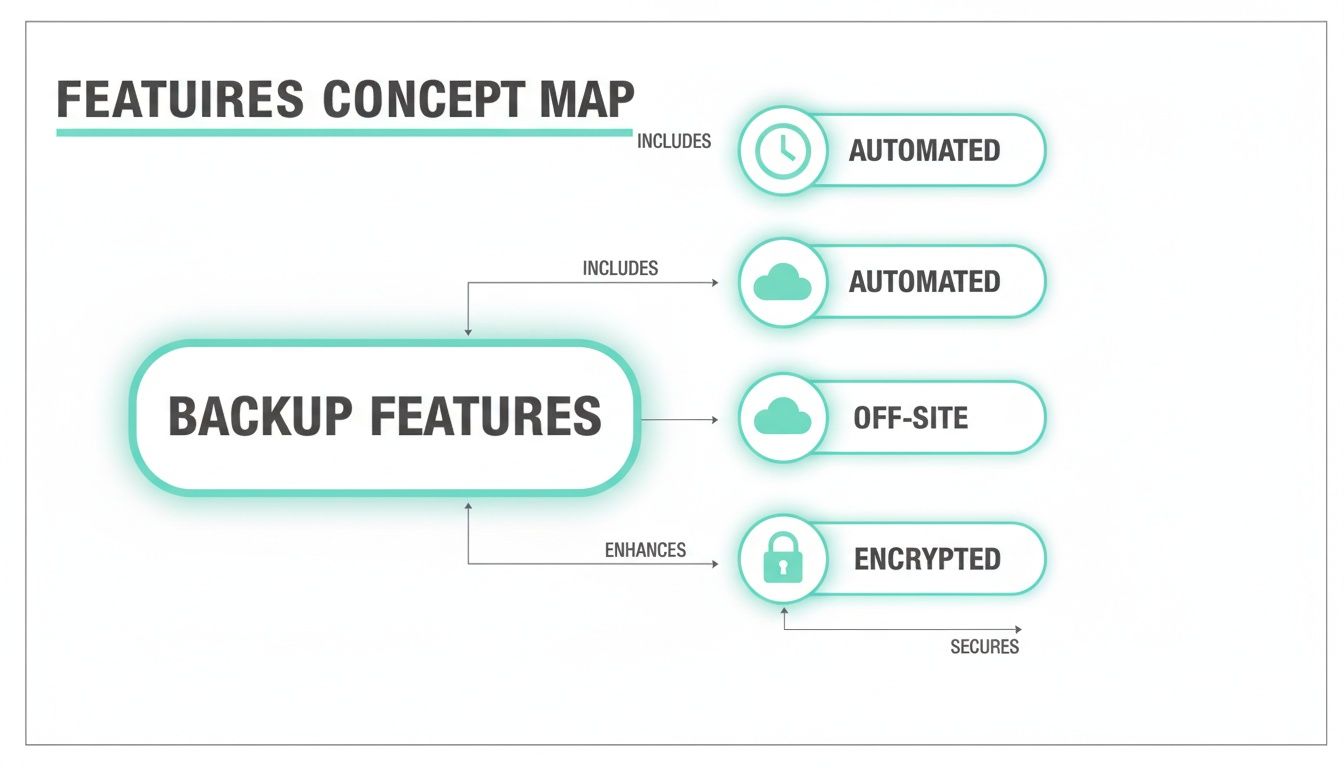
Automated Backups: The Set-and-Forget Safety Net
If there's one feature that's absolutely non-negotiable, it's automation. Let's be honest, manual backups are a recipe for failure. They rely on someone remembering to kick them off, and they're always the first thing forgotten when things get busy. That leaves your business dangerously exposed.
Automated backups, on the other hand, just run. They follow a fixed schedule without anyone needing to lift a finger. For most businesses, nightly backups are the standard. This simple schedule ensures that, in a worst-case scenario, you’d only ever risk losing a single day's worth of data. It’s a true 'set-and-forget' approach that delivers consistent, reliable protection.
Practical Example: Think of an accounting firm in Melbourne crunching numbers for clients all day. An automated nightly backup means that if their main server dies overnight, they can restore everything from the previous day. They can get back to work with minimal disruption, protecting their data and, just as importantly, their clients' trust.
Off-Site Storage: Your Defence Against Local Disasters
Having a backup is a great start, but keeping it in the same building as your primary data is a huge gamble. A single local disaster—a fire, a flood, even a prolonged power outage—could wipe out both your live systems and your backups in one fell swoop.
This is why off-site storage is a must-have. It means your backup data is physically stored in a completely different geographical location, ideally in another city or even another state. This separation ensures no single localised event can destroy every copy of your data. The classic industry guideline, the 3-2-1 rule, specifically calls for keeping at least one copy of your data off-site for this very reason.
The principle is simple but powerful: if your office in Sydney is inaccessible because of a building emergency, your data is safe and sound in a secure data centre in Perth, ready for recovery. This geographical redundancy is a cornerstone of true disaster recovery.
At UpTime Web Hosting, all our hosting plans include automated nightly backups that are stored off-site, giving you this critical layer of protection by default. For a detailed look at how this works, you can learn more about our VPS Server Backup process in our knowledge base.
End-to-End Encryption: Protecting Your Data in Transit and at Rest
Your business data is one of your most valuable assets, holding everything from sensitive customer information to private financial records. Just backing it up isn't enough; you have to be certain it’s secure from prying eyes. This is where end-to-end encryption comes into play.
Encryption basically scrambles your data into an unreadable code using a complex algorithm. The only way to make it readable again is with the correct decryption key. A proper cloud backup for business service encrypts your data at two critical points:
- In Transit: While it's travelling across the internet from your server to the backup location.
- At Rest: While it's physically stored on the backup servers.
This dual-layer protection means your data is secure at every stage of the process, shielding it from anyone trying to intercept it or from a breach at the storage facility itself. Think of it as sending your valuables in an unbreakable, locked safe.
Understanding Your Recovery Objectives: RTO And RPO
When you’re thinking about backups, it’s easy to get lost in the technical details. But beyond the tech, two business-focused questions cut right to the chase: how quickly do you need to be back online after a disaster, and how much data can you actually afford to lose?
These two concepts, known as RTO and RPO, are the bedrock of any serious disaster recovery plan.
- Recovery Time Objective (RTO): This is all about downtime. It answers the question, "How long can our business be offline before it really starts to hurt?"
- Recovery Point Objective (RPO): This is all about data loss. It asks, "How much data, measured in time, can we afford to lose without causing a major crisis?"
Getting these wrong is like navigating without a map. A backup strategy that doesn't meet your RTO and RPO isn't a plan—it's a gamble with your business's future. The right combination of automated processes, off-site storage, and strong encryption is what makes meeting these objectives possible.
RTO In The Real World: How Fast Is Fast Enough?
Your Recovery Time Objective sets the maximum acceptable time your business can be down. For some, a few minutes is an eternity. For others, a few hours is just an inconvenience. It completely depends on how you operate.
Think about these Australian businesses:
- An eCommerce store in Sydney lives and dies by its website. Every minute it's offline translates directly into lost sales and annoyed customers who might never come back. Their RTO has to be incredibly low, aiming for well under an hour.
- A creative agency in Melbourne probably has a bit more breathing room. If their internal file server crashes, the team can likely switch to offline tasks for a few hours without derailing project deadlines. An RTO of around four hours might be perfectly fine.
Your RTO is massively influenced by your provider. Fast local servers and a responsive Australian support team are critical. They can be the difference between a minor blip and a full-blown business crisis, helping you get back on your feet much faster.
RPO In The Real World: How Much Data Can You Stand To Lose?
Your Recovery Point Objective puts a number on the maximum amount of data (measured in time) that you can lose before it causes serious damage. In simple terms, it dictates how often you need to back everything up.
RPO forces you to quantify the pain of lost work. If your last backup ran 24 hours ago and your system fails now, you've just lost an entire day's worth of transactions, emails, and updates. For most businesses, that's a painful, and often unacceptable, reality.
Here's how this plays out for different businesses:
- A busy online forum could lose thousands of user posts and interactions if it had to be restored from a day-old backup. To keep the community alive and data intact, a very low RPO of an hour or less is essential.
- A local tradie's website, which is mostly a digital business card with a contact form, doesn't change much. An RPO of 24 hours is usually more than enough. Losing a couple of enquiries from a single day is manageable.
RTO vs RPO Illustrated With Business Examples
To see how these two objectives work together in practice, let's look at a few more examples. Notice how the acceptable downtime (RTO) and data loss (RPO) change based on how the business operates and what's at stake.
| Business Type | Example Scenario | Acceptable RPO (Data Loss) | Acceptable RTO (Downtime) |
|---|---|---|---|
| Online Retailer | An eCommerce site processing hundreds of orders per hour. | 15 Minutes | Under 1 Hour |
| Medical Clinic | A practice managing patient appointments and records. | 1 Hour | 2-4 Hours |
| Law Firm | A firm updating client files and legal documents daily. | 4 Hours | 8 Hours (1 Business Day) |
| Local Cafe | A website displaying a menu and contact details. | 24 Hours | 48 Hours |
As you can see, there's no "one-size-fits-all" answer. Your RTO and RPO need to be tailored to your specific business risks and operational needs.
For many Australian small businesses, an RPO of 24 hours hits the sweet spot between robust protection and cost-effectiveness. Here at UpTime Web Hosting, our standard nightly backups mean your RPO is always less than 24 hours, providing a solid foundation you can build on. If you want to take control, you can also run your own backups anytime—we've got a guide on creating a full cPanel account backup right in our knowledge base.
Host your website with our 5-star rated, cPanel website hosting plans.
Super fast servers, with security included and hosted in your choice of Australian Data Center.
View cPanel Plans
Navigating Australian Data Sovereignty And Compliance
When you're choosing a cloud backup for business, it's easy to get caught up in features and pricing. But where your data is physically stored isn't just a trivial detail—it's a critical decision with serious legal and operational weight behind it.
For any Australian business that handles customer details or sensitive information, understanding data sovereignty isn't just good practice. It's an absolute must for staying compliant.
In simple terms, data sovereignty means your digital information is subject to the laws of the country where it physically lives. So, if your backups are sitting on servers in the United States or Europe, they fall under those countries' jurisdictions. This could potentially expose your business and your clients' private information to foreign laws and data access requests you never anticipated.
The Australian Privacy Act And Your Data
This brings us directly to your obligations under the Australian Privacy Act 1988. The Act is very clear about how businesses must handle personal information, and keeping your data on Australian soil is the simplest, most direct way to ensure you're ticking all the right boxes.
When both your live data and its backups are stored locally, you sidestep the headache of navigating a complex web of international privacy laws.
Choosing a provider with data centres overseas can unintentionally pull you into a compliance nightmare. Suddenly, you could be held accountable for data handling practices that are completely out of your control, governed by laws you're not familiar with. It complicates your responsibilities and can quickly erode the trust you've worked so hard to build with customers, who rightly expect their data to be protected under Australian law.
Why A 100% Australian Provider Matters
This is where opting for a 100% Australian-owned and operated provider gives you immediate peace of mind. It’s a guarantee that everything—from your live website to your mission-critical backups—is housed in local data centres and managed under Australian jurisdiction. This isn't just a nice-to-have feature; it's a strategic move for managing risk and staying on the right side of regulations.
Keeping your data within Australia’s borders simplifies compliance, enhances security, and provides a clear chain of accountability. It assures your clients that their sensitive information is handled responsibly and is protected by the privacy laws they know and trust.
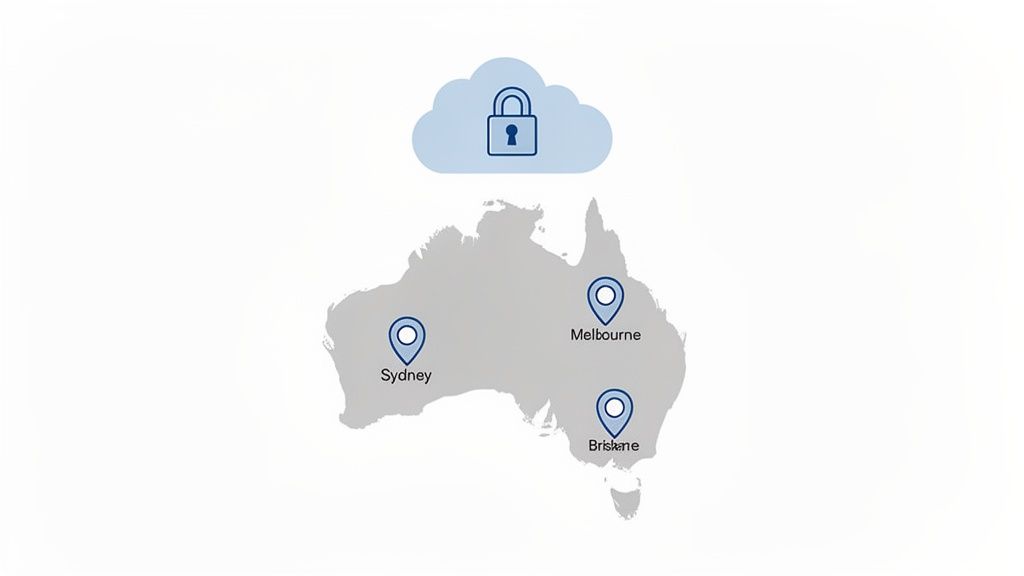
At UpTime Web Hosting, we operate a network of secure, high-performance data centres in Sydney, Melbourne, Brisbane, and Perth. Our strategic presence across the country means your data never has to leave Australian shores. This commitment to local infrastructure is a key differentiator that lifts the burden of international legal complexities right off your shoulders. You can learn more about why it's so important to host your website in Australia in our detailed guide.
Of course, a robust cloud backup strategy is just one piece of the puzzle. Businesses also need to implement comprehensive IT Asset Lifecycle Management to ensure data is secure at every stage, from when a device is first purchased to when it’s securely disposed of.
This holistic approach means data protection is always front of mind, not just during backup and recovery. By pairing a strong backup plan with diligent asset management, you create a far more complete and defensible security posture for your entire operation, reinforcing your commitment to protecting sensitive information no matter where it is.
A Practical Checklist For Choosing Your Backup Provider
Picking the right provider for your business's cloud backup can feel like wading through a swamp of technical jargon. To help you cut through the noise, we've put together a straightforward, practical checklist. These are the essential questions you need to ask to make a confident, informed decision.
Think of each item on this list as a tool to empower you. Once you understand why each point matters, you can properly weigh up different providers and find the one that genuinely fits your business—not just one trying to sell you a generic package.
Location, Location, Location (For Data Centres and Support)
The first, and arguably most important, question is about geography. Where are their servers physically located, and where is their support team based? As we've already touched on, this has massive implications for data sovereignty, compliance, and how fast you can get back on your feet after a disaster.
- Question to Ask: Are your data centres and your support team located within Australia?
- Why This Matters: Keeping your data on Australian soil is the cleanest, simplest way to stay on the right side of the Australian Privacy Act. Plus, having a local, 24/7 support team means you get expert help in your own time zone when a crisis hits—not 12 hours later when it's far too late. UpTime Web Hosting, for example, operates data centres in Sydney, Melbourne, Brisbane, and Perth, guaranteeing your data never leaves the country.
Backup Frequency and Retention Policies
Next up, you need to get into the nitty-gritty of how often your data is backed up and for how long those backups are kept. This stuff directly impacts your Recovery Point Objective (RPO) and your ability to turn back the clock to a specific point in time.
A provider's retention policy is your safety net against more than just disasters. It can save you from accidental deletions or data corruption that you might not discover for days or even weeks.
Don't let them get away with vague answers. You need concrete details to make sure their policies line up with how your business actually operates.
- Question to Ask: How often are automated backups performed, and what is your retention policy (e.g., how many daily, weekly, or monthly copies are kept)?
- Why This Matters: Nightly backups are a solid standard for most small businesses, giving you an RPO of under 24 hours. A strong retention policy, like keeping 30 daily backups, gives you a full month-long window to recover files. That kind of flexibility is a lifesaver for reversing unforeseen issues without losing a heap of progress.
Security Measures and Inclusions
A backup is only as good as its security. Your data needs to be protected both in transit (while it's being sent to the backup server) and at rest (while it's stored). You also need to be crystal clear on which security features are included as standard and which are sneaky, costly add-ons.
Ask them to spell out the specific layers of protection they offer. Core features like firewalls, malware scanning, and encryption should be part of the main service, not an optional extra you have to fork out more for.
- Question to Ask: What security measures, like firewalls, malware scanning, and encryption, are included with the backup service?
- Why This Matters: Comprehensive, built-in security protects your data from end to end. A provider like UpTime Web Hosting includes free SSL, malware scanning, and DDoS-protected firewalls as standard. This approach takes the guesswork out of security and ensures you have a strong defensive line from day one.
Pricing Transparency
Last but not least, let's talk money. Hidden fees and surprise charges can quickly turn an affordable plan into a financial headache. Real transparency is the hallmark of a provider you can trust. Make sure every single cost is laid out on the table, with zero ambiguity.
- Question to Ask: Is your pricing GST-inclusive, and are there any hidden fees for storage overages, data retrieval, or technical support?
- Why This Matters: Straightforward pricing allows for accurate budgeting and, just as importantly, builds trust. A provider that's upfront about all potential costs shows they're committed to fair business practices. Knowing exactly what you’re paying for—and what you’re not—is fundamental to choosing a long-term partner for your business. For more tips on this, check out our guide on the top 10 factors to consider when choosing web hosting services.
Putting Your Backup and Recovery Plan to The Test
So, you’ve set up a cloud backup for your business. That’s a fantastic first step, but it’s really only half the battle. A backup you’ve never actually tested isn’t a strategy; it’s just a hope. Its true value is only proven when you can successfully recover your data from it. This is where you need to shift from planning to proactive action.
Testing your backups takes the mystery out of the recovery process. It turns a theoretical plan into a reliable, practised procedure. Honestly, it’s the only way to be certain that everything works as expected before a real crisis hits. Without regular tests, you’re flying blind, gambling that your data will be there when you need it most.
Performing a Test Restore
The whole point of a test restore is to simulate a real-world data loss event in a controlled way, without touching your live website or day-to-day operations. You’re essentially checking if you can rebuild your digital storefront or operational hub from the backup files you have stored away.
For most businesses, this doesn't need to be a massive, complicated undertaking. Using a tool like cPanel, which comes standard with UpTime Web Hosting plans, makes this process quite straightforward. The general steps involve restoring a full backup to a non-production environment, like a staging site or even just a separate folder on your hosting account.
A successful test isn't just about seeing if your files reappear. It's about confirming that your website, applications, and databases all function correctly after being restored. That's how you know business continuity is truly achievable.
If you’re not sure where to begin, our support team can absolutely guide you through it. We also have a handy guide on how to create and download a full backup of your cPanel account, which is the perfect starting point for any test run.
Key Things to Check During a Test
Once the restore is complete, you need to properly verify that it worked. Don't just glance at the homepage and call it a day. A thorough check ensures that your cloud backup for business is genuinely comprehensive.
Here's what to look for:
- Data Integrity: Are all the files there? Check a few recent blog posts, product pages, or customer records to make sure the data is current and not corrupted in any way.
- Functionality: Does the website actually work as expected? Be sure to test critical functions like contact forms, shopping cart checkout processes, and user login portals.
- Database Connection: Confirm that your website is correctly talking to its restored database. A broken database connection is a common issue after a restore and can render an entire site useless.
- Restoration Speed: How long did the whole process take? This gives you a realistic idea of your Recovery Time Objective (RTO) and helps you manage expectations during a real emergency.
How Often Should You Run a Test?
The ideal frequency for testing your backups really depends on how often your website's data changes. As a good rule of thumb, you should aim to conduct a full test restore at least once per quarter. For more dynamic sites, like a busy eCommerce store, a monthly check-in is a very wise investment of your time.
Practical Example: Imagine a Melbourne-based online retailer decides to run quarterly disaster recovery drills. During their first test, they restore their site to a staging environment and discover their payment gateway integration fails after the recovery. By catching this during a test, they can fix the configuration, document the solution, and ensure a real recovery will be smooth and complete, protecting their revenue stream.
Regular testing builds confidence and turns your recovery plan into muscle memory. With accessible tools and a local support team ready to help, making these drills a standard part of your business operations has never been easier.
Register your new domain name at competitive market prices including free domain add-ons like privacy, DNS Hosting, Custom Nameservers and Forwarding.
Always the best price and no nasty renewal price hikes.
Register A Domain Name
Frequently Asked Questions About Cloud Backup
Even with a solid strategy in place, a few questions always pop up when businesses are on the verge of choosing a cloud backup solution. Let's tackle the common ones to clear up any confusion around costs, security, and how it all works in practice.
What Is the Difference Between Cloud Backup and Cloud Storage?
This is a big one, and it's easy to get them mixed up. Think of cloud storage—services like Dropbox or Google Drive—as a digital filing cabinet. It’s perfect for your live, day-to-day files, making collaboration and remote access a breeze.
A cloud backup for business, on the other hand, is your complete safety net. It’s not just for grabbing a single file you accidentally deleted. It takes a full snapshot of everything—your data, applications, and system configurations—and squirrels it away securely, purely for disaster recovery. Its sole job is to get your entire business back on its feet after a catastrophe.
How Secure Is My Data in the Cloud?
Any provider worth their salt will use multiple layers of security to guard your information. The gold standard is end-to-end encryption. This basically means your data is scrambled into unreadable code from the moment it leaves your server, while it travels across the internet (in transit), and while it sits on the backup servers (at rest).
On top of that, choosing an Australian provider with local data centres is a smart move. It ensures your backups fall under Australia's strong privacy laws, adding another critical layer of legal protection.
How Much Does a Business Cloud Backup Service Cost?
The price tag can vary, but here's some good news: many modern hosting providers now bundle a generous backup solution into their standard plans. For example, here at UpTime Web Hosting, we include encrypted off-site nightly backups as a standard feature, not a pricey add-on you have to worry about.
If your business has more complex requirements, costs are typically based on how much storage you need and how often you need backups to run. A key tip is to always look for clear, transparent pricing that includes GST so there are no nasty surprises on your invoice.
What Is the 3-2-1 Backup Rule?
The 3-2-1 rule is a time-tested best practice for keeping data safe. It’s a simple but incredibly effective framework that dramatically reduces your risk of losing everything in a single event.
Here’s how it breaks down:
- Keep three copies of your data (your original production data plus two backups).
- Store your backups on two different types of media (e.g., a local disk and the cloud).
- Have at least one copy stored completely off-site (in a separate geographical location).
This approach ensures that even if your office is hit by a fire, flood, or major theft, you still have a secure copy ready to go. You can even check out a modern take on this concept, the 3-2-1-1-0 rule from Veeam, which adds checks for immutability and error-free recovery.
Ready to put a cloud backup strategy in place that protects your business without all the fuss? The UpTime Web Hosting team provides secure, automated, and Australian-based backups with every single hosting plan. Explore our reliable hosting solutions today.