When you're running a small business, your email address is far more than just a way for people to contact you. It's a slice of your professional identity. Think of email hosting as the service that powers your custom, branded email address—like info@yourbusiness.com.au instead of a generic Gmail or Yahoo account. It's one of the first and most important investments you can make to show the world you're serious.
Why a Professional Email Address Is Non-Negotiable
Let's be blunt: what does yourcoolbiz@gmail.com really say to a potential customer? It feels a bit like a temporary market stall. It works, sure, but it doesn't exactly scream "established and trustworthy."
Now, contrast that with an email address linked directly to your domain name. That’s your polished, branded shopfront. It instantly tells customers you’re a legitimate business they can count on. Every single email you send becomes a digital business card, reinforcing your brand and building your professional image.
This isn't just about looking good; it's about credibility. In Australia, small businesses are the absolute backbone of our economy, making up a staggering 97.2% of all actively trading businesses. In such a competitive environment, that small professional detail makes a huge difference in your day-to-day communications.
Building Trust One Email at a Time
A custom email address is more than just a pretty face. It gives you crucial security and control over your most valuable business conversations, which we'll dive into more later. Every interaction, whether it's a quick question from a customer or a major project proposal, is another chance to cement your brand's legitimacy.
You own the data. You control who has an account. And you protect your communications with business-grade security features. Taking that first step to secure a professional email by registering a domain is genuinely one of the smartest moves a new business can make. If you're just getting started, check out our guide on how to register a domain name in Australia.
A professional email address is an asset that works for you 24/7. It markets your brand, secures your data, and builds the customer trust necessary for long-term success.
Of course, having the right address is only half the battle. Knowing how to use it effectively is just as important. For some great, practical tips on making every message count, it's worth mastering professional email etiquette.

Performance you can feel, backed by clients who depend on it. Read how our support and uptime create long‑term customer success.Power Your Business with Better Hosting
Free Email vs. Paid Hosting: Unpacking The Real Costs
When you're starting a small business, every dollar counts. So, opting for a free email service like Gmail or Yahoo can feel like a savvy move. After all, "free" is a pretty compelling price tag. But that initial saving often comes with hidden costs that can chip away at your brand's credibility, your data security, and your peace of mind.
Think about it this way: when a potential customer gets an email from yourplumbingservice@gmail.com, it can plant a tiny seed of doubt. It feels a bit temporary, maybe less established. In stark contrast, an email from contact@yourplumbingservice.com.au projects confidence and reinforces your brand every single time you hit "send."
It's about building trust from the very first interaction.
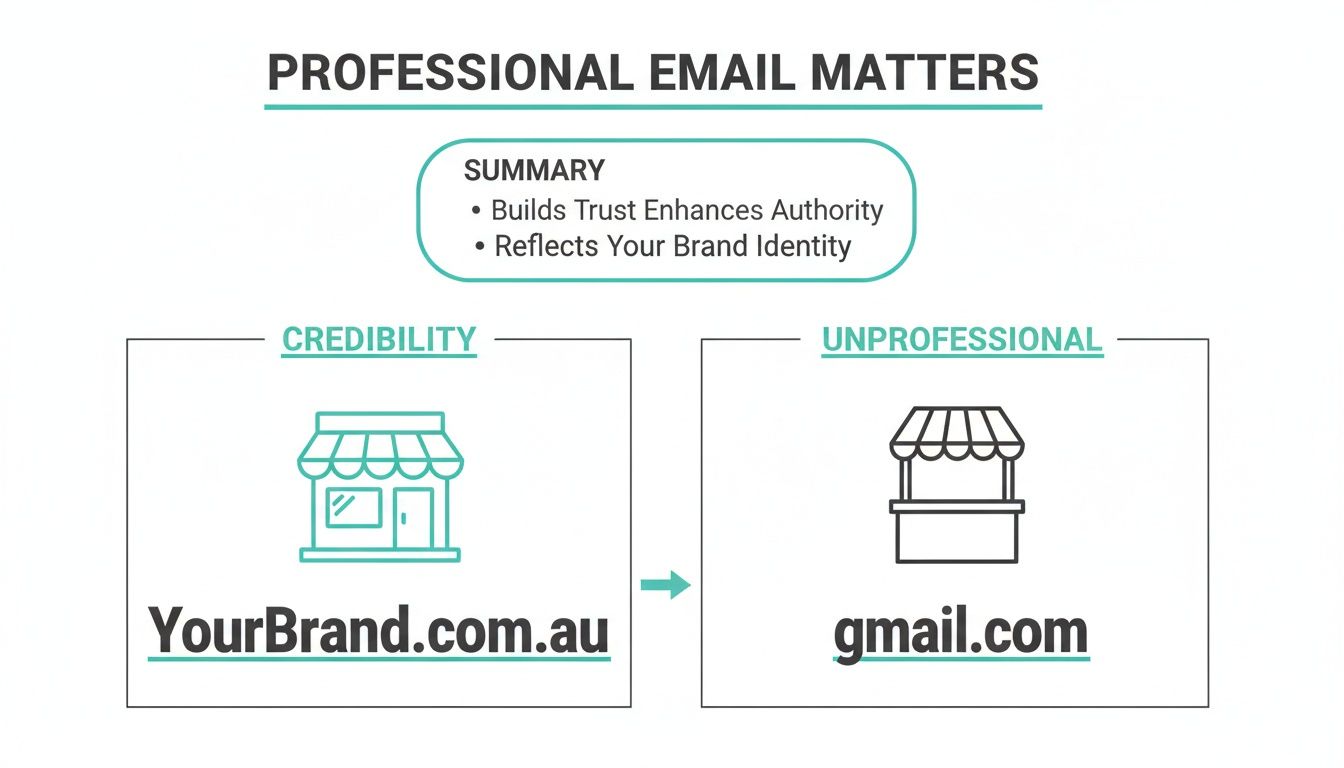
As the infographic shows, a professional email address is like a permanent, branded storefront. A free one can feel more like a pop-up market stall—handy, but maybe not here for the long haul.
To really understand the difference, let's break down a side-by-side comparison of what you get—and what you give up.
Comparing Free Email to Professional Email Hosting
| Feature | Free Email (e.g., Gmail, Yahoo) | Professional Email Hosting |
|---|---|---|
| Email Address | Generic, e.g., yourbusiness@gmail.com | Custom, branded, e.g., you@yourbusiness.com.au |
| Credibility | Can appear amateur or temporary to clients. | Instantly builds trust and brand recognition. |
| Data Ownership | You are a user on their platform; subject to their terms. | You own and control your data completely. |
| Security | Good personal security, but not tailored for business. | Advanced, business-grade security and spam filtering. |
| Admin Control | Limited. You can't manage multiple user accounts. | Full control to add/remove users, set passwords, etc. |
| Support | None. You rely on forums and help articles. | Dedicated, expert support (often local) is available. |
| Spam Filtering | Standard filtering. Important emails can be missed. | More aggressive, configurable filtering to protect you. |
Looking at the table, it's clear that while the initial price of free email is zero, the long-term value of professional hosting is in a different league entirely. Let's dig a bit deeper into what these differences mean for your day-to-day operations.
Branding and Professionalism
The most obvious win for paid hosting is branding. Using your own domain name in your email address is the digital equivalent of having a professionally printed business card versus a scribbled note on a napkin. It’s a small detail with a huge impact on how people see your business.
Let’s make it real with an example:
- Without professional hosting: A quote sent from
bestbuildersAU@yahoo.comcould easily get flagged as spam or, even worse, just look less legitimate than a competitor's. - With professional hosting: That same quote coming from
dave@bestbuilders.com.aulooks official. It's memorable, reinforces the business name, and is far more likely to be opened and taken seriously.
Security and Data Ownership
While free email providers have solid security for personal use, the needs of a business are fundamentally different. Professional email hosting steps up with enhanced security measures designed specifically to protect sensitive commercial information. This means better malware scanning, smarter spam filtering, and encryption that’s built for business.
But here’s the most critical point: data ownership. On a free service, you're just a user on their platform, playing by their rules. Your account could be suspended or deleted without much warning, potentially locking you out of years of vital business conversations.
With a paid hosting plan, you own your data. You’re in control. You manage the accounts, you set the rules, and you have a direct line to support when you need it. If you're curious how affordable that control can be, check out our usage-based pricing for Australian email hosting—it’s often less than the cost of a couple of coffees a month.
Control and Support
Finally, let’s talk about control and what happens when things go wrong. With a free provider, you’re one of billions of users. There's no one to call. You’re left to search through forums and hope for the best.
Paid email hosting, on the other hand, puts you in the driver's seat with a dedicated control panel (like cPanel). You can easily add or remove email accounts for your team, reset passwords, and tweak settings. And most importantly, when you run into trouble, you have a real support team to back you up—often local experts who can get you sorted quickly. That’s not a luxury; it's an essential for any business that relies on email.
Essential Features of Business Email Hosting
When you start shopping around for email hosting for your small business, the sheer number of options can feel a bit overwhelming. To cut through the noise, it helps to have a checklist of the non-negotiable features. These aren't just technical buzzwords; they're the absolute must-haves that form the foundation of a secure, reliable, and professional email service.
Think of it this way: these features are the security system, the fireproof safe, and the digital filing cabinet for your business. Without them, you're leaving your most important communications wide open to unnecessary risks and hassles.
Rock-Solid Security Protocols
First and foremost, your email needs to be secure. This isn't optional. It’s the digital lock on your front door, protecting sensitive information like invoices, client details, and internal chats from being intercepted.
Here’s what to look for:
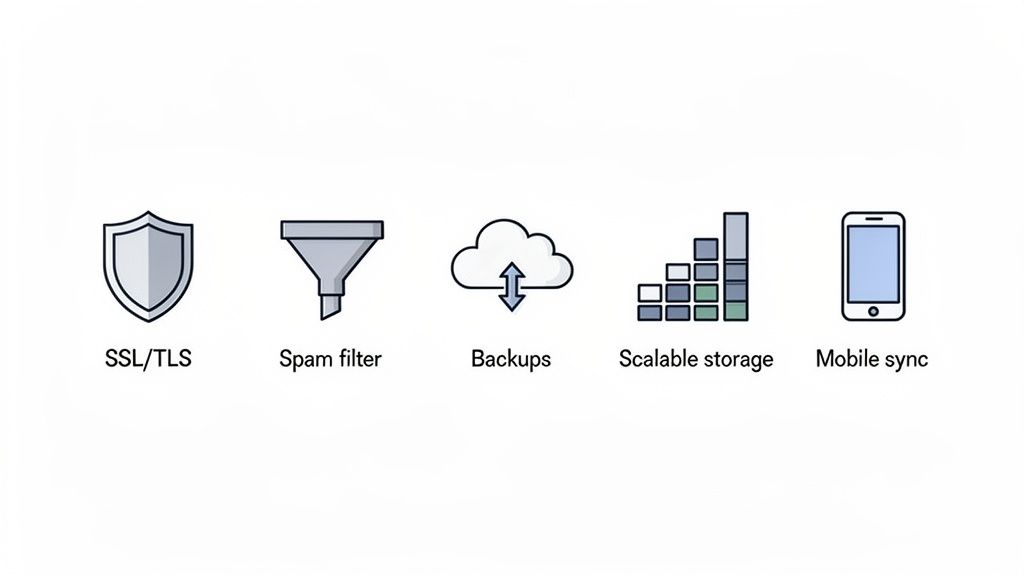
- SSL/TLS Encryption: This scrambles the data travelling between your email client (like Outlook or your phone) and the server, making it unreadable to anyone trying to snoop. For example, when you send an invoice from your laptop at a café, encryption ensures no one on the public Wi-Fi can view its contents.
- Malware and Virus Scanning: A good host automatically scans every single incoming and outgoing email for malicious attachments or dodgy links, stopping threats before they even have a chance to land in your inbox.
Intelligent Spam Filtering
A constant flood of spam doesn't just waste your time; it's the number one way phishing attacks and scams get delivered. A standard free email filter might catch the most obvious junk, but business-grade hosting uses far more advanced, intelligent systems to keep your inbox clean.
This means fewer distractions and a much lower risk of an employee accidentally clicking on something they shouldn't.
A great spam filter is the difference between a productive workday and a constant battle against digital noise. It should be powerful enough to block threats but smart enough to ensure important client emails always get through.
Automated Backups and Disaster Recovery
Stop and ask yourself: what would happen if you lost all your emails right now? For many businesses, the answer is catastrophic. This is where automated backups become your ultimate safety net.
Imagine a cyber-attack corrupts your entire mailbox. With nightly backups stored in a separate, secure location, this disaster is downgraded to a minor inconvenience. You can simply restore your emails from the previous day's copy and get right back to work. Without it, years of client history, contracts, and critical records could be gone in an instant.
Scalable Storage and Mobile Sync
As your business grows, your email needs will grow too. You need hosting that can keep up. Look for scalable storage so you can easily increase your mailbox size as needed, without being forced into a complicated and disruptive migration.
It's also worth paying attention to attachment size limits, as these can affect how you send large files. You can learn more in our guide to understanding email attachment size limits.
Finally, in a world where work happens everywhere, seamless mobile sync is essential. Your emails, calendars, and contacts should be perfectly synchronised across your desktop, laptop, and smartphone. This ensures you never miss an important message or appointment, no matter where you are. All our UpTime Web Hosting email services include these features as standard.
Host your website with our 5-star rated, cPanel website hosting plans.
Super fast servers, with security included and hosted in your choice of Australian Data Center.
View cPanel Plans
Choosing The Right Email Hosting Plan
Picking the perfect email hosting plan can feel like a bit of a balancing act. You don't want to fork out money for features you'll never use, but the last thing you need is a plan you'll outgrow in six months. For Aussie small and medium businesses, making a smart, cost-effective choice really boils down to a few key things.
The trick is to find a plan that fits your business right now but also has a clear path for when you start to grow. Let's break down how to figure out what you actually need so you can find the right fit for your business.
How Many Mailboxes Do You Really Need?
First things first, let's do a simple headcount. Think about how many people on your team need their own professional email address. But don't stop there—it's important to think beyond just individual employees.
- Role-Based Accounts: Don't forget those handy addresses like
info@,support@, oraccounts@. They help centralise different types of communication and make your business look much more organised to customers. - Future Hires: If you're planning on bringing new people on board in the next year, it's a good idea to factor in those potential new mailboxes now. It'll save you the hassle of having to upgrade your plan straight away.
A solo consultant, for instance, might only need a single mailbox (contact@) but with heaps of storage for sending and receiving big project files. On the other hand, a growing retail business with five staff members will likely need separate accounts for sales, support, and each employee, plus a general info@ for good measure.
Evaluating Your Storage Requirements
Next up is storage. You need to think about how much space each person is going to need. This isn't just about the number of emails they'll keep; it's about the kind of files you're all sending and receiving every day.
A common mistake is underestimating storage needs. Running out of space can grind your business communications to a halt, leading to bounced emails and missed opportunities. It's always better to have a little more than you think you need.
A graphic designer who's constantly sending large design proofs will need a lot more storage than a team member who mostly sends text-based emails. Most plans will start you off with around 5-10 GB per mailbox, which is usually plenty for general use. But for anyone in a high-volume or media-heavy role, you should be looking for plans that offer 25 GB or more.
The Importance of Local and Transparent Pricing
Finally, for any Australian business, picking a local provider with clear, GST-inclusive pricing is a no-brainer. Hosting your email on local Australian servers means your emails get delivered faster, which is absolutely vital for staying on top of client communications.
What's more, transparent pricing means no nasty surprises when the invoice arrives. Having predictable costs makes budgeting a whole lot easier and ensures you're not getting stung with unexpected fees down the track. If you want to see some straightforward options, you can explore some of the best email hosting plans in Australia to get a feel for how local providers structure their deals. This kind of clarity, combined with local support in your own time zone, just makes managing your business communications that much simpler.
How to Set Up and Migrate Your Business Email
Thinking about moving your business email from an old, clunky provider to a new one can feel like a massive headache. But honestly, it's a lot more straightforward than you might think, especially when you have a clear plan. A good email hosting provider won't just sell you a service; they'll make the whole process smooth by breaking it down into simple, manageable steps.
This roadmap is designed to walk you through setting up your new email service and moving all your existing data across with as little disruption as possible.
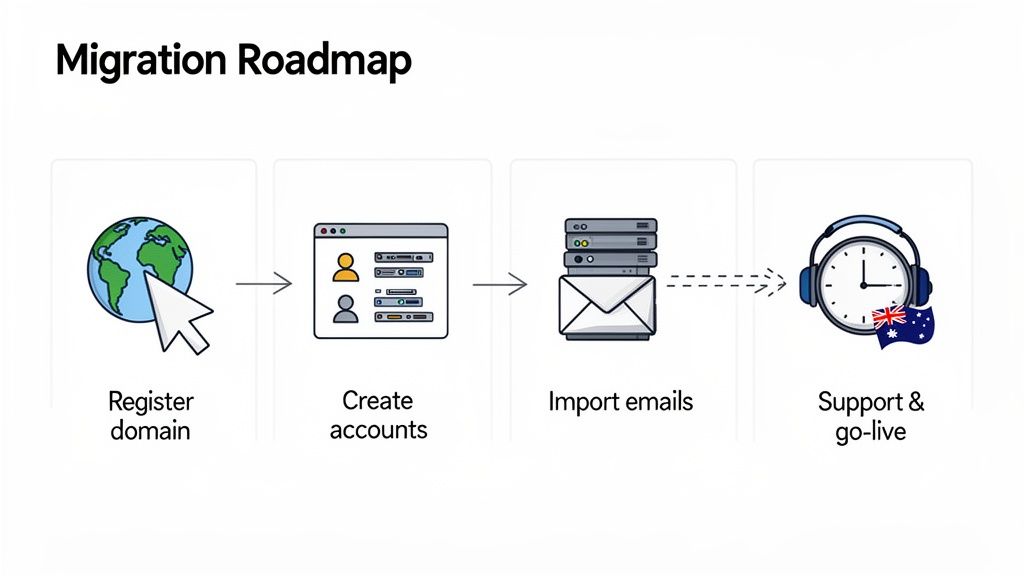
It all starts with your digital address: your domain name. If you've already got one, you're ahead of the game. If not, registering your domain is the first, most crucial step on the map.
Your Setup and Migration Checklist
Getting your professional email up and running follows a pretty logical sequence. By following these steps, you can ensure a seamless switch without losing a single important email or suffering through frustrating downtime.
Choose Your Domain and Plan: First things first, pick a domain name that feels right for your brand (like
yourbusiness.com.au). Then, select an email hosting for small business plan that fits what you actually need in terms of mailbox numbers and storage space.Create Your Email Accounts: Once your plan is active, you'll jump into a control panel like cPanel to create your individual email addresses. This is where you'll set up mailboxes like
info@,support@, orjane.doe@yourbusiness.com.aufor your team.Back Up Your Existing Emails: This step is non-negotiable if you're moving from another provider. Before you touch anything, export all your current emails, contacts, and calendars from your old service. For example, if you use Outlook, you can export your data to a
.pstfile. This becomes your safety copy.Import Your Data: Your new host will have tools ready to import the backup you just made. This process cleverly populates your new mailboxes with all your old messages and contacts, making the switch feel almost invisible to your team.
Go Live: The final flick of the switch. This involves updating your domain's settings (specifically, the MX records) to point to your new email server. This change is what tells the internet to start sending all new mail to your new, shiny provider.
The biggest fear people have during a migration is email downtime. But the whole process is designed to prevent that exact scenario. Because you set up and populate your new accounts before changing your domain settings, the switchover is practically instant. No emails lost, no interruption to your business.
Having local support you can actually talk to makes all the difference. Our Australian-based team is here to help you at every stage, from picking a plan to hitting that "go live" button. For a more detailed walkthrough with screenshots, check out our complete guide on how to set up your business email.
Still Have Questions About Business Email? We've Got Answers.
Jumping into professional email hosting can bring up a few questions, especially when you're focused on running your business. We get it. Here are some of the most common queries we hear from Australian small business owners, answered simply and directly.
Can I Use My Own Domain Name With Your Email Hosting?
Yes, absolutely! In fact, that's the whole point. Using your own domain name (like yourbusiness.com.au) is what separates a professional email from a generic one.
It allows you to create branded, trustworthy addresses like sales@yourbusiness.com.au that tell customers you're the real deal. If you don't have a domain name yet, no worries—we can help you register one when you get started.
Is It a Headache to Move My Old Emails Across?
Not at all. We know you don't have time for a complicated technical mess, so we've made the migration process as smooth as possible.
Our control panel has straightforward tools to help you import your old emails. And if you hit a snag, our 24/7 Australian support team is right here to help. We’ve also put together handy guides, like this one on setting up your business email, to walk you through it step-by-step.
What if My Business Grows and I Need More Email Accounts?
That's a great problem to have, and we're ready for it. Our email hosting is designed to grow right alongside your business.
Adding more mailboxes or boosting your storage is simple. You can upgrade your plan anytime without any downtime or disruption, ensuring your email service keeps up with your success.
Why Does it Matter if My Email Host is Australian?
Having your email hosted on local Australian servers makes a real difference. For one, your emails send and arrive faster—a small detail that's crucial for quick communication with clients. It also means your business data stays right here in Australia, governed by local privacy laws.
But the biggest advantage? When you need help, you're talking to a local team in your time zone who actually understands the Aussie market. No more waiting on hold for an overseas helpdesk. You get fast, friendly support from people who get it.
Ready to give your business the professional, secure, and reliable email it deserves? The expert team at UpTime Web Hosting is here to make it happen. Check out our Australian email hosting plans and get started today at https://uptimewebhosting.com.au.