When your domain name expires, it doesn't just disappear into thin air. Instead, a time-sensitive clock starts ticking, putting your website, emails, and your entire online brand at immediate risk. Think of it as having an overdue lease on your digital address; you’ve got a specific window to renew with minimal fuss before you start facing serious consequences and much higher costs.
What Happens When a Domain Name Expires
Discovering your website is offline because the domain name expired can be a real shock, but understanding the process is the first step toward a quick fix. It’s not an instant catastrophe. Instead, your domain enters a specific lifecycle managed by registrars and registries, which gives you a few chances to get it back.
For Australian businesses, this process is generally consistent, though there are some unique rules for .au domains. The moment the expiration date passes, a domino effect begins. Your website goes down, emails stop working, and customers can no longer find you online.
The Immediate Aftermath of Expiration
The most critical impact is the disruption to your Domain Name System (DNS) records. These records are basically the internet's address book, connecting your domain name to your website hosting and email servers. When your domain expires, your entire DNS configuration, including crucial elements like your SSL, DNS, and MX setup, can be immediately thrown into chaos.
This leads to several instant problems:
- Website Offline: Visitors trying to reach your site will be met with an error message instead of your homepage.
- Email Outage: Every email address linked to your domain will stop sending and receiving messages.
- Loss of Trust: Customers and partners who can’t reach you might start to question your business's reliability.
It's a common misconception that there's a bit of a delay before services are cut off. In reality, most services tied to the domain cease to function almost immediately upon expiration, making a swift response absolutely essential.
This initial phase is a huge red flag. While it’s recoverable, it really highlights how important it is to keep your domain registration details up to date. If renewal notices are being sent to an old email address you no longer check, you could miss them entirely, turning a simple renewal into a complicated and stressful recovery effort.
You can find detailed instructions on keeping your details current in our guide on how to update domain contact information. The next sections will break down the exact timeline, from the initial grace period to eventual deletion, so you know exactly what to expect and how to act.

Performance you can feel, backed by clients who depend on it. Read how our support and uptime create long‑term customer success.Power Your Business with Better Hosting
Understanding the Domain Expiry Lifecycle
When your domain name expires, it doesn't just disappear into thin air. Instead, it enters a structured, multi-stage process that gives you a few chances to get it back. Each stage has different rules and, more importantly, different costs.
To get your domain back, you need to understand the journey it takes after the expiry date hits. Think of it like a lease on a retail shop; missing the payment date doesn't mean you get evicted instantly, but it definitely kicks off a formal process.
Here’s a look at the typical journey of a domain, from the moment it expires through the critical recovery periods.
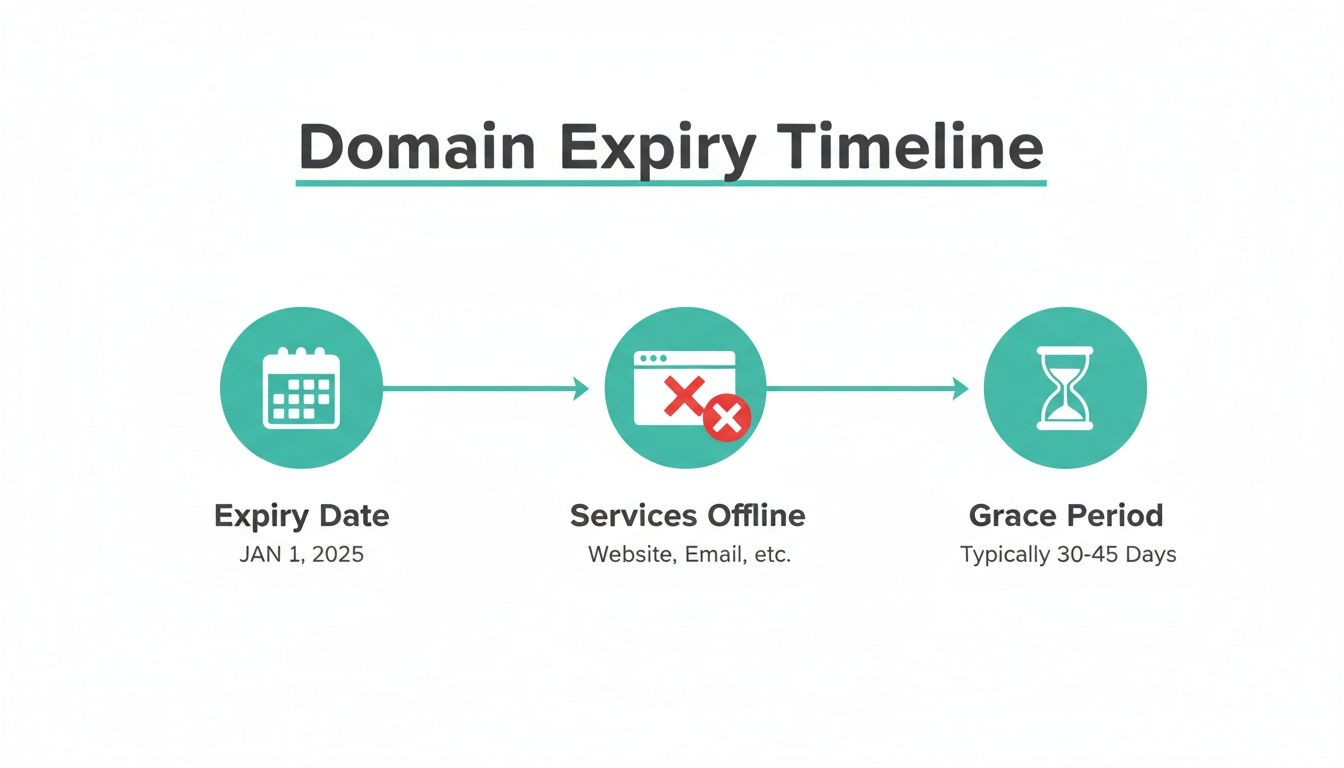
As you can see, the process begins the second your domain expires. Your services go offline immediately, even before you enter the first recovery window. The International Corporation for Assigned Names and Numbers (ICANN) sets the ground rules for this process, which most registrars follow for generic domains like .com or .net.
Stage 1: The Grace Period
The first stage is your best friend: the Renewal Grace Period. This is your easiest and cheapest chance to get everything back to normal.
This period usually lasts anywhere from 0 to 45 days, though the exact length depends on your registrar and the type of domain. For our local .au domains, this stage is officially called the 'Expired Hold' period and is a fixed 30 days.
During the grace period, your registrar has effectively "parked" your domain. Your website and emails will be down, but you still have full rights to renew it.
Practical Example:
Imagine a Melbourne café owner whose .com.au domain expires. Suddenly, their online ordering system stops working and customers can't see their menu. Since they're within that 30-day grace period, all they need to do is log into their UpTime account, pay the standard renewal fee, and their services will come back online once the DNS updates.
The massive benefit here is that you can renew at the normal price. There are no penalties, and the whole process is straightforward. For the exact steps, you can check our knowledge base article on how to renew your domain name.
Stage 2: The Redemption Period
If you miss the grace period window, things get a lot more serious. The domain then falls into the Redemption Period—a much more critical and expensive stage that typically lasts for 30 days.
At this point, the domain isn't just parked anymore; the registry has flagged it for deletion. Think of this as the landlord changing the locks on your shop. You might still be able to get back in, but it's going to cost you a hefty penalty on top of the original rent. This redemption fee can easily be over $100, plus the standard renewal fee.
Recovering a domain from redemption is not just costly, it’s also a headache. The process is manual and can take longer to complete, which means your website and emails stay offline for even longer, causing more damage to your business.
This is a critical point where the risk of losing your domain for good skyrockets.
Stage 3: Pending Deletion and Release
If the domain isn't rescued from redemption, it moves to its final stage: Pending Deletion. This is a very short window, usually just five days, where the domain is locked. No changes can be made. It's basically in quarantine before being permanently wiped from the registry.
Once this period is over, the domain is deleted and released back into the wild. At that exact moment, it becomes available for anyone to register on a first-come, first-served basis.
Practical Example:
A Sydney-based consultant lets her domain slip through both the grace and redemption periods, completely unaware. A competitor, who had been watching the domain's status, uses a backordering service like Drop.com.au to snatch it up the very second it becomes available. The consultant has now permanently lost her domain name and the brand identity she spent years building.
Once someone else registers your old domain, your chances of getting it back are slim to none. It often involves expensive legal fights or trying to buy it back from the new owner for a massively inflated price. Understanding these three stages is absolutely vital for taking the right action at the right time.
The Real-World Consequences of a Lapsed Domain
Letting a domain name expire is far more than a simple admin mistake; it's a direct hit to your business's operations, reputation, and even its security. The fallout is immediate and can ripple outwards, causing damage that lasts long after you (hopefully) get the domain back.
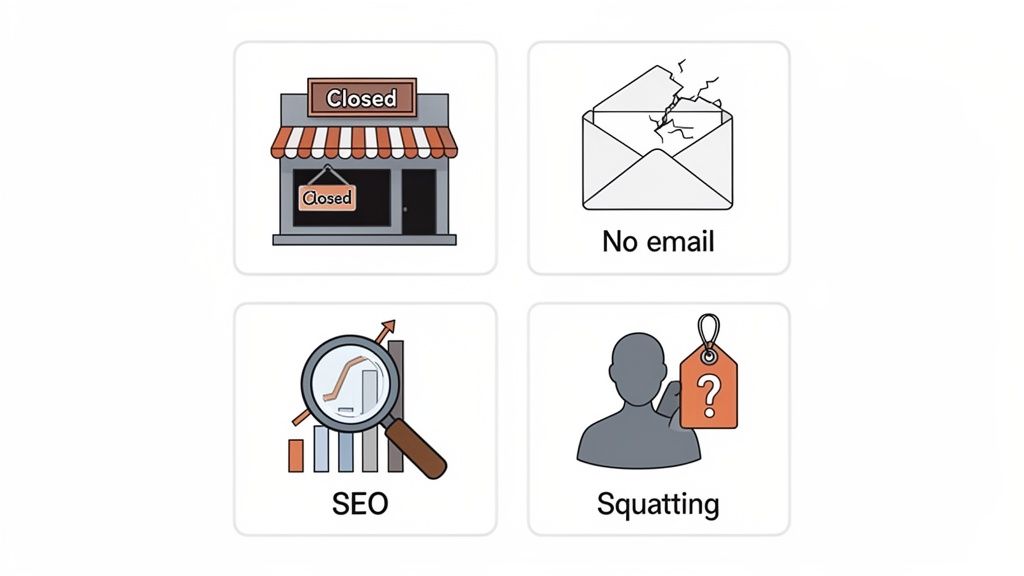
The moment your domain name expired, the most jarring impact is a complete shutdown of your online storefront. Your website goes dark, and all email communication grinds to a halt.
Immediate Business Interruption
Imagine a Perth e-commerce store going offline during the Christmas rush, or a Brisbane consultant suddenly unable to receive crucial project files from their clients. This isn't just an inconvenience; it's a direct loss of revenue and a massive blow to customer confidence.
This sudden downtime happens because your DNS records are deactivated. The DNS acts like the internet's phonebook, telling traffic where to find your website and emails where to go. When a domain lapses, that phonebook entry is essentially torn out. If you want to dive into the technical side, you can learn more about how DNS propagation works and why it's so vital.
The main consequences are instant:
- Website Downtime: Every potential customer who types in your URL will hit an error page, likely assuming your business has shut down for good.
- Complete Email Failure: You won't be able to send or receive any emails from your business address. Anyone trying to contact you will get a bounce-back message.
- Loss of Credibility: An inaccessible website and dead email addresses make your business look unreliable and unprofessional, eroding the trust you've worked so hard to build.
Lasting SEO and Brand Damage
Beyond the immediate outage, the long-term damage can be even more severe. Search engines like Google are constantly crawling the web to index pages. When their bots discover your site is unreachable, they won't hang around waiting.
After a few days of failed attempts, search engines will start de-indexing your pages. This can effectively erase years of hard work you’ve put into building your search rankings. Even if you manage to recover the domain, climbing back up that SEO ladder can be a long, uphill battle.
Allowing a critical domain to expire is like tearing down your own billboard on the busiest highway. You not only lose all passing traffic but also give a prime spot to a competitor who can move in and take your place.
This leads us straight to another major threat: domain squatting. Once your domain becomes publicly available, anyone can register it. A competitor could snatch it up simply to redirect your hard-earned traffic to their own website. Worse, a bad actor could buy it and demand an outrageous price for its return—a practice known as cybersquatting.
Unseen Security Vulnerabilities
Perhaps the most overlooked consequence is the security risk. When someone else registers your expired domain, they can often set up the very same email addresses you used to rely on.
Just think about the implications. They could potentially intercept sensitive emails from customers, suppliers, or even internal communications if any old systems are still sending messages to those addresses. It's a known tactic where malicious actors specifically target expired corporate domains to launch phishing attacks or access private information.
Practical Example:
If yourbusiness.com.au expires and is registered by a malicious actor, they could set up the accounts@yourbusiness.com.au email address. They could then use this to send fake invoices to your clients, wrecking your reputation and exposing your customers to financial loss. Protecting your domain isn’t just about keeping your website online; it’s about safeguarding your entire business ecosystem.
Host your website with our 5-star rated, cPanel website hosting plans.
Super fast servers, with security included and hosted in your choice of Australian Data Center.
View cPanel Plans
How to Recover Your Expired Domain Name
So, your domain name expired. Don't panic, but it's definitely time for clear, decisive action. Getting your digital identity back online requires a methodical approach, and the right steps depend entirely on where your domain is in its lifecycle. Think of this as your action plan for a swift recovery.
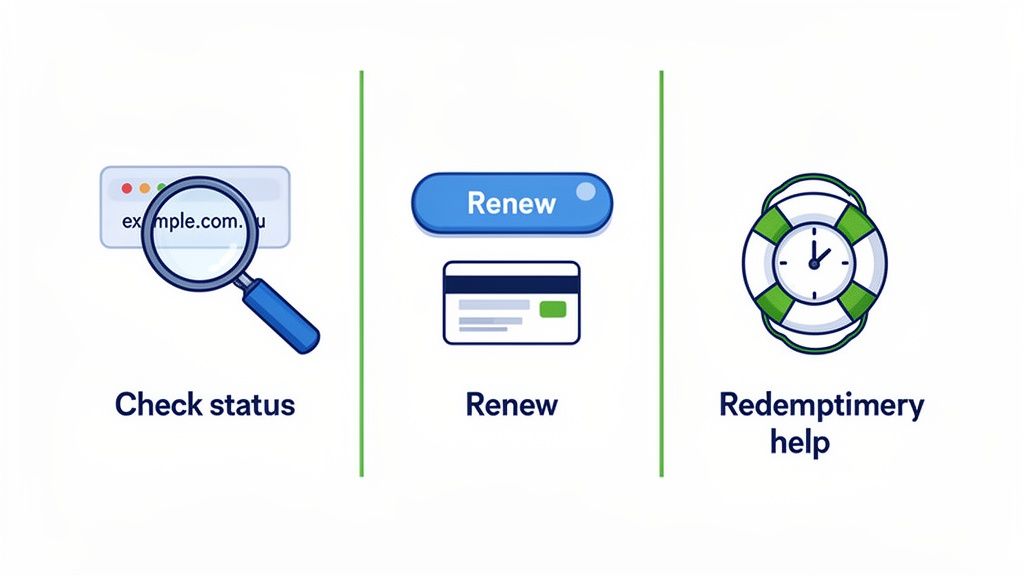
First things first, you need to figure out your domain's current status. Is it in the straightforward Grace Period, or has it slipped into the more urgent Redemption Period? The answer will dictate the cost, complexity, and speed of getting everything back up and running.
Step 1: Identify Your Domain's Current Status
Your registrar—like us here at UpTime Web Hosting—is your main point of contact and the source of truth for your domain’s status. The easiest way to check is to log into your client account and look at the domain’s expiry date and any notifications about its current phase.
Most registrars will clearly label domains that are in a grace or redemption state. If you see your domain is in the Renewal Grace Period, you can breathe a small sigh of relief. This means you can still renew it at the standard price with minimal fuss.
However, if it's listed in the Redemption Period, the situation is more critical. This status means the registry has reclaimed the domain, and restoring it will be a more manual, expensive process.
Step 2: Follow the Correct Renewal Process
Once you know the status, you can take the right action. The process for renewing during the Grace Period is a world away from recovering a domain from Redemption.
Renewing During the Grace Period
This is the best-case scenario after an expiration. The process is typically automated and very straightforward.
- Log In to Your Account: Access your client portal with your registrar.
- Navigate to Domains: Find the section listing all your registered domains.
- Select and Renew: Choose the expired domain and follow the standard renewal prompts, paying the regular renewal fee.
For UpTime customers, you can renew your domain directly through our client area. Your domain should pop back online within a few hours to a day, once the DNS has had time to propagate across the internet.
Recovering from the Redemption Period
This process is much more hands-on and costly. A redemption fee, often exceeding $100, is charged by the central registry on top of your registrar's normal renewal fee. For .au domains, this whole process is managed according to rules set by the .au Domain Administration (auDA).
Recovering a domain from redemption is not an automated, one-click process. It requires manual intervention from your registrar to file a restoration request with the registry, which adds time and significant cost to the recovery.
You will almost always need to contact your registrar's support team directly to kick things off. It’s a crucial step that can prevent the permanent loss of your digital asset.
Understanding Costs and Timelines
The difference between these two recovery paths is massive. A quick look at the breakdown shows exactly why acting fast during the Grace Period is so important for your business.
Domain Recovery Options Cost and Timeline Comparison
This table clearly lays out the stark differences between renewing a domain in its Grace Period versus pulling it back from the Redemption Period. As you'll see, a little bit of urgency goes a long way.
| Recovery Stage | Typical Cost | Estimated Timeline | Service Impact |
|---|---|---|---|
| Grace Period | Standard renewal fee (e.g., $20-$40 AUD) | 24-48 hours | Website/email restored quickly |
| Redemption Period | Redemption Fee + Renewal Fee (e.g., $150+ AUD) | Up to 7 days | Prolonged website and email outage |
The contrast in cost and downtime really highlights the financial and operational benefits of prompt renewal. Every day a domain stays in redemption is another day of lost business and potential brand damage.
Proactive renewal is a key operational task, especially in a competitive market. To put it in perspective, in December 2025, the .au namespace hit a record high of 4,294,913 domains. That same month, an estimated 45,000 .au domains lapsed, showing just how common expiration is and underscoring the need for diligence. You can discover more insights about the Australian domain market to see the trends.
Sometimes, navigating domain recovery also involves transferring the domain if you want to consolidate your providers. This process requires an EPP code, which basically acts as a password for your domain. You can learn how to find this in our guide on locating the EPP code for a domain name. Whether you're renewing, redeeming, or transferring, understanding these core processes empowers you to protect your online identity.
Best Practices for Preventing Domain Expiration
Reacting to a domain that's already expired is a stressful, expensive headache. Honestly, the best strategy is always going to be prevention. By getting into a few simple but powerful habits, Australian businesses can protect their digital assets and make sure their online presence stays stable, secure, and uninterrupted.
Think of it like getting your company car serviced. You don't wait for it to break down on the motorway before you do something about it; you book it in for regular maintenance to stop that from ever happening. The exact same proactive mindset applies to your domains.
Enable Auto-Renewal on All Critical Domains
This is the single most important thing you can do. Turning on auto-renewal is your number one safety net. It tells your registrar to automatically renew your domain long before it ever gets near its expiration date. It's a simple "set and forget" feature that takes human error completely out of the equation.
Almost every single case of an accidentally expired domain could have been avoided with this one feature. It's your baseline protection, making sure your core business domains are always locked down.
Keep Your Contact and Payment Details Current
Auto-renewal is a great tool, but it's only as good as the information it has to work with. If your registrar can't process the payment, the whole thing falls apart. An expired credit card or an old email address is all it takes to derail the entire process.
It's absolutely crucial to make sure that:
- Your Primary Email is Accessible: All those renewal reminders and payment failure warnings? They go to the email address on file. If you don't use that inbox anymore, you'll miss every single one of these critical alerts.
- Payment Information is Up-to-Date: An expired credit card is one of the most common reasons renewals fail. Make it a habit to regularly check and update your payment methods in your registrar's client portal.
Treat this information with the same importance you give your bank account details. An out-of-date email is like moving house and not telling your bank—you're guaranteed to miss the important mail. You can learn how in our Knowledge Base: how to update domain contact information.
Consolidate Your Domains with One Trusted Provider
Juggling domains across multiple registrars is an administrative nightmare. It multiplies the risk of something getting missed, creates confusion, and makes it almost impossible to keep a clear overview of all your digital assets.
Consolidating all your domains with a single, reliable registrar like UpTime simplifies management immensely. It gives you one unified dashboard where you can track expiry dates, manage renewals, and update details for your entire portfolio—all in one place.
This streamlined approach doesn't just save you time; it dramatically reduces the chance of a domain slipping through the cracks. If you're looking for a provider, our guide on choosing the best domain name registrar in Australia can help you make a smart decision.
Register Domains for Longer Terms
Instead of renewing your main business domain every single year, think about registering it for a longer period, like three, five, or even ten years. This strategy comes with a few key perks.
First, it cuts down on the admin hassle of annual renewals. Second, it often locks in the current price, protecting you from future fee increases. But most importantly, it pushes the next potential point of failure far into the future, giving you genuine long-term peace of mind.
As a final tip, it’s a good idea to build domain status checks into your regular business health checks, much like you would with digital marketing audits. These simple, proactive habits are the foundation of strong domain management and will protect your online identity for the long run.
What to Do If Your Domain Is Already Gone
Discovering your domain has passed both the grace and redemption periods—and is now registered by someone else—is a gut-wrenching moment. It’s the worst-case scenario after a domain name expired, but it doesn’t mean you have to shut up shop. You still have options to move forward and get your business back on its feet online.
The first, albeit long-shot, option is trying to get it back later. This involves using a domain backordering service. Think of it like placing a standing order for a rare collectible; you pay a company like Drop.com.au to automatically attempt to register the domain for you the very second it becomes available again. The catch? This only works if the new owner eventually lets it expire, which could be years away—or never.
Pivoting to a New Digital Address
A more immediate and practical path is to register a new domain that's a variation of your original one. This gets you back online fast while holding onto as much of your brand recognition as possible. The goal is to find an alternative that’s professional, clear, and easy for your customers to find and remember.
Here are a few popular ways to pivot:
- Change the TLD: If you lost
mybusiness.com.au, check ifmybusiness.net.auis available. This is often the simplest and most effective move. - Add a Keyword: You could register something like
mybusinesshosting.com.auormybusinessonline.com.au. Adding a relevant word can work surprisingly well. - Slightly Alter the Name: A minor tweak, like shifting from
myplumbingservice.com.automyplumbingservices.com.au(just adding an 's'), might be all you need.
The key is to act fast. Once you've settled on a new name, lock it in immediately to avoid any more setbacks. You can explore and register available Australian domain names right away to secure your new online home.
Conducting Essential Damage Control
Securing a new domain is just the first step. Next comes the critical clean-up job of updating your digital footprint to point everyone to your new address. Think of it as a redirection campaign to minimise customer confusion and reclaim your online traffic.
You’ll need to methodically update your new domain name across all your business platforms. This includes your Google Business Profile, all social media accounts (Facebook, Instagram, LinkedIn), online directories, and any paid ad campaigns you’re running. Don't forget physical marketing materials, either—update everything from email signatures and business cards to flyers and brochures. This systematic approach ensures your customers, partners, and search engines all know where to find you, helping you recover your brand’s footing online.
Register your new domain name at competitive market prices including free domain add-ons like privacy, DNS Hosting, Custom Nameservers and Forwarding.
Always the best price and no nasty renewal price hikes.
Register A Domain Name
Answers to Your Burning Questions About Expired Domains
We get it—seeing a "domain expired" notice can be stressful. Here are some quick, straightforward answers to the questions we hear most often from business owners in this situation.
Can I Get My Domain Back If Someone Else Registered It?
This is the nightmare scenario, and unfortunately, the answer is usually no. Once another person or company legally registers your expired domain, it becomes their property. Your options become very limited and often quite expensive.
You could try to negotiate with the new owner to buy it back, but be prepared—they can name any price they want. In some rare cases where a clear trademark infringement has occurred, you might have a legal option, but this is a complex and costly road to go down. The best strategy is always prevention.
The second your domain is registered by a new owner, your claim to it is effectively gone. This is why acting fast within the grace and redemption periods is absolutely critical to protecting your online brand.
How Long Is the Grace Period for a .au Domain Name?
For .au domains, the process is thankfully standardised by the local governing body, the .au Domain Administration (auDA). Once your domain expires, it enters a 30-day 'Expired Hold' period.
During this month-long window, the domain is inactive (meaning your website and emails go down), but you can still renew it at the standard price through your registrar. After those 30 days are up, it moves into a short 'Pending Delete' status before being released back into the wild for anyone to register. You can find more details in our guide on renewing domain names.
Will I Be Notified Before My Domain Expires?
Yes, absolutely. All accredited registrars are required to send you multiple renewal reminders via email before the expiry date. The catch? These crucial emails often get lost in the shuffle or, worse, get flagged as spam or junk.
This is exactly why you can't rely on email notifications alone. It's vital to keep your contact details with your registrar up-to-date and, most importantly, to enable auto-renewal. Think of auto-renewal as your main line of defence, with the email reminders serving as a helpful backup.
Managing your domains shouldn't be a source of anxiety. At UpTime Web Hosting, we make it simple to keep all your domains consolidated, managed, and secure with easy-to-use tools and real, local Australian support. Protect your digital assets and keep your business online by visiting us at https://uptimewebhosting.com.au.