You're probably using email for the most routine jobs in your business. Sending quotes, invoices, staff updates, supplier details, login resets, and the occasional document that really shouldn't end up in the wrong hands.
If you posted that kind of information on a postcard, anyone handling it along the way could read it. Most small business owners would never do that in the physical world. Yet plenty of businesses still assume email is automatically private just because it “works”.
That's where people start asking, what is SSL in email, and whether it's something they need to set up. The short answer is yes, but a more complete answer is a bit more important. SSL, or more accurately TLS, helps protect email while it travels between devices and servers. That matters for privacy, trust, and day-to-day risk.
Table of Contents
- An Introduction to Secure Email Communication
- Understanding SSL and TLS Encryption
- How Email Protocols and Ports Use SSL TLS
- Why Email Encryption Is Non-Negotiable in Australia
- How to Check and Configure Secure Email Settings
- Beyond Encryption The Next Steps in Email Security

Performance you can feel, backed by clients who depend on it. Read how our support and uptime create long‑term customer success.Power Your Business with Better Hosting
An Introduction to Secure Email Communication
A common example. You send a client a signed proposal, your bookkeeper emails a payroll file, or your practice sends appointment details with personal information. Those messages move through multiple systems before they land in the inbox.
If the connection isn't secured, that journey can be more exposed than most business owners realise. Email can still be intercepted in transit if the systems involved don't negotiate a protected connection properly.
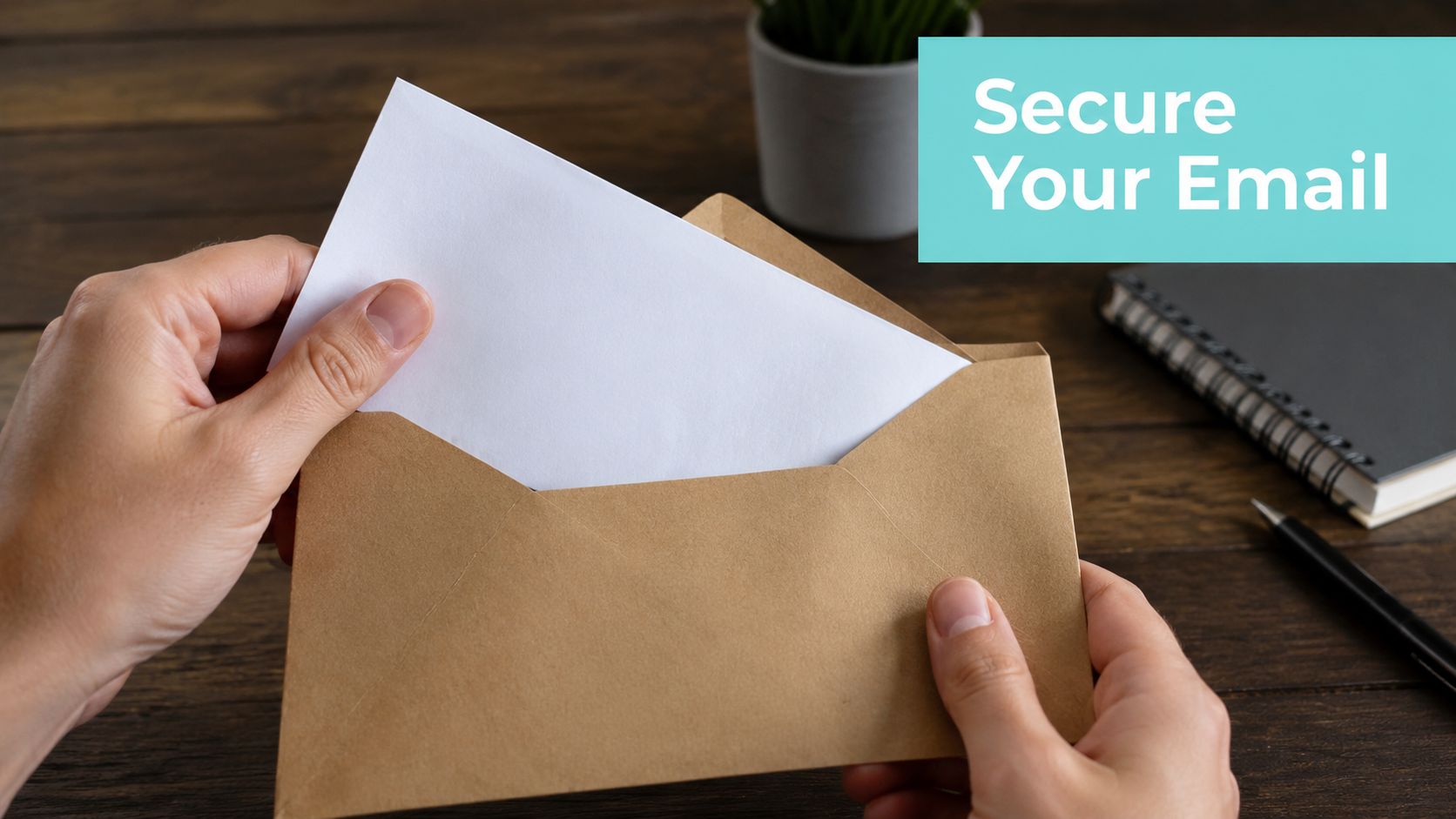
A sealed envelope is the easiest way to think about it
SSL and TLS are the digital version of sealing a letter before you send it. They don't change the message itself. They protect the path the message takes.
That matters because business email often carries more than words:
- Customer details such as names, contact information, or booking notes
- Commercial information like quotes, contracts, pricing, and approvals
- Operational access including password resets, account notices, and staff instructions
If someone can read or tamper with that traffic in transit, your problem isn't just technical. It becomes a business issue.
Email security starts with one simple question. Could you comfortably put this message on a public postcard?
Why this matters for Australian businesses
For Australian SMBs, secure email isn't just about being cautious. It affects privacy obligations, client confidence, and the professionalism of your business.
Many owners assume that because they see a lock icon somewhere, their email is fully secure. It often isn't that simple. Basic transport encryption is important, but it's only one layer of the picture. As you'll see, email can be encrypted while travelling and still remain vulnerable in other ways.
That's the gap many “what is SSL in email” guides miss. They explain the envelope, but not what happens if the envelope can be swapped, downgraded, or faked.
Understanding SSL and TLS Encryption
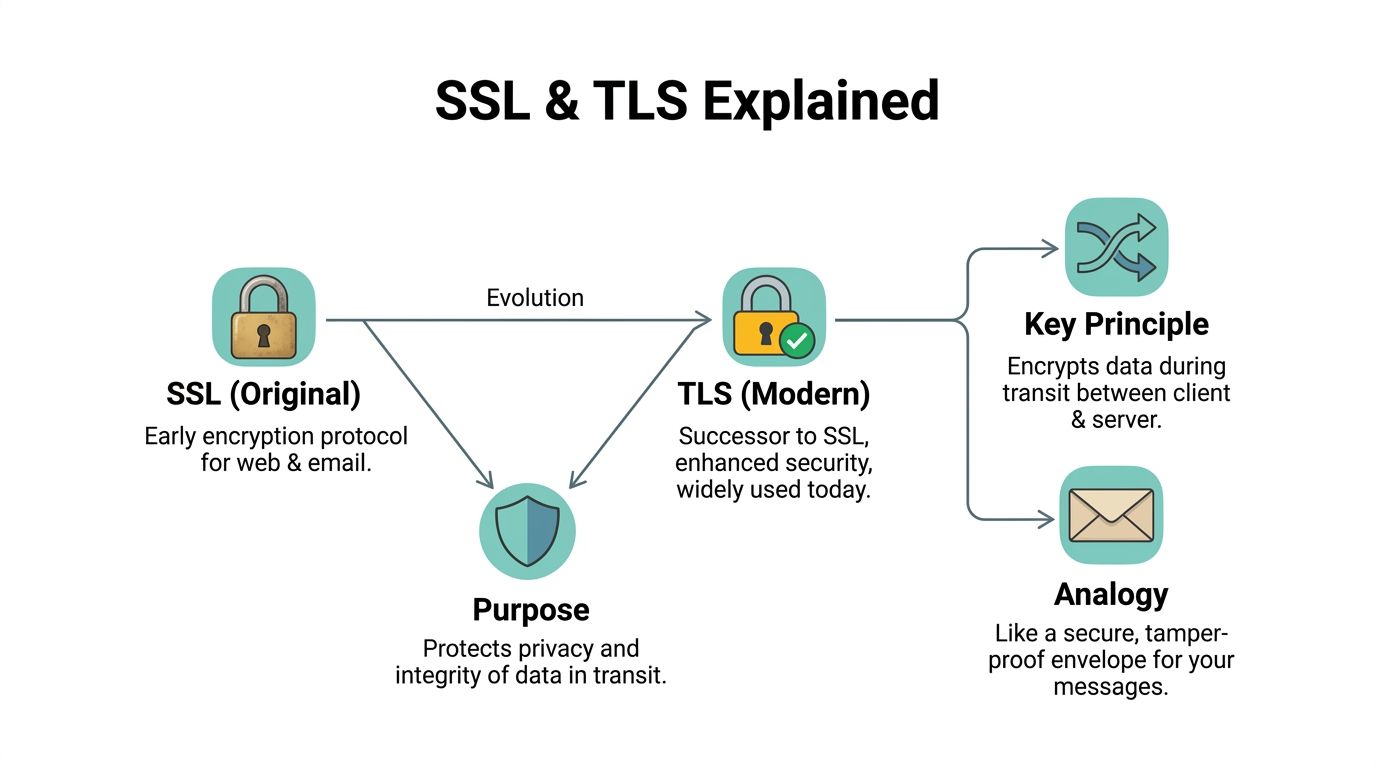
SSL remains a commonly used term, largely because of its long-standing familiarity. In practice, modern email systems use TLS, which stands for Transport Layer Security. SSL is the older label. TLS is the modern standard.
The simplest way to understand it is this. An unencrypted email connection is like sending a postcard through the mail. A secured TLS connection is more like putting the message inside a sealed package that others can't casually read on the way.
What encryption actually does
When your email app connects to a mail server using TLS, it creates an encrypted connection. That means the data moving between your device and the server is scrambled so outsiders can't easily read it.
Think of three steps:
- Your device connects to the mail server.
- The server proves its identity with a certificate.
- The connection is encrypted before the email data is exchanged.
This protection applies while the message is in transit on that connection. It helps stop eavesdropping and tampering between the systems talking to each other.
Why people still say SSL
You'll still see settings in email apps labelled “SSL” or “SSL/TLS”. That doesn't usually mean the old SSL protocol is being used. It often means the software is using modern TLS but keeping the familiar wording.
That distinction matters because older SSL versions are no longer considered safe. Under Australian Signals Directorate email security guidance, Australian organisations must implement opportunistic TLS encryption for email servers to protect confidentiality, while older SSL protocols are considered insecure.
If you manage certificates for web or mail services, keeping them current matters as well. A practical place to start is understanding SSL certificate renewal for hosted services.
Practical rule: If a system still talks about “SSL”, check whether it actually supports current TLS standards. The label can be old even when the technology underneath is modern.
What TLS does not do
Readers often get caught out regarding this aspect. TLS protects the connection. It doesn't automatically prove that the sender is legitimate, and it doesn't guarantee every hop in the mail journey is enforced securely.
So if you've ever asked, “What is SSL in email and does it stop spoofing?” the answer is no, not by itself.
TLS is necessary. It just isn't the whole answer.
Host your website with our 5-star rated, cPanel website hosting plans.
Super fast servers, with security included and hosted in your choice of Australian Data Center.
View cPanel Plans
How Email Protocols and Ports Use SSL TLS
Email uses different protocols for different jobs. If you've ever set up Outlook, Apple Mail, or a phone mail app, you've seen the names already.
SMTP sends mail. IMAP receives and syncs mail across devices. POP3 receives mail too, but it's more like downloading messages rather than keeping everything neatly in sync.
The jobs each protocol does
Here's the plain-English version:
- SMTP is your outgoing post van. It sends messages from your device to the mail server, then onward.
- IMAP is your filing cabinet in the cloud. Read a message on your laptop and it stays read on your phone.
- POP3 is closer to collecting the mail and taking it home. It can still be used, but it's less flexible for modern multi-device work.
The next point is where security comes in. These protocols can run over secure or insecure connections depending on the settings and ports used.
STARTTLS and implicit TLS
There are two common ways an email connection becomes secure.
Implicit TLS starts securely from the first moment. The connection is encrypted immediately.
STARTTLS begins as a plain connection and then asks to upgrade to encryption. That can work, but it creates more room for mistakes and downgrade problems if policy enforcement is weak.
For business use, I generally prefer the setting that starts secure rather than one that negotiates security later.
If an email connection only becomes secure after it asks nicely, that's not as strong as starting secure from the first second.
The secure ports that matter
To secure email communication in Australia, servers should use SSL/TLS certificates, enable MTA-STS, and use secure ports including 465 or 587 for outbound mail, and 993 for IMAP or 995 for POP3 for inbound services, according to email server security best practices published by The SSL Store.
That sounds technical, but the practical takeaway is simple. If your email app is using older non-secure ports, your settings need attention.
UpTime Web Hosting Secure Email Settings
| Protocol | Server Hostname | Port (SSL/TLS) | Recommended |
|---|---|---|---|
| SMTP | Your mail server hostname from your hosting control panel | 465 | Yes |
| SMTP | Your mail server hostname from your hosting control panel | 587 | Yes |
| IMAP | Your mail server hostname from your hosting control panel | 993 | Yes |
| POP3 | Your mail server hostname from your hosting control panel | 995 | Only if you specifically use POP3 |
This table avoids guesswork, but your exact hostname should come from your hosting control panel rather than being typed from memory.
Which option should a small business choose
For most businesses:
- Use IMAP over port 993 if you want email synced across phone, laptop, and desktop.
- Use SMTP on port 465 or 587 for outgoing mail, with TLS enabled.
- Use POP3 on port 995 only if you have a specific reason for older-style mail retrieval.
- Avoid unsecured legacy settings even if an old device or old mail profile still appears to function.
If you're checking what your machine is already doing, a basic network troubleshooting reference like this explanation of the netstat -a command can help you understand which services are listening and how connections are being handled.
A lot of email trouble starts because someone migrated a mailbox years ago, kept the old profile, and never revisited the ports. The app still sends and receives, so nobody notices that the setup is weaker than it should be.
Why Email Encryption Is Non-Negotiable in Australia
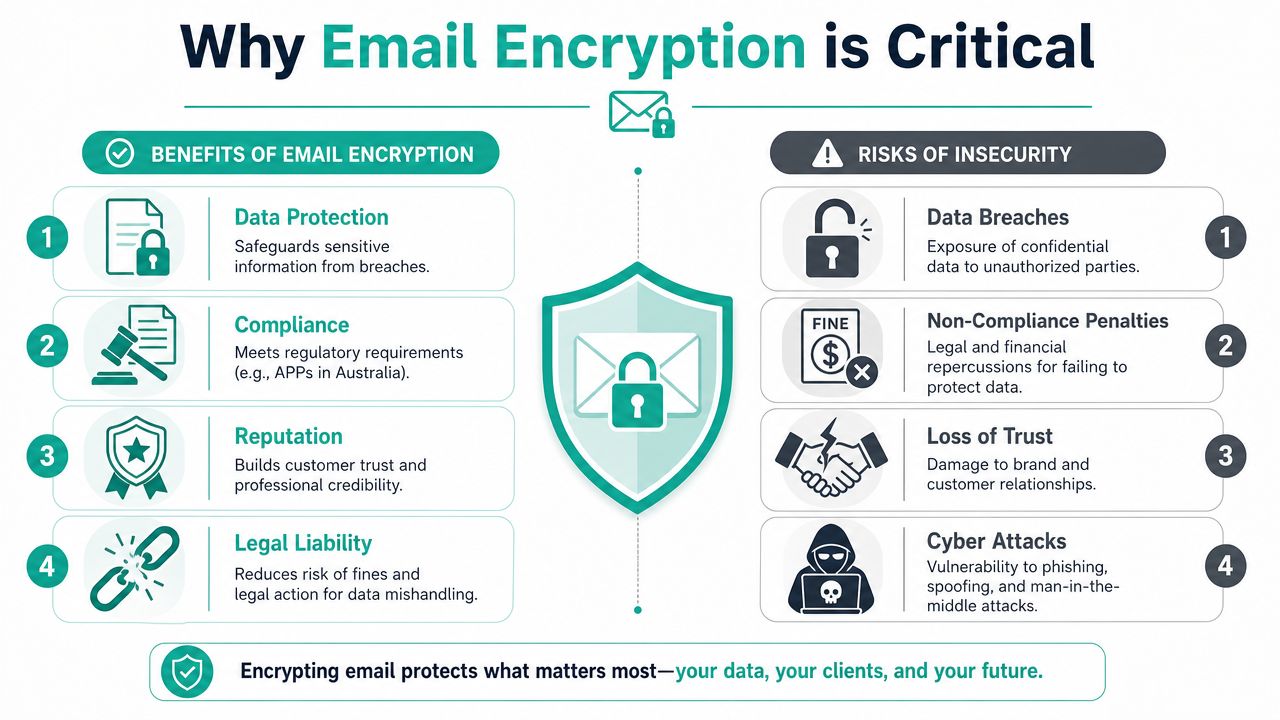
Small businesses don't usually think of email as a frontline security system. It is. You use it to exchange client details, approvals, payment conversations, and documents that often contain personal information.
If those messages travel insecurely, you're exposing more than inbox content. You're exposing trust.
Security is the first reason
Encryption helps protect messages from being read or altered while they move between systems. That reduces the risk of interception and makes basic email handling safer for staff and customers.
It also lowers the chance that a routine message becomes a serious incident. A quote, invoice, or spreadsheet may look harmless until it contains names, phone numbers, or financial details.
Your reputation is tied to how you send email
Clients won't usually ask which protocol you use. They will notice if something goes wrong. A message sent insecurely, sent to the wrong person, or sent in a way that exposes private data can damage confidence quickly.
Security often shows up to customers as professionalism. Clean domain email, proper authentication, and secure transport all signal that your business is organised and careful.
Privacy obligations matter
The Office of the Australian Information Commissioner guidance on securing personal information says entities should take reasonable steps under the Privacy Act 1988 to avoid sending sensitive personal information via unsecured email, and recommends encrypted or password-protected attachments plus validation of recipient addresses.
That means email security isn't just an IT preference. It connects directly to how you handle personal information in day-to-day business.
For broader reading on the business side of risk reduction, cybersecurity and data protection guidance gives useful background.
Sending sensitive information over unsecured email can create both a privacy problem and a customer problem at the same time.
A short example
Say a medical clinic emails appointment details and attached forms. Or a tradie sends a quote that includes a client's home address and phone number. Or a finance office sends a spreadsheet with customer details.
None of those messages are unusual. That's exactly why secure email matters. The risk sits inside everyday work, not only in dramatic breach scenarios.
How to Check and Configure Secure Email Settings
This is often the most anticipated section. How do you know whether your email setup is secure, and what should you change if it isn't?
Start with the device or app you use. Outlook, Apple Mail, Thunderbird, iPhone Mail, and Android mail apps all store account settings for incoming and outgoing servers. You don't need to be a technician to check the basics.
What to look for in your mail app
Open the account settings for the mailbox and check these items:
- Incoming protocol. Look for IMAP or POP3, then confirm the secure port matches the protocol.
- Outgoing server. Check the SMTP port and whether TLS or SSL/TLS is enabled.
- Authentication. Make sure the outgoing server requires authentication rather than sending anonymously.
- Certificate warnings. Don't click past repeated certificate errors without checking why they appear.
If your app shows “None” under encryption, or uses older unsecured ports, that's a red flag.
Why “secure” can still be incomplete
This is the part many guides leave out. The connection between systems may use opportunistic TLS, but that doesn't always mean the protection is enforced strongly enough.
The Australian Cyber Security Centre email guidance highlights a wider gap. 12% of Asia Pacific firms use essential email authentication such as SPF, DKIM, and DMARC, and without MTA-STS, “secure” email can still remain insecure in transit. The same guidance also notes the ongoing issue of downgrade exposure and the recommendation for TLS 1.3.
That's why checking a single SSL box in your email app isn't enough.
Where hosted customers can find the right settings
If your email comes with a hosting account, don't rely on old screenshots or memory. Pull the settings from the control panel attached to your account.
A setup guide like how to set up domain email is useful because it points you to the current server details and the right connection methods for your mailbox.
A practical checklist before you call support
Use this quick review:
- Check the port numbers against the secure options your mail provider gives you
- Confirm encryption is enabled for both incoming and outgoing mail
- Retest on every device because the phone, laptop, and office desktop may all be configured differently
- Review old accounts after migrations because stale settings often survive for years
- Ask about MTA-STS and authentication records if your provider only talks about SSL in broad terms
A mailbox can send and receive perfectly while still being configured in a weaker way than it should be.
Don't forget the message itself
Transport encryption protects the path. It doesn't always mean the attached document is appropriate to send in plain form. If the email includes sensitive personal information, password-protecting the attachment or using a more secure sharing method may still be the better call.
That extra step feels minor until the wrong address auto-completes in your email app. Then it matters a lot.
Register your new domain name at competitive market prices including free domain add-ons like privacy, DNS Hosting, Custom Nameservers and Forwarding.
Always the best price and no nasty renewal price hikes.
Register A Domain Name
Beyond Encryption The Next Steps in Email Security
Here's the contrarian point. Strong passwords don't stop someone from impersonating your domain. They help protect account access, but they don't solve spoofing by themselves.
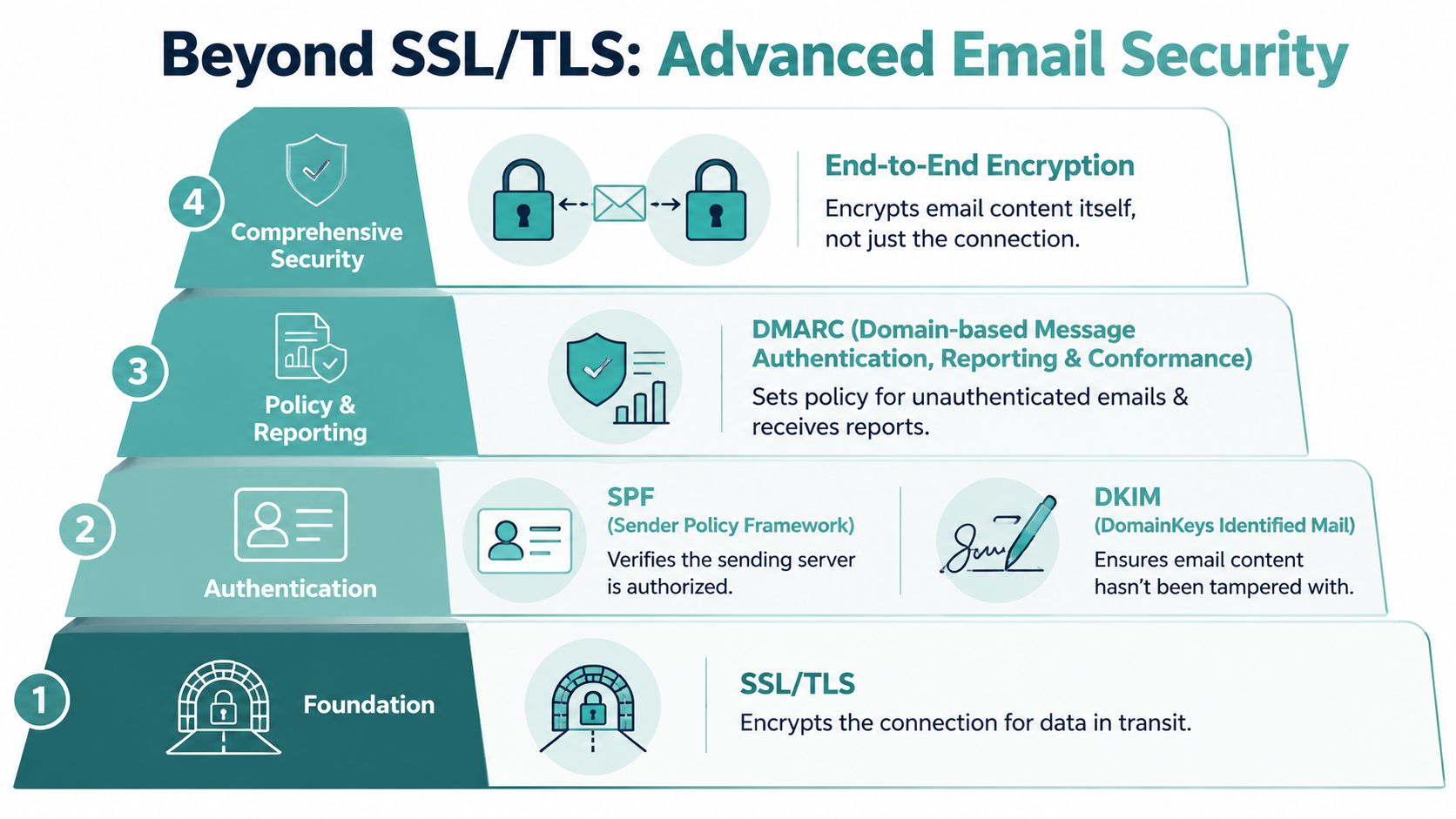
That's where SPF, DKIM, and DMARC come in. These are DNS-based authentication records that help receiving mail systems check whether a message claiming to come from your domain is legitimate.
What each layer does
- SPF tells receiving servers which systems are allowed to send mail for your domain.
- DKIM adds a digital signature so the recipient can check the message hasn't been altered.
- DMARC adds policy and reporting, telling receivers what to do when SPF or DKIM checks fail.
- MTA-STS helps enforce secure transport between mail servers instead of just hoping they negotiate it safely.
According to SecurityBrief coverage of Australian email security gaps, many Australian SMBs still skip SPF, DKIM, and DMARC, while Google and ASDG reporting cited there shows MTA-STS plus DMARC enforcement blocks 99% of enterprise email spoofing.
That's the bigger answer to the question, what is SSL in email. It's one layer. A necessary layer, but still only one layer.
What complete email security looks like
A sensible small business setup looks like this:
- Secure transport with TLS for mail connections
- Authenticated sending with SPF, DKIM, and DMARC
- Policy enforcement so secure transport can't be downgraded without authorization
- Careful handling of sensitive attachments when content itself needs extra protection
For a practical overview of these layers, email security best practices for business hosting is a useful reference.
If your business relies on email every day, getting these foundations right is one of the cleanest ways to reduce risk without making work harder for your staff.
If you want local help setting up secure business email, UpTime Web Hosting offers Australian hosting and email services with local support. If you're unsure whether your domain email is using the right ports, encryption, or authentication records, it's worth speaking with a team that can help you check the setup properly and keep it simple.