Picking the best Australian hosting for WordPress really comes down to what you need, but the top players all nail the essentials: fast local speeds, solid security, and genuine Aussie support. The number one rule is to find a provider with data centres in Sydney or Melbourne. That’s how you get the lowest possible latency for your Australian visitors. This guide will stack up the leading local hosts on the metrics that actually matter.
How to Choose the Best Australian WordPress Host
Choosing the right web host is one of those foundational decisions you make for your website. It has a direct impact on your site's speed, its security, and how reliable it is—all things that can genuinely make or break your online presence. It might seem like a complex job, but you can simplify it by focusing on a few core principles.
Instead of just grabbing the cheapest plan you see, the real goal is to find a provider whose infrastructure and support truly line up with your business goals. For any Australian business, that means putting local performance first to give your customers the best experience possible.
Why Local Hosting Matters
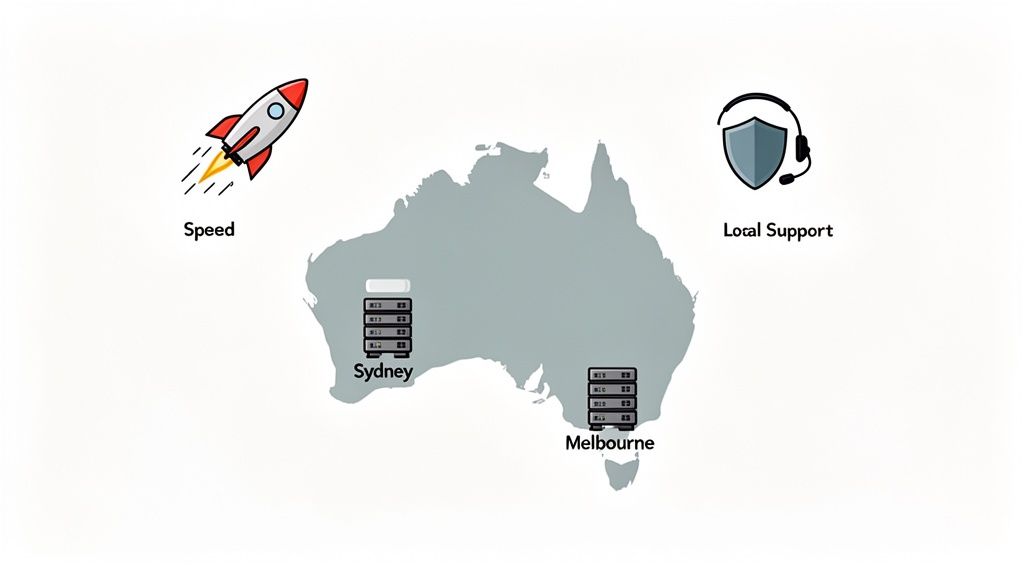
The main reason to choose a host with Australian servers is low latency. In simple terms, latency is the time it takes for data to get from the server to your visitor's browser. When your server is in Sydney and your customer is in Melbourne, that travel time is incredibly short, which means your pages load much, much faster.
The local web hosting market here in Australia is stronger than ever, making locally hosted WordPress sites the practical default for many small businesses. In 2024, the Australian web hosting services market was valued at around AUD 3.67 billion and is forecast to hit roughly AUD 10.42 billion by 2034.
Core Decision-Making Factors
To find the best Australian hosting for WordPress, you need to compare providers using a consistent set of criteria. This guide focuses on the absolute non-negotiables that separate a quality host from a dud. For a wider view, you can also explore these 10 factors to consider when choosing web hosting services.
To make this easier, I've put together a quick-reference table that summarises the key features we'll be looking at. This will help you see what truly matters for Australian websites.
Key Decision Factors for Australian WordPress Hosting
| Factor | Why It Matters for Australian Sites | What to Look For |
|---|---|---|
| Server Location | Reduces latency for local visitors, improving load times and user experience. | Data centres located in Australia, preferably Sydney or Melbourne. |
| Speed Tech | Modern hardware like NVMe SSDs and software like LiteSpeed drastically cut load times. | NVMe storage, LiteSpeed web server, and server-side caching. |
| WordPress Tools | Features like staging, cloning, and automated updates save time and reduce errors. | 1-click staging environments, WordPress toolkits, and auto-updates. |
| Security | Protects your business and customer data from constant online threats. | WAF, malware scanning, free SSL certificates, and DDoS protection. |
| Backups | Provides a crucial safety net for recovering from data loss or site errors. | Automated, daily, off-site backups with easy one-click restores. |
| Local Support | Ensures you get expert help during your business hours from a team that understands the local market. | 24/7 Australian-based support via phone, email, or live chat. |
| Pricing (inc. GST) | Transparent pricing helps you budget accurately without surprise fees or renewal shocks. | Clear pricing with GST included and fair renewal rates. |
Having this checklist handy ensures you're comparing apples with apples and making a decision based on performance and value, not just flashy marketing.

Performance you can feel, backed by clients who depend on it. Read how our support and uptime create long‑term customer success.Power Your Business with Better Hosting
Evaluating Core Hosting Features for Performance
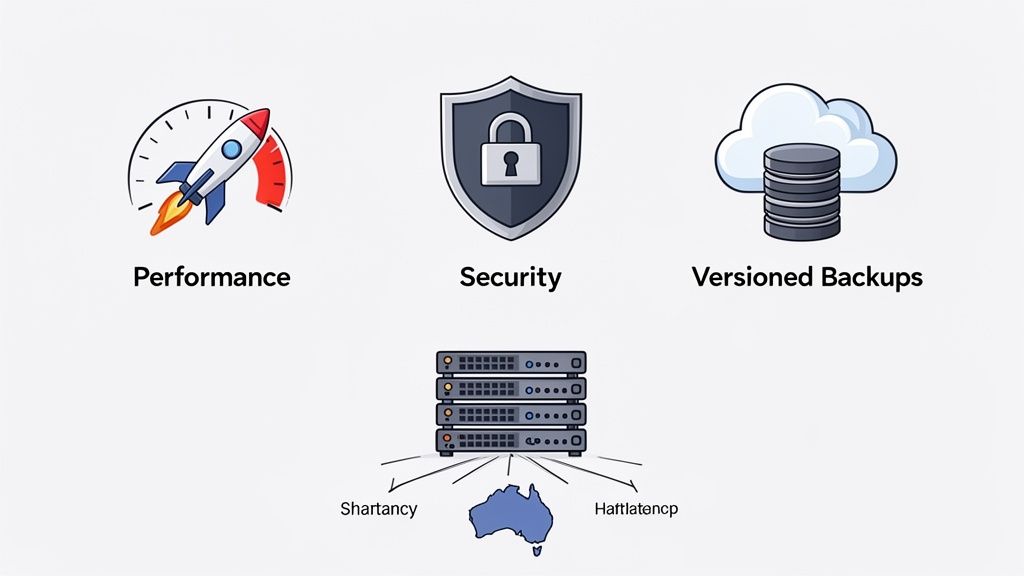
When you're hunting for the best Australian WordPress hosting, you need to look past the flashy marketing and get down to the nuts and bolts. The real difference lies in the core features that dictate your site's speed, security, and general stability. Think of performance, security, backups, and support as the four pillars of good hosting. If one is weak, the whole structure is at risk of crumbling, leaving you with slow load times, security holes, or infuriating downtime.
It’s not enough for a host to just tick these boxes; what really matters is how they’re implemented for an Australian audience. Let's break down what you should actually be looking for in each of these critical areas.
Performance: The Bedrock of User Experience
Performance isn't just a buzzword—it's the very first impression your website makes. With the average Aussie small business site clocking a sluggish 5.6-second load time, a fast website is a massive competitive advantage. Two things matter most here: where the servers are and what tech they're running.
Australian Server Locations: This is non-negotiable. Choosing a host with data centres in Sydney or Melbourne is the single biggest win for reducing latency for your local customers. When someone in Perth visits your site, the data travels a much shorter hop from a Sydney server compared to one in the US, making the experience noticeably quicker.
Modern Hardware and Software: The tech under the hood is just as crucial. Look for providers using NVMe (Non-Volatile Memory Express) storage, which blows older SSDs out of the water. For a dynamic WordPress site, this means faster database queries and file access. Paired with a LiteSpeed web server—a modern, high-speed replacement for Apache—you get a setup built for raw speed, especially when you use the LiteSpeed Cache plugin.
Getting a handle on how a host's infrastructure works is essential. If you want to dig deeper into this, learning how to speed up your WordPress site often starts with having a solid hosting foundation.
Proactive Security Measures
Website security isn’t about cleaning up a mess; it’s about stopping the mess from happening in the first place. A good host provides a multi-layered defence to shield your site and customer data from the constant barrage of online threats.
A Web Application Firewall (WAF) is your frontline defender. It acts like a bouncer, checking traffic and blocking malicious requests before they can even attempt to exploit a vulnerability in a plugin or theme. On top of that, regular, automated malware scanning is a must-have, actively hunting for and quarantining any nasty files that might have slipped through.
A stable and secure server environment is paramount. Technologies like CloudLinux create isolated environments for each hosting account. This means if another website on the same shared server is compromised or experiences a massive traffic spike, your site remains unaffected and secure.
Robust and Reliable Backups
Backups are your ultimate safety net, but not all backup systems are created equal. Far too many basic hosts offer standard cPanel backups, which are often stored right on the same server as your website. That’s a massive gamble. If the server goes down, you lose both your live site and your only backup.
For genuine peace of mind, you need a proper disaster recovery solution.
- Off-Site Storage: Your backups must always be stored in a completely separate, secure location.
- Automated and Daily: They should run automatically every single night without you having to lift a finger.
- Versioning: The system needs to keep multiple recovery points (like the last 7 or 30 days), so you can roll back to a specific time before something went wrong.
- One-Click Restores: Getting your site back online should be simple, ideally a one-click job from your control panel, no support ticket required.
Local Australian Support
When things inevitably go sideways, the quality of your host's support team suddenly becomes the most important thing in the world. There’s nothing more frustrating than dealing with an overseas call centre, battling time zones and scripted responses. This is where a genuine Australian support team proves its worth.
A local team just gets it. They understand the Australian business environment and are actually awake during your business hours. You get knowledgeable, context-aware help, whether you're tackling a tricky technical problem or just need some advice on optimising your site. If you want to learn more, check out how your hosting service affects website speed and overall performance. Prioritising a host with 24/7 Aussie-based support ensures you have experts in your corner when you need them most.
A Closer Look at Australian Hosting Providers
Right, let's move past the marketing fluff and get into a real, practical comparison of Australian WordPress hosting. It’s easy to get lost in plans that all sound the same, but the true value isn't on the billboard—it's buried in the details. We’re talking about how a server handles a traffic spike, the tools that actually save you time, and what you’ll really be paying once the introductory offer ends.
This comparison will cut straight to the chase, focusing on the metrics that make or break your website's success. We'll break it down into three crucial areas: raw performance, essential WordPress tools, and the total cost of ownership. This approach helps expose the small but vital differences that separate a decent host from a genuinely great one.
Performance Benchmarks and Speed
Performance isn’t just a vague promise to be "fast." For Aussie websites, it’s a measurable result of server hardware and, critically, server location. We need to look at two key metrics: Time to First Byte (TTFB), which shows how quickly the server responds, and the fully loaded page time from right here in Australia.
A low TTFB (you want to see it under 200ms) is your first win. It means the server is optimised and quick off the mark. But the fully loaded page time tells the full story—it's how fast a real user actually experiences your site.
Let’s put this into perspective with a few common scenarios:
- Provider A (Local Specialist): These guys are built for the Australian market. They'll often hit a TTFB of around ~150ms from Sydney because their servers are tuned specifically for local traffic.
- Provider B (Global Player with AU Servers): Still a solid option. Their TTFB might be a touch higher, say ~250ms, as their global network can add a little overhead, but they still deliver strong local performance.
- Provider C (Overseas Budget Host): This is where it gets painful. A TTFB of >800ms for an Australian visitor is common. That’s a massive delay that creates a sluggish, frustrating experience from the very first click.
A key takeaway here: always ask for specifics. A transparent host won't hesitate to share their average TTFB and page load times from local testing points. If they can’t give you concrete numbers, that’s a red flag.
WordPress Features and Toolkits
Beyond pure speed, the best Australian WordPress hosting arms you with a toolkit that makes managing your site simpler and safer. These aren't just bells and whistles; they’re features that save you time, prevent headaches, and let you run a professional website without being a developer.
Putting providers side-by-side reveals just how different the "standard" offerings can be.
Here's a detailed breakdown of what you can expect from different types of hosts in our Australian WordPress Hosting Feature Comparison table. Notice how a specialist provider often includes premium features as standard, whereas others might charge extra or reserve them for expensive plans.
| Feature | Provider A (Local Specialist) | Provider B (Global Player) | Provider C (Budget Host) |
|---|---|---|---|
| Storage Type | NVMe SSD for top-tier database and file speed. | Often Standard SSD, which is fast but a generation behind. | Sometimes older SATA SSDs to keep costs down. |
| WordPress Toolkit | Comprehensive tools with one-click staging, cloning, and smart updates. | A basic toolkit; staging is often only on pricier plans. | Minimal tools, usually just a simple 1-click installer. |
| Bandwidth | Typically unmetered, so you can grow without hitting limits. | Metered on entry plans, forcing an upgrade as traffic increases. | Strictly metered with potential overage fees. |
| SSL Certificates | Free, auto-renewing Let's Encrypt SSL on all domains. | Free SSL for the main domain only; charges for others. | Might charge extra for SSL or make you set it up manually. |
| Email Accounts | Unlimited email accounts with generous storage and spam filtering. | A limited number of accounts, like 5 per plan. | Basic email functionality, often without proper filtering. |
The differences in these features have a real-world impact on how you manage your site day-to-day. For a wider view of the market, our guide to Australian web hosting providers offers a broader perspective on what different companies offer.
A Practical Example: The Power of a Staging Site
Imagine you need to install a new plugin on your e-commerce store. Without a staging site, you’d have to do it live and cross your fingers, hoping it doesn’t crash your store during business hours.
With a proper WordPress toolkit, you can clone your site to a private staging area in one click. There, you can install the plugin, test everything thoroughly, and make sure it all works perfectly. Once you're happy, you push the changes to your live site with another click. The result? Zero downtime and no stress. This feature alone is a must-have for any serious business.
Total Cost of Ownership and Pricing Transparency
Finally, let's talk money. That cheap monthly price you see advertised is almost never the whole story. To understand the real value, you need to look at the total cost of ownership, paying very close attention to renewal rates and whether GST is included.
- Introductory vs. Renewal Pricing: Many hosts will tempt you with a super-low first-year price, only to triple it when it’s time to renew. A reputable local host will be upfront about their renewal rates, which are usually much more reasonable.
- GST Inclusion: This is a big one in Australia. A price that looks like a bargain can suddenly jump by 10% at the checkout if GST wasn't included. Always look for pricing that is clearly marked as GST-inclusive.
- Hidden Costs: Be on guard for upsells on essentials like backups or basic security. The best providers include these as standard, giving you an all-in-one package without forcing you to buy add-ons just to keep your site safe.
By weighing up providers on these three pillars—performance, features, and true cost—you can make a smart decision that supports your business for the long haul. The best choice isn't always the cheapest one upfront; it's the one that delivers consistent, reliable value for your WordPress site.
Host your website with our 5-star rated, cPanel website hosting plans.
Super fast servers, with security included and hosted in your choice of Australian Data Center.
View cPanel Plans
Matching the Right Host to Your Business Needs
Choosing the best Aussie hosting for your WordPress site isn’t about finding a single ‘best’ provider. It’s about finding the right one for you. The perfect host for a local plumber is worlds away from what a national e-commerce brand or a busy web design agency needs.
So, let's move past the generic comparisons. This section gets practical with scenario-based recommendations, helping you match a host’s strengths with your actual business goals. We'll look at three common business types, using the features and performance metrics we've already discussed to justify each pick. This way, you can confidently choose a plan that doesn't just fit your budget but also fuels your growth.
Hosting for the Small Business Owner
If you're running a typical Australian small business—a local café, a trade business, or a consultancy—your top priorities are reliability, simplicity, and support you can actually reach. Your website is your digital shopfront. It needs to be up and running fast for local customers, but you probably don't have an IT department on call.
Your best bet is a host that offers a solid, all-around package without overcomplicating things.
- Ease of Use: A user-friendly control panel like cPanel and a one-click WordPress toolkit are non-negotiable. These tools make everyday tasks like setting up emails or installing plugins a breeze.
- Reliable Local Support: When something goes wrong, you need to talk to someone who gets it. Look for providers with a 24/7 Australian-based support team available by phone or live chat. This means getting help during your business hours, not waiting for a team overseas to wake up.
- Automated Maintenance: Features like automatic WordPress updates and daily off-site backups are lifesavers. They take care of critical jobs for you, keeping your site secure and giving you peace of mind without you needing to be a tech wizard.
A great example is finding a host that includes a service like AccelerateWP, which automatically optimises your WordPress site. You get a serious performance bump without having to wrestle with complicated caching plugins yourself. It's a massive time-saver.
Hosting for an E-commerce Store
Running an online store adds a whole new level of complexity. Here, performance directly translates to sales, and security is critical for protecting customer data. For an e-commerce site, a standard shared hosting plan often won't cut it.
You need to shift your focus to providers offering top-tier speed, robust security, and the ability to scale as your sales grow.
A slow-loading product page is a conversion killer. Just a one-second delay in page response can lead to a 7% drop in conversions. For an e-commerce business, speed isn’t just a nice-to-have; it’s a fundamental business requirement.
Key features to demand include:
- High-Performance Infrastructure: This means NVMe storage for lightning-fast database queries (crucial for product catalogues and orders) and a LiteSpeed web server to handle traffic spikes without breaking a sweat.
- Robust Security: A Web Application Firewall (WAF), proactive malware scanning, and free SSL certificates are non-negotiable. These tools protect your customers' sensitive information and build trust in your brand.
- Dedicated Resources: As your store gets bigger, you'll need more power. A host that offers easy upgrades to a VPS or provides plans with guaranteed CPU and RAM ensures your site stays fast during busy periods like Black Friday. For a deeper dive, you can find helpful guides on optimising your server for WooCommerce.
The bar chart below shows just how much page load times can differ between providers.
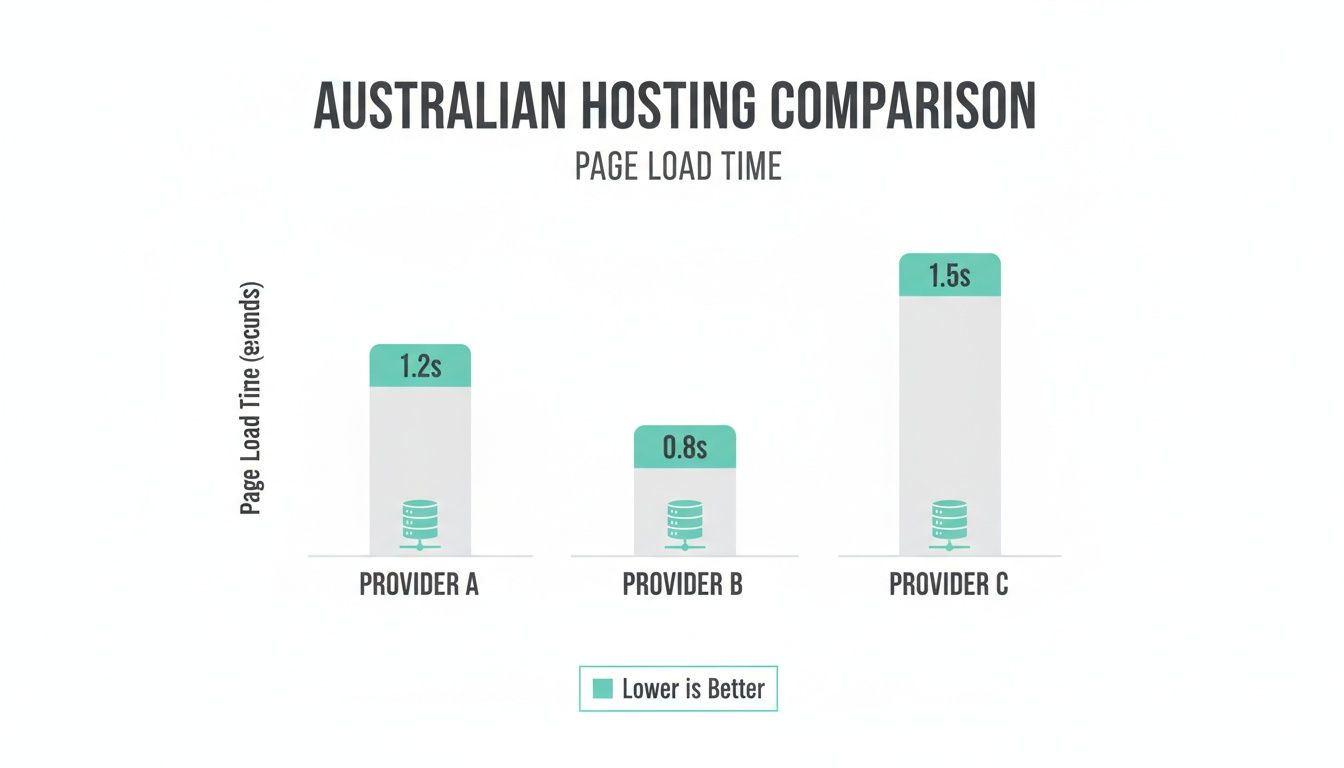
It’s clear from the graph that Provider B offers the fastest experience—a massive advantage for keeping e-commerce customers on your site and clicking "buy."
Hosting for an Agency or Developer
If you’re a digital agency or a freelance developer juggling multiple client websites, your needs are entirely different again. Efficiency, control, and the ability to manage everything from one place are what really matter.
You need a platform built for professionals, packed with tools that streamline your workflow and keep your clients' sites secure and separate.
- Multi-Site Management: Look for reseller hosting or plans that let you manage multiple cPanel accounts easily. This is vital for keeping client sites properly isolated and secure from one another.
- Developer-Friendly Tools: One-click staging environments are an absolute must. They let you safely test updates, new plugins, or design changes without any risk to the live client site.
- Generous Resources: Plans with unmetered bandwidth and a high number of addon domains are essential for scaling your business without constantly hitting limits. White-label options, which let you brand the hosting control panel with your own logo, are also a fantastic touch for offering a polished, professional service to your clients.
Your Step-by-Step WordPress Migration Checklist
Choosing from the best Australian hosting for WordPress is a huge step, but the job isn't done until your site is safely moved over. Getting the migration right is critical. Botch it, and you risk downtime, lost data, and serious SEO headaches. This practical checklist breaks the whole thing down into simple, manageable steps for a smooth transition.
Before you touch a single file, the golden rule is this: backup everything. Seriously. A complete backup is your non-negotiable safety net. Use your current host's backup tool or a trusted WordPress plugin to create a full backup of both your website files and your database.
Download this backup to your computer, and for good measure, stick a copy in a separate cloud location like Google Drive or Dropbox. This redundancy means that no matter what goes wrong, you have a clean, working version of your site ready to restore.
Understanding Your New Host's Migration Policy
Many of the best Australian hosts offer a free migration service to get you on board. It's well worth checking this before you attempt to move everything yourself. A professionally handled migration saves you a ton of time and massively reduces the risk of things going wrong.
Get in touch with your new host’s support team and ask a few direct questions:
- Is the migration service free? Confirm if it's included with your plan or if there are any sneaky costs involved.
- What information do they need? They'll usually need login details for your old hosting account and your WordPress admin area.
- How long does it take? Get a rough timeframe so you can plan for the final switchover.
A managed migration is almost always the safest and easiest path. The host's technical team deals with all the tricky bits, from transferring massive files to reconfiguring database connections, letting you focus on your business.
Manual Migration Options Using Plugins
If your host doesn't offer a free service or you just prefer to get your hands dirty, several brilliant WordPress plugins can automate most of the process. These tools bundle your entire site—themes, plugins, content, and database—into a single, neat package for an easy transfer.
A popular and incredibly reliable choice is the All-in-One WP Migration plugin. It’s well-known for its simple interface that turns the export and import process into just a few clicks. For developers or anyone moving a larger, more complex site, the Duplicator plugin offers more granular control over the migration. Both are fantastic for making sure no file gets left behind.
If you're thinking about moving your WordPress site to a new Australian host, having a clear plan is vital. It's worth learning how to migrate your website without losing your leads to keep your online momentum going strong.
Post-Migration Checks and Final Steps
Once your site's files and database are sitting on the new server, you're not quite done. This final phase is crucial for making sure everything is working perfectly before you tell the world.
Test Thoroughly: Use the temporary URL or hosts file modification your new host provides to preview the migrated site. Click through every single page, test your contact forms, run through the checkout process, and make sure all your images and links are working as they should.
Update Your DNS: When you're 100% confident the migrated site is a perfect copy, it's time to point your domain to the new server. Log in to your domain registrar's dashboard and update the nameservers to the ones supplied by your new Aussie host.
Configure Performance Tools: Your new host likely comes with some powerful performance features. Now is the ideal time to set up and configure tools like the LiteSpeed Cache plugin so you can take full advantage of your new, faster server from day one.
Set Up Automated Backups: Lastly, jump into your new control panel (like cPanel) and double-check that automated daily backups are enabled and configured correctly. Don't just assume they're on.
Taking the time to follow these steps methodically will save you from a world of pain. To ensure a flawless move, also have a look at these 13 website migration mistakes you should avoid making.
Common Questions on Australian WordPress Hosting
Getting into the weeds of web hosting can throw up a lot of questions, especially when you’re hunting for the best fit for your WordPress site here in Australia. To clear things up and help you make a solid choice, we've answered some of the most common queries we hear from Aussie business owners.
Why Is Local Australian Hosting Important?
Choosing a host with servers in Australia is probably the single biggest thing you can do to speed up your website for a local audience. It all comes down to one word: latency. That’s the time it takes for data to zip from the server to your visitor's screen.
When your server is in Sydney and your customer is in Perth, that data has a much shorter trip than if it had to come all the way from the United States. This tiny delay, multiplied by every image and file on your page, adds up fast.
The result of lower latency is quicker page load times. A faster website isn't just about giving visitors a better experience (and keeping them from bouncing); it's also a big tick in the box for Google. Faster sites tend to rank higher, making local hosting a no-brainer for your SEO.
Can I Save Money Hosting My Website Overseas?
At first glance, those cheap US hosting plans can look tempting. But for most Australian businesses, it's a false economy. Any initial savings are usually cancelled out pretty quickly by the compromises you have to make.
The most obvious problem is performance. The latency we just talked about will make your site feel sluggish to Australian visitors, which can lead to higher bounce rates and lost sales. Then there's the support headache. Trying to get help from a team on the other side of the world means you could be waiting hours for a reply during your business day.
Beyond the speed and support issues, there's also data sovereignty to consider. Keeping your data hosted in Australia means it's governed by Australian privacy laws—a crucial compliance point for any business handling customer information.
What Is Managed WordPress Hosting?
Think of managed WordPress hosting as a premium, hands-off service where the hosting provider handles all the technical heavy lifting for you. Instead of just giving you a slice of a server, they actively manage the entire environment to keep it fine-tuned specifically for WordPress.
This usually covers things like:
- Automatic Updates: The host takes care of WordPress core updates, and often your plugins and themes too, which is vital for security.
- Enhanced Security: You get robust, WordPress-specific security measures like dedicated firewalls and proactive malware scanning. They’re actively looking for trouble so you don’t have to.
- Performance Optimisation: The servers are configured with advanced caching and other tech to make sure your site is as fast as it can be. Tools like AccelerateWP are a great example of this in action.
You're essentially paying for a team of WordPress experts to keep an eye on your site's health and speed. If you're not a technical person, or you'd rather focus on running your business than doing website maintenance, the extra cost is often well worth the peace of mind.
How Much Should I Budget for Hosting in Australia?
For a good quality shared WordPress hosting plan in Australia, you should expect to set aside somewhere between $15 to $35 per month. In this price range, you’ll find reliable service, good local support, daily backups, and solid security features.
If you’re looking at managed WordPress hosting, the price point is higher, typically starting around $40 to $80 per month for a single website. It costs more, but you’re paying for that completely hands-off experience where performance and security are handled for you.
When you're working out your budget, always look at the total value, not just the monthly price tag. A plan that costs a little more but includes premium features like off-site backups, a staging environment, and 24/7 Aussie support often delivers a far better return than a bare-bones, cheaper alternative.
Ready to give your WordPress site the speed, security, and local support it deserves? At UpTime Web Hosting, we offer 100% Australian-owned and operated hosting solutions designed for performance. Explore our WordPress hosting plans and experience the difference today at https://uptimewebhosting.com.au.