Let's be blunt: for a small business in Australia, thinking of network security as an optional IT cost is a recipe for disaster. It's not just another line item on a budget; it's a fundamental investment in your company's survival. Proactive defence is the only real way to protect your hard-earned reputation and avoid crippling financial losses from cyber attacks.
Why Network Security Is a Must-Have for Australian Businesses
The idea that cyber threats are a "big business" problem is a dangerous myth. The reality is, they're a daily menace for small and medium-sized enterprises (SMEs) right across Australia. Too many business owners think they’re too small to be a target, but that’s exactly the mindset attackers love to exploit. They often use automated tools to sniff out the weakest link, and businesses with flimsy defences are low-hanging fruit.
The stats paint a pretty grim picture. In the last reporting period, Australian small businesses were hit with a staggering surge in cyber threats. The Australian Cyber Security Centre (ACSC) fielded over 84,700 cybercrime reports—that breaks down to one report every 6 minutes.
The financial sting is very real, too. The average self-reported cost of a cybercrime incident for a small business has climbed to $56,600, while for medium businesses, it's a shocking $97,000. We're not talking about pocket change here.
To get a clearer sense of what you're up against, here's a look at the most common threats hitting businesses like yours.
Top Cyber Threats Facing Australian SMBs
This table summarises the most frequent and costly attacks reported by Australian small and medium businesses. It's a snapshot of the digital battleground where most incidents happen.
| Threat Type | Percentage of Reports | Primary Risk |
|---|---|---|
| Phishing & Email Scams | 31% | Data theft, credential harvesting, malware delivery |
| Ransomware | 24% | Data encryption, operational shutdown, financial extortion |
| Business Email Compromise | 18% | Fraudulent invoices, wire transfer fraud, CEO fraud |
| Malware Infections | 15% | Data exfiltration, system damage, network disruption |
| Denial-of-Service (DDoS) | 7% | Website/service outage, revenue loss, reputation damage |
As you can see, the threats are varied, but they all lead back to significant business disruption and financial pain. It’s crucial to understand these risks to build a defence that actually works.
The Real Costs of a Security Breach
The immediate financial loss from an attack is often just the tip of the iceberg. A security breach kicks off a domino effect of expenses and long-term damage that many small businesses simply can't recover from.
These hidden costs quickly stack up:
- Business Interruption: Downtime is poison for a small business. Every hour your systems are offline is an hour you can't make sales, serve customers, or generate a single dollar of income.
- Reputation Damage: Trust is incredibly hard to build and frighteningly easy to lose. A data breach can send your customers running to competitors who they feel can better protect their information.
- Recovery Expenses: The bill for forensic investigations, rebuilding systems, and restoring data from backups can be eye-watering.
- Regulatory Fines: If customer data gets compromised, you could be looking at hefty fines under Australian privacy laws. It’s a costly lesson to learn the hard way.
A critical piece of the security puzzle is knowing what happens to your data throughout its entire lifecycle. It's not just about protecting it when it's active; properly destroying sensitive information you no longer need is just as important. Understanding how data destruction protects businesses is a vital part of a truly complete security strategy.
Building Your Defence with Trusted Partners
Securing your business isn't something you have to tackle alone. In fact, you shouldn't. A strong security posture relies on multiple layers, and your key partners—especially your web host—play a huge role.
Think of a reliable hosting provider as the foundation of your digital defence. They handle the heavy lifting on complex security measures like firewalls, malware scanning, and DDoS protection for your website and the data it processes. This frees you up to focus on what you do best: running your business.
Our guide on cybersecurity data protection digs deeper into creating a robust security framework. From here, we'll walk you through building an affordable and effective defence, starting with the absolute essentials.

Performance you can feel, backed by clients who depend on it. Read how our support and uptime create long‑term customer success.Power Your Business with Better Hosting
Conducting a Practical Security Risk Assessment
Before you even think about spending a dollar on security software or hardware, you need a clear picture of what you're actually protecting. A security risk assessment sounds intimidating, I know, but for a small business, it's really just about asking a few straightforward questions to figure out where you're most vulnerable.
This isn't about creating some massive, technical document that gathers dust. It’s about building a practical, prioritised to-do list.
The goal is simple: pinpoint your most valuable digital assets, understand the most likely ways they could be compromised, and then decide what to fix first. If you skip this step, you’ll end up spending time and money protecting the wrong things while leaving your biggest risks wide open.
Identifying Your Crown Jewels
First up, let's list your most critical information—the kind of data that, if it was lost, stolen, or leaked, would seriously hurt your business. And think beyond just files on a computer; this information lives in all sorts of places.
For most small businesses I work with, the "crown jewels" usually include:
- Customer Data: This is the big one. Names, email addresses, phone numbers, and purchase history. For a local retail store, this is the entire customer list in their point-of-sale (POS) system.
- Financial Records: Think invoices, payroll info, bank account details, and all your accounting files, especially if you're using cloud software like Xero or MYOB.
- Employee Information: Personnel files, tax file numbers, and superannuation details are highly sensitive.
- Operational Data: This could be supplier contracts, unique internal procedures, or even a secret recipe—anything that gives you a competitive edge.
Once you know what you need to protect, you have to ask where it is. Is it sitting on a local server in the office? Is it stored in a cloud app like Google Drive, on your website's hosting server, or spread across employee laptops and phones? Pinpointing the location is half the battle.
Understanding Potential Threats
With your asset list in hand, it's time to put on your black hat and think like an attacker. What are the most probable ways someone could get in? We're not talking about elaborate, movie-style hacks here. We're focusing on the common, everyday risks that trip up businesses all the time.
Let's take a real-world scenario: a local retail shop. Their most valuable asset is their customer database, which lives inside their cloud-based POS system. The most likely threat isn't a brute-force assault on the POS provider's servers; it's something much, much simpler.
An employee gets a convincing-looking phishing email asking them to "reset" their POS password. They click the link, enter their details, and just like that, they’ve handed over the keys to the entire system. This one mistake could expose every customer's contact details and purchase history, leading to a massive data breach.
This is exactly how small incidents snowball into major problems. The process often follows a predictable, and costly, path.
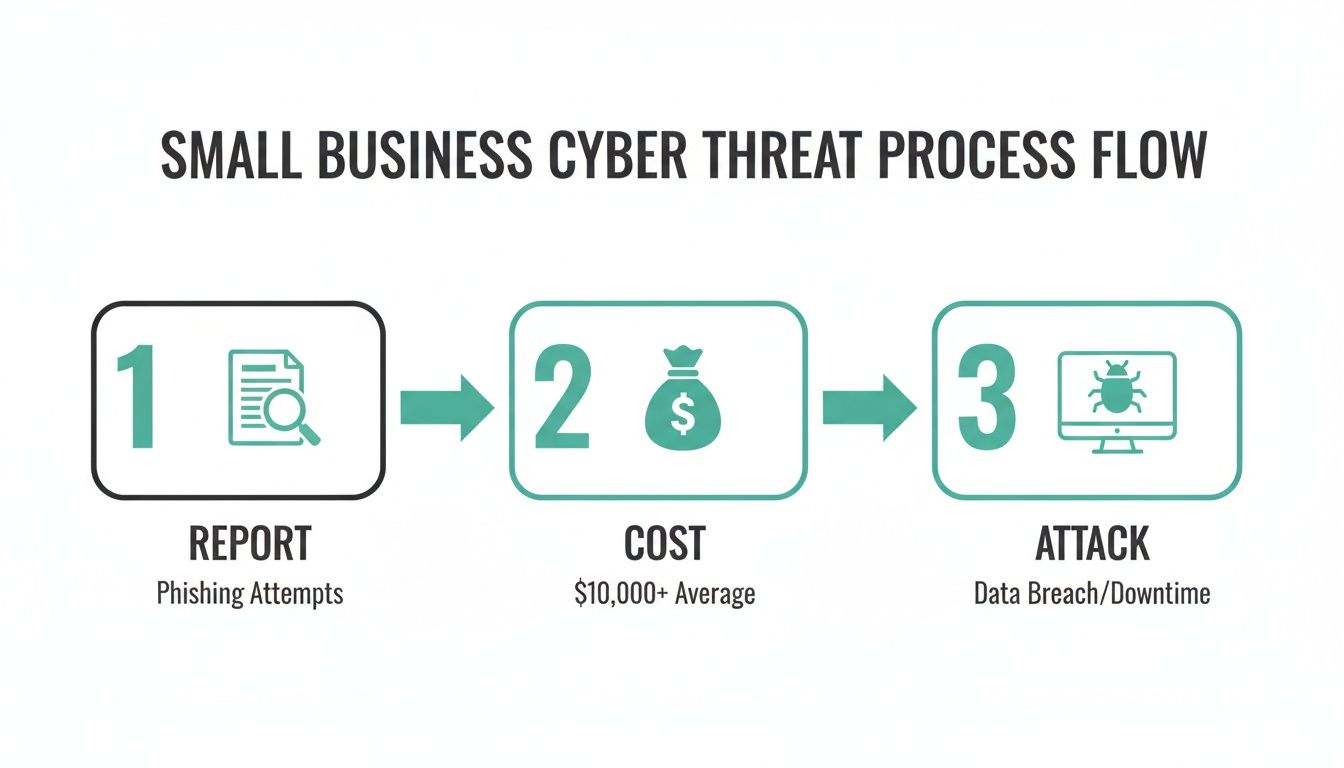
As you can see, the flow from the initial attack to the final cost shows how a single slip-up can quickly become a huge financial headache. It’s why this proactive assessment is so critical.
Part of this is also understanding your network's basic setup. For instance, knowing whether you use a static or dynamic IP address can be a piece of the puzzle. If you're not sure, you can check out our guide to understand the difference between a static vs dynamic IP address.
By zeroing in on these specific, high-probability threats, you can create a targeted action plan. For our retail shop, the top priority isn't a fancy new firewall. It's implementing mandatory multi-factor authentication on their POS system and running staff training on how to spot phishing emails.
That’s what a practical risk assessment does—it gives you a clear, actionable path forward for your small business network security strategy.
Simple Risk Assessment Checklist
To help you get started, use this checklist to map out your own assets and threats. It doesn’t need to be exhaustive, just practical. Focus on what truly matters to your business.
| Asset to Protect | Potential Threat | Impact Level (High/Medium/Low) | Action Required |
|---|---|---|---|
| Example: Customer database in Xero | Phishing email compromises staff login | High | Enable multi-factor authentication (MFA) on all Xero accounts |
| Example: Website (e-commerce) | DDoS attack takes the site offline | High | Implement DDoS protection with web host or CDN |
| Example: Employee TFNs on office server | Unauthorised physical access to the server | Medium | Ensure server is in a locked room; review access permissions |
| Example: Company Wi-Fi network | Weak password allows unauthorised access | Medium | Change to a strong WPA2/WPA3 password; create a separate guest network |
This simple exercise will give you a prioritised list of actions. Instead of trying to boil the ocean, you can focus your energy and budget on the fixes that will make the biggest difference, right now.
Building Your Digital Defences With Essential Controls
Once you’ve mapped out your risks, it’s time to start building your digital fortress. This isn’t about buying the most expensive, complicated tech on the market. Far from it. It’s about putting a few core controls in place that give you the biggest bang for your buck in small business network security.
Think of these as the essential locks, gates, and guards for your digital assets. These foundational tools work together to create layers of protection, so if one layer fails, another is waiting to catch a potential threat. Let’s break down the absolute must-haves for any Australian SME.
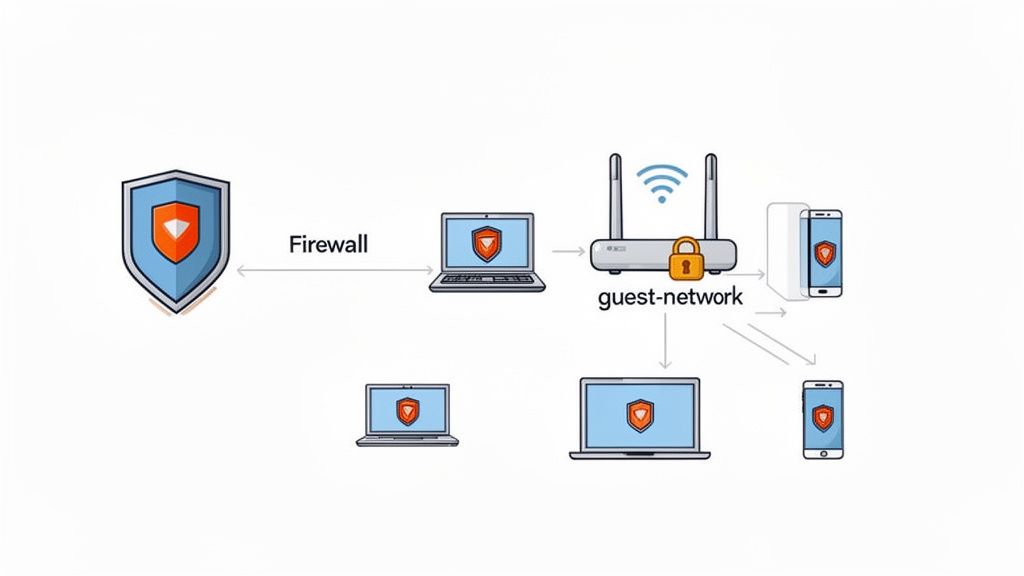
Your Network's Front Door: The Firewall
Imagine your office network is a private building. A firewall acts as the security guard at the front door, meticulously checking every single person and package trying to get in or out. Its job is to enforce a set of rules about what traffic is allowed and what gets blocked, stopping unauthorised access before it even gets close to your computers.
You'll generally come across two main types:
- Software Firewalls: These are programs that run on individual computers, like the ones built right into Windows and macOS. They’re great for protecting single devices, especially for staff who might be working remotely.
- Hardware Firewalls: This is a physical device that sits between your internal network and the internet. It’s often built into your office router and protects every device connected to your network at once, acting as a powerful perimeter defence.
For most small businesses, a combination of the two is the sweet spot. The hardware firewall in your router provides that crucial first line of defence for the whole office, while the individual software firewalls add another layer of protection for each specific device.
Securing Your Wireless Network
An unsecured Wi-Fi network is the digital equivalent of leaving your office front door wide open with a "welcome" sign on it. It’s one of the most common and easily exploited vulnerabilities for small businesses, giving attackers a ridiculously easy entry point. Securing it is completely non-negotiable.
Start with these three critical actions:
- Change Default Credentials: The very first thing an attacker will try is the default username and password for your router model (think "admin" and "password"). Change these immediately to something unique and strong. Don't skip this.
- Use Strong Encryption: Always use WPA3 encryption if your hardware supports it. If it doesn't, WPA2 is the absolute minimum standard you should accept. Avoid outdated and easily cracked protocols like WEP or the original WPA like the plague.
- Create a Guest Network: This is one of the single most effective security moves you can make. A guest network allows visitors to get online without ever touching your internal business network, shared files, or servers. It’s a simple but brilliant way to isolate untrusted devices.
Setting up a guest Wi-Fi is probably easier than you think. Most modern routers have a straightforward process. Just search for "[Your Router Brand] guest network setup" and you’ll likely find simple, step-by-step instructions in their knowledge base.
By putting just these simple measures in place, you dramatically slash the risk of someone getting unauthorised access to your critical business systems through your wireless connection.
Modern Endpoint Protection for Every Device
The days when basic antivirus software was enough are long gone. Today, every single device that connects to your network—laptops, smartphones, tablets—is called an "endpoint," and each one is a potential backdoor for an attack. Modern endpoint protection goes way beyond just scanning for known viruses.
Think of it as a sophisticated, dedicated security team for each device. These solutions use advanced techniques like behavioural analysis to spot suspicious activity, ransomware protection to stop your files from being encrypted hostage-style, and web filtering to block access to malicious websites before anyone can even click a dodgy link.
This is especially crucial given the current threat landscape. Research shows that a staggering 43% of all cyber attacks target small businesses, with phishing leading the charge in 33.8% of breaches. The consequences are brutal, with the average cybercrime incident costing an Aussie small business $56,600.
A proper endpoint security platform gives you centralised management, allowing you to see the security status of all your devices from a single dashboard. That visibility is vital for maintaining a strong defence. To get started, you can check out our detailed guide on choosing the right anti-virus protection for your business. Trust me, investing in a business-grade solution is a small price to pay to protect every endpoint that holds your valuable company data.
Host your website with our 5-star rated, cPanel website hosting plans.
Super fast servers, with security included and hosted in your choice of Australian Data Center.
View cPanel Plans
Securing Your Website and Cloud Services
Your security perimeter isn’t just the four walls of your office; it extends to every digital corner of your business. This is especially true for your website and the cloud services you rely on every day. Protecting your online presence is a massive part of any solid small business network security strategy.
When you're choosing a web host, it's critical to partner with one that treats security as a core feature, not an optional add-on. A quality host provides a foundation of security that shields your digital storefront from a constant barrage of threats. This means you need to look beyond just storage space and bandwidth and really scrutinise the security features built into their hosting plans. These aren't just technical details—they are fundamental protections for your revenue and reputation.
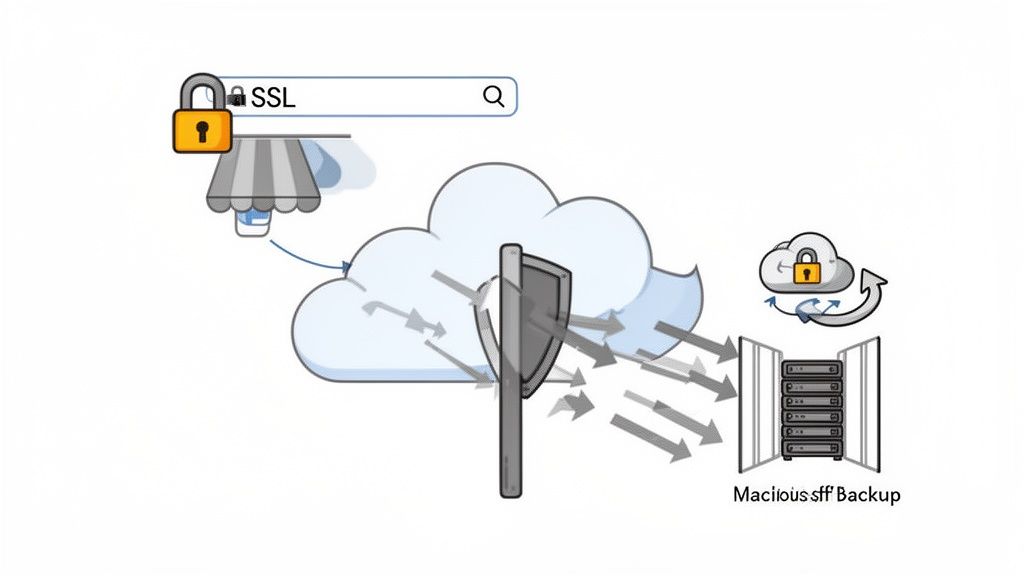
The Unbreakable Padlock: SSL Certificates
Ever notice that little padlock icon next to the URL in your browser? That's more than just a symbol. It’s powered by an SSL/TLS certificate, which encrypts the connection between your website and your visitors. This ensures that any data exchanged—like contact forms, login details, or credit card numbers—is scrambled and unreadable to anyone trying to snoop.
For an e-commerce store, this is completely non-negotiable. Customers are savvy and will abandon a checkout cart in a heartbeat if they don't see that secure connection. Beyond trust, search engines like Google actively penalise sites without SSL, pushing them down in search results. A reliable host, like UpTime Web Hosting, includes free SSL certificates as standard, making this essential protection effortless. If you're curious about the technical side, you can learn more about the differences between HTTP and HTTPS in our detailed guide.
Surviving an Onslaught with DDoS Protection
Imagine a flood of junk traffic being sent to your website by a malicious actor, overwhelming your server until it crashes and becomes unavailable to real customers. That’s a Distributed Denial-of-Service (DDoS) attack, and it can take your business offline for hours or even days, often during your busiest sales periods.
Robust DDoS protection acts like a smart traffic controller, filtering out this malicious flood before it ever reaches your server. It identifies and blocks the attack traffic while letting your genuine customers pass through without a hitch.
Think about an online florist in the lead-up to Valentine's Day. A DDoS attack could cripple their site during their most profitable week of the year. With a host that provides integrated DDoS mitigation, the attack is absorbed by a global network, and the website stays online to take orders. It turns a potential disaster into a non-event.
Your Safety Net: Automated Off-Site Backups
Hardware fails. Software gets corrupted. Human error happens. A single catastrophic event could wipe out your entire website. Without a reliable backup, you could be facing a complete rebuild from scratch, losing years of work and precious customer data. Beyond traditional network protection, securing your website and cloud services also requires a comprehensive understanding of sensitive user data, as highlighted in this guide to modern data security.
This is why automated, off-site backups are your ultimate safety net. "Automated" means you don't have to remember to do it, and "off-site" means the backups are stored in a completely separate physical location. So, if your primary server is compromised, your data is safe and sound somewhere else.
A quality hosting plan should include nightly backups as a standard feature. At UpTime Web Hosting, we provide encrypted nightly backups stored off-site, ensuring you can restore your website to a recent state with just a few clicks. It’s an immense peace of mind, knowing that you can quickly recover from almost any disaster and get your business back online.
Creating a Security Savvy Team Through Training and Policy
Technology is a critical piece of the puzzle, but even the best firewall can’t stop an employee from unknowingly letting a threat actor walk right through the virtual front door. The human element is almost always the weakest link in any small business network security strategy.
That's why building a security-savvy team isn't just a "nice-to-have"—it's absolutely essential. A strong security culture starts with clear, simple policies and consistent, engaging training. It's about empowering your team to become your first line of defence, not a potential liability.
Unfortunately, this is an area where many Aussie businesses are falling behind. A shocking 20%—that's just one in five—of Australian small businesses have a formal cybersecurity policy or provide staff training, a figure that's actually declined since 2021. This gaping preparedness hole leaves so many businesses exposed.
Another academic study of local SMBs revealed some stark gaps: less than half (48%) use multi-factor authentication (MFA), and only 21% conduct regular cybersecurity assessments. You can dig into these findings and the rising cyber fears among Australians in the full Digital Lives research.
Building Your Security Playbook
A formal security policy sounds intimidating, but it doesn't need to be a hundred-page document filled with legalese that no one will ever read. Honestly, a simple, one-page document outlining the absolute non-negotiables is far more effective.
Your initial policy should clearly define the basics:
- Password Requirements: Mandate the use of a password manager like 1Password or Bitwarden. This helps generate and store long, unique passwords for every single service, and you should prohibit password reuse entirely.
- Multi-Factor Authentication (MFA): State clearly that MFA must be enabled on all company accounts that support it. This is especially crucial for email, cloud storage, and any financial software.
- Device Usage: Outline the rules for using company-owned devices. If you have a "bring your own device" (BYOD) policy, you need clear security requirements for personal devices that access company data.
- Data Handling: Provide simple, practical guidelines on how to handle sensitive customer or company information. Where can it be stored? How can it be shared?
The goal of a policy isn't to catch people out; it's to create a shared understanding of what's expected. Keep it simple, accessible, and make it a living document you review annually.
Training That Actually Sticks
Let's be real: a single, yearly training session is a waste of everyone's time. Effective security awareness is an ongoing conversation, not a one-off lecture that people click through while checking their phones. The key is to make it practical, relevant, and continuous.
Forget the generic slideshows. Use real-world examples that resonate with your team's daily tasks. For instance, pull up a side-by-side comparison of a legitimate invoice email and a sophisticated phishing attempt, pointing out the subtle red flags—the slightly "off" sender address, the urgent language, the suspicious link.
Understanding the common tactics used in phishing is a vital skill. You can learn more about securing your communications by reading our guide on how to set up your business email correctly.
Turning Staff into Security Champions
Your team members are your greatest security asset when they're informed and engaged. When they know what to look for, they become an active part of your defence.
You can reinforce good habits by making security a regular topic of conversation, not just a once-a-year event.
- Run Phishing Simulations: Use a simple tool to send safe, simulated phishing emails to your staff. It’s a low-pressure way to test their awareness and provide immediate, gentle feedback to those who click. It gamifies the training a little.
- Share Real Examples: When you see a news story about a local business getting breached, share it with the team. Use it as a talking point: "How would our policies and training help prevent something like this from happening to us?"
- Celebrate Good Behaviour: If an employee spots and reports a suspicious email, acknowledge it publicly in a team meeting or a group chat. This reinforces the idea that everyone is responsible for security and that vigilance is genuinely valued.
By weaving these simple practices into your company culture, you transform security from an abstract IT problem into a shared responsibility. An alert and well-trained team is one of the most powerful—and cost-effective—security measures any small business can implement.
Your Small Business Security Questions Answered
When you're trying to wrap your head around small business network security, it’s natural for a bunch of practical questions to pop up. We’ve covered the main strategies for figuring out your risks and building up your defences, so now it’s time to tackle the common queries we hear from Australian business owners just like you.
Think of this as a straight-to-the-point chat, clearing up the stuff that really matters.
How Much Should a Small Business Budget for Cybersecurity?
Look, there’s no single magic number here. But a really sensible starting point is to set aside 3-6% of your total IT budget specifically for security. For a small business, this isn't about splashing out on massive, enterprise-level systems. It's about being clever and prioritising things that give you the most bang for your buck.
Zero in on the essentials first. A solid, business-grade endpoint protection subscription might run you about $50-$100 per user, per year. Another smart play is picking a web host that already bundles in security features like SSL certificates, DDoS protection, and malware scanning. That saves you from paying for them all separately.
The thing to remember is that the cost of just one data breach—now averaging over $50,000 for Australian SMEs—is way, way higher than what you'd spend on being proactive. Thinking of security as just another cost is a massive mistake; it’s an investment in keeping your doors open.
What Is the Single Best Security Measure to Implement Today?
If you do only one thing after reading this guide, do this: turn on Multi-Factor Authentication (MFA) on everything you possibly can. Honestly, MFA is the single most effective barrier you can put up to stop someone from breaking into your accounts.
The concept is brilliantly simple. Even if a cybercriminal gets their hands on an employee's password from a phishing scam or a data breach, they’re still stuck. They can't get in without that second piece of the puzzle, which is usually a code sent to a phone or generated by an authenticator app.
It’s a straightforward, incredibly powerful defence that shuts down a huge range of common attacks. And the best part? It's almost always free to activate on critical services like your business email, online banking, social media, and cloud storage. Go and turn it on right now—it’s the best five minutes you’ll spend on your security this year.
I Run a Very Small Business… Am I Really a Target?
Yes. Absolutely, yes. Thinking you’re "too small to be a target" is probably the most dangerous assumption a business owner can make. Attackers aren’t sitting there in a dark room, hand-picking their victims one by one. They're using automated tools that relentlessly scan the internet for any weakness, regardless of the size of the business.
In fact, the data shows that nearly half of all cyberattacks are aimed squarely at small businesses. Why? Because criminals know you’re often easier to breach. They bank on smaller companies having fewer resources dedicated to security, making you a perfect opportunistic target.
Your customer data, your financial details, your access to payment systems—it’s all valuable, no matter how small your operation is. The threat isn't personal; it's entirely opportunistic. That’s why getting the basics right is non-negotiable for every single business, from a sole trader working from their kitchen table to a growing team.
Is Free Antivirus Software Enough for My Business?
While free antivirus is definitely better than nothing, it just doesn't cut it for a business. It’s a bit like having a simple latch on your front door when what you really need is a deadbolt, reinforced frame, and an alarm system. Free tools are built for personal use, and they’re missing the heavy-duty features you need to protect a business.
Paid endpoint protection gives you critical tools that the free versions simply leave out.
- Centralised Management: This lets you see and manage the security of every single company device from one screen. No more guesswork.
- Advanced Threat Protection: This is your shield against the nasty stuff, like ransomware that can lock up all your files and demand a payment.
- Web and Email Filtering: Actively stops your staff from accidentally clicking on malicious websites or opening dangerous attachments in emails.
- Dedicated Technical Support: When things go wrong, you get access to actual experts who can help you fix it. This is priceless during a security incident.
These business-grade tools are designed to fight off a much wider and more sophisticated range of threats. They give you the visibility and control you absolutely need to manage security across every laptop, phone, and tablet connected to your business network.
Protecting your business starts with a secure online foundation. At UpTime Web Hosting, we build security into every plan with free SSL, DDoS protection, malware scanning, and automated nightly backups. Secure your digital presence with a reliable Australian partner. Visit us at https://uptimewebhosting.com.au to find the right plan for your business.