When we talk about exploit prevention for small business, we're really talking about being proactive. It’s about finding and plugging security holes in your digital assets—like your website—before a cybercriminal stumbles upon them.
It's not about waiting for an attack and then scrambling to fix the damage. It's about building a solid defence from the get-go to stop attacks from ever happening. Think of it as staying one step ahead to protect your customer data, your hard-earned reputation, and your bottom line.
Why Exploit Prevention Is a Business Survival Strategy
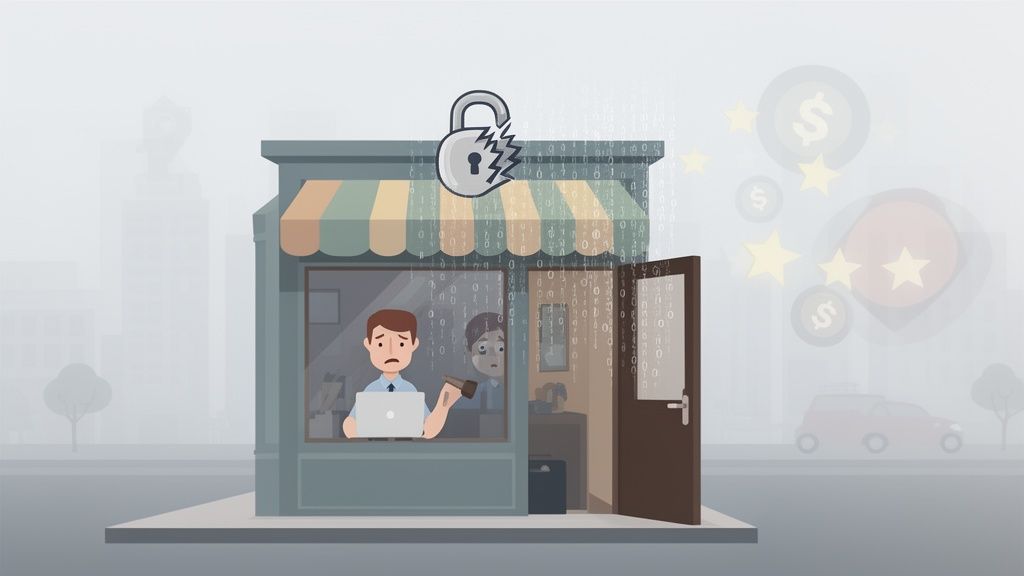
A lot of small business owners fall into the trap of thinking, "I'm too small to be a target." The reality is the complete opposite. Hackers often go after small businesses because they typically have fewer security resources, making them the low-hanging fruit for automated attacks hunting for any vulnerable entry point.
Imagine your website is your digital shopfront. Leaving a known software vulnerability unpatched is like leaving the back door unlocked with a welcome mat out for thieves. Cybercriminals don’t care if you're a multinational corporation or a local bakery; they run automated scripts that constantly scour the web for these "unlocked doors."
The Real Cost of a Cyber Attack
For a small or medium-sized business (SMB), the fallout from a single security breach can be catastrophic. In 2025, the average cost of a cyber attack on an Australian small business rocketed to $122,000 per incident.
Even more alarming, a staggering 60% of these businesses were forced to close their doors within just six months of the attack. That's how quickly a single vulnerability can turn into a business-ending event.
This is exactly why exploit prevention for small business isn't just an IT chore—it's a core part of your business survival plan. A proactive defence is always, without fail, more effective and far less costly than mopping up after a disaster.
Common Threats and Your First Line of Defence
To build a strong defence, you first need to know what you’re up against. Most attacks aren't the work of criminal masterminds; they're opportunistic strikes that take advantage of common, well-known weaknesses. Understanding where you're most vulnerable is the key to putting your efforts where they'll count the most. If you want to dive deeper, you can also learn more about our comprehensive approach to cybersecurity and data protection.
To help you get started, here's a look at the threats that trip up small businesses most often, along with the foundational defences you can put in place for each.
Common Threats and Your First Line of Defence
| Common Threat Vector | What It Is | Your Key Preventative Action |
|---|---|---|
| Outdated Software | Running old versions of WordPress, plugins, or themes that have known security flaws ripe for the picking. | Automated Patching: Keep all your software updated. Enable automatic updates whenever you can to close these doors before attackers find them. |
| Weak Passwords | Using simple, reused, or easy-to-guess passwords that can be cracked by automated "brute-force" attacks in minutes. | Strong Access Controls: Enforce a strong password policy (long, unique phrases are best) and use Multi-Factor Authentication (MFA). |
| Malware Injection | When attackers sneak malicious code onto your website to steal data, send your visitors to dodgy sites, or infect their computers. | Malware Scanning: Run regular, automated malware scans to detect and remove malicious files before they can do any real damage. |
| Phishing Scams | Deceptive emails or messages designed to trick you or your staff into handing over sensitive login details or financial info. | Staff Training: Teach your team how to spot and report suspicious emails and links. A cautious team is one of your best defences. |

Performance you can feel, backed by clients who depend on it. Read how our support and uptime create long‑term customer success.Power Your Business with Better Hosting
Understanding How Attackers Target Your Website
To build a solid defence, you first need to understand the offence. It helps to think like an attacker for a moment and see your website not as your digital shopfront, but as a collection of potential entry points. Cybercriminals use a variety of clever techniques, but most rely on predictable, automated methods to find and exploit common weaknesses.
These attacks aren't personal. More often than not, they are automated scripts scanning thousands of sites a day, just looking for that one unlocked door. Getting your head around these common tactics is the first step in effective exploit prevention for your small business.
Malware and Code Injections
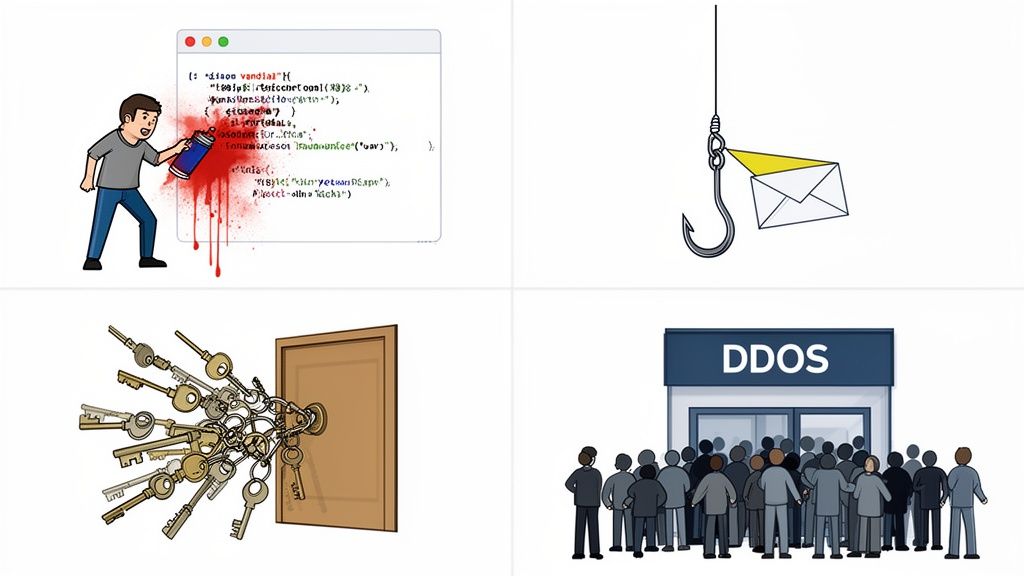
Imagine a vandal sneaking into your shop overnight and leaving graffiti on the walls. A malware injection is the digital version of that. Attackers find a vulnerability in your website's code—often in an outdated plugin or theme—and insert their own malicious script.
This dodgy code can do all sorts of damage, from stealing customer credit card details at checkout to redirecting your visitors to scam websites. For businesses using popular platforms like WordPress or Magento, keeping plugins updated is one of the most critical defences against this type of attack.
Key Takeaway: An injection attack exploits trust. It uses your own website to harm your customers, damaging both your data security and your hard-earned reputation. Regular security scans and prompt updates are essential to block these entry points.
One of the most common methods is a SQL injection, where attackers manipulate your site’s database. To effectively defend your website, it's crucial to understand how to prevent SQL injection attacks, which specifically target these database vulnerabilities.
Brute-Force and Credential Stuffing Attacks
Think of a brute-force attack as a thief standing at your front door, methodically trying every single key on a massive key ring until one finally works. Automated software does the same to your login page, hammering it with thousands of username and password combinations per minute.
Credential stuffing is a more refined version of this. After a major data breach at a large company, hackers get their hands on leaked lists of emails and passwords. They then "stuff" them into the login forms of thousands of other websites, banking on the fact that people reuse the same credentials everywhere.
These attacks are exactly why password security is so important. Common targets include:
- WordPress Admin Logins: The
wp-adminpage is a prime target for bots. - eCommerce Customer Accounts: Gaining access allows attackers to make fraudulent purchases or steal saved payment information.
- Hosting Control Panels: A compromised cPanel account gives an attacker the keys to your entire website kingdom.
Phishing and Social Engineering
If a brute-force attack is about breaking down the door, phishing is about tricking you into handing over the keys yourself. This is a psychological attack, not a technical one. You might receive an email that looks like it's from a trusted source—your bank, a supplier, or even a government agency.
Practical Example: An employee receives an email that appears to be from Australia Post, claiming a package delivery failed. The email urges them to click a link to reschedule. That link leads to a fake login page designed to steal their credentials, which might be the same ones they use for your business systems.
The email will create a sense of urgency, maybe claiming your account has been compromised or an invoice is overdue, and will prompt you to click a link and log in. That link, of course, leads to a fake website designed purely to steal your credentials. Educating your team on how to spot these scams is a vital part of your defence. For a deeper dive into overall protective strategies, explore our guide to network security for your small business.
Denial-of-Service (DDoS) Attacks
Imagine a massive, coordinated flash mob suddenly swarming your physical storefront, completely blocking the entrance. Legitimate customers can't get in, and your business grinds to a halt. This is exactly what a Distributed Denial-of-Service (DDoS) attack does to your website.
Attackers use a network of infected computers (known as a "botnet") to flood your server with so much fake traffic that it becomes overwhelmed and crashes. Your website goes offline, making it completely inaccessible to real customers. While less common for smaller businesses, these attacks can be devastating, highlighting the need for a hosting provider with built-in DDoS protection.
Your Essential Security Action Plan
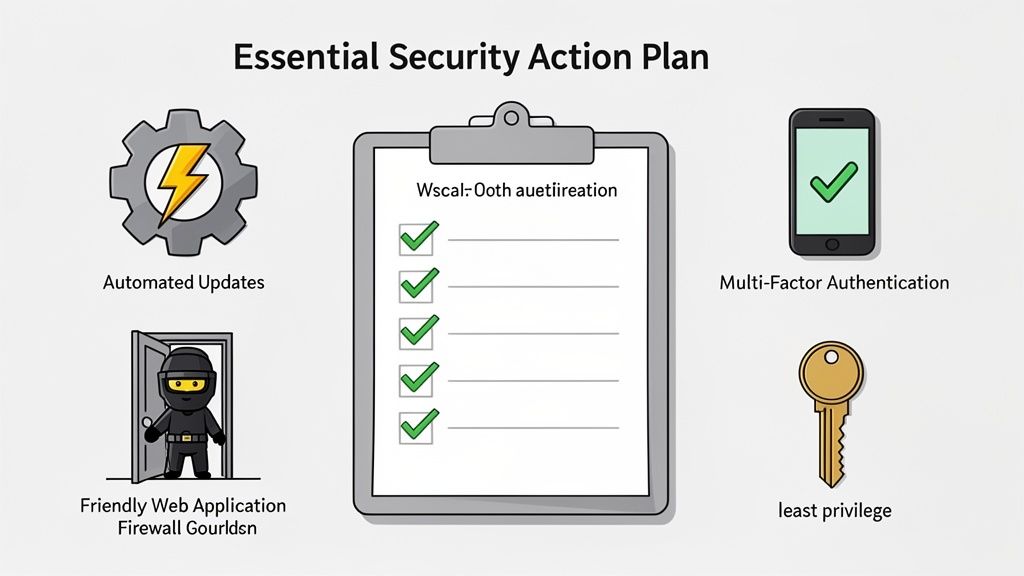
Knowing the threats is one thing, but actively defending against them is where the rubber meets the road. This is where we move from theory to action. For a small business, a solid exploit prevention plan doesn't have to be overwhelmingly complex, but it absolutely has to be consistent.
It’s all about building layers of security that work together to shield your digital assets. By making a few key security habits non-negotiable, you can dramatically cut your risk from the automated attacks that are constantly sniffing around for weaknesses.
Let's walk through the essentials every small business should lock down first.
Automate Your Software Updates
Think of a software update or a patch like this: a locksmith discovers a flaw in the model of lock you use on your front door and immediately sends out a free reinforcement plate. If you don't install it, you're knowingly leaving your door vulnerable for thieves to exploit.
Attackers use automated scanners to find outdated software, so trying to keep up manually is a losing game. Automating your updates is the single most powerful step you can take in your exploit prevention for small business strategy. It shuts security gaps the moment a fix is released, giving attackers no time to pounce.
- For WordPress: Set your core software, plugins, and themes to update automatically. Most modern hosting environments support this right out of the box.
- For eCommerce Platforms: Make sure your platform (like Magento or WooCommerce) and all its extensions are set to auto-update, or have a rock-solid process for applying security patches the day they come out.
- For Your Computers: Tweak your operating systems (Windows, macOS) and essential software (like web browsers and office programs) to install security updates as they become available.
A great habit to get into is regularly reviewing your WordPress site health report. It's a quick way to spot potential issues and make sure your site is running smoothly.
Deploy a Web Application Firewall
A Web Application Firewall (or WAF) is like having a dedicated security guard standing at the entrance to your website. It inspects every single visitor and every request before they're allowed to reach your server, looking for suspicious patterns and known attack methods.
A good WAF is your first line of defence against common threats like:
- SQL injection attempts
- Cross-site scripting (XSS)
- Malicious file uploads
- Automated bot traffic
Many quality hosting providers, including us here at UpTime Web Hosting, bundle a WAF with their security features. It’s a powerful layer of proactive defence that works 24/7 without you needing to be a security expert.
Enforce Strong Access Controls
Your login details are literally the keys to your digital kingdom. Unfortunately, weak and reused passwords are still one of the most common ways attackers stroll right through the front door. A strong access control policy is a cornerstone of any good security plan.
This isn't just a hypothetical problem. Recent figures show that 43% of Australian small and medium businesses are targeted by cyber attacks. The good news is that prevention is straightforward, starting with who can get in and how.
Here’s how to properly lock your digital doors:
- Mandate Strong Passphrases: Ditch the short, complex passwords. Instead, require long passphrases like "Correct-Horse-Battery-Staple!". They're much, much harder for computers to crack but far easier for your team to remember.
- Enable Multi-Factor Authentication (MFA): This is non-negotiable in this day and age. MFA demands a second piece of proof (like a code from a phone app) on top of a password. It’s proven to block over 99.9% of account compromise attacks, even if a crook manages to steal a password.
- Use a Password Manager: Get your team using a password manager. These tools generate and store unique, strong passwords for every single service, stamping out the dangerous habit of reusing the same password everywhere.
Apply the Principle of Least Privilege
This is a simple but incredibly effective concept: only give people access to the exact data and systems they need to do their job, and nothing more. Think of it like a hotel keycard. The cleaning staff's card opens the rooms on their assigned floor, but it won't open the manager's office or the main safe.
By limiting access, you drastically reduce your internal risk. If an employee's account is compromised, the attacker's potential reach is confined only to what that specific user could access, preventing a minor breach from becoming a full-blown catastrophe.
Practical Example: A blog writer on your WordPress site only needs the "Author" role, which lets them write and edit their own posts. They don't need the "Administrator" role, which would allow them to install plugins or change critical settings. Similarly, your marketing intern probably doesn't need access to the company's financial records in Xero.
A regular audit of who has access to what ensures this principle stays effective. This is just one part of a wider defence strategy. You can learn more about how we approach anti-virus protection for business to see how these different layers fit together.
Host your website with our 5-star rated, cPanel website hosting plans.
Super fast servers, with security included and hosted in your choice of Australian Data Center.
View cPanel Plans
How Secure Hosting Becomes Your Ultimate Defence
If your website is your digital shopfront, your web host is the very foundation it’s built on. You wouldn't build a physical store on shaky ground, and the same logic applies online. Your choice of hosting provider is one of the most powerful and fundamental security decisions you can make for your business.
The right host acts as your first and strongest line of defence, neutralising threats before they even get close. A secure hosting environment isn't a "nice-to-have" feature; it's a core part of any real strategy for exploit prevention for small business. It gives you built-in shields that work around the clock, offering peace of mind so you can focus on running your business, not fighting off anonymous attackers.
Your Hosting Is Your Built-in Security Guard
Think of a quality hosting provider like a security-conscious building manager for your business premises. They don’t just hand you the keys to a space; they manage the locks, monitor the cameras, and patrol the grounds. This proactive approach handles a huge amount of the security heavy lifting for you.
At UpTime Web Hosting, we build security into the very fabric of our services. These aren't optional extras; they are standard features designed to protect your website from the ground up.
Here’s how our key features act as your personal security detail:
Free SSL Certificates: An SSL certificate encrypts the data travelling between your website and your customers. It’s like sending a sensitive document in a locked briefcase instead of an open postcard. The information is scrambled, making it unreadable to anyone trying to eavesdrop—essential for protecting login details and payment information.
Server-Level Firewalls: A robust firewall is a vigilant gatekeeper for your server. It inspects all incoming traffic and automatically blocks malicious requests and known attack patterns, stopping things like SQL injections before they can ever reach your website's code.
DDoS Protection: As we covered earlier, a DDoS attack is like a flash mob blocking your front door, preventing real customers from getting in. Our infrastructure has sophisticated DDoS mitigation built-in, ready to absorb these floods of junk traffic and keep your digital storefront open for business.
Proactive Threat Hunting and Disaster Recovery
Even the best walls benefit from active surveillance and a solid backup plan. Modern security isn’t just about building defences; it's also about actively looking for threats that might have slipped through and being ready to recover instantly from any incident.
A proactive security posture assumes that threats are always out there. The goal is to find and eliminate them before they cause damage, and to have a recovery plan so reliable that even a worst-case scenario becomes a manageable inconvenience, not a catastrophe.
This is where the automated tools and disciplined processes from your host become absolutely critical.
Automated Malware Scanning
Imagine having a security team constantly patrolling your website's files, looking for anything that seems out of place. That’s exactly what automated malware scanning does.
Our systems proactively hunt for malicious code, trojans, and other nasties that might have been uploaded to your site. If anything suspicious is found, you get alerted immediately so it can be neutralised. This continuous vigilance is vital for catching infections early, before they can harm your customers or get your site blacklisted by Google. If you're after a hosting solution that bakes in this level of security, you can explore our guide to the best Australian web hosting to see how these features are integrated.
Nightly Off-Site Backups
Let's be realistic: no security system is 100% infallible. That’s why reliable backups are your ultimate safety net. We run automated backups of your entire website every single night and store them in a completely separate, secure off-site location.
What does this mean for you? If your site is ever compromised, corrupted, or you just accidentally break something, you can restore a clean, recent version with just a few clicks. This simple capability turns a potentially business-ending disaster into a minor hiccup, getting you back online quickly with minimal data loss and disruption. Our business backup solutions are designed for exactly this kind of peace of mind.
Building a Simple Incident Response Plan
Even with the best defences locked in, the hard truth is that a security incident can still happen. Acknowledging this isn't about being negative; it's about being prepared. A solid exploit prevention strategy for any small business must include a clear, simple plan for what to do when things go wrong. This ensures you can act decisively instead of panicking.
Think of an incident response plan as your playbook for a worst-case scenario. It doesn't need to be a hundred-page document filled with technical jargon. It just needs to be a straightforward guide that outlines the immediate, crucial steps to contain a threat, get your operations back on track, and minimise the fallout for your business and customers.
The First Steps After Discovering a Breach
The moments after you suspect a breach are absolutely critical. Your actions in that first hour can drastically change the outcome. The main goal is containment—stopping the attacker from doing more harm and preventing the issue from spreading. This often means making a tough but necessary call.
For example, if you suspect your website has been compromised with malware, the safest immediate action is often to take it offline. Just for a bit. This severs the attacker's connection and stops any malicious code from infecting your visitors or siphoning off more data. It’s a short-term pain for a long-term gain, buying you the precious time needed to assess the situation without further risk.
The security layers your hosting provides—like encryption, firewalls, and scanning—are all designed to prevent incidents in the first place.
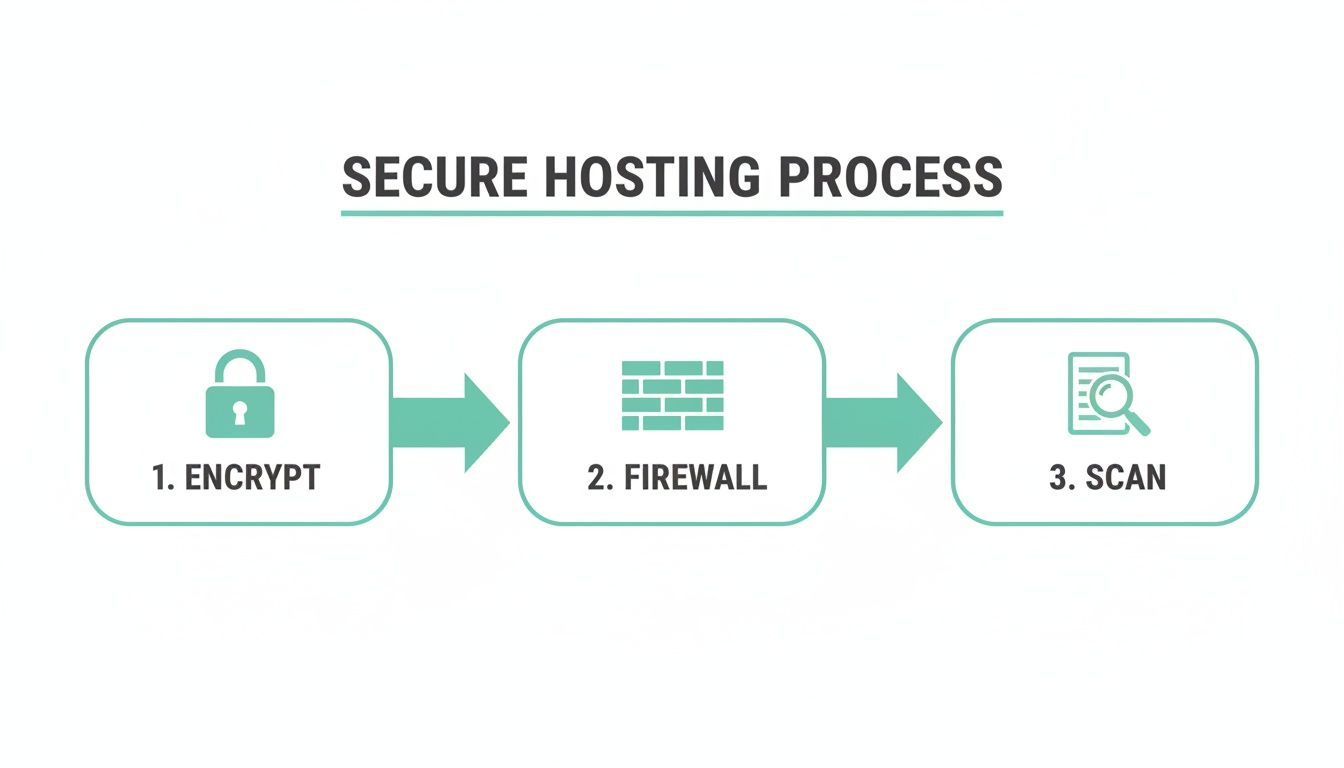
This layered defence is your first line of protection, but your incident response plan is what kicks in if a threat somehow slips past these guards.
Your 24-Hour Incident Response Checklist
Time is everything. Having a clear checklist ready to go means you won't waste precious minutes figuring out what to do next. Make sure this plan is accessible to key people in your business, even if your main systems are down.
Here’s a simple, actionable checklist to guide you through the first 24 hours:
- Contain the Threat: Immediately take the affected system (e.g., your website) offline or isolate it from the rest of your network.
- Contact Your Experts: Your first call should be to your web host or IT support provider. Their security teams have seen this before and have the expertise to help identify and neutralise the threat quickly.
- Identify and Remove the Malware: Work with your support team to run a thorough scan, pinpoint the malicious files or code, and get them removed completely.
- Restore from a Clean Backup: This is where reliable backups prove their worth. Once the threat is gone, restore your website from a known clean backup taken before the incident. If you're not sure about your current setup, you can learn more about building a solid strategy with our guide on business backup solutions.
- Change All Passwords: Assume every credential has been compromised. Force a password reset for every single user account connected to the affected system—that includes your hosting control panel, WordPress admin, FTP, and databases.
- Review and Strengthen: Once you're back online, it's time to figure out how the breach happened. Was it an outdated plugin? A weak password? Use the incident as a lesson to reinforce that specific weak spot.
The need for this kind of readiness is stark. The Australian Signals Directorate’s most recent Annual Cyber Threat Report highlighted over 84,700 cybercrime reports—that’s one every 6 minutes. The average cost per incident for small businesses also climbed 14% to $56,600. As reports like these show, having a response plan isn't just good practice; it's essential for survival.
Got Questions About Your Small Business Security? We've Got Answers
Stepping into the world of cybersecurity can feel like a massive task, especially when you're already juggling the million other things that come with running a business. It's totally normal to have questions about the cost, how much time it'll take, and frankly, where on earth to even start.
Let's clear the air. This section tackles the most common worries we hear from small business owners, giving you straightforward answers so you can feel confident taking those first crucial steps.
Is Cybersecurity Really a Problem for a Small Business Like Mine?
Yes, absolutely. This is probably the biggest and most dangerous myth out there. Hackers aren't manually picking targets one by one; they use automated bots that constantly scan the internet for any weakness, anywhere. Your local cafe's website is just as likely to get scanned as a massive corporate site.
In fact, attackers often see small businesses as easier targets because they gamble on security being an afterthought. Believing you're "too small to be a target" is, unfortunately, one of the biggest risks you can take.
I'm Not a Tech Whiz. Where Do I Even Start?
You don't need to be a security expert to make a huge difference. The key is to start with the basics that knock out the most common, low-effort attacks.
Here’s a simple, prioritised list to get you on the right track:
- Nail Your Hosting: This is your foundation. Pick a quality provider like UpTime Web Hosting that already bundles in security essentials like a Web Application Firewall (WAF), regular malware scanning, and free SSL certificates. This takes a massive amount of technical work off your plate from day one.
- Set Updates to Autopilot: Go into your website's dashboard (like WordPress) and turn on automatic updates for the platform itself, plus all your plugins and themes. This is easily the most powerful thing you can do to patch security holes the moment a fix is released.
- Lock Down Your Logins: Create a strong password policy for anyone who has access to your site. More importantly, switch on Multi-Factor Authentication (MFA) everywhere you can. This one simple step can block over 99% of attacks aimed at breaking into your accounts.
For a deeper dive into getting these fundamentals right, check out our knowledge base article on securing your website.
Isn't This Kind of Security Going to Be Too Expensive?
That's a fair question, but here's the reality: the cost of preventing a breach is a tiny fraction of the cost of cleaning one up. Many of the most effective security habits are low-cost or even free. A strong password policy costs nothing, and MFA is almost always a free feature.
Think of quality hosting as one of the most cost-effective security decisions you can make. The monthly fee for a plan that includes a firewall, malware scanning, and backups is minimal. It pales in comparison to the tens of thousands of dollars a single data breach could cost your business in lost sales, recovery fees, and damage to your reputation.
It’s not just an expense; it’s a non-negotiable insurance policy for your online business. A reliable hosting package is a predictable cost that protects you from a financial hit that could be catastrophic.
So, Who's Actually Responsible for My Website's Security?
This is a great question. Website security is a partnership between you and your hosting provider. Knowing where their job ends and yours begins is the key to making sure nothing falls through the cracks.
Here’s how it breaks down in simple terms:
- Your Hosting Provider's Job: The host looks after the security of the server infrastructure. This means things like the physical data centre security, protecting the network from big DDoS attacks, and keeping the core server software patched and secure. You can learn more about how we handle this in our managed services.
- Your Job: You are responsible for the security of what you put on that server—your website's application and its content. This involves keeping your software (like WordPress and its plugins) updated, using strong passwords, controlling who has access, and making sure the files you upload are clean.
When you choose a host that gives you great security tools and you take care of your side of the deal, you build a really strong, layered defence that’s tough for attackers to get through.
Ready to build your business on a foundation of security and reliability? At UpTime Web Hosting, we give Australian small businesses what they need: fast, secure, and dependable hosting that already includes the essential security features to keep you safe. Protect your website, your customers, and your reputation with a partner you can trust.