Think of a wildcard SSL certificate as a master key for your website's security. It's a single certificate that secures not just your main domain but an unlimited number of subdomains, too. For a growing business, this is a lifesaver—it simplifies management and keeps costs down.
What Is a Wildcard SSL Certificate?
Let's imagine your online business is a large building. Your main website, yourbusiness.com.au, is the front entrance. As you grow, you add new rooms for different jobs: a shop at shop.yourbusiness.com.au, a blog at blog.yourbusiness.com.au, and maybe a secure portal for clients at portal.yourbusiness.com.au.
Each of these "rooms" is a subdomain. If you didn't have a master key, you'd need a separate key (a single SSL certificate) for every single door. That gets expensive, complicated, and frankly, a real headache to manage. This is exactly where a wildcard SSL certificate changes the game.
The Master Key for Your Website Security
A wildcard SSL certificate is that master key. It locks down your primary domain and all its direct subdomains under one tidy umbrella. The certificate itself is issued to a name like *.yourbusiness.com.au. That asterisk (*) is the "wildcard" bit—it acts as a placeholder that covers any possible subdomain you can think of.
So, with one installation, you've secured:
yourbusiness.com.au(your main domain)www.yourbusiness.com.aublog.yourbusiness.com.aushop.yourbusiness.com.aumembers.yourbusiness.com.au- And any other subdomain you might dream up in the future.
For Australian businesses juggling multiple online services, especially on platforms like UpTime Web Hosting, this approach is incredibly efficient. If you're new to this, it's worth taking a step back to learn more about what SSL is and why you need it in our detailed guide.
To really see the value of a wildcard certificate, it helps to properly understand what a subdomain is and the role it plays. Each one is like a distinct section of your website, and a wildcard ensures every single one is protected.
A Practical Solution for Australian Businesses
Here in the Australian web hosting world, wildcard SSL certificates have become essential for small and medium businesses. With the boom in eCommerce and WordPress sites hosted locally, managing multiple subdomains is now the norm. A single wildcard certificate, especially a competitively priced Domain Validated (DV) one, offers a simple, powerful solution.

Performance you can feel, backed by clients who depend on it. Read how our support and uptime create long‑term customer success.Power Your Business with Better Hosting
Choosing The Right SSL Certificate For Your Business
Picking the right SSL certificate is more than just a technical tick-box; it's a strategic decision that affects your budget, your time, and your ability to grow. Think of it like choosing between a single key, a master key, or a bunch of different keys for your business. Making the wrong choice can mean overpaying for features you don't need or, even worse, finding yourself stuck when your business is ready to expand.
Let's walk through the main options—Single-Domain, Multi-Domain (SAN), and the ever-flexible wildcard SSL certificate—so you can find the perfect fit.
When A Single-Domain SSL Is The Best Choice
Imagine you run a local plumbing service with a simple, five-page website: aussieplumbingsolutions.com.au. You don't have a separate blog, an online store, or a customer portal. Your entire online world lives at that one web address.
In this scenario, a Single-Domain SSL certificate is your go-to. It’s designed to secure exactly one domain, plain and simple. It's affordable, easy to manage, and gives you the essential encryption you need to protect your visitors and get that all-important padlock icon in the browser bar.
So, when does it make sense to look beyond a single certificate? The decision tree below really simplifies things.
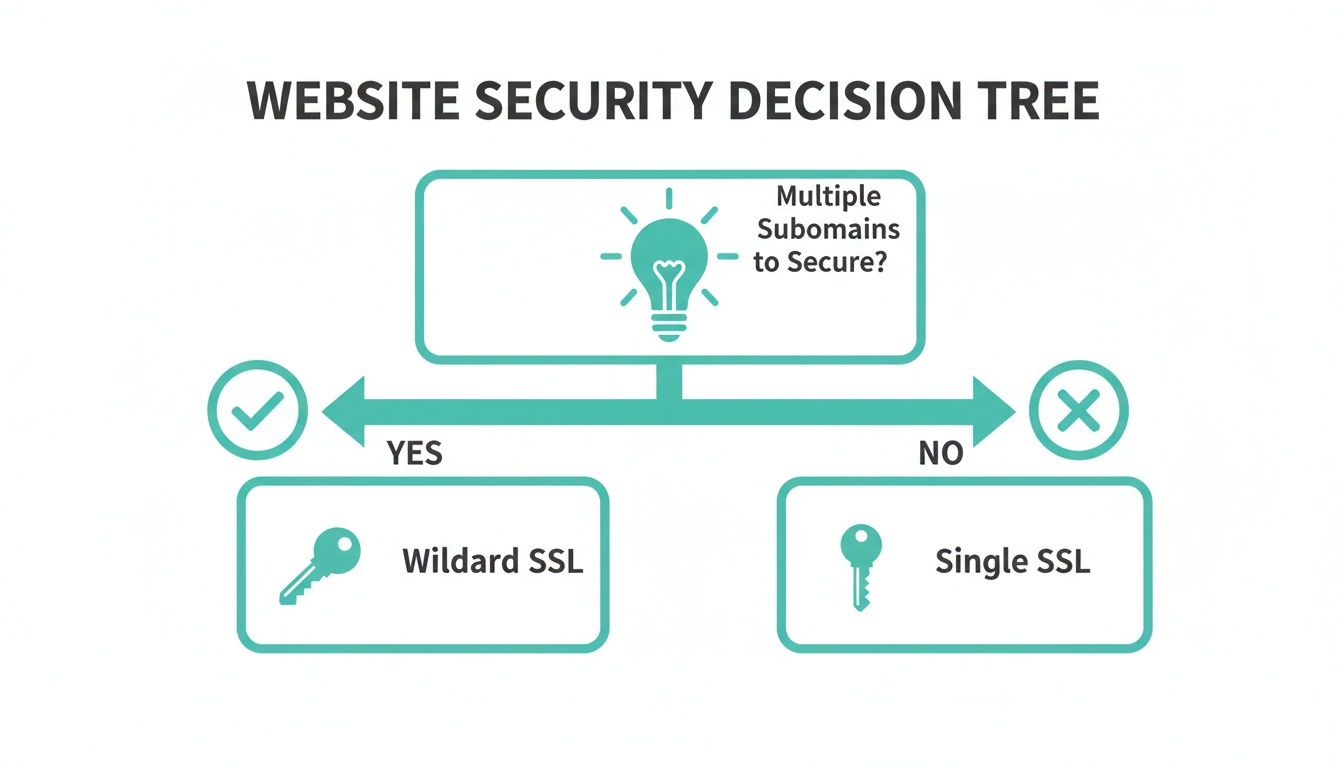
As you can see, it really boils down to one question: are you managing multiple subdomains? If not, a single certificate is probably all you need for now.
When To Consider A Multi-Domain (SAN) Certificate
Now, let's mix it up. Say your business has a few completely different domain names. Perhaps you own aussieplumbingsolutions.com.au, but you also have melbourneleakdetection.net.au for a specialised service and sydneyhotwater.com for a regional branch.
This is where a Multi-Domain certificate (also called a Subject Alternative Name or SAN certificate) comes in. It’s built to secure multiple, unrelated domain names under a single certificate. It’s a fantastic way to consolidate your SSL management if you're juggling a diverse portfolio of brands, but it's not meant for covering unlimited subdomains of one primary domain.
Before we go further, if you need a refresher on the basics, our guide on the difference between HTTP and HTTPS is a great place to start.
The Case For A Wildcard SSL Certificate
This is where the wildcard SSL certificate really shows its strength. It’s the ultimate solution for businesses that have one main domain but are building out a whole ecosystem of subdomains.
A wildcard certificate is the ultimate tool for future-proofing your website's security. It gives you the freedom to add new services, portals, or shops without ever needing to purchase and install another certificate for that domain.
This is especially true if you're getting into ecommerce development. An online store can quickly grow to include things like:
shop.yourbrand.com.aublog.yourbrand.com.ausupport.yourbrand.com.auapi.yourbrand.com.au
Buying individual certificates for each of these would be a massive headache and much more expensive in the long run. A wildcard SSL simplifies everything. By securing *.yourbrand.com.au, it automatically covers every single subdomain you have now and any you add down the track. This saves you time, money, and lets your business grow without hitting security roadblocks.
SSL Certificate Types Compared
To make it even clearer, here’s a quick comparison table to help you decide which certificate type best matches your business needs.
| Feature | Wildcard SSL | Single-Domain SSL | Multi-Domain (SAN) SSL |
|---|---|---|---|
| Best For | A main domain with many current or future subdomains. | A single website with no subdomains. | Multiple, completely different domain names. |
| Domains Secured | One main domain and unlimited subdomains (e.g., *.yourbrand.com). | One specific domain (e.g., yourbrand.com). | Multiple different domains (e.g., brand1.com, brand2.net, brand3.org). |
| Scalability & Flexibility | Excellent. Add new subdomains anytime without extra cost. | Limited. A new certificate is needed for each subdomain. | Good for adding new, distinct domains. Not for subdomains. |
| Cost-Effectiveness | High value for businesses with more than 2-3 subdomains. | Most affordable for a single site. | Cheaper than buying many single certs, but can get pricey. |
| Management | Simple. One certificate to manage, install, and renew. | Straightforward for one site. | Consolidated. One certificate to manage for multiple domains. |
This table should give you a clear at-a-glance view. For any Australian business with an evolving online presence, the wildcard certificate offers unmatched flexibility and value. It lines up perfectly with a growth mindset, ensuring your security can keep up with your ambitions.
How a Wildcard SSL Certificate Actually Works
To really get why a wildcard SSL certificate is so useful, it helps to peek under the hood and see how it all comes together. It’s not just about covering multiple subdomains; it’s about a clever, efficient process that verifies who you are and then stretches that trust across your entire online setup.
The secret sauce is the humble asterisk (*) placed in the certificate's common name. When you get a wildcard for your business, the certificate is issued to *.yourbusiness.com.au. This isn’t just a symbol; it’s a powerful placeholder that tells web browsers to accept any single-level subdomain in its place.
So, when a visitor lands on shop.yourbusiness.com.au or blog.yourbusiness.com.au, their browser sees that the certificate for *.yourbusiness.com.au is a valid "match" and immediately establishes a secure connection. It’s a clean, elegant solution that gives you huge flexibility with just one asset.
Understanding Validation Levels and Trust
Not all SSL certificates are created equal. When you get a wildcard, you'll need to choose a validation level. This basically determines how thoroughly the Certificate Authority (CA) checks you out, and it directly impacts how much trust your visitors will place in your site.
- Domain Validation (DV): This is the quickest and most common level. The CA simply verifies that you control the domain name. It’s perfect for blogs, small business sites, and internal systems where you just need to get encryption up and running fast.
- Organisation Validation (OV): This level takes it a step further. The CA verifies your domain ownership and checks your organisation’s details against official business records. This provides a much stronger signal of trust, making it a great fit for e-commerce stores or any business handling sensitive customer information.
- Extended Validation (EV): This is the top tier, involving a strict vetting process of your business's legal and operational standing. You might remember the old "green address bar" that EV certs used to trigger. While modern browsers have changed how this is displayed, the trust level remains the highest. However, due to security policies, EV wildcards aren't really a thing. OV is the go-to for businesses needing that extra layer of verified trust.
For many Australian businesses, a DV or OV wildcard SSL certificate strikes the perfect balance. It delivers robust encryption and broad compatibility while accommodating rapid growth and agile development, all from one certificate.
The Verification Process: The DNS Challenge
Before any CA can issue your certificate, you have to prove you actually own the domain. One of the most common and secure ways to do this for a wildcard is the DNS-01 challenge. It might sound technical, but the idea is actually quite simple.
The CA provides you with a unique token—just a specific string of text. Your job is to create a special record in your domain's DNS settings (a TXT record) and pop that token in there. Think of it like the CA asking you to place a secret note in your property's mailbox to prove it's really yours.
Once you’ve added the record, the CA scans your domain's DNS. When it finds the matching token, it knows you have control and issues the certificate. This method is incredibly reliable for wildcards because proving you can change DNS records for the main domain (yourbusiness.com.au) automatically proves you control all its potential subdomains. If you need a hand with this, you can check out our guide on how to add a verification record to DNS.
This process really shows off the scalability that makes wildcards so valuable. Research shows that by 2022, 68% of Australian-hosted WordPress sites were using wildcard certificates, a huge 30% jump from 2019. This massive uptake highlights just how cost-effective they are for growing businesses on local infrastructure, like the Sydney-Melbourne network provided by UpTime Web Hosting. You can discover more insights about wildcard SSLs in Australia and see how they compare to single-cert costs.
Host your website with our 5-star rated, cPanel website hosting plans.
Super fast servers, with security included and hosted in your choice of Australian Data Center.
View cPanel Plans
Your Step-by-Step Wildcard SSL Installation Guide
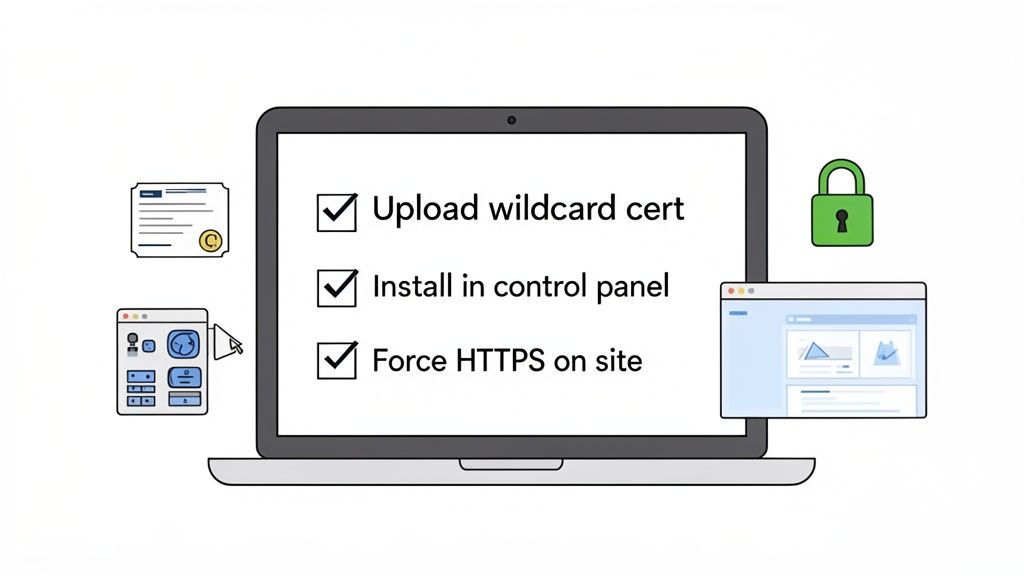
Alright, you understand what a wildcard SSL certificate is and you’ve picked the right one for your business. Now for the hands-on part: getting it installed. This is the final step to securing your main domain and all your subdomains with that all-important padlock icon.
If you’re an UpTime Web Hosting customer, we’ve made this process as painless as possible. This guide will walk you through the essential steps for our most common hosting setups so you can get your new wildcard certificate live without a fuss.
Installing Your Wildcard SSL in cPanel
For most of our Australian hosting plans, cPanel is your mission control. Its SSL/TLS Manager makes installing a certificate surprisingly simple. Once you have the certificate files from your Certificate Authority (CA), you’re just a few clicks away from a fully secured site.
Here’s how it usually goes:
- Log in to cPanel: Jump into your UpTime Hosting cPanel account.
- Navigate to SSL/TLS: Look for the "Security" section and click on "SSL/TLS". Think of this as your command centre for all things certificates.
- Manage SSL Sites: Inside the SSL/TLS area, find and click "Manage SSL sites". It's usually under the "Install and Manage SSL for your site (HTTPS)" heading.
- Select Your Domain: Use the dropdown menu to choose the domain you’re securing (like
yourbusiness.com.au). cPanel is pretty smart and will try to automatically fill in the details if it can find the matching private key on the server. - Paste Your Certificate Files: You'll see three boxes: Certificate (CRT), Private Key (KEY), and Certificate Authority Bundle (CABUNDLE). You need to carefully copy the text from the files your CA sent you and paste them into the matching boxes.
- Click 'Install Certificate': With everything in place, hit the blue "Install Certificate" button. cPanel will check that all the pieces fit together and, if they do, it'll install the certificate. You should get a success message moments later.
This one process activates the wildcard certificate on your server, making it instantly available for your main website and any subdomains you've set up. For a more granular breakdown, check out our complete SSL Set Up Checklist for cPanel over in our knowledge base.
Special Steps for WordPress Websites
For the thousands of Aussie businesses running on WordPress, installing the ssl certificate wildcard is only half the battle. The next critical move is making sure your website traffic actually uses that new secure connection. This is key to avoiding those pesky "mixed content" errors, where things like images are still loading over insecure HTTP.
After installing the certificate in cPanel, here's what to do for your WordPress site:
- Update Your WordPress Address: Head to your WordPress dashboard and go to
Settings > General. You'll need to change both the "WordPress Address (URL)" and "Site Address (URL)" fromhttp://tohttps://. - Use a Plugin to Force HTTPS: The simplest way to sort out the rest is with a plugin. A popular option like "Really Simple SSL" finds your new certificate and, with a single click, automatically configures your site to redirect all traffic to HTTPS.
- Search and Replace Old URLs: The plugin should catch most things, but it’s always good practice to do a "search and replace" on your database. This will update any old
http://links you might have hardcoded into your content. A plugin like "Better Search Replace" can do this job safely.
By forcing all your traffic over HTTPS, you're making sure every visitor gets the full protection of your wildcard SSL. It doesn't matter if they're on your main site or a subdomain like
blog.yourdomain.com.au—everyone is secure.
Key Considerations for Windows and ASP.NET Hosting
If your website is built on our Windows hosting environment using ASP.NET, the installation process is a bit different. Instead of cPanel, you'll be working with Internet Information Services (IIS).
The general workflow looks like this:
- Generate a Certificate Signing Request (CSR): You'll start by creating this request from within IIS on your server.
- Complete the Certificate Request: After your CA validates your domain and issues the certificate, you'll use IIS to "Complete Certificate Request". This action pairs the certificate with the private key you created during the CSR stage.
- Bind the Certificate: The final piece of the puzzle is creating an "HTTPS binding" in IIS. This tells your website to use the shiny new wildcard certificate for all secure traffic coming in on port 443.
For our UpTime Web Hosting customers on Windows plans, don't hesitate to reach out. Our support team is always on hand to help with this process. Getting the certificate binding right is absolutely essential to ensure that *.yourdomain.com.au properly secures all your different apps and subdomains on the server.
Managing and Renewing Your Wildcard SSL
Getting a wildcard SSL installed is a great first step for your website's security, but the job doesn't end there. Think of it like getting a new set of locks for your house; you still need to make sure they stay functional and aren't compromised. Ongoing management is essential to keep that little padlock icon showing for all your subdomains.
After all, a recent survey found that a staggering 85% of customers will simply leave a website if it flashes an SSL error. An expired certificate doesn't just spook visitors; it erodes trust, can torpedo your SEO rankings, and even cause email delivery failures or app breakdowns. For busy Aussie businesses, trying to track renewals manually is a recipe for disaster.
The Importance of Timely Renewals
Wildcard SSL certificates don't last forever. They are issued for a set period, and the rules around those periods are getting stricter.
Right now, the maximum validity is 398 days. But this is changing fast. The industry is moving towards shorter lifetimes to improve security, which means renewals will become more frequent.
| Effective Date | Max Certificate Lifetime |
|---|---|
| Now | 398 days |
| Mar 15, 2026 | 200 days |
| Mar 15, 2027 | 100 days |
| Mar 15, 2029 | 47 days |
Frequent renewal isn’t just a best practice — it’s a necessity for staying compliant and visible online.
Missing a renewal deadline can cause a domino effect of problems:
- Unexpected downtime across your main site and all its subdomains.
- Loss of customer trust and, for e-commerce sites, abandoned shopping carts.
- A negative hit to your SEO and search engine rankings.
- Business email failures and disruptions to any connected services.
Automating Renewals in cPanel
This is where automation becomes your best friend. Instead of scribbling dates on a calendar, you can let a tool like cPanel’s AutoSSL handle the heavy lifting.
It's a straightforward process:
- Log into your cPanel account and head to the SSL/TLS Status section.
- Select your domain and the subdomains you want to secure from the list.
- Click Run AutoSSL. The system will then test and issue new certificates as needed.
- Once it's done, you can review the AutoSSL report to confirm everything was renewed successfully.
We’ve seen the impact firsthand. One Melbourne-based retailer switched on AutoSSL and immediately achieved a 100% renewal success rate, completely eliminating the stress of manual tracking.
The benefits are clear:
- No more human error from forgetting or missing a renewal date.
- Continuous monitoring with email notifications if something needs attention.
- Simplified compliance with the ever-changing certificate authority rules.
While AutoSSL is incredibly reliable, there are rare exceptions. For more on this, check out our guide on potential reduced AutoSSL coverage in our knowledge base.
Setting Renewal Alerts and Monitoring
Even with automation in place, it never hurts to have a backup plan. Proactive monitoring gives you an extra layer of security and peace of mind.
Services like UptimeRobot or StatusCake are great for this. You can add your domain to their dashboard and set up alerts to ping you 30, 14, and 7 days before your certificate expires. It's a simple way to stay ahead of any potential issues.
Key Practices for Private Key Security
Your wildcard certificate's private key is the digital key to your kingdom. If it falls into the wrong hands, a malicious actor could impersonate your website and intercept your traffic. Protecting it is non-negotiable.
Here are some best practices to keep it locked down:
- Store the key in a directory with very strict access controls.
- For maximum security, use a hardware security module (HSM) or an encrypted vault.
- If you ever suspect a compromise, rotate the key immediately.
- Don't use a wildcard for everything. Limit its application to subdomains that genuinely need it to reduce your attack surface.
Regularly auditing your setup is also crucial. Monitor certificate transparency (CT) logs using tools like SSLmate or CrowdSec to catch any certificates that were issued for your domain without your knowledge. A proactive renewal and management strategy is the cornerstone of continuous trust and reliability for your website.
Troubleshooting Common Wildcard SSL Issues
Even with a perfectly smooth installation, you might occasionally hit a snag with your ssl certificate wildcard. It can be frustrating, but these issues are almost always fixable. Let's walk through the most common problems and give you some clear, actionable solutions to get you back on track.
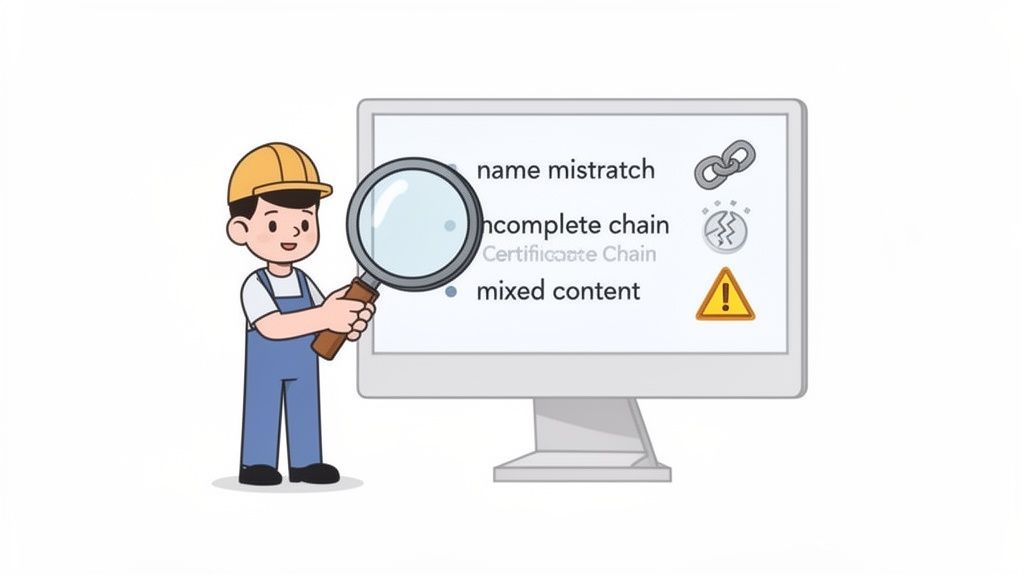
One of the most frequent hiccups is the 'certificate name mismatch' warning. This error pops up when a visitor's browser sees that the certificate your server is showing doesn't actually match the address they're trying to visit. It’s a classic point of confusion for wildcard certificate users.
Diagnosing Certificate Name Mismatches
A standard wildcard certificate for *.yourdomain.com.au is fantastic for securing all your first-level subdomains, like blog.yourdomain.com.au and shop.yourdomain.com.au. The catch? It won't cover second-level or nested subdomains.
The asterisk in a wildcard certificate only covers one level deep. So, if you try to secure
mail.shop.yourdomain.com.auwith that same wildcard, browsers will throw a mismatch error because the certificate just doesn't extend that far.
To sort this out, you've got two main options:
- Reorganise Your Structure: The simplest fix is often to shift the service from a nested subdomain to a first-level one. For instance, move it from
mail.shopto something likemailshop.yourdomain.com.au. - Use a Multi-Domain Certificate: If you absolutely need to secure those nested subdomains, a Multi-Domain (SAN) SSL is the right tool for the job. It’s designed to cover multiple, specific hostnames.
Fixing Incomplete Certificate Chains
Another common headache is an incomplete certificate chain. For a browser to trust your SSL certificate, it needs to be able to trace its validity all the way back to a trusted root Certificate Authority (CA). This connection is made through a 'chain' of intermediate certificates.
If your web server doesn't provide this complete chain, browsers will get suspicious and display a security warning. The fix is usually straightforward: make sure you've installed the full certificate bundle (often called a CABUNDLE) that your CA provided. Our cPanel SSL installation guide in the UpTime knowledge base shows you exactly where this file needs to go.
Resolving Mixed Content Warnings on WordPress
You've just installed a wildcard SSL on your WordPress site, but now you're seeing "mixed content" warnings. What gives? This happens when the main page loads over secure HTTPS, but some of the page elements—like images, scripts, or stylesheets—are still being pulled in over insecure HTTP.
This not only weakens your security but also prompts browsers to show that scary "Not Secure" warning in the address bar. Here’s how to fix it:
- Update WordPress URLs: First things first, head to
Settings > Generalin your WordPress dashboard. Make sure both your 'WordPress Address' and 'Site Address' URLs start withhttps://. - Use a Plugin: A plugin like "Really Simple SSL" is a lifesaver here. It can automatically find and fix most mixed content issues with just a single click.
- Run a Database Search and Replace: For any stubborn links embedded deep in your content, a plugin like "Better Search Replace" can run through your entire database and update all the old
http://links tohttps://.
A Few More Questions About Wildcard SSLs
When you're getting to the pointy end of a decision, a few final questions always pop up. Here are some of the most common ones we hear from Australian business owners, with clear, simple answers to help you lock in your choice.
Can I Use a Wildcard SSL for Different Domain Names?
In short, no. A wildcard certificate is a specialist tool designed for a single domain family.
So, a certificate for *.yourbusiness.com.au will happily secure shop.yourbusiness.com.au and blog.yourbusiness.com.au. However, it won't cover yourbusiness.net.au or any other domain name you own. If you need to secure multiple, different domains, a Multi-Domain (SAN) certificate is the right tool for the job.
Does a Wildcard Certificate Also Secure the Main Domain?
Yes, it absolutely does. It’s a common worry, but thankfully one you don't need to have.
When you get a wildcard for *.yourdomain.com.au, the Certificate Authority automatically includes the main domain (the 'root' domain, yourdomain.com.au) as part of the package. This smart little feature ensures both your primary website and all its subdomains are covered under one neat and tidy certificate.
Is a Wildcard SSL Compatible With Most Hosting Services?
For the most part, yes. Wildcard SSLs are a standard in the industry and work seamlessly with popular web servers like Apache and Nginx, control panels like cPanel, and most cloud platforms.
That said, some very specific platforms or older, more restrictive shared hosting setups might throw a spanner in the works. It always pays to double-check with your provider.
Here at UpTime Web Hosting, our plans are fully optimised for wildcard certificates from the get-go. We've even put together detailed guides in our SSL/TLS knowledge base to make installation a breeze.
Just remember the one key limitation: a standard wildcard only goes one level deep. It won’t secure nested subdomains like
dev.staging.yourdomain.com.au. For that, you'd need a more advanced certificate or a separate wildcard.
This single certificate is a powerful, efficient way to protect your entire online presence as it grows.
Ready to secure your website and all its subdomains with one cost-effective solution? At UpTime Web Hosting, we offer robust and easy-to-manage wildcard SSL options, perfect for Australian businesses. Explore our hosting plans and included security features today!