
You've probably run into this already. A developer built your booking system, client portal, or internal quoting tool in Microsoft technologies a few years ago. Now you need hosting in Australia, and every provider page seems to throw the same words at you: ASP.NET, IIS, MSSQL, Windows Server, local data centre.
That's a bit like shopping for a ute when what you really need to know is whether your load requires diesel. The engine matters, but only if it suits the job. With hosting, the operating system is that engine. Windows hosting is built for Microsoft-specific workloads such as IIS, ASP.NET, and Microsoft SQL Server. But in 2026, not every .NET app needs Windows anymore.
That's the part many guides skip.
Australian businesses are making this decision in a growing local hosting market. IBISWorld projects Australia's Internet Hosting Services industry will reach $1.5 billion in 2026, after annualised growth of 9.2% over the five years to 2026 (IBISWorld on Australia's internet hosting services industry). More businesses are outsourcing hosting, which means more options, but also more room to overpay for features you don't need.
If your site runs on old-school .NET Framework, depends on IIS, or uses Windows-only components, Windows hosting may be the right fit. If your app is built on modern .NET, Linux may do the same job for less money and less complexity.
Table of Contents
- Introduction
- Understanding Windows Web Hosting
- When Do You Actually Need Windows Hosting?
- The Advantage of Australian-Based Servers
- Your Checklist for Choosing a Windows Host in Australia
- Practical Windows Hosting Configurations
- Frequently Asked Questions About Windows Hosting

Performance you can feel, backed by clients who depend on it. Read how our support and uptime create long‑term customer success.Power Your Business with Better Hosting
Introduction
A lot of confusion around windows web hosting australia starts with one assumption: if your app was built with Microsoft tools, you must need Windows hosting.
Sometimes that's true. Often it isn't.
Think of hosting as the workshop your application lives in. If your app relies on Windows-only machinery, you need a workshop that has that equipment installed. If it's built on newer, cross-platform tools, the workshop can be more flexible. The operating system matters less than the dependencies your app uses day to day.
For a small Australian business, that distinction affects budget, support needs, and long-term maintenance. A legacy appointment system built on older ASP.NET and SQL Server may belong on a Windows server. A newer customer portal built on modern .NET might run perfectly well on Linux if it doesn't depend on IIS or other Windows-specific services.
Practical rule: Don't choose Windows hosting because the developer says “it's a .NET site”. Choose it because the application has Windows-only dependencies.
That sounds technical, but it's really a business decision. If you choose Windows when you don't need it, you can end up paying for a more specialised environment without getting extra value. If you choose Linux when your app needs Windows components, you can create migration headaches, downtime, and support issues.
The rest of this guide keeps the focus on one question: when do you need Windows hosting in Australia, and when can you avoid it?
Understanding Windows Web Hosting
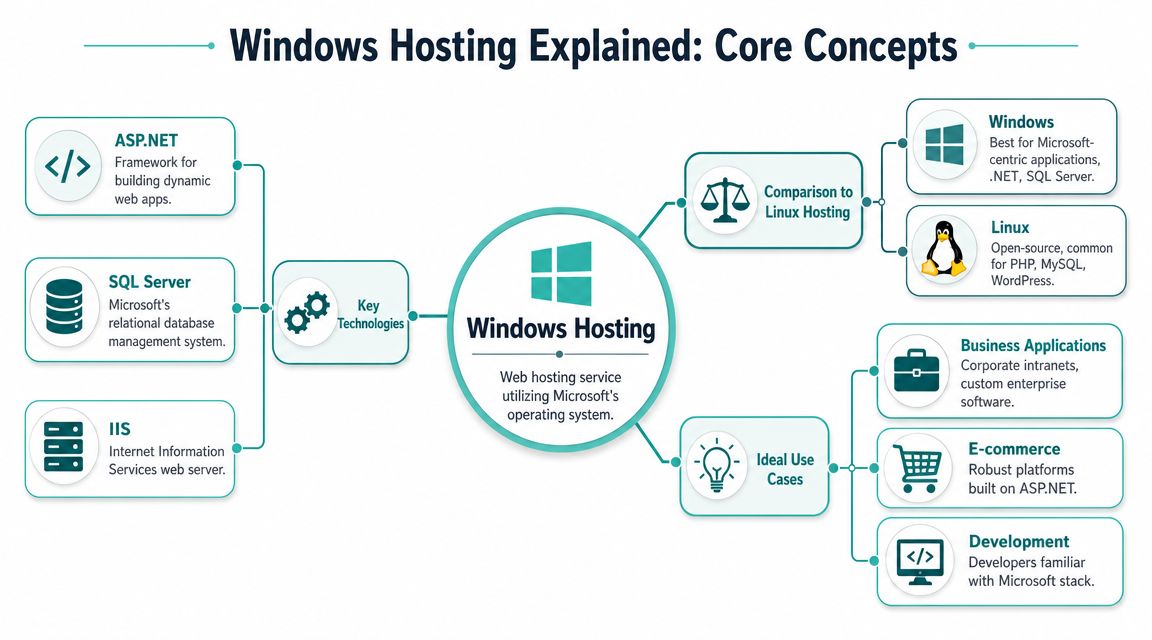
The Windows stack in plain English
Windows hosting means your website or application runs on a server using Microsoft Windows as the operating system. That server is usually paired with a few Microsoft technologies that work together.
Here's the simple version:
- IIS is the web server software. It receives browser requests and serves your site or app.
- ASP.NET is the application framework. It's what many custom Microsoft-based websites and business tools are built on.
- MSSQL or Microsoft SQL Server is the database system. It stores customer records, booking data, account details, and other structured information.
If you've ever opened a file in the wrong app and watched everything break, the idea is similar. These pieces are designed to work smoothly together when the application expects them.
A Windows hosting plan such as Windows Server 2022 hosting is usually designed around that stack. That's useful if your website was built to expect IIS settings, SQL Server connections, or older Microsoft components.
Why this matters for Australian buyers
The old rule used to be simple: .NET meant Windows. That rule is now outdated.
Modern .NET is cross-platform, so some newer .NET applications can run on Linux just as well as on Windows. What decides the issue isn't the language alone. It's the surrounding dependencies and deployment setup.
A business website can be built in C#, yet still have no real need for Windows hosting.
That's why feature lists can mislead people. A hosting page may mention ASP.NET and MSSQL support, but your app may only need part of that stack. Or none of it.
For an Australian buyer, this changes the buying process. Instead of asking, “Do they offer Windows hosting?” start with these questions:
- Does the app require IIS specifically?
- Does it rely on SQL Server, COM objects, or older .NET Framework versions?
- Does the developer want Windows because it's required, or because it's familiar?
If the answer is “familiar”, that's worth challenging.
Host your website with our 5-star rated, cPanel website hosting plans.
Super fast servers, with security included and hosted in your choice of Australian Data Center.
View cPanel Plans
When Do You Actually Need Windows Hosting?
You're about to launch a new .NET site for your business. One host says you need Windows because the app uses Microsoft technology. Another says Linux will run modern .NET just fine and cost less. That is where many Australian business owners start paying for features they may not need.
The practical test is simpler than it sounds. Windows hosting is necessary when the application depends on Windows-only parts. C# on its own is not the deciding factor.
A good way to picture it is a work ute that needs a specific fuel type. If the engine is built for that fuel, you use it. If the vehicle runs perfectly well on standard fuel, paying extra for the specialised option every month makes little sense. Hosting works the same way. The question is not, “Was this built with Microsoft tools?” The question is, “What does this app need to run properly?”
Clear signs Windows hosting is the right fit
Windows is usually the safer choice if your application relies on one or more of these:
- .NET Framework 4.x or older rather than modern cross-platform .NET
- IIS-specific configuration or modules that the app expects
- COM components or older Windows server integrations
- Active Directory features tied closely to the application
- Microsoft SQL Server features that would be costly or awkward to replace
This often comes up with older line-of-business software. A staff portal for a clinic, accounting firm, or wholesaler may have been built years ago and tied closely to IIS, Windows authentication, and SQL Server. In that case, Linux is not a shortcut. It is a rebuild project wearing a hosting label.
If your developer says, “This app requires .NET Framework and IIS,” treat that as a technical requirement, not a preference.
Cases where Linux is often enough
A newer .NET application can be a different story.
If the site runs on modern .NET, uses standard app code, and has no reliance on IIS, COM, or older Windows components, Linux may host it perfectly well. For many SMBs, that means a lower monthly cost and a wider range of hosting options. If you want a more technical breakdown of that setup, see this guide to modern .NET hosting options for developers.
Small businesses can save money. A client dashboard, booking tool, member portal, or internal reporting app might be written in C# and still have no reason to sit on Windows.
Ask your developer one plain-English question:
“What Windows-only dependency prevents this app from running on Linux?”
A clear answer usually sounds like a requirement. A vague answer often sounds like habit.
Familiarity is not the same as necessity
Many development teams know the Microsoft stack well. That is completely reasonable. But “we usually deploy on Windows” is different from “the application can only run on Windows.”
That distinction matters because hosting decisions tend to stick around for years. Once email, backups, deployment scripts, monitoring, and support processes are built around one environment, changing later becomes more work. It is better to choose the right foundation at the start than to inherit extra cost from an old assumption.
A simple way to decide
Use this rule of thumb:
| If your app has this trait | Better fit |
|---|---|
| Built on legacy .NET Framework | Windows hosting |
| Depends on IIS behaviour or Windows modules | Windows hosting |
| Uses COM objects or older Microsoft integrations | Windows hosting |
| Runs on modern cross-platform .NET with no Windows-only dependencies | Linux hosting may be enough |
| Main reason for choosing Windows is developer familiarity | Recheck the requirement before paying more |
The goal is not to avoid Windows hosting. It is to use it when it solves a real problem. If your application needs Windows-specific features, pay for them confidently. If it does not, Linux may give you the same business result for less.
The Advantage of Australian-Based Servers
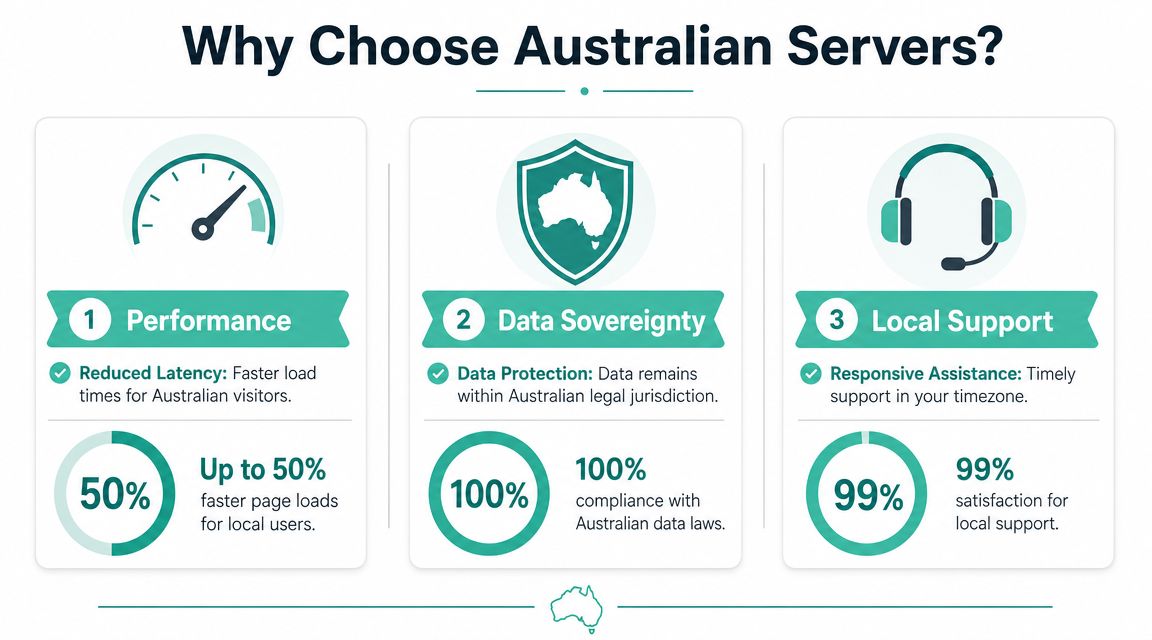
For Australian businesses, the server location often matters as much as the operating system. A Windows app can be technically correct and still feel slow if it's hosted on the other side of the world.
For local customers, network latency is a real factor. A trip from Sydney to Melbourne may take only a few milliseconds, while traffic to the US can be an order of magnitude higher. That especially affects Windows applications that make multiple small database queries per page load (UpTime Web Hosting on ASP.NET shared hosting and latency).
A practical checklist
When you compare Australian hosting providers, check these points:
- Server location: Confirm the Windows server is located in Australia, not just sold by an Australian business.
- App and database proximity: If your app uses SQL Server, try to keep the app server and database in the same metro region.
- Support hours: Make sure support operates in Australian time zones, especially if the site supports staff or customers during business hours.
- Data handling: Ask where customer data lives and where backups are stored.
- Migration help: If you're moving from overseas hosting, find out whether they'll assist.
A provider page like why switch to local Australian hosting is useful because it frames hosting as a local service decision, not just a server specification.
Red flags to watch for
Some warning signs are easy to miss:
- “Global infrastructure” with no clear AU location
- Support that only replies overnight Australian time
- Windows plans with no mention of SQL Server support
- Fast hosting claims with no explanation of where the servers are
If your application serves Australian users, don't treat local hosting as an optional extra.
A booking platform, quoting system, or account portal often feels “slow” because of repeated small delays, not because the server lacks CPU. That's why local infrastructure can make a visible difference to the user experience even when the code hasn't changed.
Your Checklist for Choosing a Windows Host in Australia
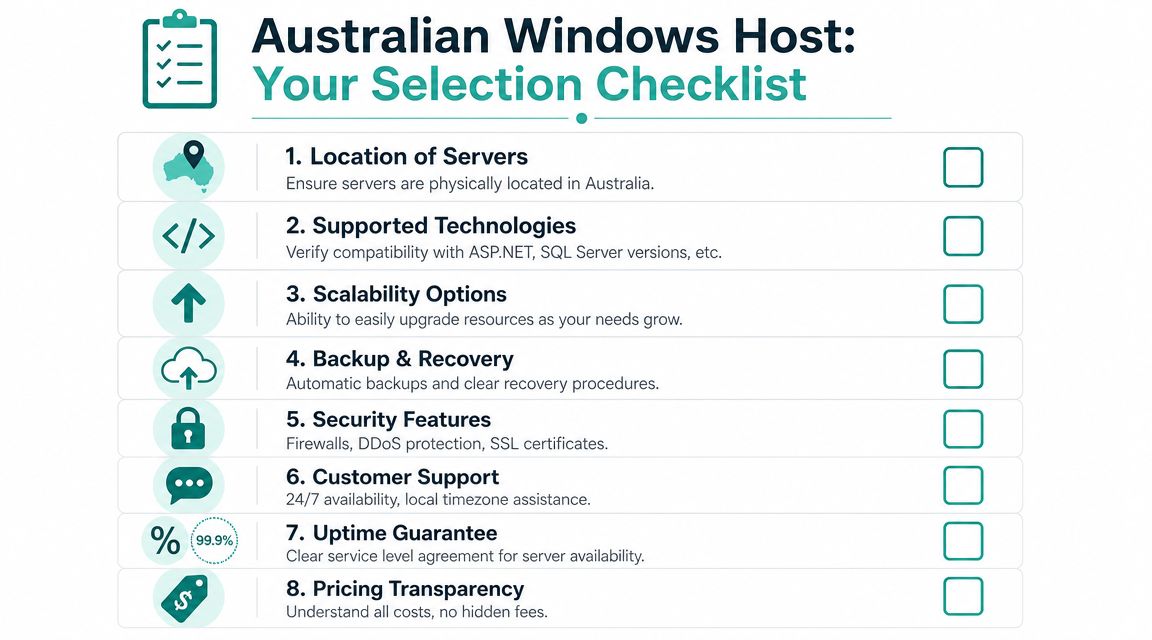
Pricing is part of the decision, but it shouldn't be the whole decision. In Australia, entry-level shared Windows hosting can be found for under $10 per month, while Windows VPS options start at around $71 per month (Technavio market outlook and AU pricing context). That gives you a useful budget range, but the right plan depends on what you're running.
Three buyer examples
Small business owner
You run a trade business and have a custom quoting tool built in ASP.NET. You don't need root access or a large server. You do need local support, backups, SSL, and a plan that includes the Windows features your app expects.
Shared Windows hosting can make sense here.
Freelance developer
You manage several client sites, and a few still depend on Windows. You want more control, clearer isolation between projects, and room to scale if one client outgrows shared hosting.
A managed Windows VPS is often the more practical fit.
E-commerce manager
Your online store has a custom Microsoft-based backend and connects to other business systems. You care less about the cheapest plan and more about security controls, recovery options, and predictable performance during busy periods.
That usually points to a VPS or more customised managed environment.
What to check before you sign up
Use this shortlist when comparing providers:
- Supported technologies: Check the exact .NET, ASP.NET, IIS, and SQL Server support you need.
- Backups: Look for automated backups and a clear restore process.
- Security basics: SSL, malware scanning, and firewall protection should be standard expectations.
- Control panel: For Windows hosting, a practical management interface matters.
- Scaling path: You want a clean upgrade path from shared to VPS if the app grows.
- Transparent pricing: Watch for introductory prices that change sharply at renewal, setup fees, or unclear support charges.
If you want a managed option rather than handling the server yourself, managed web hosting in Australia is the sort of service category worth comparing.
One factual example in the local market is UpTime Web Hosting, which offers Australian-hosted Windows and ASP.NET services alongside managed hosting options. That's relevant if you want local infrastructure plus support aligned with Australian business hours.
Don't buy by feature count alone. Buy based on the specific operational risks you want the host to remove for you.
Register your new domain name at competitive market prices including free domain add-ons like privacy, DNS Hosting, Custom Nameservers and Forwarding.
Always the best price and no nasty renewal price hikes.
Register A Domain Name
Practical Windows Hosting Configurations
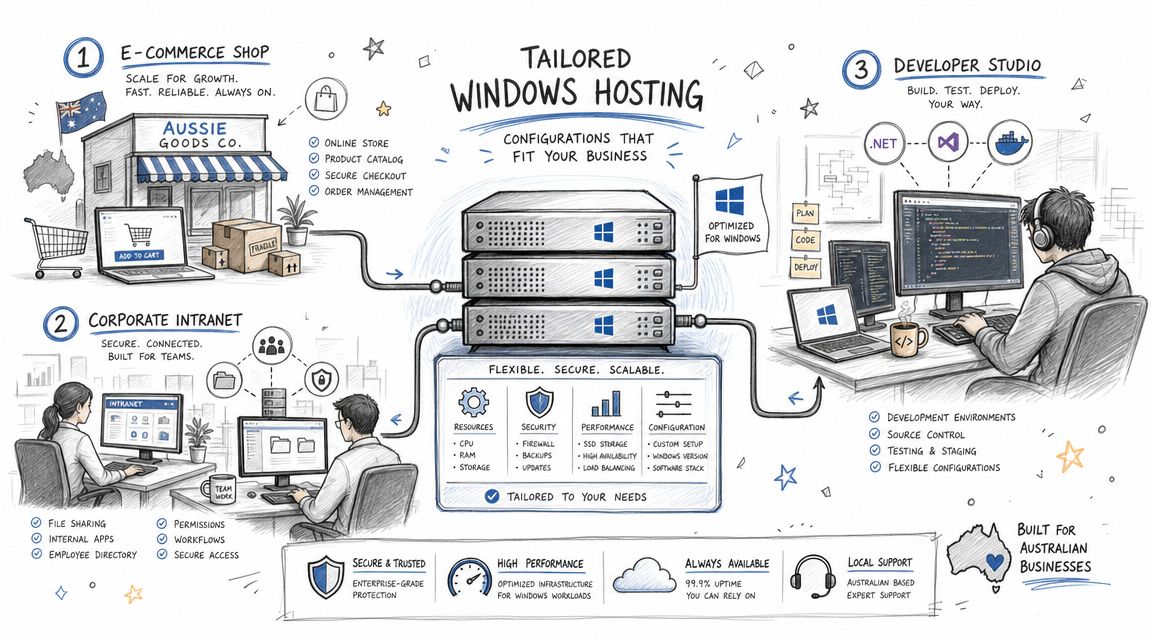
The easiest way to make this practical is to map hosting choices to common business situations.
Small business setup
A local business has a custom ASP.NET quoting tool and a modest number of daily users. The app stores submissions in SQL Server and staff need reliable access during business hours.
A sensible setup is:
- Shared Windows hosting
- MSSQL support
- Automated backups
- Australian server location
- SSL included
This keeps costs controlled while covering the Microsoft stack the app needs.
Agency or developer setup
An agency manages multiple small client sites. Most are standard websites, but a few older jobs still need Windows-specific support.
That setup usually benefits from:
- Windows VPS or reseller-style environment
- A control panel suited to Windows management
- Room to separate client projects
- Flexibility for staging and deployment
If you build with modern Microsoft tools, a practical reference is hosting Blazor apps at UpTime, because it helps clarify how current .NET-style apps fit into hosted environments.
E-commerce and integration setup
A larger online operation runs a storefront with a custom backend tied to Microsoft systems. Performance issues hit revenue, and downtime creates immediate business pain.
That usually calls for:
- Windows VPS
- Dedicated resources
- Strong backup and recovery routines
- Closer monitoring
- Security controls matched to business risk
In plain terms, Windows hosting transitions from a commodity purchase. It becomes part of your operating environment.
Frequently Asked Questions About Windows Hosting
A lot of Australian business owners reach this point with one practical question in mind: do I need Windows hosting, or am I paying extra for a label I do not need? That is the right question to ask. With modern .NET running on more than one operating system, the answer depends less on branding and more on what your application relies on day to day.
Can I run WordPress on Windows hosting
Yes. WordPress can run on Windows hosting.
The better question is whether it should. WordPress is usually more at home on Linux because the wider WordPress ecosystem, including common server setups and support documentation, tends to assume Linux first. If your site is mainly WordPress and you do not need IIS, ASP.NET, MSSQL, or another Microsoft-specific component, Linux hosting is often the simpler and cheaper choice.
What's the difference between shared Windows hosting and a Windows VPS
Shared Windows hosting works like renting a shop in a small business centre. Your website has its own place, but the server's CPU, memory, and overall environment are shared with other customers.
A Windows VPS is closer to a townhouse. You get more control, a clearer slice of server resources, and more responsibility for setup and maintenance. That usually suits businesses running custom .NET applications, handling heavier traffic, or needing settings that shared plans do not allow.
Can I migrate an existing ASP.NET site to an Australian host
In many cases, yes.
The main thing is to match the new hosting environment to the app you already have. Check the .NET version, IIS support, database type, scheduled tasks, email configuration, and any older Windows components tied into the site. A migration is usually straightforward when those pieces line up. It gets trickier when the application depends on legacy features that newer hosting plans no longer support.
Is Windows hosting always more expensive
Windows hosting often costs more than Linux hosting, but the price gap only matters if you are not getting anything useful in return.
If your application needs ASP.NET on IIS, MSSQL, or Windows-specific integrations, that extra cost is paying for compatibility. If your app is built on modern .NET and runs happily on Linux, paying more for Windows hosting may not give your business any real benefit. It is a bit like buying a ute for city errands. Useful for the right job, unnecessary for the wrong one.
If you're comparing options, UpTime Web Hosting is one Australian provider that offers local Windows, ASP.NET, and managed hosting services. Check your framework version, IIS requirements, database needs, and server location before choosing a plan.