You've probably seen it happen. You're checking out another local business website, maybe a café, tradie, clinic, or online shop, and your browser flashes a “Not Secure” warning. It doesn't matter how nice the logo looks after that. Trust drops straight away.
That moment makes plenty of Australian business owners wonder about their own site. If your website has a contact form, a login page, an online booking tool, or a checkout, people are sending information through it. They expect that information to be protected. They also expect your site to load with the padlock and HTTPS, not a warning that makes them hesitate.
If you want the plain-English version of the difference, this guide on HTTP vs HTTPS is a useful starting point. The short version is simple. A secure website now isn't a premium extra. It's part of looking legitimate online in Australia.
Table of Contents
- Introduction Your Website's First Impression
- What a Free SSL Certificate Is and Why It's Essential
- How Free SSL Works with Australian Web Hosting
- Activating and Managing Your Free SSL Certificate
- Your Checklist for True 'Set and Forget' SSL Hosting
- Why Local Australian Hosting Maximises SSL Benefits
- Conclusion Secure Your Site and Your Business's Future

Performance you can feel, backed by clients who depend on it. Read how our support and uptime create long‑term customer success.Power Your Business with Better Hosting
Introduction Your Website's First Impression
A first visit to your website often lasts only a few seconds. In that short window, a potential customer decides whether your business looks credible, current, and safe to deal with. If the browser shows a warning instead of a padlock, that decision gets harder for them.
For an Australian small business, this isn't just about online stores. A plumber collecting quote requests, a law firm using a contact form, or a medical practice taking appointment enquiries all need a secure connection. Visitors may not know the technical term SSL certificate, but they do recognise the signs of trust.
Think of your website like your shopfront. Clean windows, working lights, and a proper lock on the door don't feel optional. Website security now sits in that same category. People expect it before they read your service list, compare prices, or pick up the phone.
What a Free SSL Certificate Is and Why It's Essential
A free SSL certificate is the small piece of website security that turns your web address from HTTP into HTTPS. For your customer, that usually shows up as a padlock in the browser. For your business, it means the information sent through your site is scrambled while it travels, so other people cannot easily read it along the way.
A simple comparison helps here. A website without SSL works like a postcard. The message is out in the open while it moves from one place to another. A website with SSL works more like a sealed envelope. The message is still being delivered, but it is protected on the trip.
That matters the moment a visitor does anything beyond reading a page. A contact form, quote request, login page, booking form, or checkout all involve information moving from the visitor's device to your website.
For a broader plain-English look at secure communication, this explainer on end to end encryption is helpful. It covers a related idea. The details are not identical to website SSL, but the core point is the same. Private information should stay private while it moves.
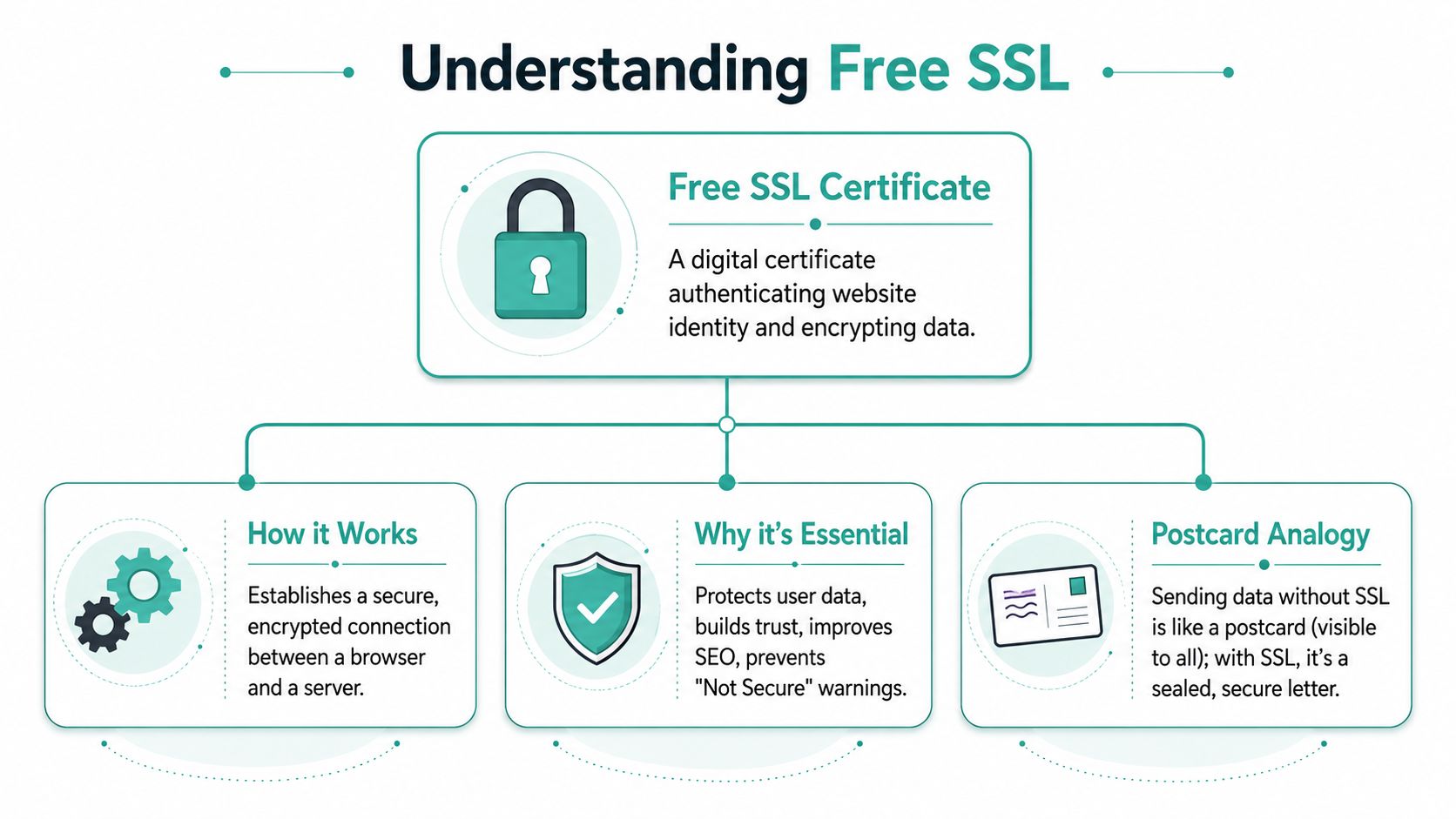
If you want the hosting-side version in plain English, this guide on what SSL is and why you need it explains it clearly.
Why free SSL matters for Australian small businesses
For an Australian business owner, SSL is now part of the basic setup of a professional website. Customers expect it. Browsers expect it. Search engines expect it. If your site asks for any details at all and still shows as insecure, that creates doubt before a customer has even decided whether to call or enquire.
Free SSL changed the old buying process as well. Years ago, some hosts treated SSL as an extra product with a separate yearly fee. Now, many modern hosting plans include it by default, which means you can secure your website without paying separately for the certificate itself. That shift has made proper website security much easier for small businesses that just want a site that works and looks trustworthy from day one.
This is especially relevant in Australia, where many businesses rely on simple lead-generation websites rather than large online stores. A suburban electrician collecting booking requests, a migration agent handling form enquiries, or a local medical clinic taking appointment submissions all need the same basic protection. The data may look ordinary, but names, phone numbers, email addresses, and enquiry details still deserve secure handling.
A local host such as UpTime also fits the way many Australian businesses want to run their website. Set it up once, keep it maintained, and avoid chasing separate providers for basic security. Offshore providers can still be fine, but they more often create friction around time zones, support delays, and unclear SSL setup steps when something goes wrong.
Here are the three main business reasons SSL matters:
| Benefit | What visitors notice | What it means for your business |
|---|---|---|
| Trust | Padlock and HTTPS | Your site looks safe to use |
| Protection | Forms and logins send data over an encrypted connection | Customer details are better protected in transit |
| Credibility | No browser warning | Your business looks current and professionally maintained |
Take a small accounting firm in Brisbane. A visitor lands on the site, fills out a form, and shares their phone number plus a short note about their tax question. With SSL in place, that exchange has the level of protection people now expect as standard. Without it, the site can look neglected, even if the business itself is excellent.
What this means for you day to day
Choosing web hosting with free SSL removes one more job from your list. You do not need to buy a certificate from a separate company. You do not need to budget for a basic security add-on just to avoid browser warnings. You do not need to explain to customers why the site says "Not Secure" when they are trying to contact you.
It also makes life easier if your business uses more than one web address or section of a site. You might have a main website, a booking area, a blog, or a client portal. Keeping all of them protected is much simpler when SSL is included as part of the hosting service instead of managed as a separate purchase every time.
For most Australian small businesses, that is the value. Free SSL is no longer a technical extra. It is part of looking professional online, protecting customer information, and keeping your website on the standard customers already expect.
Host your website with our 5-star rated, cPanel website hosting plans.
Super fast servers, with security included and hosted in your choice of Australian Data Center.
View cPanel Plans
How Free SSL Works with Australian Web Hosting
A free SSL certificate usually works in the background. For an Australian small business owner, that is exactly the point. You add your website to hosting, and the host handles the security steps that turn http:// into https://.
What happens behind the scenes
On many Australian hosting plans, free SSL is provided through Let's Encrypt. That is the organisation issuing the certificate. Your host then connects that certificate to your domain and web server.
The process is fairly straightforward on a modern hosting account:
- You add your domain to your hosting account.
- The hosting platform checks the domain and confirms it points to the right server.
- A certificate request is sent automatically.
- The certificate is installed on the server for that domain.
- Your site can load securely on HTTPS.
- Renewals are handled automatically before expiry.
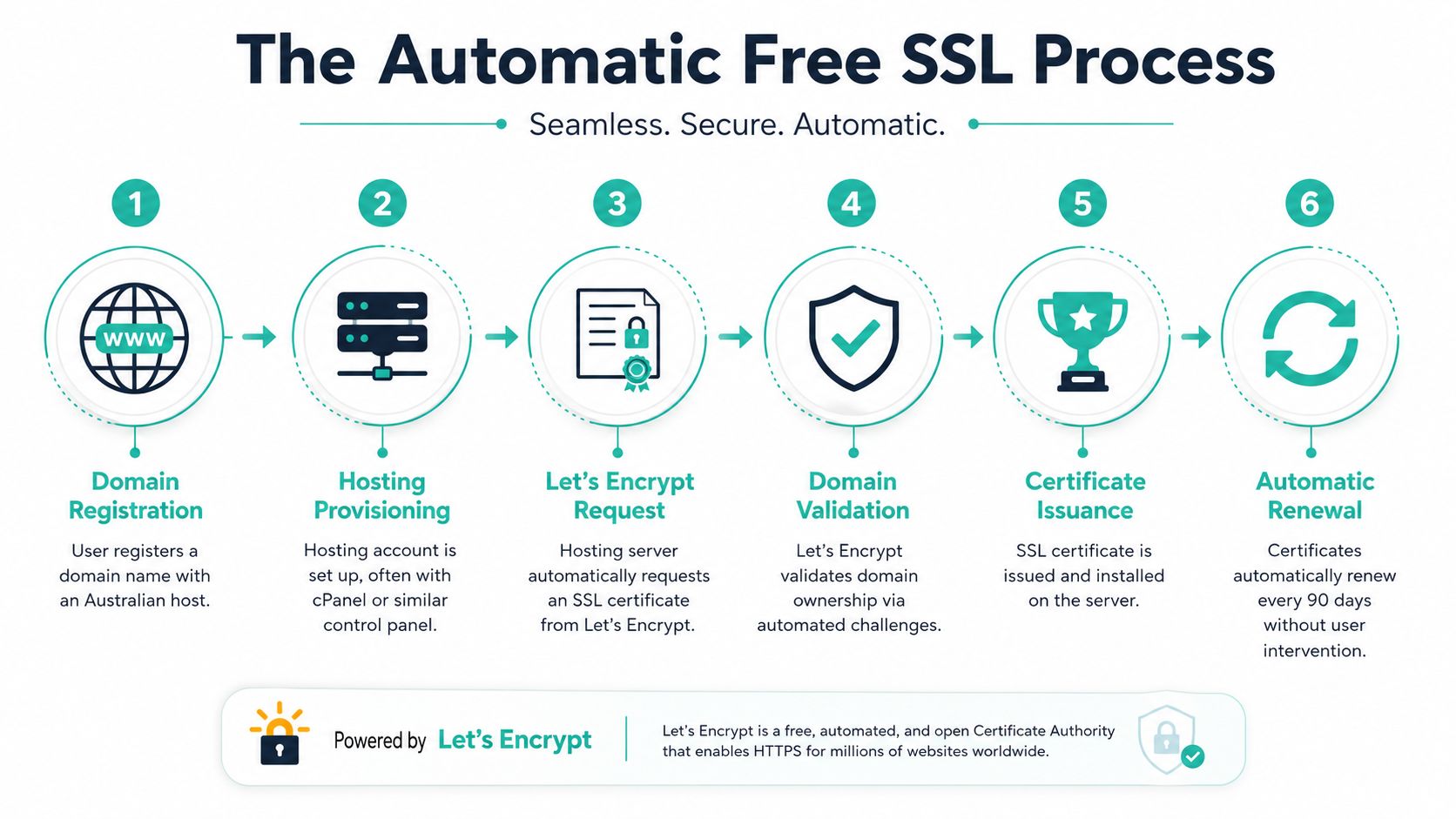
Many Australian hosting accounts manage this inside cPanel through tools such as AutoSSL. If you want to see how that setup fits into the bigger hosting environment, this guide to web hosting services with cPanel gives a useful overview.
A good way to picture it is as a shopfront lock that fits itself each time you open a new door. You should not need to ring support every time you add a subdomain or launch a second site.
Why automation matters for Australian businesses
Many business owners assume SSL is just a one-time switch. In practice, the true value comes from automatic renewal and management.
The older manual approach involved buying a certificate, proving ownership, installing it correctly, checking redirects, and keeping track of expiry dates. That may be manageable for an IT team. It is a poor fit for a plumber in Perth, a clinic in Newcastle, or a retailer on the Gold Coast who wants the website to stay secure and available.
This matters even more if your host is offshore. Time zone gaps, slower support, and less familiar control panels can turn a small SSL issue into a drawn-out job. With a local Australian host such as UpTime, the process is usually much closer to set-and-forget. If something goes wrong, you are dealing with a provider that understands Australian business hours, local domain setups, and what small operators need.
A certificate that expires does not just create a technical problem. It creates a trust problem the moment a customer sees a browser warning.
What should be covered on a good hosting plan
Website administrators often get tripped up here. A host may advertise free SSL, but the fine print can be very different from one provider to another.
A solid Australian hosting plan should clearly cover:
Primary domain
Your main business website should be secured by default.Subdomains
Sections likeshop.yourbusiness.com.auorbookings.yourbusiness.com.aushould be easy to protect as well.Addon domains
If you run more than one website in the same account, each site should be eligible for SSL.Routine management inside the control panel
You should be able to view status and handle normal SSL tasks without opening support tickets.
That last point saves more time than many owners expect. A small agency, for example, might run its main site, a test site, and a campaign microsite from one account. If SSL only applies to one domain, the advertised inclusion loses a lot of its practical value.
Australian businesses should treat free SSL as a standard part of hosting now, not an optional extra. The best local setups apply it automatically as new sites are added, keep renewals ticking over in the background, and let you get on with running the business instead of checking certificate dates.
Activating and Managing Your Free SSL Certificate
How to check if SSL is active
On a well-configured hosting account, your free SSL certificate is usually installed for you. Even so, it's worth knowing how to check that everything's working.
The quickest checks are simple:
- Look at your browser bar and confirm the site loads on
https:// - Check for the padlock rather than a warning
- Test a few important pages, not only the home page
- Visit both the HTTP and HTTPS versions and make sure the site ends up on HTTPS
Here's a visual example of the kind of hosting environment many business owners use to manage website settings.
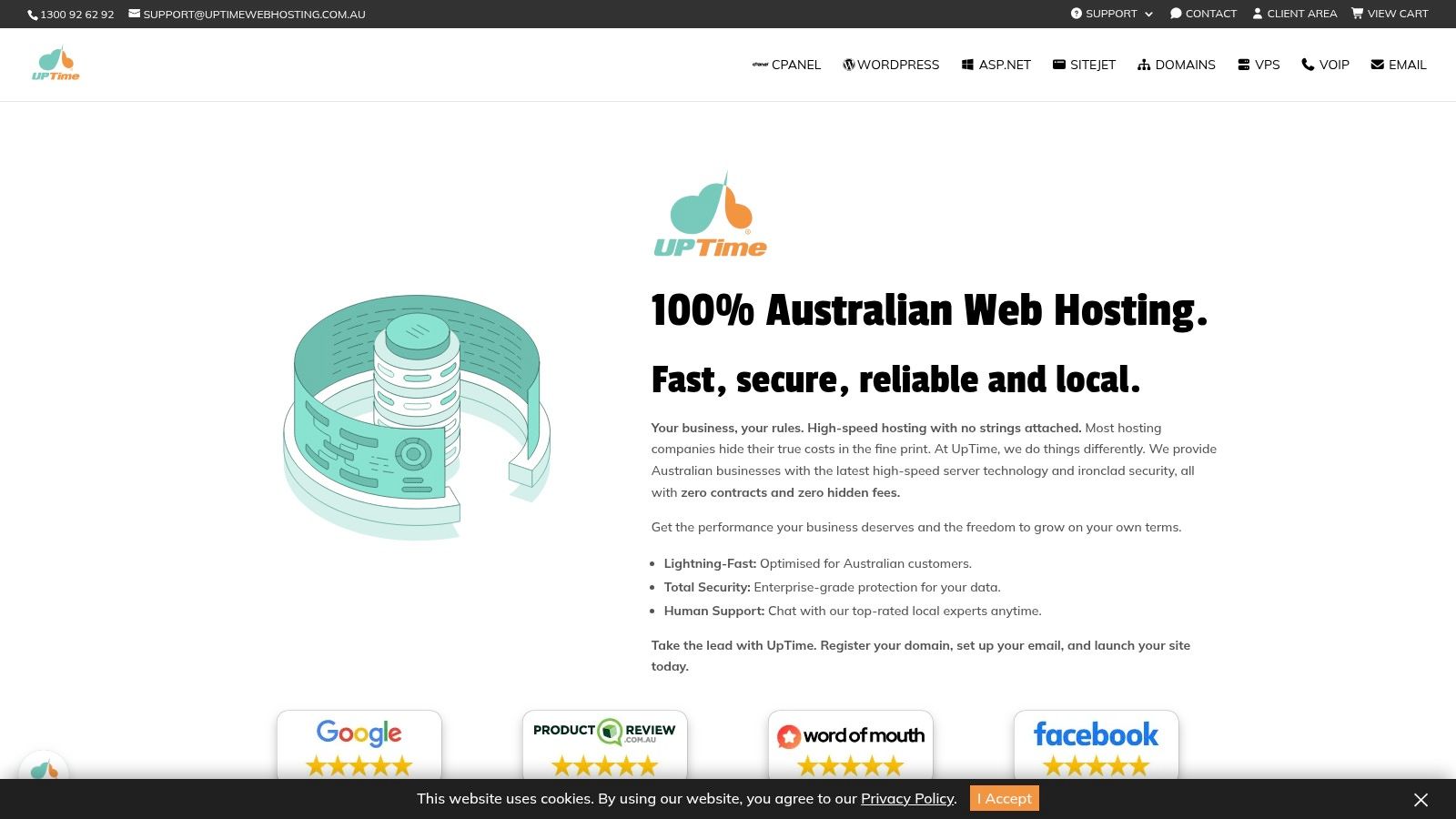
If your hosting includes cPanel or a similar dashboard, you'll often find an SSL or security area showing whether the certificate is active. If you're on WordPress hosting, it may already be switched over automatically at the server level. This guide on free SSL certificates for WordPress is useful if you want to compare what that setup should look like in practice.
One reason this matters is reliability. In the Australian hosting market, free SSL is commonly provided through Let's Encrypt, which automates issuance and renewal, helping maintain HTTPS without manual intervention and reducing the risk of certificate expiry causing downtime, as described in OVHcloud's SSL hosting overview.
Fixing mixed content in WordPress
A common problem appears right after SSL is enabled. Your site loads on HTTPS, but the padlock still doesn't show correctly. That usually means mixed content.
Mixed content happens when a secure page tries to load some items over insecure HTTP. Common culprits include:
- Old image links inside blog posts
- Theme files still calling non-secure resources
- Hard-coded scripts or stylesheets
- Older plugins that saved HTTP URLs in settings
A typical example is a florist's WordPress site that switched to HTTPS, but the homepage banner image still points to the old HTTP address. The page is partly secure and partly not, so the browser warns the visitor.
You can usually fix this in a straightforward order:
- Confirm WordPress uses the HTTPS site address
- Clear any caching plugin and browser cache
- Run a search-and-replace tool carefully to update old internal HTTP links
- Check the theme customiser, especially logo and banner settings
- Test key pages again, including forms and product pages
Quick fix: If the padlock disappears after SSL is enabled, the certificate often isn't the problem. The page is usually calling one or more old HTTP resources.
If you don't want to dig through every page manually, many WordPress users solve this with a plugin that forces secure URLs or helps detect mixed content. That's often the fastest route for a small business site that needs to be back to normal without developer time.
What about Windows and ASP.NET hosting
If your site runs on ASP.NET or another Windows-based setup, the principle is the same even if the control panel looks different. The host manages the SSL at the platform level, and your job is mostly to confirm the certificate is attached correctly and the website uses HTTPS consistently.
That's why business owners shouldn't overcomplicate SSL management. Whether you're on WordPress, cPanel hosting, or Windows hosting, the goal is the same. The certificate should be installed, renewed, and kept current without becoming another admin task on your list.
One local option that follows this model is UpTime Web Hosting, which includes free SSL with its hosting plans and handles the hosting-side integration so customers can use HTTPS without buying a separate standard certificate.
Your Checklist for True 'Set and Forget' SSL Hosting
A lot of hosting pages say “free SSL included”. The useful question is what that means once your site is live.
Some providers include a certificate, but make you manage redirects yourself. Others cover only one domain. Some install it once, then leave renewal handling murky. If you want genuine set-and-forget SSL, it helps to audit the details.
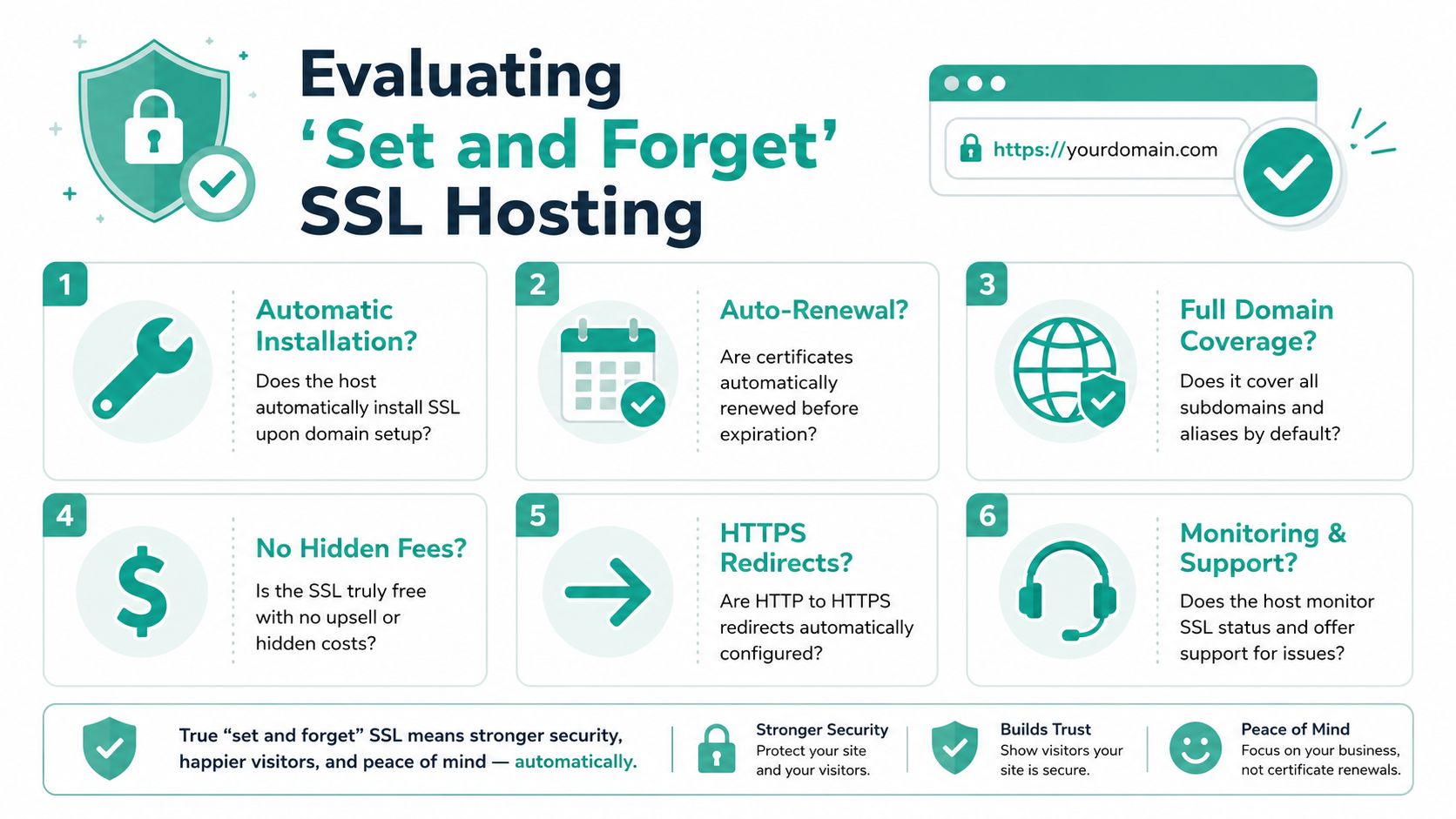
Questions worth asking before you buy
Use these as a practical checklist when comparing plans or reviewing your current host:
Automatic installation
Does SSL turn on when you add the domain, or do you need to submit a request?Automatic renewal
Will the certificate renew in the background, or do you have to remember dates?Coverage for subdomains and addon domains
If your business expands, can you protect extra sections of the site without extra chasing?No hidden certificate fees
Is “free SSL” free, or does the host try to upsell basic protection later?HTTPS redirect support
Does the site move visitors to the secure version cleanly?Support that can troubleshoot browser warnings
If the padlock doesn't appear, can support help with mixed content and certificate status?
A quick audit table
| Checkpoint | Good sign | Warning sign |
|---|---|---|
| Setup | SSL is active shortly after domain setup | You need a manual request |
| Renewals | Renewed automatically | Renewal steps are unclear |
| Extra domains | Subdomains and addon domains are supported | Only one domain is included |
| Help | Support understands HTTPS issues | Support only points to generic guides |
This checklist matters because “included” isn't always the same as “hands-off”. A local business owner usually doesn't want another technical task. You want the certificate there, the redirect working, and the site staying secure while you get on with sales, service, and operations.
Register your new domain name at competitive market prices including free domain add-ons like privacy, DNS Hosting, Custom Nameservers and Forwarding.
Always the best price and no nasty renewal price hikes.
Register A Domain Name
Why Local Australian Hosting Maximises SSL Benefits
A customer in Sydney taps your website on their phone during a lunch break. They are not thinking about certificates, encryption, or server locations. They are looking for one simple sign that your business is trustworthy and working properly. The padlock appears, the page opens quickly, and the form loads without fuss.
That experience is what local hosting helps protect.
Local hosting reduces friction around secure connections
SSL encrypts the trip between a visitor's browser and your website. But distance still matters. If your server is on the other side of the world, the browser has to make that secure introduction over a longer route before the page can fully get going.
For Australian businesses, local hosting usually means a quicker start for local visitors because the request stays closer to home. The benefit is practical, not theoretical. Your site feels more responsive for people in Australia, especially on mobile connections where small delays are easier to notice.
A good way to picture it is a shopfront key handover. If the key is sitting in the next suburb, access starts sooner. If the key has to come from overseas, the wait is longer before anything else can happen.
If you want a broader explanation of the performance and support advantages, this guide on why switching to local Australian hosting matters is a useful follow-on read.
The certificate matters. The hosting stack around it matters too.
Two hosting plans can both say “free SSL” and still deliver a very different result for an Australian business website.
The certificate handles encryption. The hosting environment around it affects how reliable and fast the whole experience feels once that secure connection is in place. Local data centres, modern server software, caching, backups, malware scanning, and firewall protection all play a part.
That is why a local host can be the safer choice than a bargain offshore plan that includes SSL but leaves you sorting out speed issues, time-zone delays, or support gaps later.
A café in Melbourne is a simple example. The owner does not just need the booking form encrypted. They need the menu to load quickly on local phones, the booking page to stay available on busy weekends, and support to respond during Australian business hours if something breaks after an update.
Why this matters more for Australian small businesses
For a small business, your website often does three jobs at once. It reassures new visitors, collects enquiries, and supports sales. Free SSL helps with the trust part, but local hosting helps the whole setup work properly for Australian customers.
It also removes the kind of friction that wastes time. Offshore providers can be fine in some cases, but they often introduce small headaches. Slower support replies because of time-zone differences. More back-and-forth if there is a certificate warning. More guesswork when your audience is in Australia but your hosting is built around another market.
Local hosting turns SSL into a set-and-forget part of the service. That is a key benefit for many businesses. You are not buying a certificate and then babysitting it. You are choosing a host that includes SSL as part of a local platform designed for Australian traffic, Australian business hours, and Australian expectations.
For businesses using a local provider such as UpTime, that usually means HTTPS is treated as standard website housekeeping rather than a separate technical project. And that is exactly how it should feel.
Conclusion Secure Your Site and Your Business's Future
A secure website used to feel like an upgrade. It doesn't anymore. For Australian businesses, it's now part of the minimum standard customers expect when they visit your site, fill out a form, or make a purchase.
The good news is that this no longer needs to add cost or complexity. All major Australian web hosting providers, including UpTime Web Hosting, include free SSL certificates as a standard feature, removing the need to buy separate certificates that can cost AUD $50 to $150 annually, as noted in this Australian hosting comparison.
That changes the decision you need to make. It's no longer whether to secure your site. It's whether your host makes that security simple, automatic, and dependable.
If your website is your digital shopfront, SSL is one of the first signs that people can trust what they see there. The right local hosting setup makes that protection feel routine instead of technical.
If you want a local option for web hosting with free SSL, UpTime Web Hosting offers Australian-based hosting with free SSL included across its hosting services, along with local support, cPanel and WordPress options, and platform features designed to keep websites secure and straightforward to manage.