In short
A domain name expiry check starts in the registrar account, where the renewal date, auto-renew setting and payment status are most reliable. For .au domains, public WHOIS does not show the expiry date, so the registrant must use the registrar or auDA’s recovery tool. Renew before expiry and keep contact details current.
Key takeaways
- Public .au WHOIS records intentionally omit domain creation, renewal and expiry dates.
- A .au domain licence lasts for one to five years and can be renewed up to 90 days before expiry or during the 30 calendar days after expiry.
- RDAP has been the definitive registration-data source for generic top-level domains since 28 January 2025.
- Auto-renew cannot protect a domain if the payment method fails or renewal notices go to an unmonitored address.
- Every business should record its registrar, legal registrant, expiry date and person responsible for renewal.
On this page
- How do I check when my domain expires?
- Why can’t I see an .au expiry date in WHOIS?
- What details should I verify after an expiry check?
- How do I stop a domain from expiring by mistake?
- What happens if my domain has already expired?
- How long is a domain valid?
- What else do domain owners ask?
- What should I do next?
An expiry date is not just an administrative detail. If a domain stops resolving, the website, business email, customer links and password-reset messages may fail even while the hosting account remains active. A proper check should answer four questions: when does the registration end, who controls it, how will it renew and who is responsible for acting?
How do I check when my domain expires?
Sign in to the account held with the domain registrar and open the domain-management page. If the registrar is unknown, use the official registry lookup for the domain extension to identify the provider before checking the account.
The four-step expiry check
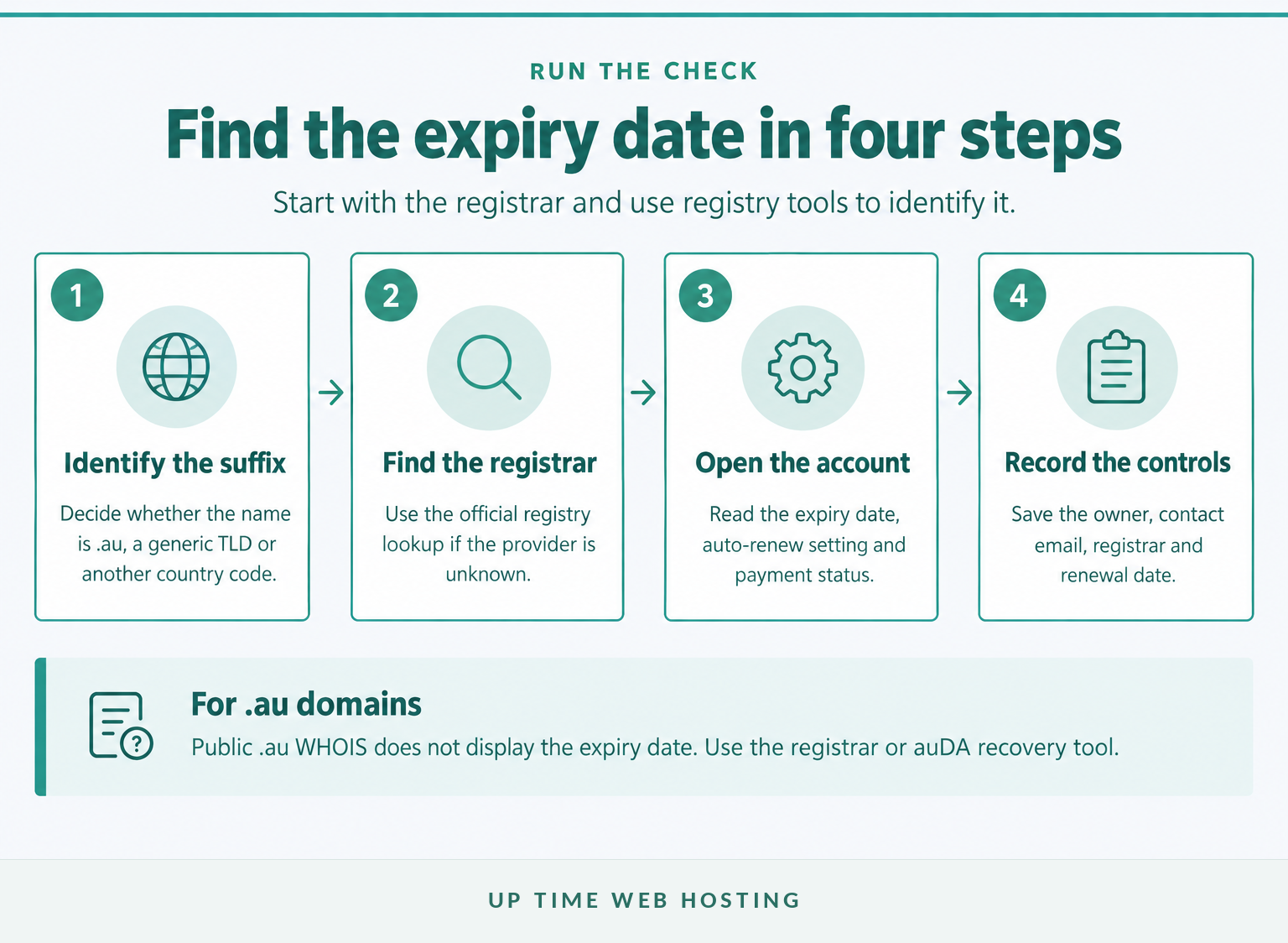
- Enter only the domain name. Remove
https://,wwwand any page path. Use a format such asexample.com.au. - Identify the domain type. The lookup process differs for
.au, generic extensions such as.com, and other country-code domains. - Find the registrar and open the account. The registrar dashboard should show the renewal or expiry date, auto-renew setting and payment status.
- Record the result outside the account. Save the registrar, legal registrant, contact address, renewal date and responsible staff member in a business register.
| Domain type | Best first check | Where to confirm the expiry date |
|---|---|---|
.au, .com.au, .net.au and other .au names | Official .au WHOIS to identify the registrar | Registrar account or the auDA password recovery tool |
Generic domains such as .com, .net and .org | ICANN Lookup | RDAP result and registrar account |
| Other country-code domains | The relevant country-code registry | Registry and registrar rules vary |
As of November 2026, a generic domain registration date checker will usually query Registration Data Access Protocol, or RDAP, rather than legacy WHOIS. ICANN made RDAP the definitive source for generic top-level domain registration data on 28 January 2025.
For a .au domain expiry check, public WHOIS is only the first step because it can identify the registrar but cannot reveal the expiry date. The registrar account remains the best place to confirm whether the domain is paid, set to renew and controlled by the correct organisation.
For a domain the business owns, the registrar account is the final check; public tools are the route to finding that account.

Performance you can feel, backed by clients who depend on it. Read how our support and uptime create long‑term customer success.Power Your Business with Better Hosting
Why can’t I see an .au expiry date in WHOIS?
auDA deliberately withholds creation, renewal and expiry dates from public .au WHOIS records. The restriction is intended to reduce unsolicited renewal notices and the customer confusion those notices can cause.
What the .au tools show
The current auDA WHOIS Policy says registrants can check their own expiry date through their registrar, reseller or the centralised recovery tool. Public WHOIS can still help identify the registrar, legal registrant, registration status and other available record details.
The recovery tool sends a single-use link to the registrant contact email recorded in the .au registry. According to auDA’s additional .au domain services guidance, the link includes the creation date, licence expiry date, registrar of record and domain authorisation code.
That authorisation code is sensitive. Do not publish it, include it in a shared spreadsheet or send it to somebody who is not authorised to manage the domain.
If the recovery email goes to an old employee or an inaccessible mailbox, contact the listed domain provider. The provider will need to verify the registrant before changing protected registration details.
A public .au lookup can identify the provider, but only the registrant can retrieve the hidden expiry date.
What details should I verify after an expiry check?
Check more than the date. A domain can be paid for years ahead and still be at risk because it is registered to the wrong entity, held in a former contractor’s account or connected to an abandoned email address.
Review these fields together:
- Expiry or renewal date: Record the full date and any time-zone information shown by the provider.
- Registrar and reseller: The business taking payment may be a reseller, while a different company appears as the registrar of record.
- Legal registrant: Confirm the business or eligible person named in the registration. The guide to checking who owns your domain name explains why an invoice payer, developer or website administrator is not automatically the legal registrant.
- Account access: Confirm that the business controls the login, recovery address and multi-factor authentication method.
- Contact information: Renewal and compliance messages must reach an address that somebody monitors.
- Auto-renew and payment: Check that auto-renew is enabled where appropriate and that the saved card or payment authority remains valid.
- Domain status: Review any hold, transfer or deletion status rather than relying only on the displayed date.
A generic-domain RDAP result may show autoRenewPeriod. The ICANN EPP status guide explains that this can reflect an automatic registry extension after expiry. It does not necessarily prove that the registrant has paid the registrar, so the account and invoice status still need checking.
For a .au domain, also confirm that the registrant continues to meet the applicable eligibility rules. The practical domain registration requirements provide background, while the current .au Licensing Rules remain the authoritative policy.
A useful expiry check confirms the date, the legal holder, the account access and the renewal method together.
Host your website with our 5-star rated, cPanel website hosting plans.
Super fast servers, with security included and hosted in your choice of Australian Data Center.
View cPanel Plans
How do I stop a domain from expiring by mistake?
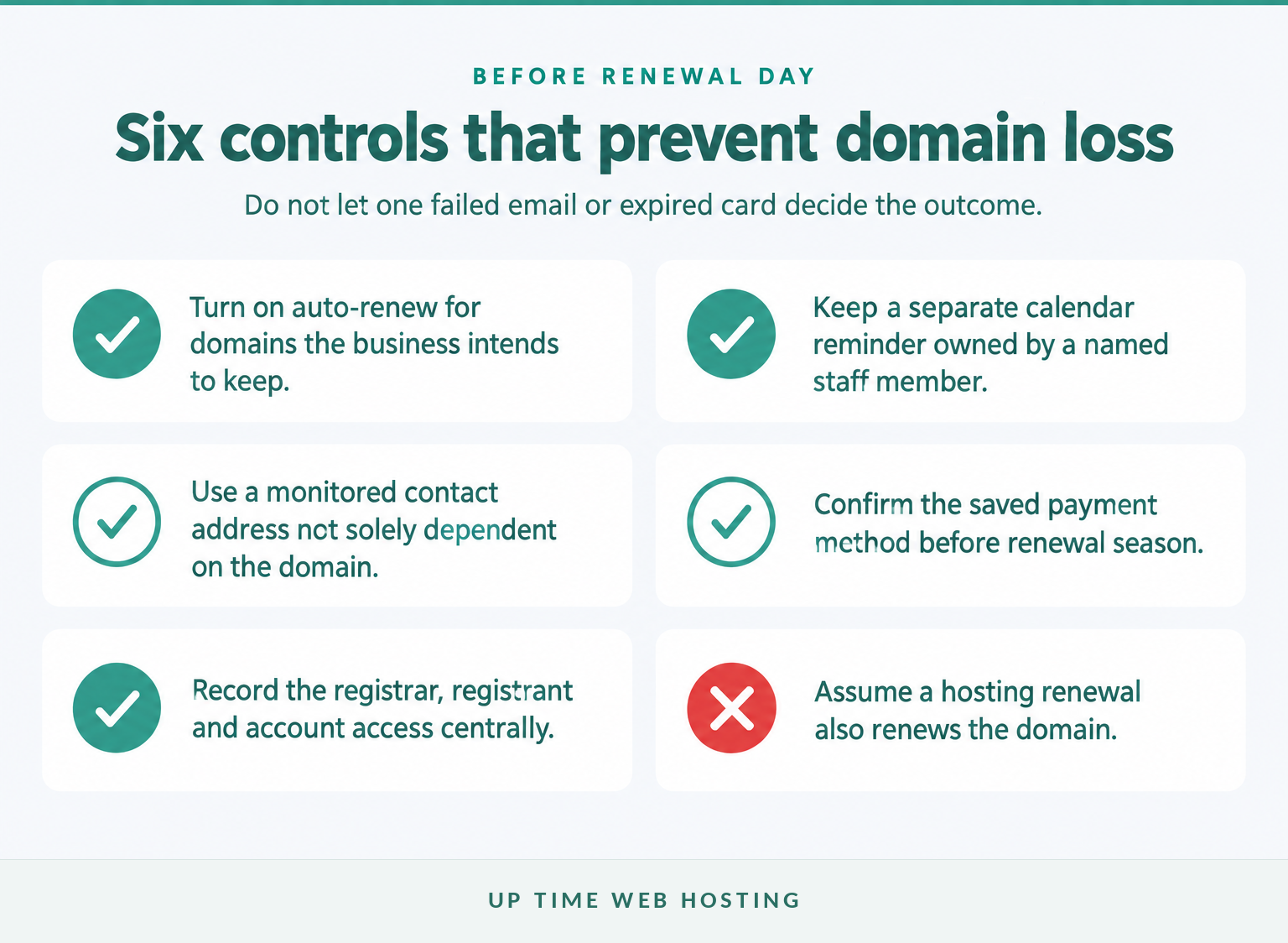
Use auto-renew, independent reminders and current registration details together. No single control is sufficient because cards expire, staff leave, mail is filtered and provider accounts can be overlooked.
A renewal safety net that does not depend on one email
The auDA Registrar Rules require a .au registrar to notify the registrant contact at least 30 calendar days before licence expiry. For generic top-level domains, ICANN requires reminders approximately one month and one week before expiry, plus a notice within five days after expiry.
Those notices only help if the contact address works. Build a separate internal process:
- Enable auto-renew for every domain the business intends to retain.
- Create calendar reminders well before the provider’s renewal deadline.
- Assign a named staff member to review the renewal rather than relying on a shared inbox alone.
- Use a monitored contact address that does not depend solely on the domain being renewed.
- Give at least two authorised people access to the registrar account and recovery method.
- Check the saved payment method before the renewal period begins.
- Keep a central register of domains, registrars, registrants, expiry dates and account owners.
For .au registrations, the rules require registrants to report relevant registration-information changes within 14 calendar days of becoming aware of them. Update the record when an employee leaves, a company changes its legal details or responsibility moves to a new provider.
Do not assume a hosting payment covers the domain. Domain names and web hosting are separate services, even when both appear on one invoice. Renewal budgeting should also account for what a domain costs per year and any provider-specific restoration fees.
Auto-renew works best as one control in a wider system of reminders, current contacts and shared access.
What happens if my domain has already expired?
Contact the registrar immediately and ask which recovery stage applies. The website and email may already be offline, but the available recovery period depends on the domain extension and the registrar’s terms.
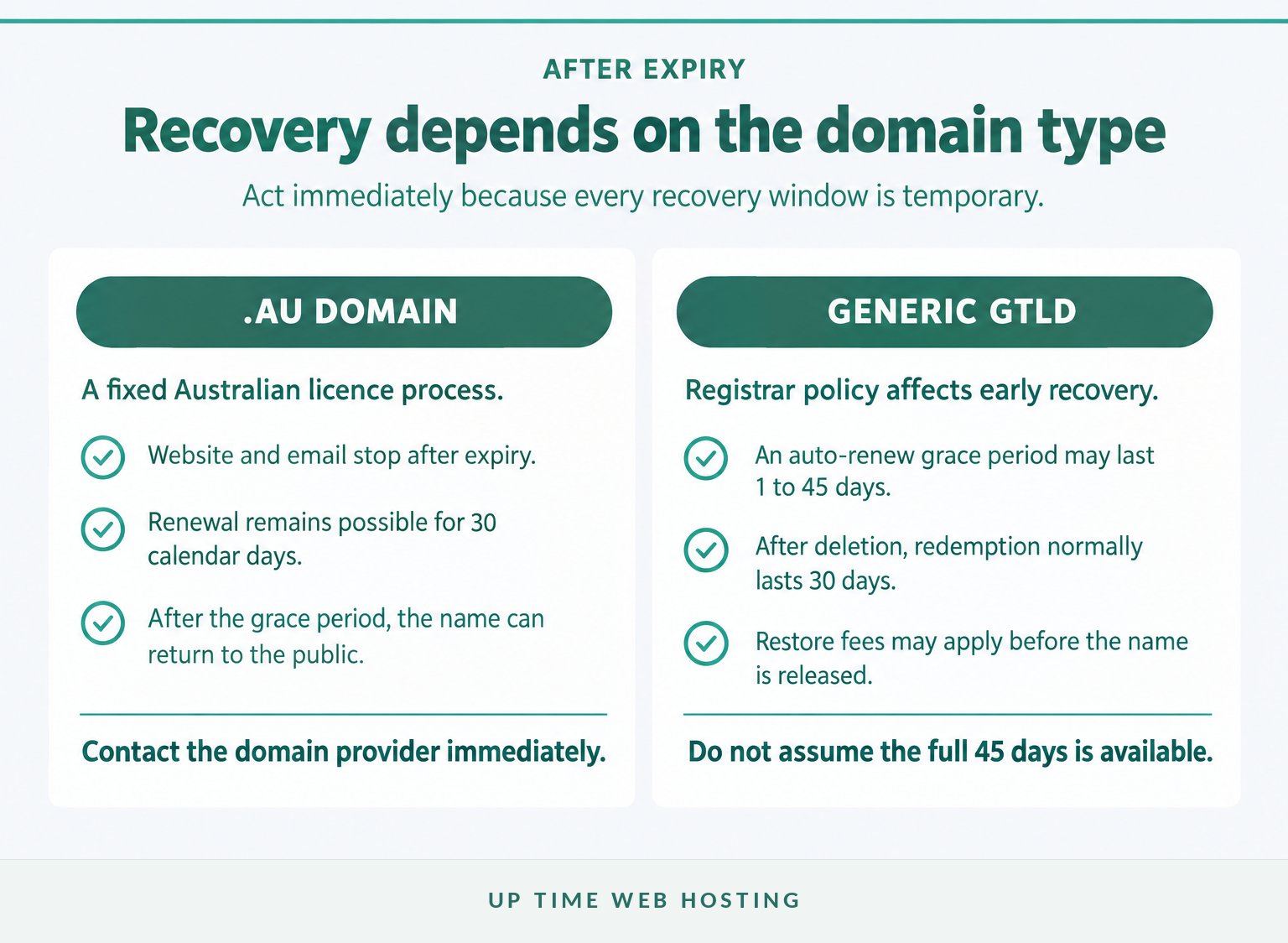
The recovery windows are not the same
If it is a .au domain
The auDA renewal guide provides a 30 calendar day grace period after the licence expiry date. During that period, the registrant can renew through the existing provider or a new .au provider, but the domain cannot be used or updated, so the website and email will stop working.
Some providers may charge a restoration fee during the grace period. If the licence is not renewed within 30 calendar days, the domain is removed from the registry and can become available to another eligible registrant on a first-come, first-served basis.
If it is a generic domain
For generic top-level domains, ICANN’s expired registration guidance says a registrar may offer an auto-renew grace period of between 1 and 45 days. The full 45 days is not guaranteed, and the registrar’s published terms determine how long the registrant can renew at this stage.
After the registrar deletes the registration, generic top-level domain registries generally provide a 30-day Redemption Grace Period. The domain’s DNS is disabled during redemption, the registrar may charge a restore fee and the original registrant must request restoration through that registrar.
If the domain progresses through redemption into pendingDelete, restoration is normally no longer available. ICANN’s status-code guidance says the name is purged after the final several-day pending-delete stage and can then become available for registration again.
If a domain has expired, contact the registrar immediately because every recovery window is temporary.
How long is a domain valid?
A .au domain licence can last for one, two, three, four or five years. Generic domain registrations are commonly offered for periods between one and ten years, although the available term depends on the extension and registrar.
Renewal extends the registration rather than granting permanent ownership. A .au registrant must also remain eligible throughout the licence period, keep registry information accurate and comply with the applicable namespace rules.
A longer registration term can reduce routine administration, but it should not delay an annual ownership and access audit. A five-year licence can still be lost if the business no longer controls the registrar account or misses an eligibility problem.
A domain is valid only for its paid registration term, and .au holders must also remain eligible throughout that term.
Register your new domain name at competitive market prices including free domain add-ons like privacy, DNS Hosting, Custom Nameservers and Forwarding.
Always the best price and no nasty renewal price hikes.
Register A Domain Name
What else do domain owners ask?
The following answers cover the common expiry questions that can be resolved without guessing a provider’s private account settings. Always confirm the final result in the registrar account for a domain the business owns.
How to check expiry date?
To check a domain’s expiry date, sign in to the registrar account and open the domain’s management page. For a generic domain, ICANN Lookup may show the registry expiry date. For a .au domain, use the registrar or auDA’s password recovery tool because public .au WHOIS does not disclose expiry dates.
How can I check the details of a domain name?
Use an official registry lookup to confirm the registrar, registration status, nameservers and available registrant information. Then check the registrar account for the billing date, renewal date, auto-renew setting, contact email and payment method. Public records may hide personal data, and .au records also hide creation and expiry dates.
How long is a domain valid?
A .au domain licence can run for one, two, three, four or five years. Generic domain registrations are commonly offered for one to ten years, although the available term depends on the extension and registrar. A domain remains usable only while the registration is active and the holder remains eligible under applicable rules.
The short answer is to use the registrar for owned domains and the official registry lookup when the registrar is unknown.
What should I do next?
Run the check now and write the expiry date, registrar, registrant and renewal owner into one record. If any field is unclear, contact the registrar before changing DNS, contact or transfer settings.
If a new Australian domain is needed, or local help is required with the registration process, review the available .au domain registration information and confirm the correct registrant details before ordering.
The safest next step is to verify the record today, while the domain is still active and easy to manage.