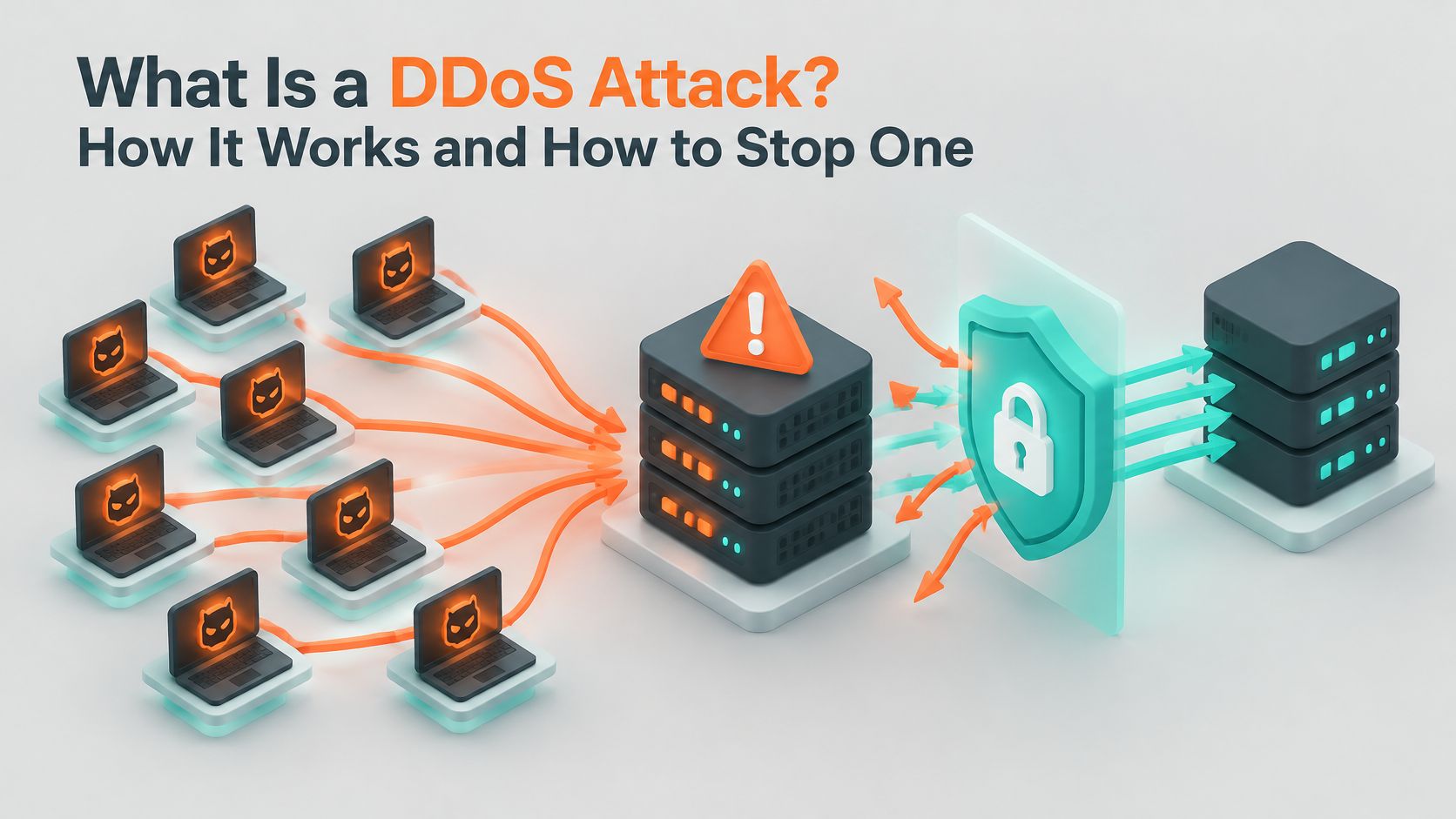
Your phone rings on a Tuesday morning. A customer says the booking page will not load. Another call follows, then a third. By lunchtime you have taken six calls about a website that looks perfectly fine when you log in. The files are present, the database is connected, and the control panel is green.
Customers still cannot complete a booking. The site is up on your screen and unavailable on theirs. Australian cyber authorities record denial-of-service incidents each year against ordinary businesses that take bookings, orders and enquiries. A flood of junk traffic from many compromised devices can fill the path to the site until genuine visitors time out, even while the server itself still answers you.
That mismatch is an availability problem. The kind of flood decides which defence works. Before an outage, an Australian site owner can ask their host whether denial-of-service protection is already on the plan, and who answers when the public site stops loading.
Table of Contents
- What a DDoS Attack Is and How It Works
- Types of DDoS Attacks and Where They Strike
- How DDoS Attacks Hurt Websites and Businesses
- Warning Signs That Point to a DDoS Attack
- Defences That Stop Floods Before They Reach Your Site
- How to Respond When a DDoS Attack Takes Your Site Down
- Confirm Your Hosting Has DDoS Protection Before You Need It

Performance you can feel, backed by clients who depend on it. Read how our support and uptime create long‑term customer success.Power Your Business with Better Hosting
What a DDoS Attack Is and How It Works
A crowd with no intention of buying anything files through your door until the entrance is packed shoulder to shoulder. Customers can see the shelves through the window. They can't reach the counter, so nothing gets sold. The shop is open, staffed and fully stocked, and it still can't trade.
That's a distributed denial-of-service attack in one picture. The business is intact and the access is gone.
The technical version says the same thing. A DDoS attack sends more traffic or service requests to a website, server or network than it can handle, from many compromised devices at once, until genuine visitors can't get through.
The three parts of every attack
- The target is whatever you rely on. A website, a login page, a booking form, an API, or the network sitting in front of all of them. Attackers pick the piece that hurts most, and it isn't always the homepage.
- The botnet is the crowd. It's a set of infected devices such as home routers, IP cameras and forgotten servers, whose owners have no idea their hardware is being used. The attacker doesn't need to target you personally; they rent time on someone else's compromised equipment.
- The flood is the volume. Requests arrive faster than the server can answer, so its capacity goes into handling junk instead of serving customers. Connections queue, memory fills, and eventually the error page appears.
This is what that looks like from the operator's side of the screen.

Distributed is the word that decides your defence. One machine hammering a server is a plain denial-of-service attack, and blocking that single address largely ends it. When traffic arrives from thousands of addresses at once, blocking any one of them achieves nothing.
The detail that trips people up is that your content and data can be perfectly intact while every visitor sees a timeout or an error page. Nothing has been stolen. The site is too busy with traffic that isn't real.
Types of DDoS Attacks and Where They Strike
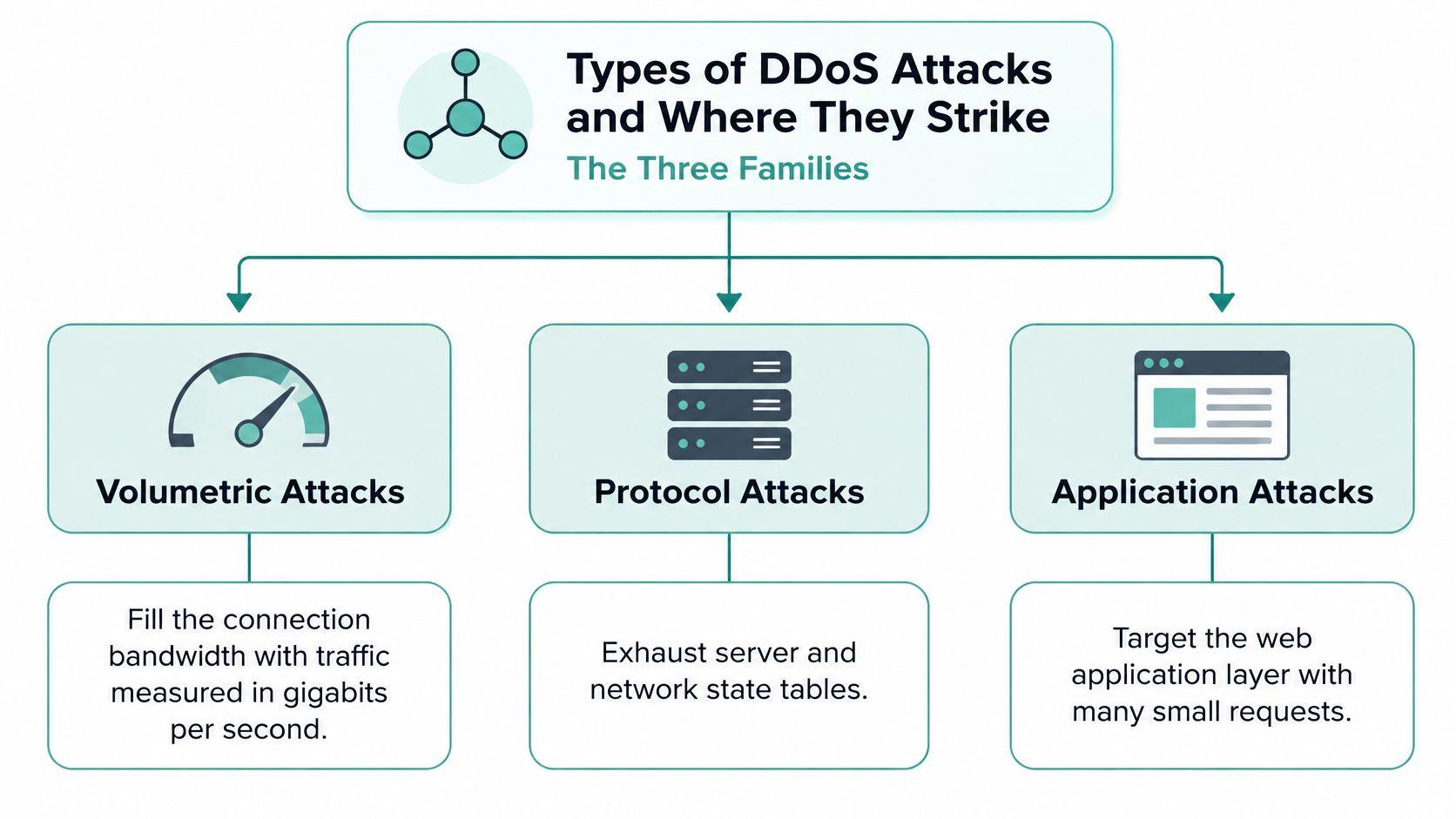
Not every flood is built the same way. Three families do most of the work, and each one exhausts a different resource. Volumetric attacks fill the bandwidth of the connection and are measured in gigabits per second. Protocol attacks exhaust the state tables that servers and network equipment keep for every open connection. Application-layer attacks send requests that look like an ordinary visitor, so a small number of them can overwhelm a database-heavy page while the network looks completely healthy.
The table is the fastest way to recognise which family you're dealing with.
| Attack type | Layer targeted | How it overwhelms the target | Family |
|---|---|---|---|
| UDP flood | Network (Layer 3 and 4) | Sends large volumes of UDP packets to random ports, forcing the server to check each one | Volumetric |
| DNS amplification | Network (Layer 3 and 4) | Sends small spoofed queries to open DNS resolvers, which return much larger replies to the victim | Volumetric |
| SYN flood | Transport (Layer 4) | Opens many TCP connections without completing the handshake, filling the connection table | Protocol |
| HTTP flood | Application (Layer 7) | Sends repeated valid-looking web requests to expensive pages such as search or checkout | Application |
| Slowloris | Application (Layer 7) | Holds many connections open by sending partial requests very slowly | Application |
The diagram below groups those rows into the three families and the resource each one attacks.
How to tell which family is at work
Picture a retail site where the homepage loads in under a second while the checkout spins and dies. Bandwidth is clearly fine. The server is answering, the static pages are served, and only one page fails. That pattern points at an HTTP flood, where the attacker spends a handful of requests per second on the most expensive page in the building, the one that talks to a database and a payment provider.
If the whole site vanishes instead, including plain HTML pages, and your host reports a wall of inbound traffic, you're facing a volumetric or protocol attack that never needed to understand your application at all.
Floods rarely arrive alone. Attackers borrow from a wider toolkit, and common attacks on web applications is worth reading once the flood types are clear, because a burst of junk traffic is often the noisy half of a two-part attempt.
This is why the attack type decides the fix. More bandwidth does nothing against an HTTP flood, because the attacker never needed much. Rate limits do nothing against a volumetric flood, because the traffic arrives from enough distinct sources to slip under any per-address limit. Match the defence to the family, or you'll spend money on the wrong one.
Host your website with our 5-star rated, cPanel website hosting plans.
Super fast servers, with security included and hosted in your choice of Australian Data Center.
View cPanel Plans
How DDoS Attacks Hurt Websites and Businesses
At 8am on a Monday, a Brisbane tradie's online booking form goes dark. The phone starts ringing with customers who can't book, and the tradie is on the tools, unable to do anything about it. By the time the site comes back, three jobs have gone to whoever answered first.
The official counts show the pattern repeating. The Australian Signals Directorate's Australian Cyber Security Centre recorded more than 200 incidents involving DoS or DDoS attacks during the 2024-25 financial year, an increase of more than 280% on the previous year (ASD's ACSC annual cyber threat report). DoS and DDoS activity accounted for 16% of all incidents the centre responded to, and 31% among critical-infrastructure entities, almost twice as high.
Seven of the following year's DoS or DDoS incidents involved extensive compromises from that activity, compared with one in 2024-25, even though the overall count fell by more than 60% (ASD's ACSC incident reporting). Fewer attacks, in other words, but not harmless ones.
The damage is almost always commercial rather than technical:
- Lost sales. A store that can't take orders loses the basket and often the customer, who buys from whoever is still open.
- Disrupted bookings and enquiries. Service businesses feel this first, because a missed booking never comes back.
- Customer portals that stop responding. Account logins, quote tools and member areas fail without warning, and the people locked out are your existing customers.
- Email and business systems going quiet. An attack can saturate shared network capacity, so invoices and replies stall along with the website.
- Reputation damage you can't control. Customers who see an error page assume the business has folded, not that it's under attack.
What you're dealing with is an availability problem, not a data breach. That distinction matters because it changes the fix and the budget. Cybersecurity and data protection basics cover the theft side; an availability incident needs a different playbook, built around uptime and traffic.
The number worth calculating: estimate what one hour of downtime costs you. Add your average hourly sales or bookings, the staff hours spent fielding calls, and an honest guess at how many customers noticed and went elsewhere. That figure is the ceiling on what protection is worth paying for, and it's usually bigger than people expect.
Warning Signs That Point to a DDoS Attack
Most slowdowns aren't attacks. A promotion that lands harder than expected, a plugin that turns rogue after an update, an aggressive crawler, a backup job running at the wrong hour: all of them look like a flood from the outside. Rule out the ordinary causes first, because a false alarm costs you an afternoon and a real attack costs you customers.
| Warning sign | Likely cause | First check |
|---|---|---|
| Site slow or timing out on every page | Traffic flood or server overload | Check the provider status page and server load graphs |
| Traffic surge from a few IP addresses or countries | Bot traffic or attack | Review access logs for repeated addresses |
| Burst of requests to one login or checkout page | HTTP flood or credential attack | Count requests to that page over the past hour |
| Email delays alongside website outage | Shared network saturation | Check the mail queue and sending status |
| Email demanding payment to stop an attack | DoS-for-ransom threat | Preserve the message, do not pay, notify the host |
The ransom email that never became an attack
In February 2020, ASD warned that Australian organisations, particularly in banking and finance, were being targeted by email-based DoS-for-ransom threats. The messages demanded payment in Monero and threatened sustained denial-of-service attacks. ASD stated it had received no reports that those specific threats eventuated in DoS attacks, and it knew of earlier threats against Australian organisations that never materialised either (the ASD alert on DDoS threats against Australian organisations).
Two lessons sit in that example. A ransom email isn't proof an attack is underway, and paying doesn't provide a reliable technical fix. Preserve the message, tell your host, watch availability and traffic closely, and report a serious incident to the ACSC.
Start with three checks before you conclude anything: is an external monitor reporting the site down, do the logs show a spike from a handful of addresses, and is server load genuinely pinned? Two out of three means escalate.
Getting those three answers is easier when something is already watching. Website performance monitoring records what normal looks like, so the abnormal version is obvious rather than debatable.
Defences That Stop Floods Before They Reach Your Site
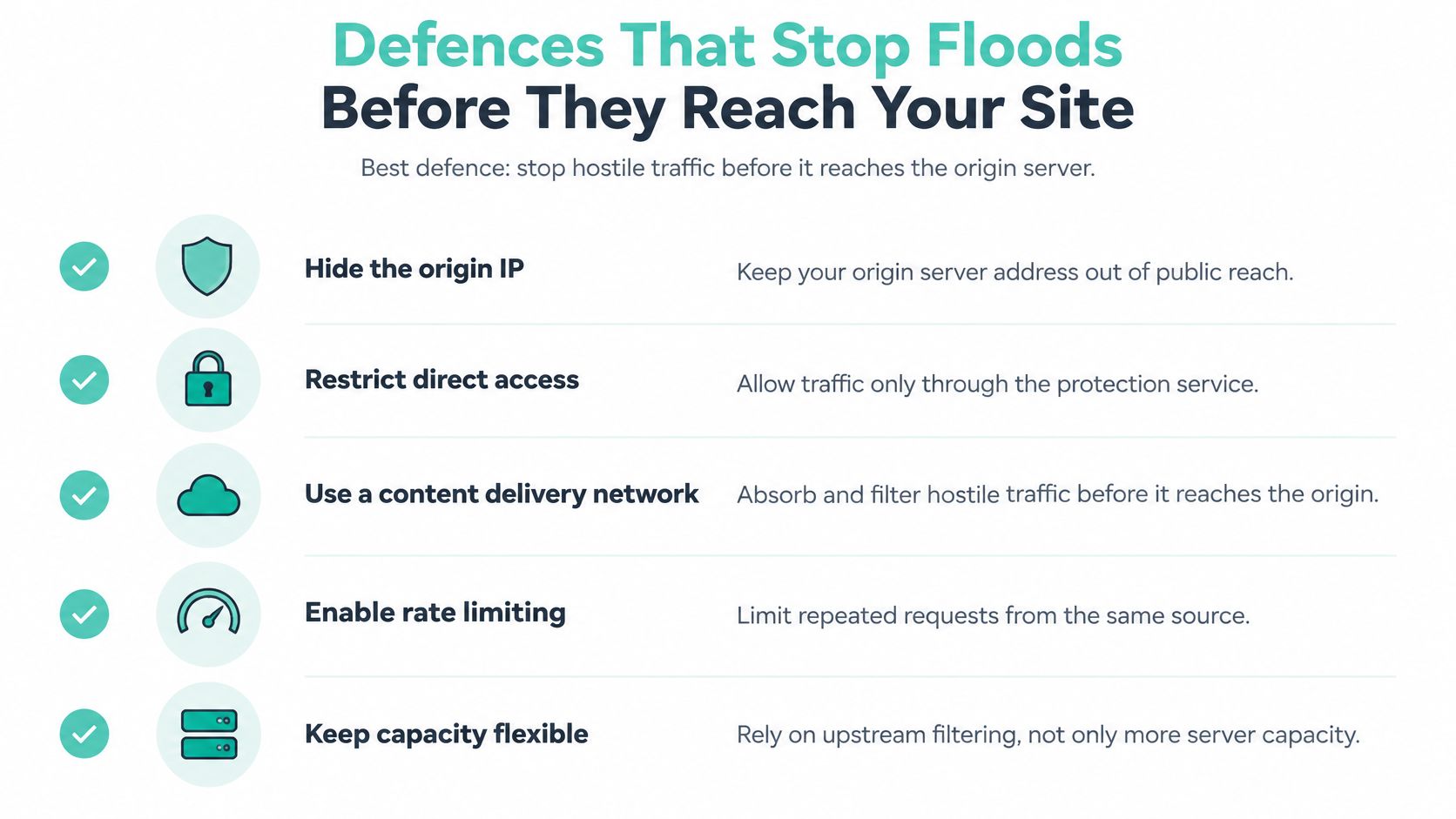
The strongest DDoS defence never touches your server. Stop hostile traffic upstream, at the edge, and the origin keeps serving real customers while the flood is absorbed and filtered somewhere else. Adding more server capacity is the most expensive way to lose the same fight.
The ACSC's guidance on preparing for and responding to denial-of-service attacks recommends avoiding unnecessary disclosure of the origin server address, restricting origin access so only authorised networks or a CDN can connect, using resilient and geographically diverse connectivity, caching static content, separating high-risk public websites from critical services such as email, and buying cloud-based mitigation with large bandwidth, distributed locations and traffic scrubbing (ACSC, Preparing for and responding to denial-of-service attacks_0.pdf)).
Treat that list as separate failure points rather than a menu. Caching cuts the number of requests reaching the origin. An origin allow-list stops an attacker skipping the CDN. Scrubbing removes malicious packets upstream. Splitting public sites away from email limits the blast radius when one endpoint is targeted.
| Defence | What it stops | Where it is set up |
|---|---|---|
| Web application firewall | Malicious HTTP requests and bad bots | Hosting control panel or CMS plugin |
| Rate limiting | Floods from a single address or small group | Web server or CDN settings |
| CDN caching | Repeated origin requests for static pages | CDN or DNS provider |
| Origin lockdown | Attackers bypassing the CDN to hit the server directly | Host-level firewall allow-list |
| Traffic scrubbing | Volumetric floods before they reach the server | DDoS protection service |
| 24x7 monitoring and alerts | Slow detection of outages | Monitoring service or host dashboard |
The checklist below is the short version you can hand to a developer.
Blocking addresses is the one control people reach for first and understand least. When IP blocking makes sense covers the cases where a blocklist earns its place and the cases where it just moves the problem to the next address in a botnet.
A web application firewall earns its place near the top of the table because it reads requests instead of merely counting them, which is how it catches a flood that looks like ordinary browsing.
For Australian sites, local infrastructure matters here too. Servers in Sydney, Melbourne, Brisbane or Perth keep latency low, and support that answers during your business hours shortens the gap between symptom and fix. Before an outage, confirm four things with your host: a firewall that includes DoS and DDoS protection, rate limits you can adjust, logging you can export, and a written escalation path with a phone number on it.
Register your new domain name at competitive market prices including free domain add-ons like privacy, DNS Hosting, Custom Nameservers and Forwarding.
Always the best price and no nasty renewal price hikes.
Register A Domain Name
How to Respond When a DDoS Attack Takes Your Site Down
The first ten minutes decide whether this becomes a bad hour or a bad week. Work through the steps in order and write down what you do as you go.
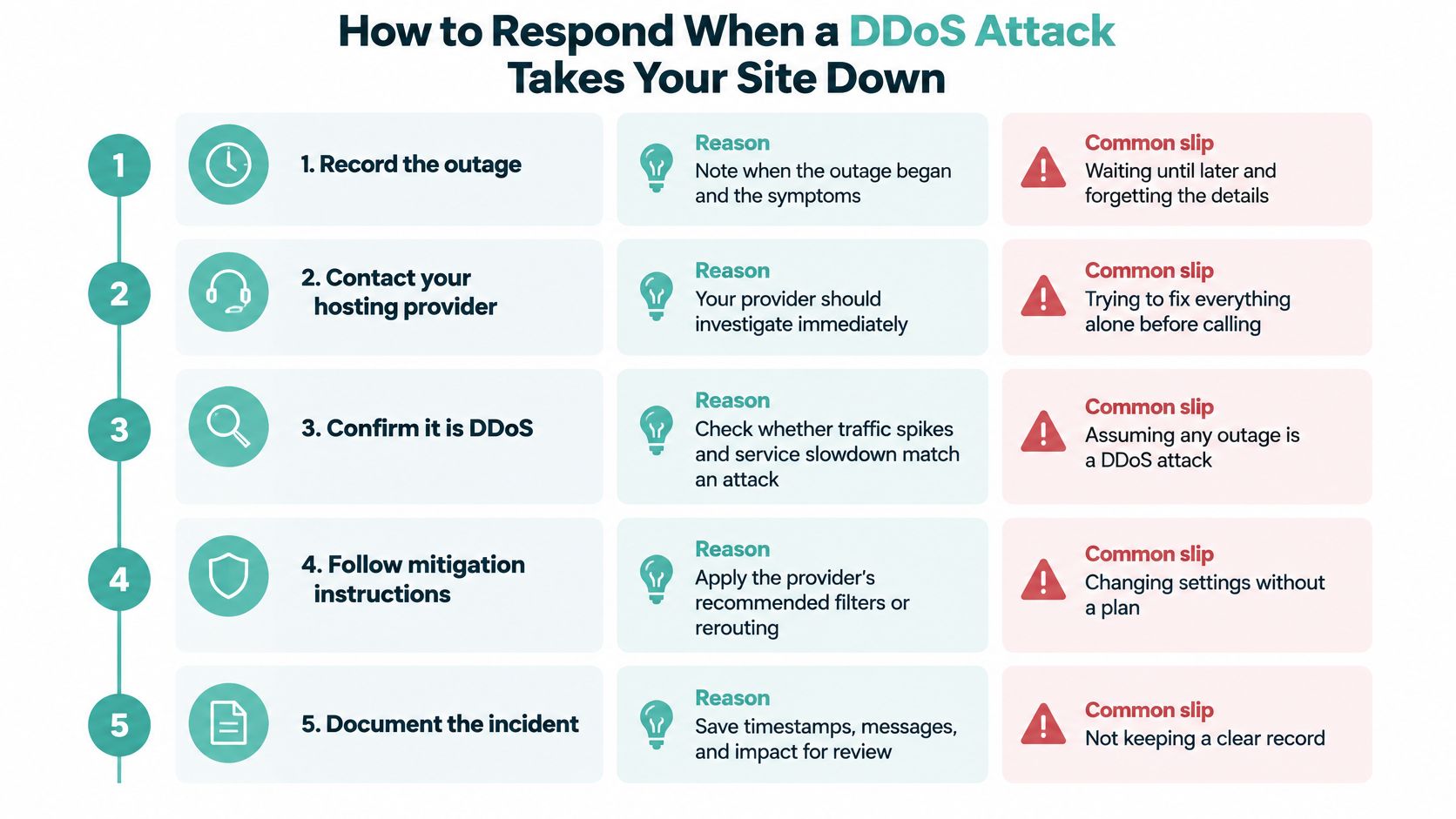
- Record the outage. Note the start time, which pages fail and the exact error visitors see. Your provider's first question will be when it began, and guessing wastes the call.
- Call your hosting provider and check the status page. Ask which mitigation actions can be applied right now, and rule out a platform-side fault first. Our Network Status page shows current and past issues on our hosting platform. The usual mistake is spending an hour changing settings alone before picking up the phone.
- Block offending addresses where your provider advises it. A blocklist helps against a narrow, single-source attack. Applied blindly, it can lock out real customers behind the same addresses.
- Shift traffic temporarily. ASD recommends moving online services to high-bandwidth cloud hosting, using a content delivery network to cache non-dynamic pages, and engaging a DoS mitigation service for the duration of the incident (ACSC advisory on mitigating DDoS threats).
- Preserve the access and error logs before they rotate. They're the only record of what hit you, when, and from where. Export them to a local folder the moment the incident starts.
- Switch off the expensive features. Search, live chat, large file downloads and anything else that leans hard on the database. A leaner site that stays up beats a full one that doesn't.
- Tell customers plainly what's happening. One clear message on your social channels or a status notice stops the phone from ringing and keeps trust intact.
- Report a serious incident. Call the Australian Cyber Security Centre on 1300 CYBER1 (1300 292 371) when the disruption is significant or sustained.
If the site loads for you but not for anyone else, you aren't testing properly. Check from an external tool and from a phone on mobile data before you tell customers anything.
A structured plan is worth writing before you need it, and planning your business cyber incident response is a sensible starting template for who calls whom.
Confirming recovery takes three checks: an external website down checker reporting green, a test from a network you don't control, and an hour of watching the logs to see whether traffic has returned to normal or just paused.
Confirm Your Hosting Has DDoS Protection Before You Need It
Protection is easiest to confirm on a quiet Tuesday, when your provider has time to answer properly, not at 7pm on the night a flood arrives. Ask six questions: does the plan include DDoS protection, is there a firewall that monitors traffic and blacklists suspicious activity, is a Web Application Firewall blocking bad bots, is monitoring running around the clock, are backups encrypted and stored off-site, and what exactly is the escalation path during an incident?
For Australian-hosted sites, these answers become clear in practice. Our cPanel hosting includes DDoS protection, and the automated firewall monitors traffic and blacklists suspicious activity with Denial-of-Service and Brute-Force protection. The security platform adds a Web Application Firewall, an Abusive IP blocklist, DoS protection, bad bot blocking, account isolation and monthly security audits at no additional cost, on servers in Sydney, Melbourne, Brisbane and Perth.
Compare those answers against the warning signs table, then review the DDoS-protected web hosting plans with your own busiest hour in mind.
UpTime Web Hosting runs Australian cPanel, WordPress and Windows hosting from servers in Sydney, Melbourne, Brisbane and Perth, with DDoS-protected firewalls, a Web Application Firewall and 24x7 monitoring included in the plan rather than sold as an add-on. If you'd rather know what sits in front of your site before a flood arrives, UpTime Web Hosting publishes the plan details, and a call to the local support team will confirm exactly which protections apply to your account.