Cybersecurity and data protection are really just the digital versions of locking your front door and keeping your customer files safe in a locked cabinet. For any Australian business, it’s a two-part job: you need to actively defend your website and systems from online threats, while also responsibly handling the sensitive customer information you collect and store.
Getting this balance right between strong security and trusted data handling is the key to success.
Building Your Digital Fortress
Think of your business's online presence as your digital storefront. Just as you wouldn't leave your physical shop unlocked overnight, you need robust defences in the digital world. This is the heart of cybersecurity & data protection.
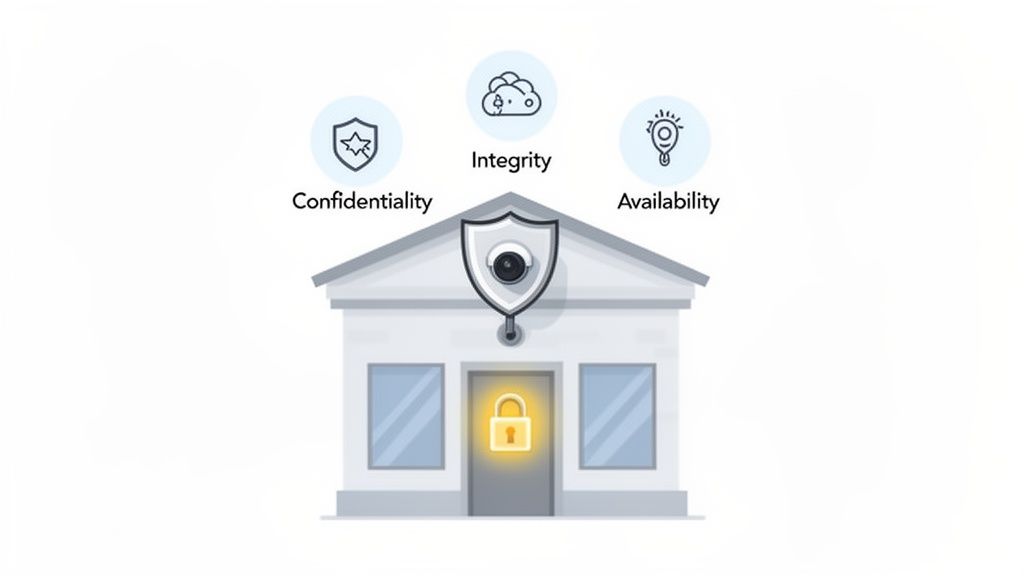
Cybersecurity is your digital equivalent of locks, security cameras, and guards. It’s all about proactively defending your website, emails, and internal systems from threats like hackers, viruses, and phishing scams. This isn't just about installing some software; it's about creating a secure environment where your business can operate without constantly looking over its shoulder.
Data protection, on the other hand, focuses on how you manage the valuable customer information you hold—things like names, addresses, payment details, and even browsing habits. It’s a promise to your customers that you'll collect their data ethically, store it securely, and handle it with the respect their privacy deserves.
The Foundation of Trust: The CIA Triad
To get a solid grip on how these two concepts work together, security experts often talk about the 'CIA Triad'. Don't worry, it's not a government agency! It's a simple but powerful model for thinking about information security. For a small business, it breaks down into three very practical goals:
- Confidentiality: This is all about keeping private data private. You need to ensure only authorised people can see it. A real-world example is encrypting your customer database. That way, even if a hacker manages to breach a server, the information they steal is just unreadable gibberish. Another practical example is using an SSL certificate to encrypt data submitted through a contact form on your website.
- Integrity: This means making sure your data is accurate, reliable, and can't be secretly changed. For an e-commerce store, this is crucial. It ensures a customer's order details and shipping address can't be tampered with by a malicious actor after they've hit "buy". Using file integrity monitoring on your server is a technical way to enforce this.
- Availability: This simply guarantees that your systems and data are online and accessible when you and your customers need them. If a cyberattack knocks your website offline during a massive sale, availability has been shot to pieces, leading directly to lost revenue and seriously unhappy customers. A practical measure to ensure this is having a DDoS-protected hosting plan.
Balancing these three elements is the bedrock of customer trust. When people feel their information is safe with you and they can rely on your services, they're far more likely to come back again and again.
Effective cybersecurity is never a "set and forget" task; it demands constant attention. For many businesses, getting expert help provides the peace of mind that their digital assets are being consistently monitored and protected. To see how specialised services can take this weight off your shoulders, have a look at our guide on professional web maintenance and support.
Ultimately, a strong defence is a mix of smart technical measures and sensible policies. As you look to fortify your business, it's worth exploring modern approaches like integrating biometric authentication to reduce fraud risk in your online operations. By making cybersecurity and data protection a priority, you're not just ticking a box—you're safeguarding your assets, meeting your legal obligations, and building a resilient business that’s ready for whatever comes next.

Performance you can feel, backed by clients who depend on it. Read how our support and uptime create long‑term customer success.Power Your Business with Better Hosting
Decoding the Top Cyber Threats to Australian Businesses
Cyber threats aren't just technical jargon you hear on the news; they're real-world risks that can shut down your operations, tarnish your reputation, and hit you right in the bank account. For any Australian business owner, figuring out what you’re up against is the very first step in putting up a solid defence.
And these aren't distant problems just for the big corporations. In fact, Australian businesses are seeing a massive spike in cybercrime. The Australian Signals Directorate (ASD) had to jump in on over 1,200 cybersecurity incidents in a single year, which is an 11% jump from the year before. The financial sting for small businesses has been particularly sharp, with the average cost of a breach climbing 14% to a hefty $56,600. You can dig deeper into these numbers in the latest Australian cyber threat report.
Phishing Deception in Your Inbox
One of the most common and shockingly effective attacks out there is phishing. This isn’t some complex, Hollywood-style hack. It’s a simple game of deception, and it usually lands right in your inbox.
Imagine an email pops up that looks exactly like an invoice from a supplier you trust. It has their logo, the layout feels right, and there's a link to "view your bill". But the moment you click it, you’re whisked away to a fake login page built for one purpose: to steal your banking details. This trick works because it preys on busy staff, and it can lead directly to your accounts being emptied.
Ransomware The Digital Hostage Taker
Then there’s the devastating threat of ransomware. Think of it as a digital kidnapper. It sneaks onto your network and locks up your most important files—customer records, financial data, everything you need to run your business.
Once encrypted, those files are completely useless to you. The attacker then pops up with a ransom demand, usually for cryptocurrency, in exchange for the key to unlock your data. For a small business, this is a nightmare scenario. It can grind your entire operation to a halt until you either pay up (with no guarantee you'll get anything back) or restore everything from a clean backup.
Ransomware is a brutal reminder of why cybersecurity & data protection are core business functions. An attack doesn't just steal data; it steals your ability to operate, serve customers, and generate revenue.
DDoS Attacks Blocking Your Digital Doorway
Finally, any business with an online shopfront needs to be wary of Distributed Denial-of-Service (DDoS) attacks. Picture your website as a physical shop. A DDoS attack is like a massive, coordinated mob of fake customers flooding your entrance, completely blocking the doorway so genuine shoppers can't get inside.
Technically, this is done by overwhelming your web server with a tidal wave of bogus traffic from thousands of compromised computers at once. If this happens during a critical sales period like Black Friday, your site could be knocked offline for hours, resulting in huge revenue losses and incredibly frustrated customers.
These attacks often exploit weak points in network protocols, like the systems that manage file transfers. Getting your head around the fundamentals can help you understand how attackers operate. You can learn more about the basics of FTP in our guide. By understanding these very real scenarios, it becomes clear why proactive defence isn’t just an IT problem—it’s a business necessity.
Navigating Your Australian Data Law Obligations
If you run a business in Australia, handling customer data isn't just a courtesy—it comes with serious legal responsibilities. Solid cybersecurity & data protection is more than just good business; it's a legal requirement designed to keep people's private information safe. Getting your head around these rules is the first step to building trust with your customers and steering clear of hefty fines.
The main piece of legislation you need to know about is the Privacy Act 1988. This law sets the ground rules for how businesses must manage personal information. We're not just talking about names and addresses here; this covers any detail that could reasonably identify someone, like the email addresses, phone numbers, or even the IP addresses you collect through your website.
At the heart of the Act are the Australian Privacy Principles (APPs). Think of these as thirteen commandments for data handling. They cover everything from how you transparently collect information to making sure it’s stored securely and deleted when you no longer need it. One of the core ideas is data minimisation—only collecting what you absolutely have to. Keeping that data on Aussie soil can also make compliance a lot simpler, an important point we cover in our guide on why it's important to host your website in Australia.
Understanding the Notifiable Data Breaches Scheme
A critical part of the Privacy Act is the Notifiable Data Breaches (NDB) scheme. This is a big one. The law is clear: if you have a data breach that's likely to cause serious harm to anyone whose information was exposed, you are legally required to report it.
This isn't a 'maybe'. You have to notify both the people affected and the Office of the Australian Information Commissioner (OAIC). The process demands you act fast and communicate clearly.
A data breach isn't just a technical glitch; it's a legal event. Having a clear plan to contain, assess, and notify is non-negotiable for any business that holds personal information.
The threat is very real. Data breaches in Australia have hit alarming levels, with the OAIC getting hundreds of notifications every six months. Malicious or criminal attacks are the number one cause, making up 59% of all reported breaches.
When an alert comes in, you need a process. This decision tree gives you a simple flow for figuring out what to do next.
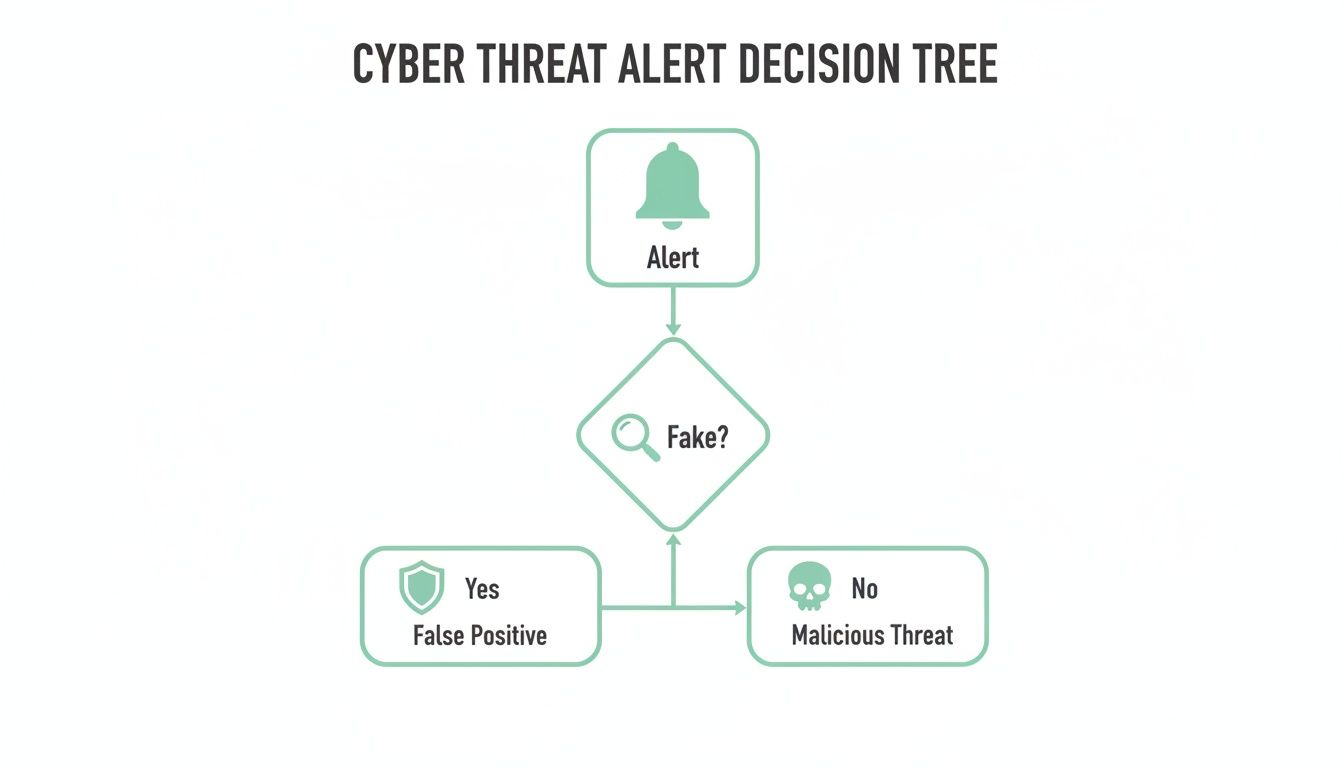
As the graphic shows, the first crucial step is to investigate whether the alert is legitimate before you kick off a full-blown incident response.
Key Responsibilities Under the Notifiable Data Breaches Scheme
If you suspect a breach has occurred, the NDB scheme sets out clear expectations. You can't just ignore it and hope for the best. The process requires a methodical approach to assess the situation and meet your legal duties.
The table below breaks down the key phases and what’s required at each step.
| Phase | Action Required | Example |
|---|---|---|
| 1. Contain | Immediately take action to stop the breach and prevent further unauthorised access or loss of data. | Change all admin passwords, take the affected system offline, or patch the vulnerability the attacker used. |
| 2. Assess | Conduct a quick but thorough assessment (within 30 days) to determine if serious harm is likely. | Review the type of data exposed. A list of email addresses might be low risk, but credit card details or health information are high risk. |
| 3. Notify | If serious harm is likely, you must notify the OAIC and all affected individuals as soon as practicable. | Send a clear email to affected customers explaining what happened, what data was involved, and what steps they should take to protect themselves. |
Following these steps isn't just about compliance; it's about managing the situation professionally and maintaining your customers' trust.
A Practical Example of the NDB Scheme
Let's make this real. Imagine a hacker gets into your customer database and makes off with a list of names and email addresses. Here's how the NDB scheme would play out:
- Contain: Your first job is to shut the door. This could mean taking your website offline for a bit or changing every single admin password to lock the attacker out.
- Assess: Now, you need to quickly figure out what happened. Was personal information actually accessed? If so, could it lead to serious harm, like identity theft or someone losing money?
- Notify: If the answer is yes, you must prepare a statement for the OAIC and get in touch with every affected customer. Your notification needs to explain what happened and what they should do to stay safe.
Meeting industry-specific standards is also part of your legal duty. For businesses handling card payments, a practical PCI DSS compliance checklist is an invaluable tool for ensuring you meet those security requirements. Fulfilling these obligations shows your customers that you take protecting their data seriously.
Host your website with our 5-star rated, cPanel website hosting plans.
Super fast servers, with security included and hosted in your choice of Australian Data Center.
View cPanel Plans
How Secure Hosting Is Your First Line of Defence
Picking a web host is one of the biggest decisions you'll make for your business, and it’s about so much more than just getting your website online. Don't think of your host as just a landlord for your digital property. Instead, see them as the company that builds and maintains the very foundation your entire online presence is built on. A security-focused provider is your essential partner in establishing strong cybersecurity & data protection.
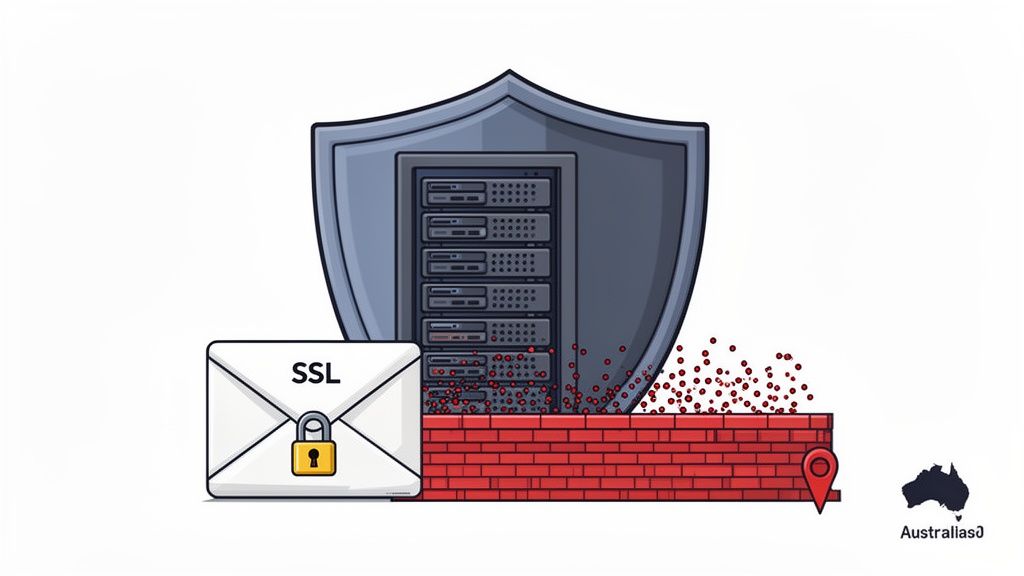
Many business owners just see hosting as a utility, like power or water. But the features your provider offers are actually active security measures working for you around the clock. They create a powerful first line of defence, often stopping threats before they even get close to your website or your customers' data.
Let's break down some of these technical features and what they really mean for your business.
The Power of an Encrypted Connection
You’ve probably noticed the little padlock icon in your browser's address bar when you visit a secure site. That tiny padlock is powered by a Secure Sockets Layer (SSL) Certificate, and it's an absolute non-negotiable for any modern website. An SSL certificate creates a private, encrypted tunnel between your web server and your visitor's browser.
Without one, any data being exchanged—a customer's name, their password, or credit card details—is sent as plain text. This makes it incredibly easy for an attacker to intercept and read.
Think of an SSL certificate like sending your customer's data in a sealed, tamper-proof envelope. It guarantees the information stays confidential and can only be opened by the intended recipient, which is crucial for protecting your customers and building their trust.
Your Digital Security Guards
A solid firewall is another vital piece of the puzzle. At UpTime Web Hosting, our DDoS-Protected Firewalls are like vigilant security guards posted at the entrance to your server. They inspect all the traffic trying to get in, identifying and blocking malicious requests before they can ever reach your website.
This is especially critical for stopping Distributed Denial-of-Service (DDoS) attacks. As we covered earlier, these attacks are designed to swamp your site with junk traffic until it collapses and goes offline. A good firewall filters out this malicious flood, ensuring only genuine customers can get through and keeping your digital doors open for business.
Proactive Threat Hunting While You Sleep
Cyber threats don’t stick to a 9-to-5 schedule, and neither can your defences. Automated Malware Scanning is like having a dedicated security patrol that sweeps through your website's files every single night, actively hunting for suspicious code or known threats.
If any malicious software is found, the system can automatically quarantine or remove it, often neutralising a potential breach before you even wake up. This proactive approach stops malware from spreading, stealing data, or wrecking your site's reputation, giving you continuous peace of mind.
Here’s a quick summary of how these core hosting features become real-world protection:
- Free SSL Certificate: Encrypts all data between your site and your visitors, protecting sensitive information from being stolen. This is essential for e-commerce and any site with a login form.
- DDoS-Protected Firewalls: Act as a filter, blocking malicious traffic floods and preventing attackers from forcing your site offline. This protects your site's availability and your revenue.
- Automated Malware Scanning: Regularly checks your site's files for malicious code, finding and removing threats before they cause damage. It's a crucial defence against hacking attempts.
The Australian Advantage for Data and Speed
Finally, where your website is hosted makes a huge difference. By choosing a provider with servers located right here in Australia, you get two massive advantages. First, it helps with data sovereignty. Keeping your customer data on Australian soil makes it much easier to comply with the Australian Privacy Act and gives your customers confidence that their information is handled under local laws.
Second, local hosting gives your website a serious performance boost. When a visitor from Sydney tries to access a site hosted in Sydney, the data has a much shorter trip to make. This means faster loading times, which massively improves the user experience and is a known ranking factor for search engines like Google.
Choosing from the best Australian web hosting providers isn't just a technical choice; it's a strategic one that strengthens both security and performance. Your hosting service isn't just another cost—it's an active investment in your business's security, compliance, and resilience.
Actionable Steps to Secure Your Website and Email
With a secure hosting foundation in place, it’s time to add the layers of protection you can control directly. Good cybersecurity & data protection isn't just about the server; it's about the practical, hands-on steps you take to harden your own digital assets.
These actions actively shrink your attack surface, making it much harder for threats to get through. Taking control of your website and email security adds a crucial layer of defence that perfectly complements the protection we provide at the hosting level. This is where you can make a significant, immediate impact.
Hardening Your WordPress Website
For the millions of businesses running on WordPress, being proactive about security isn't optional. The platform's immense popularity also makes it a prime target for attackers, but with the right tools and habits, you can lock it down effectively.
The first step is to install a reputable security plugin. Tools like Wordfence act as a combination firewall and malware scanner built specifically for your WordPress site. They block malicious login attempts, scan your theme and plugin files for nasty surprises, and alert you to any suspicious activity. You can learn how to get it set up in our guide on securing your WordPress site.
Think of a WordPress security plugin as an alarm system for your digital storefront. While your host secures the building's foundation, the plugin monitors the doors and windows of your specific shop, giving you immediate alerts if anyone tries to break in.
Just as important is keeping everything up to date. Every plugin, theme, and even WordPress itself receives regular updates, and many of these are critical security patches. Running outdated software is like leaving a window wide open for an intruder to climb through.
- Update Promptly: Check for updates at least weekly. When a security patch is released, apply it as soon as you can.
- Remove Unused Plugins: If you aren't using a plugin or theme, delete it. Inactive code can still be a backdoor for attackers.
- Choose Reputable Sources: Only download themes and plugins from the official WordPress repository or trusted commercial developers.
Strengthening Your Login and Access Controls
Often, the weakest link in any security chain is the human one—specifically, passwords. A single compromised password can give an attacker the keys to your website's backend, making all your other defences useless. This is why enforcing strong password habits is absolutely fundamental.
Every single user account connected to your website—from administrators to temporary writers—must have a strong, unique password. A strong password is long (at least 12 characters) and uses a mix of upper and lower-case letters, numbers, and symbols. Using a password manager is the best way to generate and store these complex credentials safely.
For an even stronger defence, enable Two-Factor Authentication (2FA) wherever possible. This adds a second verification step to the login process. After entering their password, a user also has to provide a time-sensitive code, usually from an app on their phone. This simple step means that even if an attacker steals a password, they still can't get in without also having the user's phone.
Securing Your Business Email
Your email account is a gateway to a massive amount of sensitive data, making it a high-value target for criminals. Learning to spot threats and properly configuring your security settings are essential skills for every business owner and employee.
Phishing emails are still one of the most successful ways attackers get in. These messages are designed to trick you into clicking a malicious link or giving away sensitive information. Be suspicious of any email that creates a sense of urgency, asks for personal details, or contains unexpected attachments. Always hover your mouse over links before clicking to see the actual web address they lead to.
You should also take full advantage of the security features offered by your email provider. At UpTime Web Hosting, our business email hosting includes robust spam filtering to stop most junk before it ever hits your inbox. You can improve this even further by setting up rules to block suspicious file types (like .exe or .zip files) and enabling sender verification protocols. These simple measures form a powerful defence against the most common email-based threats.
Developing Your Cybersecurity Response Plan
Let's be realistic: even with the best defences in place, a breach is always a possibility. This is where preparation becomes your greatest asset. Strong cybersecurity & data protection isn't just about building walls; it’s about having a clear, rehearsed plan for when one of those walls gets knocked down. A solid plan turns a moment of panic into a methodical response, minimising damage and protecting the trust you've built with your customers.
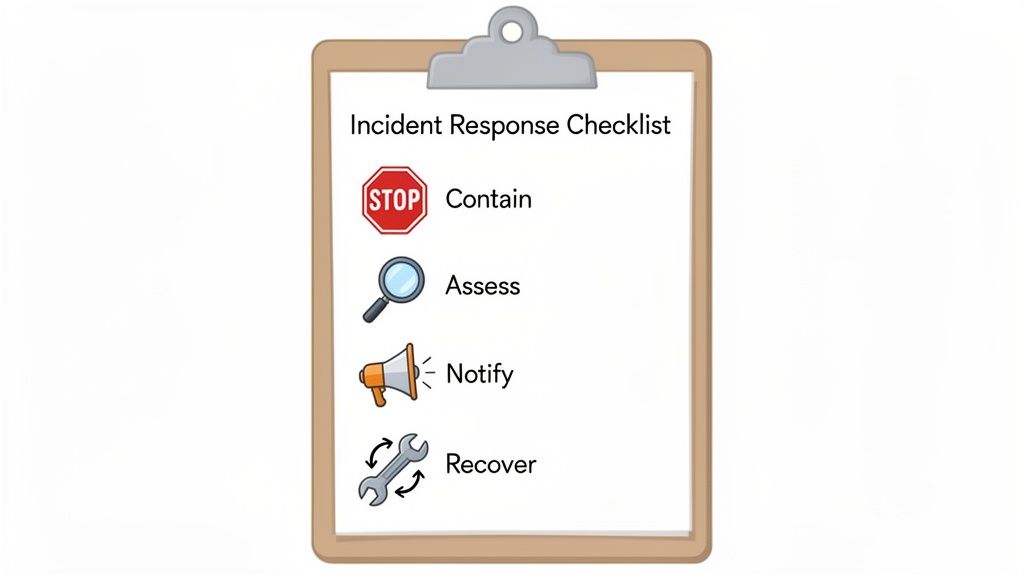
Here, we'll give you two critical tools for your arsenal: a practical checklist for proactive defence and a simple framework for what to do when an incident occurs.
An Ounce Of Prevention: Your Cybersecurity Checklist
Think of this checklist as your regular security health check. Ticking these boxes consistently makes your business a much harder target for attackers and can stop many issues before they start.
We've put together a quick reference table to help you stay on top of these essential tasks.
Actionable Cybersecurity Checklist for Your Business
| Security Area | Action Item | Frequency |
|---|---|---|
| Software Integrity | Keep WordPress/ASP.NET core, plugins, and themes updated. | Weekly |
| Data Recovery | Verify automated, off-site backups are running successfully. | Daily/Weekly |
| Access Control | Review all user accounts; remove any that are old or unnecessary. | Quarterly |
| Credential Security | Enforce strong passwords and use Two-Factor Authentication (2FA). | Ongoing |
| Threat Detection | Confirm that automated malware scanning is active and working. | Ongoing |
Making these checks a routine part of your business operations is one of the smartest investments you can make in your digital security.
Having a plan isn’t about expecting failure; it’s about building a business that is resilient enough to handle a crisis. A swift, organised response is your best tool for controlling the narrative and protecting your customers.
A Four-Step Incident Response Framework
When you suspect a breach, chaos is the enemy. A pre-defined plan helps you act decisively and without hesitation. Follow these four steps to navigate from the initial alert right through to full recovery.
1. Contain The Breach
Your first priority is to stop the bleeding. Isolate the affected systems immediately to prevent the threat from spreading across your network. This might mean taking your website offline for a short period, changing every single administrative password, or blocking suspicious IP addresses at the firewall. The goal is to put a fence around the problem so it can't get any bigger.
2. Assess The Impact
Once the situation is contained, you need to become a detective. Figure out exactly what happened. Which systems were hit? What specific data was accessed? Was any personal customer information compromised? This assessment is absolutely crucial, as it will determine your legal obligations under Australia's Notifiable Data Breaches (NDB) scheme.
3. Notify The Right People
If your investigation confirms that personal information was breached and it's likely to result in serious harm, you have a legal duty to act. You must notify both the Office of the Australian Information Commissioner (OAIC) and every individual affected. Your communication needs to be clear, explaining what happened and what steps they should take to protect themselves.
4. Eradicate And Recover
With notifications sent, it's time to clean up. This means completely removing the threat from your systems—deleting malicious code, patching vulnerabilities, and ensuring the attacker can't get back in. The final step is restoring your website and data from a clean, trusted backup. This is where services like UpTime Web Hosting's automated cloud backup solutions are a lifesaver, giving you a reliable snapshot to restore from.
Register your new domain name at competitive market prices including free domain add-ons like privacy, DNS Hosting, Custom Nameservers and Forwarding.
Always the best price and no nasty renewal price hikes.
Register A Domain Name
Frequently Asked Questions
Getting your head around cybersecurity & data protection can feel a bit much, but it's something every business owner can grasp. Here are some straightforward answers to the questions we hear most often from Australian businesses like yours.
Do I Really Need Cybersecurity Measures if I'm a Small Business?
Yes, you absolutely do. In fact, you might be a bigger target than you think. Cybercriminals often go after small businesses precisely because they assume security is an afterthought.
Think about it from their perspective: it's often easier to hit ten small businesses with weak defences than one big corporation with an entire security team. A single data breach or ransomware attack can be devastating for a small operation, so being proactive isn't a luxury—it's essential for survival.
What Is the Single Most Important Security Step I Can Take?
If you're going to do just one thing, make it this: switch on Two-Factor Authentication (2FA) for all your important accounts. We're talking email, hosting, banking—everything. It gives you the biggest security bang for your buck.
Even if a scammer manages to steal your password, 2FA creates a second roadblock. They can't get in without also having your phone or physical device. It's one of the simplest and most effective ways to stop someone from taking over your accounts.
Think of 2FA like needing both a key and a unique PIN to open your front door. It dramatically cuts the risk of someone just waltzing in.
How Often Should I Back Up My Website?
For most businesses, a daily backup is the gold standard. This means if the worst happens—a hack, a plugin update that breaks everything, or even just a simple mistake—you'll only ever lose a day's worth of data at most. If you run a busy online store, you might even want to look at more frequent backups.
At UpTime Web Hosting, we handle this for you with automated, off-site backups every single night. It’s peace of mind knowing you always have a clean, recent copy of your site ready to go. You can see how this works by checking out our secure cloud backup solutions.
Is an SSL Certificate Enough to Secure My Website?
An SSL certificate is crucial, but it only does one specific job: it encrypts the connection between your website and your visitors. It’s like sending a letter in a sealed envelope instead of on a postcard.
But that's where its job ends. An SSL won't stop your site from getting hacked, infected with malware, or knocked offline by a DDoS attack. Proper website security is about layers—a secure hosting environment with firewalls and malware scanning, strong passwords, regular updates, and keeping a watchful eye on things.
Protecting your digital presence is an ongoing process, not a set-and-forget task. But you don't have to tackle it alone. UpTime Web Hosting gives your business the secure, Australian-based foundation it needs, with security features and expert local support built right in.
Ready to secure your spot online? Visit us at https://uptimewebhosting.com.au.