You’re probably in a familiar spot. Your business needs a proper website, your email should match your domain, and you want something more professional than a social media page. But you also don’t want to hire a server admin, learn Linux on the weekend, or blow the budget before the site even goes live.
That’s where hosting shared comes in. For many Australian small businesses, it’s the practical starting point. It gives you a place to run your website, email, and often WordPress too, without taking on the cost and complexity of a bigger hosting setup.
A lot of business owners hear “shared hosting” and assume it means second-rate. It doesn’t. It means your site uses part of a professionally managed server, alongside other websites, with the hosting company handling the underlying infrastructure. If you choose well, it’s simple, affordable, and more than enough for a local business website, brochure site, blog, or early-stage online store.
What Is Shared Hosting and Why Does It Matter
Shared hosting means multiple websites live on the same server. Each site has its own account, files, databases, and settings, but they share the underlying machine and its resources. That shared model is why the price stays low and setup stays easy.
For a small business owner in Australia, that matters because the first challenge usually isn’t “How do I build a complex server environment?” It’s “How do I get a reliable site online without wasting time or money?” Shared hosting answers that problem well.
It also isn’t some fringe option. Shared hosting accounts for approximately 37.6% of the global web hosting market as of 2026, and entry-level shared hosting plans typically cost between $2.50 and $4.63 per month according to Openprovider’s web hosting market data. That tells you two things. It’s widely used, and it remains the most accessible option for budget-conscious businesses.
Why many Aussie businesses start here
A local tradie launching a quote request page, a café putting up menus and trading hours, or a consultant building a service site usually needs:
- Low upfront cost so the website doesn’t become a major capital expense
- Simple management without server-level technical work
- Room to grow into email, WordPress, forms, and business content
- Reliable support when something breaks or needs changing
Shared hosting is designed for exactly that kind of use.
If you’re still sorting out what kind of hosting fits your site, this guide to common types of web hosting is a useful starting point.
Practical rule: If your main goal is to get online quickly with a business-grade website and email, shared hosting is usually the first option worth assessing.

Performance you can feel, backed by clients who depend on it. Read how our support and uptime create long‑term customer success.Power Your Business with Better Hosting
Understanding the Shared Server Environment
A shared server works like a commercial building with multiple tenancies. Your business rents one defined space inside it, while the provider runs the building itself. You get what you need to operate your website without taking on the cost and technical work of the whole machine.
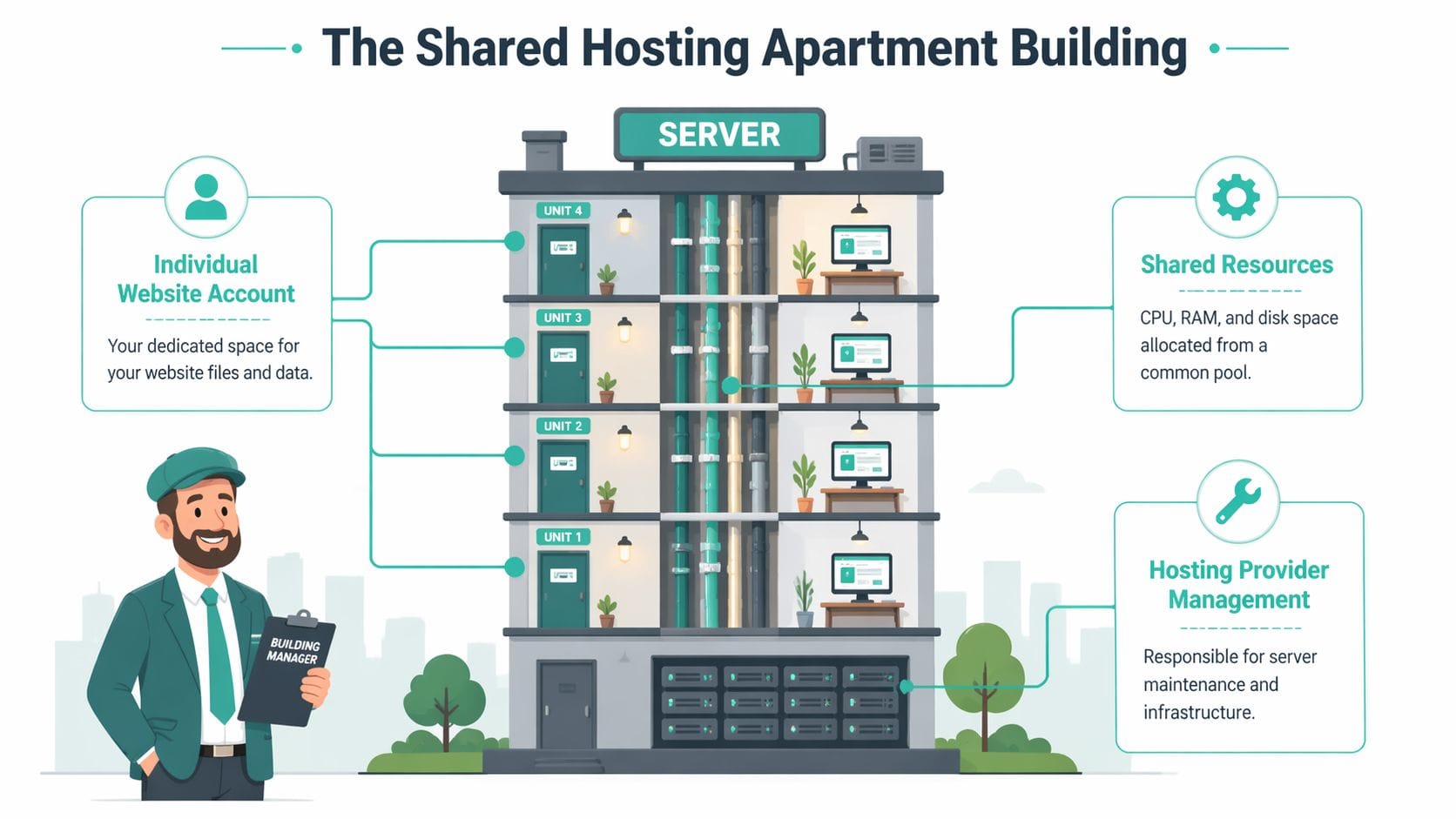
That shared setup is the reason the price stays low. The server’s CPU, memory, storage, and internet connection are divided across many accounts, so each customer pays for a portion instead of funding an entire server alone.
What belongs to you, and what the host manages
Your hosting account is still your own space. You normally control:
- Website files
- Databases
- Email accounts
- Control panel access
- Application installs, such as WordPress
The hosting provider manages the parts under the floorboards. That includes the operating system, server updates, security patching, hardware checks, and the core platform that keeps sites online.
For a small business owner, this split is usually a relief. You can update pages, check email, and manage day-to-day website tasks without becoming the person responsible for server maintenance at 10 pm.
What shared really means in practice
The main trade-off is simple. Because other websites sit on the same server, their activity can affect the pool of resources available at any given time.
A quality host reduces that risk by setting account limits, monitoring performance, and isolating customers properly. That matters for Australian businesses because site speed affects real enquiries. If your customers are in Sydney, Melbourne, Brisbane, or Perth, hosting on infrastructure tuned for local traffic can help pages load faster than a plan aimed mainly at overseas visitors.
Security matters too. While shared hosting does mean multiple customers use the same server, your files and databases should still be separated at the account level. For Aussie businesses handling enquiry forms, client details, or online orders, that basic separation matters under local privacy obligations. You still need to use strong passwords, keep WordPress plugins updated, and choose a provider that explains how accounts are secured.
Why cPanel matters here
A good control panel keeps routine jobs straightforward. cPanel is common because it gives business owners one clear place to manage the tasks they routinely perform, such as:
- creating email addresses
- uploading or editing files
- installing WordPress
- checking backups
- viewing storage and usage
If you want to see how that works in a real business setting, have a look at web hosting services with cPanel.
Local support also makes a bigger difference than many businesses expect. If your email stops working or your DNS needs updating, getting help during Australian business hours, with pricing shown clearly in AUD and GST, removes a lot of friction.
A well-run shared hosting plan gives you your own usable space, sensible protection between accounts, and simple tools to manage the parts of hosting that affect your business day to day.
Who Should Choose Shared Hosting
Not every website belongs on shared hosting. But plenty do. The key is matching the plan to the job, not buying more infrastructure than you need on day one.
Good fit examples
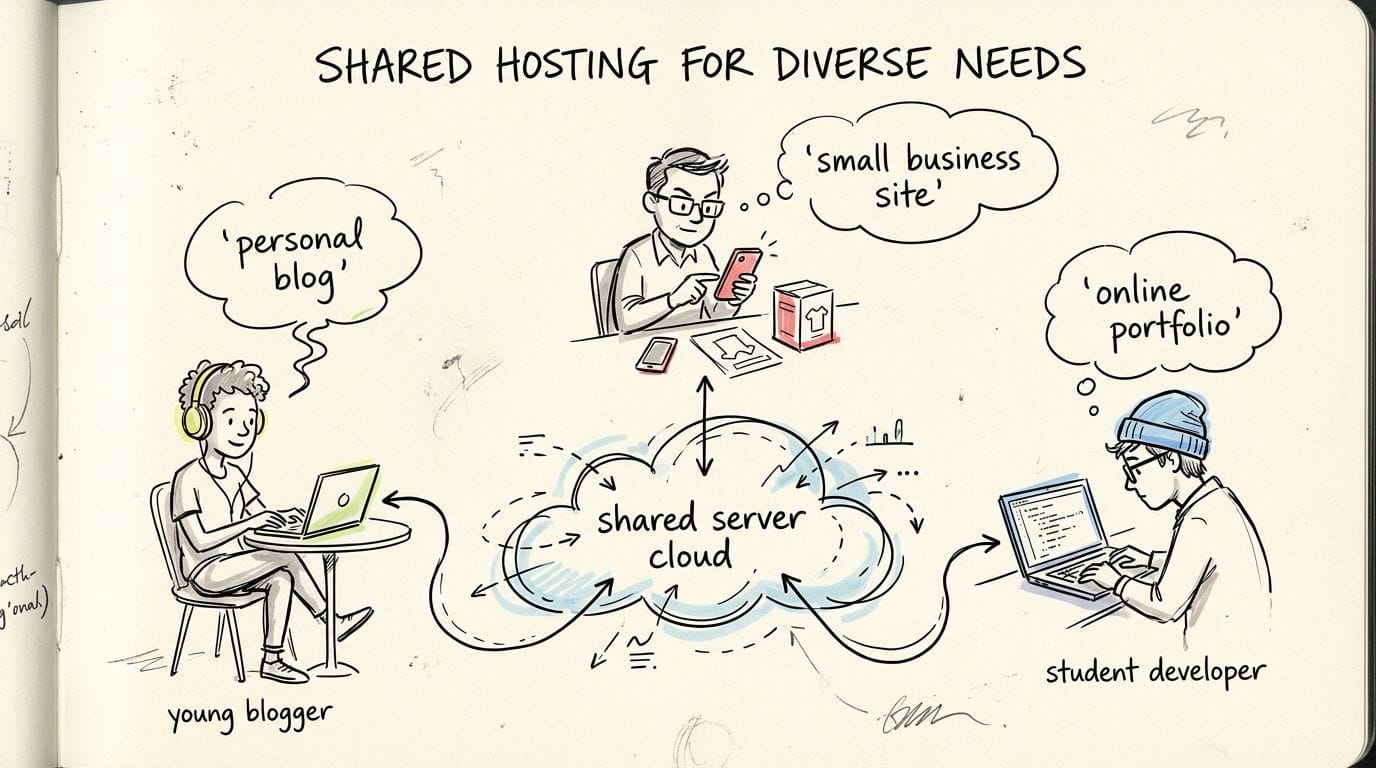
A sole trader in Brisbane launching a simple service website is a strong fit. They need a homepage, services page, contact form, and professional email. Shared hosting handles that comfortably.
A designer in Melbourne building a portfolio is another good fit. The site needs to look sharp, load reliably, and stay affordable while the business grows.
A community organisation in regional Australia often fits too. They may need event pages, staff email accounts, downloadable forms, and occasional updates by non-technical staff.
A blogger or content creator starting out is also in the right zone. Shared hosting keeps costs predictable while giving access to WordPress and standard website tools.
When it usually makes sense
Shared hosting suits you well if most of these sound true:
- You’re launching your first business website and want low complexity
- Your traffic is modest or steady rather than spiky and unpredictable
- You don’t need custom server software or root access
- You want bundled essentials like email, SSL, backups, and one-click apps
- You’d rather pay for management than control
The upside
For the right site, shared hosting offers some clear advantages.
- Affordable start. It keeps the monthly cost low while you prove the site’s value.
- Less technical work. You don’t need to manage the server itself.
- Fast setup. A domain, hosting account, email, and WordPress install can be organised quickly.
- Useful bundled tools. Many plans include SSL, backups, security features, and app installers.
- Easy learning curve. Business owners and office staff can usually manage common tasks after a short walkthrough.
The trade-offs
Readers often get confused: shared hosting is good, but it isn’t unlimited freedom.
- Resources are capped. If your site grows fast, you may outgrow the plan.
- Performance depends on platform quality. A poorly managed shared server can feel slow.
- Advanced control is limited. You usually can’t tweak deep server settings.
- Neighbour activity can matter. On weaker platforms, another account’s heavy usage may affect others.
If your website is mainly there to present your business, take enquiries, and support day-to-day operations, shared hosting is often the sensible choice. If the site itself is the business engine, you may need more headroom sooner.
Host your website with our 5-star rated, cPanel website hosting plans.
Super fast servers, with security included and hosted in your choice of Australian Data Center.
View cPanel Plans
Evaluating Essential Hosting Features
Two shared hosting plans can look similar on paper and behave very differently in practice. Consequently, business owners need to look past marketing labels and ask better questions.
Performance features that affect everyday use
The first thing your customers notice isn’t your control panel. It’s whether the site loads promptly.
For Australian businesses, local server placement matters because your visitors are often in Australia too. A customer in Sydney or Perth generally gets a better experience when the hosting environment is tuned for local delivery rather than being pushed offshore for the sake of a cheap sticker price.
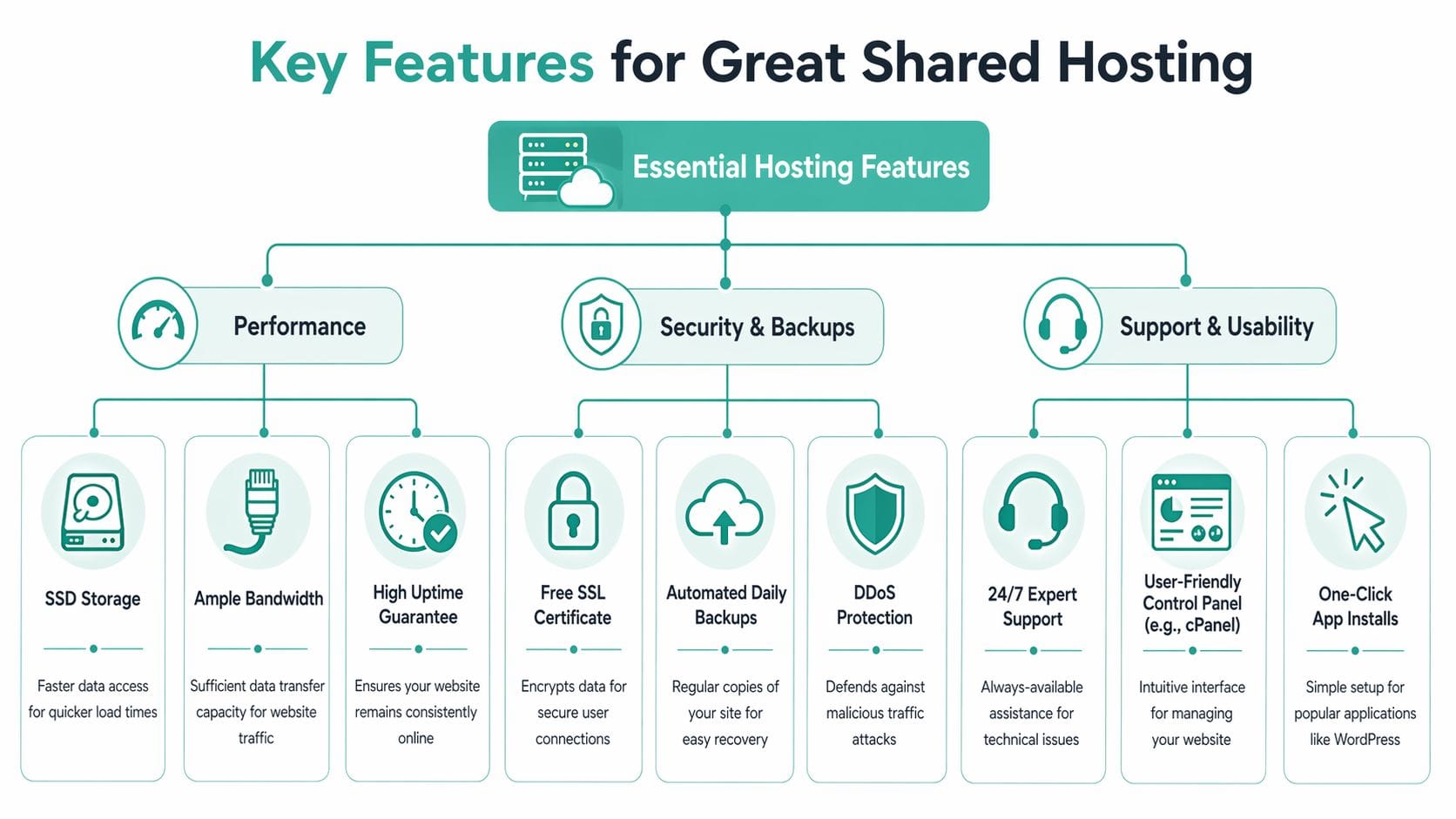
LiteSpeed is one of the technologies worth looking for because it’s built around faster web serving than older setups many hosts still rely on. In practical terms, that can help WordPress feel snappier, especially when paired with modern PHP versions and caching.
Storage type matters too. SSD-based storage usually feels more responsive than older disk setups, particularly in the WordPress admin area, during backups, and when handling database-heavy pages.
Why isolation matters on shared servers
The biggest fear with hosting shared is the noisy neighbour problem. That’s when another site on the same server consumes too many resources and everyone else feels it.
In Australian shared hosting environments, CloudLinux uses LVE containers to enforce per-account resource limits. That isolation directly addresses the noisy neighbour issue, and it’s shown to reduce downtime by up to 40% during peak loads compared to non-isolated setups according to UpTime Web Hosting’s shared web hosting overview.
That matters more than many people realise. If you run a local business and launch a promotion, you don’t want your site slowed down because another account on the same machine is having a busy day.
Here’s the practical takeaway. Shared hosting is not automatically risky. Poorly isolated shared hosting is risky.
Security and privacy in the Australian context
Australian businesses can’t treat hosting as just a speed question. It’s also a privacy and compliance question.
If your site collects enquiries, customer details, bookings, or payment-related information, you need to think about how data is handled inside the hosting environment. In the Australian context, weak account separation on shared servers can create concerns around data co-mingling and breach exposure. That matters under local privacy obligations, especially if your business holds personal information.
A host that uses stronger account isolation, sensible malware scanning, SSL, backup practices, and local infrastructure gives you a cleaner operational footing than a bargain-basement service where nobody explains how separation works.
Local advice: Ask how accounts are isolated, where servers are located, and how backups are stored. If support can’t answer that clearly, keep looking.
Usability features that save time
Business owners often focus on storage and miss the features they’ll touch every month. These are the ones that make day-to-day management easier:
- cPanel access so you can manage email, files, databases, and domains without confusion
- One-click installs for WordPress and other common apps
- Free SSL certificates so your site can run securely on HTTPS
- Automated backups so mistakes and plugin issues are recoverable
- Malware scanning and protective firewalls to reduce routine security headaches
- Clear resource visibility so you can see whether the plan still fits your site
One local option in this category is 10 factors to consider when choosing web hosting services, which is a handy checklist if you’re comparing plans.
A simple checklist before you buy
Use this short list when you’re comparing providers.
| What to check | Why it matters |
|---|---|
| Local Australian servers | Better fit for Australian visitors and support expectations |
| CloudLinux or similar isolation | Helps reduce noisy neighbour issues |
| LiteSpeed support | Useful for WordPress speed and responsiveness |
| SSL and backups included | Essential for trust and recovery |
| cPanel or equivalent | Easier everyday management |
| Transparent billing with GST | Fewer surprises for business budgeting |
| Local support | Faster communication when problems affect trading |
Shared Hosting vs VPS and Managed WordPress
Shared hosting is often the right beginning. It’s not always the right long-term destination. Once your website becomes more central to revenue, campaigns, or application performance, it’s worth understanding the next options.
The apartment analogy still helps.
Shared hosting is the apartment. It’s efficient and managed.
VPS hosting is closer to a townhouse. You get more dedicated space and control.
Managed WordPress hosting is like a serviced apartment built specifically for WordPress. The environment is tuned around one application and the provider often handles more of the WordPress-specific maintenance.
The broader market reflects that upgrade path. While shared hosting leads, VPS holds approximately 25.38% of the hosting market, and the global web hosting market is projected to reach $178.76 billion in 2026 according to Bluehost’s web hosting market statistics. That’s a useful sign that businesses often start simple and scale into more specialised hosting as needs change.
Hosting Plan Comparison at a Glance
| Feature | Shared Hosting | VPS Hosting | Managed WordPress |
|---|---|---|---|
| Cost | Lowest entry point | Higher than shared | Usually higher than standard shared |
| Server control | Limited | Greater control | Limited server control, but WordPress-focused |
| Best for | Small business sites, portfolios, blogs | Growing sites, custom applications, heavier workloads | Businesses that want WordPress-specific support and optimisation |
| Management effort | Low | Medium to high, depending on service level | Low to medium |
| Performance consistency | Good on a strong platform | More predictable because resources are more isolated | Good for WordPress sites when well managed |
| Upgrade path | Easy starting point | Better for scaling and customisation | Better if WordPress is your long-term platform |
When to stay on shared hosting
Stay on shared hosting if your site is doing its job well, pages load properly, and you’re not bumping into account limits or workflow restrictions. Many Australian service businesses can sit here comfortably for a long time.
When a VPS starts to make sense
A VPS becomes more sensible when:
- Your traffic is rising steadily
- You need custom server settings
- Your site has heavier plugins or application logic
- You run multiple business sites or client sites
- You want more predictable dedicated resources
When managed WordPress is the better fit
Managed WordPress suits businesses that know they’re staying on WordPress and want less plugin, caching, and platform wrangling. It can be a strong middle ground if you want convenience without stepping fully into server administration.
If you’re comparing those options in an Australian context, managed web hosting in Australia gives a useful reference point.
Don’t upgrade because hosting jargon makes you nervous. Upgrade when your site’s actual needs outgrow the plan you’re on.
Setting Up Your Shared Hosting Account
Starting a shared hosting account is usually simpler than people expect. The main thing is doing the early steps in the right order so you don’t create avoidable cleanup later.
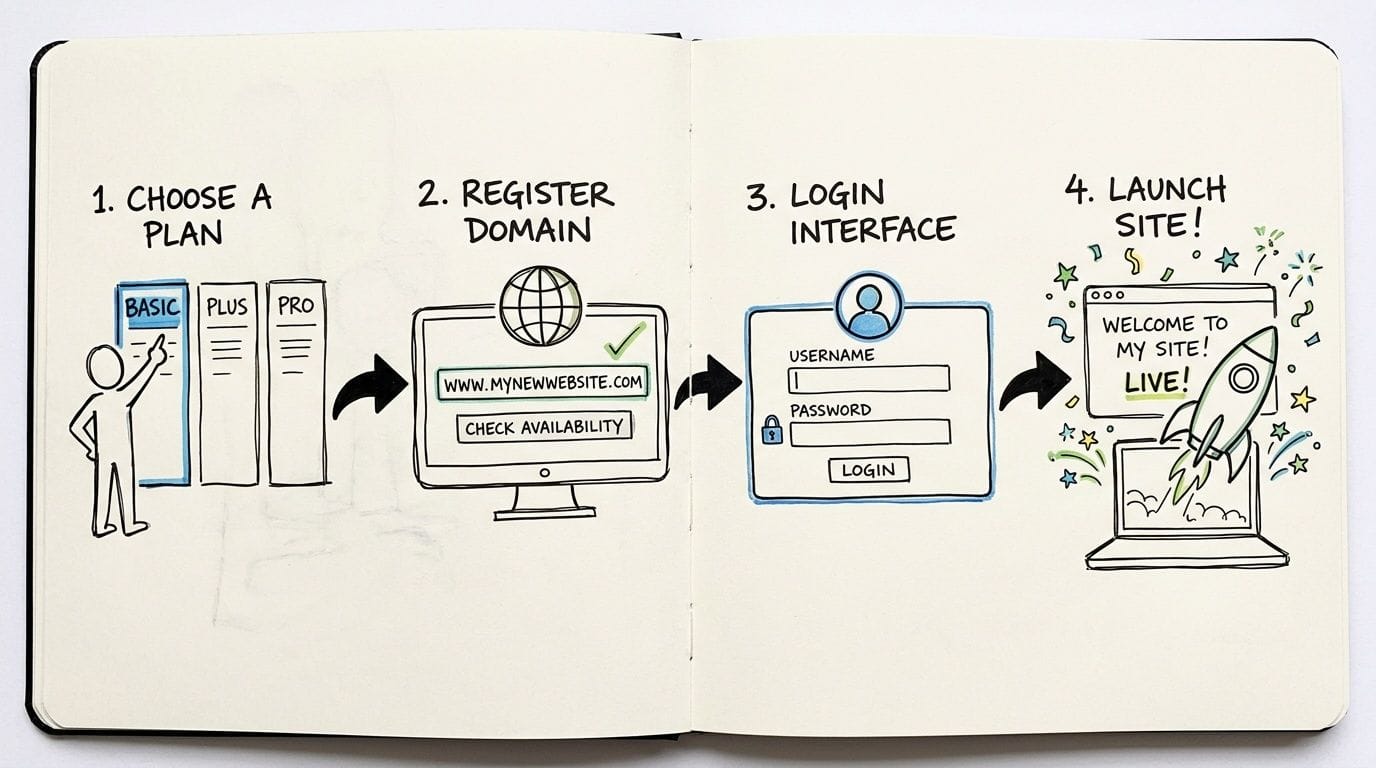
Step 1 choose the right plan
Pick a plan based on what the site needs now, not what you think it might become in three years. A brochure site, service business website, or blog usually doesn’t need a complex setup on day one.
Look for practical inclusions such as cPanel, SSL, backups, email hosting, and WordPress support. If pricing isn’t clear about GST, renewal cost, or inclusions, ask before ordering.
Step 2 connect your domain
You’ll either register a new .au domain or connect one you already own. Keep the admin details organised and make sure the business, not an ex-staff member or contractor, controls the domain account.
This is also a good time to decide on your main email format, such as info@yourbusiness or accounts@yourbusiness. It’s a small step, but it instantly makes the business look more established.
Step 3 install your website
If you’re using WordPress, most shared hosting plans offer a one-click installer through cPanel. That takes care of the core setup without manual file handling.
Before you publish, check these basics:
- Turn on SSL so the site loads securely
- Set your business email accounts before staff start using personal addresses
- Install only the plugins you need to avoid clutter and future conflicts
- Add a backup habit even if automated backups are included
Step 4 test before going live
Don’t just publish and hope. Click through your contact form, test on mobile, review page titles, and check that email is sending where it should.
A simple launch checklist saves a lot of embarrassment.
- Homepage review. Make sure your main service, location, and contact method are obvious.
- Form testing. Submit an enquiry and confirm it arrives.
- SSL check. Confirm the site shows as secure in the browser.
- Email setup. Test sending and receiving from your new business address.
If you’re learning your way around cPanel, domains, and account setup, UpTime’s knowledge base is the right place to start for practical help without unnecessary jargon.
Register your new domain name at competitive market prices including free domain add-ons like privacy, DNS Hosting, Custom Nameservers and Forwarding.
Always the best price and no nasty renewal price hikes.
Register A Domain Name
Why UpTime Is the Smart Choice for Australian Businesses
For most small businesses, shared hosting isn’t hard to understand once the jargon is stripped away. The critical step is selecting a provider that handles the basics properly. That means local infrastructure, clean account isolation, useful security features, straightforward billing, and support that understands the Australian business context.
UpTime Web Hosting fits that checklist in practical ways. It offers Australian server locations, cPanel hosting, free SSL, backups, malware scanning, DDoS-protected firewalls, CloudLinux, LiteSpeed, and local support channels. That combination directly lines up with the performance, usability, and security issues that matter most when you’re running a business site on shared hosting.
Transparent pricing matters too. So does having GST included and knowing what you’re paying for without hidden extras.
If uptime is one of your main concerns, it’s worth reviewing the provider’s 99.9 up time guarantee on web hosting.
If you’re ready to launch a site, move an existing one, or clean up a hosting setup that’s become a headache, UpTime Web Hosting gives Australian businesses a local option for shared hosting, domains, email, WordPress, and scalable upgrades when the time comes.