You discover the problem while making coffee in Sydney. A customer messages to say your website is sending visitors somewhere suspicious. You open the homepage and find a defacement, a malicious redirect, or a blank error page. Your developer is asleep, your hosting provider is in another time zone, and the last backup may be older than you assumed.
That situation is common enough to plan for, but it isn't unavoidable. Secure WordPress hosting puts protection below the dashboard, where attackers first meet your server, files, database, and network. Plugins still matter, but they can't compensate for weak isolation, poor backups, slow patching, or a support team that can't respond when your Australian business needs help.
Table of Contents
- When Your WordPress Site Gets Hacked
- The 2026 WordPress Attack Patterns in Australia
- Essential Security Layers for WordPress Hosting
- Your WordPress Hosting Security Evaluation Checklist
- Migrating to Secure WordPress Hosting
- Why Local Australian Hosting Matters for Security
- Taking Action to Secure Your WordPress Site

Performance you can feel, backed by clients who depend on it. Read how our support and uptime create long‑term customer success.Power Your Business with Better Hosting
When Your WordPress Site Gets Hacked
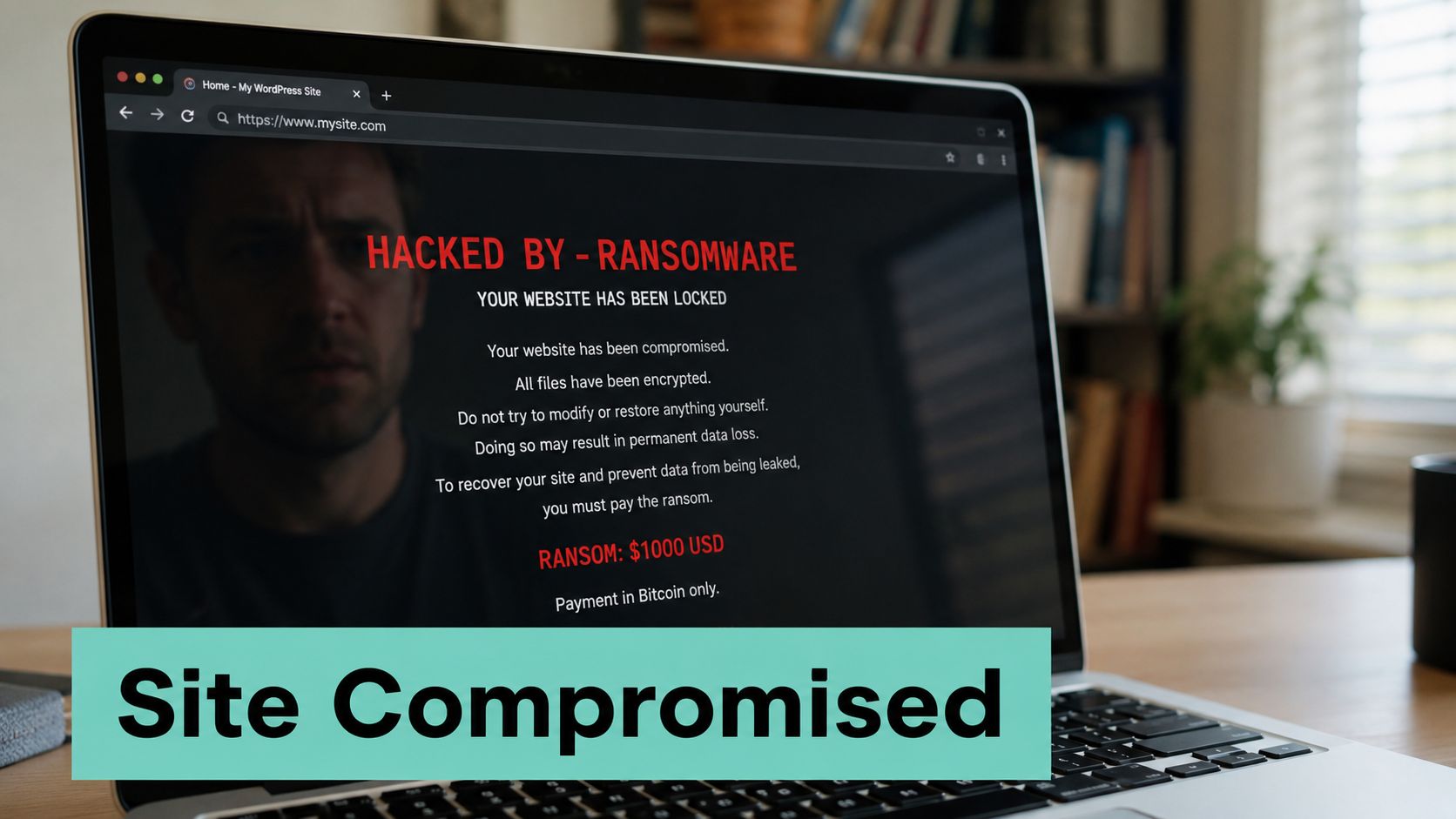
The first sign is often visible to customers rather than the owner. A Brisbane trades business may find its homepage replaced with an unfamiliar message. A Melbourne professional services firm may see visitors redirected to a fake survey or malware page. An online retailer may discover that the site has been taken offline after an attacker created unauthorised administrator access.
The immediate response is usually improvised. Someone changes a WordPress password, another person disables a plugin, and a third searches email for an old hosting support address. That scramble wastes time because the business may not yet know whether the compromise sits in a plugin, a stolen credential, a modified theme file, the database, or the server environment.
Why plugins aren't the whole defence
Security plugins can scan files, enforce login controls, and block suspicious requests. They run inside the same application they're protecting, though, so their visibility and effectiveness depend on the hosting environment. If an attacker reaches the server before WordPress loads, or compromises another account on a poorly isolated shared platform, a plugin may be too late.
Hosting-level controls create the lower checkpoints. A web application firewall can filter hostile requests before they reach PHP. Account isolation can limit the damage from a neighbouring site. Off-site backups give you a clean recovery option, while malware scanning and file monitoring help identify changes that shouldn't be there.
Practical rule: A security plugin is one alarm inside the building. Secure hosting controls the doors, separates the rooms, records activity, and keeps a usable recovery copy.
Australian businesses also need an incident process that matches local operating hours and obligations. A site compromise can affect customer trust, email reputation, personal information, bookings, and internal records. If your provider only investigates during a distant support window, the delay can leave the site serving harmful content for longer. Keep the provider's incident-response procedure accessible, and know exactly how to request WordPress malware removal support before an emergency occurs.
The 2026 WordPress Attack Patterns in Australia
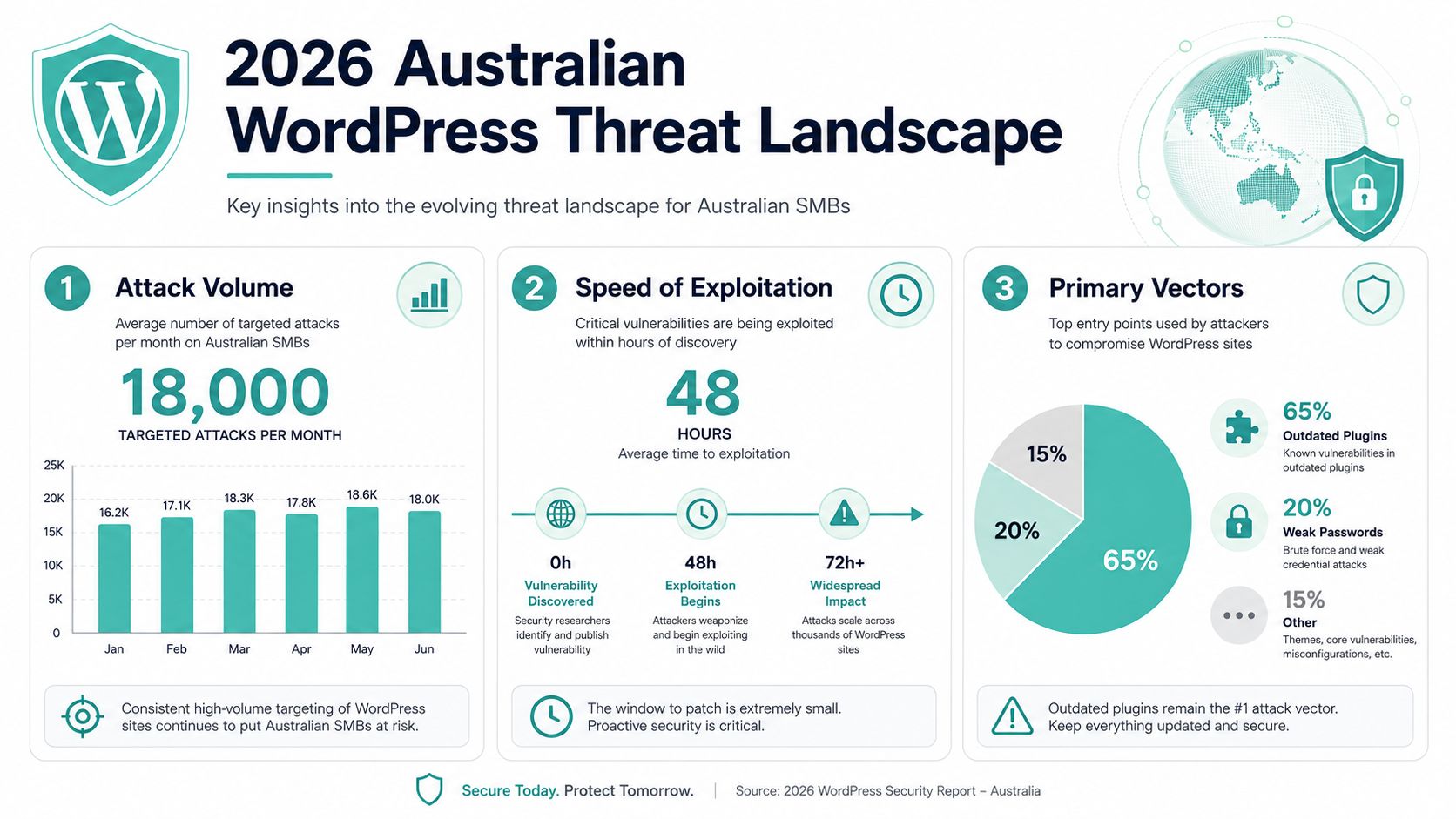
An Australian small business can wake up to a defaced homepage, stolen administrator credentials, or a website redirecting visitors to malware. WordPress attacks against Australian infrastructure are active, organised, and commercially useful to criminals. An Australian Cyber Security Centre alert warned of a widespread campaign targeting vulnerabilities in WordPress-related content management systems. CyberCX's investigation of the DarkEngine campaign identified at least 2,353 unique websites likely compromised globally, including 82 Australian and New Zealand organisations.
The same reporting described more than 2,300 compromised WordPress websites, including about 80 in Australia. Local businesses can therefore face credential theft and website takeover attempts, whether they operate an accountancy practice, agency site, medical clinic, or local retail store. Their websites may hold administrator credentials, customer information, payment integrations, or trusted links attackers can abuse.
Plugin flaws leave little time to respond
Australian-focused reporting citing Patchstack data recorded 11,334 new vulnerabilities across the WordPress ecosystem in 2025, compared with 7,966 in 2024, a 42% year-on-year increase. It also reported that 43% were exploitable without authentication, with a median gap of roughly five hours between disclosure and active exploitation. These figures appear in the Australian CMS attack coverage from SecurityPointBreak.
That window is difficult for a small team to manage manually, especially when a flaw is disclosed outside Australian business hours. Providers should offer clear patch visibility, automated updates, continuous monitoring, and filtering that reduces reliance on someone checking plugins throughout the day. Guidance on cyber security for Australian small businesses helps place WordPress controls within the wider business risk picture.
The ACSC has also highlighted attacks against extensions rather than WordPress core alone. A July 2026 warning listed vulnerabilities affecting Simple File List, WavePlayer, BerqWP, WPBookit, Ninja Forms, ThemeREX Addons, Breeze Cache, pay-uz, ACF Extended, WPvivid Backup, and Gravity Forms. Coverage of the ACSC warning by iTnews explains why plugin inventory, rapid patch visibility, and server-side request filtering deserve priority.
Host your website with our 5-star rated, cPanel website hosting plans.
Super fast servers, with security included and hosted in your choice of Australian Data Center.
View cPanel Plans
Essential Security Layers for WordPress Hosting
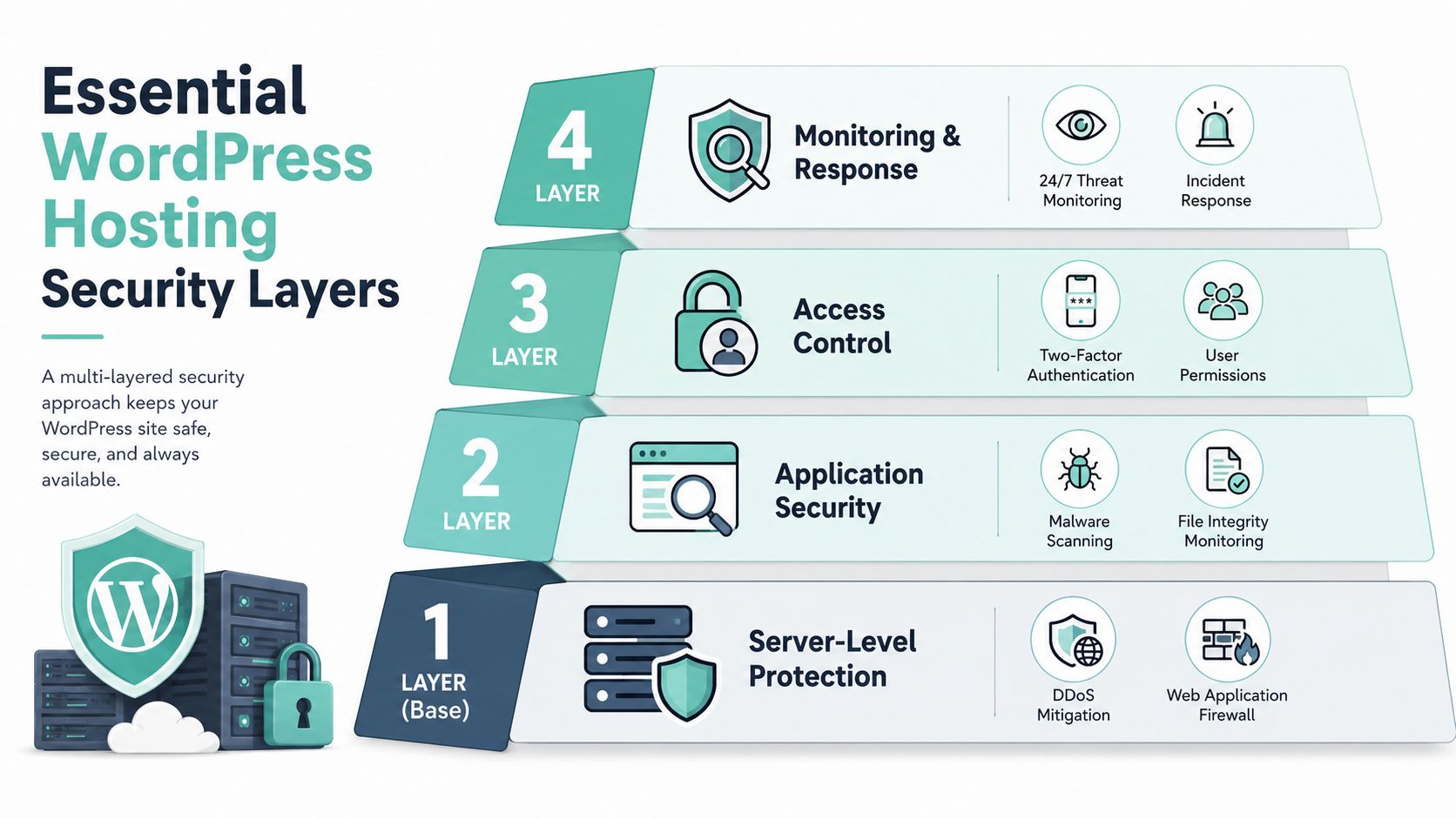
Think of your website as a commercial building. A single lock on the office door won't protect the reception area, server room, staff accounts, and records cupboard. Secure WordPress hosting uses several controls, each handling a different point of failure.
Start below WordPress
The first layer is the server and network perimeter. DDoS mitigation helps absorb or filter traffic floods, while a web application firewall examines requests for patterns associated with attacks against WordPress, PHP, and common extensions. Secure server configuration should also reduce unnecessary services, restrict sensitive access, and keep software maintained.
A WAF isn't a replacement for patching. It's a checkpoint that can block known or suspicious request patterns before they reach the application. Read this web application firewall knowledge-base guide when you're comparing providers, and ask whether the firewall is actively managed or listed as a feature.
Protect the application and its files
At the WordPress level, look for automated malware scanning, file integrity monitoring, and managed updates for core software and plugins. Managed updates need safeguards, too. A provider should test or stage changes where appropriate, record what changed, and offer a way to recover if an update conflicts with a theme or extension.
Isolation matters when several sites share physical infrastructure. Each account should have boundaries around files, processes, and resources, so a compromise on one site doesn't become an easy route into another. You'll also want sensible administrator permissions, multi-factor authentication, and a controlled plugin inventory. Two overlapping security plugins can create conflicting rules and obscure which system owns a protection setting.
For broader advice about protecting connected devices and accounts at home or in a small office, keep a home network security guide available. Hosting security and office security are separate jobs, but stolen local credentials can still lead to a WordPress takeover.
Make recovery independent of the live site
Backups should be encrypted, stored away from the production server, and tested through restoration rather than assumed to work. If an attacker can modify the live site and every backup sitting beside it, the backup system has failed when you need it most.
Monitoring completes the arrangement. Alerts should cover suspicious logins, malware findings, unusual file changes, resource spikes, and service failures. Incident response then turns those alerts into action, including containment, cleanup, restoration, password resets, and a clear explanation of what happened.
Your WordPress Hosting Security Evaluation Checklist
Hosting marketing often lists “security” without explaining who operates the control, what it covers, or how the business can verify it. Ask for specifics. A useful provider should answer in operational language, not just point to a badge or generic feature page.
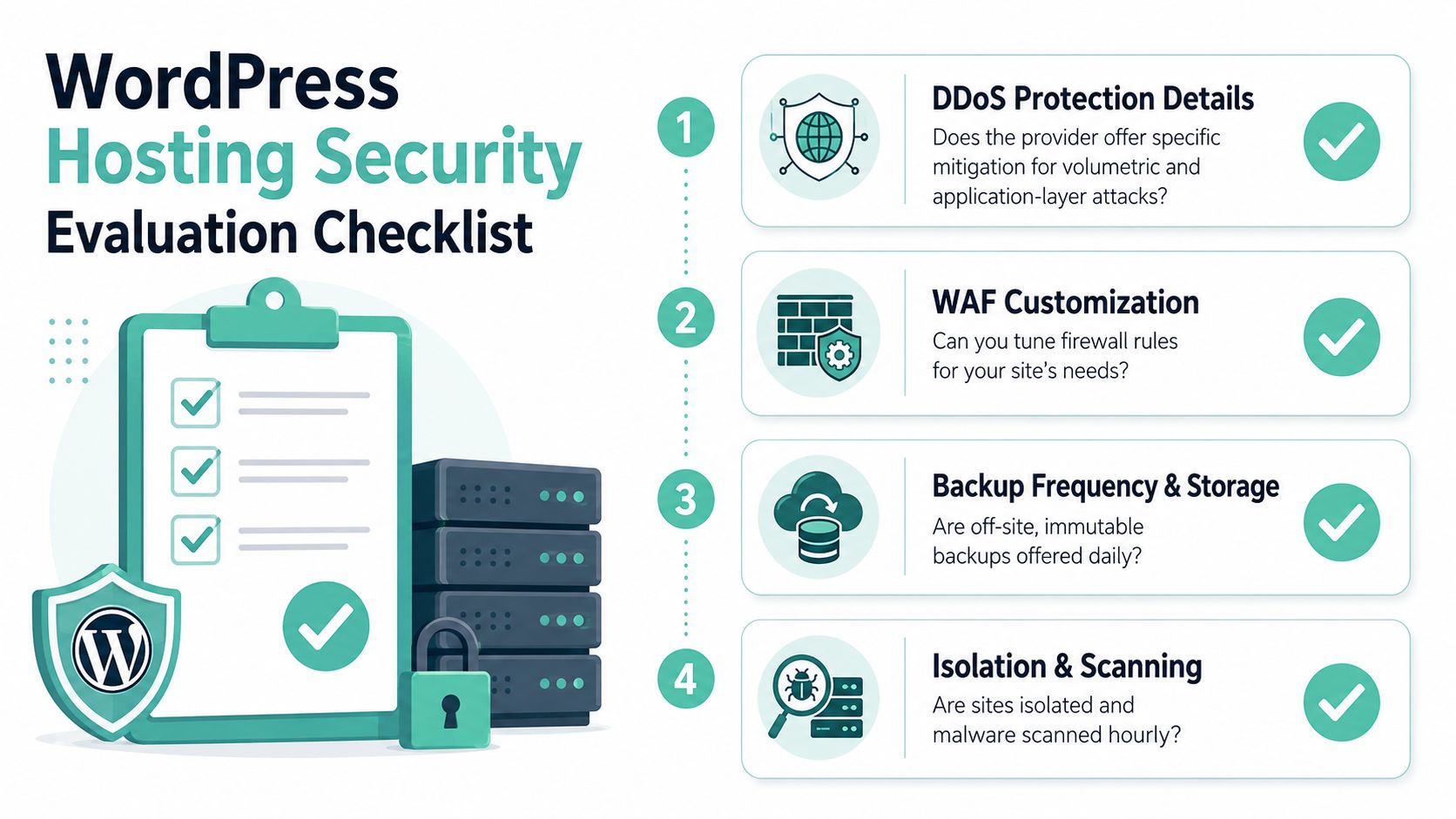
Questions that expose the real setup
Use these questions during a hosting review:
- Firewall coverage: Does the provider offer DDoS protection and a web application firewall? Does it filter both network floods and application-layer requests?
- Rule management: Can support tune firewall rules for your site, or must you solve every false positive yourself?
- Malware response: Does scanning run automatically, and does the provider clean infected files or only notify you?
- Isolation: Are customer accounts separated so one compromised site can't freely inspect another?
- Updates: Who patches WordPress core and plugins, and how are failed or incompatible updates handled?
- Backups: Are backups encrypted and stored off-site? Can the provider restore the database and files to a known clean state?
- Incident handling: Is there a documented escalation path, with local support available when your team operates?
- Access control: Can you enforce multi-factor authentication and limit administrator permissions?
A provider's WordPress hosting features documentation should help you verify the practical controls rather than relying on a sales summary.
Red flags and green flags
| Red flag | Green flag |
|---|---|
| “We have security” with no explanation of scope | Named firewall, scanning, backup, and response controls |
| Backups stored only in the hosting account | Encrypted off-site backups with restoration assistance |
| No answer about compromised accounts | A clear containment and recovery procedure |
| Manual patching left entirely to the customer | Managed updates or visible patch alerts |
| One support channel with uncertain response times | Documented local escalation and incident contacts |
Compliance conversations should be specific to your business and information flows. Ask what data is stored, where it is held, who can access it, how access is logged, and what records the provider can supply after an incident. auDA's guidance also recommends unique passphrases, multi-factor authentication, current CMS and plugin software, regular audits, regular backups, SSL certificates, a web application firewall, and restricted CMS access. Those controls are set out in auDA's guidance for securing a .au site.
Migrating to Secure WordPress Hosting
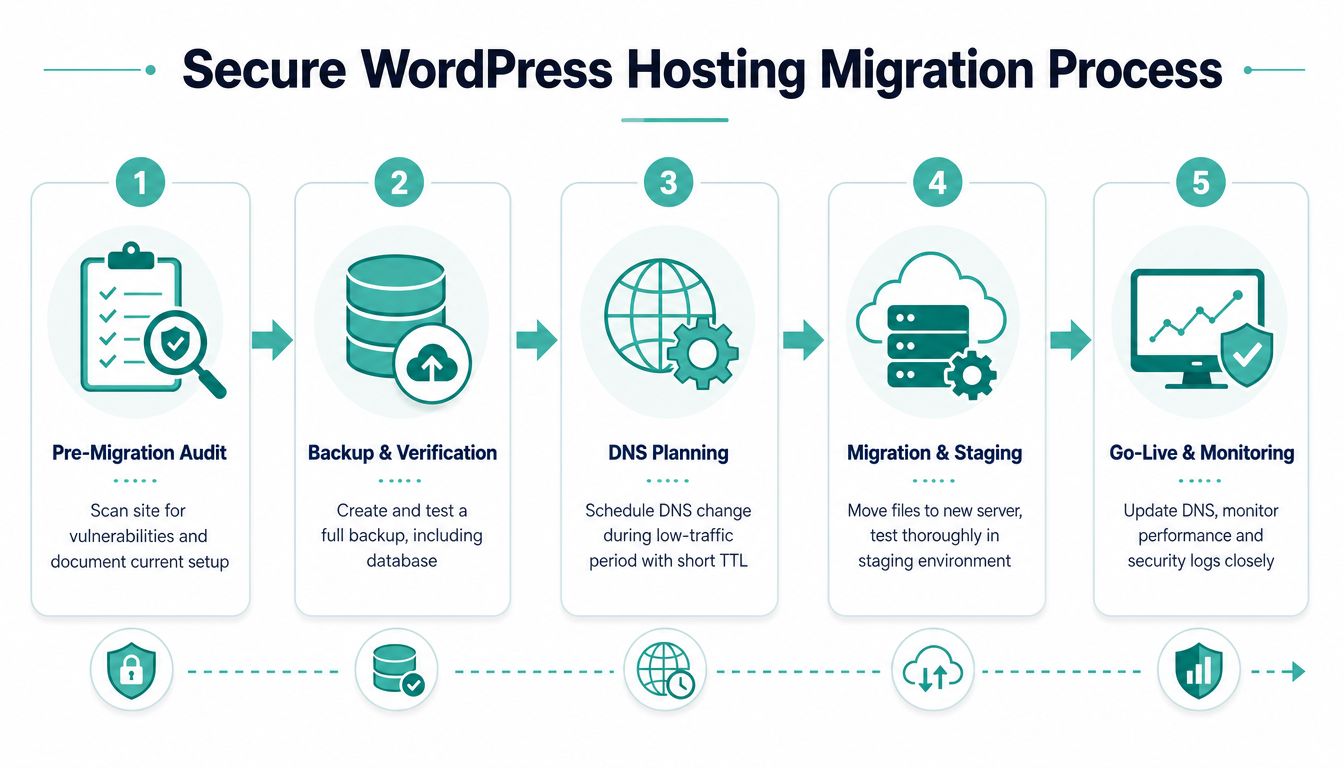
A safe migration starts with evidence, not a rushed copy. Record the current WordPress version, active and inactive plugins, themes, administrator accounts, scheduled tasks, integrations, redirects, email dependencies, and known errors. Scan the site before moving it, because transferring an infection to a new server can make the new environment appear compromised from day one.
Prepare the move
Create a complete backup of the files and database, then verify that it can be opened and restored. Keep the original hosting account available until the new site has passed testing. Don't treat a backup as valid merely because a plugin reports “complete”. A restoration test is the meaningful check.
Plan the domain change for a quiet period and coordinate it with the new provider. Your .au domain is part of the security boundary, not just a label. Australian guidance encourages businesses to secure the shorter .au direct domain connected to their business name, while South Australian small-business guidance says businesses can retain an existing domain and also purchase the matching .au domain for brand and security reasons. Review the South Australian small-business guidance on .au domains before migration if your brand's domain portfolio is incomplete.
Test before switching visitors
Move the site into a staging or temporary environment, then test login, forms, checkout, image uploads, redirects, contact emails, analytics, caching, and mobile layouts. Remove abandoned plugins and themes, update the remaining components, rotate administrator credentials, and enable multi-factor authentication before the site goes live.
After the domain points to the new host, watch security logs, error logs, performance, forms, and customer messages closely. Confirm that SSL works across the whole site and that backups and alerts are running. If you use an agency or developer, give them a named contact at the hosting provider so a security issue doesn't get trapped between two support queues.
Register your new domain name at competitive market prices including free domain add-ons like privacy, DNS Hosting, Custom Nameservers and Forwarding.
Always the best price and no nasty renewal price hikes.
Register A Domain Name
Why Local Australian Hosting Matters for Security
Local hosting isn't automatically secure, but it can improve the operational response that security depends on. An Australian support team understands when local businesses trade, when staff are available, and how an urgent WordPress incident affects phones, bookings, email, and customer service. That shared working context can shorten the path from alert to investigation.
Data location can also matter. Businesses should ask where website data, backups, logs, and support access are handled, then match the answer to their contracts, sector obligations, and customer expectations. An Australian provider may offer a clearer conversation about local infrastructure and data handling than a generic overseas service. Review Australian data sovereignty hosting information as part of that assessment.
Local support is a security control
Support quality matters most during failure. A team that can explain whether a site is isolated, identify a suspicious file, restore a clean copy, and help secure administrator access provides more practical value than a low headline price with no incident assistance.
Local providers can also align billing, GST treatment, payment methods, domain administration, and business support with Australian practices. Those details don't replace a firewall or backup, but they remove friction when the business needs help quickly. Choose based on documented controls and response capability, not location alone.
Taking Action to Secure Your WordPress Site
Start today by checking administrator accounts, removing unused plugins and themes, enabling multi-factor authentication, confirming SSL, and verifying that a recent backup can be restored. Ask your current host who manages patching, where backups are stored, how malware cleanup works, and who responds to an after-hours incident.
Use auDA's auCheck service to review recommended domain settings, then compare your host against the firewall, isolation, monitoring, backup, and response criteria above. If the answers are vague, move to a hosting environment that treats security as business continuity, not an optional plugin.
UpTime Web Hosting provides Australian WordPress hosting with firewall and DDoS protection, malware scanning, SSL, off-site backups, and local support options. Review the available services and contact UpTime Web Hosting to discuss a secure setup or a carefully managed WordPress migration.