When you're comparing HTTP vs HTTPS, it really all boils down to one crucial thing: security. HTTPS (Hypertext Transfer Protocol Secure) wraps all the data flying between a user's browser and your website in a layer of encryption, making it safe from prying eyes. Standard HTTP, on the other hand, sends everything as plain text. It’s completely exposed and vulnerable.
For any website today, switching to HTTPS isn't just a good idea—it's an absolute must.
Http vs Https A Direct Comparison
At its heart, the difference between HTTP and HTTPS is that single extra "S," which stands for "Secure." This security comes from an SSL/TLS certificate, which forges an encrypted, private link between the server and the browser.
Think of it like this: using HTTP is like sending a postcard. Anyone who gets their hands on it along the way can read your message. HTTPS is the equivalent of sending that same message in a sealed, tamper-proof envelope. For example, when you enter your credit card details on an e-commerce site like Amazon, HTTPS ensures that data is scrambled and unreadable to anyone trying to intercept it.
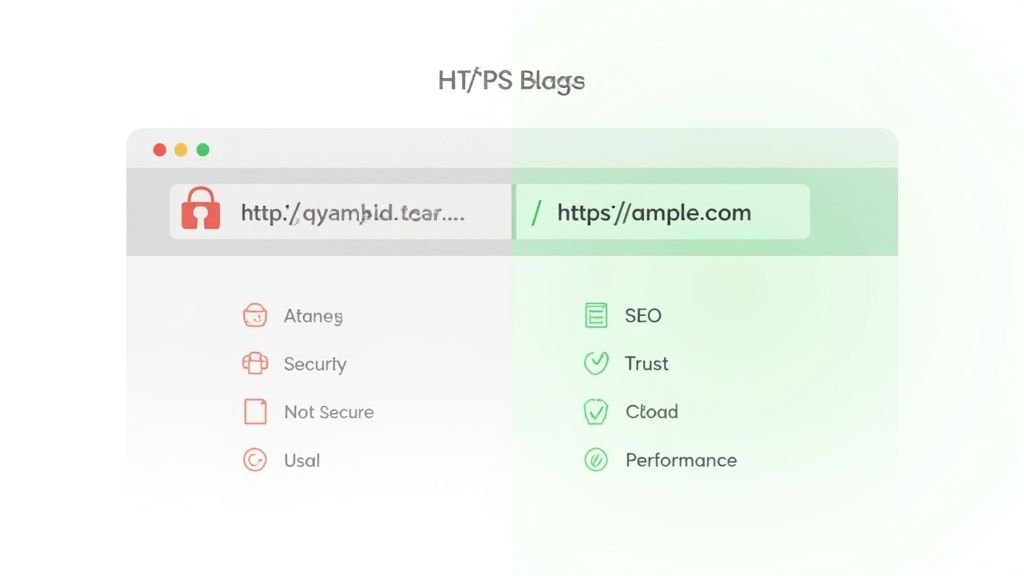
This fundamental difference has a massive ripple effect, influencing everything from the trust your visitors place in you to how well your site shows up on search engines like Google. When people see that padlock icon in their browser's address bar, it's a clear signal that their connection is secure and their data is safe. Without it, browsers now plaster a big "Not Secure" warning next to your URL, which is a surefire way to scare off visitors and tarnish your brand's reputation.
For any business, this isn't just a minor technical detail; it’s a core part of building a successful online presence. If your site handles any kind of user information—from a simple contact form to complex e-commerce checkouts—you absolutely must use HTTPS to protect that data. That’s why at UpTime Web Hosting, all of our hosting plans come with a free SSL certificate, making sure your site is secure right from the get-go. You can find out more in our knowledge base articles about SSL.
Core Differences Between Http and Https
To really understand the practical implications, it helps to see the key differences laid out side-by-side. This table breaks down what separates the old standard from the new.
| Attribute | HTTP (Hypertext Transfer Protocol) | HTTPS (Hypertext Transfer Protocol Secure) |
|---|---|---|
| Security | Data is sent as plain text and is unencrypted. | All data is encrypted using an SSL/TLS certificate. |
| Browser Display | Shows a "Not Secure" warning in the address bar. | Displays a secure padlock icon in the address bar. |
| SEO Impact | Negatively impacts rankings; Google prioritises secure sites. | A positive ranking signal for Google and other search engines. |
| Data Integrity | Data can be intercepted and modified in transit. | Prevents data tampering between the server and browser. |
As you can see, the choice is pretty clear. HTTPS offers tangible benefits in security, user trust, and even your search engine performance, making it the only real option for a modern website.

Performance you can feel, backed by clients who depend on it. Read how our support and uptime create long‑term customer success.Power Your Business with Better Hosting
Understanding The Technology Behind HTTPS
To really get the difference in the HTTP vs HTTPS debate, we need to pop the bonnet and look at the technology that makes the "S" possible. That security in HTTPS isn't just a switch you flip; it’s a sophisticated system built on trust, verification, and encryption. The whole operation is powered by something called an SSL/TLS certificate.
Think of an SSL/TLS certificate as your website's official passport. Before a browser even considers establishing a secure connection, it demands to see this passport first. This digital certificate, issued by a trusted Certificate Authority like Let's Encrypt or DigiCert, proves your website is who it claims to be, stopping impostors from intercepting your traffic and tricking your visitors. If you want to dive deeper, you can learn more about what an SSL is and why you need it in our detailed guide.
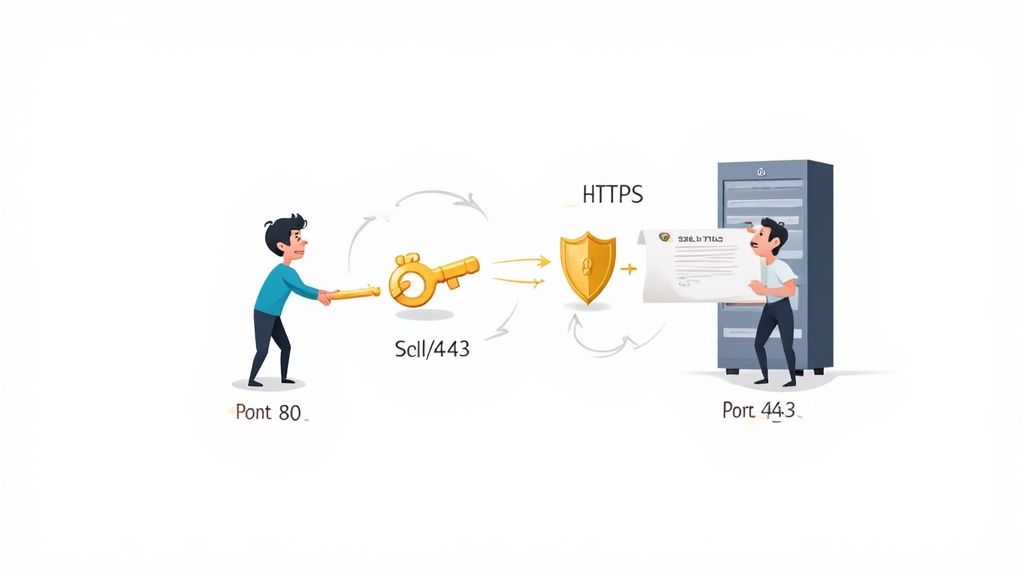
This verification kicks off a process known as the TLS handshake. It’s a lightning-fast, automated chat between the user's browser and your web server that all happens in milliseconds.
The Secret Handshake of The Web
Picture two spies meeting to exchange sensitive information. Before a single word is shared, they have to run through a strict protocol to confirm each other's identity and agree on a secret code. The TLS handshake is surprisingly similar:
- The Greeting: The browser says "hello" to the server and lists the security protocols it can handle.
- The Passport Check: The server replies, presenting its SSL/TLS certificate (its passport) and picks the strongest security protocol they both support.
- The Verification: The browser double-checks the certificate with the authority that issued it to make sure it’s legit and the server is authentic.
- The Secret Keys: Once trust is established, the browser and server securely create unique, single-use encryption keys for that session.
Only after this handshake is complete does any actual data get sent. From that point on, everything is scrambled using those secret keys, making it completely unreadable to anyone trying to eavesdrop. This entire process ensures the connection is both private and secure.
Ports and Protocols: A Technical Distinction
Another key technical difference comes down to the communication "ports" each protocol uses. You can think of network ports as different doorways into a server, with each one designated for a specific type of traffic.
By default, HTTP traffic uses Port 80, which is an unsecured channel. In stark contrast, all encrypted HTTPS traffic is routed through Port 443, a port specifically reserved for secure, encrypted communications. This separation ensures that sensitive data follows a protected path right from the start.
This distinction is fundamental. When your browser sees a URL beginning with https://, it knows to connect to the server via Port 443 and start the TLS handshake. If it just sees http://, it defaults to the wide-open Port 80, sending and receiving data as plain, readable text.
Ultimately, it's the combination of a valid SSL/TLS certificate, the TLS handshake, and the use of a secure port that gives HTTPS its power to protect data and build a trustworthy experience online.
How HTTPS Impacts Security and Visitor Trust
When you stack HTTP and HTTPS side-by-side, the biggest difference—and the number one reason to make the switch—is security. An unencrypted HTTP connection is like sending a postcard through the mail; anyone who gets their hands on it can read the contents. It leaves the door wide open for someone to intercept, read, and even change the data flowing between your website and your visitors.
This isn’t just some far-fetched technical risk. The most common threat is a man-in-the-middle (MitM) attack. Picture a customer entering their password or credit card details on your checkout page. With HTTP, that information zips across the internet as plain text. A hacker on the same public Wi-Fi network at a coffee shop, or lurking anywhere along the data’s path, can easily snatch it and use it for fraud.
The Three Pillars of HTTPS Protection
This is where HTTPS steps in, creating a secure environment built on three critical layers of protection that HTTP simply doesn't have. This system is precisely what makes HTTPS a non-negotiable for any modern website.
These layers are designed to work together to build a trustworthy experience for your visitors:
- Encryption: This is the heart of HTTPS. It scrambles the data travelling between the server and the browser, turning it into complete gibberish for anyone trying to eavesdrop. Even if a hacker intercepts the data, all they'll get is a meaningless jumble of characters.
- Data Integrity: HTTPS makes sure that the information sent from a user’s browser arrives at your server exactly as it was sent, with no sneaky modifications along the way. It stops attackers from injecting malicious code, altering payment amounts, or changing the content your visitors see.
- Authentication: The SSL/TLS certificate powering your HTTPS connection verifies that your website is genuinely who it claims to be. This stops attackers from creating a fraudulent "clone" of your site to trick people into handing over their passwords or financial details—a tactic known as phishing.
For a deeper dive into the specific security boosts and other benefits, you can explore the many technical SEO issues an SSL certificate can solve.
How Browsers Build (or Break) Trust
Beyond the technical protections, the impact on visitor trust is immediate and very visual. Web browsers like Google Chrome, Mozilla Firefox, and Safari have taken a firm stance here, acting as the internet's security guards for the average user.
When someone lands on a site still using HTTP, their browser slaps a very obvious "Not Secure" warning right in the address bar. This message is an instant red flag, planting a seed of doubt about your website's professionalism and safety. It's no surprise that studies show over 80% of users will abandon a purchase if they see their data is being sent over an insecure connection.
"Universal encryption is no longer a feature; it's the foundational requirement for a trusted internet. A website without HTTPS is, by modern standards, a broken website. It fails the most basic test of protecting its users."
This browser behaviour has fundamentally changed what people expect online. The little padlock icon is now universally understood as a symbol of safety and credibility. If your site is missing it, you're not just risking a data breach; you're actively hurting your brand's reputation, driving up your bounce rate, and losing sales. In the end, when comparing HTTP vs HTTPS, the secure protocol is the only choice that builds the trust you need to succeed online.
Host your website with our 5-star rated, cPanel website hosting plans.
Super fast servers, with security included and hosted in your choice of Australian Data Center.
View cPanel Plans
How HTTPS Directly Influences Your SEO Performance
Beyond the obvious security wins, making the switch to HTTPS has a direct and measurable impact on how your website shows up in search engines. Years ago, Google flat-out confirmed that HTTPS is a lightweight ranking signal. This means secure websites get a slight leg up in search results over their non-secure cousins. It might be a small factor, but when you're fighting for visibility, every little bit helps.
This bias towards secure sites is just common sense. Search engines want to give their users the best, most trustworthy results possible, and a secure connection is a massive part of a good user experience. When you put HTTP vs HTTPS head-to-head from an SEO perspective, the choice is crystal clear. HTTPS is a big, flashing sign telling search engines you care about your visitors' safety.
Unlocking Modern Web Technologies
The SEO perks of HTTPS go way beyond that one ranking signal, though. Moving to HTTPS is also the price of admission for a whole suite of modern web technologies that are vital for performance and functionality—both of which are heavy hitters for your rankings.
Many of the most powerful browser features and protocols are now exclusively available to websites running over a secure connection. This makes HTTPS the key to future-proofing your site and keeping up with the competition.
Key technologies that demand HTTPS include:
- HTTP/2 and HTTP/3: These newer protocols are game-changers for website speed, enabling clever features like multiplexing and server push. Faster load times are a major ranking factor, and your website's speed is heavily influenced by your provider. You can dig into how your hosting service affects website speed to see just how deep that connection goes.
- Geolocation APIs: Want to offer location-based services, like a map to your shop or content tailored to a user's region? For example, a "store locator" on your website needs HTTPS to securely access a user's location data.
- Progressive Web Apps (PWAs): If you want to deliver an app-like experience with features like offline access and push notifications, your site absolutely must be served over HTTPS.
Sticking with HTTP doesn't just get you a "Not Secure" warning. You're actively locking yourself out of performance and feature upgrades that your HTTPS-enabled competitors are already using to pull ahead.
A Core Part of Technical SEO
At the end of the day, migrating to HTTPS is a non-negotiable part of modern technical SEO. It signals quality and trustworthiness to both people and search engine crawlers, improves user experience metrics like bounce rate, and opens the door to performance-boosting tech.
It's vital to understand how HTTPS fits into the bigger picture. For anyone serious about improving their site's search performance, learning about these crucial technical SEO aspects can provide a real advantage. Implementing HTTPS isn't just a security patch; it's a strategic move that shores up your entire online presence for years to come.
Your Practical Guide to Migrating from HTTP to HTTPS
Making the switch from HTTP to HTTPS might feel a bit technical, but it’s actually a pretty straightforward process with some immediate wins. If you’re hosted with UpTime Web Hosting, the good news is the first step is already sorted—all our plans come with a free Let's Encrypt SSL certificate that you can activate with a few clicks in your cPanel dashboard.
Once your SSL certificate is live, the real work starts. The main job is to tell your website, your visitors, and the rest of the web that your address now begins with https://. Getting this right ensures a smooth transition, protecting all the traffic and authority you’ve worked hard to build.
This simple flowchart shows the key benefits you unlock once you've made the switch: a nice little boost to your SEO, faster website performance thanks to modern tech, and access to new web features.
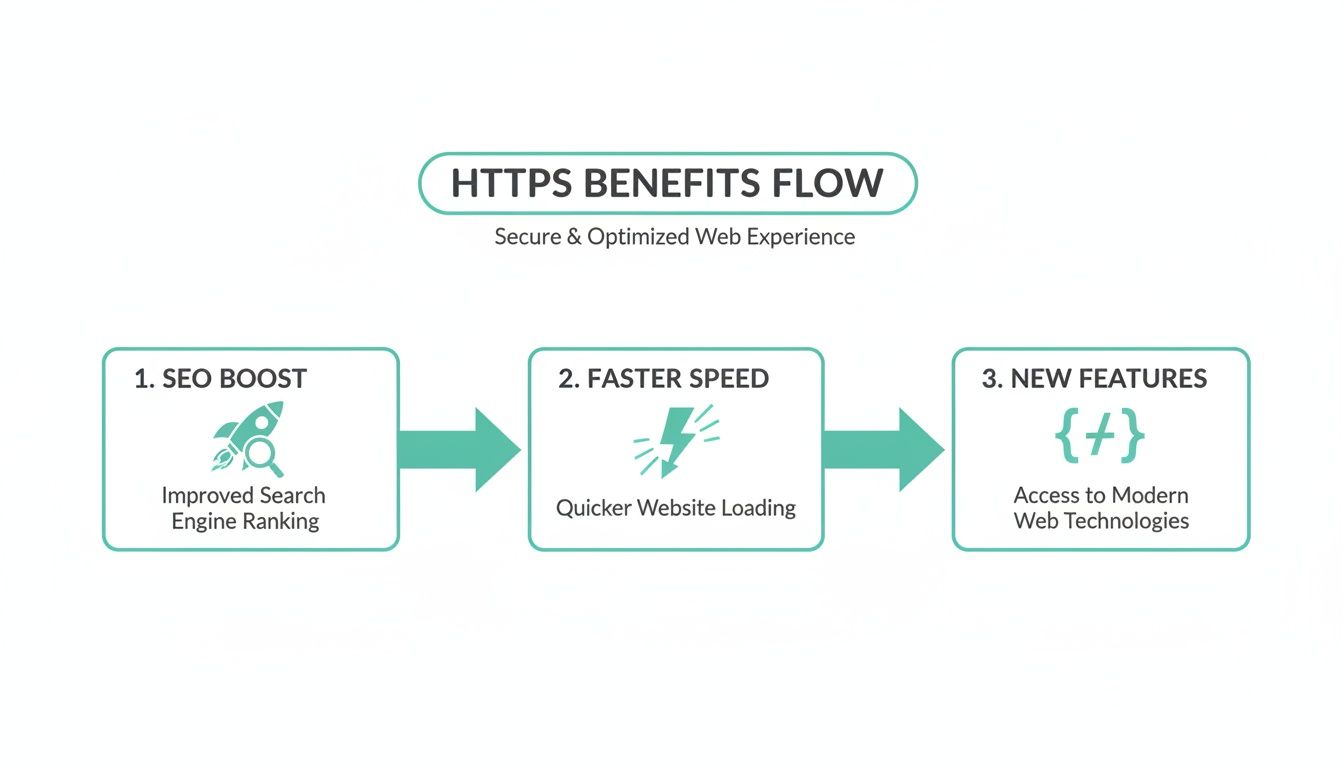
Each step builds on the last, turning what seems like a simple security update into a genuine strategic advantage for your website.
A Platform-Specific Migration Checklist
The exact steps you'll take depend on what your website is built on. While the principles are always the same, the execution can differ. Here’s a hands-on checklist to guide you through the process for the most common platforms.
For WordPress Users
WordPress makes this switch incredibly easy. After you’ve activated SSL in your hosting control panel, just follow these steps:
- Update Your Site Address: Head to your WordPress dashboard and go to Settings > General. Change both the "WordPress Address (URL)" and "Site Address (URL)" from
http://tohttps://. - Install a Helper Plugin: A plugin like "Really Simple SSL" can automate most of the heavy lifting. It finds your SSL certificate and configures your site to run over HTTPS, fixing most mixed content issues for you.
- Check for Mixed Content: Even with a great plugin, some images or scripts might still be loading over HTTP. Use your browser's developer tools (usually by pressing F12) to check the console for any "mixed content" warnings and update those URLs by hand.
For Other Platforms (e.g., Custom Sites, ASP.NET)
If you're not on WordPress, the process is a bit more manual but definitely manageable.
- Update Internal Links: You'll need to search through your site's code and database to find and replace all hardcoded links from
http://tohttps://. This includes links to images, CSS files, and JavaScript. - Ensure Canonical Tags Are Updated: Double-check your
<link rel="canonical">tags to make sure they all point to the newhttps://versions of your pages. - Update External Tools: Don’t forget to update your site URL in any third-party services you rely on, like Google Analytics, Google Search Console, and your social media profiles.
The most critical part of any migration is redirecting all old HTTP traffic to the new HTTPS version. This single step tells search engines that your site has moved permanently, ensuring you transfer almost all of your SEO authority to the new, secure address.
Critical Post-Migration Tasks
Flipping the switch to HTTPS is just the start. To wrap up the migration properly and protect your SEO, you need to follow through with a few final steps. Skipping these can lead to duplicate content problems or a temporary dip in your rankings. To steer clear of common traps, have a look at our guide on the website migration mistakes you should avoid making.
Your final to-do list should look something like this:
- Set Up 301 Redirects: This is non-negotiable. A sitewide 301 redirect automatically forwards anyone visiting an old
http://URL to the correcthttps://page. You can set this up easily by adding a few lines of code to your.htaccessfile through cPanel. - Update Your Sitemap: Generate a fresh XML sitemap that includes all your new
https://URLs. - Submit Your New Sitemap: Pop over to Google Search Console and submit your updated sitemap. This gives Google a nudge to crawl and index your secure pages more quickly.
Common Questions About HTTP and HTTPS
Even after getting your head around the technical side of HTTP vs HTTPS, a few practical questions always seem to pop up. To help clear up any lingering confusion, here are some straight answers to the most common queries we hear from website owners.
Will Moving to HTTPS Make My Website Slower?
This is a persistent myth, but the short answer is no. While the initial TLS handshake technically adds a tiny fraction of a second to the process, modern web technologies have completely flipped this concern on its head.
In fact, technologies like HTTP/2—which actually requires HTTPS to work—often make secure websites noticeably faster than their old HTTP counterparts. The performance boost you get from these newer protocols far outweighs the minuscule overhead from encryption, leading to a much better experience for your visitors.
Does My Website Need HTTPS if It Has No Login Forms?
Yes, absolutely. In this day and age, every single website needs HTTPS, no exceptions. It’s no longer just about protecting sensitive data like passwords or credit card details.
HTTPS encrypts all browsing activity. This protects your visitors' privacy from prying eyes and stops attackers from injecting malicious code or ads into your content as it travels across the internet. For instance, an Internet Service Provider could inject their own ads onto your blog if it's served over HTTP, but they can't do that with HTTPS.
It's worth remembering that all major browsers now flag HTTP sites with a "Not Secure" warning, regardless of whether they collect data. Because of this, HTTPS has become a fundamental standard for website credibility and visitor trust.
What Is the Difference Between an SSL and TLS Certificate?
You'll often see these terms used interchangeably, but the key thing to know is that TLS (Transport Layer Security) is the modern, more secure successor to SSL (Secure Sockets Layer).
While people still commonly say "SSL certificate," the certificate you get today uses the up-to-date TLS protocol to secure your site. Think of it like this: TLS is just the current, improved version of the original SSL technology. If you want to dive deeper into how certificates work, our knowledge base articles are a great place to start.
How Do I Verify My SSL Certificate Is Installed Correctly?
Once you've installed your certificate, the quickest way to check is to visit your site using https:// at the start of the URL. Look for the little padlock icon in your browser's address bar—if you see it, you're good to go.
For a more thorough check-up, you can use a free online tool like the SSL Labs SSL Test. It gives you a detailed report on your configuration, grading your setup and flagging any potential issues that might need attention.
Securing your website is the first step towards building visitor trust. At UpTime Web Hosting, every plan comes with a free SSL certificate, automatic backups, and expert Australian support to make your move to HTTPS completely seamless. Explore our fast and secure hosting plans today.
Article created using Outrank