In short
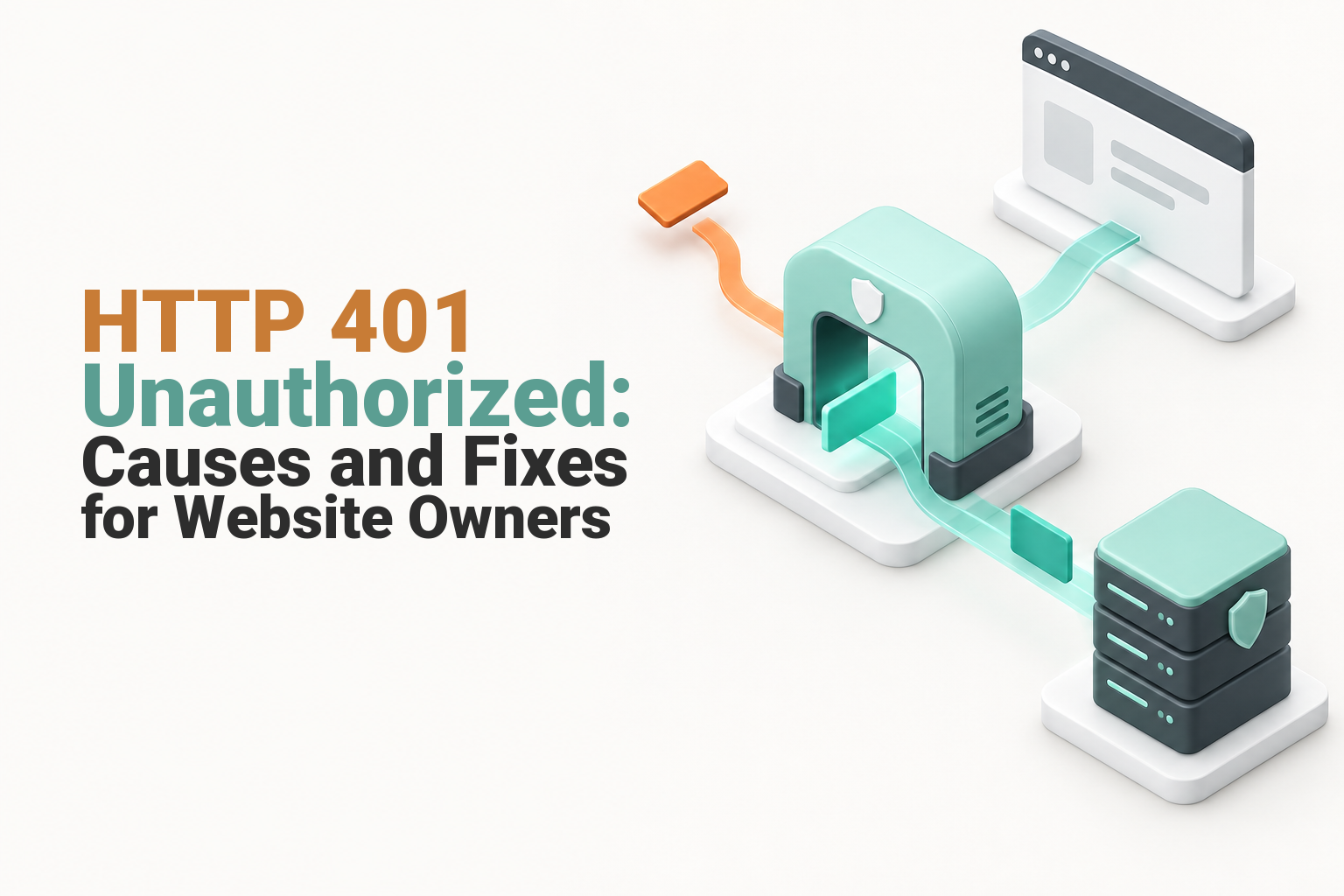
HTTP 401 Unauthorized means the server received the request but cannot accept it because valid authentication credentials are missing, expired or incorrect. Website owners should check the affected URL, response headers, login details, cookies, protected-directory rules, WordPress security settings and any API token or proxy that handles the request.
Key takeaways
- An HTTP 401 response identifies an authentication failure, not automatically a file-permission or user-role problem.
- RFC 9110 requires a server generating a 401 response to send a
WWW-Authenticateheader describing at least one applicable authentication challenge. - Checking whether the error affects one person, one URL or every visitor can prevent unnecessary server changes.
- cPanel Directory Privacy can create or modify
.htaccessand.htpasswdrules, so configuration files should be backed up before editing them. - WordPress browser logins, REST API requests and remote integrations use different authentication methods and require different fixes.
Table of contents
- What does HTTP 401 mean?
- How do you find which authentication layer is failing?
- How can a visitor fix an HTTP 401 error?
- How can website owners fix server and cPanel causes?
- How do you fix HTTP 401 errors in WordPress?
- How do you fix a 401 from an API or integration?
- What is the difference between HTTP errors 401 and 403?
- How can you prevent HTTP 401 errors from returning?
- When should you contact your hosting provider?
- What else do website owners ask about HTTP 401 errors?
- What should you do next?
The fastest way to fix a 401 HTTP response is to find the authentication layer that rejected the request. Start with the exact failing URL and response headers, then move through the browser, web server, website application and any proxy or integration in that order.
What does HTTP 401 mean?
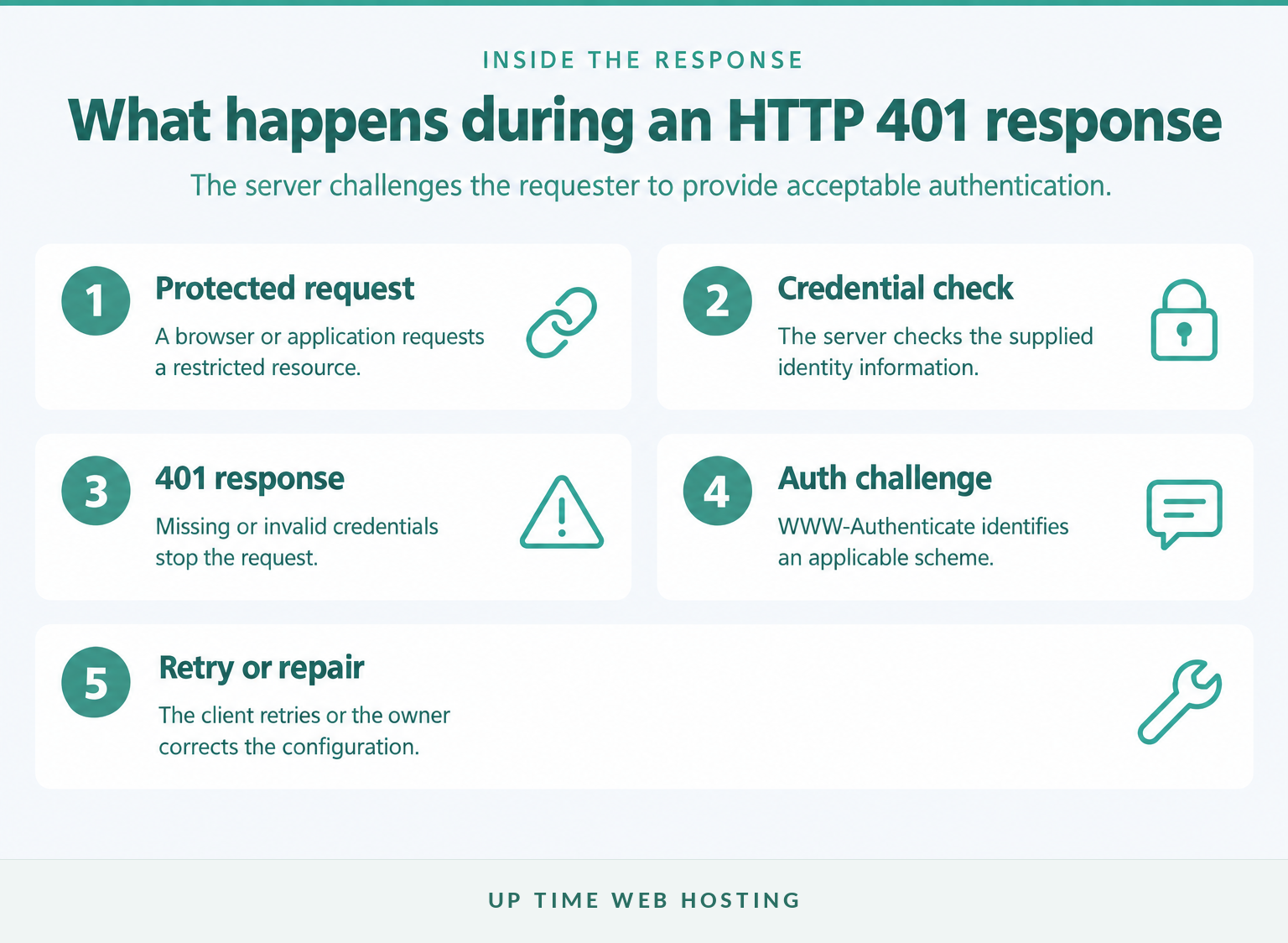
HTTP 401 is a client-error status indicating that the request lacks authentication credentials the server accepts. Despite the official Unauthorized label, the response usually means the requester has not been successfully authenticated yet.
The June 2022 HTTP Semantics specification states that a 401 response applies when valid authentication credentials are absent. The same standard requires the response to include WWW-Authenticate, which tells the client which authentication scheme or challenge applies. (rfc-editor.org)
A 401 can appear because:
- A username or password is missing or incorrect.
- A login session or access token has expired.
- A protected directory was enabled accidentally.
- A WordPress plugin, membership system or single sign-on service rejected the session.
- An API request omitted its
Authorizationheader. - A proxy, gateway or other intermediary failed to pass authentication information to the origin server.
A 401 points to failed authentication, so fix identity proof before changing file permissions.

Performance you can feel, backed by clients who depend on it. Read how our support and uptime create long‑term customer success.Power Your Business with Better Hosting
How do you find which authentication layer is failing?
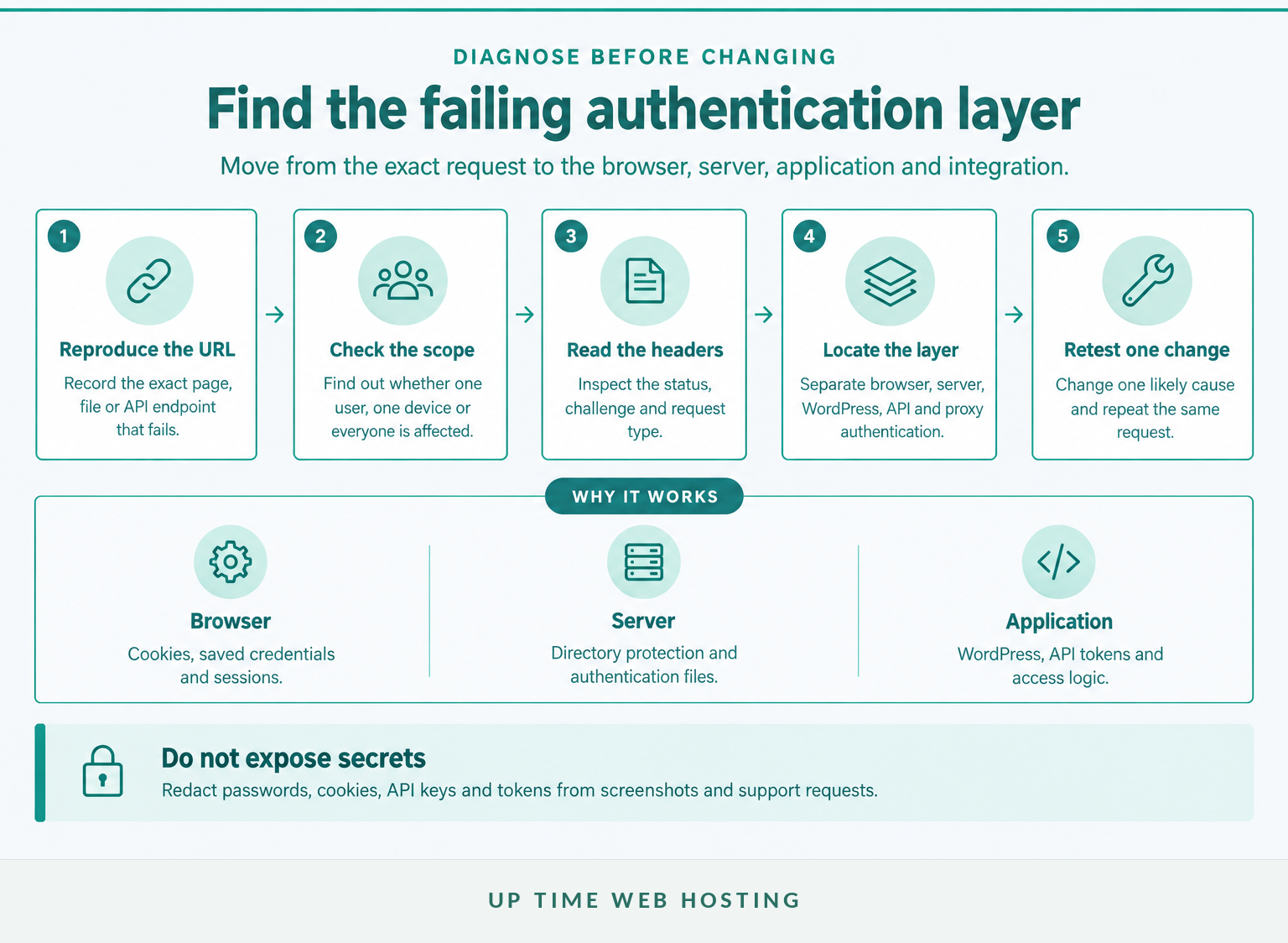
Reproduce the error on the exact URL, establish who is affected and inspect the failed request before changing any settings. The result should identify whether the rejection occurs in the browser, web server, website application, API or an intermediary service.
Use this order:
- Record the exact request. Copy the full URL and note whether the error appears on a page, login screen, administration area, file or API endpoint.
- Establish the scope. Test a private browsing window and, where practical, another authorised account. If only one person is affected, begin with that person's credentials or session. If everyone is affected, inspect shared configuration.
- Read the response. Open the browser's Network panel, reload the page and select the failed request. Record the status code, authentication scheme and any request identifier, but redact cookies, passwords and tokens.
- Identify the layer. A browser password prompt commonly indicates web-server authentication. A branded login page points towards application authentication. A failed JSON request generally points towards an API, nonce or token problem.
- Match the timing to a change. Check whether the error began after a password reset, plugin update, deployment, directory-protection change, CDN adjustment or authentication-policy update.
The Chrome DevTools Network documentation explains how to view the status code and the request and response headers for an individual network request. This is often more useful than the visible error page, which may omit the authentication details. (developer.chrome.com)
Do not send an unredacted Authorization or Cookie header to a public forum or ordinary email thread. Those values may contain reusable credentials or session data.
The fastest diagnosis comes from proving where authentication failed before trying to repair it.
How can a visitor fix an HTTP 401 error?
A visitor should first confirm the address, renew the login session and remove stale site data. If the same request fails for other authorised users, the website owner will probably need to inspect the server or application configuration.
Try these steps in order:
- Check the URL for an old bookmark, mistyped path or link to a restricted area.
- Sign out, close the affected tab and sign in again through the site's normal login page.
- Re-enter the username carefully and use the account's password-reset process if necessary.
- Clear cookies for the affected site, then retry in a private browsing window.
- Confirm that the account is still active and intended to access the protected resource.
For WordPress administration login problems, the official WordPress login troubleshooting guide recommends checking case-sensitive credentials and clearing browser cookies and cache. (wordpress.org)
Repeatedly trying random passwords is not a useful diagnostic step and may trigger rate limits or account lockouts. Once known credentials have failed on more than one device, send the website owner the exact URL, time and visible error instead.
If one visitor is affected, renew that visitor's credentials and session before changing the website.
Host your website with our 5-star rated, cPanel website hosting plans.
Super fast servers, with security included and hosted in your choice of Australian Data Center.
View cPanel Plans
How can website owners fix server and cPanel causes?
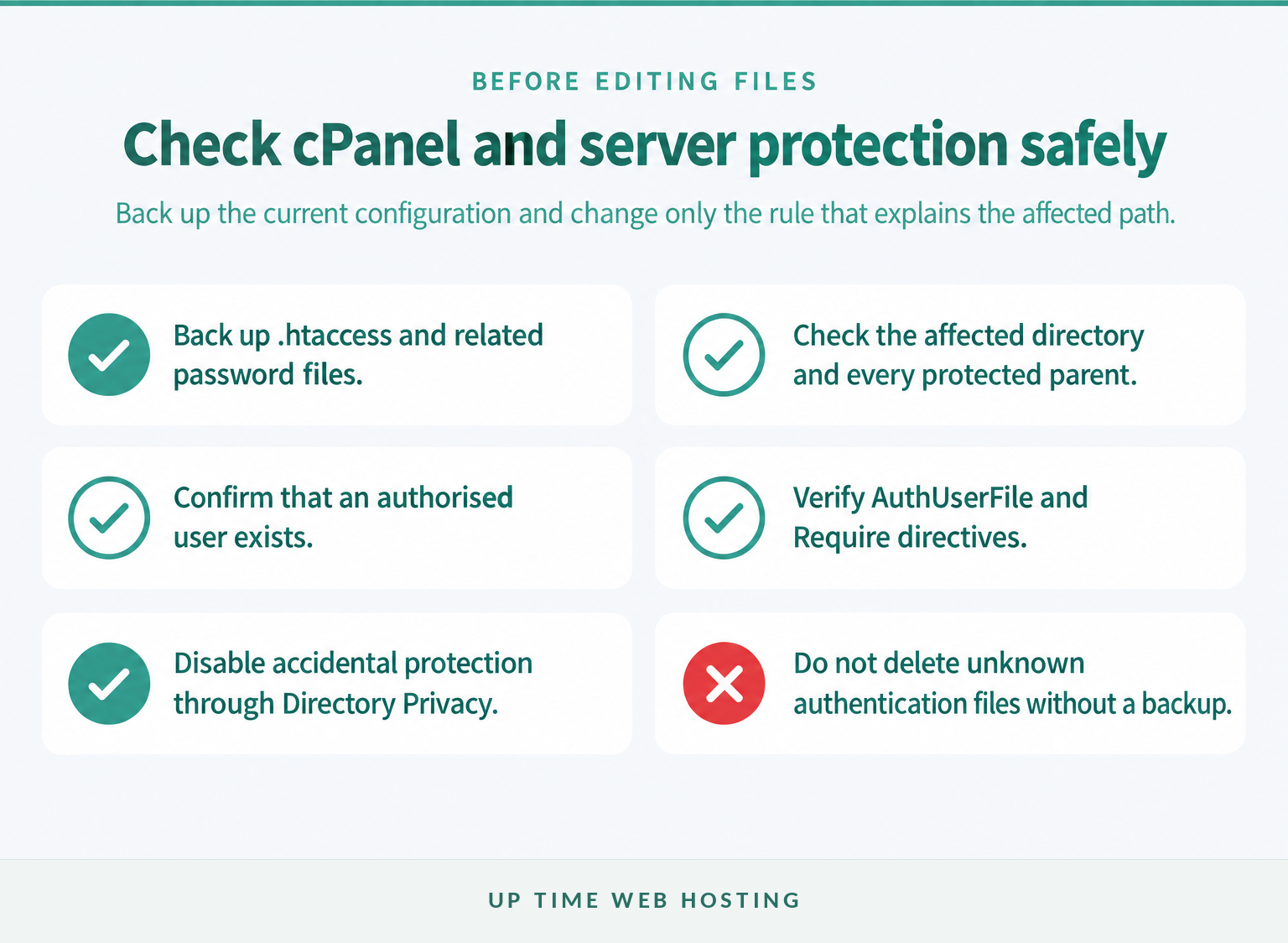
Website owners should check whether the failing path has intentional or accidental web-server authentication. Back up the current .htaccess and related password files before removing protection, changing usernames or editing authentication directives.
The official cPanel Directory Privacy documentation, updated on 8 July 2026, says the feature modifies .htaccess and .htpasswd configurations. It also notes that protected subdirectories inherit protection from their parent directory. (docs.cpanel.net)
Work through these checks:
- Open Files > Directory Privacy and inspect the affected directory and each parent directory.
- If the protection is accidental, clear the password-protection option and save the change through cPanel rather than deleting files blindly.
- If protection is intentional, confirm that an authorised user exists and reset that user's password if necessary.
- Check whether the protected path is the intended document root. A rule applied to
public_htmlcan affect far more than a single private folder. - Inspect
.htaccessforAuthType,AuthName,AuthUserFileandRequiredirectives. Do not guess a replacement path forAuthUserFile. - Compare the current file with the backup or last known working version before removing a rule.
If the hosting dashboard is unfamiliar, this guide to cPanel access explains where website files, domains and account-level controls sit.
The official Apache authentication guide documents the main directives used for password-protected directories. Apache also warns that Basic authentication should be used with an encrypted HTTPS connection when credentials require protection. (httpd.apache.org)
Back up authentication files first, then correct the smallest cPanel or server rule that explains the affected path.
How do you fix HTTP 401 errors in WordPress?

A WordPress 401 may come from the browser login session, a security or membership plugin, web-server protection or the REST API. Identify which request fails before disabling plugins or resetting unrelated passwords.
Is the 401 on wp-admin or wp-login.php?
Start by clearing cookies for the site and opening the standard WordPress login page again. WordPress uses browser cookies to retain authentication, so an expired or invalid cookie can interrupt access even when the account still exists.
If the problem started after a plugin or configuration change:
- Create or confirm a usable backup before troubleshooting.
- Deactivate the most recently changed security, login, membership, maintenance or single sign-on plugin.
- Retest after each individual change so the cause remains clear.
- Check for web-server password protection covering
/wp-admin,wp-login.phpor the entire document root. - Ask the host to inspect must-use plugins if ordinary plugin deactivation does not affect the error.
The official WordPress plugin management documentation recommends deactivating plugins one at a time when isolating a conflict. It also explains that must-use plugins cannot be disabled from the ordinary Plugins screen. (wordpress.org)
Is the 401 coming from the REST API?
WordPress cookie authentication for REST API requests requires a logged-in user and, for manual Ajax requests, an appropriate X-WP-Nonce value. Without the nonce, WordPress can treat the request as unauthenticated even while the browser appears logged in, according to the official REST API authentication handbook. (developer.wordpress.org)
For a remote tool or integration:
- Use an Application Password rather than the user's ordinary interactive password where that method is supported.
- Confirm the request uses HTTPS.
- Check that the client sends the expected Basic authentication header.
- Generate a new Application Password if the old one was revoked or exposed.
- Inspect security plugins, custom code and proxies that may disable the feature or remove the
Authorizationheader.
The official WordPress Application Passwords guide, published on 28 January 2026, specifically lists disabled features, incorrect password types and stripped Authorization headers among the matters to check after a 401 or 403 response. (developer.wordpress.org)
For sites where authentication faults keep returning alongside plugin and update problems, supported WordPress hosting may reduce the amount of application and hosting configuration the owner must diagnose alone.
WordPress 401 fixes depend on whether the failed credential is a browser cookie, nonce, plugin-managed session or remote application password.
How do you fix a 401 from an API or integration?
An API 401 means the endpoint did not receive authentication it could accept. Check the outgoing request, credential status and intermediary services before changing the endpoint's permissions.
Verify the following:
- Endpoint and method: Confirm that the integration is calling the intended environment and URL with the supported HTTP method.
- Authentication scheme: Check whether the endpoint expects Basic, Bearer or another scheme and whether the request uses that exact scheme.
- Credential status: Confirm that the key, token or Application Password is active, unexpired and associated with the correct account.
- Header delivery: Inspect the request at the origin or application log to confirm that
Authorizationarrives intact. - Environment variables: Check whether a deployment replaced a production secret with an empty, test or outdated value.
- Permission result: If authentication succeeds but the account lacks access, the correct result may be 403 rather than another 401.
- Logs and request identifiers: Match the failed request to the gateway and application logs without recording the raw secret.
Compare a failing request with a known working request while redacting the credential values. Differences in the scheme, host, path, method or headers are more useful than repeatedly issuing a new token without confirming what reaches the server.
An API 401 is solved by tracing the credential from the client to the origin, not by widening permissions at random.
Register your new domain name at competitive market prices including free domain add-ons like privacy, DNS Hosting, Custom Nameservers and Forwarding.
Always the best price and no nasty renewal price hikes.
Register A Domain Name
What is the difference between HTTP errors 401 and 403?
HTTP 401 means acceptable authentication is missing or has failed, while HTTP 403 means the server refuses access despite having enough information to make an authorisation decision. HTTP 404 is different again because it concerns a resource that is missing or not being disclosed.
| Status | What it usually means | What to check next |
|---|---|---|
| 401 Unauthorized | The server cannot authenticate the request with the supplied credentials. | Login details, cookies, tokens, authentication headers and protected-directory rules. |
| 403 Forbidden | The requester is known or the request is understood, but access is denied. | Roles, file permissions, IP rules, security policies and resource-level authorisation. |
| 404 Not Found | The requested resource cannot be found or the server does not disclose it. | URL spelling, application routing, files, redirects and deployment state. |
Changing a password can resolve a 401 when the credential is wrong. It will not normally repair a genuine 403 Forbidden error, because that response points towards permission or policy after authentication.
A 404 usually sends troubleshooting in another direction. The guide to 404 not found errors covers missing files, broken routes and outdated links.
RFC 9110 also allows a server to return 404 when it does not wish to reveal that a forbidden resource exists. For that reason, the visible status alone may not disclose every security decision made by the application. (rfc-editor.org)
Choose the fix by separating authentication failure, denied permission and a missing resource.
How can you prevent HTTP 401 errors from returning?
Recurring 401 errors are less likely when protected routes, credentials and authentication dependencies are documented and tested. Prevention should focus on controlled changes and early detection rather than removing access controls.
Use these practices:
- Record which directories and application routes require authentication, why they are protected and who owns the configuration.
- Use unique credentials and remove access promptly when a staff member, contractor or integration no longer needs it.
- Track expiry and renewal dates for API keys, certificates, tokens and application credentials.
- Test protected pages and API endpoints after changing plugins, proxies, CDN rules or authentication services.
- Keep
.htaccess, server configuration and application settings in backups or version control where appropriate. - Use HTTPS for login forms and HTTP Basic authentication.
- Monitor for a sustained change in 401 volume while recognising that an occasional 401 can be a normal part of an authentication challenge.
- Keep error messages useful without exposing passwords, tokens, file paths or unnecessary account details.
Prevent recurring 401 errors by documenting every authentication layer and testing it after each relevant change.
Experience Microsoft 365 Business Standard for free for 30 days.
Up to 25 users with full access to email, OneDrive and Teams. Includes full versions of desktop apps of Outlook, Word, Excel, PowerPoint and more.
Try Microsoft 365
When should you contact your hosting provider?
Contact the hosting provider when the error affects multiple authorised users, began without an application change or appears tied to server-level protection that the website owner cannot inspect safely. A precise support request will usually produce a faster answer than a screenshot of the error page alone.
Include:
- The exact affected URL or endpoint.
- The date, time and time zone of a recent failed request.
- Whether the error affects one user, all users or only an integration.
- The response status and
WWW-Authenticatescheme, with secrets redacted. - Recent changes to passwords, plugins, deployments, directory protection, proxies or CDN settings.
- A request identifier or relevant log entry if one is available.
- The troubleshooting steps already completed and their results.
Never include a raw password, session cookie, API key or bearer token in the ticket. If secure credential access is genuinely required, follow the provider's approved secret-sharing process.
If repeated authentication faults are tied to hosting controls and nobody on the team is responsible for maintaining them, review a managed web hosting option that includes technical support for the hosting environment.
Give support the exact request, scope, timing and recent changes without exposing the credential itself.
What else do website owners ask about HTTP 401 errors?
Website owners commonly need to distinguish a 401 from nearby HTTP errors and choose the correct first fix. The following answers address the exact questions most closely associated with HTTP 401 searches.
What does HTTP 401 mean?
HTTP 401 means the server cannot accept the request because valid authentication credentials are missing, invalid or expired. The response should include a WWW-Authenticate header describing the expected authentication method. The fix usually involves signing in again, correcting credentials, renewing a token or repairing an authentication rule.
What is the difference between HTTP errors 401 and 403?
HTTP 401 means authentication has not succeeded, so the server does not have acceptable proof of identity. HTTP 403 means the server has identified the requester but refuses access under its permissions or policy. Repeated password changes will not fix a genuine 403 permission problem.
How can I fix an HTTP error 401?
Start by reproducing the exact URL, checking whether one user or everyone is affected, and reading the response headers. Then test credentials, cookies or tokens, protected-directory settings, WordPress authentication and proxy behaviour. Back up configuration files before changing .htaccess, plugins or server rules.
What do the HTTP codes 401 and 404 mean?
HTTP 401 means the requested resource requires acceptable authentication credentials. HTTP 404 means the server cannot find the requested resource, or chooses not to reveal that it exists. A correct login can resolve a 401, while a 404 usually requires checking the URL, routing, file or application endpoint.
HTTP status codes are easiest to fix when authentication, permission and resource-location problems are treated as separate failures.
What should you do next?
Capture one failing request, identify whether the break is in the browser, web server, WordPress or an API, and change only one layer at a time. Retest the exact URL after every change so the successful fix is clear and reversible.
The fastest 401 fix is the one that starts with the failing authentication layer, not a guess.