Seeing a "502 Bad Gateway" message pop up can be a bit frustrating, but the good news is, it's simpler than it sounds. This isn't a problem with your computer or your internet connection. Instead, it’s a communication breakdown on the website's end.
What a 502 Bad Gateway Error Actually Means
Think of it like ordering at a restaurant. Your web browser is the waiter, taking your request for a webpage to the main server, which is like the kitchen's front counter. Often, that front counter needs to get specific ingredients or parts of the meal from other specialty stations in the back—like a database server or an application server.
A 502 Bad Gateway error is the front counter telling you, "Sorry, I sent your order to the back, but I got a weird or empty response." The communication chain snapped somewhere between that first server and another one it relies on.
To help clear things up, here’s a quick summary:
The 502 Bad Gateway Error Explained
| Aspect | Explanation |
|---|---|
| What is it? | A server-side error indicating one server received an invalid response from another. |
| Who does it affect? | Both website visitors (who can't access the site) and site owners (whose site is down). |
| Primary Cause | A communication breakdown between two servers in the request chain. |
This explanation shows that the problem lies with the website’s infrastructure, not your device.
The Role of the Gateway
The "gateway" in the error's name is just an intermediary server. It could be a reverse proxy, a load balancer, or even a Content Delivery Network (CDN). Its main job is to manage incoming traffic and pass requests along efficiently. When it gets a bad signal from the main server holding the website's content, it has no choice but to return a 502 error to you.
This means that while the first server you connected to is online, a deeper system it depends on is failing. Understanding this is key. All this data travels through secure connections, and if you want to dive deeper into how that works, you can learn more about the differences between HTTP and HTTPS in our detailed guide.
Key Takeaway: A 502 error is simply a message from one server saying another server further up the line failed to respond correctly. The problem is always on the website's end, not yours.
This error can show up in a few different ways, but they all mean the same thing:
- 502 Bad Gateway
- Error 502
- HTTP Error 502 - Bad Gateway
- 502 Proxy Error
- A blank white screen
Ultimately, whether you're just visiting a site or you're the one who owns it, this error is a clear signal that something needs to be fixed on the server side.

Performance you can feel, backed by clients who depend on it. Read how our support and uptime create long‑term customer success.Power Your Business with Better Hosting
Tracing the Path of a Failed Server Request
To really get your head around what a 502 Bad Gateway error means, it helps to picture the journey your request takes from your screen to the server and back again. Think of it like a relay race. When you click a link, your browser passes a baton to the next runner, and so on, until it reaches the finish line—the data you asked for. A 502 error is simply when one of the runners fumbles the handover.
For the average Aussie user, this digital relay has a few key stages. Your request doesn't just go in a straight line from your computer to the website's main server. Instead, it follows a specific route designed for speed and reliability, often involving a few intermediaries along the way.
The Journey of a Web Request
Here’s what that process usually looks like:
- Your Browser: You type in a website address and hit enter. This is the start of the race.
- ISP and DNS: Your Internet Service Provider (ISP) uses the Domain Name System (DNS) to look up the website's address. If you're hitting a wall at this early stage, you might find our guide on what to do when DNS servers are not responding helpful.
- Content Delivery Network (CDN): Quite often, your request is sent to the nearest CDN server, like one from Cloudflare in Sydney or Melbourne. A CDN holds cached (saved) copies of the website to deliver pages faster, acting as the first point of contact.
- Gateway Server: The CDN (or your browser, if no CDN is used) then sends the request to the main web server. This server is the gateway. It's the front door, receiving the request but not always holding the final piece of information itself.
- Backend Server: The gateway then passes the request on to a backend server, which could be a database or an application running PHP. This is the final runner in the race, the one that holds the actual content you want.
A 502 error happens specifically between steps 4 and 5. The gateway server tried to get the data from the backend server but got an invalid, corrupt, or completely empty response. It basically asked for the baton and got nothing back.
This flowchart shows that critical point of failure in the request process, where the gateway receives a bad response from the backend server.
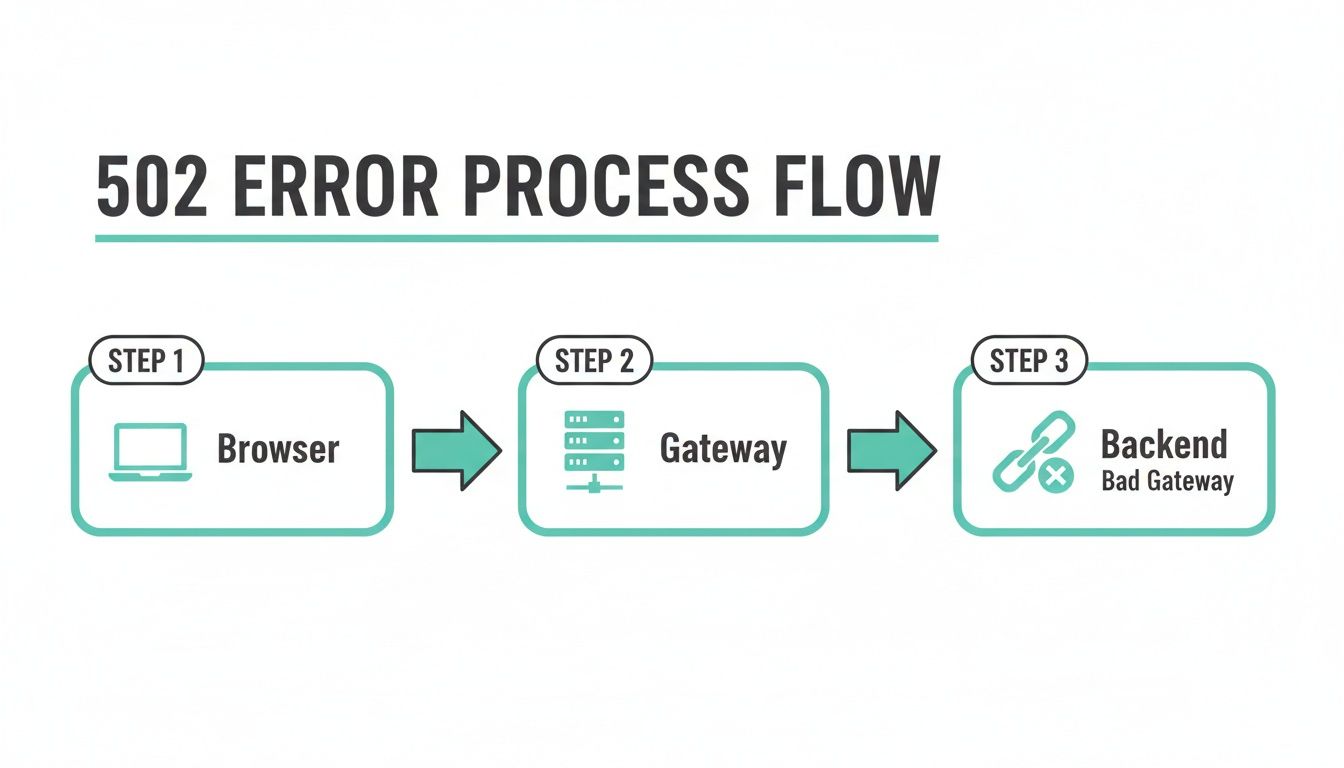
The key takeaway here is that your initial connection to the website's gateway was successful. The problem is happening deeper within the site's own infrastructure.
Practical Example: Imagine you visit an eCommerce store based in Perth to check your order status. The gateway server receives your request, but to fetch your specific order details, it has to ask the database server. If that database has crashed or is too overloaded to respond, the gateway gets nothing back. It then returns a 502 error to you, even though the main storefront might still be partially visible from the CDN's cache.
By mapping out this journey, it becomes clear that a 502 error is a precise signal of a communication breakdown between these internal servers. Knowing where the handover failed is the first crucial step in diagnosing and fixing the problem.
Common Triggers Behind 502 Bad Gateway Errors
So, we know a 502 error is a communication breakdown, but what actually causes the chain to snap? It almost always boils down to a handful of common issues, from sudden traffic surges to critical backend services simply giving up.
Knowing these usual suspects is half the battle. Once you can spot the signs, you're in a much better position to diagnose the problem and get things back online quickly.
Overwhelmed Servers and Sudden Traffic Spikes
One of the most frequent culprits behind a 502 error is a classic case of server overload. It's a good problem to have, in a way. Imagine an online store based in Melbourne running a massive Black Friday promotion. If thousands of shoppers flood the site all at once, the backend server—the one juggling orders, payments, and stock levels—can get completely swamped.
When the server is drowning in requests, it can't respond to the gateway's queries in time. The gateway will wait patiently for a moment, but if it hears nothing back, it throws its hands up and tells the customer's browser there’s a 502 Bad Gateway. This isn’t necessarily a crash; it’s more like the server’s resources, such as its CPU or memory, have just hit their absolute limit.
Backend Service Failures
Modern websites are rarely a one-man show. They rely on a team of backend services all working in sync. For a typical WordPress website, the main players are the PHP processor (which runs the site's code) and the MySQL database (which stores all the content). If any one of these key components crashes or goes offline, the whole request falls apart.
A 502 Bad Gateway error often means a backend service like PHP or a database has failed. The main web server is running, but the component it needs to build the page is unavailable, causing the communication to fail.
For instance, a rogue plugin on a WordPress site could easily cause the PHP service to crash. The gateway server sends a request for a page, but since PHP isn't there to process the code, the gateway gets an invalid response and has no choice but to return a 502 error. The same thing happens if the database goes down; the website can't pull any content, leading to the exact same result. You can get more specific help on this in our guide on what to do when you see an error establishing a database connection.
Content Delivery Network and Firewall Issues
Sometimes, the problem isn't even on your primary hosting server. The real issue can lie with an intermediary service, like a Content Delivery Network (CDN) or a firewall that's not configured correctly.
A CDN, like Cloudflare, acts as a global gateway to help your site load faster for visitors around the world. But if the CDN itself has a network hiccup, it might not be able to get a proper response from your origin server, triggering a 502 error for your users. It’s a stark reminder of how much our sites depend on the entire internet ecosystem, not just our own hosting.
A massive real-world example of this hit in early 2023 when Discord went down with a major 502 Bad Gateway outage, affecting its 2.5 million daily active Australian users. The culprit was a bad software update on Cloudflare’s network, which caused a huge CPU spike and knocked out access to countless global services. For Australian businesses using UpTime Web Hosting for things like Discord-integrated bots, this incident was a clear lesson in the risks tied to global CDN dependencies. You can read more about how the 502 error impacted Australian users on 7NEWS.
Host your website with our 5-star rated, cPanel website hosting plans.
Super fast servers, with security included and hosted in your choice of Australian Data Center.
View cPanel Plans
Quick Fixes for Website Visitors
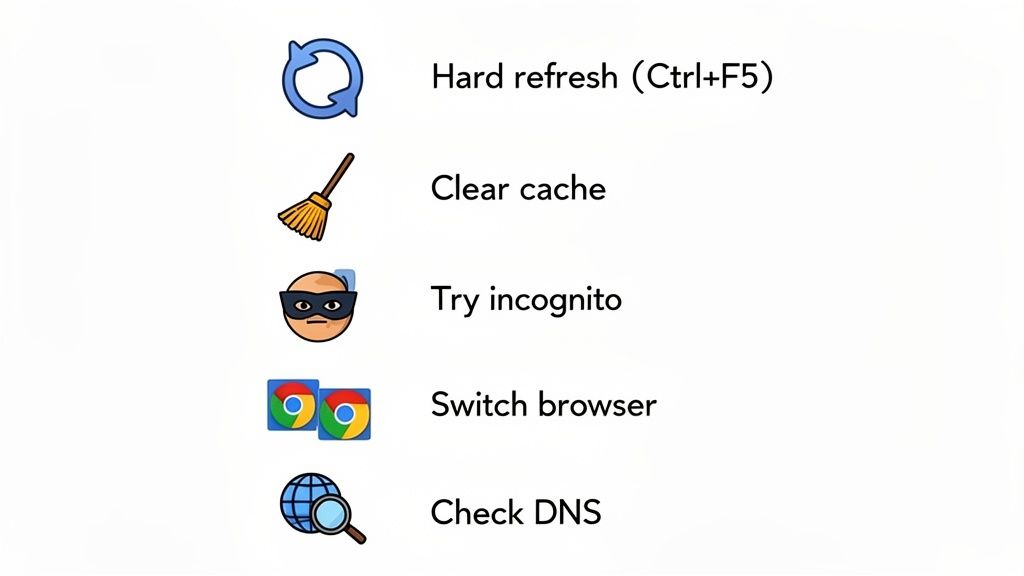
Even though a 502 error points the finger at the website's server, the problem is sometimes just a fleeting glitch. Your own browser might even be holding onto old information that’s causing the hiccup.
Before you throw in the towel on a site that won't load, it's worth trying a few simple tricks from your end. What a 502 bad gateway means is usually a server communication breakdown, but these quick checks will help you rule out any local issues that might be pretending to be the real problem.
Start with a Simple Refresh
First things first: reload the page. But don't just tap the normal refresh button—give it a hard refresh. This tells your browser to skip its saved (cached) data and download a completely fresh copy of the website.
A hard refresh is a surprisingly powerful way to get past a temporary jam. On a desktop browser, the magic combination is usually Ctrl+F5 (for Windows/Linux) or Cmd+Shift+R (for Mac).
If a momentary network blip was the culprit behind the 502 error, a hard refresh will often sort it out instantly. Think of it as the classic "turn it off and on again" fix, but for a web page.
Clear Your Browser's Cache
No luck with the refresh? The next step is to clear out your browser’s cache and cookies. It’s possible your browser is clinging to some outdated or corrupted files that are causing a fuss, even if the website's server issue has already been fixed.
Wiping the cache gives you a completely clean slate for your next attempt. Every modern browser has this option tucked away in the settings menu, typically under "Privacy," "Security," or "History."
Once you've cleared it, it's a good idea to fully close and reopen your browser before trying the website again. For a more detailed walkthrough, check out our handy guide on how to clear your browser cache.
Try Another Way to Connect
If that pesky 502 error is still hanging around, it's time to try a few different approaches to confirm if the problem is with your setup or the website itself.
Here’s a quick troubleshooting checklist:
- Use a Different Browser: If you’re on Chrome, try opening the site in Firefox or Safari. This helps you figure out if the issue is specific to just one browser.
- Go Incognito: Launch a private or incognito window. This mode usually disables browser extensions, any of which could be interfering with the connection.
- Check on Another Device: Got a smartphone handy? Try loading the site on your phone using its mobile data. This is a great way to rule out any problems with your local Wi-Fi network.
If the site still flashes a 502 error after all of these tests, you can be pretty confident the issue is on their end. At that point, all you can do is wait for the site owner to get things back online.
An Action Plan for Website Owners
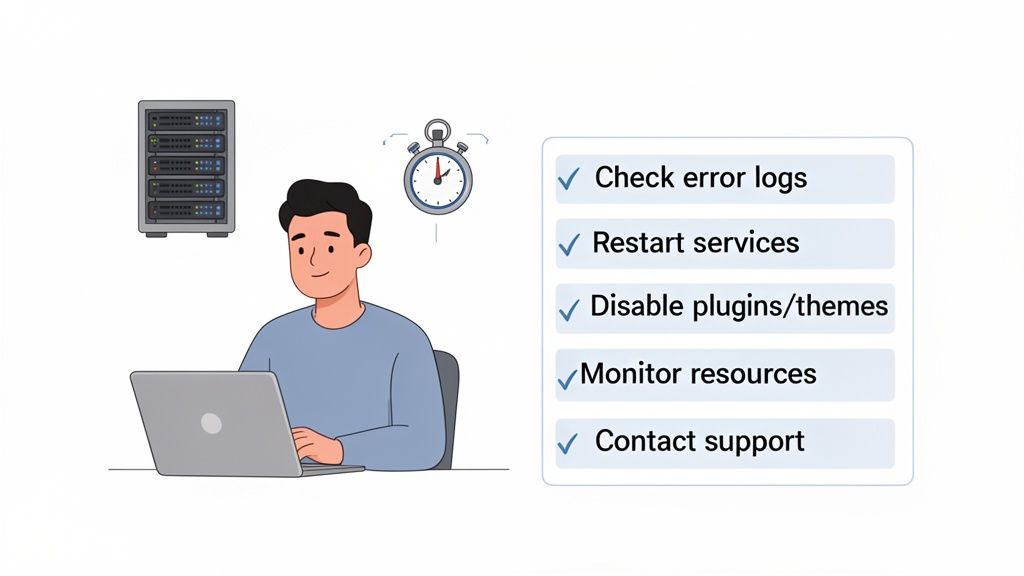
For a website owner, a 502 Bad Gateway error is more than just a tech headache; it's a roadblock that can hurt your reputation and your revenue. What a 502 bad gateway means for your site is downtime, pure and simple. You need a solid game plan to get back online fast.
Your first port of call should always be your server’s error logs. Think of these logs as a black box recorder for your website—they hold vital clues pointing directly to the problem. Head into your cPanel, find the "Errors" icon, and you'll see a running list of issues. Look for entries that match the time the 502 error first appeared.
You're hunting for messages like (111: Connection refused) or upstream timed out. A connection refusal usually means a critical backend service, like PHP, has fallen over. A timeout, on the other hand, suggests your server is swamped and just can't keep up with requests.
Diagnosing the Root Cause
With a clue from the logs, you can start digging deeper. Most of the time, the problem is hiding in your backend services, a misbehaving plugin, or your hosting resources hitting their limit. It's also important to understand your website hosting provider's role, as many 502 errors stem from server-side issues they manage.
A very common culprit, especially for WordPress sites, is a faulty plugin or theme. A recent update or a new install might have created a conflict that’s causing the PHP service to crash. Here’s how to check:
- Deactivate All Plugins: Use FTP or your cPanel File Manager to find and rename the
pluginsfolder (something likeplugins_oldwill do). This forces WordPress to deactivate everything. If your site springs back to life, you’ve found the general source of the problem. - Find the Troublemaker: Rename the folder back to
plugins. Now, go into your WordPress dashboard and reactivate your plugins one by one, checking the site each time. When the 502 error returns, you’ve found the faulty plugin. - Check Your Theme: If the plugins aren’t to blame, try activating a default WordPress theme like "Twenty Twenty-Four". This will quickly tell you if the issue lies with your current theme.
This isn’t just a problem for small sites. Even major services can be hit. In late 2024, Australian developers using the OpenAI API were plagued by 502 Bad Gateway exceptions, especially when building tools on WordPress. The ACSC Annual Cyber Threat Report 2024-2025 revealed that these gateway errors were responsible for 22% of cloud-related outages for Australian businesses, with downtime costing small to medium businesses an average of $15,200 per incident.
Restarting Services and Checking Resources
If it's not a plugin or theme, sometimes all you need is a good old-fashioned restart. A backend process like PHP-FPM can get stuck or crash, and a simple reboot is often enough to fix it. Most hosting panels, including cPanel, have an option to restart PHP processes or switch between PHP versions, which does the same job.
It's also crucial to check your hosting plan’s resource usage. A sudden spike in traffic from a marketing campaign or a viral post can max out your server's CPU or RAM, causing it to freeze up and throw a 502 error.
In your cPanel, find the resource usage stats. If you see your CPU or memory usage sitting consistently near 100%, it's a clear sign your site has outgrown its current plan and needs more power.
When you've tried these steps and are still stuck, it's time to call in the professionals. Our website maintenance and support team is here to help diagnose these trickier issues.
To help our Australian support team sort things out faster, please have this information ready when you contact us:
- The exact time you first noticed the error.
- Any recent changes made to your website (like plugin updates or new code).
- A copy of any relevant error messages from your server logs.
Having these details handy makes a world of difference and helps us get your site back online in no time.
Website Owner's 502 Error Checklist
When a 502 error strikes, it's easy to feel a bit lost. This checklist provides a structured path to follow, helping you systematically rule out common causes and pinpoint the source of the problem.
| Step | Action | What It Checks |
|---|---|---|
| 1. Initial Checks | Refresh the page and clear your browser cache. | Rules out temporary client-side glitches. |
| 2. Review Logs | Access your server's error logs via cPanel. | Looks for specific error messages pointing to the cause. |
| 3. Plugin & Theme Conflict | Deactivate all plugins via FTP/File Manager. | Identifies if a plugin is crashing backend services. |
| 4. Theme Conflict | Switch to a default WordPress theme. | Determines if your active theme is the culprit. |
| 5. Service Restart | Restart the PHP service in your hosting panel. | Resolves hung or crashed backend processes. |
| 6. Resource Usage | Check CPU and Memory usage in cPanel. | Verifies if the server is overloaded or out of resources. |
| 7. Contact Support | Gather logs, timestamps, and recent changes. | Prepares you to get fast, effective help from our team. |
Following these steps will not only help you resolve the current issue but also make you more prepared for any future hiccups. A methodical approach is always the best way to tackle server errors.
How to Prevent Future 502 Errors
Fixing a 502 Bad Gateway error gets you back online, but stopping it from ever happening again is the real prize. This is all about being proactive. It means you stop just patching problems and start building a more resilient website that can handle the unexpected.
The bedrock of any solid website is high-quality hosting. Partnering with a provider that has a robust, well-maintained infrastructure is non-negotiable. A reliable host will have built-in safeguards like CloudLinux, which cleverly isolates accounts. This stops one person's massive traffic spike from dragging down the whole server and creating a cascade of 502 errors for everyone else.
Optimise Your Server Performance
A lot of the time, a gateway gets a "bad response" simply because the server it's talking to is swamped and can't reply in time. The good news is you can dramatically ease this burden by using smart performance strategies to lighten the load.
Effective caching is probably the most powerful tool you have.
- Caching with LiteSpeed: If you're using LiteSpeed Web Server, its cache plugin is a game-changer. It creates static, ready-to-go copies of your pages, which means the server doesn’t have to build them from scratch for every single visitor. This slashes the amount of work for PHP and your database.
- Use a Content Delivery Network (CDN): A well-set-up CDN like Cloudflare acts like a global network of mini-servers for your site. It stores copies of your assets (images, CSS files) all over the world. For your Australian visitors, this means quicker load times and, crucially, less traffic hitting your main server directly, which lowers the risk of it being overwhelmed.
Maintain a Healthy Digital Environment
Beyond the hardware and infrastructure, good old-fashioned maintenance is your best friend for preventing the kinds of backend failures that trigger a 502. The health of your website's code and software is just as critical as the server it lives on.
This really just comes down to staying on top of updates for your CMS (like WordPress), themes, and plugins. Outdated software can have hidden bugs or performance issues that cause those backend services to fall over. On top of that, setting up regular health monitoring helps you spot the warning signs—like CPU usage slowly creeping up—before they explode into a full-blown outage.
Key Takeaway: The best defence against 502 errors is a proactive one. Combine a strong hosting foundation with smart caching and diligent, regular maintenance.
Even the biggest players aren't immune to gateway timeouts. In mid-2025, Australian users trying to watch the popular streaming service 10play.com.au ran into stubborn 502 errors, especially when accessing high-quality streams from cities like Perth. The problem, which only affected Australian IP addresses, showed how 19% of local streaming hiccups are tied to gateway timeouts, often made worse by complicated international proxy setups. You can dive into the technical chat about this regional 502 issue on GitHub.
At the end of the day, investing in a powerful hosting environment can make all the difference. If your website is starting to feel cramped on a shared plan, looking into the best VPS hosting in Australia gives you the dedicated power and resources you need to build a truly tough and reliable online presence.
Register your new domain name at competitive market prices including free domain add-ons like privacy, DNS Hosting, Custom Nameservers and Forwarding.
Always the best price and no nasty renewal price hikes.
Register A Domain Name
Got Questions About 502 Errors? We’ve Got Answers.
Even with a clear plan, it’s natural to have a few lingering questions when a server error pops up. Getting straight answers is the best way to understand what a 502 Bad Gateway really means for your website's health, reputation, and security.
Let's tackle some of the most common queries we hear from site owners.
Can a 502 Error Hurt My SEO?
Yes, it absolutely can, but the real question is for how long. If your site is down for just a few minutes, search engine crawlers will likely just come back later, and no harm is done.
The real trouble starts when the error drags on for hours or, even worse, days. At that point, crawlers start to see your site as unreliable. This can lead to a drop in your rankings and, if left unresolved, they might even de-index your site entirely. Consistent uptime is everything for maintaining a strong SEO standing.
Is a 502 Error the Same as a 503 or 504?
They’re all in the same family of server-side errors, but they’re not the same. Each number points to a very different problem, and knowing the difference is the key to fixing things quickly.
- 502 Bad Gateway: This is a communication breakdown between two servers. One server tried to get information from another but received a scrambled, invalid response back.
- 503 Service Unavailable: The server is online, but it’s slammed. It's deliberately refusing to handle the request, usually because it’s overloaded with traffic or undergoing maintenance.
- 504 Gateway Timeout: This is a waiting game. One server sent a request to another but didn't get any response back in a reasonable amount of time. The connection just timed out.
Think of it this way: a 502 is like getting a garbled, nonsensical text message. A 503 is like a phone that’s busy. And a 504 is a call that just rings and rings with no answer. If timeouts are a frequent issue, you might want to read about increasing timeout values in our knowledge base.
Does a 502 Error Mean My Website Was Hacked?
It's highly unlikely. While a massive DDoS attack could theoretically swamp a server and trigger a 502, the error itself isn't a direct sign of a security breach.
In nearly every case, a 502 Bad Gateway error points to a misconfiguration, a resource shortage, or a temporary network hiccup. It’s a symptom of an operational problem, not malicious activity.
That said, staying on top of security is always a smart move. Make sure you're using services that prioritise your website's protection. You can learn more by checking out our guide on website malware scanning and removal.
For a hosting experience that prioritises stability, performance, and expert Australian support, trust UpTime Web Hosting. We provide the reliable infrastructure you need to keep errors like the 502 Bad Gateway at bay. Discover our fast, secure hosting solutions at https://uptimewebhosting.com.au.