In short
An HTTP 400 Bad Request error means the server rejected a request it considered invalid, malformed or unsafe. Start by checking the URL, opening the page in a private window and clearing that site's cookies. If the error persists across devices, website owners should inspect forms, redirects, plugins, security rules and server logs.
Key takeaways
- HTTP 400 is a 4xx response, but the faulty request may have been created by browser data, website code, a proxy or a security rule.
- If only one browser is affected, test its cookies, cache and extensions before changing the website.
- If one form, upload or API action fails, inspect that request rather than treating the whole site as unavailable.
- DNS is a secondary suspect because receiving HTTP 400 proves that a server answered the request.
- ModSecurity should not be left disabled as a fix; identify the matching rule and make the narrowest safe correction.
Table of contents
- What does an HTTP 400 Bad Request mean?
- What usually causes a 400 Bad Request?
- How do I fix an HTTP 400 error?
- How can a website owner diagnose a 400 in WordPress or cPanel?
- How is HTTP 400 different from 401, 404, 409 and 504?
- What else do people ask about HTTP 400 errors?
- What should you do if the 400 error keeps returning?
A 400 can be caused by the browser, the request, an application, a proxy, a web application firewall or the server configuration. Start by determining who can reproduce it and exactly what action triggers it, because that scope usually identifies the correct layer to inspect.
What does an HTTP 400 Bad Request mean?
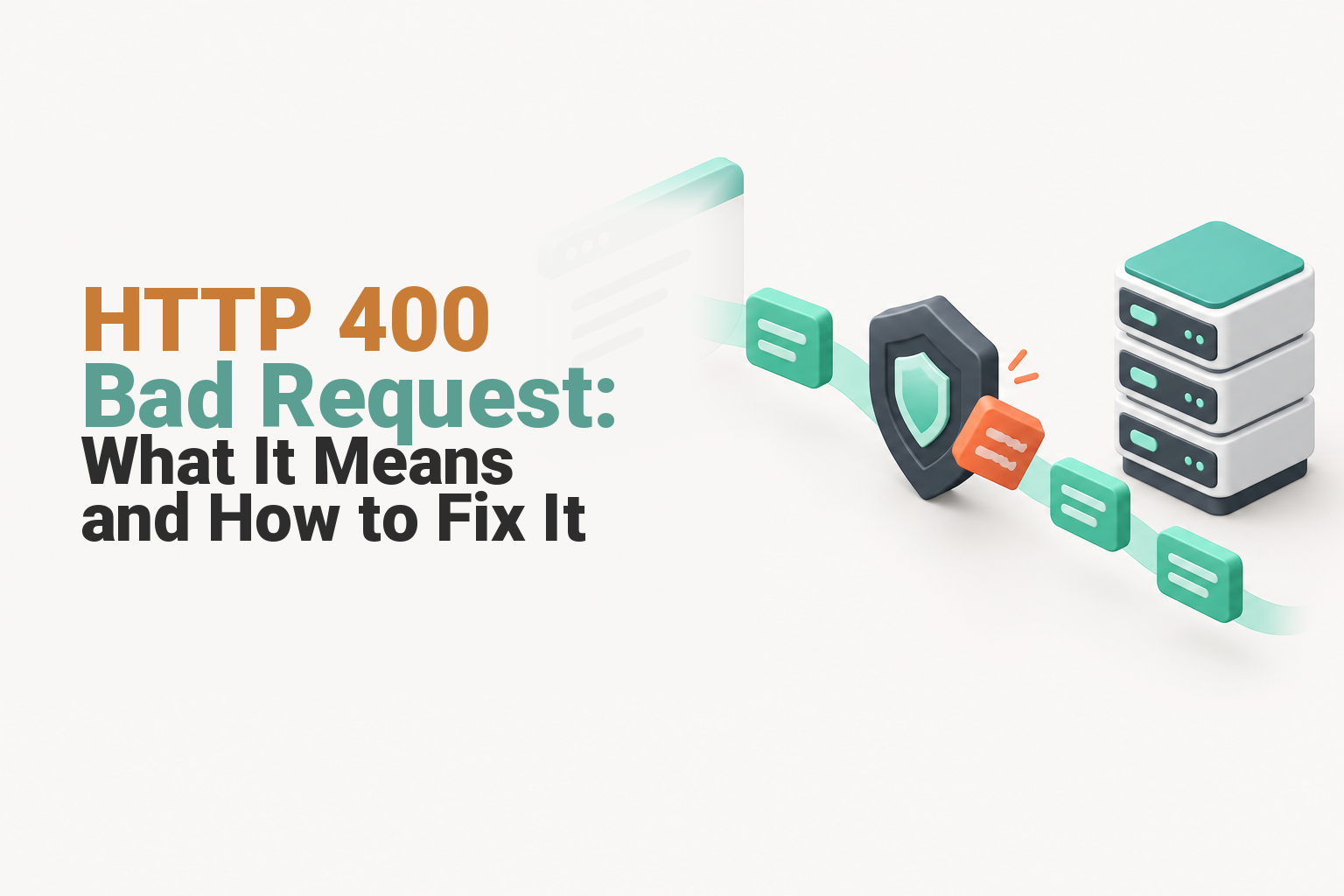
HTTP 400 means the server cannot or will not process a request because it perceives a client error. RFC 9110, the 2022 HTTP Semantics standard, places 400 in the 4xx class, but client error describes the request received by the server rather than proving that the visitor personally caused the fault. (rfc-editor.org)
A browser, mobile app, contact form, REST API client, proxy or website plugin can all generate the request. A website owner may therefore create a site-wide HTTP 400 problem through a broken redirect, malformed application response, invalid routing rule or overly broad security control.
The 400 HTTP status code also does not say that the website is offline. A server has answered. The response says that the server rejected this particular request before completing its normal processing.
A 400 response means the request was rejected before normal processing, not that the entire website is necessarily offline.

Performance you can feel, backed by clients who depend on it. Read how our support and uptime create long‑term customer success.Power Your Business with Better Hosting
What usually causes a 400 Bad Request?
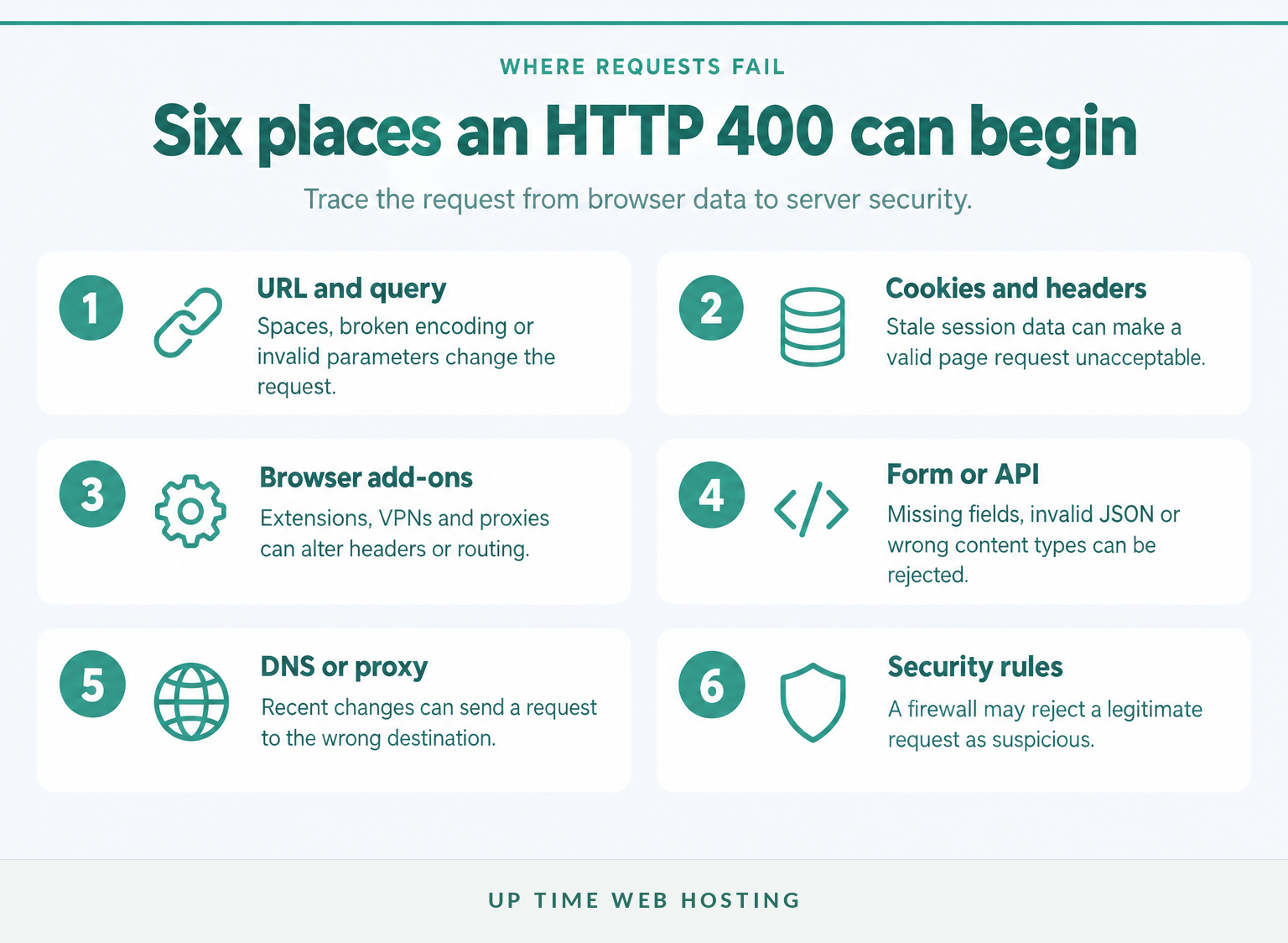
Common causes include a malformed address, stale site data, an invalid form or API payload, a browser extension, a routing mismatch or a server security rule. The quickest clue is scope: one browser suggests local data, one action suggests an application request, and every visitor suggests a website or hosting configuration.
- A malformed URL or query string: A copied address may contain a space, extra bracket, damaged percent-encoded character, duplicate question mark or parameter the application does not accept. The guide to URLs and URIs explains the terminology behind the address being sent.
- Stale or malformed cookies and headers: Old session data can make a normal-looking page request unacceptable to an application, proxy or server. This commonly affects signed-in pages while public pages continue working.
- A bad form or API request: A form may omit a required value, use an expired session, send invalid JSON or declare the wrong content type. A 400 Bad Request REST API response often needs the request body and headers inspected together.
- An upload or request-size problem: RFC 9110 defines 413 Content Too Large as the more specific response for oversized content, but an application or intermediary may still return a generic 400. Try a smaller known-good file before changing limits. (rfc-editor.org)
- A browser extension, VPN or proxy: Privacy tools, security extensions and proxies can change headers, cookies or routing. A private window is useful, but some extensions still run there unless disabled.
- A DNS or routing mismatch: Treat DNS as a secondary suspect. Receiving HTTP 400 means a server answered, but recently changed DNS may send the request to an old origin, proxy or virtual host that rejects it.
- A plugin, redirect or security rule: WordPress plugins,
.htaccessrules, reverse proxies and web application firewalls can reject a valid action because its URL or request body resembles an attack pattern.
The fastest clue is scope: one browser points to local data, one action points to the application, and every visitor points towards the website or server.
How do I fix an HTTP 400 error?
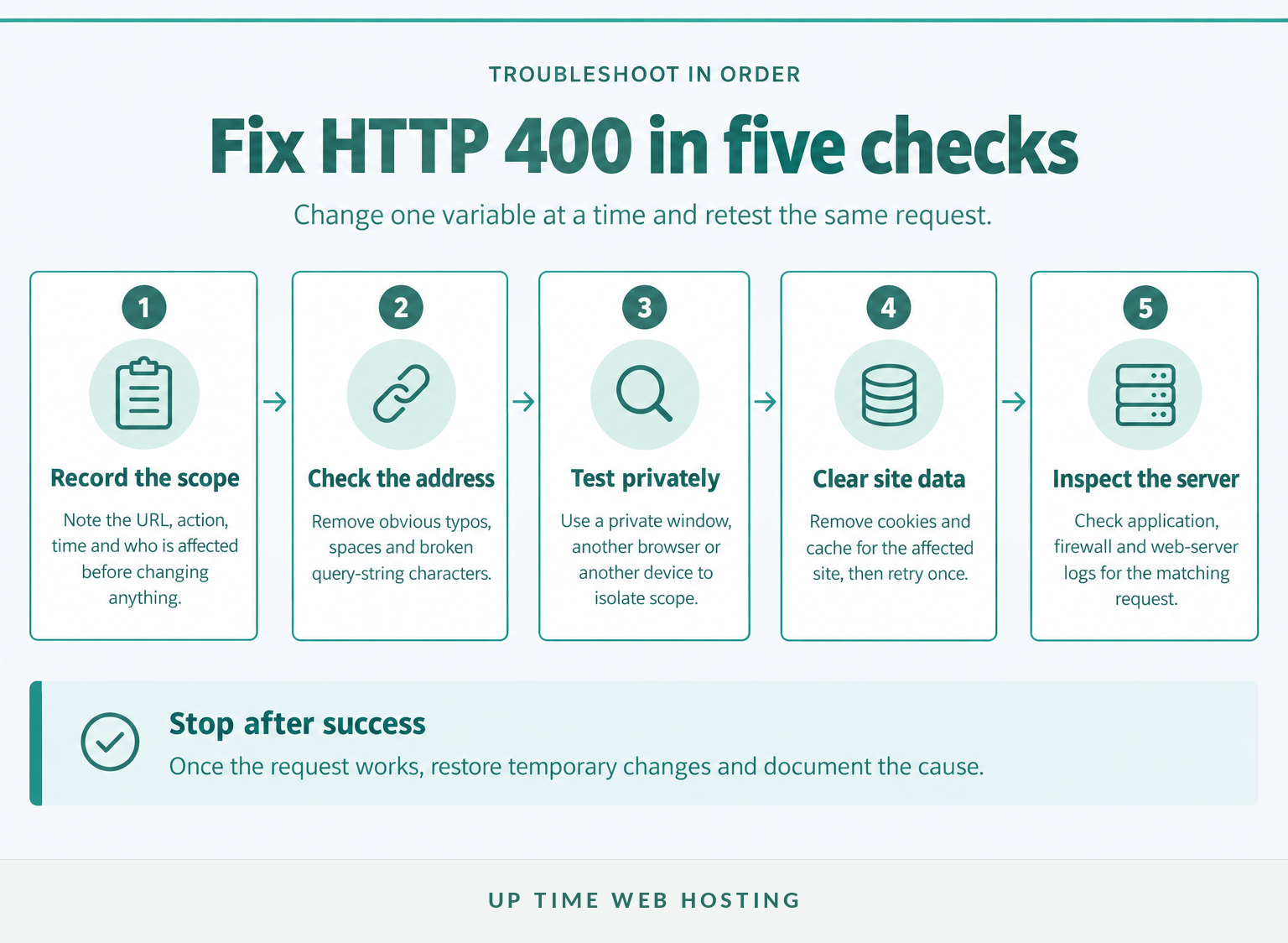
Fix an HTTP 400 error by starting with reversible checks and changing one variable at a time. Do not clear everything, reset the website or disable security before recording the exact URL, action, time and users affected.
- Capture the failure before changing anything. Record the full URL, the page you came from, the action that triggered the error, the time with timezone and whether you were signed in. Take a screenshot, but do not expose passwords, session cookies, API keys or personal data.
- Check the address carefully. Remove obvious spaces, duplicate punctuation and damaged query parameters. If the URL came from an email or document, navigate from the website's home page instead of repeatedly using the copied link.
- Open the page in a private window. If the page works privately, the server and page are probably available. The likely causes narrow to cookies, cached data, an extension or the signed-in session.
- Remove data for the affected site. Start with site-specific cookies rather than clearing every saved login. As of October 2026, Chrome's current cache and cookie instructions place the controls under Delete browsing data and warn that clearing cookies may sign users out and remove saved site settings. (support.google.com)
- Temporarily test extensions, VPNs and proxies. Disable them one at a time and retry the same request. Restore each tool after the test so the result shows which change mattered.
- Retry the form, API action or upload with simpler input. Remove unusual characters from a test submission, confirm required fields and use a small known-good file. Website owners should compare the failed request with a successful one in the browser's Network panel rather than guessing at the server limit.
- Check DNS only when the evidence points there. DNS deserves attention after a domain move, nameserver change, proxy change or inconsistent result between networks. Confirm that authoritative records are correct before flushing DNS on the device.
If the error remains on several devices and networks, stop repeating browser resets. The next evidence must come from the application, firewall, proxy or web-server logs.
Change one thing at a time and stop when the same request succeeds, or the evidence becomes harder to interpret.
Host your website with our 5-star rated, cPanel website hosting plans.
Super fast servers, with security included and hosted in your choice of Australian Data Center.
View cPanel Plans
How can a website owner diagnose a 400 in WordPress or cPanel?
Website owners should reproduce the request once, note the time and inspect the logs before changing WordPress or server settings. A matching log entry can separate an application failure from a security-rule rejection in minutes.
What should you check in cPanel?
Open Metrics > Errors shortly after reproducing the issue. The cPanel Metrics documentation says the Errors interface can display up to 300 recent web-server error-log entries in reverse chronological order, while Raw Access provides request logs where the hosting configuration makes them available. (docs.cpanel.net)
Look for an entry matching the URL and timestamp. Useful details may include the requested path, response code, application message, client IP, rewrite failure or ModSecurity rule identifier. If the cPanel view does not expose enough information, ask the host to inspect the full web-server, proxy and firewall logs.
Do not permanently disable the web application firewall to make a request pass. The July 2026 cPanel ModSecurity guidance recommends keeping ModSecurity enabled for domains and disabling it only while troubleshooting a suspected rule. A safer permanent fix is to identify the rule, confirm a false positive and apply the narrowest exclusion available. (docs.cpanel.net)
What should you check in WordPress?
Take a current backup or use a staging copy before editing files, plugins or themes. The WordPress debugging documentation, updated on 23 September 2026, recommends using debugging tools in local or staging environments rather than leaving them active on a production site. (developer.wordpress.org)
On a controlled copy, WordPress can write errors to wp-content/debug.log without displaying them to visitors:
“php define( 'WP_DEBUG', true ); define( 'WP_DEBUG_LOG', true ); define( 'WP_DEBUG_DISPLAY', false ); “
Reproduce the failing form, page save, upload or API call, then inspect the new log entries. Turn debugging off after the test.
Deactivate recently changed plugins one at a time, starting with security, form, redirect, caching and API integration plugins. Retest the exact action after each change. If the problem started after an update, restore a known-good backup or use a supported rollback process instead of deleting files at random.
Review recent changes to .htaccess, redirects, permalink rules and proxy settings. Keep a copy before editing. A rule that rewrites the request to an invalid target can create a 400 even when the original browser URL looks correct.
What does the pattern tell you?
| What you observe | Likely layer | Best next check |
|---|---|---|
| One browser fails | Cookies, cache or extension | Private window, then site-specific data |
| Only signed-in users fail | Session or authentication data | Sign out, remove site cookies and inspect app logs |
| One form or upload fails | Payload, size limit or firewall rule | Known-good input and matching server logs |
| Every page fails for multiple users | Proxy, server or routing configuration | Error, access and security logs |
| Failure began after a domain move | DNS or wrong origin | Authoritative records and destination server |
The table identifies where to look, not who to blame. A browser-only symptom can still expose a website bug, while an all-user failure can be caused by an application deployment rather than the physical server.
Logs turn an HTTP 400 error from a vague message into a request, timestamp and responsible layer that can be tested.
How is HTTP 400 different from 401, 404, 409 and 504?
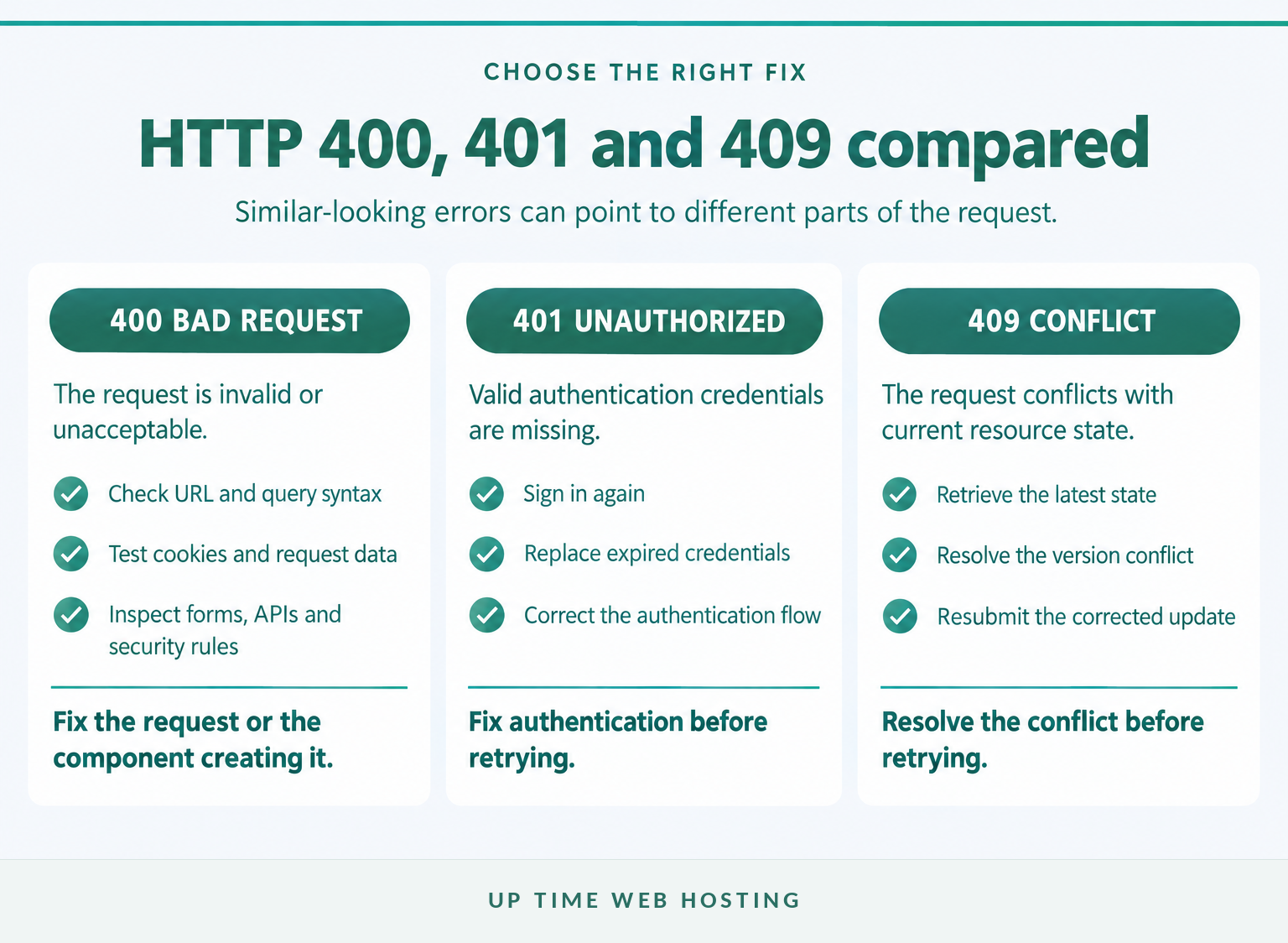
HTTP 400 concerns a request the server considers invalid, while the other codes describe authentication, missing resources, state conflicts or upstream delays. The correct fix depends on the status code, so do not apply cookie clearing or server restarts to every HTTP failure.
- 400 Bad Request: The server cannot or will not process the request because it perceives a client error, malformed message or deceptive routing.
- 401 Unauthorized: The request lacks valid authentication credentials. The next step is usually to sign in again, replace credentials or correct the authentication flow.
- 404 Not Found: The server cannot find the requested resource or will not disclose that it exists. Use the guide to 404 not found errors when the address points to a missing page rather than a malformed request.
- 409 Conflict: The request conflicts with the current state of the target resource. An API may use 409 when an update is based on an outdated version and can be retried after the conflict is resolved.
- 504 Gateway Timeout: A gateway or proxy did not receive a timely response from an upstream server. The http 504 gateway timeout guide covers the upstream and performance checks that apply instead.
RFC 9110 defines these responses separately because each code points towards a different part of the request and response path. (rfc-editor.org)
The correct fix depends on what the status code says failed: the request, credentials, resource, current state or upstream response.
What else do people ask about HTTP 400 errors?
These questions cover the distinctions most likely to change the next troubleshooting step. Each answer stands alone so the status code can be interpreted without reading the rest of the guide.
How do I fix an HTTP 400 error?
Start with the URL, then open the page in a private window. If it works there, remove cookies and cached data for that site and test browser extensions. If the error appears on every device, the website owner should inspect form requests, redirects, security rules and server logs before changing the server configuration.
Does a 400 error mean the site is down?
No. A 400 error means a particular request was rejected; other pages and other users may still work. Test the home page, another device and an external monitoring service. If every request fails for everyone, the site may have a wider configuration or availability problem, but the 400 code alone does not prove downtime.
What do HTTP status codes 400 and 401 mean?
HTTP 400 means the server considered the request malformed or otherwise unacceptable. HTTP 401 means the request lacks valid authentication credentials for the target resource. A 400 fix usually changes the request or site data; a 401 fix usually involves signing in again, replacing credentials or correcting the authentication flow.
What is the difference between HTTP 400 and 409 status codes?
HTTP 400 covers an invalid request that the server cannot or will not process. HTTP 409 is more specific: the request conflicts with the current state of the target resource, such as an API update based on an outdated version. A 409 response should usually provide information that helps resolve and resubmit the request.
Keep the code attached to the symptom because similar-looking error pages can require completely different fixes.
Register your new domain name at competitive market prices including free domain add-ons like privacy, DNS Hosting, Custom Nameservers and Forwarding.
Always the best price and no nasty renewal price hikes.
Register A Domain Name
What should you do if the 400 error keeps returning?
A recurring 400 should be escalated with evidence, not another round of random resets. Give the website owner, developer or host enough information to reproduce the request and find the matching application, firewall or server-log entry.
Include the full URL, time with timezone, account state, browser, action, safe request details, screenshot and relevant log lines. Do not send passwords, session cookies, API keys or personal information in a normal support ticket.
For businesses reviewing the hosting layer, UpTime Web Hosting's hosting Australia page outlines its cPanel options and support pathway. Ask what application logs, security-rule assistance and migration support are available for the website before changing platforms.
The next useful action is to hand a precise, reproducible request to the person who can see the server logs.