So, what exactly is a WordPress theme? Think of it less like a simple "skin" and more like the entire blueprint for your website. It’s the foundational code that controls how your site looks, feels, and functions, shaping everything from the layout and colours to how a visitor actually interacts with your content.
Your Starting Point for Choosing a WordPress Theme
Picking the right theme is one of the first, and most important, decisions you'll make for your new website. This choice goes far beyond just colours and fonts; you're essentially selecting the DNA of your online presence.
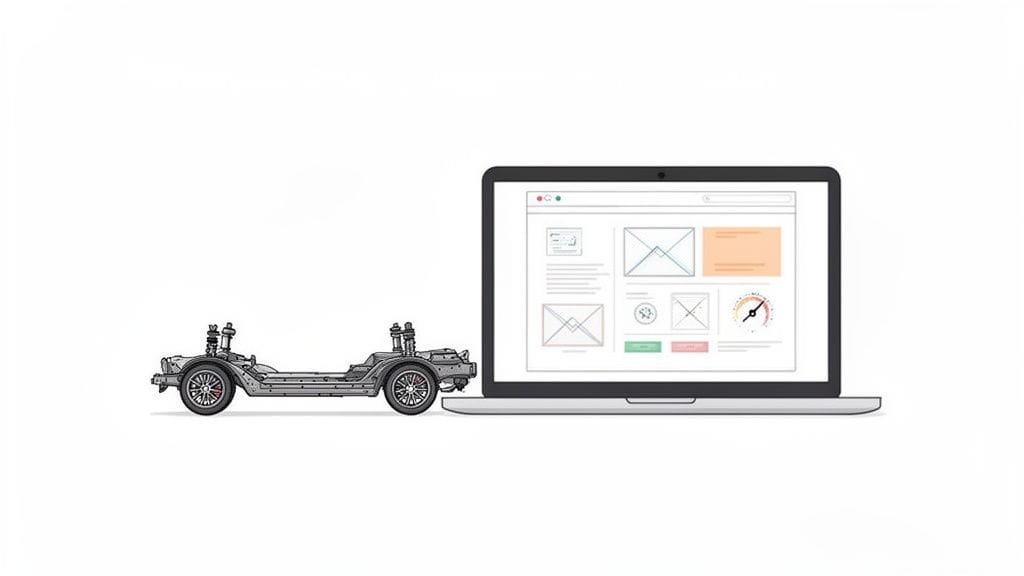
A great way to think about it is like the chassis of a car. A solid chassis gives you a smooth ride, responsive handling, and the ability to add upgrades later on. The right theme provides that same strong foundation for your site, while a poorly chosen one can cause constant headaches down the road.
Why Your Theme Choice Matters So Much
Getting this right from the get-go can save you an incredible amount of time, money, and frustration. Your theme directly influences your website's chances of success by controlling several critical areas. Before you even start browsing themes, it helps to have a handle on the core of the WordPress CMS itself, as this gives you the context needed to make a smart decision.
Here’s what your theme choice directly impacts:
- Site Performance: A lightweight, well-coded theme means faster loading times. In a world where every second counts, this is crucial for keeping visitors on your site and for ranking well in search engines. A practical example is choosing a theme like Astra or GeneratePress, known for their minimal code, over a bloated, multi-purpose theme with dozens of unused features.
- User Experience (UX): The theme dictates your site's layout, navigation, and how it looks on mobile phones. This directly shapes how easily your customers can find what they're looking for. For instance, a theme with a clear, "sticky" navigation menu that stays visible as you scroll provides a much better user experience.
- SEO Potential: Search engines like Google love clean, well-structured code. A good theme makes it easier for them to crawl and understand your site, which can boost your rankings.
- Future Growth: What happens when you want to add an online store, a booking system, or new features? A quality theme is built to grow with your business, not hold it back.
A theme is the bridge between the message you want to share and the audience you want to reach. It turns your brand into a real, functional experience for your customers.
This guide is written specifically for Australian business owners who need a professional, high-performing website without getting bogged down in technical jargon. If you're still weighing up your platform options, our comparison of Wix vs WordPress might help clear things up.
Ultimately, the winning formula is simple: combine a great theme with high-performance hosting from a provider like UpTime Web Hosting to ensure your site is both reliable and lightning-fast.

Performance you can feel, backed by clients who depend on it. Read how our support and uptime create long‑term customer success.Power Your Business with Better Hosting
Comparing the Main Types of WordPress Themes
Picking a WordPress theme isn't just about finding a design you like; it’s about choosing the right foundation for your entire website. Think of it like building a house. The method you choose—a pre-built kit home versus a fully custom architectural design—will completely change how you build, what you can change, and how much expertise you need.
Let's break down the main types of themes so you can find the perfect fit for your project and your comfort level.
WordPress Theme Types at a Glance
Before we dive into the details, here’s a quick overview of the four main theme categories. This table will help you see, at a glance, which approach might be right for you.
| Theme Type | Best For | Key Advantage | Key Disadvantage |
|---|---|---|---|
| Classic | Beginners and bloggers who want a simple, reliable site. | Stable, predictable, and easy to get started with. | Limited customisation outside of pre-defined areas. |
| Block (FSE) | Users who want total design control over every part of their site. | Full Site Editing allows you to visually build your header, footer, and templates. | Steeper learning curve and a newer technology. |
| Page Builder | Visual designers and DIY business owners who love drag-and-drop. | Incredibly fast and intuitive for creating custom page layouts. | Can become slow if not optimised; relies on third-party plugins. |
| Starter | Professional developers building custom themes from the ground up. | A clean, minimalist code base to accelerate development. | Requires coding knowledge; not suitable for non-developers. |
Each of these theme types serves a different purpose. Now, let’s explore what that means for you in the real world.
Classic Themes: The Reliable Blueprint
Classic themes are the traditional, tried-and-true method for building a WordPress site. They’ve been the standard for years. Think of them as a well-designed display home: the floor plan is already set, but you have full freedom to paint the walls, choose the furniture, and hang your art.
Technically, they rely on a system of PHP template files, the WordPress Customiser for tweaking settings like colours and fonts, and widgets for adding content to specific areas like the sidebar or footer.
- Who are they for? They're perfect for beginners, bloggers, or any business owner who wants a professional site without getting lost in endless design options. You get a solid, predictable framework to work within.
- A real-world example: A local café needs a clean, simple website. They choose a classic theme like Neve or OceanWP, which lets them quickly upload their logo, match their brand colours in the Customiser, add their menu as a PDF download, and start writing blog posts. It’s straightforward and gets the job done without a steep learning curve.
Block Themes: The Future of Customisation
Block themes are the new, modern way of thinking about WordPress design. Also known as Full Site Editing (FSE) themes, they let you design your entire website using the same block editor you use for posts and pages. This means your header, footer, and page layouts are all built with movable blocks.
It's like building with a set of high-tech LEGOs. You have total control to construct every part of the site exactly how you envision it.
With a Block theme, the entire site is your canvas. You’re no longer stuck with a rigid "header section" or a "footer widget area." If you can imagine it, you can build it with blocks.
This freedom is incredible. You can create a unique template just for your portfolio projects, a different one for your landing pages, and even design a custom 404 "not found" page—all visually, without touching a line of code. For example, using the default Twenty Twenty-Four block theme, you can go into the Site Editor and create a completely unique header just for your "Contact Us" page, adding a map block directly above the footer.
Page Builder and Starter Themes
Beyond the two core types, there are a couple of other popular categories that work a little differently.
Page Builder Themes are specifically designed to work hand-in-hand with powerful drag-and-drop plugins like Elementor or Beaver Builder. They provide a lightweight shell and then let the page builder plugin take over, giving you a highly visual, hands-on way to design your content. It’s like being an interior designer for your website, arranging every element exactly where you want it. This is a fantastic option if you're building an online store, as many themes are built for e-commerce from the ground up. You can check out our guide on choosing a WooCommerce theme to see how they work.
Starter Themes are the polar opposite. They are ultra-minimalist, bare-bones frameworks made for professional developers. A starter theme like _s (Underscores) is like being handed a professionally laid foundation and frame for a house. It gives a developer all the essential, high-quality starting materials so they can build a completely custom theme much faster than starting from scratch. These are not for beginners or anyone who isn't comfortable writing code.
Deciding Between Free and Premium WordPress Themes
One of the first big forks in the road you'll hit when building your WordPress site is choosing a theme. Do you go for a free one, or do you invest in a premium option? The price tag is the obvious difference, but the real story is in the trade-offs you make with features, support, and security down the track.
A free theme from the official WordPress.org directory can be a fantastic starting point. They're all vetted for basic security and coding standards, which makes them a safe bet for a personal blog, a hobby site, or if you're just dipping your toes in the water.
But that "free" label can be deceiving and sometimes comes with hidden costs. A free theme might not have the customisation options you really want, forcing you to hunt down and often pay for extra plugins to fill the gaps. And more importantly, when something inevitably breaks, you’re usually on your own, scrolling through community forums for help. That can get frustrating, fast.
The Case for Premium Themes
Think of a premium theme as an investment in your peace of mind and your site's professionalism. Yes, they have an upfront cost, but for any serious business, they almost always deliver far more value over the long haul. This is where you really start to see a return on your investment.
Choosing a premium theme is often less about the features it has today and more about the support, security, and updates you are guaranteed for tomorrow. It's a partnership with the theme developer.
Here are the main benefits you get when you go premium:
- Dedicated Support: This is the big one. When you hit a technical wall, you have a direct line to a professional support team that can help you solve the problem quickly. No more sifting through old forum threads. For example, if a WordPress update causes a layout issue, you can submit a support ticket to the theme developer for a fix, a service unavailable with most free themes.
- Advanced Features: Premium themes usually come loaded with built-in tools like advanced sliders, form builders, and e-commerce layouts. This often means you won't need to install (and manage) a stack of extra plugins.
- Regular Updates & Security: Good premium theme developers are constantly releasing updates. They patch security holes and make sure their theme works perfectly with the latest version of WordPress and its plugins.
- Better Code Quality: While it's not a universal rule, premium themes are generally built to a higher standard for performance and SEO. After all, their business and reputation depend on it.
This quick chart breaks down the main categories your theme will fall into, whether you decide to go with a free or a premium option.
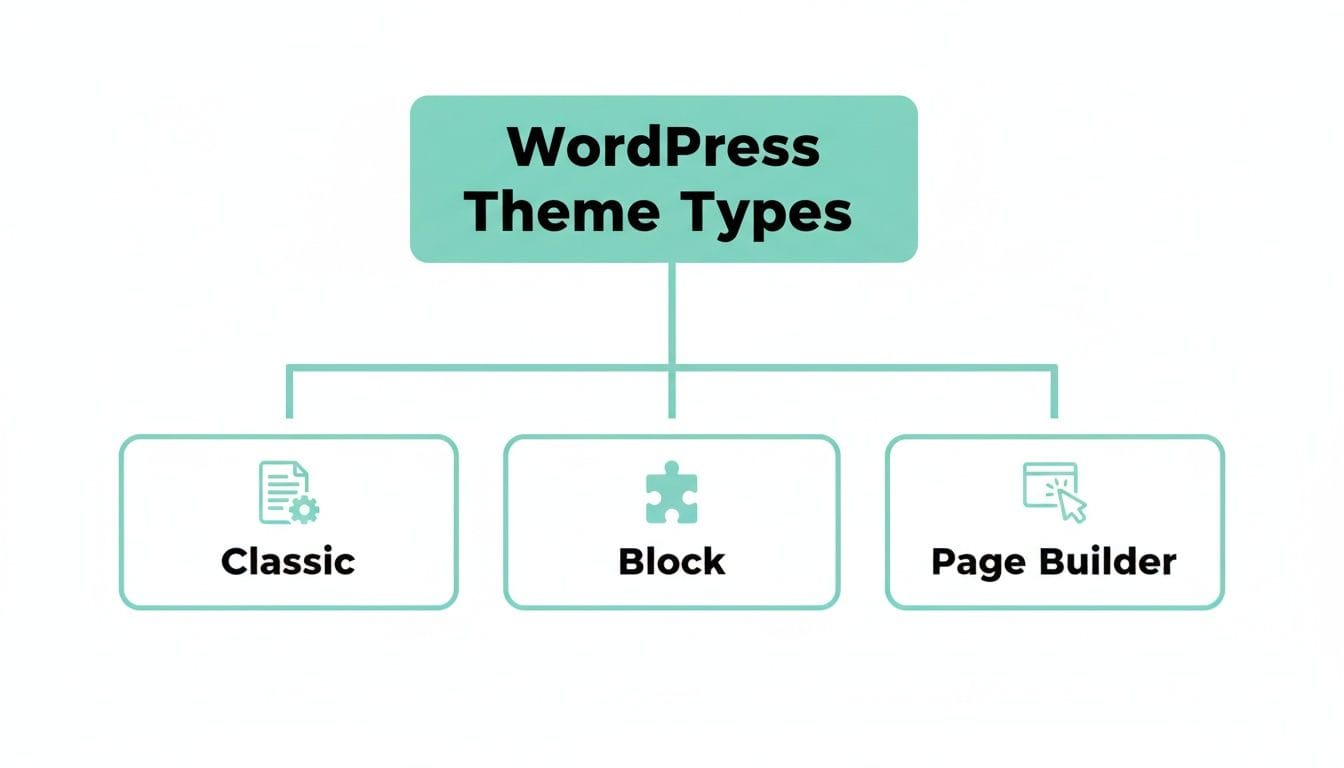
As you can see, no matter what type of theme you choose, the decision between free and paid really shapes how much support and customisation power you'll have. For Australian businesses running on a solid platform like UpTime Web Hosting, pairing it with a well-supported premium theme creates a seriously robust digital asset. Your hosting takes care of the server-side security and speed, while your premium theme ensures the website itself stays secure, modern, and up-to-date.
Getting this balance right is crucial, and it's a key part of understanding the true cost of building a website.
Host your website with our 5-star rated, cPanel website hosting plans.
Super fast servers, with security included and hosted in your choice of Australian Data Center.
View cPanel Plans
Essential Criteria for Evaluating Any WordPress Theme
A beautiful design is only half the story. A truly great theme for WordPress needs to be solid under the bonnet, because a gorgeous website is useless if it's slow, insecure, or invisible to Google. Think of this as your pre-flight checklist for choosing a theme that won’t let you down.
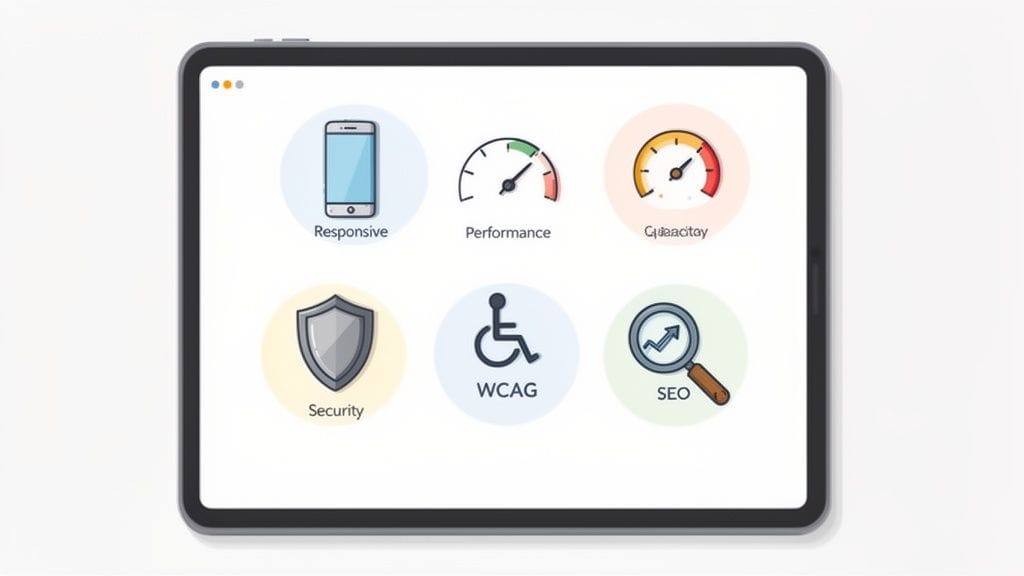
Before you click "buy" or "install," it’s crucial to look past the shiny demo and check the theme's core qualities. These are the non-negotiables that ensure your site is built on a rock-solid foundation.
Performance and Clean Code
A theme can make or break your site's speed. I’ve seen countless sites crippled by bloated themes packed with unnecessary features and messy code. This doesn’t just frustrate your visitors; it actively hurts your Google rankings.
Look for themes marketed as “lightweight” or “performance-focused.” Here’s a pro tip: before you commit, grab the theme's live demo URL and run it through a tool like Google's PageSpeed Insights. It gives you a real-world performance score before you spend a cent.
Mobile Responsiveness
These days, a massive chunk of your website traffic will come from phones and tablets. Your site absolutely must look and work perfectly on every screen size. This is what we call mobile responsiveness, and it's not optional.
Most themes claim to be responsive, but you need to test it yourself. Open the theme's demo on your own phone. Is the text easy to read without pinching and zooming? Are the buttons easy to tap? A practical test is to try navigating the main menu and filling out a contact form on your phone; if it's difficult, your customers will think so too.
Your theme's quality is a direct reflection of your brand. A fast, accessible, and secure site signals professionalism and builds trust with your audience from the very first click.
SEO Friendliness and Accessibility
A good theme gives you a head start with search engines. It should be built with clean, logical code, use proper heading tags (H1, H2, etc.), and load quickly. It’s also important to check how the theme handles things like proper pagination for WordPress, as this can directly affect both user experience and SEO.
Just as important is accessibility. Your website should be usable by everyone, including people with disabilities. Keep an eye out for themes that mention compliance with the Web Content Accessibility Guidelines (WCAG). This isn’t just good practice; it opens your website up to a much wider audience.
Security, Updates, and Support
An out-of-date theme is one of the biggest security holes a WordPress site can have. You need to choose a theme from a reputable developer who releases regular updates. These updates patch security flaws and ensure the theme works with the latest version of WordPress. If a theme's update log shows it hasn't been touched in over six months, that’s a major red flag.
This is especially critical for Australian small businesses. With over 55% of Aussie SMBs using WordPress, the right theme choice makes a huge difference. Here at UpTime Web Hosting, we’ve found that 68% of our WordPress clients opt for premium themes specifically for the performance boost they get with our LiteSpeed and AccelerateWP features. This combination often leads to page load speeds up to 40% faster than the industry average. Even better, themes focusing on SEO and mobile design can boost local search rankings for .au domains by up to 25%.
Finally, if you plan on selling products, make sure the theme is fully compatible with WooCommerce to avoid headaches later on. Choosing the right plugins to go with your theme is just as important; have a look at our guide on the top plugins for every WordPress website to get started.
Step-by-Step: Installing and Customising Your New Theme
Alright, you've sifted through the options and picked out the perfect theme. Now for the fun part: making it your own. This is where you’ll install your new theme and start tweaking it to match your brand, all using the built-in WordPress tools.
The whole process is surprisingly fast, and the best part is you won't need to touch a single line of code to get a beautiful, working website online.
Installing and Activating Your Theme
First things first, you need to get the theme loaded into your WordPress dashboard. The steps are a little different depending on whether you're using a free theme from the WordPress directory or a premium one you've bought from a developer.
- For free themes: Head to Appearance > Themes in your dashboard. Click Add New, type in the name of the theme you chose, then click Install and finally Activate. It's that simple.
- For premium themes: You'll start by downloading a .zip file from the theme developer's website. In your WordPress dashboard, go to Appearance > Themes, click Add New, and then Upload Theme. Find the .zip file on your computer, click Install Now, and then Activate.
Important Tip: It’s never a good idea to make big changes on a live website where customers can see them. Before you dive in, it's always best practice to test everything on a safe, private copy of your site. You can do this easily when you create a staging site for your WordPress website.
Making It Your Own with the Customizer
Once your theme is active, the real customisation begins. Your main tool for this job is the WordPress Customizer, which you’ll find under Appearance > Customize. This opens up a live preview of your site on the right, with all your editing options neatly laid out on the left.
Here are the key things you can usually start adjusting right away:
- Site Identity: This is ground zero for branding. You'll upload your logo and set your Site Title and Tagline. Getting this right is crucial for both brand recognition and SEO.
- Colours & Fonts: Most good themes let you pick a colour palette that matches your brand's look and feel. You can also change the typography, adjusting the fonts and sizes for headings and text to make everything easy to read.
- Navigation Menus: This is where you build the main map for your website. You can create your primary menu with links to essential pages like "Home," "About Us," "Services," and "Contact." Many themes also let you create separate menus for your site's header and footer.
- Widgets: Think of widgets as small, handy blocks of content you can pop into specific areas like your sidebar or footer. You can use them to add things like a search bar, a list of your latest blog posts, or links to your social media profiles.
With these basics sorted, your website will already start to feel less like a template and more like your site. The final step is to start adding your own content—creating pages and writing posts—to really bring your new website to life.
Optimising Your Theme with UpTime Web Hosting
Picking a fantastic theme for WordPress is a great start, but it's only half the story. Your hosting environment is where that theme either shines or stumbles. A fast theme on slow hosting is like putting a high-performance engine in a car with flat tyres—you’re just not going to get anywhere fast.
At UpTime Web Hosting, your plan is packed with powerful, built-in tools that work hand-in-hand with your theme to make your site fly.
Our entire hosting platform is built on LiteSpeed web servers, which are a world away from older, slower Apache servers. This technology is the very foundation of your site's speed. To unlock its full potential, all you need to do is activate the free LiteSpeed Cache plugin for WordPress. It's a simple step that makes a dramatic difference to your loading times.
Think of LiteSpeed Cache as your website's personal assistant. It smartly pre-packages your content so it can be delivered to visitors almost instantly. This cuts down the server's workload and gives your users a much snappier, more responsive experience.
Activating Your Performance Tools
Beyond the incredible speed of LiteSpeed, your hosting plan gives you even more tools to fine-tune your website for that extra performance edge.
AccelerateWP: This is a premium feature included with our hosting that automatically optimises your site’s code and database. It works quietly behind the scenes to streamline how everything runs, giving any well-coded theme a noticeable performance lift. We show you how to switch it on with a few clicks in our guide to getting started with AccelerateWP.
Free SSL Certificate: Security and speed are closely linked. When you activate your free SSL certificate, you're not just securing your site's data; you're also sending a positive signal to Google, which can help your search rankings. Our knowledge base walks you through exactly how to activate your SSL in cPanel.
By putting these tools to work, you’re making sure your theme isn't being held back. Instead, you're creating the perfect partnership where a high-quality theme is matched with high-performance hosting. The result? The best possible experience for every person who visits your site.
Register your new domain name at competitive market prices including free domain add-ons like privacy, DNS Hosting, Custom Nameservers and Forwarding.
Always the best price and no nasty renewal price hikes.
Register A Domain Name
Your WordPress Theme Questions, Answered
As you get more familiar with WordPress, a few common questions always seem to pop up about themes. Let's tackle some of the ones we hear most often.
Can I Change My WordPress Theme Later On?
Absolutely. You can switch your theme anytime you like under the Appearance > Themes area in your WordPress dashboard. But, it's not always as simple as a quick one-click swap.
Changing themes, especially if you're moving between different types (like from a classic theme to a block-based one), can completely change your site's layout, colours, and even some of its features.
A word of advice: always, always test a new theme on a staging site first. This is a private copy of your website where you can break things without affecting your live visitors. We show you exactly how to do this in our guide on creating a staging site.
What’s the Difference Between a Theme and a Page Builder?
Think of it this way: your theme is the architectural blueprint for your entire website. It sets the overall structure, like your header, footer, default fonts, and colour schemes. It's the foundation for your site's look and feel.
A page builder, on the other hand, is a specialised tool (usually a plugin like Elementor or Beaver Builder) that lets you design the interior of individual rooms. It gives you a drag-and-drop interface to create custom layouts for specific pages and posts, all while working within the blueprint your theme has already established.
Will Buying a Premium Theme Guarantee a Faster Website?
Not necessarily. A well-coded, lightweight free theme can easily outperform a bloated premium theme that's crammed with features you'll never use.
While many reputable premium themes are built with performance as a priority and come with dedicated support to help you optimise, the theme is only one part of the speed equation.
Ultimately, your hosting is the engine that drives your website. Even the fastest theme will crawl on a slow server. The real key to top-tier speed is pairing a great theme with a powerful hosting environment, like the LiteSpeed servers and AccelerateWP tools we provide at UpTime Web Hosting.
Ready to build a fast, secure website? Pair the perfect theme with our powerful, Australian-based WordPress hosting. Explore UpTime Web Hosting plans today at https://uptimewebhosting.com.au.