When you're weighing up Wix vs WordPress, you're really facing a classic dilemma many Aussie business owners grapple with: do you want something that's simple right out of the box, or do you need the power for long-term control and growth?
It boils down to this: Wix bundles everything into a neat, all-in-one package for maximum simplicity, while WordPress gives you unparalleled control and the room to scale. Your choice hangs on whether you need a site up and running fast, or if you require deep customisation for what lies ahead. Of course, these two are just a couple of the top website building platforms available, but they represent two very different approaches to building a web presence.
Framing Your Wix vs WordPress Decision
Picking the right platform isn't just a technical choice; it's a strategic one that will shape everything from how you manage your site day-to-day to your business's future online potential.
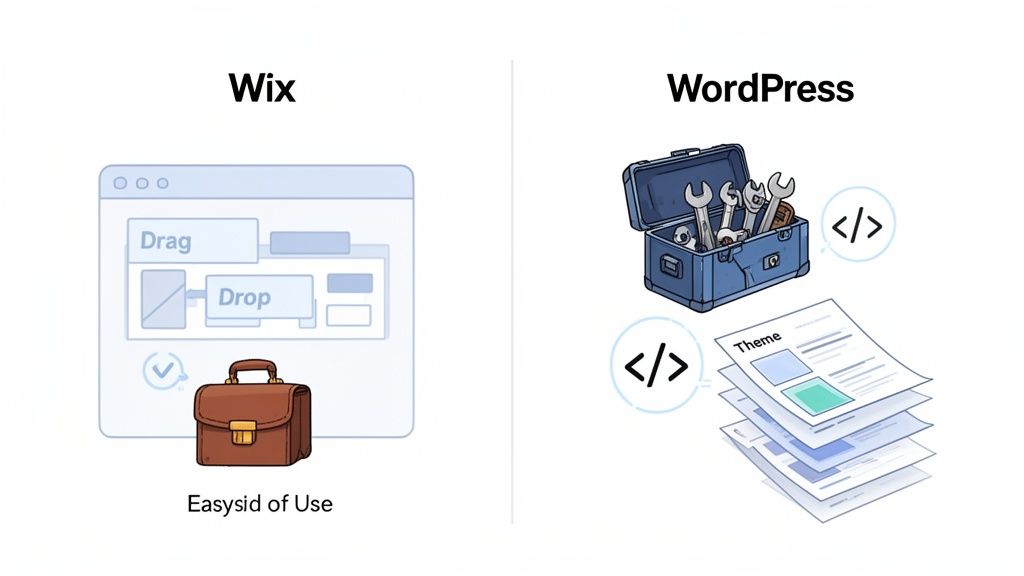
Wix is what’s known as a hosted website builder. Think of it as a subscription service that bundles your website hosting, security, and design tools into one monthly fee. It’s built for people who want a professional-looking site online quickly, without ever having to look at a line of code. For example, a new cafe in Sydney could use Wix to launch a beautiful website with their menu and location in a single afternoon.
WordPress, on the other hand, is an open-source content management system (CMS). The software itself is free to use, but you're in the driver's seat. That means you need to organise your own web hosting and stay on top of technical maintenance. This approach offers complete freedom to build, customise, and grow your site exactly how you want. To get a better feel for the options, you can check out our guide on the best website builder for small business in Australia.
This is the heart of the Wix v WordPress debate. To help you figure out which path makes sense for your business, here’s a quick rundown of how they stack up.
Wix vs WordPress A Quick Comparison for Business Owners
For a quick snapshot, this table cuts straight to the core differences between Wix and WordPress from a business owner's perspective. It's designed to help you quickly see where each platform shines.
| Criterion | Wix | WordPress (Self-Hosted) |
|---|---|---|
| Ease of Use | Beginner-friendly drag-and-drop editor. | Steeper learning curve, requires learning the interface and basic concepts. |
| Hosting | Included in all plans, fully managed by Wix. | Requires you to purchase a plan from a hosting provider like UpTime. |
| Control & Flexibility | Limited to Wix's tools, apps, and templates. | Complete control over every aspect of design, functionality, and code. |
| Ideal User | Small business owners, freelancers, and beginners needing a simple site. | Ambitious businesses, bloggers, and developers needing scalability. |
| Maintenance | All updates and security are handled automatically by Wix. | User is responsible for updates, security plugins, and backups. |
Ultimately, the "better" platform is the one that aligns with your technical comfort level, budget, and long-term business goals. Wix gets you online fast with minimal fuss, whereas WordPress is an investment in a powerful, flexible asset that can grow with you.
Why Market Share Actually Matters for Your Website's Future
When you're comparing Wix and WordPress, market share isn't just a number to brag about—it's a real indicator of a platform's stability, support network, and future prospects. For any Australian business, how popular a platform is directly impacts the resources you can access, from developers down the road to ready-made tools. A bigger market share means a healthier, more future-proof ecosystem for your website.
This is where WordPress's incredible dominance really sets it apart. It powers a staggering 43.6% of the entire internet. That translates to a community so massive that you can find a fix or a feature for just about anything you can dream up, which is a massive win for business owners.
The Power of a Huge Community
Let's get practical. Imagine you need a specialised booking system for your Melbourne-based consultancy. With WordPress, you've got thousands of pre-built plugins to choose from, like Amelia or Bookly, many of them free or with very affordable premium options. And if none of them are quite right? There's a giant global pool of developers ready to build a custom solution for you.
The sheer scale of the WordPress ecosystem means that no matter how unique your business needs are, someone has probably already built a tool for it. If not, an expert is easy to find. This network effect seriously reduces development risks and costs for your business.
On the other hand, Wix has a much smaller user base. While its App Market is well-curated and offers quality tools, like Wix Bookings, it simply doesn't have the same depth or breadth of choice as the WordPress plugin directory. This can limit your options when you need something specific.
Long-Term Viability and a Smarter Investment
The numbers really do tell the story. WordPress runs 43.6% of all websites globally, while Wix sits at a much smaller 2.5%. That makes WordPress almost 17 times larger. This isn't just about being popular; it shows the platform's power to handle high-traffic and enterprise-level websites—a fact backed up by its 47.5% share among the world's top 1,000 sites. You can discover more WordPress statistics and market insights on Red Search to see the full scope of its growth.
This dominance offers genuine peace of mind. It guarantees ongoing development, security patches, and a constant stream of new features from a worldwide community. Choosing a platform with such a solid foundation protects your digital investment, ensuring your website can grow and adapt with your business for years. To learn more, check out our article on the 7 reasons WordPress is the best platform for your business website.

Performance you can feel, backed by clients who depend on it. Read how our support and uptime create long‑term customer success.Power Your Business with Better Hosting
A Head-To-Head Platform Comparison for Business Owners
When you’re weighing up Wix and WordPress, it’s easy to get lost in the marketing hype. But for an Australian business owner, the right decision comes down to how each platform works in the real world—factoring in your day-to-day operations, plans for growth, and how comfortable you are with the tech side of things. This comparison cuts through the noise, looking at the core differences that matter.
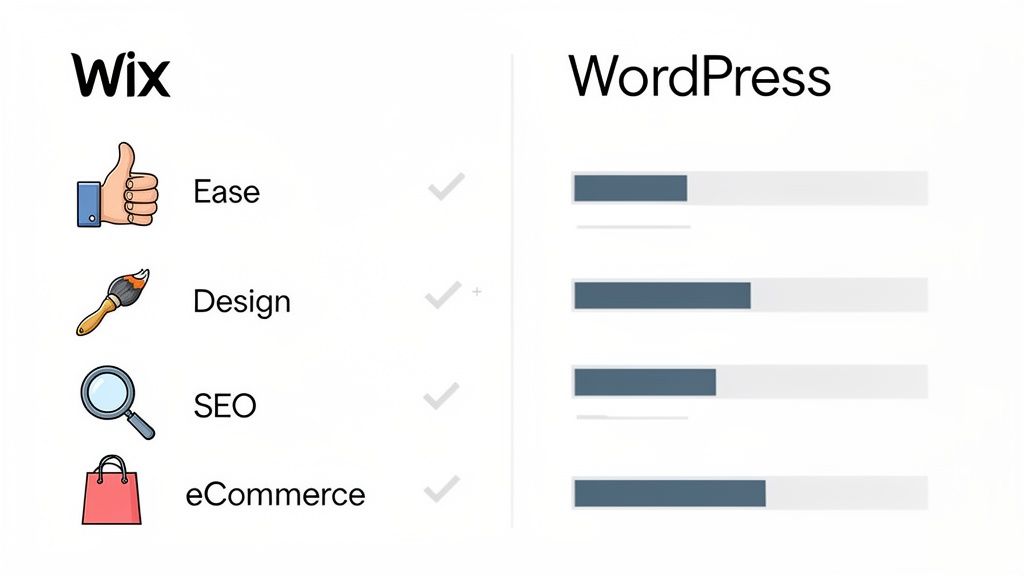
We'll break down how each platform stacks up, from getting your site live to scaling up your online store, so you can make a smart choice for your business's future.
Ease of Use and Initial Setup
For many business owners, this is where the Wix vs. WordPress debate begins and ends. Wix is built from the ground up for simplicity. Its drag-and-drop editor is incredibly intuitive; you just click on an element—a photo, a block of text, a button—and drag it exactly where you want it. Pixel-perfect precision, no fuss.
This visual-first approach means someone with absolutely no technical skills can get a professional-looking site up and running in just a few hours. Wix takes care of all the tricky stuff like hosting and security behind the scenes, leaving you to focus purely on your design and content.
WordPress, on the other hand, comes with a steeper learning curve. A self-hosted WordPress site means you first need to pick a hosting provider, install the software, and then get your head around the dashboard. It’s more structured than Wix’s free-form editor. While the Gutenberg block editor has made creating pages much more visual, it still operates within a more defined framework. For practical guidance, our knowledge base includes step-by-step tutorials for getting started with WordPress.
Key Insight: Wix gives you that instant gratification. It’s perfect for business owners who need a site live yesterday with a gentle learning curve. WordPress asks for more of your time upfront but pays you back with far more power and control once you’re up to speed.
Design Flexibility and Customisation
Your website is your digital shopfront, so design matters. Both platforms give you plenty of options, but they go about it in completely different ways. Wix offers close to 1,000 professionally designed templates, all modern and sorted by industry. You can tweak colours, fonts, and layouts to your heart's content, all without writing a single line of code.
Here's the catch, though: once you pick a Wix template, you're locked in. If you want to switch to a new one later, you have to start your entire site again from scratch. That's a huge potential headache for any business planning a rebrand or visual refresh down the track.
WordPress offers practically endless design freedom. You've got tens of thousands of themes to choose from across various marketplaces, both free and paid. Crucially, you can change your theme whenever you like without losing your content.
For true customisation, page builder plugins like Elementor or Divi give you a drag-and-drop experience that feels a lot like Wix, but with much deeper control. And if you need a completely bespoke design, WordPress gives you full access to the underlying code—something Wix just doesn't offer on the same level. When you're planning a build, it's worth checking out different small business web design packages to see how your platform choice affects the final cost and features.
SEO Capabilities for Online Visibility
Getting found on Google is non-negotiable, and Search Engine Optimisation (SEO) is how you do it. Historically, SEO was a major weak spot for Wix, but they've made some serious improvements. The Wix SEO Wiz is a handy tool that gives you a step-by-step checklist, covering the basics like meta titles, descriptions, and image alt text.
Wix now lets you manage advanced settings like custom URLs, canonical tags, and 301 redirects straight from the dashboard. For a lot of small businesses, this is plenty. The trade-off is that you’re still playing within the confines of the Wix ecosystem. For instance, one frustrating quirk is that Wix renames your image files to something cryptic (like d4cccb26731e9~mv2.png) when you upload them, which isn't great for image SEO. It's also worth noting that technical issues can pop up; we've seen how switching to Wix can affect your cPanel email and have a guide on it in our knowledge base.
WordPress is widely seen as the gold standard for SEO. Its open-source nature gives you granular control over every single SEO element. With powerful (and free) plugins like Yoast SEO or Rank Math, you can pull off advanced optimisations that are out of reach on Wix.
- Content Analysis: Get instant feedback on your keyword usage and how easy your content is to read.
- Schema Markup: Easily add structured data to your pages, which helps you get those eye-catching "rich snippets" in Google search results. For a local restaurant, this could mean adding markup to show reviews and opening hours directly in the search results.
- XML Sitemaps: Create and manage highly customised sitemaps, which is essential for larger, more complex websites.
- Technical Control: You can directly edit core files like
.htaccessto set up advanced redirect rules and other server-level tweaks.
This level of control makes WordPress the clear winner for any business where ranking high in search results is a key priority.
Comparing eCommerce Solutions
If you're selling online, the choice between Wix eCommerce and WordPress with WooCommerce is a big one. Wix provides a clean, all-in-one solution that’s incredibly easy to get started with. You can manage products, inventory, payments, and shipping rules from a simple, user-friendly interface.
It’s a great fit for small-to-medium stores, local cafes, or service-based businesses. The main limitation is that it can feel restrictive as you grow. For example, the product navigation is limited to one sub-level, which makes organising large and complex inventories a real challenge.
WordPress, paired with the free WooCommerce plugin, is an absolute eCommerce powerhouse. In fact, it runs over 28% of all online stores worldwide. It’s built to scale and can be customised to do almost anything you can imagine.
With thousands of extensions available, you can add any feature you need—from complex subscription models and booking systems to intricate shipping calculations and multi-currency checkouts. Yes, it takes more work to set up and manage, but it gives you a rock-solid foundation that can support your business from its very first sale to becoming a major online retailer.
Performance, Security, and Maintenance: Who Handles the Heavy Lifting?
The technical side of running a website—performance, security, and maintenance—is where your online presence lives or dies. The way Wix and WordPress approach these critical jobs reveals a fundamental difference in philosophy: a closed, all-in-one service versus an open, flexible platform. The path you choose here will directly impact your site's speed, how your data is protected, and what you’ll be responsible for long-term as a business owner.
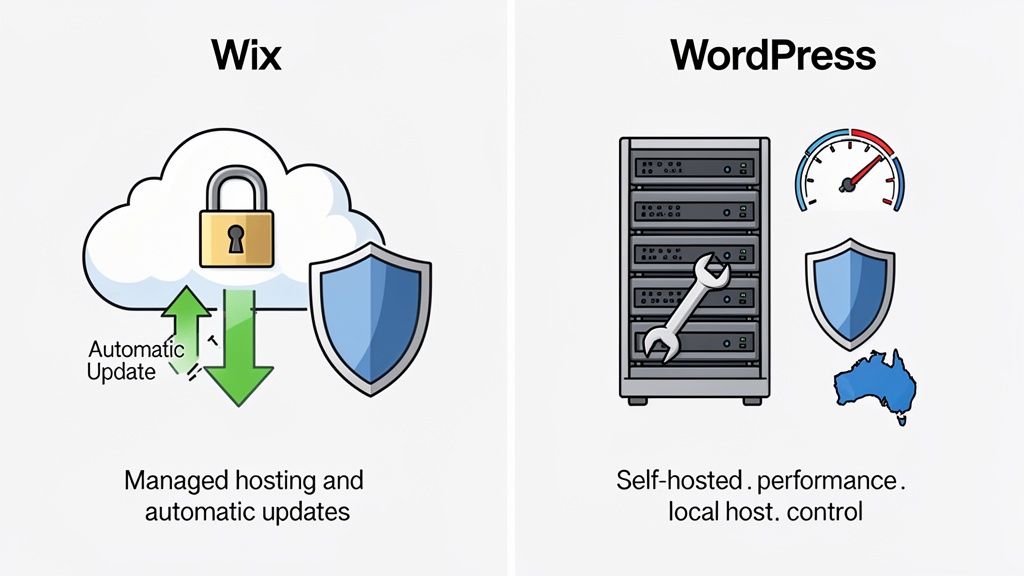
Wix is essentially a "walled garden." Performance and security are managed for you, which is one of its biggest draws for busy business owners who’d rather not get their hands dirty with technical tasks.
The Wix Approach: Managed and Simplified
When you sign up for Wix, your hosting, security, and all the updates are bundled into one subscription. You don't have to think about server settings or security patches; Wix handles it all behind the scenes.
- Automatic Updates: Wix updates the platform centrally. You'll never have to manage software versions or stress about a plugin update breaking your site.
- Built-in Security: Every Wix site gets a free SSL certificate. Their team also manages DDoS protection and malware scanning on their servers.
- Integrated Performance: Wix optimises its infrastructure for its own platform, using a Content Delivery Network (CDN) to help pages load faster for visitors around the globe.
This managed ecosystem offers genuine peace of mind, but it’s a trade-off. You have zero control over your hosting environment. That means you’re stuck with the performance ceiling Wix provides. If your site takes off and needs more specialised resources, you can't just upgrade your server or move to a high-performance host.
The WordPress Approach: Full Control and Optimisation
A self-hosted WordPress site puts you in the driver's seat, allowing for far superior optimisation—especially when you pair it with a quality Australian host. While this means you're responsible for maintenance, modern hosting solutions have made this much easier than it used to be.
Performance data shows an interesting picture. One study found that 61.82% of Wix websites hit good Core Web Vitals (CWV) standards, beating WordPress's 47.14%. This suggests Wix's controlled environment delivers pretty solid performance straight out of the box. But that number doesn't tell the full story. WordPress still commands roughly double the search interest and a much larger market share, which tells you its ecosystem offers a more compelling long-term value for serious businesses. You can explore the full website builder market share report to dig into these trends.
Choosing a specialised local host like UpTime Web Hosting completely changes the WordPress game. You get access to high-performance tech that’s simply not on the table in a one-size-fits-all environment like Wix.
Key Difference: Wix offers convenience by managing everything for you in a closed system. WordPress, with the right host, delivers superior performance potential and total control, letting your site grow without hitting a wall.
For instance, our premium WordPress Hosting plans are built to maximise speed and security right from the start:
- LiteSpeed Web Server: This is a high-performance technology that's significantly faster than the older server tech used by many standard hosts.
- Automated Backups: We take daily, off-site backups as standard, ensuring your data is safe and can be restored in a flash if something goes wrong.
- Proactive Security: Features like free SSL certificates, malware scanning, and robust firewalls are all part of the package to shield your site from threats.
This kind of setup gives you the best of both worlds: the freedom of WordPress combined with professionally managed, high-performance infrastructure. While it requires a bit of attention, it's far from overwhelming. And if you need a hand, our guide to professional web maintenance and support services shows you how to keep your site in top shape without the stress.
Host your website with our 5-star rated, cPanel website hosting plans.
Super fast servers, with security included and hosted in your choice of Australian Data Center.
View cPanel Plans
Understanding True Costs and Long-Term Value
When you’re weighing up Wix and WordPress, it’s easy to get drawn in by the flashy headline prices. But what looks cheap at first glance might not be the best value for your Australian business in the long run. The real cost isn't just the sticker price; it's about the features you actually need and whether the platform can keep up as you grow.
Let’s pull back the curtain and do a transparent financial comparison to see which platform is the smarter investment for your future.
The Real Cost of a Wix Website
Wix lays out its pricing in neat, tiered subscription plans, which is great for anyone trying to stick to a budget. The catch? The cheaper plans often have some serious limitations for a proper business. To get the features you really need, you’ll find yourself climbing that pricing ladder pretty quickly.
For example, you have to jump on their first paid plan just to remove the Wix advertising from your site and connect your own domain name. For a local cafe trying to look professional, that’s the absolute bare minimum.
Now, imagine that same cafe decides to start selling its coffee beans online. To do that, they'll need to upgrade again to a Business or eCommerce plan. This is a classic scenario: as your business needs get bigger, so does your monthly bill. This predictable but constantly escalating cost is the reality of the Wix model.
Key Takeaway: With Wix, what you're really paying for is convenience and an all-in-one package. The costs are predictable, sure, but they can climb steadily as your business grows and needs more functionality, potentially boxing you in down the track.
Breaking Down WordPress Costs
WordPress has a completely different financial setup. The core software itself is free, but you're in charge of putting all the necessary pieces together. This ‘a la carte’ approach gives you total control over what you spend and when.
Here’s what a typical breakdown looks like for an Aussie business:
- Domain Name: This is an annual fee, usually around $15-$25 for a
.com.auaddress. - Web Hosting: This will be your biggest recurring cost. A quality Australian WordPress hosting plan that gives you the speed and security you need can range from $15 to $30 per month.
- Premium Themes & Plugins: While there are thousands of great free options, you might choose to invest in a premium theme (a one-off cost of around $60-$100) for a specific design, or a paid plugin ( $50-$200 per year) for a specialised feature, like an advanced booking system.
An expanding online store, for instance, might start out with free tools but later invest in premium WooCommerce extensions to handle complex inventory. This flexibility means your costs scale directly with your revenue and needs, rather than being dictated by a rigid subscription tier. For a deeper dive, check out our guide on the factors that influence the real cost of designing a web page.
Long-Term Value and the Wix Ceiling
The most critical financial question to ask is about long-term value. Wix is fantastic for getting a site up and running quickly, but ambitious businesses often hit what’s known as the 'Wix ceiling'. This is the point where your growth demands features or customisations that the platform simply can't deliver, forcing you into a costly and complicated migration to another platform.
Because WordPress is open-source, it has no ceiling. Its ability to scale is practically infinite. That same online retailer can grow from selling ten products to ten thousand, integrate with any payment gateway under the sun, and build custom features without ever needing to switch platforms. This inherent scalability is why, for many ambitious businesses, WordPress provides far greater long-term value. It turns your website into a flexible, appreciating asset rather than just another monthly expense.
Making the Final Call for Your Business
We’ve pulled apart every angle of the Wix vs WordPress debate, from costs and customisation right through to SEO and security. Now it’s time to land on a decision. The best platform isn't the one with the most bells and whistles; it’s the one that actually fits your business model, your technical comfort level, and where you see yourself in a few years. This final summary gets straight to the point, with clear recommendations for common Aussie business scenarios.
To really simplify things, this decision tree maps out the two main paths. Are you after a simple, fast setup, or do you need a platform that’s truly built for growth and deep customisation?
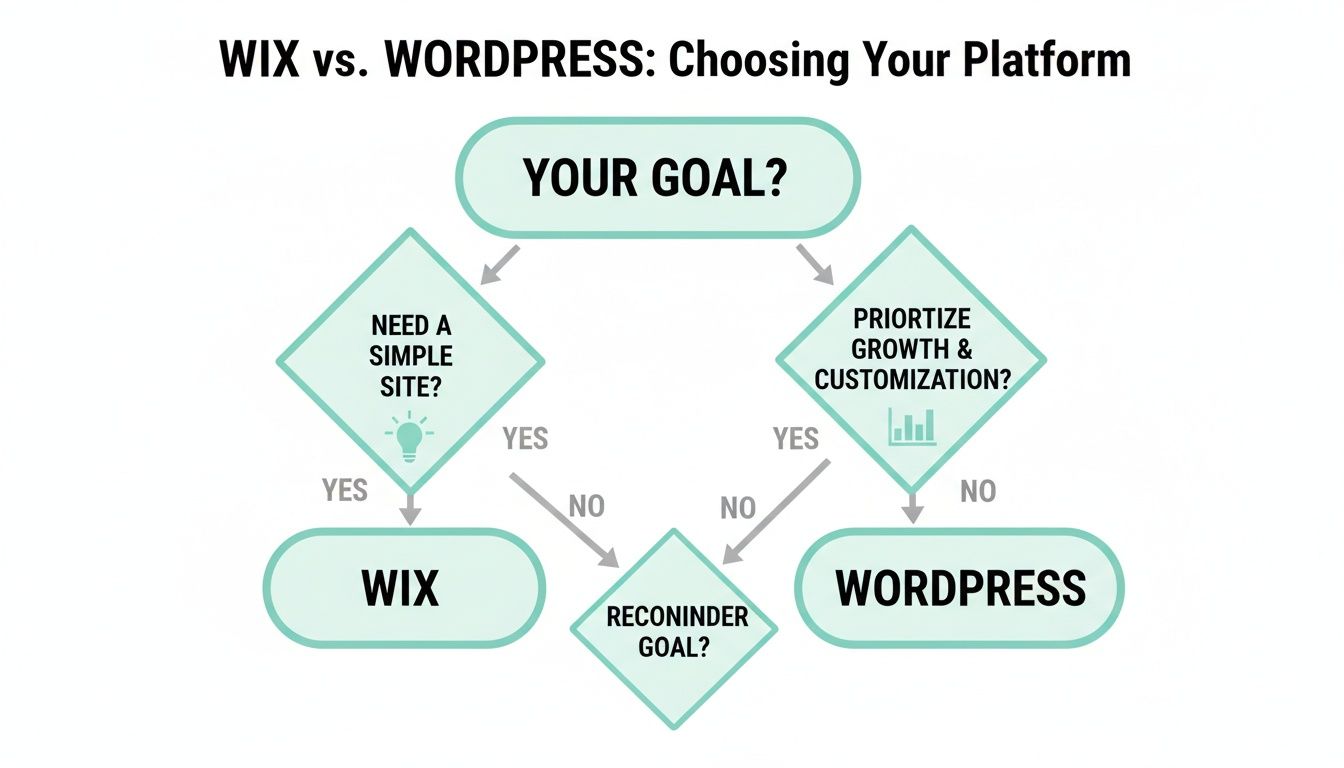
That flowchart nails a core truth: your number one goal—simplicity versus scalability—is the single most important factor in this choice.
Scenarios and Recommendations
Let's see how this plays out in the real world for different types of businesses.
For the Solo Entrepreneur or Freelancer
Think of a graphic designer or a consultant. They need a slick online portfolio to show off their work and bring in leads. Speed and simplicity are everything.
Our Recommendation: Wix. Its drag-and-drop editor is incredibly intuitive, and the managed hosting means you can build a stunning, professional site over a weekend without touching a single line of code or stressing about updates.For the Local Service Business
A beauty salon, a local tradie, or a personal trainer needs online booking, service menus, and maybe a simple blog. The main game is easy day-to-day management.
Our Recommendation: Wix. The built-in Wix Bookings app is a brilliant, all-in-one solution. You completely avoid the headache of trying to piece together separate third-party plugins, keeping everything under one roof.For the Ambitious eCommerce Store
An online retailer planning to sell hundreds of products, manage complex inventory, and run targeted marketing campaigns needs some serious grunt. Scalability and advanced features aren't just nice-to-haves; they're non-negotiable.
Our Recommendation: WordPress with WooCommerce. You get limitless scalability, proper inventory tools, and access to thousands of marketing extensions. For a store built for serious long-term growth, it’s really the only way to go.For the Content-Focused Business
A blogger, affiliate marketer, or online publication is aiming for the top of the search engine rankings. That means granular SEO control and powerful content management are paramount.
Our Recommendation: WordPress. The power of plugins like Yoast SEO gives you unmatched control over every single SEO element, from schema markup to XML sitemaps. It provides the best possible foundation for organic growth.
Your Next Steps
Choosing your platform is a strategic business move, not just a technical one. If your priority is getting online quickly and easily, Wix is an excellent starting point. But for businesses with one eye on the future, WordPress offers an unbeatable foundation for growth.
If you're leaning towards WordPress, the next crucial step is selecting the right hosting. A high-quality local host removes many of the maintenance burdens while unlocking superior performance and security.
Ready to get started?
- Explore our high-performance WordPress Hosting plans to give your site a powerful and secure foundation from day one.
- If you're still considering a builder, check out our Website Builder hosting options for a simple, all-in-one solution.
- Need help with your existing site? Our knowledge base is packed with helpful articles and guides.
A Few Final Questions About Wix and WordPress
When you’re weighing up Wix and WordPress, a few key questions always seem to pop up for Australian business owners. Let's tackle them head-on so you can make your final choice with complete confidence.
Can I Move From Wix to WordPress Later On?
Yes, you absolutely can, but it’s not a simple one-click affair. Because Wix is a closed ecosystem, moving to WordPress is a manual job. You'll need to export your content (like blog posts), rebuild your pages from scratch, and set up all your domain redirects.
It's a well-trodden path for businesses that eventually outgrow what Wix can offer. Just know that it takes a fair bit of planning and technical work. If you have a feeling you’ll eventually need the power and flexibility of WordPress, starting there from day one will save you a world of time and effort down the track.
Which Platform is Genuinely Better for Long-Term SEO?
For serious, long-term SEO success, WordPress has the edge. While Wix has made massive improvements to its SEO tools and can certainly rank a site well, WordPress offers a level of control that's in another league.
With powerhouse plugins like Yoast SEO or Rank Math, you can dive deep into the technical side of your site’s SEO. We're talking about everything from advanced schema markup to complex redirect management. For businesses in cut-throat industries, that fine-grained control is often the difference-maker.
What Technical Skills Do I Really Need for WordPress?
Honestly, managing a WordPress site today is far easier than it used to be, especially if you're with a good host. You definitely don’t need to be a coder. The basic skills involve finding your way around the dashboard, installing plugins, and using the block editor to add content, which feels quite intuitive.
For instance, updating a plugin is usually just a single click. And if you do run into a more complex problem, you've got a massive global community and countless tutorials at your fingertips. To get a better handle on keeping your site in top shape, have a look through our knowledge base articles on website maintenance.
Ready to build a powerful, scalable website on a platform trusted by millions? UpTime Web Hosting delivers secure, high-performance Australian WordPress hosting designed to grow with your business. Get started with a reliable foundation today. Find out more at https://uptimewebhosting.com.au.