Choosing the right tools for your WordPress site can feel like navigating a maze. With over 60,000 options in the official directory, it’s easy to become overwhelmed by choice, leading to a cluttered, slow, and insecure website. This is why a curated list of top plugins for every WordPress website is so critical. It cuts through the noise, preventing "plugin bloat" and ensuring your site runs efficiently from day one.
This guide moves beyond generic recommendations. We provide a hand-picked selection of essential plugins, organised by their function: performance, security, SEO, backups, and more. Our focus is on providing practical advice specifically for Australian small to medium-sized businesses and the agencies that support them. We understand the unique challenges you face, from local server performance to specific compliance needs.
For each plugin, you will find:
- A concise description and key features.
- An honest look at its pros and cons.
- Specific configuration tips for UpTime Web Hosting clients, optimising for our LiteSpeed servers and AccelerateWP features.
- Direct links and screenshots to guide you through setup.
We will cover proven solutions like LiteSpeed Cache for performance, Wordfence for security, and Yoast SEO for visibility. We'll also explore other powerful tools that address everything from spam protection with Akismet to email reliability with FluentSMTP. While this article provides a focused list, you can always explore other resources on Top WordPress Plugins to broaden your knowledge. Our goal is to equip you with the best tools and the knowledge to use them effectively, helping you build a faster, more secure, and successful WordPress website.
1. LiteSpeed Cache
When your website is hosted on a LiteSpeed web server, as all UpTime Web Hosting plans are, the LiteSpeed Cache plugin isn't just an option; it's the essential foundation for performance. This all-in-one plugin communicates directly with the server to deliver a significant speed boost that other caching plugins can't match. It’s a clear choice for any Australian business aiming for top-tier Core Web Vitals and a snappy user experience, making it one of the top plugins for every WordPress website running on this stack.
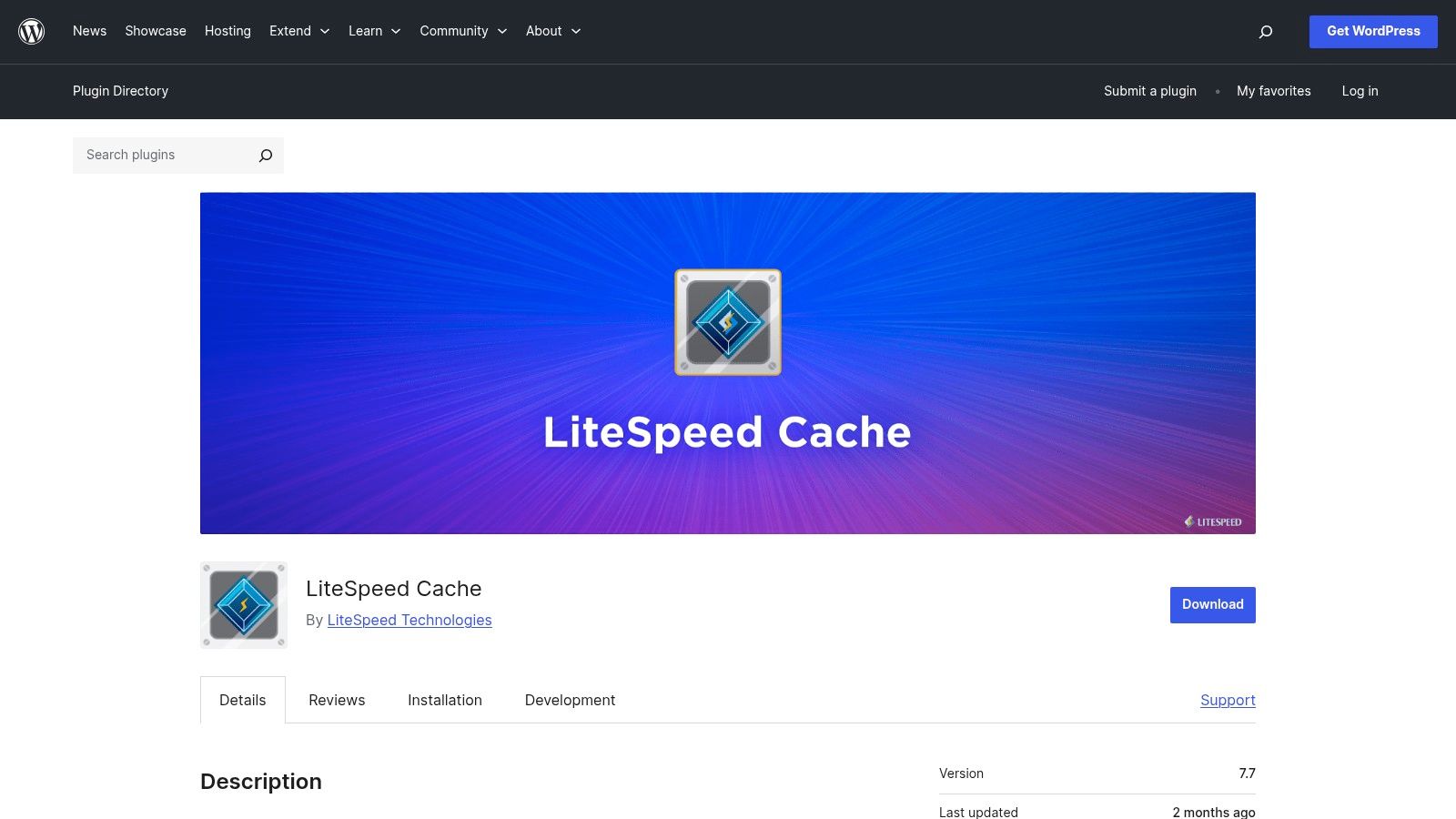
The plugin’s power lies in its server-level full-page cache, which dramatically reduces server response times. For example, without caching, every visit to your homepage requires WordPress to rebuild the page from scratch. With LiteSpeed's full-page cache, a pre-built static version is served instantly, cutting load times by seconds. Beyond caching, it offers a full suite of optimisation tools: CSS/JS minification, image optimisation with automatic WebP conversion, database cleanup, and lazy loading for images and iframes. For a detailed guide on setup, you can improve WordPress speed with a cache plugin on our knowledge base.
Key Takeaway: For sites on UpTime Web Hosting, LiteSpeed Cache is the default performance tool. Its direct integration with our servers provides an out-of-the-box performance increase that is difficult to replicate with other solutions.
Recommended Settings for UpTime Web Hosting
- Caching: Enable Page, Browser, and Object Cache. With AccelerateWP, our Redis object cache is automatically configured for you.
- Image Optimisation: Turn on 'Image Optimisation' and 'WebP Replacement' for smaller file sizes without quality loss.
- Page Optimisation: Start by enabling CSS and JS Minify. Test 'JS Defer' and 'Guest Mode' carefully, as they can sometimes conflict with complex themes or checkout processes.
It’s crucial to use only one page caching plugin; running LiteSpeed Cache alongside another like WP Rocket will cause conflicts. While most features work perfectly out of the box, advanced settings like Critical CSS (UCSS) generation may require a QUIC.cloud subscription and careful testing.
- Website: LiteSpeed Cache on WordPress.org
- Pricing: Free, with optional paid services via QUIC.cloud for CDN credits and advanced optimisation features.

Performance you can feel, backed by clients who depend on it. Read how our support and uptime create long‑term customer success.Power Your Business with Better Hosting
2. Wordfence Security
For any Australian business, securing your WordPress website is non-negotiable, and Wordfence Security provides a robust, layered defence. This plugin operates as an endpoint firewall and malware scanner, meaning it runs on your server to protect against threats before they hit your site's core files. Its comprehensive feature set makes it one of the top plugins for every WordPress website, offering protection that goes far beyond basic security measures.

The plugin's core strengths are its Web Application Firewall (WAF), which identifies and blocks malicious traffic, and its security scanner that checks for malware, backdoors, and vulnerabilities. For example, if a bot from a known malicious IP address tries to access your wp-login.php file repeatedly, the firewall will block it before it can even attempt a password. It also includes login security features like two-factor authentication (2FA) and brute-force protection. While Wordfence Security is a top contender, exploring a wider list of the best WordPress security plugins can help you tailor your site's defences. If you ever suspect an infection, our professional WordPress malware removal service can help.
Key Takeaway: Wordfence offers an excellent all-in-one security solution with a strong focus on threat intelligence. The free version provides a solid baseline, while the Premium subscription is a worthwhile investment for eCommerce or business-critical sites needing real-time protection.
Recommended Settings for UpTime Web Hosting
- Firewall: After installation, run the optimisation wizard to allow the firewall to run at the most efficient endpoint level. Set the Firewall Status to "Enabled and Protecting".
- Scan Schedule: Enable the scheduled scan. For most business sites, the default once-daily scan is sufficient.
- Brute Force Protection: Enable this and set 'Lock out after how many login failures' to 5 and 'Lock out after how many forgot password attempts' to 3 for a good balance of security and user convenience.
While Wordfence is powerful, be mindful of its resource usage. On its default settings, it runs efficiently on our hosting plans. However, enabling intensive options like "High Sensitivity" scanning may slow down your site, so test these features carefully.
- Website: Wordfence Security on WordPress.org
- Pricing: Free, with a Premium version starting from $119 USD/year per site for real-time firewall rules and threat intelligence.
3. UpdraftPlus
While UpTime Web Hosting includes robust daily backups, a dedicated plugin like UpdraftPlus provides an essential layer of independent control and off-site storage. It's the world's most popular scheduled backup plugin, allowing you to create complete backups of your WordPress files and database, and store them securely with a third-party cloud provider. For any Australian business, having this independent backup strategy is a crucial part of a disaster recovery plan, making it one of the top plugins for every WordPress website.
UpdraftPlus simplifies the entire process with its one-click restore function and scheduled, automated backups to services like Google Drive, Dropbox, and Amazon S3. A practical example: imagine a critical plugin update breaks your site. Instead of waiting for a hosting support ticket, you can log in, navigate to UpdraftPlus, and restore the site to the backup from an hour ago with a single click. The free version is powerful enough for most small to medium websites, offering reliable, set-and-forget peace of mind. For a deeper look into backup strategies, our guide explains in detail how to back up your WordPress site effectively.
Key Takeaway: UpdraftPlus provides an essential, user-controlled backup layer. It complements server-level backups by giving you direct access to your own off-site copies, ensuring data redundancy and security.
Recommended Settings for UpTime Web Hosting
- Remote Storage: Connect to a third-party service like Google Drive or Dropbox. Never rely solely on backups stored on the same server as your website.
- Scheduling: For most business sites, a daily database backup and a weekly file backup is a solid starting point. High-traffic or e-commerce sites should consider more frequent schedules.
- Retention: Keep at least 2-4 recent backup sets. This provides a safety net if you need to restore from a point before an issue was discovered.
While the user interface can feel a bit dated, its reliability is proven. The premium version unlocks advanced features like incremental backups, migration tools, and more storage destinations, but the free version handles the core task of securing your website’s data exceptionally well.
- Website: UpdraftPlus Official Site
- Pricing: Free, with Premium plans starting from around $70 USD per year for additional features and support.
Host your website with our 5-star rated, cPanel website hosting plans.
Super fast servers, with security included and hosted in your choice of Australian Data Center.
View cPanel Plans
4. Yoast SEO
Yoast SEO is a foundational plugin for managing your website's search engine optimisation. It provides a complete suite of tools to improve your on-page and technical SEO, from creating XML sitemaps to managing schema markup and offering real-time content analysis within the WordPress editor. For any Australian business looking to gain visibility in search results, Yoast provides an accessible and powerful starting point, making it one of the top plugins for every WordPress website.
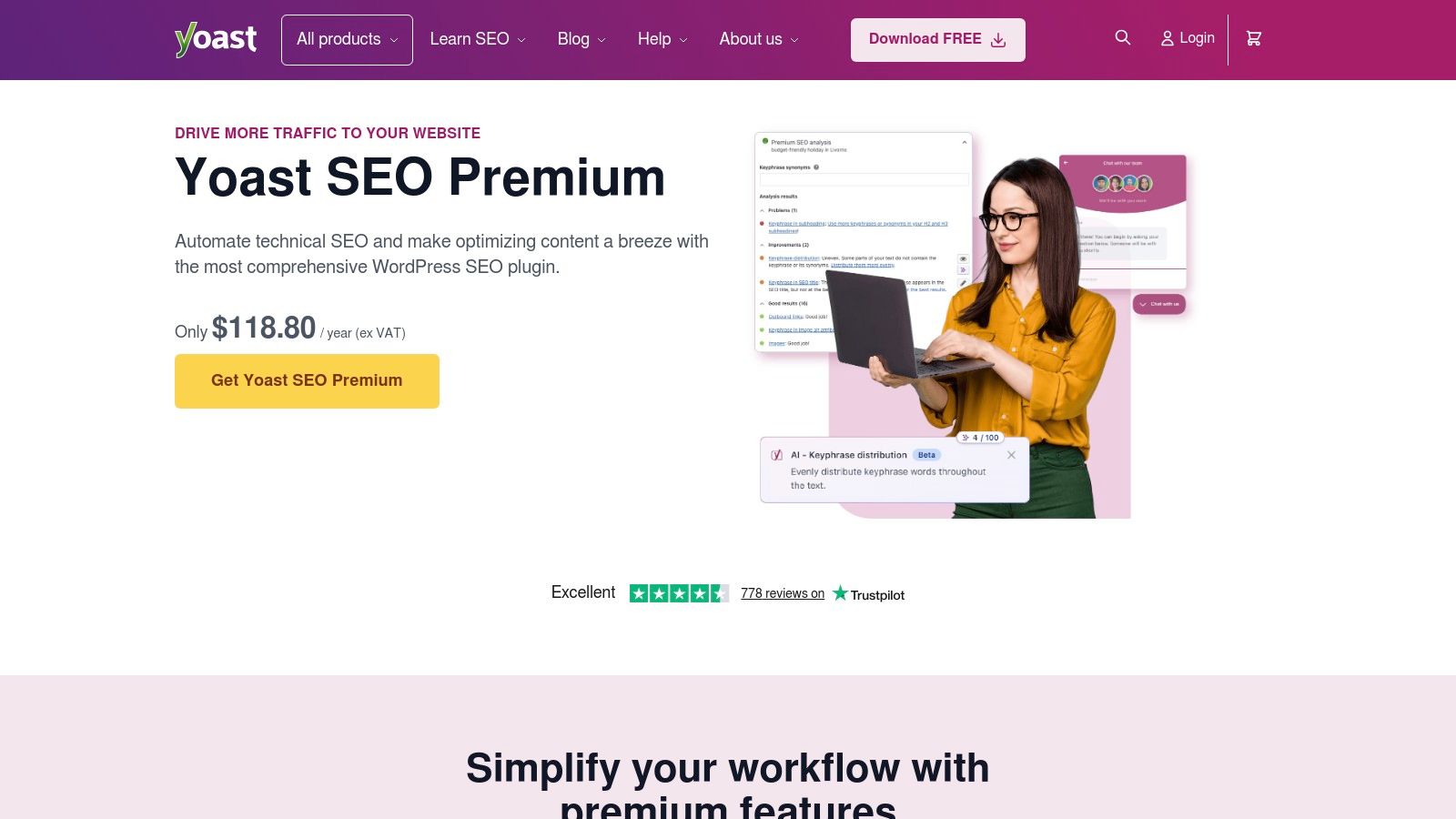
The plugin’s strength is its deep integration with the block editor, giving content creators instant feedback. For instance, as you write a blog post, Yoast provides a "traffic light" system, turning green when your focus keyphrase is used well in headings, meta descriptions, and image alt tags. It automatically generates essential technical elements like XML sitemaps and gives you control over meta titles, descriptions, and social sharing previews. The premium version expands on this with a redirect manager, internal linking suggestions, and AI tools to help generate compelling titles.
Key Takeaway: Yoast SEO is an indispensable tool for content-focused SEO. Its in-editor guidance helps teams consistently produce optimised content, while its technical SEO features handle the crucial behind-the-scenes work.
Recommended Settings for UpTime Web Hosting
- First-time configuration: Run the setup wizard to configure essential settings for your organisation, including site representation (business or person) and social profiles.
- Content Types: In the 'Search Appearance' settings, ensure 'Show Posts in search results' and 'Show Pages in search results' are enabled. This is the default but worth checking.
- Sitemaps: The XML sitemap feature is enabled by default and is crucial for search engine indexing. You can find your sitemap URL in the 'General' > 'Features' tab.
While Yoast SEO is a comprehensive solution, be aware that many of its more advanced features, such as the redirect manager and multiple keyword analysis, are reserved for the premium version. For most small to medium businesses, the free version provides all the essential tools needed to get started with on-page SEO.
- Website: Yoast SEO on WordPress.org
- Pricing: Free, with a Premium version starting from $99 USD/year that includes a redirect manager, internal linking tools, and AI features.
5. WPForms
For any business, capturing leads, feedback, or payments through a website is a core function, and WPForms excels at making this process straightforward. It’s a beginner-friendly, drag-and-drop form builder that allows even non-technical users to create powerful forms in minutes. With over 2,000 pre-built templates, it removes the guesswork from building everything from simple contact forms to complex booking and payment systems, solidifying its place among the top plugins for every WordPress website.
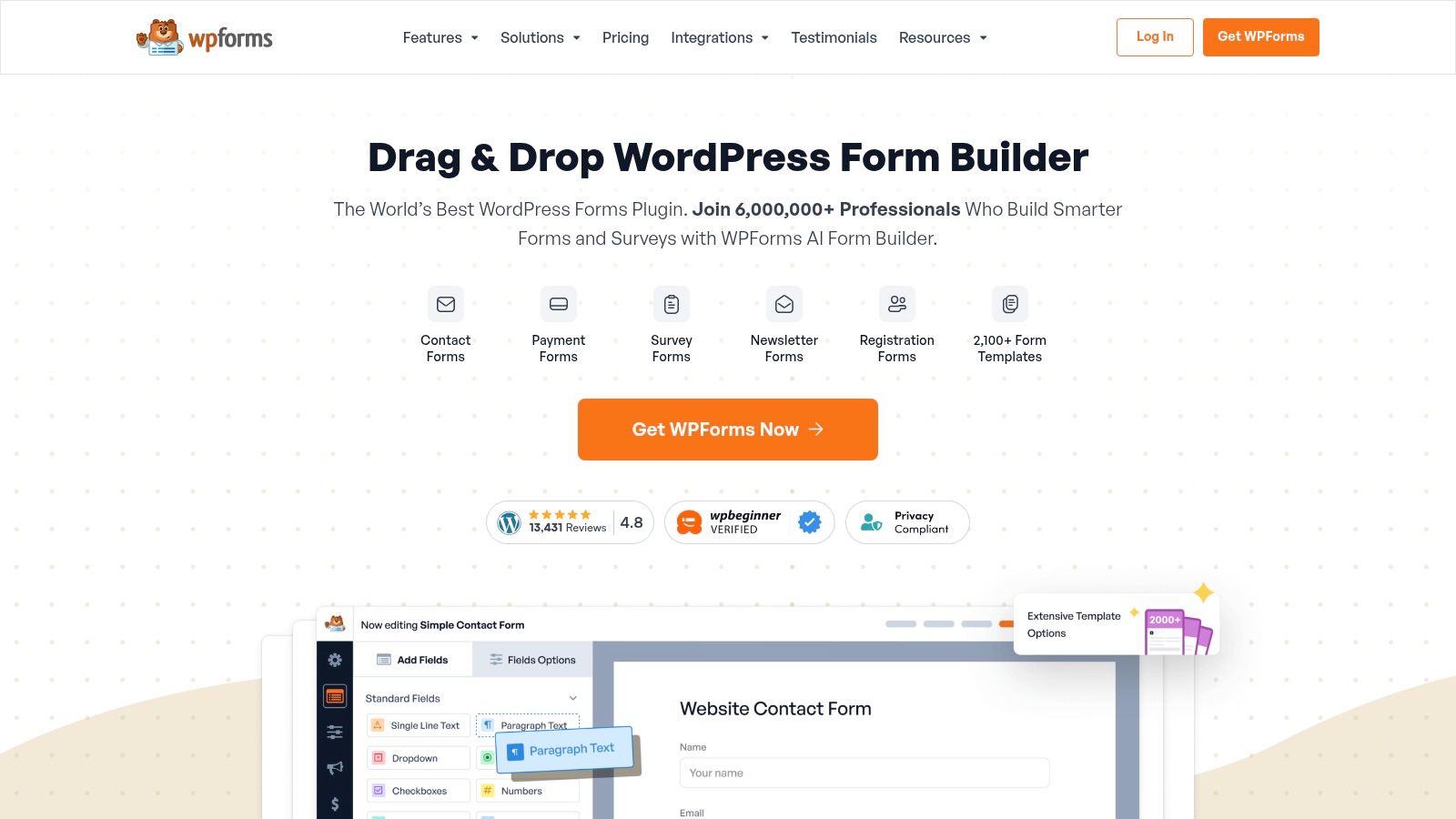
The plugin’s real strength is its accessibility combined with powerful features. For example, a restaurant could use the drag-and-drop builder to create a booking form with fields for date, time, and number of guests. Using conditional logic, they can show a "dietary requirements" field only if the number of guests is greater than one. Integrations with payment gateways like Stripe and PayPal, along with major CRM and marketing platforms, make it an adaptable tool for Australian businesses. For a step-by-step guide, learn how to create forms on WordPress.
Key Takeaway: WPForms strikes an ideal balance between ease-of-use and advanced functionality. Its intuitive interface and vast template library empower SMBs and agencies to quickly deploy professional forms without writing any code.
Recommended Settings for UpTime Web Hosting
- Spam Protection: In the plugin settings, enable the built-in anti-spam honeypot. For public-facing forms, also connect it with Google reCAPTCHA v3 for invisible, effective spam filtering.
- Entry Management: Regularly check and clean up stored form entries from your WordPress database to maintain performance, especially if you receive a high volume of submissions.
- Notifications: Customise email notifications to ensure leads are sent to the correct department or person. Set up conditional notifications to route inquiries based on the user's selection.
While the free version is great for basic contact forms, the true power for lead generation and eCommerce lies in the Pro/Elite plans, which unlock payment processing, advanced integrations, and survey tools. Note that pricing can vary, and GST is typically calculated at checkout for Australian customers.
- Website: WPForms Official Site
- Pricing: A free 'Lite' version is available on WordPress.org. Premium plans start from around $49.50 USD/year, offering advanced features and integrations.
6. ShortPixel Image Optimizer
Large, unoptimised images are a primary cause of slow-loading websites. The ShortPixel Image Optimizer plugin solves this problem by automatically compressing your images, reducing their file size without a noticeable drop in quality. It’s an essential tool for any Australian website, especially media-heavy blogs or eCommerce stores, where fast page loads directly impact user engagement and conversions. It’s a powerful contender for the top plugins for every WordPress website focused on performance.

ShortPixel integrates directly into your WordPress Media Library, allowing you to bulk optimise your entire existing collection and automatically compress new uploads. For example, if a real estate agent uploads a 5MB photo of a property, ShortPixel can automatically compress it to under 500KB on upload, dramatically speeding up the listing's page load time for potential buyers. Its key strength is the excellent balance between file size reduction and visual quality, along with modern format conversion to WebP and AVIF. While LiteSpeed Cache includes image optimisation, ShortPixel often provides superior compression ratios and more granular control, making it a worthy dedicated solution.
Key Takeaway: ShortPixel provides best-in-class image compression that significantly reduces page weight and improves load times. Its "set-and-forget" automation makes it a simple yet highly effective performance upgrade.
Recommended Settings for UpTime Web Hosting
- Compression: Start with 'Lossy' for the best balance of size and quality. For photography sites, 'Glossy' is an excellent alternative.
- Modern Formats: Enable 'Create WebP versions of images' to serve next-gen formats to compatible browsers. This works alongside LiteSpeed Cache's WebP delivery.
- Backups: Always enable 'Image backup'. This allows you to restore original images if you're unhappy with the compression results.
If you are using LiteSpeed Cache, you must disable its internal image optimisation features to avoid conflicts. Let ShortPixel handle all compression and WebP generation, and LiteSpeed will then serve the optimised files from its cache. The free plan offers 100 credits per month, which is often enough for small blogs.
- Website: ShortPixel Image Optimizer
- Pricing: Free for 100 images/month. Paid plans offer monthly credits or one-time credit bundles starting from around $10 USD.
Register your new domain name at competitive market prices including free domain add-ons like privacy, DNS Hosting, Custom Nameservers and Forwarding.
Always the best price and no nasty renewal price hikes.
Register A Domain Name
7. Site Kit by Google
For Australian business owners who want to connect their website to essential Google services without technical headaches, Site Kit by Google is the official, streamlined solution. This plugin acts as a central hub, integrating Google Analytics (GA4), Search Console, PageSpeed Insights, and AdSense directly into your WordPress dashboard. It removes the friction of manual setup, making it one of the top plugins for every WordPress website needing foundational data insights.

The primary advantage is having a unified, at-a-glance view of your site's performance. For example, a business owner can log into WordPress and immediately see their top-performing search queries (e.g., "plumber in Sydney") from Search Console, alongside the corresponding top landing pages from Google Analytics, all on one screen. This allows for quick, data-informed decisions without leaving WordPress. While it doesn’t replace a deep dive into the full Google Analytics platform, it provides valuable, surface-level metrics perfect for a quick pulse-check.
Key Takeaway: Site Kit is the safest and simplest way to connect your WordPress site to Google's core marketing services. It provides actionable, top-level data directly in your admin area, perfect for quick reviews.
Recommended Settings for UpTime Web Hosting
- Initial Setup: Follow the guided setup wizard. It will walk you through authenticating your Google account and connecting the services you need, like Search Console and Analytics.
- Service Integration: Connect Search Console and Google Analytics as a minimum. Only connect AdSense if you actively run ads on your site.
- Dashboard View: Use the main dashboard to monitor top-performing pages and search queries to inform your content strategy. Check the PageSpeed Insights tab for individual page performance.
Keep in mind that Site Kit is a data reporting tool, not an optimisation plugin. While it shows PageSpeed Insights scores, you’ll still need a performance plugin like LiteSpeed Cache to act on its recommendations. For detailed analysis, you will need to log in to the respective Google service platforms, like Google Analytics.
- Website: Site Kit by Google
- Pricing: Free.
8. Akismet Anti‑Spam
Comment and contact form spam is an unavoidable nuisance for any website, clogging up your database and notifications. Akismet Anti‑Spam is the battle-tested solution from Automattic, the company behind WordPress.com, that automatically filters out spam submissions. For any Australian business with a blog or contact forms, it’s an essential tool for maintaining a clean, professional online presence and is one of the top plugins for every WordPress website.
The plugin works by checking your comments and form submissions against its global spam database. For example, a comment that says "Great post! Buy my cheap watches here [link]" will be instantly caught and moved to the spam folder, preventing it from ever appearing publicly on your blog. It catches malicious links and bot-generated content before it ever reaches your moderation queue or inbox, saving you significant administrative time.
Key Takeaway: Akismet provides a highly effective, "set-and-forget" solution to spam. It reduces daily moderation tasks, allowing you to focus on your business rather than sifting through junk submissions.
Recommended Settings for UpTime Web Hosting
- API Key: After installation, connect the plugin by adding your Akismet API key, which you can get from their website. For commercial sites, a paid plan is required.
- Strictness: For most business sites, the default setting to "Silently discard the worst and most pervasive spam" is best. This prevents your spam folder from filling up unnecessarily.
- Form Integration: Ensure Akismet is enabled for your contact forms (e.g., Contact Form 7, Gravity Forms, WPForms) to protect them from spam bots.
While Akismet is very powerful, it sometimes marks a legitimate comment as spam. It’s a good practice to briefly check your spam queue once a week just in case. It’s also important to note that commercial use requires a paid subscription; the free version is intended for personal, non-commercial sites only.
- Website: Akismet Anti-Spam
- Pricing: Free for personal use. Paid plans are required for commercial websites, starting from around A$15/month per site, with different tiers based on API call limits.
Experience Microsoft 365 Business Standard for free for 30 days.
Up to 25 users with full access to email, OneDrive and Teams. Includes full versions of desktop apps of Outlook, Word, Excel, PowerPoint and more.
Try Microsoft 365
9. Redirection
Managing broken links is crucial for SEO and user experience, and the Redirection plugin is the definitive tool for the job. Whether you're migrating a website, changing a URL structure, or simply cleaning up 404 "Not Found" errors, this plugin provides a robust, user-friendly interface within your WordPress dashboard. It allows you to create and manage 301, 302, and 307 redirects without ever needing to manually edit server configuration files, making it one of the top plugins for every WordPress website.
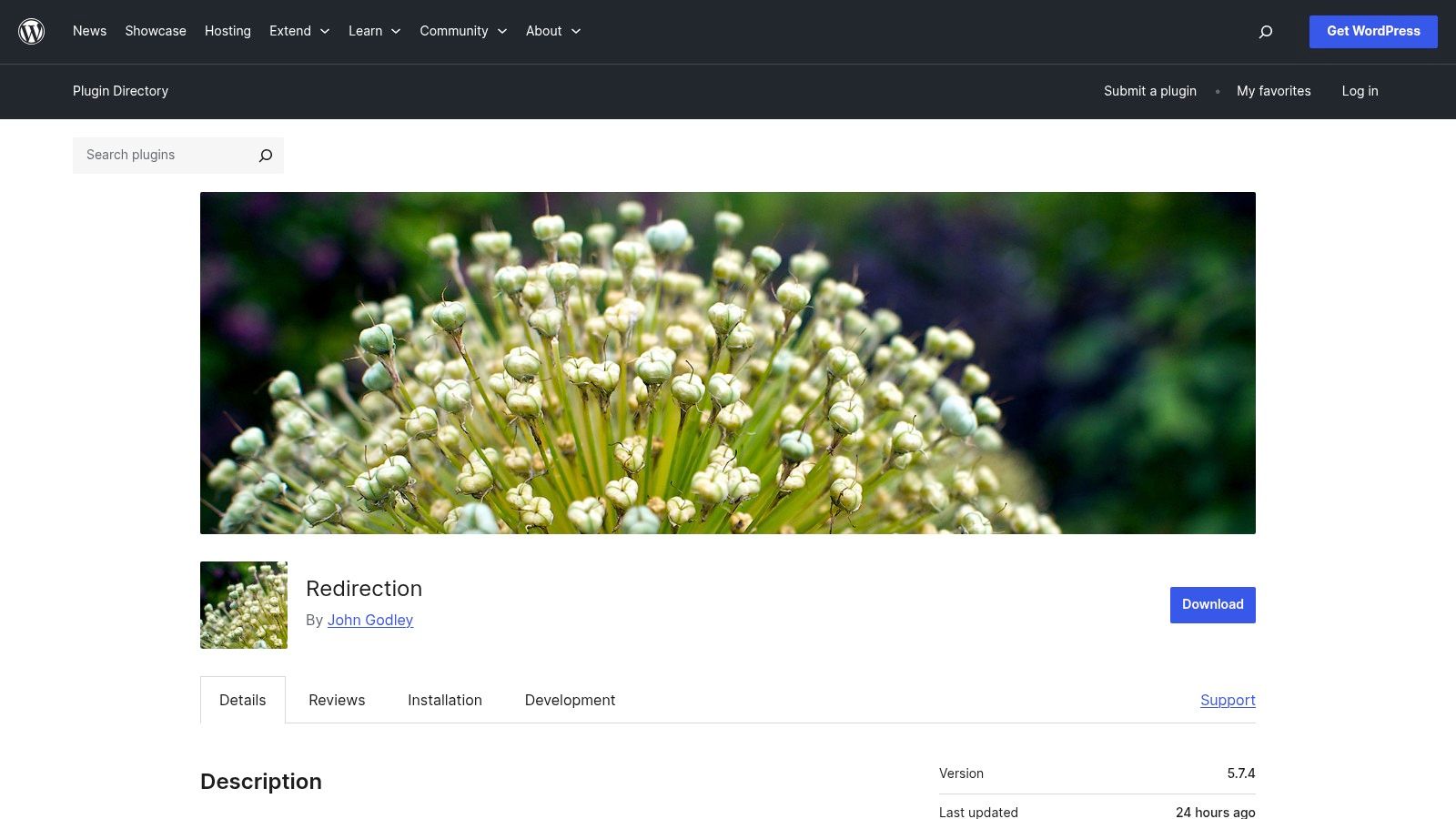
Its core strength lies in its powerful 404 monitoring log, which shows you exactly which broken URLs visitors and search engine bots are hitting. For a practical example, imagine you rename a popular blog post from /our-services to /our-professional-services. The 404 log will show hits to the old URL. You can then create a 301 redirect in the plugin from /our-services to the new URL, ensuring users and Google are sent to the right place and preserving your SEO authority.
Key Takeaway: Redirection is the essential free tool for maintaining your site’s SEO health and user pathways by efficiently managing broken links and URL changes.
Recommended Settings for UpTime Web Hosting
- Logging: Keep 404 error logging enabled for at least a few weeks after a site launch or migration to catch any broken links. You can set logs to be automatically deleted after a set period (e.g., one month) to keep your database tidy.
- Redirect Groups: Organise your redirects into logical groups, such as 'Blog Post Changes' or 'Page Migrations', to keep them manageable as the list grows.
- Performance: The plugin is very efficient, but avoid excessive use of complex regular expression (regex) redirects on extremely high-traffic sites, as this can add minor processing overhead. For most business websites, this is not a concern.
Remember to periodically review your 404 log and set up redirects for any recurring errors. This simple maintenance task helps search engines and visitors always find the right content on your website.
- Website: Redirection on WordPress.org
- Pricing: Free.
10. WP‑Optimize
While LiteSpeed Cache manages server-level performance, a bloated database can still slow your site down from the inside. WP‑Optimize is a powerful tool designed to clean and optimise your WordPress database, reclaiming space and improving query speed. For established sites, it often delivers noticeable performance gains by clearing out years of accumulated post revisions, old transients, and trashed comments. This focus on database health makes it an excellent complementary tool and one of the top plugins for every WordPress website concerned with long-term maintenance.

The plugin’s core strength is its scheduled database cleanup. A practical example: every time you save a draft of a blog post, WordPress creates a "revision." After a dozen edits, a single post might have over ten copies stored in the database. WP-Optimize can be scheduled to automatically delete all these old revisions, keeping your database lean and fast. While it also offers features for image compression and page caching, these functions directly overlap with LiteSpeed Cache and should be disabled.
Key Takeaway: WP-Optimize is the go-to plugin for database maintenance. Use it alongside LiteSpeed Cache to keep your database lean, but be sure to disable its caching, image, and file optimisation features to avoid conflicts.
Recommended Settings for UpTime Web Hosting
- Database Optimisation: In the ‘Database’ tab, schedule weekly cleanups. Focus on optimising database tables, cleaning all post revisions, and removing trashed/spam comments.
- Disable Overlapping Features: Ensure the ‘Cache’ and ‘Images’ features within WP‑Optimize are turned off. Let LiteSpeed Cache handle these tasks for superior performance on our servers.
- Minify: Likewise, keep the ‘Minify’ feature disabled. LiteSpeed’s minification is integrated with its caching engine and will provide better results.
Before running your first optimisation, always perform a full backup. Our cPanel backup tools or AccelerateWP’s backup feature provide an easy way to create a restore point. This precaution ensures you can recover your site instantly if the cleanup removes something unintentionally. Our knowledge base article on creating backups in cPanel can guide you.
- Website: WP-Optimize on WordPress.org
- Pricing: Free. A premium version is available with more advanced scheduling, WooCommerce-specific cleanups, and multisite support.
11. Complianz – Privacy Suite
Navigating privacy laws like GDPR and Australia's Privacy Act is a non-negotiable for modern businesses. Complianz provides a full-featured solution to manage cookie consent, legal documents, and regional compliance directly from your WordPress dashboard. It stands out by automatically detecting which privacy laws apply based on a visitor's location and serving the appropriate consent banner and policies. This makes it one of the top plugins for every WordPress website, especially for Australian businesses with an international audience.
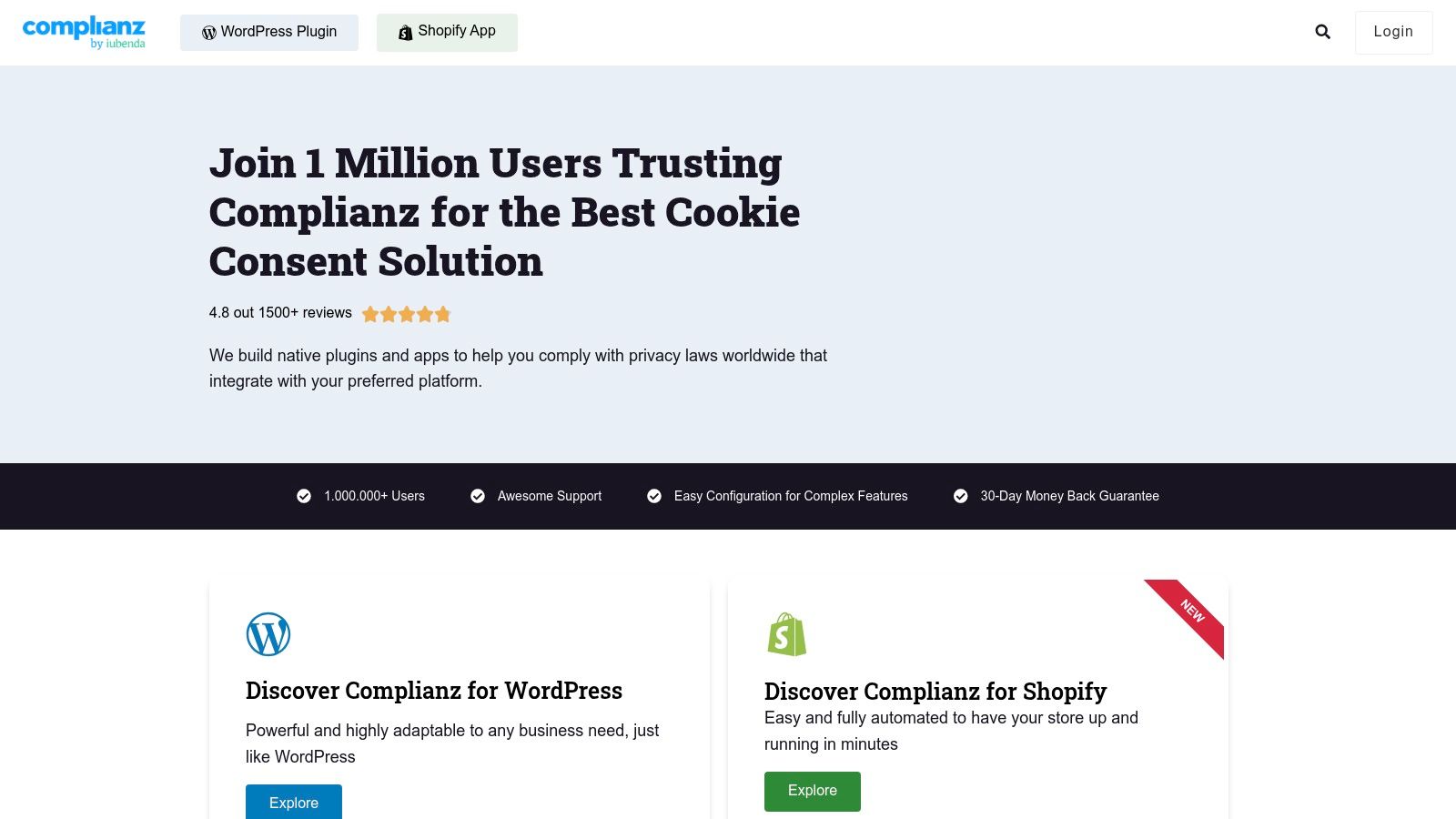
The plugin’s guided setup wizard simplifies a complex process. For example, it will ask if you use third-party services like Google Analytics or embedded YouTube videos. Based on your answers, it automatically generates a Cookie Policy that lists these services and blocks their scripts from running until a visitor gives explicit consent. This ensures you comply with consent regulations without needing to become a legal expert.
Key Takeaway: Complianz automates and simplifies website privacy compliance. Its strong geo-IP-based rule set and legal document generation make it a powerful tool for Australian businesses to meet their obligations both locally and abroad.
Recommended Settings for UpTime Web Hosting
- Initial Wizard: Carefully complete the setup wizard. Be honest about the cookies and services your website uses, as this forms the basis of your policies.
- Cookie Scan: Run the cookie scan and categorise any unidentifiable cookies. Complianz integrates with the LiteSpeed Cache cookie, so no special configuration is needed there.
- Consent Banner: Customise the banner to match your site's branding but ensure the 'Accept', 'Deny', and 'Preferences' buttons are clear and accessible.
- Consent Mode: Enable Google Consent Mode v2 if you use Google Analytics or Ads to ensure continued data collection in a privacy-respecting manner.
While the free version is quite capable for basic blogs, the premium version is recommended for eCommerce and business sites. It offers A/B testing for consent banners, more frequent policy updates, and advanced features like Records of Consent, which is a legal requirement in some jurisdictions.
- Website: Complianz – Privacy Suite on WordPress.org
- Pricing: Free version available. Premium plans start from US$49 per year for a single site, offering advanced features and more frequent legal updates.
12. FluentSMTP
By default, WordPress sends emails using a method that often gets flagged as spam or fails entirely, leading to lost contact form submissions and customer notifications. FluentSMTP solves this problem by re-routing all your site’s emails through a professional SMTP provider like Google, Outlook, Amazon SES, or SendGrid. This dramatically improves email deliverability, ensuring your messages reliably reach their destination, making it one of the top plugins for every WordPress website.
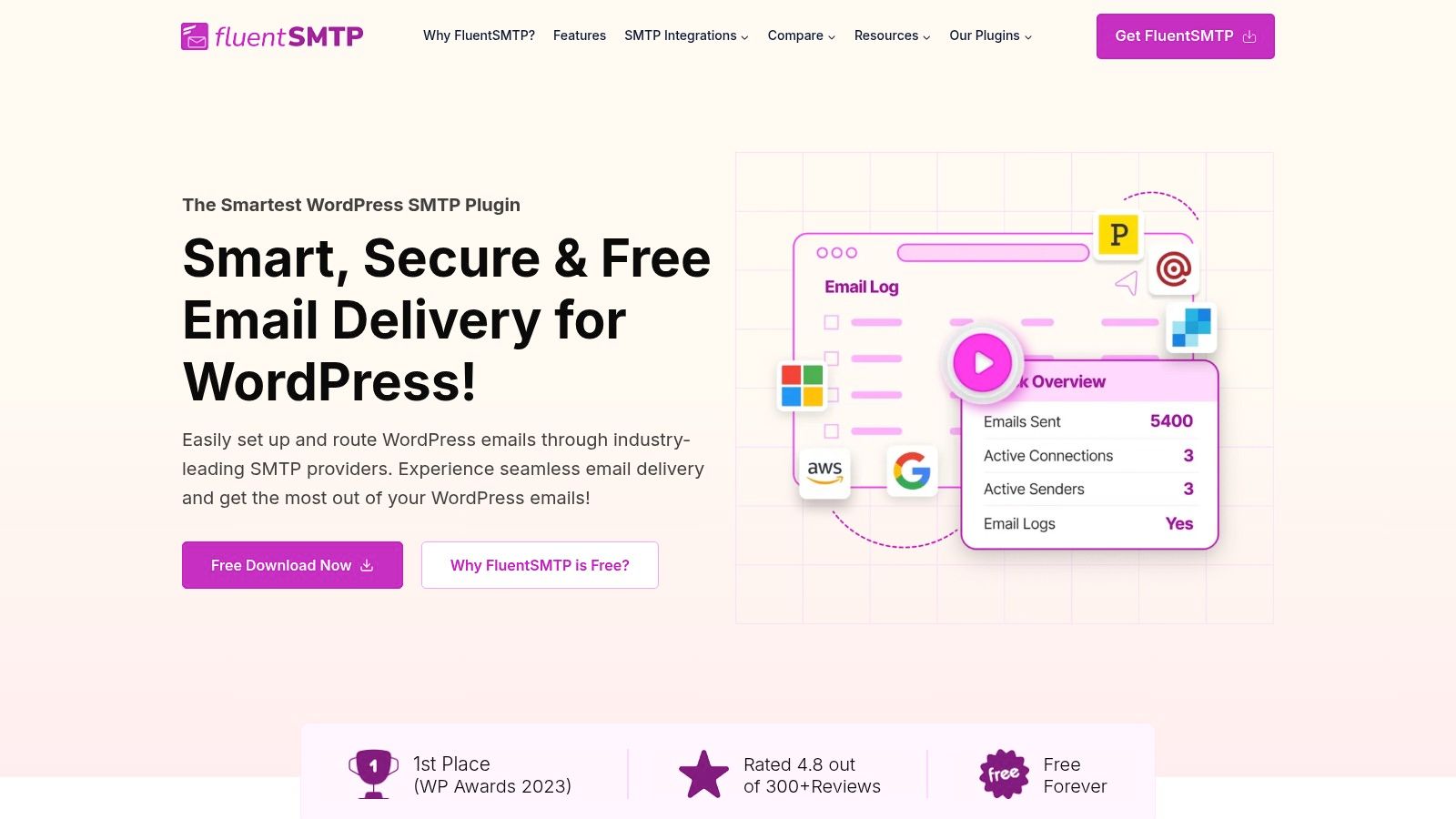
The plugin’s strength is its extensive list of native API integrations and its completely free, feature-rich model. For example, when a customer submits an enquiry via your WPForms form, instead of using your server's unreliable mail function, FluentSMTP routes the notification through a trusted service like SendGrid. This authenticated email is far more likely to land in your inbox than your spam folder. It includes email logging to track sent messages, analytics, and fallback routing. For a step-by-step walkthrough, you can follow our guide on setting up SMTP with WordPress in our knowledge base.
Key Takeaway: FluentSMTP is a non-negotiable tool for reliable email. It fixes the core issue of WordPress email deliverability for free, preventing lost leads and ensuring important system notifications are received.
Recommended Settings for UpTime Web Hosting
- Mailer Configuration: Choose your preferred mail service (e.g., SendGrid, Mailgun, or 'Other SMTP'). For basic cPanel email, use 'Other SMTP' and input your email account credentials.
- Email Logging: Keep this enabled. It is vital for troubleshooting if a user reports not receiving an email. You can check the log to see if WordPress sent it successfully.
- Multiple Connections: If email is critical (e.g., for an eCommerce store), consider setting up a secondary SMTP service as a backup. FluentSMTP can automatically failover if the primary service is down.
While the plugin is free, it requires an account with a third-party email provider, which may have its own costs (though many have generous free tiers). It is the ideal, modern replacement for older SMTP plugins that are often less secure or have been abandoned.
- Website: FluentSMTP on WordPress.org
- Pricing: Free, but requires an account with an external transactional email provider which may have associated costs.
Top 12 WordPress Plugins: Feature Comparison
| Plugin | Core features | Key benefits | Best for | Hosting / Price notes |
|---|---|---|---|---|
| LiteSpeed Cache | Server‑level full‑page cache, QUIC.cloud CDN, object cache, CSS/JS minify, image optimisation | Large out‑of‑the‑box performance gains; improves Core Web Vitals | Sites on LiteSpeed stacks, WooCommerce, page‑builders | Ideal on LiteSpeed/AccelerateWP hosts (UpTime); free plugin; some QUIC.cloud features paid |
| Wordfence Security | Endpoint firewall, malware scanner, 2FA/login protection, central management | Strong threat intelligence and timely rules for active threats | eCommerce, regulated or high‑risk sites | Freemium; Premium for real‑time rules/IP blocklist; can be resource‑intensive on small plans |
| UpdraftPlus | Scheduled/on‑demand backups, remote storage (Drive/S3), encrypted DB, one‑click restore | Reliable restores and flexible off‑site backups | Site owners needing dependable backups and migrations | Free core; Premium adds incremental backups, migrator and extra storage options |
| Yoast SEO | XML sitemaps, schema, meta control, readability and keyword analysis | Editorial guidance, solid technical SEO foundation | Content teams, editors, SMB websites | Freemium; redirects, multiple keyphrases and AI tools in Premium |
| WPForms | Drag‑and‑drop builder, templates, conditional logic, payments/CRM integrations | Fast form setup with low learning curve; built‑in anti‑spam | SMBs, agencies, lead generation and bookings | Freemium; payments and advanced integrations require Pro/Elite |
| ShortPixel Image Optimizer | Lossy/Glossy/Lossless compression, WebP/AVIF conversion, bulk optimisation | Excellent size‑to‑quality ratios; reduces bandwidth and page load | Media‑heavy sites, image‑dependent stores and agencies | Uses external API credits (paid); free tier limited |
| Site Kit by Google | GA4, Search Console, PageSpeed Insights, AdSense, Tag Manager integration | Centralised Google metrics inside WP; lowers misconfiguration risk | Busy site owners wanting quick analytics insights | Free; not a substitute for full analytics workflows |
| Akismet Anti‑Spam | Automatic spam detection for comments/forms, spam stats, scalable API | “Set and forget” spam protection; reduces moderation overhead | Blogs, community sites, forms-heavy sites | Free for personal sites; paid plans for commercial use; tiered API limits |
| Redirection | 301/302/307 redirect management, regex support, 404 monitoring, import/export | Free, robust redirect management ideal after migrations | Sites after URL changes, migrations, SEO cleanups | Free; avoid heavy regex on very high‑traffic sites to limit overhead |
| WP‑Optimize | Database cleanup, CSS/JS minify, optional image compression and page cache | Reduces DB size and overhead; improves site responsiveness | Older WP sites, WooCommerce optimisations | Freemium; disable WP‑Optimize page cache if using LiteSpeed Cache to avoid conflicts |
| Complianz – Privacy Suite | Region presets (incl. Australia), cookie scans, script blocking, consent records | Helps meet regional cookie/privacy laws with automation | Australian sites, organisations needing compliance workflows | Freemium; Premium for advanced features, document generators and site limits |
| FluentSMTP | OAuth/API integrations (Google/Outlook/SES/SendGrid/etc.), multiple connections, logging | Improves deliverability; reduces lost form emails; fully free plugin | Sites relying on contact forms and transactional email | Free plugin; requires external transactional SMTP provider (provider costs apply) |
Building a Better WordPress Site with the Right Toolkit
Navigating the extensive WordPress plugin directory can feel overwhelming, but building a powerful, secure, and efficient website doesn't require installing dozens of tools. As we've explored, a strategic selection of high-quality plugins forms the foundation for success. This curated list of top plugins for every WordPress website demonstrates that a focused approach, prioritising core functionalities like performance, security, and user experience, is far more effective than a scattergun strategy.
The key takeaway is not just what plugins to install, but why and how. For instance, pairing LiteSpeed Cache with an UpTime Web Hosting plan unlocks server-level caching that a generic plugin simply can't match. Similarly, configuring Wordfence correctly, setting up scheduled backups with UpdraftPlus, and fine-tuning Yoast SEO are not one-time tasks but ongoing processes that protect and grow your digital presence.
From List to Action: Your Next Steps
Moving forward, the goal is to transform this information into a tangible improvement for your website. Don't feel pressured to install everything at once. Instead, audit your current setup and prioritise based on your most pressing needs.
- Start with the Essentials: If you haven't already, secure your site with a firewall and malware scanner like Wordfence, and immediately set up automated backups with a tool like UpdraftPlus. These two areas are non-negotiable for site integrity and peace of mind.
- Focus on Performance: Your site's speed directly impacts user experience and SEO rankings. With UpTime Web Hosting, activating the LiteSpeed Cache plugin and using its default settings is your most powerful first step. From there, optimising images with ShortPixel and cleaning your database with WP-Optimize will provide significant additional gains.
- Enhance User Engagement and Compliance: Once your site is secure and fast, turn your attention to your audience. Implement a user-friendly contact form using WPForms and ensure you're meeting privacy obligations with a solution like Complianz. These steps build trust and create clear communication channels.
A Note on Plugin Management
A common mistake for Australian small businesses is the "set and forget" mentality. Remember that every plugin you add is another piece of software that requires maintenance. A lean, purposeful plugin stack is easier to manage, less prone to conflicts, and better for performance.
Pro-Tip: Before installing any new plugin, ask yourself: "What specific problem does this solve, and is there a better way to achieve this outcome?" Sometimes, a simple code snippet or a feature already built into your theme or hosting environment can do the job without adding another plugin to your maintenance list. For complex needs, it's always worth checking our Knowledge Base or contacting our support team for guidance.
Ultimately, the power of WordPress lies in its customisability. The plugins we've detailed - from FluentSMTP for reliable email delivery to Site Kit for accessible analytics - are the building blocks you need. By choosing wisely, configuring thoughtfully, and managing proactively, you can build a website that not only looks professional but also performs exceptionally. You now have a clear roadmap to some of the top plugins for every WordPress website, giving you the confidence to create a more robust and successful online platform.
The right hosting environment makes managing your essential plugins significantly easier. At UpTime Web Hosting, our servers are optimised for WordPress and powered by LiteSpeed, giving you a performance advantage right out of the box. Choose a plan today and build your website on a foundation designed for speed, security, and reliability.