You’ve probably had this moment already.
You’re setting up a new business, or finally replacing that old Facebook page with a proper website, and someone says, “Just use WordPress. It’s free.” That sounds excellent. No software fee, lots of flexibility, and a massive user base. Done.
Then the tabs start multiplying.
One tab for hosting. One for a domain name. Another for themes. Another for plugins. Then you see talk about backups, SSL, security scans, updates, and whether your customer data should stay in Australia. Suddenly “free” feels less simple than it did five minutes ago.
That confusion is normal. WordPress is one of those tools that gets described in a technically correct but incomplete way. Yes, WordPress can be free. But that answer only makes sense when you know which part is free, which parts are optional, and which parts are the cost of running a website in Australia.
For a small business owner, the practical question is not just is wordpress free. It’s closer to this: “What will I need to pay for to get a fast, trustworthy, business-ready site online without nasty surprises?”
That’s the question worth answering properly.
The Alluring Promise of a 'Free' Website
A Brisbane tradie starts a new business. An Adelaide consultant wants a sharper online presence. A Perth retailer wants to stop relying only on social media. They all hear the same thing early on. “Use WordPress. It won’t cost you anything.”
At first glance, that sounds like the perfect deal. A free website platform feels especially appealing when you’re already paying for branding, bookkeeping, insurance, and everything else that comes with getting a business off the ground.
Then reality kicks in.
The tradie wants a proper .com.au address, not a random subdomain. The consultant wants email that matches the business name. The retailer wants the site to load quickly for local customers and not fall over during promotions. None of those needs are unusual. They’re basic business expectations.
This situation often causes confusion. They hear “WordPress is free” and assume the whole website will be free. But software and a finished website are not the same thing.
A simple way to think about it is this. Saying WordPress is free is a bit like saying flour is cheap. That’s true, but it doesn’t mean the finished birthday cake appears on the table by itself. You still need the oven, the ingredients, the decorating, and someone to put it all together.
If you’ve been comparing platforms and ended up more confused than when you started, this guide on Wix v WordPress is useful because it shows how “easy” and “free” often come with different trade-offs.
Key point: WordPress can be free to download, but running a business website still involves infrastructure, setup, and ongoing care.
Once you understand that distinction, the whole topic becomes much easier to understand.

Performance you can feel, backed by clients who depend on it. Read how our support and uptime create long‑term customer success.Power Your Business with Better Hosting
The Two Faces of WordPress Unpacked
“WordPress” can mean two different products, and that is where the pricing confusion starts.
WordPress.org and WordPress.com are not the same
WordPress.org is the software itself. You download it, install it on your own hosting account, and you decide how the site is built, updated, and managed.
WordPress.com is a hosted service run for you. It includes the software, hosting, and plan-based features in one package, with a limited free option and paid upgrades if you want more control.
For an Australian small business owner, that distinction matters straight away. One option gives you freedom and separate bills. The other bundles more together, but with plan limits that can affect plugins, themes, custom features, and even how professional your web address looks.
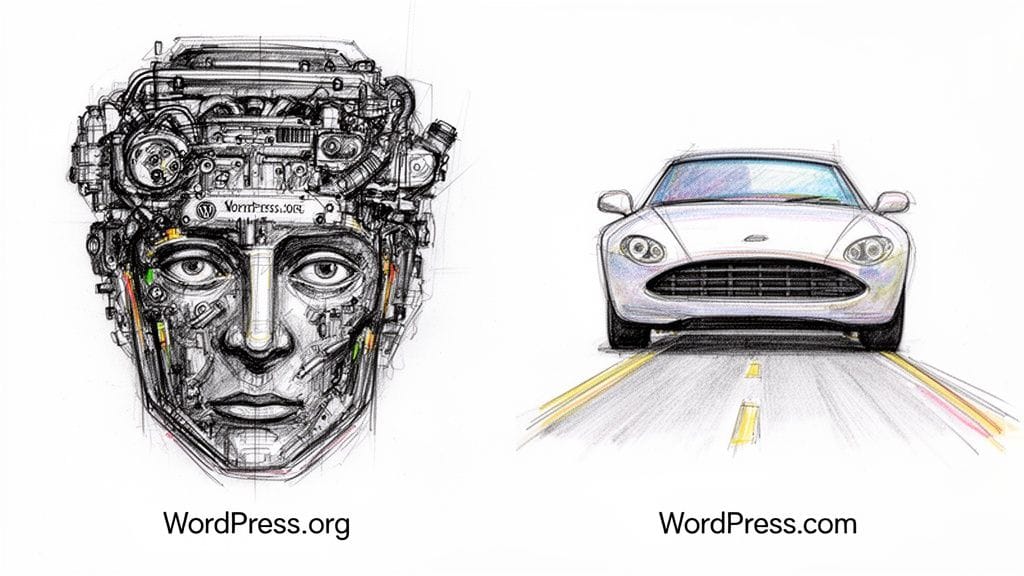
Why the difference matters
WordPress.org is free, open-source software. It has been available at no cost since 2003, and Pantheon’s WordPress statistics page notes both WordPress’s large share of the web and the size of its plugin and theme ecosystem.
That sounds simple, but free software is only one piece of the setup.
With WordPress.org, you are arranging the parts around the software yourself. That usually includes hosting, a domain name, backups, security, email, and someone to handle updates if you do not want to do that work in-house. For an Australian business, it can also include decisions about .com.au eligibility, GST on invoices, and whether you want site data hosted locally for speed, privacy expectations, or industry requirements.
WordPress.com removes some of that setup work because the platform is packaged for you. The trade-off is flexibility. On lower plans, you may run into limits around themes, plugins, advanced customisation, and business features.
A good practical comparison is this. WordPress.org gives you the ingredients and the kitchen. WordPress.com serves a prepared meal from a set menu. If your business needs are basic, the menu may be enough. If you want to choose every ingredient, WordPress.org gives you far more room.
What business owners are usually asking
What people usually mean when they ask if WordPress is free is one of these questions:
- Is the software itself free? Yes, WordPress.org is.
- Can a business website cost nothing at all? Usually no.
- Can I start on a small budget and improve it over time? Yes.
- Can I avoid getting boxed into a platform with strict limits? Yes, self-hosted WordPress usually gives you more control.
That last point often matters more than people expect.
A self-hosted WordPress site can grow with the business. You can add bookings, forms, memberships, ecommerce, quoting tools, or a new design later without starting from scratch. If you want a plain-English explanation of how that setup works, this straightforward guide to WordPress hosting is a useful next read.
The core answer in one sentence
WordPress.org is free software. WordPress.com is a hosted service. A working business website can use free software, but it still needs paid services around it.
Budgeting for Your 'Free' WordPress.org Website
Once you choose self-hosted WordPress, you’re working with free software plus paid essentials.
That’s not a trap. It’s just the normal cost of turning software into a functioning business asset.
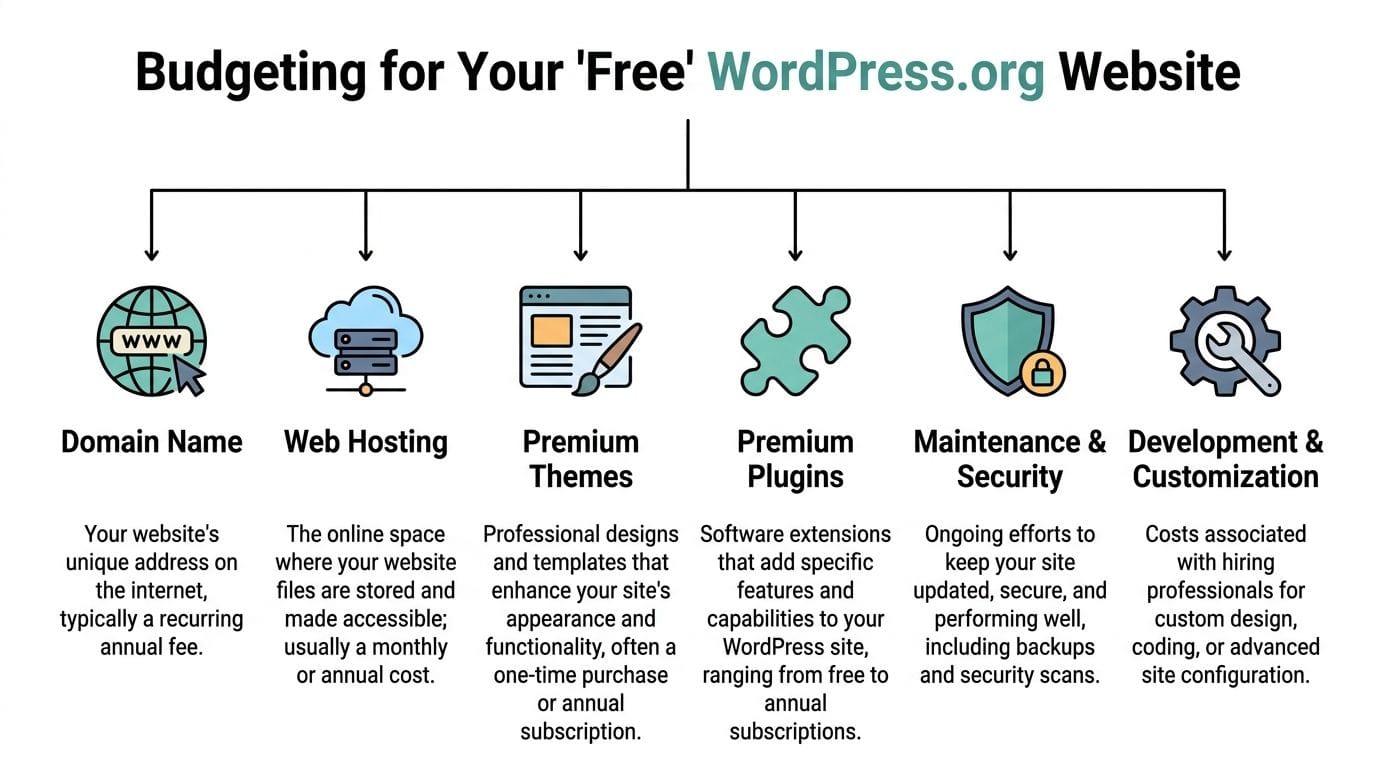
The costs that usually matter first
Domain name
Your domain is your digital street address.
For an Australian business, that often means a .com.au domain because it looks more credible to local customers and matches how they search. This is a recurring cost, not a one-off setup item. If you stop renewing it, you lose control of the address.
A practical example: if your plumbing business uses a long social profile link today, switching to a clear branded domain instantly looks more professional on invoices, email signatures, and vans.
Web hosting
Hosting is the land your website sits on.
Your WordPress files, images, database, and email services reside here. Many business owners accidentally go too cheap here and create headaches for themselves later. WordPress core is free under the GPLv2+ licence, but self-hosted sites still rely on server components such as Apache or Nginx, MySQL 8.0+, and PHP 8.2+ as outlined on the official WordPress features page.
That matters because performance is not magic. It comes from the environment your site runs in.
The same official source also notes that unoptimised WordPress installs can cause significantly higher CPU usage, which often shows up as a sluggish site and slow Time to First Byte. In plain English, a bad hosting setup can make a free website feel expensive through lost leads and constant fixes.
Practical takeaway: The software may cost nothing, but the server underneath it directly affects speed, reliability, and how much stress the site causes you.
Themes and plugins
Budgeting can vary wildly here.
You can build a simple site using free themes and free plugins. Many businesses do. But the moment you want a refined design, advanced forms, online bookings, layered security, or specialised eCommerce features, you may choose paid tools.
That doesn’t mean you must buy lots of add-ons. It means you should expect that some business features live outside WordPress core.
A local accountant might be fine with a free theme and a contact form. A medical clinic might need appointment features. A training provider may need gated content or payment workflows. Different business models create different plugin needs.
The less obvious costs people forget
Maintenance and security
WordPress sites need updates.
Plugins need updates. Themes need updates. Backups need checking. Security needs watching. If you ignore these jobs, small issues can become bigger ones quickly.
Some owners do this themselves. Others pay for a care plan or ask their developer to handle it.
Developer help
Not every site needs custom work. But many businesses hit a point where they want something beyond a template.
That might be:
- Brand alignment: matching fonts, colours, and layouts to existing business materials
- Custom functionality: forms, booking flows, quote calculators, or membership areas
- Fixes and troubleshooting: untangling plugin conflicts or layout problems after updates
Your time matters here too. Even if you never hire a developer, there is still a cost if you spend your Friday afternoon fixing something instead of serving customers.
A fuller breakdown of website expenses is worth reviewing if you’re budgeting from scratch. This guide to website creation cost is useful because it maps the usual spending categories clearly.
A simple budgeting mindset
Instead of asking “How can I build this for free?”, ask:
- What do I need on day one?
- What can wait until the site proves itself?
- What should I pay for because it protects revenue or saves time?
That approach leads to much better decisions than chasing a zero-cost website that never quite does the job.
Host your website with our 5-star rated, cPanel website hosting plans.
Super fast servers, with security included and hosted in your choice of Australian Data Center.
View cPanel Plans
Key Considerations for Australian Businesses
You launch your site on a cheap overseas plan, everything looks fine, and then the practical questions start. Is the price shown in Australian dollars or US dollars? Is GST included? Where is customer data stored? If the site goes down at 10 am in Brisbane, who answers the support ticket?
Those are the details generic WordPress advice often skips. For an Australian small business, they affect trust, admin time, and day-to-day running costs.
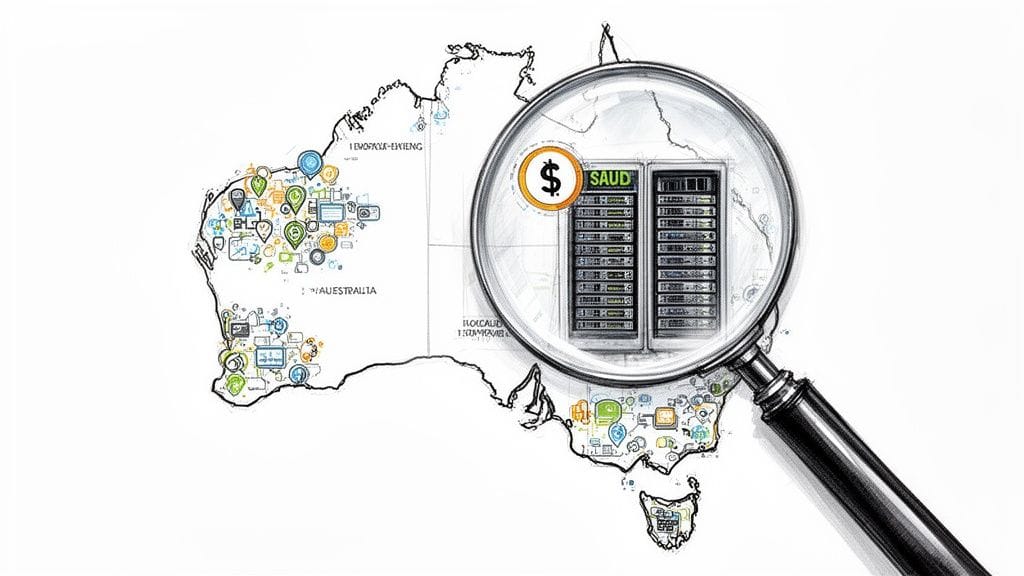
Local hosting affects more than speed
If most of your customers are in Australia, hosting close to them usually helps pages load faster and forms submit with less delay. The difference can feel small in isolation, but on a business site, small delays chip away at conversions, especially on mobile.
There is also a privacy and operations side to this. Many Australian businesses prefer to know where their website data is stored and which company is handling it. That matters if your site collects enquiries, booking details, or customer records. Surveys often show Australian SMBs place real value on local data storage and support they can reach during local business hours.
If you are comparing providers, a guide to the best Australian WordPress hosting can help you weigh speed, support, and local fit side by side.
A .com.au domain still signals local credibility
A free subdomain can work for testing. It does not send the same message as a proper .com.au domain.
For many Australian buyers, a .com.au address feels established and local in the same way a shopfront sign does on a main street. It shows you are trading here, not operating from a generic placeholder. If you pair that domain with branded email and clear Australian contact details, the whole setup feels more trustworthy.
That trust matters most for service businesses. A plumber, accountant, clinic, or consultant often wins work from a form submission or phone call, so credibility signals carry significant weight.
GST changes the overall price
A hosting plan advertised at a low monthly rate can look cheap until currency conversion, GST, and add-ons appear on the invoice.
That catches small business owners all the time. Comparing WordPress costs is a bit like comparing ute prices without checking stamp duty, rego, and servicing. The sticker price is only part of the bill. Ask whether the plan is billed in AUD, whether GST is included, and what is bundled versus charged separately.
A slightly higher local price can be easier to manage if it includes support, backups, and clearer billing.
Support timing matters when your site earns enquiries
If your website breaks during your workday, waiting overnight for a reply from another time zone is frustrating and expensive. A website is not just a brochure once it starts bringing in leads. It becomes part of your sales process.
Local support helps here because the problem can be handled while your business is open and customers are active. That is especially useful for trades, professional services, and ecommerce stores where downtime quickly turns into missed revenue.
The full picture is business fit
For an Australian business, the best WordPress setup is usually the one that fits local expectations and local admin reality.
That often means checking:
- Where the site and backups are hosted
- Whether the plan is priced in AUD and shows GST clearly
- Whether you can register and use a .com.au domain
- Whether support is available in Australian business hours
- How customer data is handled if your site collects personal information
If you are weighing website spend against lead generation more broadly, Is paying for digital marketing worth it is a useful companion read.
Choosing Your Path Free Versus Paid Scenarios
A café owner in Brisbane can start a site for almost nothing on Friday and feel pleased with the result. By Monday, they realise they want a proper .com.au domain, email on their business name, a contact form that stores customer details safely, and someone to call during Australian business hours if the site goes down. That is where the word “free” starts to lose its shine.
The better question is not whether WordPress is free. It is which version of WordPress fits the job you need it to do.
WordPress is popular because it gives very different businesses room to start small and grow. As of early 2026, the platform still powers a large share of websites, and the plugin and theme ecosystem remains enormous. That range is helpful, but it can also confuse small business owners. A hobby site, a suburban accounting firm, and a growing online shop may all use WordPress, yet they should not choose the same setup.
Four common scenarios
The hobby blogger
If you are writing for fun or testing whether you even enjoy publishing online, the free WordPress.com plan can be enough.
It works like renting a furnished room. You can move in quickly, but you cannot knock down walls or change much about the structure. For a personal blog, that trade-off is often fine.
Once you want your own branding, more design control, or ways to earn money from the site, you will usually outgrow it.
The startup testing an idea
A lean WordPress.org site often suits this stage better.
You keep more control over the site, which helps if the idea turns into a business. You can add landing pages, booking tools, lead forms, or email signups without rebuilding from scratch. You also get more freedom to choose a .com.au domain if you are targeting Australian customers and want the trust signals that come with it.
If your next question is not just about website cost but also customer acquisition, this article on Is paying for digital marketing worth it adds useful context. A cheap site still needs traffic and enquiries.
The established small business
For a tradie, consultant, clinic, or local service business, a self-hosted WordPress.org site is usually the practical choice.
At this point, the true cost is not the hosting bill. It is the risk of looking unprofessional, losing enquiries through a slow form, or scrambling to fix problems yourself. A site for a business needs to support the business, not just exist online.
This is also the stage where Australian details matter more. You may want pricing in AUD, GST-visible invoices for bookkeeping, a .com.au domain, and a setup that handles customer information in a way that fits your privacy obligations.
The growing eCommerce store
An online store needs a stronger foundation.
WooCommerce can turn WordPress into a capable shop, but selling online adds moving parts fast. Payment gateways, shipping rules, stock updates, security, backups, and plugin compatibility all need attention. It is similar to the difference between running a market stall and running a retail shop with staff, stockroom, and eftpos. The website starts carrying significant operational weight.
For this kind of site, managed support is often money well spent. A WordPress website care plan for updates, backups, and support can save hours of admin and reduce the chance of expensive downtime.
A quick decision guide
| Situation | Best fit |
|---|---|
| Personal blog or side project | WordPress.com free plan or a very simple starter site |
| New business validating an idea | Lean self-hosted WordPress.org setup |
| Service business needing trust and enquiries | Self-hosted WordPress.org with a business-grade setup |
| Online store with growth plans | Self-hosted WordPress.org with stronger hosting and paid tools where needed |
Choose the setup that matches the value of the website to your business. If the site is only a sandbox, free can be fine. If it needs to win trust, collect leads, or process sales in Australia, paying for the right foundation is usually the cheaper decision in the long run.
How UpTime Delivers Value for Your WordPress Site
Once you strip away the hype, a good WordPress hosting setup solves a short list of very practical problems.
It should keep the site fast for Australian visitors. It should help protect the site. It should make updates, backups, and everyday management less stressful. And it should give you support that understands the local context.
What matters most in practice
For WordPress owners in Australia, local infrastructure makes a noticeable difference. Hosting on servers in Sydney, Melbourne, Brisbane, and Perth keeps the environment aligned with local audiences and business needs.
Performance features matter too. WordPress can run beautifully when the hosting stack is tuned for it. Tools such as LiteSpeed and AccelerateWP are valuable because they help sites respond faster and handle traffic more efficiently, especially when the site uses plugins, media, and dynamic content.
Security is another area where bundled features save time and reduce risk. A strong setup should include:
- Free SSL so visitors connect securely
- Malware scanning to help catch issues early
- DDoS-protected firewalls for an extra layer of protection
- Nightly backups so recovery is possible if something breaks
- 24/7 monitoring so problems are spotted quickly
Value is not only about the monthly fee
A cheap plan can be poor value if it leads to slow pages, support delays, plugin headaches, or unclear billing.
By contrast, transparent GST-inclusive pricing, no hidden fees, and local support through channels Australian businesses use can make website management far less frustrating. That matters for solo operators and for agencies managing multiple client sites.
There’s also a maintenance angle. Many business owners do not want to become accidental website administrators. They want the website running while they focus on actual business.
In this situation, a proper website care plan becomes useful. It shifts routine upkeep from a reactive scramble into a managed process.
Key takeaway: Good hosting does more than store files. It reduces admin load, supports performance, and lowers the chance that your website becomes another weekly problem to solve.
For a WordPress business site, that is where the true value sits.
Register your new domain name at competitive market prices including free domain add-ons like privacy, DNS Hosting, Custom Nameservers and Forwarding.
Always the best price and no nasty renewal price hikes.
Register A Domain Name
Frequently Asked Questions About WordPress Costs
Can I start with free WordPress.com and move later
Yes.
Many people begin on WordPress.com to test an idea, then move to self-hosted WordPress when they want more control. The move usually involves exporting content, setting up hosting, pointing your domain correctly, and checking that your design and plugins suit the new setup.
Is WordPress suitable for an online store in Australia
Yes, provided the setup is handled properly.
WordPress with WooCommerce can work well for Australian stores, especially when the hosting is secure, the site is backed up properly, and the checkout experience is kept smooth and reliable.
How technical do I need to be for a self-hosted WordPress site
Less technical than many people assume.
Modern hosts often provide one-click WordPress installation, guided setup, and support when things go wrong. You do not need to be a developer to run a straightforward site, although some tasks become easier with expert help if the site grows more complex.
If you want a WordPress site that feels straightforward instead of overwhelming, UpTime Web Hosting offers Australian hosting with local servers, transparent GST-inclusive pricing, strong security features, and support that understands how local businesses operate. It’s a practical option for getting a fast, reliable WordPress site online without the usual confusion.