You've launched the site. The design looks sharp, your services are clear, and your contact form works. Then you search Google for the thing you sell in your suburb or city, and your business is nowhere to be found.
That's where a lot of Australian business owners get stuck. They assume the hard part was building the website. In reality, a website without seo is a bit like opening a shop on a back street with no signage. It exists, but the right people don't walk in.
A Sydney tradie, a Brisbane clinic, a Perth eCommerce store, or a Melbourne consultant can all run into the same problem. The website is live, but enquiries are thin. Often the issue isn't the offer. It's that Google doesn't yet have enough clear signals to trust, understand, and surface the site for the searches that matter.
SEO is vital for Australian businesses. It is also why local infrastructure decisions, such as your hosting provider, can influence your results more than many companies realize.
Table of Contents
- Your Website is Live But Where Are The Customers
- What is SEO and Why It Matters for Your Aussie Business
- The Five Core Pillars of SEO Success
- How Your Hosting Choice is Your SEO Secret Weapon
- Measuring SEO Success with the Right Tools
- Your Actionable SEO Checklist for 2026
- Common SEO Mistakes That Cost Aussie Businesses Money

Performance you can feel, backed by clients who depend on it. Read how our support and uptime create long‑term customer success.Power Your Business with Better Hosting
Your Website is Live But Where Are The Customers
A common story goes like this. A business owner pays for a new site, ticks off the launch checklist, tells a few existing customers, then waits for Google traffic to roll in. Weeks later, the site still feels quiet.
The frustration makes sense. Many business owners expect a new website to start attracting customers because it looks professional. Google doesn't work that way. It needs clues about what your business does, where you serve, how trustworthy your site is, and whether the pages load well for local users.
For Australian businesses, one of those clues starts lower in the stack than many people expect. A SEMrush study cited here found that .com.au sites on AU-based servers rank 18% higher in Google AU searches compared to offshore hosting, with average page load speeds 25% faster. That doesn't mean hosting is the whole game, but it does mean your setup can help or hinder you before your content even gets a fair shot.
Practical rule: If your business sells to Australians, your website should be built and tuned for Australian search behaviour, not treated like a generic global brochure site.
A simple example helps. If you're a plumber in Adelaide, ranking for “emergency plumber Adelaide” isn't about stuffing the suburb name into every sentence. It's about having a fast site, a clear service page, consistent business details, and a Google-friendly structure that confirms you're relevant to that location.
Seo is the process of creating those signals on purpose, instead of hoping Google joins the dots for you.
What is SEO and Why It Matters for Your Aussie Business
Seo stands for search engine optimisation. In plain English, it means making your website easier for search engines to understand, trust, and recommend to the right people.
For a small business owner, the simplest way to think about it is this. Seo helps your site show up when someone is actively looking for the thing you sell. Not scrolling casually. Not half-paying attention. Searching with intent.
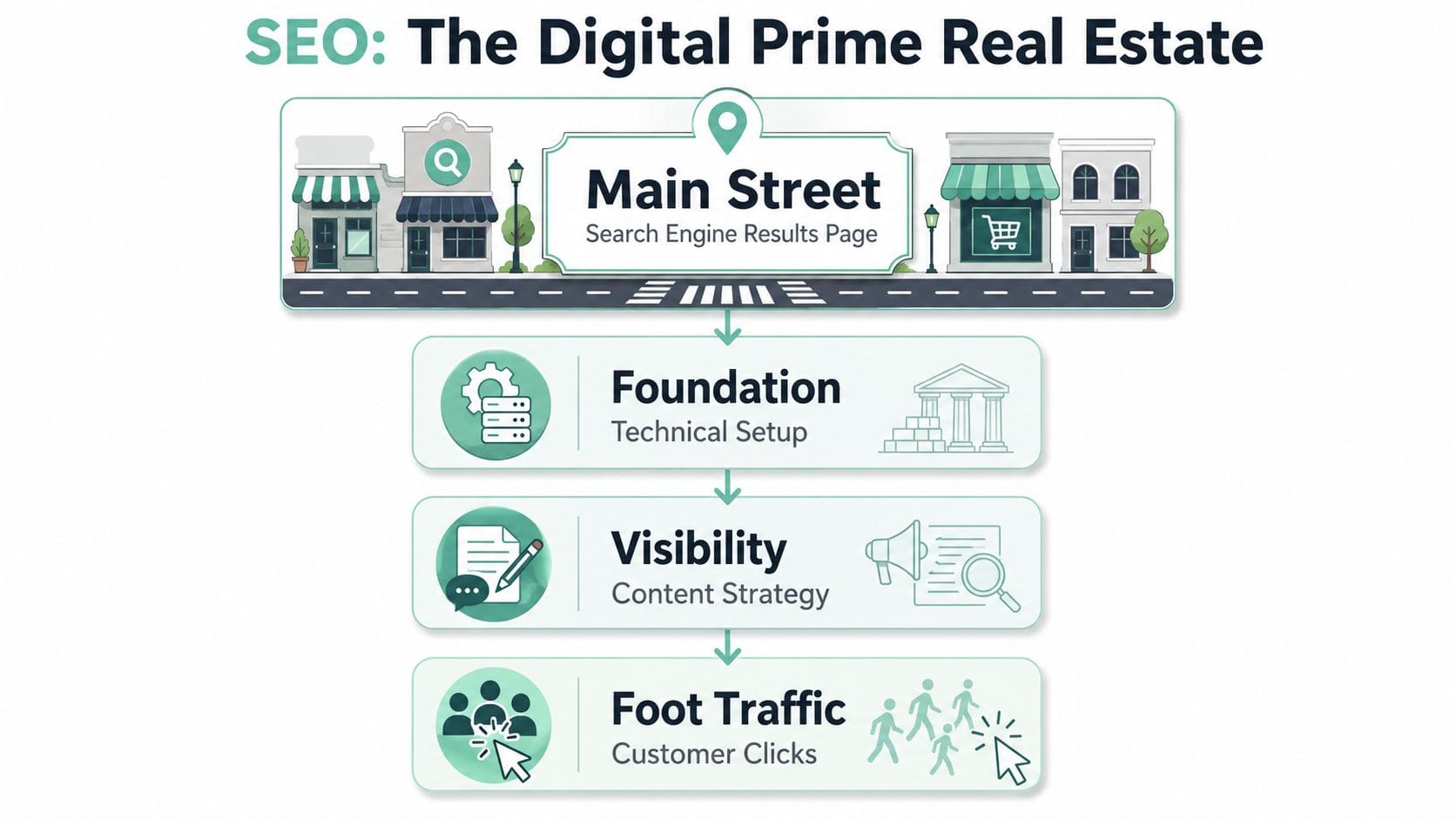
Think of SEO like shop location and signage
If you ran a physical shop, you'd care about a few obvious things. You'd want a good location, clear signs, a tidy layout, helpful staff, and a strong local reputation. Seo works in a similar way.
Your website's technical setup is the building.
Your page titles and headings are the signage.
Your content is what helps people once they walk in.
Your links and reviews act like word of mouth.
Your local presence tells Google which neighbourhood you serve.
When people get confused by seo, it's usually because they think it's a trick or a hack. It isn't. Good seo is mostly careful communication. You're showing Google what each page is about, who it's for, and why it deserves to appear in search results.
Why Australian businesses can't ignore it
For an Australian business, Google is the main street. According to these seo statistics for Australian search behaviour, Google holds 89.85% of the desktop search market in Australia, and 46% of all Google searches have local intent. That combination is why local seo matters so much for service businesses, clinics, retail stores, trades, agencies, and hospitality venues.
If someone searches for a tax accountant in Newcastle, a café in Hobart, or a physio in Geelong, Google is trying to return a local answer. Your site needs to make that answer easy to identify.
A few plain-language examples:
- A dentist in Parramatta needs a page that clearly says where they are, what treatments they offer, and how to book.
- A national eCommerce store still needs strong technical seo, because product pages have to be found and indexed properly.
- A consultant working across multiple cities needs separate, genuinely useful location pages instead of thin copy pasted ones.
Good seo isn't about pleasing a robot. It's about removing friction so customers can find you when they need you.
That's also why business goals matter. Ranking for broad vanity terms can feel exciting, but it's rarely the point. A local business usually cares more about appearing for searches tied to enquiries, bookings, quotes, and sales.
Here's a quick way to think about it:
| SEO element | What it means in plain English | Business impact |
|---|---|---|
| Technical setup | Your site loads, works, and can be crawled | Google can access your pages |
| On-page optimisation | Each page has a clear topic | Better match for relevant searches |
| Content | You answer real customer questions | More opportunities to rank |
| Authority | Other sites mention or link to you | More trust signals |
| Local signals | Your location details are consistent | Better visibility for nearby searches |
Seo matters because it compounds. A useful page you publish today can keep bringing in visitors long after the week you wrote it. That's why so many established businesses treat seo as an asset, not just a marketing task.
Host your website with our 5-star rated, cPanel website hosting plans.
Super fast servers, with security included and hosted in your choice of Australian Data Center.
View cPanel Plans
The Five Core Pillars of SEO Success
Most seo advice feels messy because it throws everything into one bucket. A better way to understand it is to split it into five pillars. Once you do that, the work becomes far easier to prioritise.
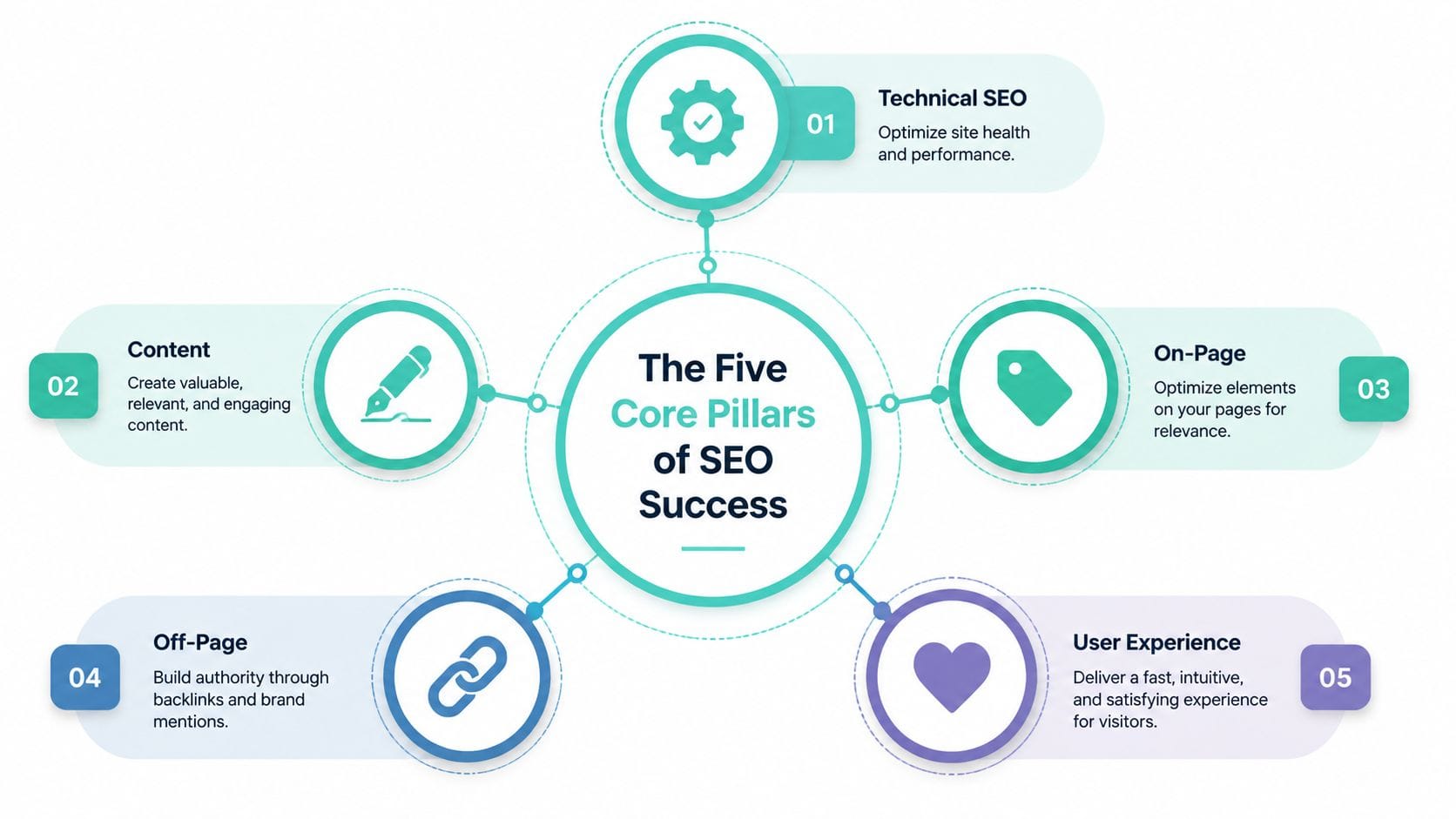
Technical SEO
Technical seo is the part most business owners avoid because it sounds developer-heavy. But the basic idea is simple. Your site has to be accessible, fast, and easy for Google to crawl.
One of the most practical examples is your XML sitemap. This is the file that tells search engines which pages exist and should be considered for crawling. For Australian sites, this technical seo checklist notes that optimising XML sitemaps for .au domains can prevent 22% wasted crawls on irrelevant content, and resubmitting a corrected sitemap via Google Search Console can boost indexed pages by 35% within 48 hours.
That matters because many WordPress sites include junk in sitemaps. Tag archives, thin attachment pages, redirects, and noindex content can all make things harder than they need to be.
A solid technical seo routine includes:
- Submit a clean sitemap: Use Yoast or Rank Math to generate it, then review what's included.
- Exclude poor-value URLs: Keep admin areas, redirects, and thin pages out of the sitemap.
- Check crawlability: Make sure important pages aren't blocked by accident.
If you run a large catalogue, split sitemaps logically. Product pages, categories, and blog content don't need to live in one giant list.
On-page SEO
On-page seo is what happens on the page itself. This includes titles, headings, internal links, image alt text, and the way the copy answers the search intent.
People often overcomplicate this. You don't need to jam a keyword into every line. You do need to make the page unmistakably relevant.
For example, a service page for a family lawyer in Canberra should clearly cover:
- Who the service is for: Families, couples, parents, or mediation clients
- What the service includes: Advice, agreements, representation, or consultations
- Where it applies: Canberra and surrounding service areas if that's accurate
A weak page says, “We provide quality legal solutions designed for your needs.”
A stronger page says, “Family lawyer services in Canberra for parenting matters, separation, and property settlement.”
That second version is clearer for both people and search engines.
Content creation
Content is how you earn more entry points into search. It answers questions, solves problems, and builds trust before someone is ready to contact you.
Small businesses often hear “create content” and assume they need to become a media company. You don't. You need useful pages that match the questions customers already ask.
A few practical examples:
- A migration agent could publish “What documents do I need for a partner visa application?”
- A mechanic could write “What does a roadworthy inspection cover in Victoria?”
- A managed IT provider could explain “Why business email keeps landing in spam”
The best content usually sits close to a commercial service. It attracts search traffic, then naturally points readers toward the next step.
A useful test: If a customer asked this on the phone, would this page answer it clearly enough to save your staff time?
Internal links matter here too. If you publish a blog post about common air conditioning faults, link to your repair service page and your booking page where it makes sense. That helps readers move forward and helps Google understand the relationship between pages.
If you're reviewing performance ideas for faster delivery to local visitors, this guide to website speed optimisation for Australian users is a practical companion to the technical side of content visibility.
Link building
Link building is one of the most misunderstood parts of seo. It's not about buying random backlinks from sketchy directories. It's about earning mentions and links that make sense in your market.
A local business can build authority in sensible ways:
- Industry associations: Member listings and profile pages
- Local partnerships: Sponsorships, chambers of commerce, community groups
- Useful resources: Guides, tools, FAQs, or explainers that other sites want to reference
If you're a builder, an architect, or a finance broker, links from relevant Australian organisations are far more valuable than a pile of irrelevant low-quality backlinks from overseas domains.
Good link building is usually slower than people want. That's fine. It tends to hold up better over time.
Local SEO
Local seo is where many Australian SMBs win or lose. It helps you appear when customers search with place-based intent, even if they don't include your suburb in every query.
Your main local signals include your Google Business Profile, your website's contact and location information, your service area pages, and consistent business details across the web.
A practical local seo checklist looks like this:
- Claim your Google Business Profile and fill it out properly.
- Use your real business details consistently across your site and listings.
- Create location-aware pages only where you serve customers.
- Add local proof such as case examples, suburbs served, or photos relevant to your area.
Local seo isn't about pretending you're everywhere. If your business is based in Wollongong, don't build flimsy pages for every capital city unless you serve them in a meaningful way.
The strongest local pages feel specific. They mention real services, local conditions, and booking details, not generic filler with suburb names swapped out.
How Your Hosting Choice is Your SEO Secret Weapon
Hosting often gets treated like plumbing. People pick the cheapest plan they can find, forget about it, and only pay attention when something breaks. For seo, that's a mistake.
Your host affects speed, reliability, and how consistently search engines can access your site. Those things sit underneath almost every other seo effort you make.

Hosting affects speed before you publish a single blog post
You can write excellent content and still struggle if the site is slow. Google's Core Web Vitals matter here, especially Largest Contentful Paint, which is a measure of how quickly the main visible content loads.
According to this Core Web Vitals checklist, sites with poor Largest Contentful Paint see 32% lower click-through rates, and implementing server-side technologies like LiteSpeed caching and AccelerateWP can reduce LCP by 40-60%.
That's one reason hosting choice has become part of technical seo, not just an IT decision. If your site drags on mobile, users bounce, engagement drops, and the page becomes less competitive.
Local hosting matters for Australian search visibility
For Australian businesses, hosting location can shape the actual experience your visitors get. A site hosted closer to your audience often responds faster. That matters most for service pages, product pages, and enquiry flows where delays cost attention.
It also lines up with local intent. If your customers are in Australia, there's a practical case for serving your website from Australian infrastructure rather than relying on distant default setups.
The same logic applies whether you run WordPress, an online store, or a service business brochure site. Faster response, cleaner delivery, and steady uptime make the rest of your seo work easier to benefit from.
What to look for in a hosting setup
If you're choosing or reviewing hosting for seo, focus on a short list:
- Australian server location: Better alignment with local audiences
- Performance tools: LiteSpeed, caching, compression, and image support
- SSL included: Security is part of trust and user confidence
- Reliable uptime: Google can't crawl pages that are regularly unavailable
- Practical management tools: Easy access to cPanel, WordPress tools, backups, and logs
If you're comparing local options, why switching to local Australian hosting gives a useful overview of the speed and support side. For site owners using managed WordPress or standard cPanel environments, hosting setups with LiteSpeed, CloudLinux, SSL, backups, and local data centre choice can support the technical side of seo work without adding extra complexity. UpTime Web Hosting is one example because it offers WordPress Hosting and cPanel Hosting with those kinds of features.
Slow hosting creates seo problems that content alone can't fix.
Measuring SEO Success with the Right Tools
One reason seo feels vague is that many businesses never measure it properly. They check Google once in a while, see mixed results, and guess whether things are improving.
You don't need expensive software to get clarity. For most Australian small businesses, Google Search Console and Google Analytics are enough to make good decisions.
Start with Google Search Console
Google Search Console tells you how your site appears in search. It shows which queries trigger your pages, which pages get impressions and clicks, and whether Google is having trouble indexing anything.
If you've never set it up, the first hurdle is ownership verification. This guide on confirming domain ownership for Google walks through the process in a practical way.
Once Search Console is active, look at:
- Queries: What people typed before clicking
- Pages: Which URLs are attracting search visibility
- Coverage: Which pages are indexed and which are excluded
- Enhancements: Signals related to usability and technical issues
A lot of confusion disappears once you can see the exact phrases people use to find your site. Often they're not the phrases the business owner expected.
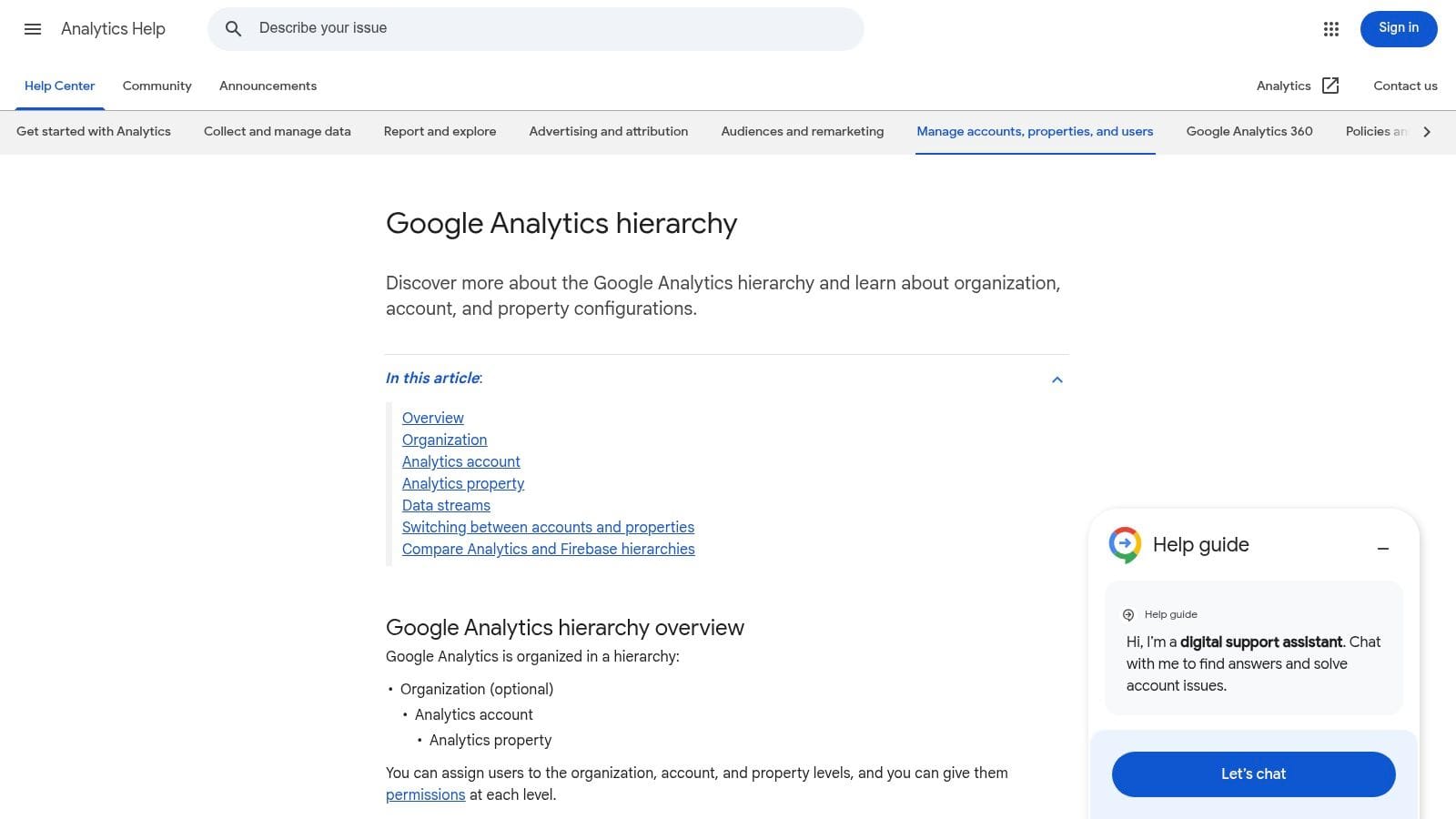
Here's a visual of how Google Analytics reporting is structured, which helps when you're pairing it with Search Console insights.
Use Google Analytics to track business outcomes
Search Console shows how people find you. Google Analytics shows what they do after landing.
For a service business, useful actions might include contact form submissions, phone call clicks, quote requests, or booking starts. For eCommerce, it might be product views, cart additions, and completed purchases.
SEO becomes a business tool rather than a traffic hobby in this context. A blog post that brings in visitors but no leads may still have value, but a service page that brings in the right visitors is usually more important.
The small set of metrics that matter
Many dashboards create noise. Start with four practical checks:
| Metric | What to ask |
|---|---|
| Organic traffic | Are more people arriving from search over time? |
| Relevant keyword visibility | Are you appearing for searches tied to your services? |
| Click-through rate | Are searchers choosing your result when they see it? |
| Conversions | Are visits turning into enquiries or sales? |
You don't need to obsess over daily ranking swings. Focus on trends and outcomes.
If a page gets impressions but few clicks, improve the title and description. If it gets clicks but no enquiries, improve the page itself.
That simple distinction helps you diagnose where the problem sits. Search visibility, page relevance, or conversion friction.
Register your new domain name at competitive market prices including free domain add-ons like privacy, DNS Hosting, Custom Nameservers and Forwarding.
Always the best price and no nasty renewal price hikes.
Register A Domain Name
Your Actionable SEO Checklist for 2026
Most businesses don't need more theory. They need a clear list of what to do next. If you want seo to feel manageable, break it into setup, rhythm, and maintenance.

Do these first
Start with the essentials that make the site understandable and measurable.
- Install an seo plugin: On WordPress, tools like Yoast or Rank Math make titles, meta descriptions, and sitemap control easier.
- Set up Search Console and Analytics: You need visibility before you can improve anything.
- Check your domain and SSL: Make sure the secure version of the site is the version Google sees.
- Submit your XML sitemap: Give Google a clean path to your key pages.
- Create or fix your core pages: Home, services, about, contact, and location details should be complete and clear.
- Write unique titles and descriptions: Every important page should state what it does and where it serves.
If you're moving from another provider while doing this cleanup, keep a website migration checklist handy so you don't lose pages, break redirects, or confuse Google during the switch.
Monthly habits that keep seo moving
Seo improves when you maintain momentum, not when you do one giant burst of work and disappear for six months.
A simple monthly routine could look like this:
- Review your top search queries in Search Console.
- Update one key service page with clearer copy, FAQs, or internal links.
- Publish one useful piece of content based on a real customer question.
- Check your Google Business Profile for accuracy and fresh updates.
- Look for thin pages that need expansion or consolidation.
If you sell through marketplaces as well as your own site, keyword tracking discipline still matters. A practical example outside traditional website seo is Headline Marketing Agency's Amazon growth guide, which shows how search visibility thinking applies when customers discover products inside platform search ecosystems too.
Technical checks that stop silent problems
Many seo losses come from issues no one notices until traffic dips. Put these on a recurring checklist.
- Test page speed: Check major service and product pages on mobile.
- Check for broken links: Internal links should lead somewhere useful, not to dead ends.
- Review index status: Make sure important pages are indexed and unimportant ones aren't soaking up crawl attention.
- Inspect forms and calls to action: A ranking page is wasted if the enquiry path is clunky.
- Review images: Compress large files and write descriptive alt text.
A short internal process helps here:
| Check | What good looks like |
|---|---|
| Sitemap | Clean, current, and includes only useful indexable pages |
| Core pages | Clear service, location, and contact information |
| Mobile experience | Fast, readable, easy to tap |
| Internal links | Relevant pathways between related pages |
| Conversions | Forms, calls, and checkout steps work properly |
The goal isn't perfection. It's reducing friction so both Google and customers can move through the site without confusion.
Common SEO Mistakes That Cost Aussie Businesses Money
Plenty of businesses do some seo work and still hold themselves back with a few expensive habits. These mistakes are common because they seem harmless at first.
Treating hosting like a cheap commodity
Many owners assume hosting has nothing to do with search visibility. For Australian eCommerce sites, that assumption has become riskier. This Search Engine Journal report notes that following the post-August 2025 'OzCore' algorithm update, Australian eCommerce sites hosted on non-local servers saw an average 22% drop in organic traffic due to a heightened emphasis on local experience signals.
That doesn't mean every offshore setup will fail. It does mean local experience matters enough that cheap, distant hosting can become a business risk.
Writing for algorithms instead of customers
You can spot this quickly. The page repeats the same phrase over and over, says very little, and feels like it was written to impress a machine.
Google has become far better at rewarding clarity over keyword stuffing. Customers have too. If someone lands on your page and can't quickly work out what you do, where you work, and how to contact you, the page is underperforming even if it technically ranks.
A better approach is simple:
- Answer real questions: Use the language customers use
- Keep service pages specific: Say what you offer and where
- Make the next step obvious: Call, book, enquire, or buy
Ignoring maintenance after launch
Some businesses launch their site and never check it again. That's how broken links, index issues, form failures, and weird WordPress problems accumulate.
One common example is broken permalinks after site changes. If pages suddenly stop loading properly, this guide to fixing broken permalinks that trigger 404 errors can help diagnose a very common issue before it drags down user experience and search performance.
Seo rewards businesses that stay organised. Not businesses that publish once, then disappear.
The good news is that most costly seo mistakes are fixable. Clear pages, steady maintenance, sensible local signals, and the right infrastructure go a long way.
If you want a stronger technical base for seo, UpTime Web Hosting offers Australian-based hosting with local server options, SSL, backups, and performance tools that support fast, reliable websites for small businesses, WordPress sites, and online stores.