Your website probably feels “mostly fine” when you check it from the office. Then a customer opens it on mobile, waits for the homepage banner to appear, taps a menu that lags, and gives up before your enquiry form loads. That's how a slow WordPress site hurts an Australian business. Not with a dramatic crash every day, but with small losses that add up across calls, bookings, and sales.
A lot of fastest wordpress hosting australia roundups miss the point. They compare one headline speed score and treat Australia like a single location. That's not how real visitors use your site. A customer in Perth doesn't experience your website the same way as someone in Sydney, and a WooCommerce store behaves differently from a brochure site with six pages and a contact form.
The practical question isn't “who won a generic global benchmark?” It's “which hosting setup gives my customers the shortest path to content, the quickest server response, and the fewest problems when traffic, updates, and security issues hit?”
Here's a quick comparison of what usually matters most for Australian WordPress buyers.
| Factor | What to look for | Why it matters in Australia |
|---|---|---|
| Server location | Australian hosting, ideally aligned with your audience location | Cuts avoidable latency for local visitors |
| TTFB | Responsive origin server and sensible caching | Gives you room to hit Core Web Vitals |
| Web server stack | LiteSpeed or another modern stack, plus caching | Helps WordPress deliver pages faster under load |
| Resource isolation | CloudLinux or similar account isolation | Prevents neighbouring sites from slowing yours down |
| Backups | Automated off-site backups | Protects the business when updates or hacks go wrong |
| Security | Firewall, malware scanning, DDoS filtering | Security issues often become speed and uptime issues |
| Support | Australian support that knows WordPress | Faster resolution when the site breaks at a bad time |
Table of Contents
- Why a Slow Website Costs Australian Businesses More Than Money
- Decoding WordPress Speed What Really Matters in Australia
- The Local Advantage Australian Data Centre Performance
- The Technology Stack Behind a Fast WordPress Site
- Choosing Your Plan Real-World Scenarios
- Beyond Speed Security Backups and Support
- Your Action Plan Migrating and Optimising Your Site

Performance you can feel, backed by clients who depend on it. Read how our support and uptime create long‑term customer success.Power Your Business with Better Hosting
Why a Slow Website Costs Australian Businesses More Than Money
If you run a local business, website speed affects more than bounce rate. It affects whether someone trusts you enough to call, whether your booking form gets completed, and whether your quote request arrives before they try the next provider. A slow page makes a business look disorganised, even when the work behind the scenes is excellent.
That cost often gets hidden inside “cheap” hosting. The plan looks affordable until the site slows down during a campaign, support takes too long, backups are limited, or malware cleanup becomes your problem. That's why the true cost of hosting sits well beyond the monthly invoice, especially when you've chosen on price alone without checking the hidden costs of budget web hosts.
Fast for an Australian business means local relevance
A useful hosting decision starts with your customers, not with brand marketing. If most of your leads come from Adelaide, Melbourne, or regional NSW, your site should be optimised for those visitors first. If you ship nationwide, you need a setup that handles broader distribution and not just a single-city assumption.
A long-run hosting comparison updated through May 2026 found that the fastest overall host across the tracked providers was Rocket.net, while the same dataset also showed big variation in “speed per dollar”, including Namecheap at 3.66, DreamHost at 2.30, InMotion at 1.95, Hostinger at 1.84, SiteGround at 1.73, GreenGeeks at 1.70, Cloudways at 0.50, Rocket at 0.25, WP Engine at 0.22, and Kinsta at 0.19 in that value metric, according to WPShout's long-run WordPress hosting comparison. For Australian buyers, that matters because raw global speed and local value aren't the same thing.
Practical rule: A host can be fast in a benchmark and still be the wrong choice for your audience, budget, and support needs in Australia.
What actually costs you business
The damage usually shows up in ordinary situations:
- A mobile visitor leaves early because the first page view feels sluggish on a local connection.
- A campaign underperforms because the landing page takes too long to become usable.
- Your team delays updates because the hosting environment is unstable and no one trusts it.
- A plugin issue turns into downtime because support doesn't understand WordPress or local urgency.
For most small businesses, the best hosting decision balances performance, location, support, and resilience. If one of those is missing, the site may still load, but it won't feel dependable.
Decoding WordPress Speed What Really Matters in Australia
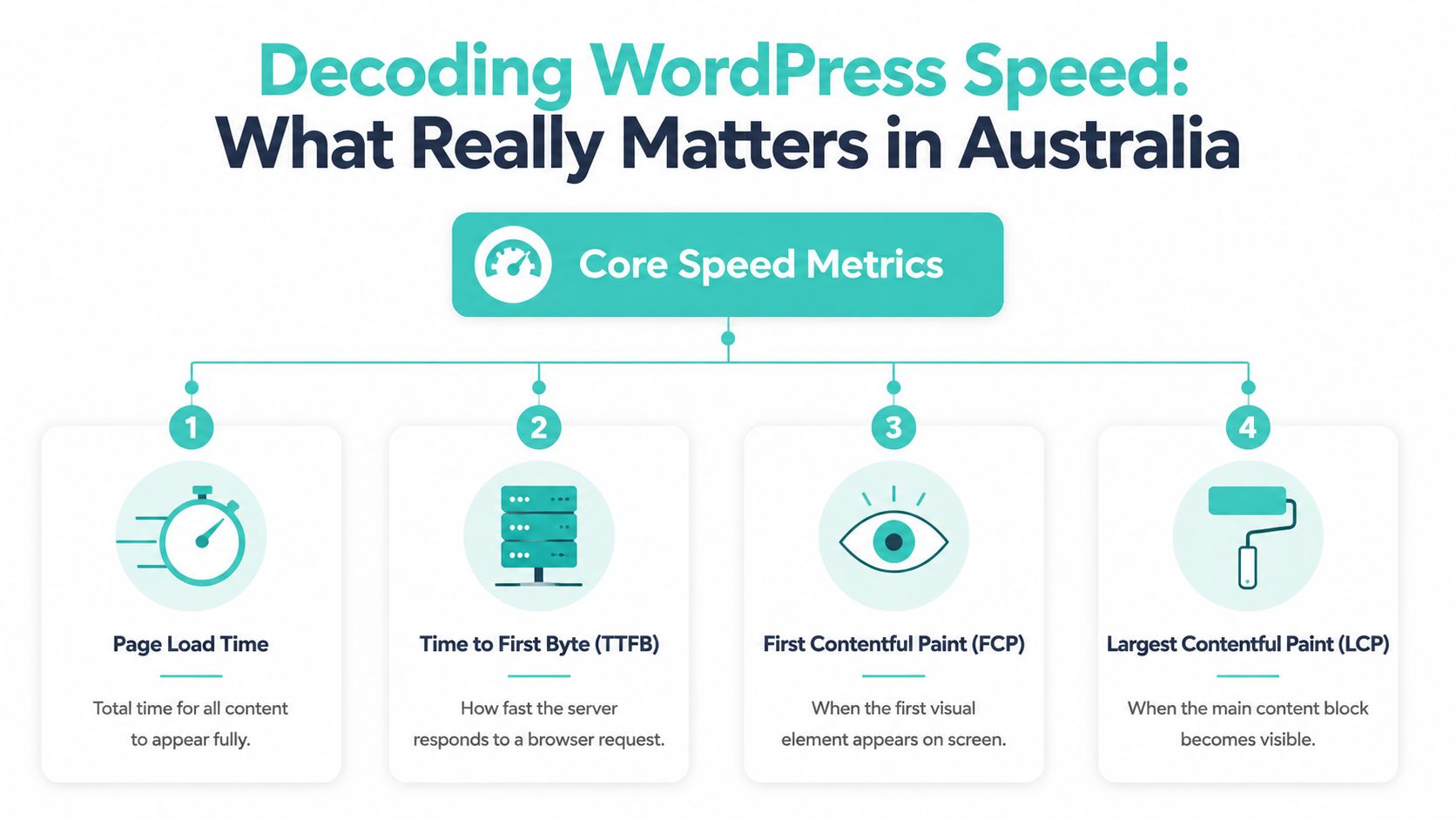
Most business owners get handed a list of acronyms and no explanation. TTFB, FCP, LCP, TBT. The hosting company says the server is fast, the developer says the theme is heavy, and Google Search Console says “needs improvement”. That's why it helps to translate these metrics into plain English before comparing plans.
Use this visual as the quick version.
TTFB is the first signal to check
Time to First Byte, or TTFB, is the time it takes for the server to start responding after the browser asks for a page. It doesn't mean the page is fully loaded. It means the server has answered and started sending something back.
That matters because a bad TTFB puts you behind before the page builder, images, fonts, and scripts even enter the picture. Recent benchmarks found that low median TTFB, such as under 500ms, gives a WordPress site useful headroom for Core Web Vitals targets for visitors in Sydney, Melbourne, Brisbane, and Perth, as noted in HostingStep's WordPress hosting benchmarks.
In the same benchmark summary, GreenGeeks averaged 395 ms TTFB in North American testing and 491 ms globally across 40 international locations, while Hostinger recorded 432 ms, Bluehost 459 ms, Kinsta 567 ms, and Rocket.net 639 ms. Those figures are useful because they show how much spread there can be even before the page starts rendering.
The metrics business owners should care about
You don't need to obsess over every lab report. You do need to know what each metric affects.
- TTFB tells you how responsive the hosting environment is.
- First Contentful Paint tells you when the visitor sees the first visual element.
- Largest Contentful Paint tells you when the main visible content appears.
- Total Blocking Time points to script-heavy pages that feel stuck, even when they look loaded.
If your TTFB is weak, the rest of the performance stack has less room to work. If TTFB is healthy but the site still feels slow, the problem often shifts to page builders, oversized images, too many third-party scripts, or poor caching.
A simple way to look at it:
| Metric | Plain-English meaning | Common cause when it's poor |
|---|---|---|
| TTFB | How quickly the server answers | Distant server, weak hosting, no caching |
| FCP | When users first see something | Render-blocking CSS, slow response |
| LCP | When the main content appears | Heavy hero images, bloated templates |
| TBT | How long the browser stays busy | Too much JavaScript, tracking scripts |
If your site feels slow in Australia, start with hosting response and cache behaviour before tearing apart the design. That saves time and usually gives you a clearer baseline for the rest of the work. If you want a practical checklist, this guide on how to speed up a WordPress site is a solid place to work through the basics.
A lot of “speed optimisation” work fails because people try to polish a slow server with plugins instead of fixing the response path first.
Host your website with our 5-star rated, cPanel website hosting plans.
Super fast servers, with security included and hosted in your choice of Australian Data Center.
View cPanel Plans
The Local Advantage Australian Data Centre Performance
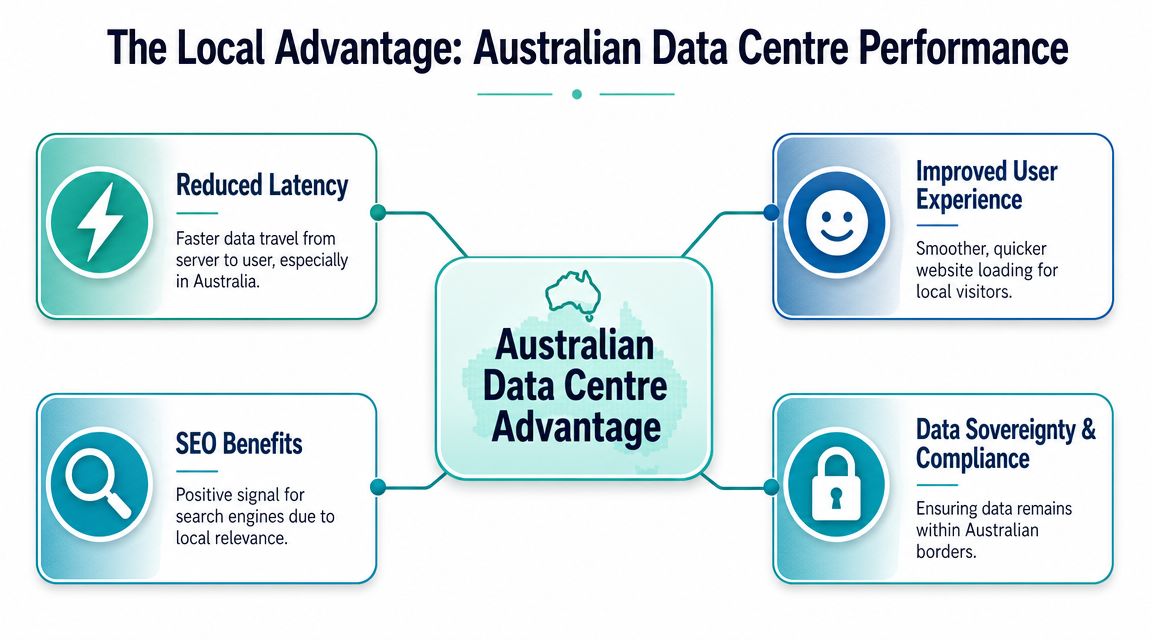
A Brisbane accountant serving local clients and a Perth tradie running Google Ads across WA do not need the same hosting setup. Both may buy “Australian WordPress hosting,” but the fastest result depends on where their customers are and how often those visitors trigger uncached actions like forms, logins, and bookings.
Why Sydney-only thinking falls short
Sydney is the default hosting location for many Australian providers, and for plenty of businesses that is a sensible choice. It usually works well for audiences on the east coast and gives providers access to strong connectivity. But “hosted in Sydney” is not the same as “fastest for all Australians.”
Bluehost's WordPress hosting in Australia guide makes the practical point clearly. Performance depends on geography and network path length, not just whether the server is somewhere inside Australia. If most of your customers are in Perth, every extra hop back to the east coast adds delay. The site may still be acceptable, but it is no longer the obvious best fit.
That difference shows up more clearly on dynamic pages. A cached homepage can mask mediocre routing. A quote form, WooCommerce checkout, membership login, or booking request cannot hide it as easily.
What local infrastructure improves in practice
Local hosting helps because it shortens the path between the visitor and the origin server. That affects more than synthetic speed tests.
It usually improves:
- Initial response time for visitors in the same region or on the same side of the country
- Consistency during busy periods, especially for WordPress sites handling live requests
- Admin and editor experience for Australian teams logging into wp-admin every day
- Form, cart, and login performance where full-page caching does not do all the work
This is the part many small business owners miss. “Fast” is not just a homepage score. It is how quickly a customer in Melbourne can submit an enquiry, how stable the cart feels during a sale, and whether staff in Perth are waiting on the dashboard every time they update a page.
Match the server to the audience
Choose the hosting location based on your real service area, not the provider's default city.
- Local metro business. Pick the nearest practical Australian location and test from the city where most enquiries come from.
- WA-heavy customer base. Be careful with east coast assumptions. Sydney may still be workable, but test whether the extra distance affects forms, checkout, and logged-in sessions.
- National business. Local origin hosting still matters, but CDN setup and cache rules start to matter more because your audience is spread across the country.
- Regional or mixed audiences. Run tests from more than one city. Sydney-only testing can hide problems for visitors in Adelaide, Hobart, or Perth.
For a practical way to assess this, use a low latency hosting Australia guide and compare server choice against where your customers are.
The best Australian hosting setups get this balance right. They use local infrastructure where it helps, then support it with a tuned WordPress stack, sensible caching, and routing that matches the business you run.
The Technology Stack Behind a Fast WordPress Site
A Sydney server helps. It does not fix a poor stack.
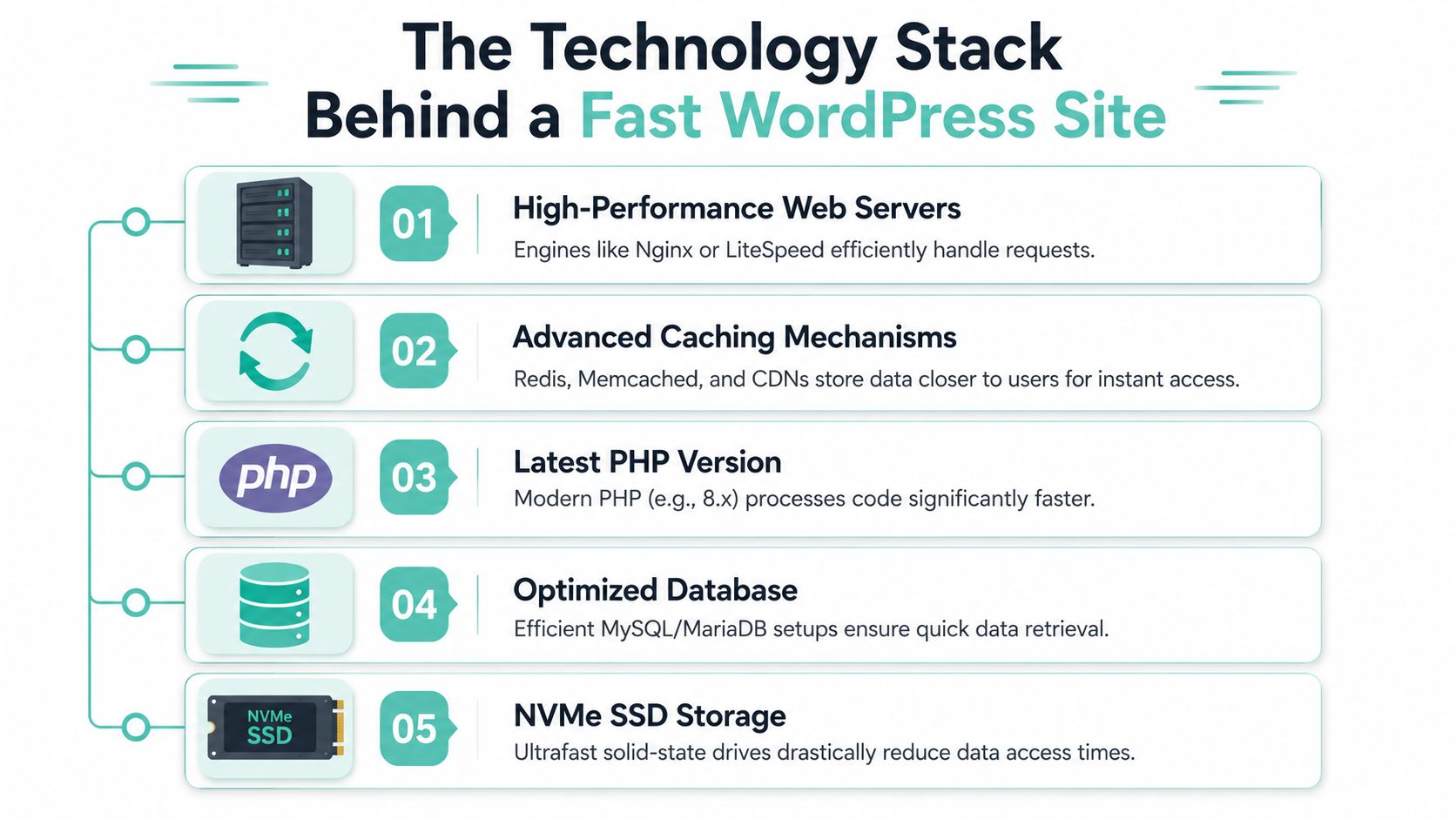
I see this often with small business sites that moved to “Australian WordPress hosting” and still feel slow in day-to-day use. The homepage loads acceptably, but the admin drags, forms hesitate, and a traffic spike from Google Ads exposes weak caching or cramped server resources. The difference usually sits below the marketing label. Web server choice, cache behaviour, PHP version, account isolation, and how the host handles database load all affect whether WordPress feels quick or frustrating.
What LiteSpeed changes in practice
LiteSpeed Web Server is one of the more useful upgrades for WordPress because it improves how requests are served and pairs well with server-level caching. For a local service site, that usually means faster repeat visits, less server strain, and more consistent behaviour during short bursts of traffic.
The practical gain is stability. A plumber running ads in Brisbane or a mortgage broker in Melbourne does not need benchmark screenshots. They need the site to stay responsive when several visitors land at once, browse service pages, and submit forms within the same few minutes.
LiteSpeed Cache also reduces the need to stack multiple optimisation plugins that often conflict with each other. A cleaner setup is easier to maintain and less likely to break after plugin updates. If you want the settings side done properly, this LiteSpeed cache configuration guide for cPanel hosting is a useful reference.
Why server tuning still matters after caching
Caching helps public pages. It does very little for the parts of WordPress that cannot be cached fully, such as checkout, account pages, some search functions, and logged-in admin work.
That is where the rest of the stack earns its keep.
A tuned WordPress environment should keep PHP current, allocate resources sensibly, and avoid loading every request through bloated plugins and poorly maintained code. Tools such as AccelerateWP can help clean up common issues like oversized images, unnecessary front-end assets, and general WordPress overhead. They are not magic. They work best when the base hosting is already sound.
CloudLinux matters here too. On ordinary shared hosting, one noisy account can consume enough CPU or memory to slow down nearby sites. CloudLinux limits that spillover by isolating accounts more cleanly. For a small business owner, the benefit is simple. Your site is less likely to become sluggish because of someone else's traffic spike or infected plugin.
The stack to look for on a serious business site
For Australian businesses, “fast” should include both visitor speed and back-end usability. A site can score well on a test and still waste staff time if the dashboard is slow every morning or WooCommerce actions lag during busy periods.
A practical checklist looks like this:
- LiteSpeed or another well-tuned high-performance web server
- Server-level caching that works cleanly with WordPress
- Current PHP versions for better compatibility and execution speed
- CloudLinux account isolation to reduce noisy-neighbour slowdowns
- Fast NVMe or SSD storage so database and file requests are not held up by disk latency
- Database tuning and cleanup tools to keep WordPress overhead under control
- Server-side security controls because brute-force traffic, malware, and abuse often show up first as performance problems
UpTime Web Hosting's stack is a useful local example because it combines LiteSpeed, CloudLinux, AccelerateWP, malware scanning, DDoS-protected firewalls, and encrypted off-site nightly backups across Australian locations. That does not make every WordPress site fast by default. It does mean the hosting layer is less likely to be the bottleneck.
Storage quotas matter far less than many business owners think. More disk space will not improve form response times, fix an overloaded shared server, or make WooCommerce checkout feel quicker. For WordPress, stack quality usually has a bigger effect than headline storage numbers.
Choosing Your Plan Real-World Scenarios
The right hosting plan depends on how your site behaves. A tradie lead-gen site, a national WooCommerce shop, and an agency managing client websites don't need the same thing. If you buy too small, the site feels unstable. If you buy the wrong type, you pay for features that don't solve your actual bottleneck.
Here's the quick matching table.
| Business Type | Primary Challenge | Essential Features | Ideal UpTime Plan Type |
|---|---|---|---|
| Local service business | Reliable speed for local search visitors and enquiry forms | Australian hosting, LiteSpeed caching, SSL, backups, malware scanning | WordPress hosting or business cPanel hosting |
| Growing eCommerce store | Handling dynamic pages, checkout reliability, and seasonal spikes | More server resources, strong caching, off-site backups, security layers, expert support | Higher-tier WordPress hosting or managed VPS |
| Agency managing multiple sites | Isolation, predictable performance, easier management across clients | Account separation, staging workflow, backups, security tooling, scalable resources | Reseller hosting or managed VPS |
A local service business
Take a plumber in Adelaide, a dentist in Brisbane, or a law firm in Parramatta. Their website usually has a straightforward job: rank locally, load quickly on mobile, and convert visits into calls or form submissions.
For this kind of site, the biggest mistakes are overbuying complexity or underbuying reliability. A simple Australian WordPress plan with proper caching, local support, free SSL, and automated backups is normally the right fit. You don't need an elaborate architecture. You do need a stack that makes the homepage, service pages, and contact forms feel instant enough to trust.
The common warning sign is a site that isn't huge but still feels slow. That usually points to poor hosting response, a bloated theme, too many plugins, or all three together.
A growing online store
A WooCommerce store is different because not every page can be treated like a static brochure page. Product pages may cache well. Cart, checkout, account pages, and logged-in sessions often need more careful handling. That means your hosting plan needs stronger resources, a cleaner cache setup, and a support team that understands what not to cache.
For a store shipping nationally, I'd prioritise:
- Better resource allocation so dynamic requests don't queue up during busy periods.
- Off-site nightly backups because catalogue edits, plugin updates, and payment integrations can go wrong quickly.
- Server-level security tools to limit abuse that can slow down storefront performance.
- Scalability so a campaign or seasonal spike doesn't force a rushed migration later.
This is also where a managed VPS starts making sense for some stores. Not because it sounds premium, but because isolation and dedicated resources reduce the unpredictability common on crowded shared environments.
If your checkout is slow, the problem isn't just “performance”. It's conversion friction.
An agency managing client sites
Agencies and freelance developers have a different problem set. They need consistency across multiple sites, fewer support headaches, and enough separation that one compromised plugin on one client site doesn't become everyone's problem.
A reseller plan or managed VPS is usually the practical move because it gives you room to organise clients properly. It also makes it easier to standardise backups, security settings, WordPress tools, and restore procedures.
Agencies should look for:
- Clear account isolation between clients
- Simple control panel management
- Local support that can handle WordPress issues
- Reliable backup and restore options
- A stack that supports LiteSpeed and current PHP versions
If you manage several sites already, don't choose purely on headline storage. Choose the plan that reduces admin time and support risk.
Register your new domain name at competitive market prices including free domain add-ons like privacy, DNS Hosting, Custom Nameservers and Forwarding.
Always the best price and no nasty renewal price hikes.
Register A Domain Name
Beyond Speed Security Backups and Support
A fast site that gets hacked, breaks during an update, or can't be restored quickly is not a good hosting setup. It's just a fast version of a bad risk. For most businesses, reliability is the product, and speed is only one part of that.

Fast but fragile is a bad deal
Good WordPress hosting should include layered protection. That usually means a web application firewall, malware scanning, DDoS filtering, account isolation, SSL, and automated backups stored away from the live hosting account. Those things aren't separate from performance. They protect performance.
When a site is under attack, overloaded by abuse, or compromised by a plugin vulnerability, the first symptom is often slowdown. Admin pages stall. Forms fail. The front end becomes erratic. People call it a speed problem, but the root cause is operational and security-related.
A dependable backup system matters just as much. If a plugin update corrupts the site or a malware infection forces cleanup, you want a recent restore point that doesn't depend on someone remembering to make a manual copy first.
Australian support matters when the problem is urgent
Support becomes important the moment something breaks outside your comfort zone. If a theme update throws errors, email forms stop sending, or the site starts timing out after a traffic spike, you need a team that can identify whether the issue is WordPress, caching, resources, or security.
For Australian businesses, local support has obvious advantages:
- Time zone alignment when the issue affects trading hours
- Local business context for urgency around campaigns, bookings, and ecommerce
- Clear communication without the usual script-reading loops
- Faster escalation when the problem sits at server level
That's why the strongest hosting setups bundle speed, protection, backup discipline, and support into one service model. Treated separately, they fail separately.
Your Action Plan Migrating and Optimising Your Site
Most site owners stay on slow hosting longer than they should because migration sounds risky. In practice, it's manageable when the move is planned properly, tested before cutover, and followed by a short optimisation checklist.
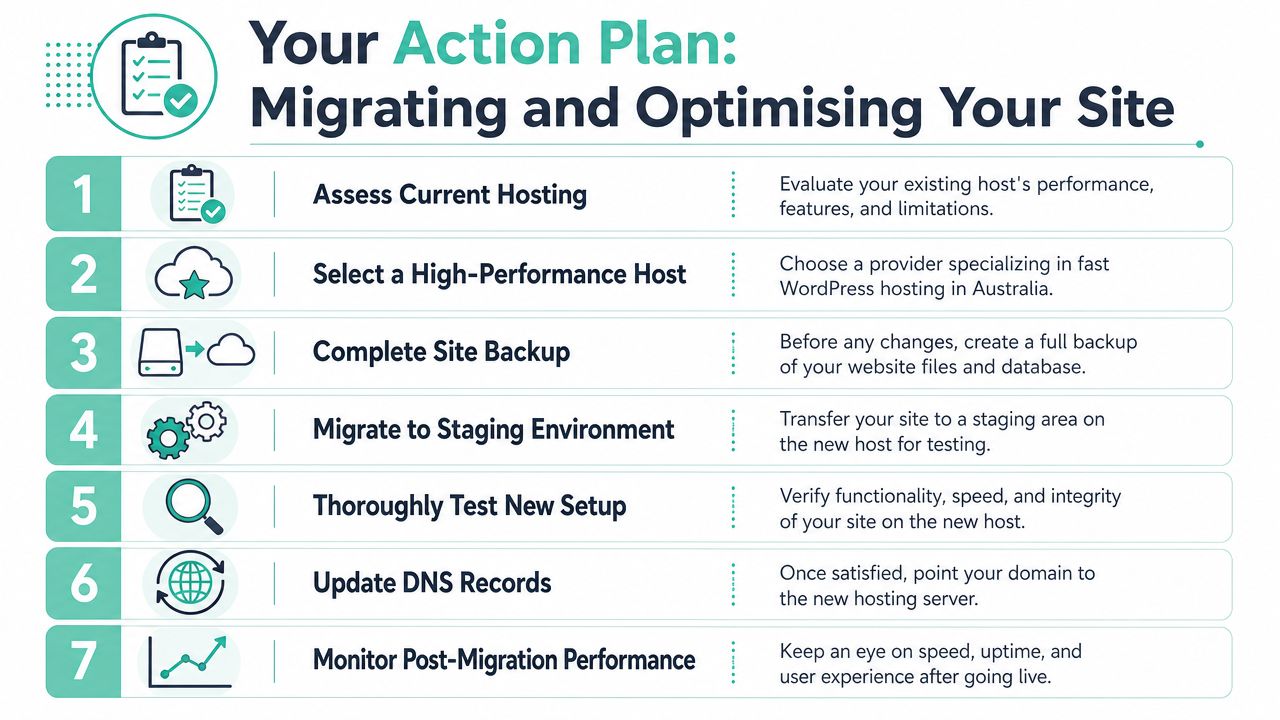
Here's the migration overview.
A clean migration path
A safe WordPress migration usually follows the same order:
- Audit the current site. List plugins, theme dependencies, forms, email behaviour, and anything business-critical.
- Take a full backup before any move starts.
- Migrate to staging or a temporary environment on the new host.
- Test key functions such as forms, checkout, logins, redirects, and mobile layout.
- Enable performance features before the final switch where appropriate.
- Cut over at a low-risk time for your business.
- Monitor after launch for errors, caching issues, and missed assets.
If you want a practical run sheet, use this website migration checklist so nothing important gets skipped.
What to do on day one after migration
Once the site is live on the new platform, don't just leave it there and hope. The first day is where a lot of easy gains happen.
- Turn on LiteSpeed Cache if the host supports it, then review page cache settings properly.
- Enable optimisation tooling such as AccelerateWP where available.
- Check PHP version compatibility so the site runs on a current version without theme or plugin conflicts.
- Compress and review images on the heaviest pages, especially the homepage and service pages.
- Remove plugins you don't need. Old optimisation plugins often conflict with better server-level features.
- Test from Australian locations that match your customer base, not just from your office network.
- Confirm backups and security protections are active before the next update cycle.
Don't chase perfection on day one. Get the fundamentals stable, then review the heaviest templates and plugins with real page data over the following weeks.
For most businesses, the biggest win comes from changing the foundation. Better hosting, local infrastructure, a modern stack, and sensible cleanup usually outperform endless patchwork tweaks on an unsuitable platform.
If your WordPress site is slow for Australian visitors, the next step is to move from guesswork to a proper local setup. UpTime Web Hosting offers Australian-based hosting with servers in Sydney, Melbourne, Brisbane and Perth, plus LiteSpeed, CloudLinux, AccelerateWP, backups, security tooling, and local support. If you want a platform aligned with the practical points in this guide, it's a straightforward option to review.