
Your emails are sending. Clients aren't replying. Quotes, invoices, booking confirmations, newsletters, even password resets seem to disappear into junk folders or never get noticed at all. For a lot of Australian small businesses, that's where the primary cost sits. Not in the email platform fee, but in missed sales, delayed jobs, and avoidable support headaches.
Email deliverability best practices matter most when you're using practical, everyday setups. That might mean cPanel email on a local hosting plan, WordPress forms sending from your domain, a newsletter tool for promotions, and a separate app handling transactional messages. On paper, everything works. In reality, one bad DNS record, one messy list import, or one neglected unsubscribe process can drag down your entire sending reputation.
Australian businesses also have a compliance layer that can't be ignored. Australia's Spam Act 2003 made unsolicited commercial email unlawful, and enforcement has had real consequences. In one cited case, a major Australian brand was fined A$110,000 after the regulator alleged it sent more than 50,000 unsolicited marketing emails, as noted in Twilio's overview of Australian email deliverability and consent requirements.
If your messages aren't reliably reaching the inbox, fix the basics first. Then tighten the operating process around them. That's what this guide does.
Table of Contents
- 1. Implement SPF, DKIM, and DMARC Authentication
- 2. Maintain a Clean Email List with Regular List Hygiene
- 3. Optimise Email Content and Avoid Spam Trigger Words
- 4. Monitor Sender Reputation and IP Warming
- 5. Use Proper Bounce Handling and Process Feedback Loops
- 6. Segment Email Lists and Personalise Campaigns
- 7. Properly Authenticate Third-Party Senders
- 8. Monitor Email Metrics and Conduct Regular Deliverability Audits
- 9. Implement Proper Unsubscribe Mechanisms and Honour Requests
- 10. Test Email Deliverability and Inbox Placement Regularly
- Top 10 Email Deliverability Practices Compared
- Your Path to the Inbox Key Takeaways

Performance you can feel, backed by clients who depend on it. Read how our support and uptime create long‑term customer success.Power Your Business with Better Hosting
1. Implement SPF, DKIM, and DMARC Authentication
If your domain isn't authenticated, you're asking mailbox providers to trust an unauthenticated sender. That's a bad starting point. SPF says which servers can send for your domain. DKIM adds a signature to prove the message hasn't been tampered with. DMARC tells receiving servers what to do when those checks fail.
This isn't optional for bulk sending anymore. Attentive notes that Google and Yahoo began requiring high-volume senders to authenticate with SPF, DKIM, and DMARC and provide an easy unsubscribe path in its guidance on modern deliverability requirements for bulk senders. For Australian businesses, that technical work sits alongside Spam Act obligations around consent, identification, and unsubscribe handling.
Set up the records properly
On a common local setup such as cPanel hosting, the quickest win is to confirm what's already present before adding anything new. Many businesses accidentally break SPF by pasting in a second record instead of merging mechanisms, or they enable DKIM in one tool but send from three others that aren't aligned.
A typical small-business example looks like this: website forms send through your hosting account, staff use Outlook or Premium Email, and newsletters go through a separate platform. Every one of those paths needs to be authorised.
- Check existing DNS first: Look for one SPF record only, active DKIM selectors, and a DMARC record on the root domain.
- Start DMARC in monitoring mode: Review reports before moving to stricter enforcement so you don't block valid mail.
- Cover every sender: Include website forms, invoicing systems, CRM tools, booking systems, and newsletter platforms.
Practical rule: Authentication fails most often because a business forgets about one old sender still using the domain.
If you host with UpTime and manage DNS in cPanel, use their guide to add a DMARC record in cPanel. It's a straightforward place to begin, especially if you want visibility before tightening policy.
2. Maintain a Clean Email List with Regular List Hygiene
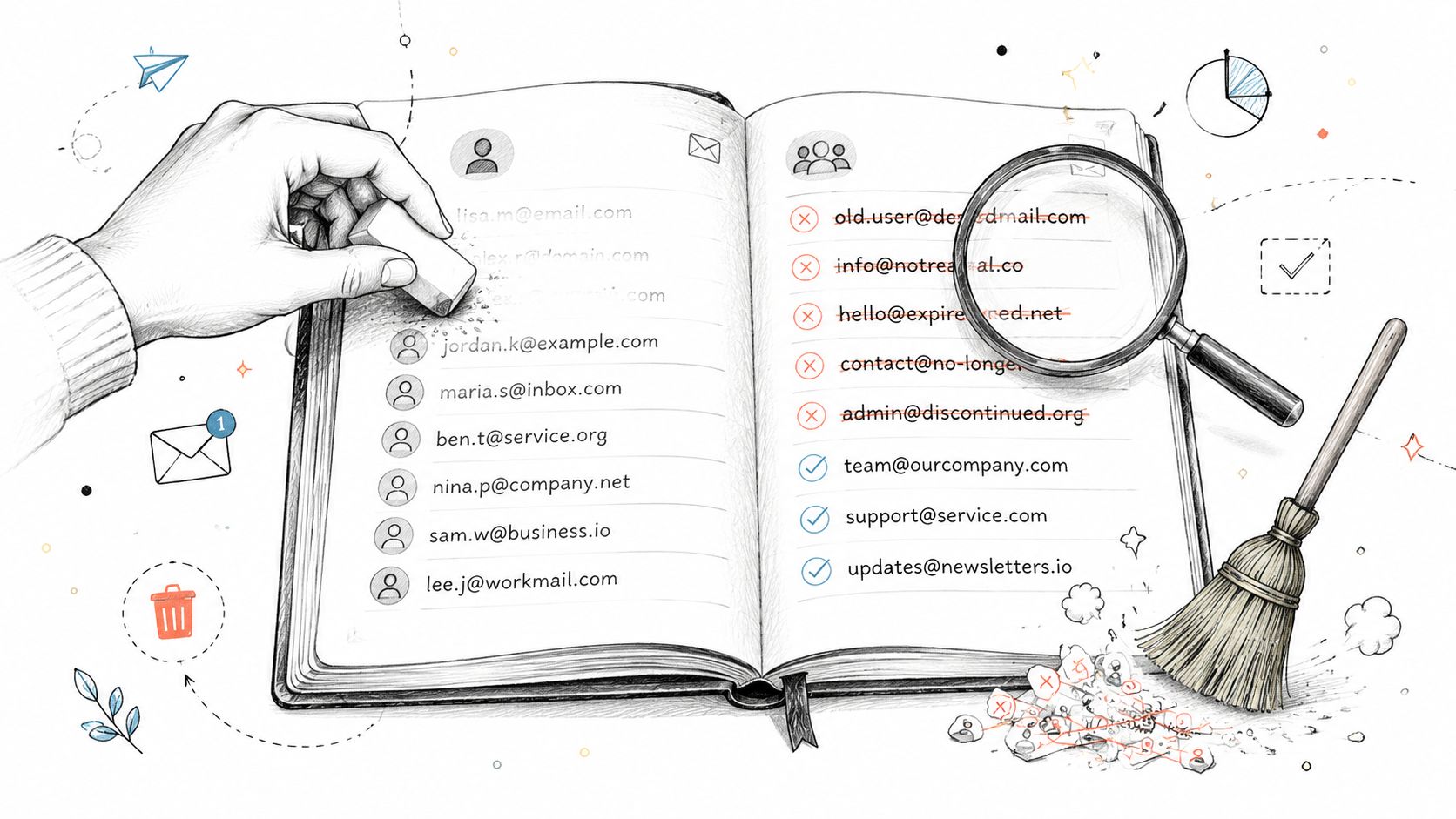
A bigger list isn't better if part of it is dead weight. Old addresses, typo-ridden signups, role accounts nobody checks, and contacts who never asked to hear from you all raise the risk of complaints, bounces, and poor engagement.
For Australian senders, messageflow describes a practical baseline for email deliverability benchmarks and thresholds. It says inbox placement should sit at or above the commonly cited 85% threshold, with 98% to 99% described as ideal. It also recommends keeping spam complaints below 0.10%, bounce rates below 2%, and making sure SPF, DKIM, and DMARC are aligned. Clean lists help you stay in those ranges.
What list hygiene looks like in practice
A small retailer in Brisbane might collect addresses from checkout, a website popup, an in-store giveaway, and a quote form. Those sources don't all produce the same quality. The giveaway list is usually the first one I'd scrutinise because that's where low-intent signups tend to sit.
Good hygiene usually means:
- Remove hard bounces fast: Don't keep retrying addresses that are permanently invalid.
- Suppress non-confirmed leads: If someone never completed signup, don't keep pushing to them.
- Run re-engagement before removal: Give inactive subscribers a clean chance to stay.
- Use double opt-in where possible: It reduces typos and gives you a clearer consent trail.
What doesn't work is importing old spreadsheets “just to test the campaign”. That move causes more damage than most businesses expect, especially when the domain is otherwise healthy.
Host your website with our 5-star rated, cPanel website hosting plans.
Super fast servers, with security included and hosted in your choice of Australian Data Center.
View cPanel Plans
3. Optimise Email Content and Avoid Spam Trigger Words
Content alone won't save poor infrastructure, but bad content can absolutely ruin good infrastructure. Spammy subject lines, vague sender names, misleading offers, and image-heavy layouts all create distrust. Mailbox providers and recipients both react to that.
The easiest way to think about this is simple. Your email should look like something a legitimate Australian business would send. If it reads like a dodgy promo, people will treat it like one.
Write like a legitimate sender
A real-world example is the difference between these two subject lines:
“Invoice for April website maintenance”
versus
“URGENT!!! Open immediately to avoid issues”
The first one sounds normal. The second one creates anxiety, looks manipulative, and invites spam filtering.
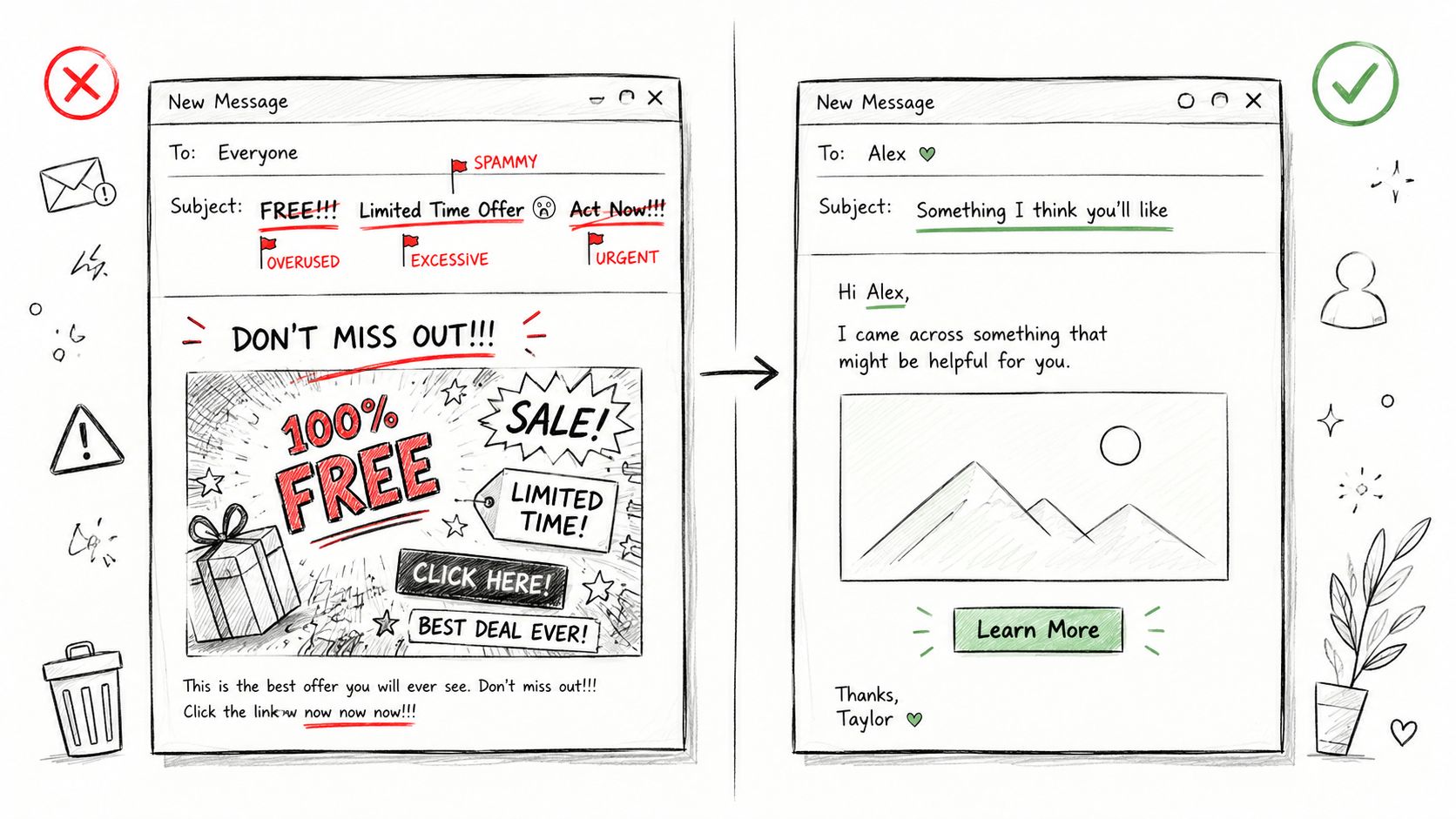
A few practical habits help:
- Use a recognisable From name: Business name first, person name second if needed.
- Match subject and body: Don't promise one thing and deliver another.
- Keep HTML clean: Avoid bloated templates copied from old builders or pasted from Word.
- Include business identification: A valid footer, contact details, and a working unsubscribe link all signal legitimacy.
For local SMBs, this matters even more when staff send from shared hosting mailboxes. A plain, well-written email from a verified domain often performs better than a flashy template with too many images and too little text.
4. Monitor Sender Reputation and IP Warming
Deliverability problems often show up before a business notices them. A campaign still “sends”, but fewer messages hit the inbox, or a specific provider starts junking them. That's sender reputation at work.
If you're sending from cPanel email, a hosted mail relay, or a third-party platform, watch reputation whenever you change volume, infrastructure, or domain usage. The classic mistake is moving to a new service and pushing a full campaign immediately.
Warm up changes instead of blasting volume
You don't need enterprise volume to create a reputation issue. A local agency shifting client newsletters onto a new domain can trigger filtering if it sends a large backlog to cold contacts on day one.
Use a staged approach instead:
- Send to engaged contacts first: Start with people who recently opened, clicked, or replied.
- Increase volume gradually: Let providers see a stable pattern before scaling up.
- Separate traffic types: Transactional mail and marketing mail shouldn't always share the same reputation path.
- Watch outbound filtering tools: If you host with UpTime, the MailChannels control panel access guide helps you review what's happening from the server side.
What works is consistency. What doesn't work is erratic bursts, mixed-quality lists, or sending promotions from the same path as critical account emails without any thought to reputation separation.
5. Use Proper Bounce Handling and Process Feedback Loops
A bounce isn't just an error message. It's an instruction. If you ignore it, you keep sending into a problem that mailbox providers can already see.
Small businesses often make this worse through manual workarounds. Someone exports addresses from one tool, imports them to another, and all the previous suppression data disappears. Then the same bad addresses get mailed again.
Treat bounces as a data source
Hard bounces usually point to invalid recipients, expired domains, or addresses that don't exist. Soft bounces are murkier. Mailbox full, temporary server rejection, content suspicion, or throttling can all sit there.
A practical example is a trade business sending quote follow-ups from its website domain. If a bunch of Outlook addresses start soft bouncing, don't just resend the exact same message five times. Check authentication, sending pattern, and content first.
- Suppress hard bounces immediately: Don't keep them in rotation.
- Review recurring soft bounces: Look for patterns by provider or campaign type.
- Keep suppression lists centralised: One source of truth prevents accidental re-mailing.
- Use logs, not guesswork: UpTime customers can review bounce reasons using this outgoing email bounce-back article.
Bad bounce handling quietly poisons sender reputation because the same mistakes repeat across every campaign.
Feedback loops add another layer. When available, they help identify people who marked your message as spam. Those contacts should come off the list quickly, not after the next quarterly tidy-up.
Register your new domain name at competitive market prices including free domain add-ons like privacy, DNS Hosting, Custom Nameservers and Forwarding.
Always the best price and no nasty renewal price hikes.
Register A Domain Name
6. Segment Email Lists and Personalise Campaigns
Generic blasts create generic results. Worse, they often create poor engagement, and poor engagement feeds deliverability problems. Segmentation fixes that by making each send more relevant.
This doesn't have to mean complicated automation. For most Australian SMBs, the first useful split is enough to improve quality straight away.
Start with simple segments
Take a service business with a WordPress site and online bookings. It might have at least four obvious groups: new enquiries, active clients, past clients, and newsletter subscribers who've never bought. Those people shouldn't all get the same message.
Useful segments include:
- New subscribers: Welcome emails, onboarding, what to expect next.
- Current customers: Updates, support content, invoices, renewal reminders.
- Inactive contacts: Re-engagement emails with a clear opt-out path.
- High-intent leads: Quote follow-ups, case examples, service-specific offers.
Personalisation also needs restraint. Using a first name is fine. Pretending you have a relationship when the person barely knows you isn't. The best-performing campaigns usually feel relevant, not over-engineered.
For local businesses, segmentation by location can also help. A Perth promotion doesn't need to hit Sydney contacts, and a school-term campaign in one state may be poorly timed in another. Better targeting leads to stronger engagement, which supports better inbox placement over time.
7. Properly Authenticate Third-Party Senders
One of the most common deliverability failures comes from a domain that's partly authenticated. Staff mail is set up properly, but the newsletter platform, CRM, form plugin, invoicing app, or booking system sends through the same domain without full alignment.
That gap matters because DMARC evaluates whether the sender is authorised. One stray service can make valid business email look suspicious.
Map every sender touching your domain
I'd start by listing every tool that sends from your domain or on behalf of it. Most businesses forget at least one. Think website contact forms, WooCommerce notifications, marketing software, support desk software, accounting platforms, and appointment systems.
Then match each sender to DNS requirements. Some need SPF inclusion. Others need DKIM CNAME records. Some are better placed on a subdomain such as offers.yourdomain.com.au or notices.yourdomain.com.au.
- Keep a sender register: Domain, subdomain, purpose, platform, and DNS method.
- Isolate reputations where sensible: Use subdomains for different mail streams.
- Review after new software launches: Every app install can create a new sending path.
If you're using hosted business mail, UpTime's Premium Email SPF records guide is a useful reference point when aligning authorised senders.
What doesn't work is assuming your newsletter tool “handles all that”. It only handles its part. Your domain still has to authorise it properly.
Experience Microsoft 365 Business Standard for free for 30 days.
Up to 25 users with full access to email, OneDrive and Teams. Includes full versions of desktop apps of Outlook, Word, Excel, PowerPoint and more.
Try Microsoft 365
8. Monitor Email Metrics and Conduct Regular Deliverability Audits
Most businesses check open rates and call it a day. That's too shallow. Opens can be misleading, and they don't tell you enough about the health of the sending setup.
A proper audit looks at DNS, authentication alignment, bounce patterns, complaint trends, unsubscribe behaviour, and sending consistency across tools. That's where real issues usually surface.
Use the right benchmarks
For Australian senders, the practical benchmark isn't just whether the campaign was accepted by a server. It's whether messages reached the inbox at a healthy rate. As noted earlier, maintaining inbox placement above the commonly cited threshold and keeping complaints and bounces under control is the useful operating standard.
Monitor weekly if email matters to your business. That includes marketing and operational mail. A quote request notification landing in spam is just as damaging as a missed promo.
- Review bounce and complaint trends: Rising issues usually start before performance collapses.
- Check authentication after DNS changes: Migrations and domain edits often break records.
- Audit by mail stream: Marketing, transactional, staff mail, and website form notifications can behave differently.
- Use hosting-side visibility: UpTime's article on checking the health of your email deliverability is a good baseline for regular reviews.
Field note: If a business says “email has been a bit unreliable lately”, I usually find a process problem before I find a platform problem.
9. Implement Proper Unsubscribe Mechanisms and Honour Requests
If someone wants out, let them out cleanly. Hiding the unsubscribe link, forcing a login, or asking people to reply with a removal request creates friction, and friction turns into spam complaints.
This isn't only about user experience. It's a compliance issue in Australia and a deliverability issue everywhere.
Make unsubscribe easy
ACMA's framework under the Spam Act centres on consent, identification, and unsubscribe handling. That's why poor list governance often causes deliverability problems before content does. A visible unsubscribe path helps you keep only people who still want the email.
A simple example: a local online store sends promotions every week. One customer no longer wants sale alerts. If the unsubscribe link is obvious and works in one click, the list gets cleaner. If it's buried or broken, the customer hits “report spam”.
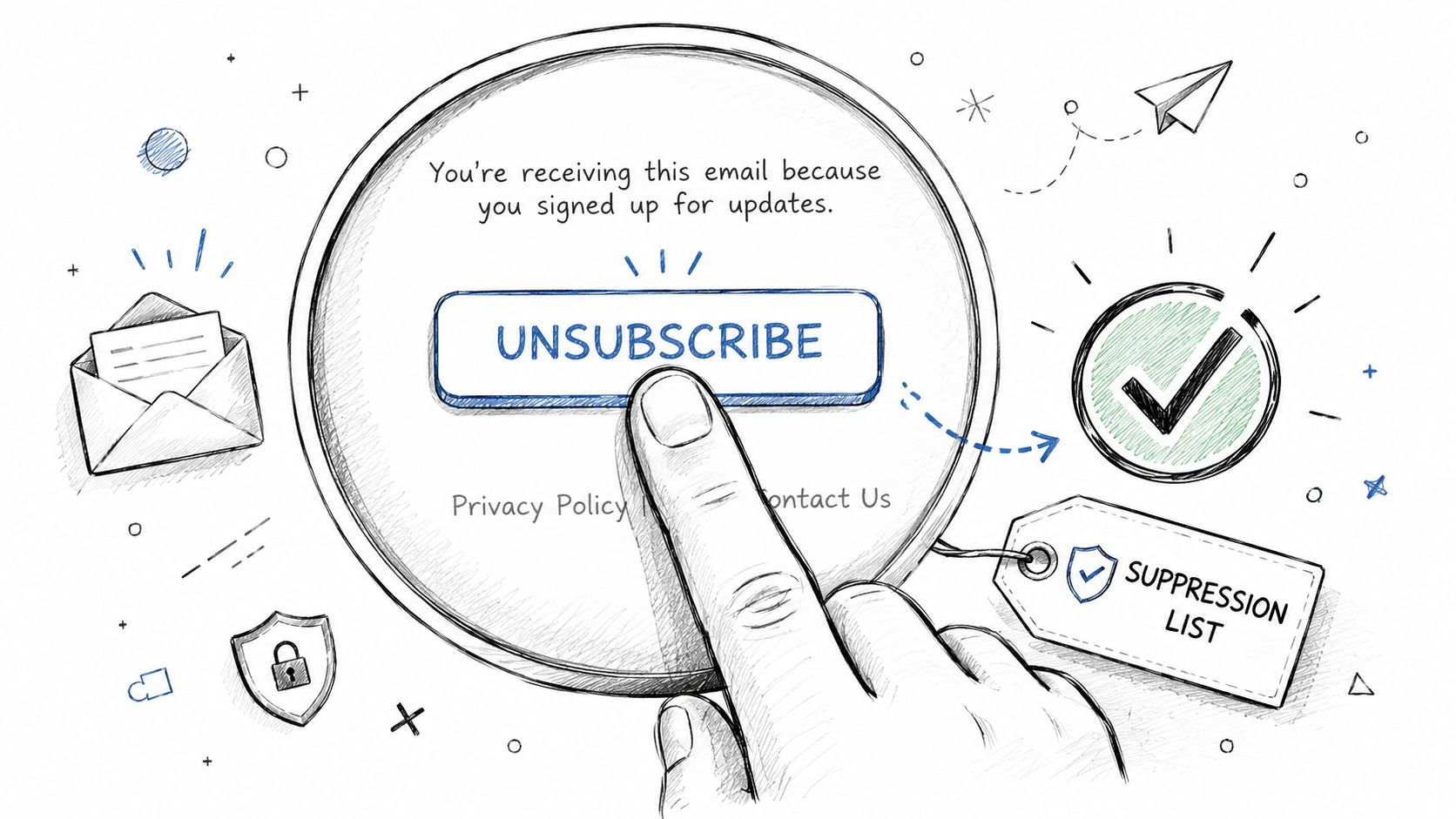
Good practice looks like this:
- Place the link where people expect it: Usually the footer, in plain language.
- Confirm removal clearly: Don't leave the person guessing whether it worked.
- Maintain suppression records: Prevent accidental re-imports from old CSV files.
- Offer preferences if relevant: Fewer updates can be better than full removal.
One-click unsubscribe support is increasingly useful because major mailbox providers surface it prominently. If your platform supports the relevant headers, use them.
10. Test Email Deliverability and Inbox Placement Regularly
The worst time to discover a deliverability issue is after a major campaign, a billing run, or a critical service notice. Test before you send, not after support tickets arrive.
This matters even more when you run mixed infrastructure. A business might use cPanel for staff mail, WordPress for form notifications, and a separate platform for newsletters. Each path can fail differently.
Test before each important send
A practical pre-send routine doesn't need to be complicated. Send to test accounts across major providers. Confirm the message authenticates, renders properly on mobile, uses working links, and lands where expected.
For Australian SMBs, that often means checking Gmail, Outlook, and Apple Mail at minimum. If your customers skew corporate, Outlook matters more. If you serve consumers, Gmail often reveals problems quickly.
- Test authentication monthly: Make sure SPF, DKIM, and DMARC still pass after changes.
- Check rendering on mobile: Broken templates reduce trust and engagement.
- Validate every link: Redirect chains and mismatched domains can trigger suspicion.
- Review seed inbox results: Inbox, promotions tab, junk, or block all tell a different story.
What works is routine testing tied to your sending calendar. What doesn't work is assuming that because last month's campaign landed fine, this one will too. Email deliverability best practices are operational habits, not a one-off setup.
Top 10 Email Deliverability Practices Compared
| Item | Implementation complexity | Resource requirements | Expected outcomes | Ideal use cases | Key advantages |
|---|---|---|---|---|---|
| Implement SPF, DKIM, and DMARC Authentication | Medium, DNS edits and policy tuning | DNS access, monitoring tools, occasional support time | Strong reduction in spoofing; improved inbox placement and reports | All domains, transactional email, brand protection | Industry standard authentication; free to implement; ISP trust |
| Maintain a Clean Email List with Regular List Hygiene | Low–Medium, recurring maintenance | Time, list-validation services (optional), re‑engagement campaigns | Lower bounce and complaint rates; improved sender reputation | Marketing lists, high‑volume senders, eCommerce | Cost‑effective deliverability gains; better engagement metrics |
| Optimise Email Content and Avoid Spam Trigger Words | Low–Medium, content process and testing | Copywriting effort, testing tools, time for QA | Immediate inboxing improvements; higher opens and clicks | Promotional campaigns, newsletters, cross‑ISP sends | Improves legitimacy and user experience; legal compliance |
| Monitor Sender Reputation and IP Warming | Medium–High, phased plan and monitoring | Reputation tools, potential dedicated IP costs, time (weeks) | Gradual increase in deliverability; reduced throttling/blacklisting | New IPs, migrations, large senders | Builds long‑term ISP trust; protects sending throughput |
| Use Proper Bounce Handling and Process Feedback Loops | Medium, integrations and rule setup | ESP integration, FBL enrolment, monitoring effort | Faster removal of bad addresses; fewer complaints; cleaner lists | High‑volume transactional and marketing senders | Prevents repeated sends to bad addresses; actionable data |
| Segment Email Lists and Personalise Campaigns | Medium–High, data and workflow setup | CRM/ESP features, data collection, analytics resources | Higher engagement and conversion; lower unsubscribes | eCommerce, SaaS, behavioural campaigns | Significant uplift in open/CTR and ROI; reduced fatigue |
| Properly Authenticate Third-Party Senders | Medium, coordination + DNS configuration | DNS management, third‑party coordination, testing | Third‑party mails pass DMARC; fewer deliverability failures | Organisations using Mailchimp, SendGrid, CRMs | Protects brand; ensures authorised senders and auditability |
| Monitor Email Metrics and Conduct Regular Deliverability Audits | Medium, ongoing analysis and audits | Monitoring tools, analyst time, occasional external audits | Early detection of reputation issues; data‑driven fixes | Any regular sender seeking stable deliverability | Prevents sudden drops; prioritises remediation actions |
| Implement Proper Unsubscribe Mechanisms and Honour Requests | Low–Medium, platform setup and automation | ESP/platform support, suppression lists, workflow rules | Fewer complaints; legal compliance (ACMA); improved trust | All marketing senders in Australia | Ensures regulatory compliance; reduces spam reports quickly |
| Test Email Deliverability and Inbox Placement Regularly | Low–Medium, per‑campaign testing | Seed lists, testing services (paid/free), pre‑send time | Identifies inbox/spam placement and rendering issues pre‑send | Major campaigns, high‑risk sends, cross‑client campaigns | Catches authentication/content issues; actionable recommendations |
Your Path to the Inbox Key Takeaways
Email deliverability improves when the technical layer, list quality, and sending habits all support each other. Most businesses don't have one giant problem. They have several smaller ones stacked together. A missing DNS record, an imported old list, a hidden unsubscribe link, and inconsistent sending patterns are enough to turn a reliable domain into a frustrating one.
For Australian SMBs, the practical starting point is clear. Authenticate every sending domain with SPF, DKIM, and DMARC. Keep consent records and unsubscribe handling tight. Clean your list regularly so bad addresses and disengaged contacts don't keep dragging performance down. Then review the data that matters, especially bounces, complaints, and inbox placement.
The local compliance angle matters because it shapes deliverability, not just legal risk. If acquisition practices are sloppy or unsubscribe handling is poor, mailbox providers see those signals in complaints and engagement. That's why a deliverability program should be treated as an operating process. Not a one-time technical job. Not a single plugin. Not something delegated to “the email tool” and forgotten.
For businesses using common hosting stacks such as cPanel, WordPress, hosted business mail, and a third-party newsletter platform, the most effective approach is to map every sender and tighten each path. Check which system sends quotes, invoices, web form notifications, booking reminders, and campaigns. Make sure each one is authorised in DNS, aligned with your domain policy, and monitored after changes. By taking these steps, many local businesses recover reliability without changing providers at all.
The trade-off is time and discipline. Good deliverability often means sending to fewer people, suppressing stale contacts, and saying no to shortcuts like purchased lists or bulk imports from old CRMs. It can feel like you're reducing reach. In practice, you're improving trust. That's what gets more messages into the inbox and keeps them there.
If you want a sensible order of operations, use this one. Fix authentication first. Audit every third-party sender next. Clean the list. Review bounce handling. Simplify unsubscribe. Then build a regular testing and audit rhythm around the whole setup. Once that foundation is solid, content and campaign strategy have a much better chance of performing.
For many Australian businesses, local support also makes this easier. When hosting, DNS, cPanel email, and website infrastructure are all connected, it helps to work with a provider that understands the setup end to end and can help you troubleshoot without bouncing you between vendors.
If you want a simpler way to manage hosting, DNS, website email, and the cPanel tools behind reliable sending, UpTime Web Hosting is worth a look. Their Australian-based hosting environment and local support make it easier for small businesses to sort out authentication, mailbox setup, and day-to-day email issues without turning every deliverability fix into a drawn-out technical project.