Your website might be doing its job in the background right now. It takes bookings, answers enquiries, sells products, or reassures customers that your business is real and active. Then one morning you open your laptop and see a browser warning, a broken homepage, or a flood of spammy redirects. For many Australian small business owners, that's the moment website security stops feeling “technical” and starts feeling expensive.
That risk isn't hypothetical. In 2026, Australia experienced over 1.25 million hosting security incidents across various sectors, with the average cost per incident rising to approximately $45,000 AUD, according to Australian hosting security incident statistics. For a local café, tradie, clinic, retailer, or professional service firm, that kind of hit can mean lost revenue, customer distrust, and a painful cleanup process.
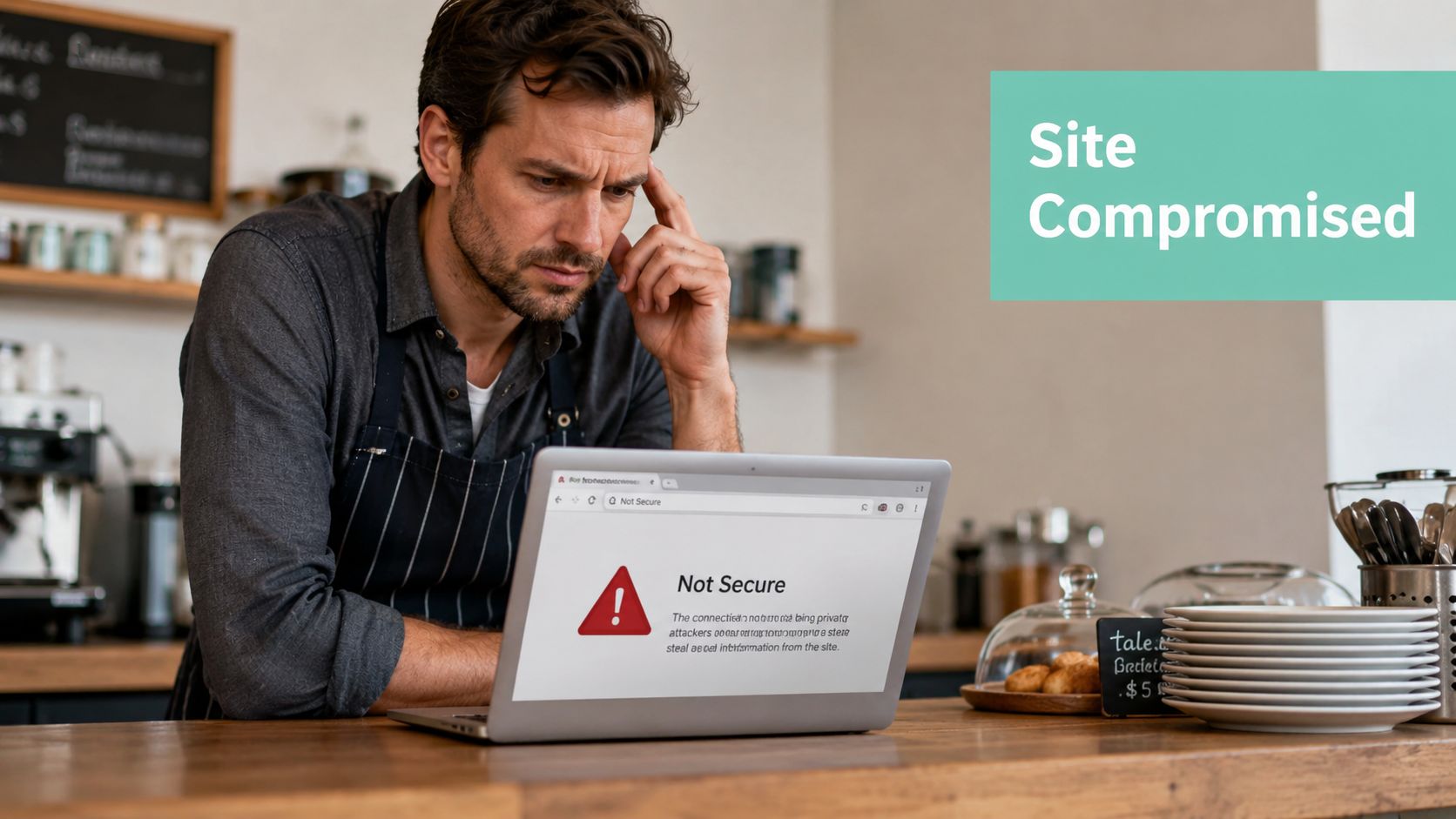
Secure web hosting is the foundation that helps prevent that scenario. Think of it as your website's digital fortress. The walls are your firewall and malware protection. The locks are your SSL certificate and account controls. The backup safe sits off-site in case something still goes wrong. If one layer fails, another should still be standing.
Australian businesses also need to think locally. Server location, data handling, support responsiveness, and recovery expectations all matter more when your customers are in Sydney, Melbourne, Brisbane, Perth, or regional Australia. If you want a practical starting point, this guide to cybersecurity and data protection for hosting gives useful context.
A lot of hosting advice stops at listing features. That's not enough. The primary issue for most SMBs is knowing what the host secures, what you still need to manage yourself, and where owners often make dangerous assumptions, especially around backups, updates, and logins.
Table of Contents
- Introduction Why Website Security is a Top Priority for Aussie SMBs
- The Core Components of Secure Web Hosting
- Hosting Types and Their Security Trade-offs
- Your Checklist for Choosing a Secure Australian Host
- The Shared Responsibility Model Your Role in Website Security
- Frequently Asked Questions About Secure Hosting in Australia

Performance you can feel, backed by clients who depend on it. Read how our support and uptime create long‑term customer success.Power Your Business with Better Hosting
Introduction Why Website Security is a Top Priority for Aussie SMBs
Most small businesses don't start by shopping for “secure web hosting”. They start by wanting a website that works. They need online bookings, a contact form, email, maybe a shop, and a site that loads fast enough that customers don't give up and move on.
The trouble is that a basic website still handles business-critical information. It may collect names, phone numbers, addresses, payment details, quote requests, health enquiries, or account logins. That means your hosting environment isn't just renting server space. It's protecting customer trust.
Small warnings often point to bigger problems
A “not secure” browser message can scare off customers before they read a single line on your site. A hacked homepage can damage your reputation in a way that feels out of proportion to the technical issue itself. If your site goes down during a promotion, a launch, or a busy enquiry period, the damage is practical and immediate.
Practical rule: If your website helps generate revenue or stores customer data, secure hosting is part of operations, not just IT.
For Aussie SMBs, this is also about geography and accountability. If support is hard to reach, backups are unclear, or your data sits somewhere you didn't expect, solving a security incident becomes slower and more stressful. That's why local relevance matters. You want hosting that matches Australian business expectations, legal realities, and customer behaviour.
Security isn't one feature
A lot of business owners assume security means “I have SSL” or “my host says backups are included”. Those are good signs, but they're only parts of the puzzle. Secure web hosting combines several protections that work together. Firewalls filter bad traffic. Monitoring spots unusual behaviour. Malware scanning checks for hidden nasties. Backups provide a recovery path. Access controls stop the wrong people getting in.
What matters is how those pieces work as a system. A host can offer one strong feature and still leave major gaps elsewhere. That's where confusion starts, especially for owners managing WordPress sites, eCommerce stores, or multiple staff logins.
The Core Components of Secure Web Hosting
Secure web hosting works best when you think in layers. One feature won't protect a business site on its own. You need a stack of defences, with each one covering a different kind of problem.
What secure hosting actually includes
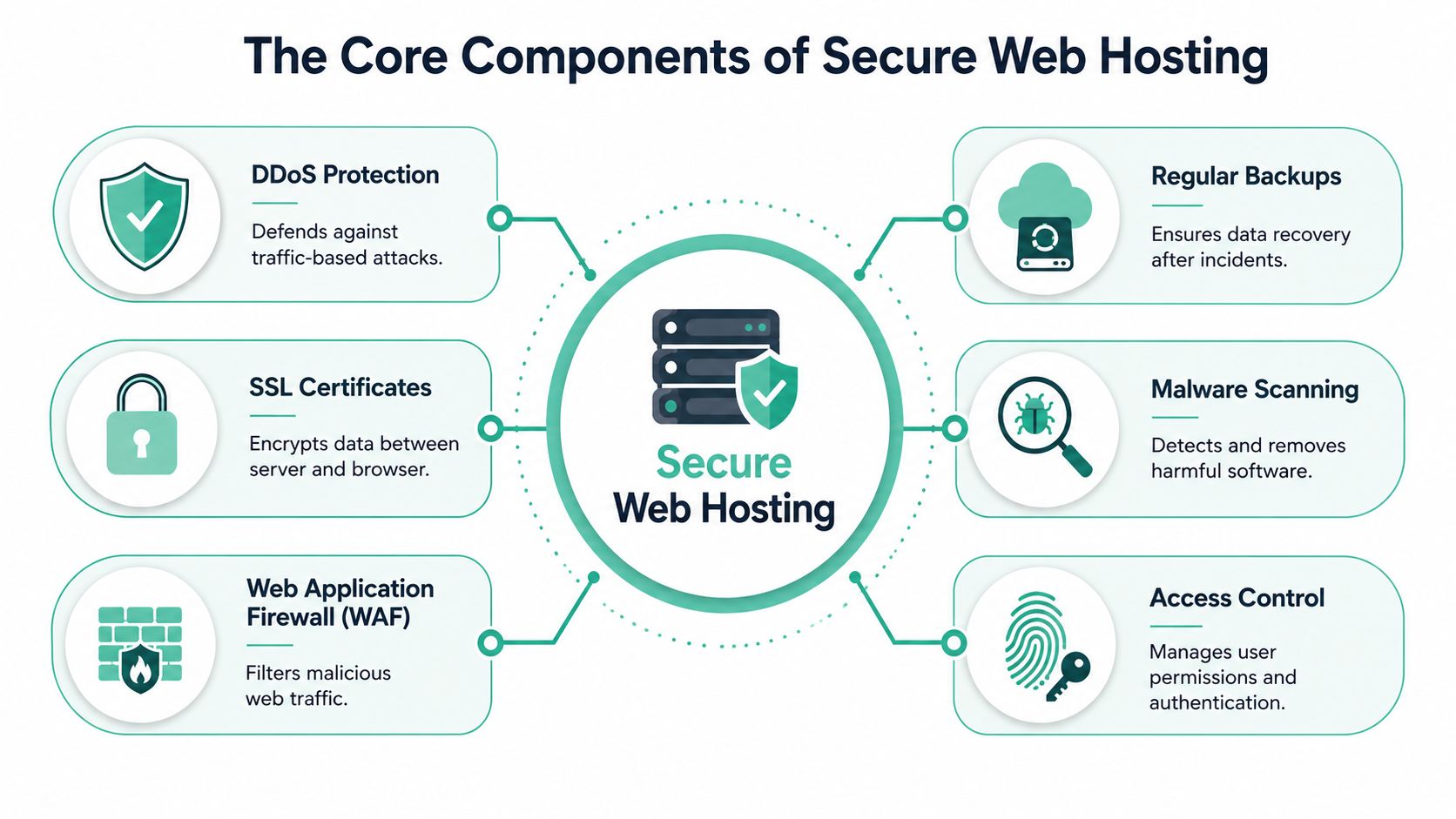
Start with the front gate. A Web Application Firewall, or WAF, acts like a security guard checking what's trying to enter your site. It filters suspicious requests before they reach your server. That matters because attackers often go after common website weaknesses rather than trying to break through the server itself.
According to this Australian web hosting security guide, providers must implement WAFs that block common OWASP Top 10 threats such as SQL injection and cross-site scripting, and WAF deployment reduces successful attack rates by over 90% in shared hosting environments. You don't need to memorise the jargon. The practical takeaway is simple. A good WAF stops a lot of bad traffic before it can do damage.
If the WAF is the front gate, SSL certificates are the sealed envelope. They encrypt the information moving between your visitor's browser and your website. When a customer fills in a form or logs in, SSL helps stop that information being exposed in transit. It also gives your site the padlock visitors expect to see.
For a plain-English explanation of this layer, this guide to what a web application firewall does is a useful companion read.
Why layers matter more than one feature
A second layer is malware scanning, which acts as a health inspector for your website files. It looks for harmful code, suspicious changes, and signs that something has been inserted where it shouldn't be. This is especially important for CMS websites that use plugins, themes, forms, and third-party tools.
Then there's DDoS protection. That's traffic control during a digital pile-up. If attackers flood your site with junk traffic, DDoS protection helps absorb or filter it so genuine visitors still get through. Without it, even a healthy website can become unavailable.
Backups are your off-site fireproof safe. They don't stop an attack, but they give you a path back after malware, accidental deletion, corruption, or a bad update. The best setups store backups away from the live environment and make restoration straightforward.
A backup only matters if you can restore it quickly and confidently.
The next piece is access control. This includes strong account permissions, two-factor authentication, and restrictions on who can log in and from where. If every staff member has full admin access, or former staff still have active accounts, your risk climbs fast. Good hosting supports tighter account control, but the business owner still needs to use it properly.
The Australian hosting context
Australian secure hosting also has an infrastructure side that many buyers miss. The strongest providers use domestic data centres with proper physical security, redundancy, and environmental controls. That means your website isn't relying on a flimsy setup behind the scenes. It's running in a facility built to stay stable during faults, power issues, and security events.
This matters for businesses that can't afford long interruptions. A local law firm, online retailer, or medical practice doesn't just need “space on a server”. It needs continuity. If your website takes bookings or acts as the first point of customer contact, stable infrastructure directly affects daily operations.
A final component worth understanding is account isolation. On shared hosting, this is what stops one compromised website from creating problems for neighbouring accounts. Without isolation, a weak site elsewhere on the server can become your problem too. Good secure web hosting treats each account more like a separate unit than a room with a shared key.
Host your website with our 5-star rated, cPanel website hosting plans.
Super fast servers, with security included and hosted in your choice of Australian Data Center.
View cPanel Plans
Hosting Types and Their Security Trade-offs
The “best” hosting type depends on your risk level, budget, and how much technical responsibility you want to carry. A florist with a brochure site, a growing online store, and a digital agency won't all need the same setup.
The easiest way to compare hosting is to think about property.
Shared hosting as the apartment building
Shared hosting is like living in an apartment block. It's affordable, practical, and usually the easiest entry point for small businesses. You share the larger building with other tenants, and the provider looks after the core infrastructure.
That doesn't automatically make it unsafe. Well-run shared hosting can be very secure if the provider uses proper isolation, firewalls, monitoring, and patching. In Australia, modern providers increasingly use CloudLinux and LiteSpeed, which improve user isolation and can improve performance metrics such as Time to First Byte by up to 40% compared to traditional Apache setups, according to HostAdvice's Australian hosting security overview.
The trade-off is control. You usually can't customise everything, and your security depends heavily on how well the host manages the environment. If you're exploring entry-level options, these shared web hosting services show the sort of features small businesses should expect.
VPS hosting as the townhouse
A VPS is more like a townhouse. You still live within a larger complex, but you get your own defined space and more control over what happens inside it. That extra control can be helpful if your site has special requirements, custom software, or stronger performance needs.
It also creates more responsibility. With greater control comes more room for mistakes. If a business chooses an unmanaged VPS and doesn't stay on top of updates, access controls, and server hardening, that freedom can become a weakness. A VPS can be safer than shared hosting in the right hands, but not in neglectful ones.
Managed hosting as the serviced house
Managed hosting is like a serviced house. You get a more hands-off experience because specialists handle more of the maintenance, monitoring, and security administration. For owners who don't want to spend weekends checking logs or troubleshooting plugins after a failed update, that's often worth it.
This type suits businesses where downtime costs more than the hosting bill. That could be an online store, a membership site, or a service business that relies heavily on inbound leads from its website.
| Feature | Shared Hosting | VPS Hosting | Managed Hosting |
|---|---|---|---|
| Security responsibility | Mostly provider for server layer, owner for site layer | Split more heavily toward owner unless managed | More provider support across server and platform tasks |
| Control level | Lower | Higher | Moderate to high, depending on service scope |
| Best for | Smaller sites, brochure sites, early-stage stores | Custom setups, growing sites, developers | Businesses wanting expert oversight |
| Risk if neglected | Neighbour risk if isolation is weak | Configuration mistakes by owner | Misunderstanding what's included |
| Support expectation | General hosting support | Varies widely | More operational guidance |
Decision shortcut: Choose the hosting type that matches the level of security work your team will actually maintain, not the level you hope you'll maintain later.
Your Checklist for Choosing a Secure Australian Host
Buying hosting gets much easier when you stop comparing slogans and start asking better questions. A secure host should be able to answer clearly, without hiding behind buzzwords.
The Australian hosting market isn't small or informal. The Australian Internet Hosting Services industry reached a market size of $1.5 billion AUD in 2026, and industry standards include uptime guarantees of at least 99.9%, plus daily backups and SSL certificate inclusion, according to IBISWorld's Australian Internet Hosting Services industry profile. In other words, these aren't “nice extras”. They're baseline expectations.
Questions worth asking before you buy
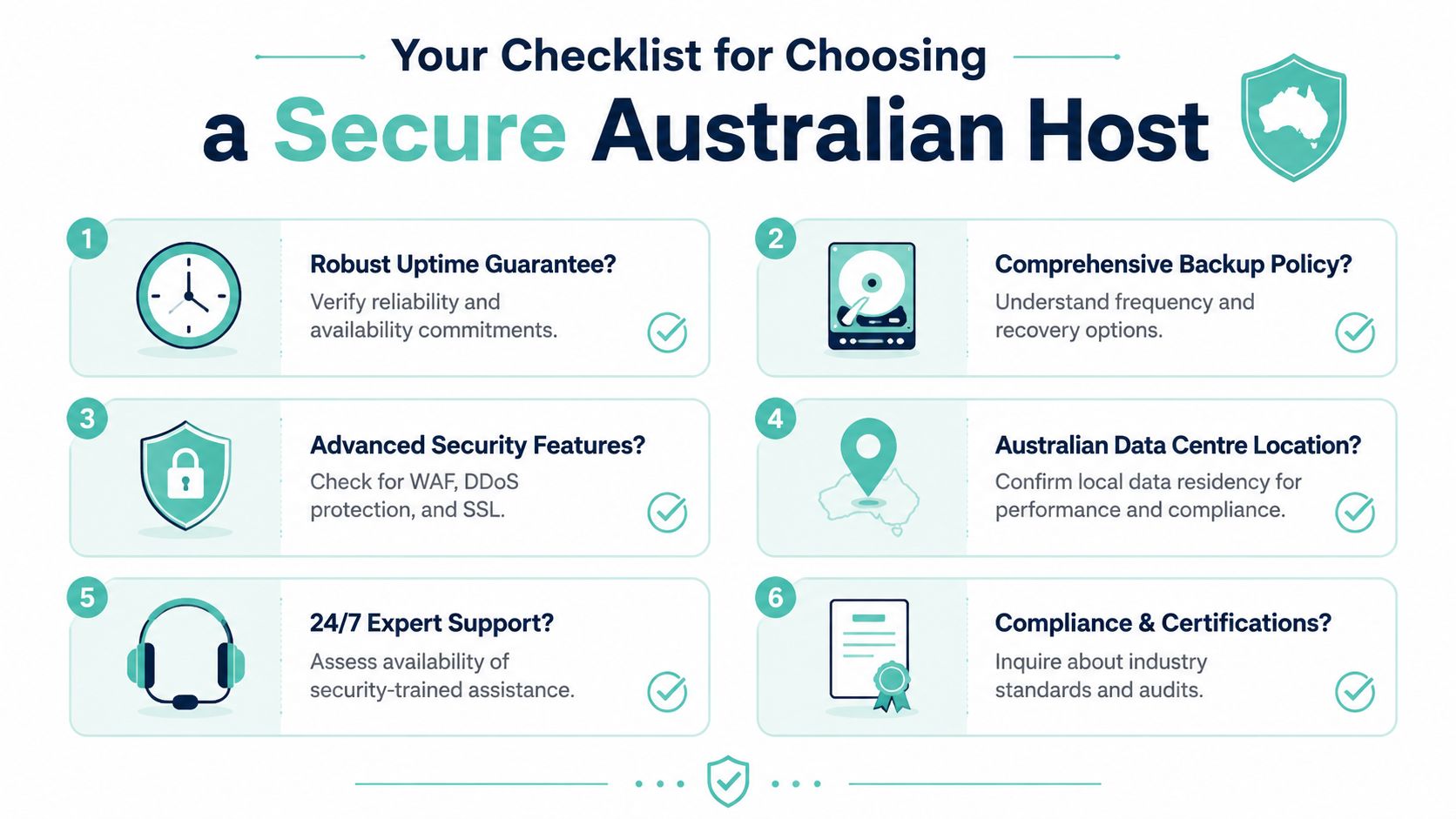
Ask where the servers are located. If your customers are in Australia, local data centre presence usually makes conversations about support, latency, and data handling more straightforward.
Ask how the provider handles DDoS protection, WAF coverage, malware scanning, and monitoring. A strong answer should explain the layers in plain English. If the response sounds vague, that's useful information.
Ask about backups in detail. Not just whether backups exist, but where they're stored, whether they're encrypted, how often they run, and what the restore process looks like. This website security checklist is handy if you want a simple reference while comparing providers.
What a strong answer sounds like
Here's a practical checklist you can use in a sales chat or support ticket:
- Are your servers in Australia? Local presence supports Australian business needs and often simplifies data residency expectations.
- Is SSL included by default? It should be. You shouldn't need to bolt basic encryption on later.
- Do you provide daily backups? Ask for specifics, not marketing language.
- What security layers are included? Look for firewalling, malware checks, monitoring, and account protections.
- What uptime guarantee do you offer? The answer should be clear and documented.
- How does support work during a security incident? You want a practical response path, not a generic help desk promise.
A provider also needs a sensible incident response process. If something breaks, who investigates it, who contacts you, and what happens first? Good hosts can usually explain that calmly and plainly.
Ask every host the same shortlist of questions. The quality of the answers often matters as much as the feature list itself.
A final check is whether the service feels understandable. If a provider can't explain backups, restore steps, login protections, or support boundaries in plain language, that confusion won't improve during an emergency.
The Shared Responsibility Model Your Role in Website Security
Many business owners often get caught out. They buy secure hosting, see “backups included” and “firewall enabled”, then assume the provider now handles everything. That's not how website security works in practice.
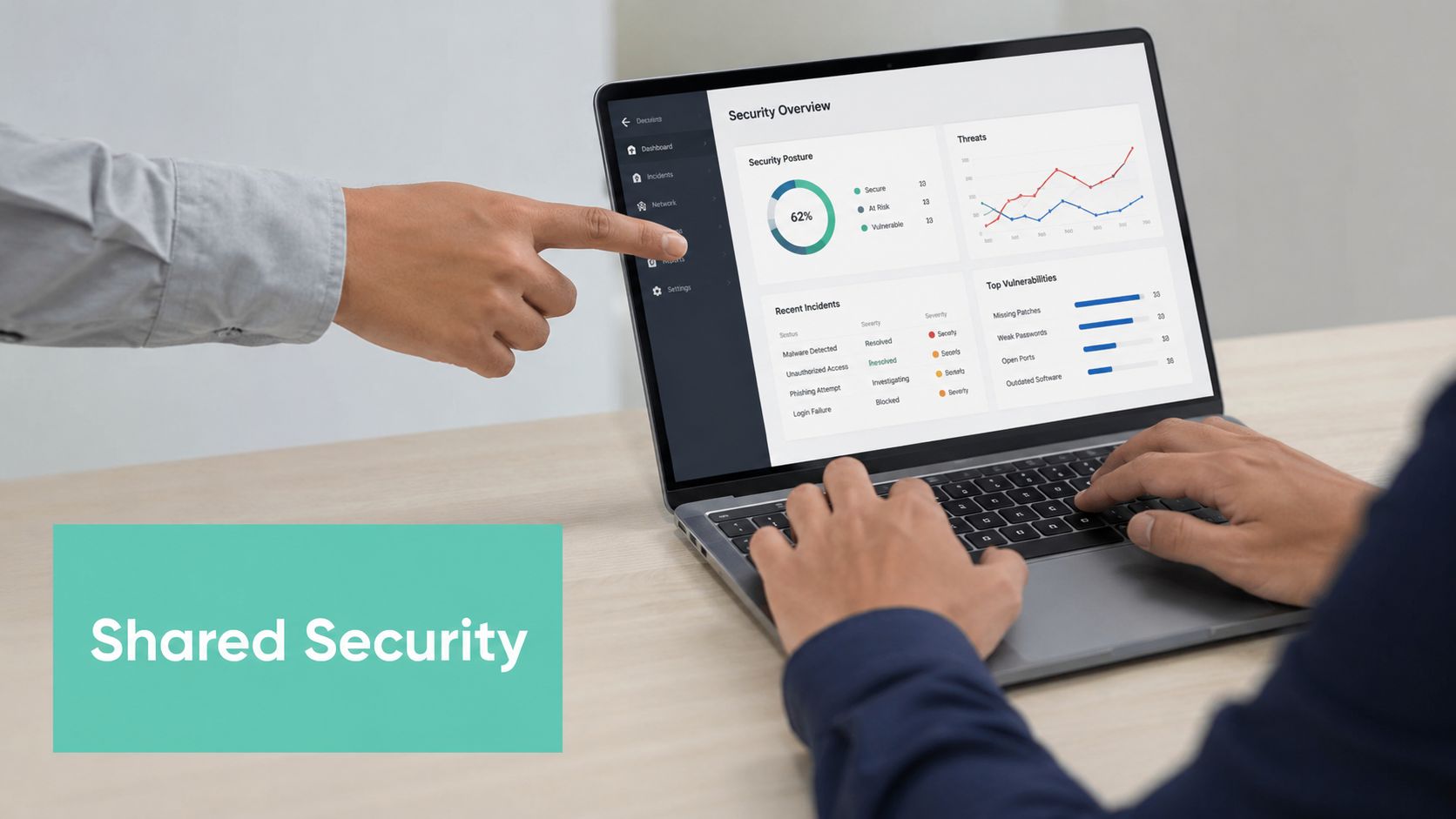
Secure web hosting follows a shared responsibility model. The host secures the platform and surrounding infrastructure. You still secure the website you run on top of it.
What the host usually manages
A good host generally looks after the physical data centre, the network edge, server hardening, infrastructure monitoring, and the baseline security tools included in the hosting environment. That may include firewalls, malware scanning, backup systems, SSL provisioning, and protections around the hosting account itself.
If the server hardware fails, that's usually the host's problem. If the network is under attack, the host should be responding. If the hosting control panel needs patching, the host should be on it.
Those duties are important, but they don't magically secure the content management system, plugins, user accounts, and admin habits inside your site.
What the business owner still owns
If you use WordPress, Joomla, Magento, or another platform, you still need to maintain it. That means updating the core software, removing abandoned plugins, limiting admin accounts, using strong passwords, and turning on two-factor authentication where available.
You also need to think about staff access. A receptionist who only needs to post updates probably doesn't need full administrator rights. A former contractor shouldn't still have a live login. A shared team password written in a notebook is an avoidable risk.
For owners running WordPress, this guide to WordPress security basics is a practical next step.
The backup gap that catches small businesses
Backups are where misunderstanding does the most damage. A provider may include daily backups, but that doesn't always mean they monitor every restore point for your specific site, test your plugin compatibility after restoration, or automatically roll your site back the instant something breaks.
That gap has shown up clearly in Australia. Data from the June 2026 cyber surge reveals that 68% of Australian small businesses with “included backups” still faced extended downtime because they assumed the provider would automatically restore data without manual intervention or pre-restoration testing, according to Web4Business on Australian startup hosting and backup recoverability. The key distinction is between backup availability and backup recoverability.
Owner responsibility: Know how a restore is requested, who performs it, how long it may take, and whether the backup point has been verified as clean and usable.
A simple example helps. Say a plugin update breaks your checkout page on Friday afternoon. Your host may still have excellent backups. But if you don't know how to identify the last clean restore point, or your team waits until Monday to ask for help, your business can stay down far longer than expected.
The safer habit is to treat backups like insurance paperwork. Don't just assume it exists somewhere. Know where it is, what it covers, and what happens when you need to use it.
Here's a straightforward routine most SMBs can follow:
- Review updates weekly. Don't let plugin and theme updates pile up for months.
- Trim user access monthly. Remove old accounts and cut unnecessary admin rights.
- Use unique passwords. Shared or recycled logins create avoidable risk.
- Check backup expectations. Confirm the restore process before a crisis.
- Document key contacts. Keep hosting, developer, and domain contacts somewhere your team can access quickly.
This is the heart of the shared responsibility gap. The host can provide a secure building. You still need to lock your office, manage your keys, and know where the spare records are stored.
Register your new domain name at competitive market prices including free domain add-ons like privacy, DNS Hosting, Custom Nameservers and Forwarding.
Always the best price and no nasty renewal price hikes.
Register A Domain Name
Frequently Asked Questions About Secure Hosting in Australia
Does hosting in Australia help with privacy obligations
For many businesses, yes. Local hosting can make data handling simpler to understand and easier to align with Australian expectations. It can also help with support responsiveness and customer confidence. Hosting in Australia doesn't remove your legal responsibilities, but it can reduce uncertainty around where data lives and who manages the infrastructure.
What should WordPress owners do first
Start with the basics that owners control directly:
- Update WordPress core and plugins. Old software is a common source of trouble.
- Reduce admin accounts. Give people the lowest access level they need.
- Use stronger logins. Turn on two-factor authentication where possible and avoid reused passwords.
If you only do those three things this week, you'll already be in a better position than many neglected small business sites.
How do you move to a safer host without downtime
A careful migration usually starts with an audit of your current site, email setup, backups, and DNS-related dependencies. Then the new environment is prepared, the site is copied and tested, and the switch happens at a low-risk time.
The big mistake is rushing. Good migrations depend on planning, testing forms and checkout flows, and making sure the backup and rollback options are clear before the move begins. If your current host feels shaky, don't panic-migrate. Move methodically.
What's the difference between free and paid SSL
For most SMB websites, a host-provided free SSL certificate is enough to encrypt traffic and show the padlock visitors expect. A paid SSL product may offer different validation workflows or business preferences, but the core question for many small businesses is simpler: is encryption active, renewing properly, and covering the site as needed?
If your host includes SSL by default and manages renewal well, that removes a common point of failure. The wrong SSL setup is usually a bigger issue than whether it was free or paid.
If you want local hosting that treats security as a practical business need rather than a checkbox, UpTime Web Hosting offers Australian-based hosting with servers in Sydney, Melbourne, Brisbane and Perth, plus free SSL, malware scanning, DDoS-protected firewalls, encrypted off-site nightly backups, CloudLinux, LiteSpeed, and local support. It's a solid option for businesses that want fast, secure hosting backed by an Australian team.