Your WordPress site probably didn’t start as a mission-critical system. It was a brochure site, then a lead source, then a booking tool, then an online store. At some point, what used to be “good enough” hosting starts showing cracks. Pages slow down during campaigns. Plugin updates feel risky. Checkout glitches appear when traffic rises. Support tells you to optimise images while the actual problem sits deeper in the stack.
That’s usually the tipping point for looking at dedicated server wordpress hosting. Not because it sounds enterprise-grade, but because the business cost of slow pages, outages, and security gaps becomes harder to ignore than the hosting bill.
For Australian SMBs, the decision also has a local angle. Where your server sits, how your host handles security, and whether support understands the pressures of a live WooCommerce site all matter more than a long feature list. The right setup can mean steadier sales, fewer support headaches, and a site that feels consistently fast to Australian customers.
Table of Contents
- What Is Dedicated Server WordPress Hosting
- Dedicated vs Shared vs VPS A Clear Comparison for SMBs
- The Business Advantages of a Dedicated Server
- Sizing Security and Cost Planning
- Your Smooth WordPress Migration Checklist
- How to Choose the Right Australian Provider

Performance you can feel, backed by clients who depend on it. Read how our support and uptime create long‑term customer success.Power Your Business with Better Hosting
What Is Dedicated Server WordPress Hosting
Your own premises, not a corner in someone else’s building
The simplest way to understand dedicated server wordpress hosting is to think about commercial space.
Shared hosting is like renting a stall in a busy market. It’s cheap and easy to get started, but you share the building, the power, the foot traffic, and the limitations. If another tenant creates trouble, you feel it.
A VPS is closer to leasing a private office inside a larger building. You get your own room and more control, but you still share the wider infrastructure. A dedicated server is your own standalone premises. The whole building is yours to use, secure, and configure around the way your business operates.
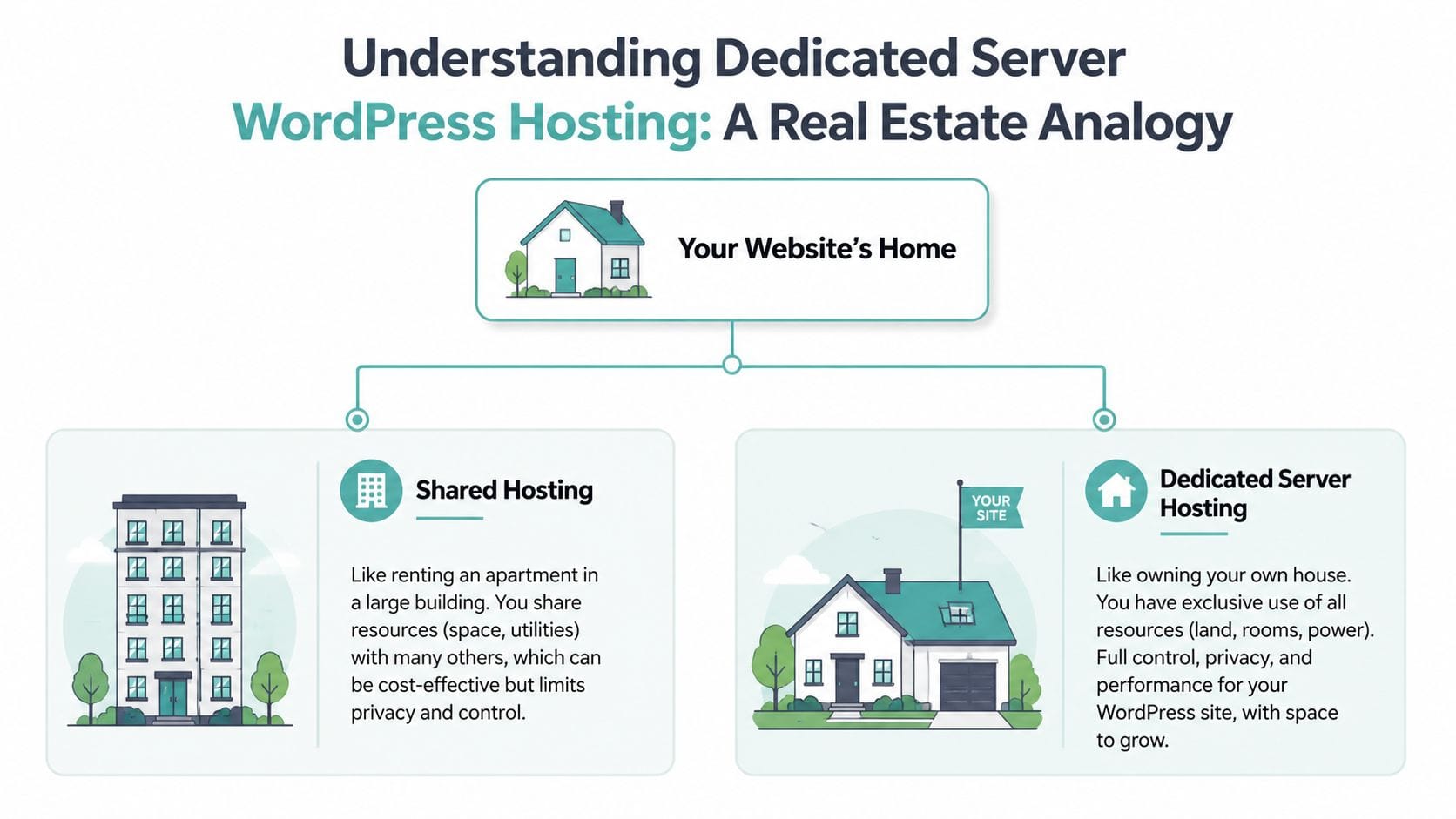
That exclusivity matters because WordPress isn’t static. It runs PHP, talks to a database, loads plugins, serves logged-in users, processes forms, and for many stores, handles checkout activity in real time. When your site shares too much infrastructure, those tasks become less predictable.
If you want a reference point for what this type of setup usually includes, a typical dedicated server hosting service for Australian websites will bundle server resources, security tooling, and management options around that idea of exclusivity.
What dedicated resources mean in practice
“Dedicated resources” sounds technical, but the business meaning is straightforward.
- CPU availability: Your site doesn’t have to wait behind unrelated websites when demand rises.
- RAM reserved for your workload: WordPress, WooCommerce, and caching layers have room to operate cleanly.
- Storage performance you can plan around: Database-heavy actions such as search, filtering, and checkout are less likely to stall.
- Environment control: Your team can tune PHP, caching, security rules, and worker settings for WordPress instead of accepting one-size-fits-all defaults.
Practical rule: If your site directly generates leads, bookings, or online sales, hosting should be judged by consistency under load, not just by its cheapest monthly price.
One point that’s often missed. Choosing dedicated hosting doesn’t always mean you need the biggest physical server possible. Many growing businesses get excellent results from a well-managed, high-performance environment that gives them dedicated-style benefits without forcing them to become server admins. What matters is predictable resources, WordPress-aware tuning, and room to grow without site instability.
That’s the core value. Better isolation, steadier performance, and more control over how WordPress behaves as its importance expands beyond its first year.
Dedicated vs Shared vs VPS A Clear Comparison for SMBs
A lot of hosting confusion comes from comparing plans by price instead of by fit. For a local trades business with a simple brochure site, shared hosting may be perfectly sensible. For an agency site with client portals, forms, and staging needs, a VPS often makes more sense. For a WooCommerce store or a content-heavy site where outages hurt revenue, dedicated becomes a serious option.
Hosting Comparison for Australian SMBs
| Feature | Shared Hosting | VPS Hosting | Dedicated Server Hosting |
|---|---|---|---|
| Performance consistency | Lowest consistency. Other sites on the server can affect speed. | More stable than shared. Better isolation, but still part of a larger host system. | Highest consistency. Resources are reserved for your environment. |
| Security level | Basic baseline security. Greater exposure to issues caused by crowded environments. | Stronger isolation and better control over security settings. | Strongest isolation and broadest control over security policy and access. |
| Scalability | Fine for small sites, but upgrades can become limiting or disruptive. | Good for growing sites that need more memory, CPU, and tuning flexibility. | Best for sustained growth, heavy plugins, larger stores, and traffic spikes. |
| Technical control | Limited. The host sets most of the environment. | Moderate to high. Good for businesses with a developer or managed support. | Highest. Full environment control, especially valuable for advanced WordPress workloads. |
| Typical monthly cost in AUD | Lowest entry cost. | Mid-range. | Highest upfront monthly investment, but often stronger long-term value for critical sites. |
A strong middle ground exists. Many businesses move first to managed VPS because it gives them better resources and flexibility without the commitment of a full dedicated setup. If you’re weighing that option, this guide to WordPress VPS hosting for growing Australian sites is a useful comparison point.
How to read the table like a business owner
If your website mostly sits there and publishes a few service pages, don’t buy more hosting than you need. Complexity costs money and attention. The best plan is the one that matches the workload.
If your site has any of these traits, shared hosting usually starts to feel tight:
- Frequent campaigns: Email pushes, seasonal promotions, or media coverage create uneven traffic.
- Plugin-heavy workflows: Booking tools, memberships, CRM syncs, page builders, and WooCommerce all increase server work.
- Logged-in users: Customer accounts and dashboards are more demanding than anonymous page views.
- Admin friction: Slow dashboards, delayed plugin updates, and timeout errors are often early warning signs.
A hosting plan should absorb business growth, not punish it.
VPS is often the right next step when you need more breathing room but still want cost control. Dedicated enters the conversation when performance predictability and security isolation matter enough that compromise becomes expensive.
A practical example. A local retailer running WooCommerce with live shipping, multiple payment extensions, and a large product catalogue may find that the site works fine most weekdays, then drags badly during sale periods. That’s not always a design issue. It’s often a resource contention issue. In that case, moving to a more isolated environment can do more than another round of plugin cleanup.
The decision isn’t about prestige. It’s about choosing the point where hosting stops being a background utility and starts becoming operational infrastructure.
Host your website with our 5-star rated, cPanel website hosting plans.
Super fast servers, with security included and hosted in your choice of Australian Data Center.
View cPanel Plans
The Business Advantages of a Dedicated Server
A common tipping point looks like this. An Australian SMB runs a WordPress site that used to be "good enough," then traffic grows, WooCommerce gets busier, staff rely on the dashboard every day, and small delays start showing up in bigger business numbers. More abandoned carts. More support calls. More hesitation from buyers who expected the site to feel trustworthy.
Speed that supports revenue
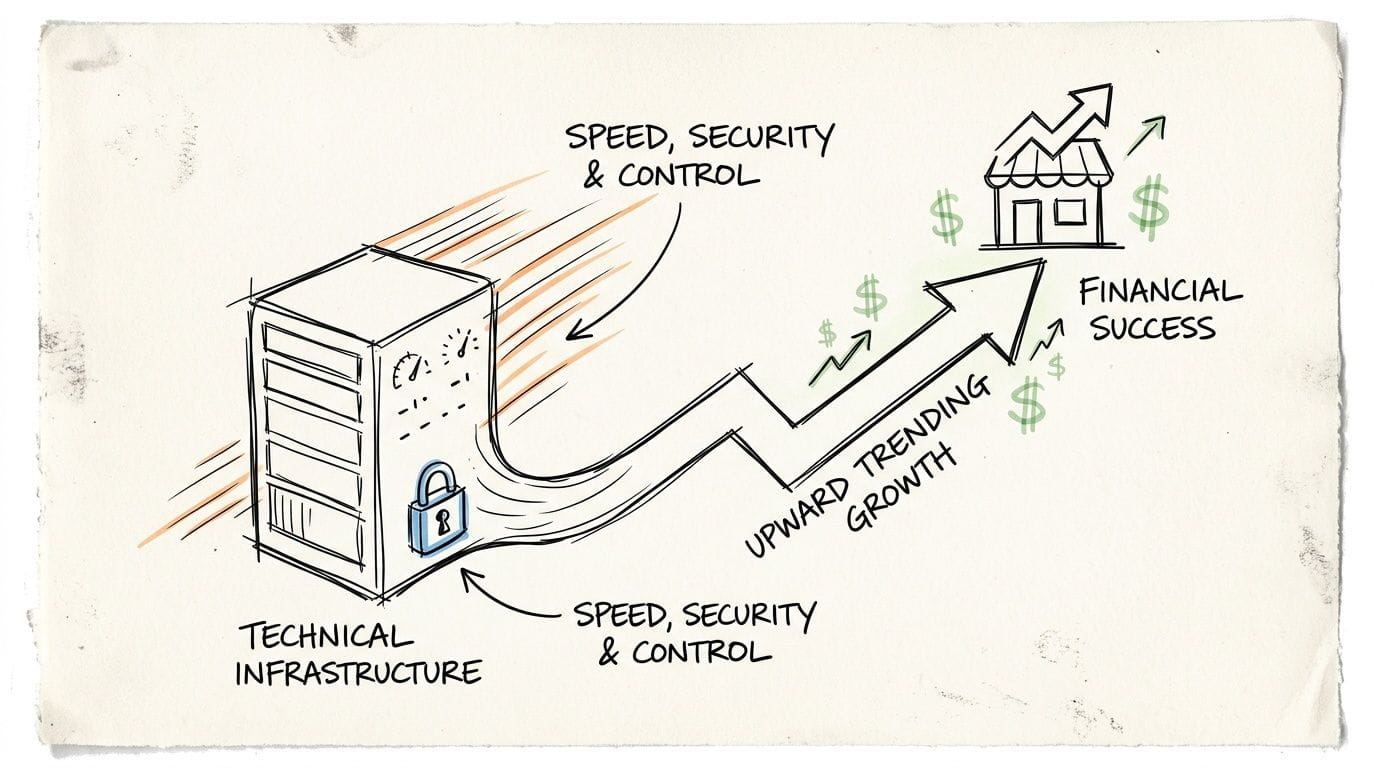
Dedicated hosting gives your site consistent access to server resources. That matters most when the site is doing real work, not just serving a cached homepage. Product searches, cart updates, bookings, member logins, quote forms, and admin tasks all depend on available CPU, memory, and database capacity.
For an Australian business targeting buyers on Google.com.au, that consistency has two direct payoffs. Pages stay responsive during busy periods, and technical SEO work is easier to protect because performance is less likely to swing when another customer on the same machine has a traffic spike.
I see this most often with growing WooCommerce stores. The site may look fine in a quiet test, then slow down during a sale, after an email campaign, or when staff are processing orders in the backend at the same time customers are checking out. Dedicated hosting reduces that contention. Fewer slow transactions usually means fewer lost checkouts and fewer frustrated callers asking whether the order went through.
It also makes planning easier. Instead of guessing whether cheap hosting will cope next month, you get a clearer ceiling and a more predictable baseline. That is often the point where hosting shifts from a monthly expense to part of sales infrastructure.
Security and control that reduce operational risk
Dedicated environments lower the risk that someone else's problem becomes yours. On lower-tier hosting, poor isolation can expose your site to noisy-neighbour performance issues and a broader blast radius when another account is compromised.
The practical advantages usually look like this:
- Stronger isolation: Your workload is separated from unrelated customer activity.
- Custom security settings: Firewalls, malware scanning, login protections, and server rules can be configured around how your business uses WordPress.
- Dedicated IP and server access: Helpful for reputation-sensitive services, tighter access control, and businesses with compliance requirements.
- Cleaner maintenance windows: Updates, scans, and tuning are easier to schedule around business hours and campaign periods.
Security has a revenue side too. If checkout pages error, forms stop sending, or the admin area locks up after an attack, the cost is not abstract. It is missed enquiries, delayed orders, and staff time diverted into cleanup. Businesses that take customer data seriously often pair managed hosting with regular testing and fast pentesting reports so issues are found before they become incidents.
Control matters for operations as much as security. Dedicated hosting lets a provider tune PHP workers, database settings, caching layers, and background task handling for the way your site earns money. That is useful for stores, learning platforms, membership sites, and booking systems where logged-in activity makes "average" hosting setups struggle.
There is a trade-off. Dedicated hosting costs more, and unmanaged servers can create extra work for an internal team that already has enough to do. For many SMBs, the better move is managed dedicated hosting with local support, clear escalation paths, and pricing that does not hide setup, restore, or support fees. This guide to the hidden costs of budget web hosts is a good reminder that the cheapest monthly figure rarely reflects the actual operating cost once downtime and support delays are factored in.
Sizing Security and Cost Planning
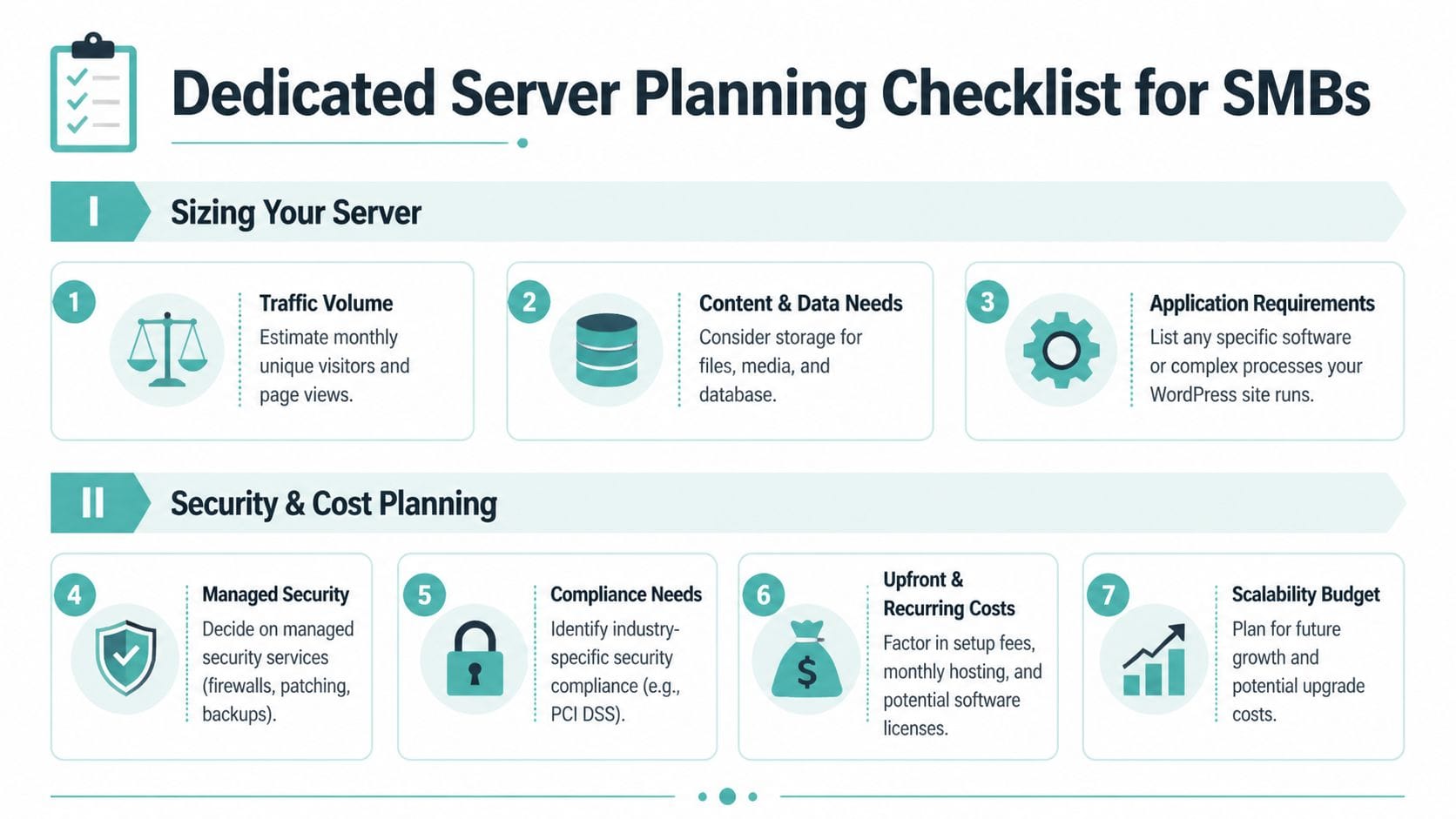
A dedicated server should be sized around what your site does during a normal week, and what happens when business spikes. An Australian SMB usually reaches the upgrade point when the website stops behaving like a brochure and starts behaving like part of operations. That often shows up as slower checkout steps, admin lag during busy periods, delayed order emails, or ranking softness on Google.com.au because pages respond too slowly for local visitors.
How to think about server size
Start with demand patterns, not plan names.
A service business with mostly cached pages and a steady stream of enquiry forms needs a different setup from a WooCommerce store, a membership site, or a booking platform. Once people log in, search products, update carts, or trigger automated emails, the server has to do more real-time work. That means CPU, RAM, database performance, and PHP worker capacity matter more than a big storage number on a sales page.
A practical sizing check for an Australian business looks like this:
- Traffic shape: Are visits steady, or do you get sharp jumps from EDMs, Google Ads, or seasonal campaigns?
- Revenue-critical pages: Which pages make money, and do they stay fast under load?
- Logged-in activity: Carts, portals, subscriptions, and bookings reduce the benefit of full-page caching.
- Plugin load: Search tools, page builders, payment plugins, and sync tools all add overhead.
- Customer location: If buyers are mainly in Australia, local hosting reduces delay where it counts.
That last point has direct commercial value. A server in Sydney or Melbourne will usually deliver a faster first response to Australian visitors than an offshore box. For an SMB, that can mean fewer abandoned carts, smoother form submissions, and a better chance of keeping local search performance healthy on Google.com.au. A provider should be able to explain that benefit in plain terms, not hide behind acronyms.
The security checklist that matters
Security planning should match the cost of an outage.
If your website brings in leads, bookings, or online sales, the question is not whether security tools exist. The question is how quickly your team can detect a problem, restore service, and limit revenue loss. Good dedicated hosting gives you a cleaner starting point, but it still needs a layered setup:
- Off-site daily backups: Copies stored separately, with restore testing included.
- Web application firewall: Filters common attacks before they hit WordPress.
- Malware scanning and file change monitoring: Helps catch infections early.
- Patch management: Core, plugins, themes, and server packages updated on a controlled schedule.
- Access controls: MFA, IP restrictions, and limited admin accounts.
- Logging and alerting: So problems are noticed by humans, not customers.
Businesses handling customer records, payments, or sensitive enquiries should also arrange independent review. For teams that want a short external assessment cycle, fast pentesting reports can help confirm whether the server and application setup are exposing avoidable risk.
Budgeting beyond the sticker price
Monthly price is only one line item. Support scope, restore fees, setup work, and upgrade flexibility usually decide whether a plan is good value after six months.
That is why many SMBs benefit from reviewing the hidden costs of budget web hosts before comparing dedicated options. A cheaper plan can become expensive quickly if every backup restore, malware clean-up, after-hours ticket, or control panel feature is billed separately.
Use this shortlist when comparing providers:
- Management level: Who handles patching, monitoring, and incident response?
- Included performance tools: Caching, CDN support, object cache, and staging.
- Backup and restore terms: Frequency, retention period, storage location, and restore charges.
- Local support access: Australian hours, escalation paths, and response commitments.
- Upgrade path: Can CPU, RAM, and storage grow without a disruptive rebuild?
- Billing clarity: GST treatment, renewal pricing, and setup fees shown upfront.
This trade-off has consequences. Overspend on hardware you do not need, and the hosting bill eats margin. Undersize the server, and the cost shows up elsewhere through abandoned enquiries, failed checkouts, and staff time spent chasing preventable issues. The right plan sits in the middle. Enough headroom for growth, enough security to reduce business risk, and enough local support to solve problems quickly.
Your Smooth WordPress Migration Checklist
A migration usually gets approved the moment the business feels real pain. The site slows down during a sale, staff stop trusting plugin updates, or checkout errors start showing up at the worst time. For an Australian SMB, the goal is not merely to copy WordPress to a new server. The goal is to move without losing enquiries, orders, rankings on Google.com.au, or sleep.
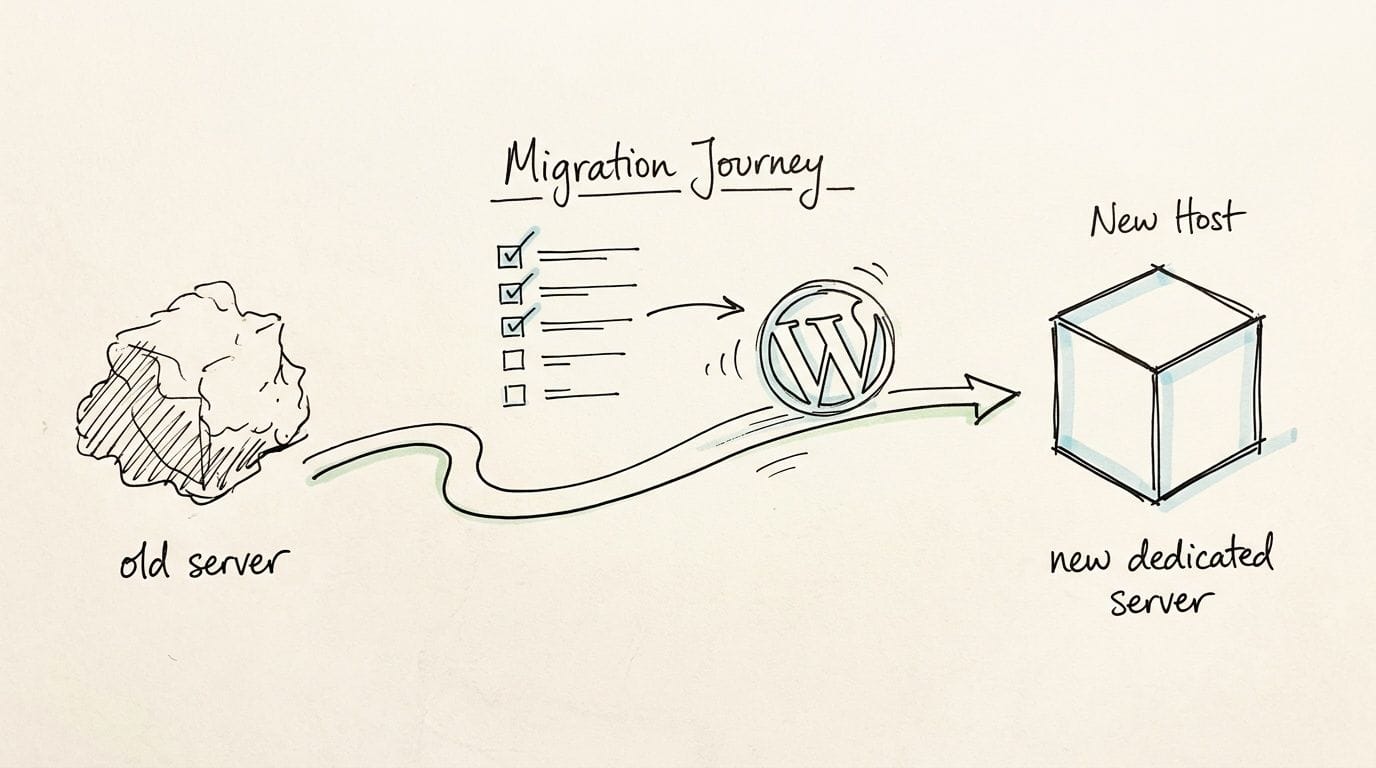
Migration deserves care because a bad setup is expensive in both lost sales and staff time. The copy process matters, but the server configuration after the move often decides whether the new environment feels faster, safer, and easier to manage.
Before the move
Start with cleanup and documentation. A dedicated server gives you more control, but it also exposes old mess faster. Bloated plugins, stale cron jobs, oversized databases, and mystery integrations do not disappear just because the hardware improves.
Use a written run sheet before anyone touches DNS:
- Audit plugins and themes: Remove anything inactive, duplicated, abandoned, or no longer needed for revenue-critical functions.
- Take a full backup: Save files and database together, then store a separate copy off-server.
- Map business-critical paths: Forms, phone tracking, payment gateways, shipping rules, CRM sync, member logins, and booking flows.
- Clean the database: Remove expired transients, old revisions, and other leftovers that slow admin tasks and page generation.
- Check PHP and plugin compatibility: Confirm the target server version will not break core features after launch.
- Clarify migration scope with the host: Know who handles staging, DNS changes, testing, rollback, and post-cutover support.
For Australian businesses, I also recommend noting the hours when the site makes most of its money. An ecommerce store that sells heavily after work on the east coast needs a different cutover window from a B2B site that gets leads during business hours. That one decision can reduce disruption more than any extra spec on the server.
A documented plan prevents rushed decisions. This website migration checklist for Australian businesses is a practical template to work from before the move starts.
The best migrations feel uneventful because every important step was checked in advance.
If the project also includes new suburb pages, service areas, or product variations, separate that job from the infrastructure move where possible. Teams can streamline page creation in WordPress so the migration stays focused on stability, testing, and launch control.
During cutover and after launch
Keep the cutover quiet and controlled. A late-night migration with no checklist often creates more problems than it solves.
Test the site the way a customer uses it:
- Front-end pages: Home, key service pages, product pages, category pages, contact pages, and checkout.
- Forms and emails: Submission flow, autoresponders, notifications, and delivery to the right inboxes.
- Logins and accounts: Customer logins, password resets, member areas, and account dashboards.
- Payments and carts: Shipping calculations, tax rules, coupons, payment gateways, and order confirmations.
- Search and tracking: On-site search, GA4, Google Ads tags, Meta Pixel, and call tracking if used.
- Admin tasks: Media uploads, plugin updates, scheduled jobs, and dashboard responsiveness.
After launch, watch what matters to the business. Check server load, PHP errors, failed logins, cart abandonment patterns, and slow pages in Search Console and analytics. If performance improves, you should see cleaner admin work, fewer checkout complaints, and better consistency for users across Australia, especially during traffic spikes.
Then confirm the live environment is configured as planned. Backups should be running. Firewall rules should be active. Caching should be serving the right pages without breaking dynamic content. Monitoring should alert someone before a small issue turns into a morning of lost sales.
Register your new domain name at competitive market prices including free domain add-ons like privacy, DNS Hosting, Custom Nameservers and Forwarding.
Always the best price and no nasty renewal price hikes.
Register A Domain Name
How to Choose the Right Australian Provider
Once you know your tipping point, the shortlist gets easier. The right provider for an Australian SMB is the one that aligns performance, support, and security with how your WordPress site earns money.
Questions worth asking before you sign up
Use this checklist when comparing options:
- Are the servers in Australia? Local hosting is usually the right call when your customers are here.
- Is the stack tuned for WordPress? Ask about LiteSpeed, caching, PHP tuning, and how they handle dynamic pages.
- What security is included? Look for malware scanning, firewalls, SSL, backup policies, and monitoring.
- Is support local and reachable? Ticket-only support can be painful during a live issue.
- How transparent is pricing? GST-inclusive billing and clear inclusions save budget surprises.
- Can the environment grow with you? You want an upgrade path, not another forced migration.
- Do they understand WordPress specifically? General hosting support and WordPress-aware support aren’t the same thing.
If you want a benchmark for what to compare against, this roundup of the best Australian WordPress hosting options is a practical starting point.
A final point. Don’t choose a provider based only on the biggest spec sheet. Choose one that can explain, in plain English, how they’ll keep your site fast, secure, and recoverable when something goes wrong. That’s what turns hosting from a commodity into a dependable business service.
If your WordPress site has outgrown entry-level hosting, UpTime Web Hosting is worth a close look. They’re an Australian provider with local servers, WordPress-focused performance features, transparent GST-inclusive pricing, and support that understands the realities of running business-critical sites in Australia.