Your Brisbane trade business website looks fine on a desktop in the office, yet customers report that pages hang during the Tuesday lunch rush. The shop runs WordPress and WooCommerce on a low-cost shared Apache plan overseas. Product pages take time to appear, the cart feels hesitant, and a contact form sometimes waits before confirming a submission.
That experience is rarely caused by one bad setting. WordPress LiteSpeed hosting can remove an important bottleneck, but it won't rescue an oversized site, a distant server, or badly configured WooCommerce cache rules on its own. The practical question is not whether LiteSpeed is fast. It's whether your Australian visitors, your content workflow, and your hosting stack are configured to benefit from it.
Table of Contents
- Why Your WordPress Site Feels Slow in the First Place
- What LiteSpeed Web Server and LSCache Actually Do
- LiteSpeed vs Apache vs Nginx for WordPress
- Setting Up LiteSpeed and LSCache the Right Way
- Where Caching Breaks WooCommerce, Forms, and Logins
- Migrating a WordPress Site to an Australian LiteSpeed Host
- Choosing an Australian Host That Actually Delivers
- Putting It All Together for a Faster WordPress Future

Performance you can feel, backed by clients who depend on it. Read how our support and uptime create long‑term customer success.Power Your Business with Better Hosting
Why Your WordPress Site Feels Slow in the First Place
A WordPress page usually travels through several systems before a visitor sees it. The browser requests a page, the web server passes the request to PHP, WordPress loads the theme and plugins, the database returns content, and the server builds HTML. If the page isn't cached, that sequence can repeat for every visitor.
Four bottlenecks commonly appear together:
- Uncached PHP execution: WordPress rebuilds the same page instead of serving a prepared copy.
- Distant origin latency: An Australian visitor may wait for requests to travel to an overseas server and back.
- Heavy media: Large hero images and uncompressed product photos delay the visible part of the page.
- Plugin and database overhead: Each additional plugin can add scripts, queries, or background work.
The Australian context matters. One 2026 industry dataset estimates that WordPress powers about 65% of Australian websites, with roughly 3.2 million websites across Australia, and reports an average Australian website load time of 2.8 seconds. The dataset also explains why server-level optimisation matters for local businesses, where small speed improvements can influence conversion behaviour, search performance, and perceived reliability across a geographically spread audience. See the Australian WordPress market and load-time data for that context.
Find the weakest link first
Start with a logged-out homepage test, then check a product page, a contact page, and, if relevant, the cart. Test from an Australian location rather than relying only on a nearby office connection. A Sydney test endpoint is useful because it reflects the experience of many local visitors more closely than a test run from Europe or North America.
Practical rule: A web server can reduce processing overhead, but it can't make an overseas origin behave like a nearby Australian data centre.
LiteSpeed's most useful role is the server-level cache. It can store a completed HTML response and deliver that copy without asking WordPress to rebuild the page each time. That targets the PHP and database part of the chain. Local infrastructure targets the network part, while image compression and plugin housekeeping address the front-end and application layers.
Before changing hosts, identify whether your main issue is a slow first byte, a large page, an overloaded database, or all three. That diagnosis will stop you from paying for a faster server while leaving the primary cause untouched.
What LiteSpeed Web Server and LSCache Actually Do
LiteSpeed Web Server is the web server software handling browser connections, static files, and PHP requests. LSCache is the WordPress integration that lets the server understand WordPress cache events instead of treating every response as an anonymous file.
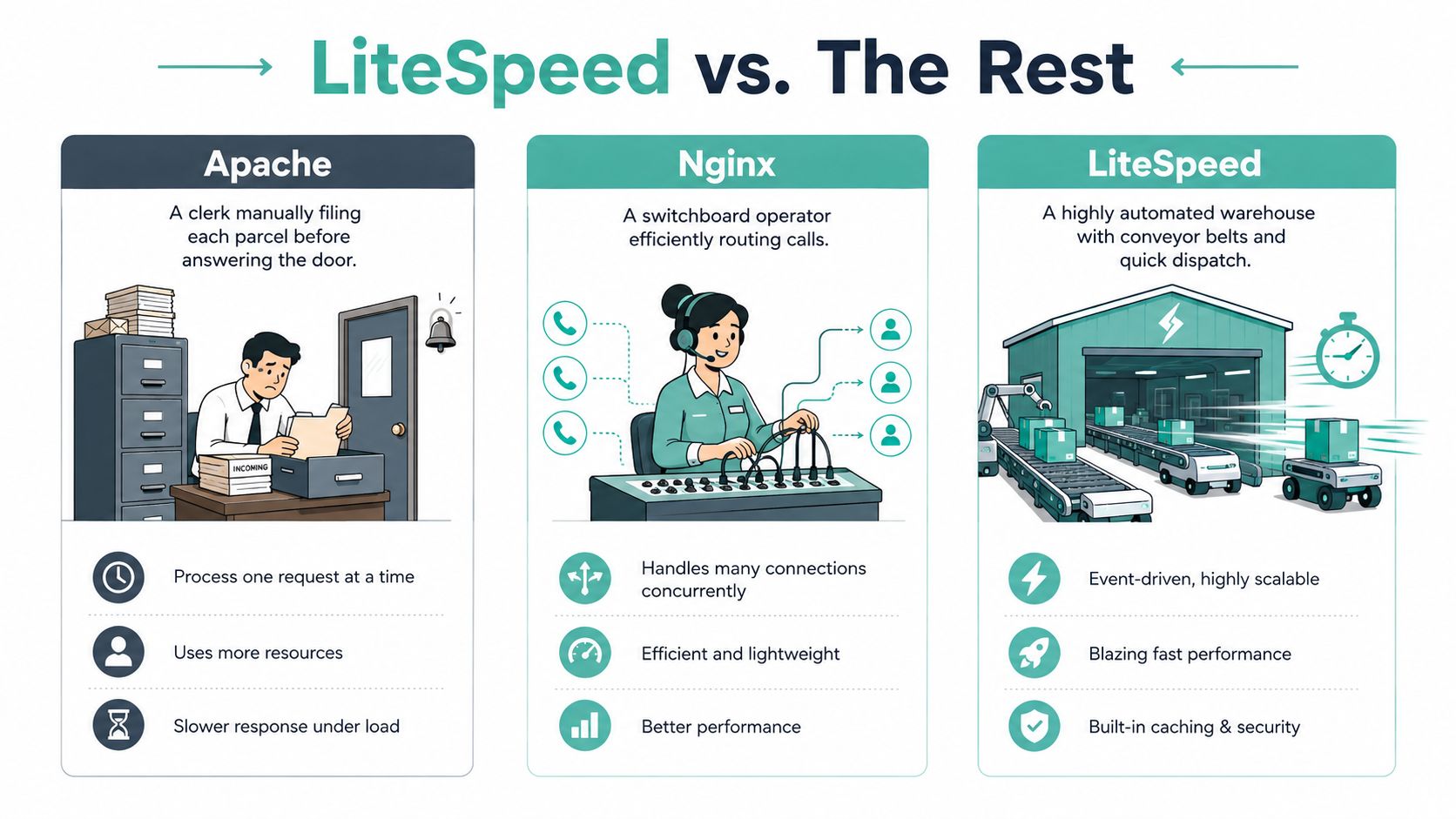
A useful analogy is a distribution centre. An Apache setup may process each parcel through a conventional desk before answering the next request. Nginx is more like a switchboard operator, efficiently routing traffic. LiteSpeed is a highly automated warehouse where a frequently requested parcel can already be waiting at the dispatch point.
The cache path
When LSCache creates a page cache entry, the server can return the finished HTML without launching the full WordPress PHP process for every repeat request. That reduces repeated work for pages such as home pages, service pages, blog posts, and many product pages.
LSCache also understands events that ordinary file caches may miss. A post update can trigger relevant purge rules, so the refreshed page replaces an older copy. Public pages can be cached, while personalised areas, logged-in sessions, and transaction pages require exclusions.
The distinction is important:
- Page cache: Stores completed HTML for suitable anonymous requests.
- Object cache: Stores repeated database results for requests that still need WordPress.
- PHP opcode cache: Keeps compiled PHP instructions ready for reuse.
- Browser cache: Keeps static assets on the visitor's device.
LiteSpeed doesn't make these layers identical. It gives the page-cache layer a direct route through the web server. For a dynamic site that receives repeated anonymous visits, that can improve Time to First Byte and leave more server capacity for uncached work.
The LiteSpeed Web Server guide for WordPress hosting provides a practical explanation of the server and plugin relationship.
HTTP/3 and PHP handling
LiteSpeed documents that QUIC is enabled by default, with HTTP/3 connections negotiated automatically by supporting browsers. The connection still needs the hosting environment to provide the right conditions. cPanel guidance states that the domain needs a valid SSL certificate and that UDP port 443 must be open. The relevant LiteSpeed WordPress Cache configuration guidance covers that requirement.
HTTP/3 over QUIC can help mobile visitors on high-latency or inconsistent networks by avoiding TCP head-of-line blocking and reducing connection overhead. LiteSpeed's LSAPI handler also provides a server-specific path for PHP requests, which can be useful when many requests arrive at once. The outcome to watch isn't a headline benchmark. Check cache hits, TTFB, PHP worker pressure, and whether the site remains responsive during real traffic bursts.
Host your website with our 5-star rated, cPanel website hosting plans.
Super fast servers, with security included and hosted in your choice of Australian Data Center.
View cPanel Plans
LiteSpeed vs Apache vs Nginx for WordPress
The right comparison depends on the request. A static brochure page with a small stylesheet may perform well on several properly configured servers. The difference becomes more meaningful when WordPress must repeatedly execute PHP, query the database, handle logged-in sessions, or serve a shop during a campaign.
Apache has long been familiar to WordPress administrators because it supports .htaccess rules and common plugin expectations. Nginx handles static traffic efficiently and commonly passes PHP work to PHP-FPM, but WordPress caching usually needs an additional arrangement. LiteSpeed combines event-driven request handling with .htaccess compatibility and direct LSCache integration.
| Feature | Apache | Nginx | LiteSpeed |
|---|---|---|---|
| Request architecture | Process and module-based, depending on configuration | Event-driven front end with PHP-FPM commonly used for PHP | Event-driven handling with LiteSpeed-specific PHP integration |
| WordPress-aware page caching | Usually supplied by a plugin or hosting layer | Requires separate cache configuration | LSCache can connect directly with the server |
.htaccess support | Native and widely used | Not native in the same way | Designed for compatibility with common Apache rules |
| HTTP/3 readiness | Depends on the implementation and host | Depends on the implementation and host | LiteSpeed documents automatic HTTP/3 negotiation for supporting browsers when the network path is available |
| Typical WordPress TTFB | Depends heavily on PHP, cache, database, and location | Depends heavily on PHP-FPM, cache, database, and location | Depends heavily on LSCache, PHP, database, and location |
Where the practical difference appears
For an uncomplicated static site, the gap may be small enough that visitors won't notice the server brand. A properly tuned Nginx or Apache setup can deliver static files very effectively. LiteSpeed's stronger case is a WordPress site where many anonymous requests can use full-page cache, while dynamic requests still need efficient PHP and object-cache handling.
WooCommerce makes the distinction more operational than theoretical. A product catalogue page may be cacheable, but the cart and checkout aren't ordinary public pages. A logged-in customer needs their own account information, not a copy prepared for another visitor. LiteSpeed can handle those patterns, but the administrator must configure exclusions correctly.
Server location still outranks branding in many Australian deployments. Independent Australian guidance identifies local server location as the biggest lever for reducing TTFB for Australian audiences, while LiteSpeed works as an enabler of caching rather than a universal speed fix. The Australian WordPress performance optimisation guide makes that distinction clear.
Setting Up LiteSpeed and LSCache the Right Way
A reliable setup starts outside WordPress. Your host must run LiteSpeed at the server level. Installing the LSCache plugin on an Apache account won't create the same server-level page-cache path.
Work through the setup in order
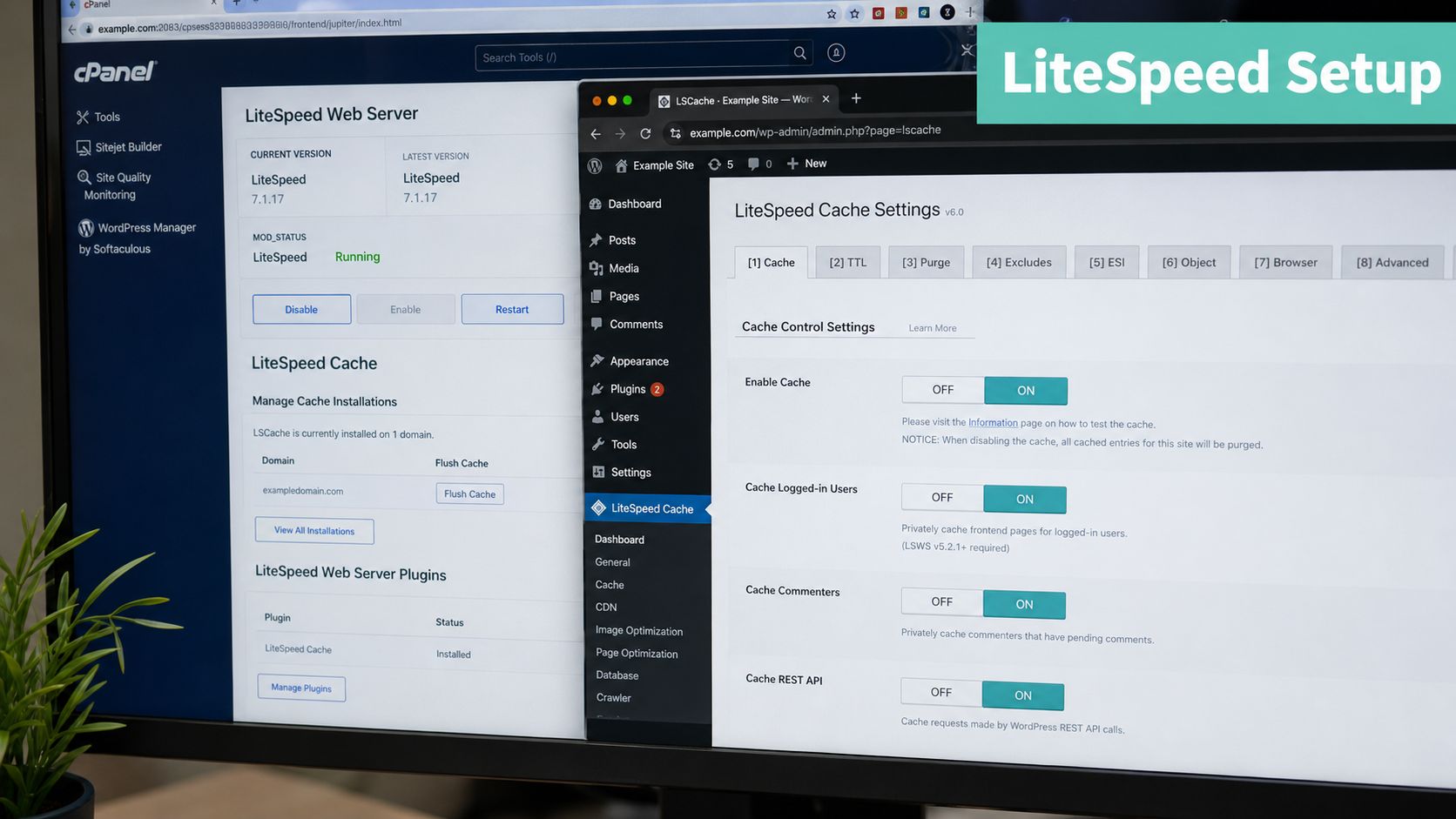
- Confirm the web server. Ask the host or check the response headers and control panel tools. In cPanel, look for a LiteSpeed Web Cache Manager or an equivalent integration.
- Install the official plugin. In WordPress, open Plugins, search for LiteSpeed Cache, and activate the plugin supplied by LiteSpeed Technologies. Don't run several full-page cache plugins together.
- Enable page caching carefully. Start with public pages and keep logged-in users excluded unless you have a tested reason to change that behaviour.
- Review Guest Mode and crawler settings. These features can improve the first-view experience and warm cache entries, but test them with your theme, consent tools, and personalisation plugins.
- Use AccelerateWP where your host provides it. Automated optimisation and cache warming can reduce the amount of manual maintenance, but review any generated changes before applying them to a revenue-producing site.
- Add object caching if available. Redis or Memcached can help requests that can't use full-page cache, including logged-in dashboards and dynamic store operations. Your host needs to provide the service at server level.
- Check the PHP handler. Ask for a current supported PHP 8.x release with LSAPI where available. The exact version should match your theme and plugin requirements, so test on staging first.
Test from the audience you serve
Run the homepage and key landing pages from a Sydney endpoint using a tool such as KeyCDN or WebPageTest. The LiteSpeed and WordPress setup walkthrough.html) is useful when you need a hosting-side checklist.
A practical test looks for a cache hit on the second logged-out request, a lower TTFB, intact layouts, working forms, and a functional checkout. Test mobile as well as desktop. Don't enable aggressive JavaScript combination or deferral across the whole site without checking menus, sliders, payment fields, cookie tools, and booking widgets.
Where Caching Breaks WooCommerce, Forms, and Logins
Caching becomes dangerous when a page contains information that changes for each visitor. A public service page can often use the same HTML for everyone. A cart page cannot, because one customer may have a single item while another has several products waiting for payment.
WooCommerce's cart, checkout, and account areas should be treated as dynamic. Stock indicators, shipping calculations, customer details, payment steps, and order confirmation pages can change immediately. If a cache serves an old copy, the page may look fast while showing the wrong state.
Login and password-protected pages need the same caution. Multilingual sites add another failure mode, because a cached English response can appear when a visitor requests the Australian French or German version. Form plugins may also rely on fresh nonce values and session data, so a stale cached form can reject a valid submission or behave unpredictably.
| Page Type | Exclude Pattern | Reason |
|---|---|---|
| WooCommerce cart | /cart/ | Cart contents belong to the current session |
| WooCommerce checkout | /checkout/ | Shipping, payment, and customer data are dynamic |
| Customer account | /my-account/ | Personal orders and account details must stay private |
| Login and password pages | /wp-login.php and protected paths | User authentication and protected content must not be shared |
| Forms | Form endpoints and pages with session-sensitive fields | Fresh tokens and submission state may be required |
| Language-specific pages | Language switcher paths or relevant cookies | Prevents the wrong language variant from being served |
Purge after meaningful changes
Publishing a post, editing a service page, changing a price, or updating a theme should trigger the appropriate cache purge. A full purge is a useful troubleshooting step, but it shouldn't become your only operating procedure. The WordPress cache clearing guide explains the process when a visible change hasn't reached visitors.
Australian WooCommerce guidance also recommends testing checkout, contact flows, cache invalidation after edits, and stale-content behaviour. Pairing LiteSpeed with Redis or another object-cache layer can support pages that remain dynamic, but object caching doesn't make a personalised page safe for public full-page caching.
Checkout rule: Test a product, add it to the cart, change quantity, log in, submit a form, and complete the checkout path after every major cache change.
Register your new domain name at competitive market prices including free domain add-ons like privacy, DNS Hosting, Custom Nameservers and Forwarding.
Always the best price and no nasty renewal price hikes.
Register A Domain Name
Migrating a WordPress Site to an Australian LiteSpeed Host
Migration is a controlled handover, not a button labelled “make faster”. The safest approach keeps the existing site available while you build and test the replacement environment.
A low-risk migration sequence
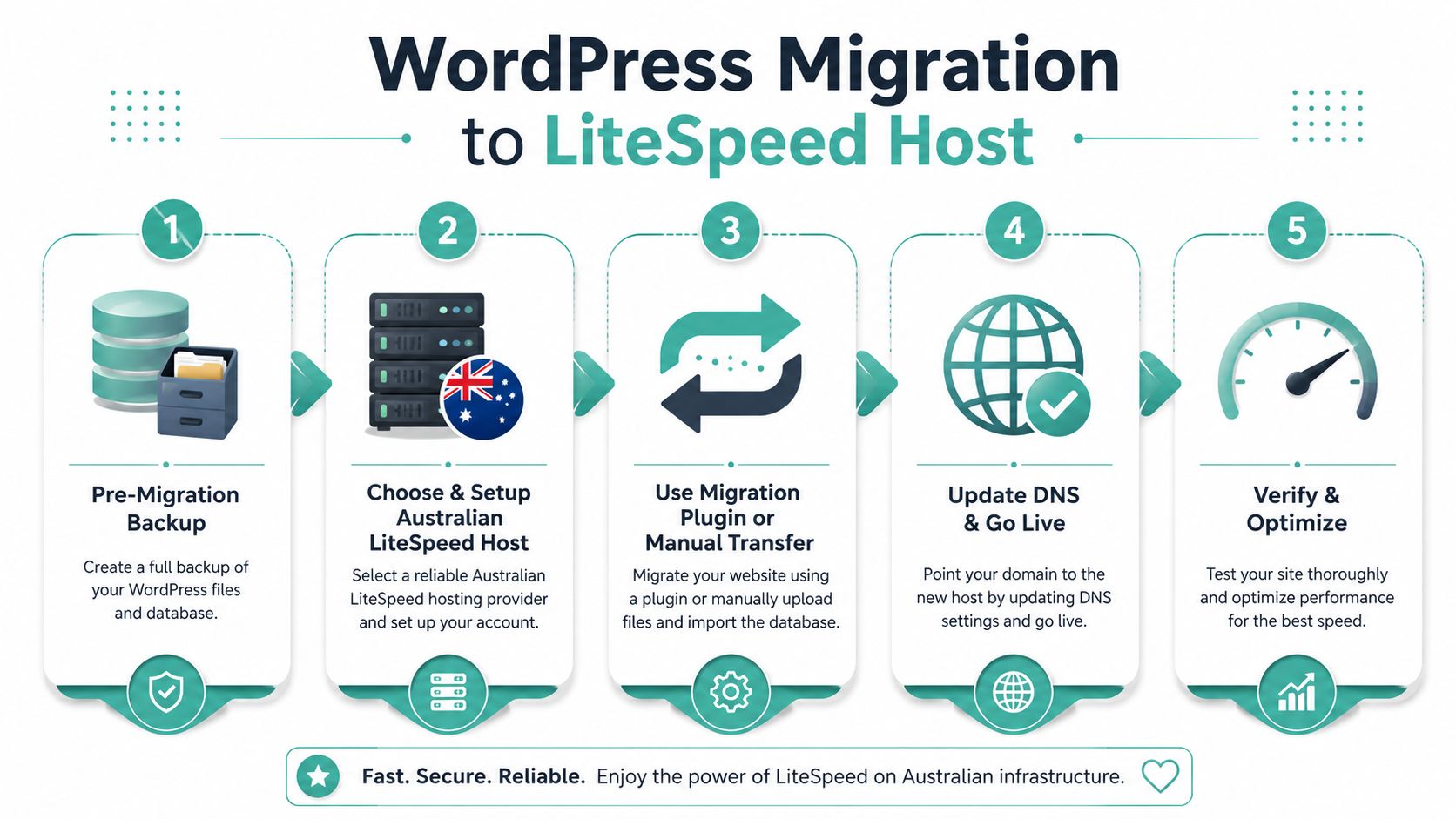
- Back up before touching anything. Save the WordPress files and database, and confirm that the backup can be restored. Keep an independent copy rather than relying only on the current host.
- Create the new account. Choose an Australian LiteSpeed environment that matches the site's PHP, storage, email, database, and application needs.
- Transfer the site. Use a reputable migration plugin or ask the new host whether it offers a professional migration service. Agencies should record the source, destination, plugins, theme, and any scheduled jobs.
- Test privately. Use the new host's staging or temporary address to inspect the homepage, redirects, images, menus, search, forms, WooCommerce, logins, and admin access.
- Prepare DNS timing. Lower the DNS TTL the day before the planned change if your provider allows it. This can help resolvers refresh sooner, though visitors won't all switch at the same moment.
- Change the nameservers or relevant DNS destination. Registrars such as VentraIP and Crazy Domains provide the controls, but check email services before changing anything.
- Monitor after cut-over. Confirm HTTPS, 301 redirects, analytics, Search Console, contact notifications, cron tasks, payment flows, and cache headers.
Protect email and rebuild the cache
Website DNS and email can depend on different records and providers. Document the current mail arrangement before the migration, then verify that staff can send and receive messages after the website points to the new host.
The WordPress migration service guide can help you plan the transfer and identify checks that are easy to miss. Once the new site is live, warm important pages with AccelerateWP or controlled visits, then test cache exclusions before announcing the change.
Don't delete the old hosting account immediately. Keep it available until DNS has settled and logs show that visitors, search crawlers, forms, and email are behaving normally.
Choosing an Australian Host That Actually Delivers
A local LiteSpeed label isn't enough. Ask where the server sits, which software runs at the web-server layer, how the host isolates accounts, and what happens when your site needs help during a busy period.
Check the infrastructure before the sales language
Australian visitors benefit from an origin located near them, especially when the site serves uncached or personalised requests. Ask whether the provider operates in Sydney, Melbourne, Brisbane, or Perth, and whether its network has sensible peering with Australian internet providers. A local server still needs a well-connected network.
Confirm that the plan includes LiteSpeed Web Server, not only a WordPress caching plugin. Ask whether LSCache, AccelerateWP, PHP OPcache, Redis or Memcached, staging, backups, and cache-management tools are included or sold separately. Those details determine whether you're buying an integrated stack or assembling one yourself.
UpTime Web Hosting is one Australian option to evaluate. Its publisher information describes servers in Sydney, Melbourne, Brisbane, and Perth, along with cPanel, WordPress hosting, LiteSpeed, AccelerateWP, free SSL, malware scanning, DDoS-protected firewalls, encrypted off-site nightly backups, and 24×7 monitoring. Review its Australian-owned web hosting information and confirm current plan inclusions before buying.
Treat security and compliance as separate checks
Cyber.gov.au describes HTTPS as the encrypted version of HTTP and recommends that hosts and developers set it up when a site isn't already using it. Its secure-hosting guidance also points buyers towards backups, malware detection, firewalls, encryption, MFA, and DoS protection. Read the Australian HTTPS and secure-hosting guidance when building your checklist.
Government suppliers have a further benchmark. The Australian Government Hosting Certification Framework uses the levels Strategic, Assured, and Uncertified, and its assessment process takes an average of 3 to 6 months, according to the Hosting Certification Framework reference. Certification isn't automatically required for a private small business, but the framework helps you ask sharper questions about privacy, sovereignty, and security.
Finally, phone support before purchasing. Ask about CPU isolation, RAM allocation, inode limits, backup restoration, malware response, migration assistance, and WooCommerce troubleshooting. A provider's answer to a technical question tells you more than a page promising unlimited resources.
Experience Microsoft 365 Business Standard for free for 30 days.
Up to 25 users with full access to email, OneDrive and Teams. Includes full versions of desktop apps of Outlook, Word, Excel, PowerPoint and more.
Try Microsoft 365
Putting It All Together for a Faster WordPress Future
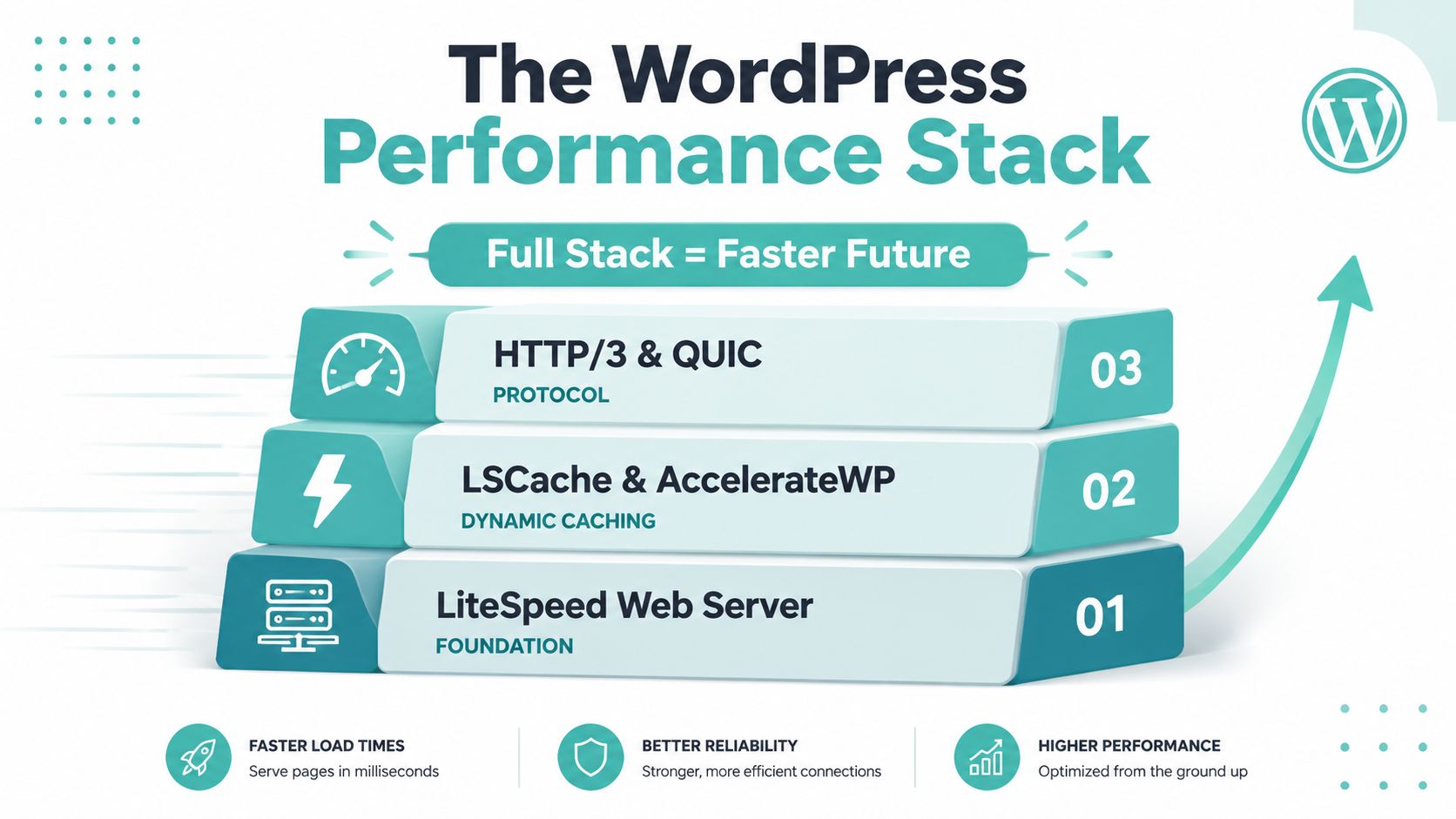
Fast WordPress hosting is a stack, not a single product. LiteSpeed supplies the request-handling foundation. LSCache stores suitable rendered pages at the server layer, while AccelerateWP can assist with optimisation and cache warming. HTTP/3 over QUIC improves transport efficiency when HTTPS, browser support, and UDP port 443 are correctly available.
The stack still depends on local infrastructure. An Australian audience benefits from an Australian origin and sensible network routing, especially when visitors request uncached pages, submit forms, log in, or use a WooCommerce checkout. LiteSpeed can't cancel the delay created by a distant server, and cache settings can't fix a bloated theme or oversized images.
Keep the operating routine simple:
- Test real journeys: Check landing pages, products, carts, logins, forms, and mobile layouts from Australian endpoints.
- Document exclusions: Record every dynamic URL and cookie rule so a future plugin change doesn't inadvertently break caching.
- Purge deliberately: Clear affected cache entries after edits, price changes, theme updates, and plugin changes.
- Protect the business: Maintain encrypted off-site backups, HTTPS, malware controls, firewall protection, and MFA where available.
- Review after growth: A site that works on a brochure theme may need object caching and more isolated resources after adding WooCommerce or multilingual features.
Treat your cache policy as living documentation. Revisit it whenever you add a plugin, change the theme, introduce a payment method, or alter customer account behaviour. LiteSpeed becomes valuable when it supports that discipline, alongside Australian hosting, careful testing, and security practices that keep the business online.
UpTime Web Hosting offers Australian cPanel and WordPress hosting with LiteSpeed, LSCache support, AccelerateWP, local infrastructure, SSL, monitoring, and backup options. Visit UpTime Web Hosting to review the current plans, ask about migrating your WordPress site, and confirm which caching and resource features suit your business.