A small Australian charity can lose an entire afternoon answering a simple question: which supporters gave during the latest appeal, who needs a receipt, and which gifts belong in the finance report? The answer may be scattered across spreadsheets, inboxes, payment exports and a volunteer's notes. That arrangement can survive a quiet period, but it becomes fragile during an EOFY campaign, a recurring-giving drive or an ACNC reporting cycle.
Donor management software should be judged as more than a fundraising convenience. It's a system for handling personal information, donation records, receipts, supporter preferences and reporting workflows. For Australian nonprofits, the right choice must fit local privacy expectations, DGR and tax-receipting processes, data migration realities and the organisation's actual capacity to use it.
Table of Contents
- Why Australian Nonprofits Are Moving Off Spreadsheets
- What Donor Management Software Actually Does
- Core Features That Matter in Day-to-Day Fundraising
- How Alignmint Can Help
- Seven Criteria for Choosing the Right Fit
- Implementation and Migration Without Losing History
- Australian Examples in Real Operations
- Common Misconceptions and Your Next Steps

Performance you can feel, backed by clients who depend on it. Read how our support and uptime create long‑term customer success.Power Your Business with Better Hosting
Why Australian Nonprofits Are Moving Off Spreadsheets
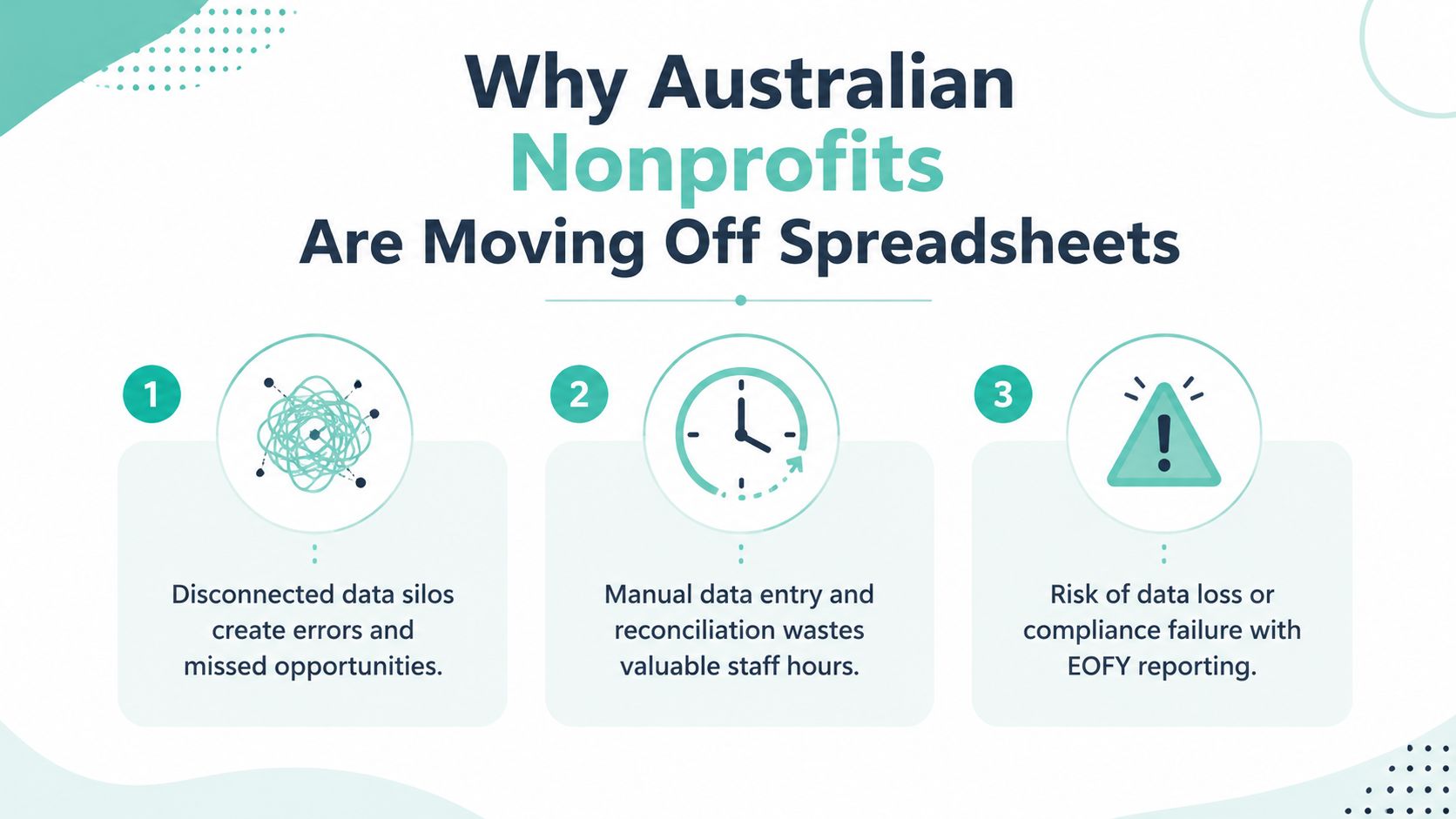
A small community charity in regional Victoria starts its EOFY appeal with good intentions. One Google Sheet contains donor names, another records bank transfers, and a third tracks campaign responses. Two inboxes hold receipt requests and payment notifications. A volunteer has the only current copy of an older donor file on a laptop.
By the end of the campaign, the finance officer is matching transactions manually, staff are checking whether supporters have already received acknowledgements, and the treasurer is asking for a clean summary before the ACNC Statement is prepared. Duplicate records appear because one donor used a personal email for one gift and a work email for another. A receipt is delayed because nobody can confirm the supporter's DGR details.
That isn't merely an untidy workflow. It creates governance risk. The board and treasurer need confidence that donation records are complete, access is controlled and personal information isn't retained casually across devices and inboxes. The OAIC guidance for not-for-profits and charities says organisations should collect only the information they need, store it securely and delete it when it's no longer required.
The operational change
A donor database brings contact details, giving history, communication preferences and receipt records into one controlled environment. A campaign gift can be assigned to the correct appeal, a recurring payment can be monitored, and a staff member can see whether a supporter has asked not to be contacted.
That central record also improves handover. If the volunteer leaves, the organisation doesn't lose the relationship history. If the finance officer needs to reconcile a payment, the underlying donor and campaign context is available without searching several files.
Governance rule: A donor database should have an accountable owner, defined user roles and a documented process for correcting, exporting and deleting records.
Australian directories show that donor management is now a mature software category, with AU listings across Capterra's donation management directory. Common comparison points include donor profiles, contribution histories, receipts, recurring donations, reporting and integrations. The move away from spreadsheets is therefore less about buying fashionable technology and more about creating a sustainable operating system for fundraising.
Charities also need to protect the website layer around donation collection. Teams reviewing forms and supporter data can use this guide to website legal requirements in Australia alongside their software review.
What Donor Management Software Actually Does
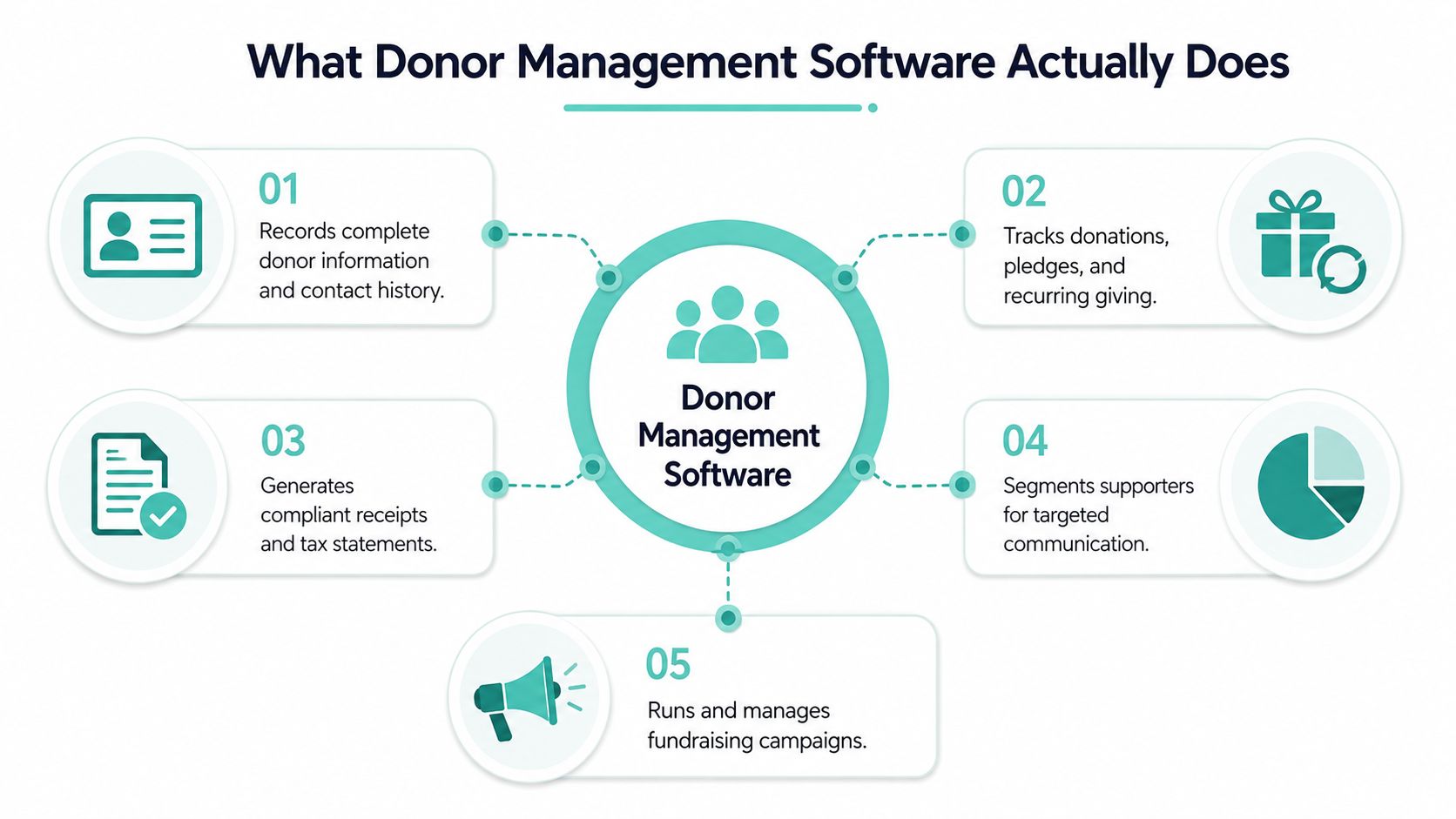
Donor management software records the relationship between an organisation and its supporters. It stores contact information, donation history, pledges, recurring gifts, acknowledgements, preferences and campaign activity, then makes that information usable for fundraising and reporting.
A generic CRM can store contacts and tasks, but it may require extensive configuration for donation records, tax receipts and DGR workflows. A payment page has the opposite limitation. Tools such as GiveNow or Stripe Checkout can help process a gift, but a payment transaction alone doesn't provide a complete donor history, communication record or lifecycle view.
A Sydney homelessness charity running a monthly giving programme illustrates the difference. The donation form captures the initial gift. The donor management system then records the supporter's consent and preferences, links future payments to the same profile, issues the appropriate receipt, flags a failed payment and places the donor in the correct communications segment.
The core modules
A practical system usually combines several functions:
- Donor database: Stores names, contact details, household or organisation relationships, preferences, notes and consent history.
- Gift management: Records one-off donations, pledges, instalments, grants and recurring contributions.
- Receipting: Creates acknowledgements and tax-deductible receipts with the organisation's relevant details, including its ABN where required by the workflow.
- Communications: Supports targeted emails, thank-you sequences, renewal prompts and do-not-contact controls.
- Events: Connects registrations, ticketing, attendance and event gifts to supporter records.
- Reporting: Produces campaign summaries, giving histories, reconciliation views and board-ready reports.
The important distinction is that these modules share a record. A supporter who attends an event, makes a recurring gift and responds to an appeal shouldn't appear as three unrelated contacts.
Australian buyers should also ask how the platform handles tax context, DGR-related processing, ABN and GST fields, and historical corrections. A feature labelled “receipts” is not enough. The organisation needs to see the actual workflow, including what staff can edit, what the audit trail records and how a receipt is reissued or cancelled.
The Australian donor management overview from DonorPerfect is useful background when assessing the category, but a demonstration should always use the charity's own scenarios. A vendor that can't explain a real EOFY appeal, recurring-gift failure or DGR receipt process isn't ready for a serious evaluation.
Host your website with our 5-star rated, cPanel website hosting plans.
Super fast servers, with security included and hosted in your choice of Australian Data Center.
View cPanel Plans
Core Features That Matter in Day-to-Day Fundraising
A small charity should judge donor software by the work it removes each week, not by the length of its feature list. Ask one question first: what happens to a donation after it arrives, and who can trust the resulting record?
| Feature | What it does |
|---|---|
| Donor profiles | Holds contact details, communication preferences, consent records and relevant DGR information in one profile. |
| Giving history | Connects one-off gifts, pledges, recurring donations and campaign attribution, so staff can understand the relationship over time. |
| Recurring donations | Tracks scheduled contributions, identifies failed payments and supports follow-up through suitable Australian payment connections. |
| Receipts | Issues consistent acknowledgements and tax receipts, with the organisation's ABN and relevant gift details handled through a defined workflow. |
| Segmentation | Groups supporters by region, campaign, giving pattern, programme interest or communication preference. |
| Reporting | Gives staff, finance teams and boards a shared view of appeals, income, outstanding pledges and supporter activity. |
| Integrations | Moves data between fundraising, finance, email, event and website tools without repeated manual entry. |
What each capability changes
A donor profile should do more than store a phone number. It should show the supporter's preferred channel, past communication, relevant restrictions and relationship to other records. That stops a volunteer sending an appeal to someone who opted out, or asking a long-term supporter for information the charity already holds.
Giving history becomes useful when it explains context. Staff can distinguish a first gift from a regular contribution, identify which campaign generated a response and see whether a pledge remains outstanding. Without that context, follow-up relies on guesswork and spreadsheet checking.
Receipting needs close testing. The platform should support consistent receipt content, dates, donor details and gift classifications, while allowing authorised staff to correct errors without overwriting history. Australian charities should test DGR status, ABN information and GST treatment rather than accepting a generic “automated receipts” claim. The audit trail should show who made a correction and when.
Integrations matter because rekeying creates avoidable errors. Finance teams may need connections with Xero or MYOB, communications staff may use Mailchimp, and campaign pages may rely on Stripe, GiveNow or event tools. Confirm which system owns each field, how failed syncs are reported and whether staff can reconcile differences without creating duplicate supporter records.
A charity building donation forms on WordPress can review practical WordPress form creation guidance before deciding whether the form should sit inside the donor platform or connect to it. In the demonstration, use the charity's own appeal, receipt, recurring-payment failure and correction scenarios. A vendor that cannot show those workflows is not ready for a serious Australian evaluation.
How Alignmint Can Help
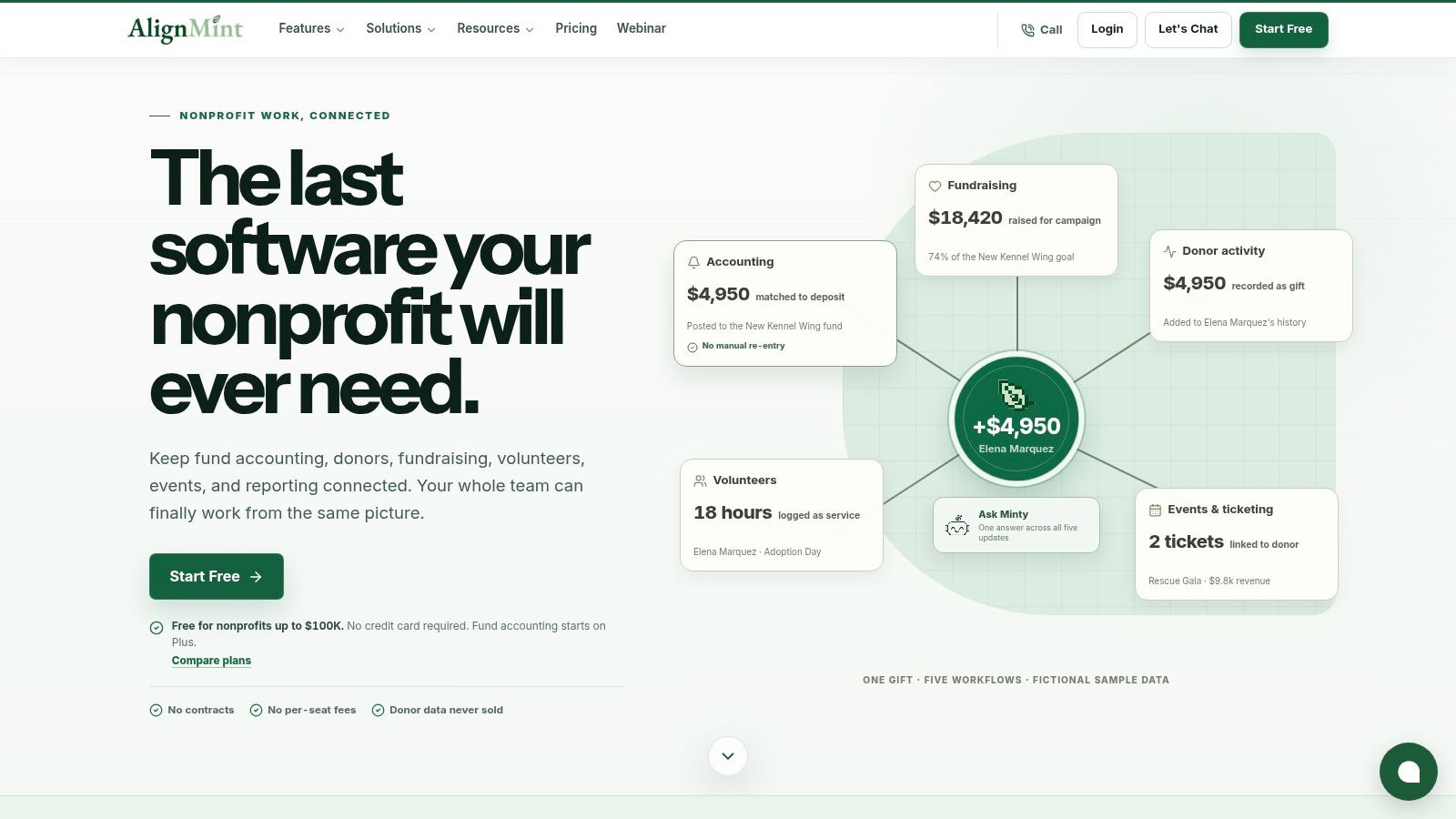
Alignmint is positioned as an all-in-one nonprofit operations platform rather than a standalone donor database. It combines accounting, fundraising, volunteer management, events and marketing, which can appeal to an organisation tired of reconciling separate systems.
Its donor-centric CRM connects giving and finance data, with automatic receipting, pledge tracking, donor self-service portals and direct bank-feed reconciliation. Fundraising features include email and text campaigns, donation-page creation, event ticketing, secure payments, promotional codes and Video Blast for personalised appeals. Volunteer records, skills, availability, background checks, groups and logged hours sit within the same environment.
The accounting model is designed around restricted funds, grants and programmes, with fund-accounting outputs such as restricted balances, grant drawdowns and Statements of Functional Expenses. Those examples are more closely aligned with nonprofit operations than a generic sales pipeline, although Australian charities should confirm the platform's fit for their local reporting and tax requirements before signing.
Where it fits
Alignmint may suit a small or medium charity seeking consolidation rather than another bolt-on tool. Its stated features include bank-level encryption, data isolation, 99.9% uptime and a free tier for organisations raising up to $100K per year. Those claims should be checked against the current service terms, Australian data-handling needs and the organisation's procurement requirements.
The decision should still be evidence-led. A charity can review Alignmint donor management software against seven practical tests:
- Cost: Include licensing, payment processing, training and migration, not just the advertised subscription.
- Integrations: Test the actual finance, email, website and event connections required.
- Security: Confirm access controls, MFA options, audit logs, retention and deletion processes.
- Migration: Ask how spreadsheets, duplicate records and recurring gifts will be imported.
- Reporting: Test campaign, finance, donor and board reporting with sample data.
- Support: Establish who handles onboarding, data issues and urgent operational questions.
- Adoption: Check whether ordinary staff and volunteers can complete core tasks without workarounds.
The right choice is the platform that removes reconciliation work without creating a new administrative burden.
Seven Criteria for Choosing the Right Fit
A polished demo does not prove that donor management software suits an Australian charity. Score each shortlisted platform against daily fundraising, finance and compliance work, then test those claims with your own records.
A practical scoring model
Give every vendor a score from 1 to 5. A score of 1 indicates poor fit, while 5 indicates strong fit. Weight each criterion according to the organisation's priorities. Restricted-fund reporting may carry more weight for one charity, while a volunteer-led team may prioritise adoption and support.
| Criterion | Why it matters in Australia | Vendor A score (1-5) | Vendor B score (1-5) | Vendor C score (1-5) | Weight |
|---|---|---|---|---|---|
| Total cost | Licence, payment gateway, SMS, training and migration can change the true cost. | ||||
| Integrations | Finance, email, payment, website and event systems must exchange usable data. | ||||
| Security and privacy | Donor records need controlled access, MFA, retention and deletion processes. | ||||
| Data migration | Spreadsheet and legacy imports can contain duplicates, missing dates and inconsistent fields. | ||||
| Reporting | Boards and finance staff need reliable campaign and operational views. | ||||
| Local support | Australian operating hours and capable onboarding reduce implementation friction. | ||||
| Adoption | A system only creates value when staff enter complete, consistent records. |
Score integrations from a working demonstration, not a row of logos. Ask whether Xero or MYOB data passes automatically, Mailchimp segments stay synchronised, Stripe transactions match correctly and an Everyday Hero workflow is supported. If staff must export and clean files by hand, record that limitation.
Security requires written answers about access controls, MFA, audit logs, retention, deletion and vendor review. Check how the platform supports OAIC privacy obligations, where data is stored and how access is removed when a volunteer leaves. Organisations comparing hosting arrangements can review Australian data sovereignty hosting, but Australian data location does not, by itself, establish adequate privacy controls.
DGR receipting and ABN or GST handling also belong in the test. Confirm that receipts use the required donor and gift details, that tax treatment is clear, and that campaign and restricted-fund reports reconcile with finance records.
Score the shortlist
Two or three vendors provide a workable comparison. Give each the same sample data and tasks: create a donor, record a recurring gift, issue a receipt, correct a transaction, produce a report and remove a departing volunteer's access.
The lowest subscription can carry higher training, payment, implementation and reconciliation costs. Choose the platform with the strongest weighted result and a workflow staff can maintain under Australian reporting and privacy requirements.
Register your new domain name at competitive market prices including free domain add-ons like privacy, DNS Hosting, Custom Nameservers and Forwarding.
Always the best price and no nasty renewal price hikes.
Register A Domain Name
Implementation and Migration Without Losing History
A charity moving from spreadsheets often underestimates the data clean-up. The software may be ready for import, but the source files usually contain inconsistent names, duplicate emails, missing postcodes, mixed date formats and campaign labels that mean different things to different staff.
A regional community charity might begin with three spreadsheets. One records donors by name, another records transactions by bank reference, and a third contains campaign notes. The first task isn't uploading everything. It's deciding which file is authoritative, which fields matter and which historical records should be retained.
Five stages for a controlled transition
- Scope and sign-off: The board, finance lead, fundraising lead and database owner agree on objectives, responsibilities, privacy expectations and the cutover date.
- Audit and clean-up: Staff review Excel files, email exports and legacy databases, remove obvious duplicates, standardise fields and identify uncertain records.
- Map fields: Each old field receives a destination in the new system. Donor name, address, consent, gift date, amount, campaign, receipt status and DGR information shouldn't be mapped by guesswork.
- Test a small batch: Import a representative sample, then check profiles, gift history, receipts, recurring schedules, reports and integrations.
- Go live: Freeze changes in the old system, complete the full import, train users and document the new process.
The most dangerous errors are often quiet. Duplicate donors can split a giving history. A recurring gift schedule can disappear if only completed transactions are imported. Historical receipts can carry mismatched dates, while ABN and GST fields may be left blank or assigned inconsistently. Every imported field needs an owner who understands its operational meaning.
A medium nonprofit with regional programmes may need separate campaign, programme and location structures. Its migration team should test segmented appeals, regional reporting, recurring campaigns and end-of-year statements before switching off the old database.
Website changes need their own cutover checklist. Charities moving a donation site can consult WordPress migration guidance and confirm that donation forms, payment notifications and supporter workflows still operate after the transition.
Migration discipline: Keep the old system read-only for a defined review period, preserve an export, and reconcile new records against bank and campaign totals before treating the migration as complete.
The first 90 days should focus on data quality, not new features. Staff should reconcile bank feeds, compare reports with the old system, refine segments and lock down user roles. A charity may also use UpTime Web Hosting for Australian website hosting where its donation site requires WordPress or related hosting services, but the donor platform remains responsible for the database workflow and privacy controls.
Australian Examples in Real Operations
A suburban community charity in Melbourne with two staff and 600 donors may appear too small for dedicated donor management software. That assumption confuses database size with administrative risk.
Before the change, one staff member exports donations from the payment tool, another updates Excel, and a volunteer searches Gmail for previous correspondence. Receipts wait until someone has time to reconcile the list. After moving to a cloud donor database, the weekly routine becomes more controlled. New gifts enter the donor record, receipt status is visible, campaign responses can be filtered, and the volunteer works from assigned tasks rather than an outdated file.
The software doesn't remove the need for judgement. Staff still need to check unusual gifts, confirm tax treatment and handle sensitive conversations. It does remove the repeated search for basic facts.
A Perth-based nonprofit with regional programmes faces a different problem. Multiple recurring campaigns, regional activities and ACNC reporting obligations create overlapping views of the same supporter. A central giving history allows the fundraising team to segment appeals by programme or region, while finance staff can reconcile transactions without rebuilding the campaign picture from separate exports.
Three assumptions worth challenging
“It's just a CRM.” A donor system must handle gifts, receipts, pledges, recurring payments, consent and campaign attribution. A sales pipeline doesn't automatically provide those workflows.
“It's only for large organisations.” Small teams often feel the administrative cost first because one person holds several roles. A controlled system can protect continuity when a volunteer or staff member leaves.
“The licence is the whole cost.” Payment charges, implementation, data clean-up, training and support can matter more than the headline subscription. A local website team can also review web hosting for nonprofit organisations when the donation site and donor platform need to work together.
This week, a charity can list its current data sources, identify who owns receipting, write down the reports the board requests and test one complete donation journey. That checklist will reveal whether the organisation needs a full donor platform, a lighter system or a broader operations suite.
Experience Microsoft 365 Business Standard for free for 30 days.
Up to 25 users with full access to email, OneDrive and Teams. Includes full versions of desktop apps of Outlook, Word, Excel, PowerPoint and more.
Try Microsoft 365
Common Misconceptions and Your Next Steps
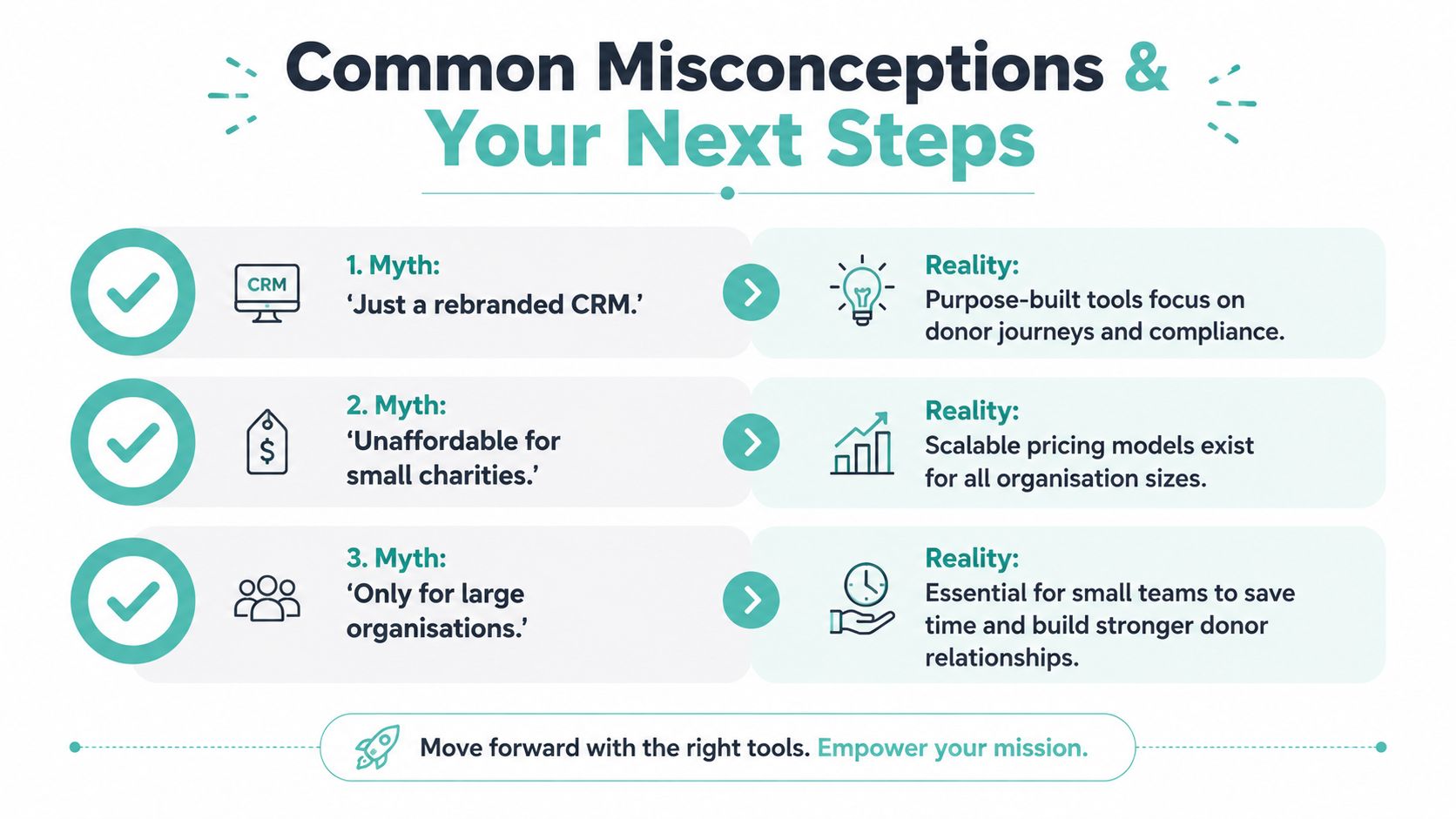
Three myths continue to delay sensible software decisions.
Myth one, donor management software is a rebranded CRM. A generic CRM may store contacts and activities, but Australian charities need workflows for donation history, DGR-related receipting, recurring gifts, consent and retention. The ACNC-linked guidance on donor data handling supports practical controls such as collecting only what's needed, recording the last engagement date and noting do-not-contact requests.
Myth two, it's unaffordable for small charities. Pricing varies widely, and the right comparison includes payment processing, training, migration and support. Entry-level plans are often discussed in the $50 to $150 per month range for small charities, but that range must be checked against the current vendor offer and shouldn't be treated as a universal price. A free or low-cost tool can still become expensive if staff spend hours exporting, correcting and reconciling records.
Myth three, only large organisations need a donor database. Small charities have fewer spare hands, so duplicated entry and lost history create a disproportionate burden. A modest system can give a two-person team a shared record, defined roles and a repeatable receipt process.
A decision checklist
Before booking demonstrations, the organisation should document:
- Organisation profile: Staff, volunteers, programmes, recurring campaigns and event activity.
- Current data state: Spreadsheets, payment exports, email tools, legacy databases and duplicate records.
- Required connections: Finance, payment, website, email, events and reporting tools.
- Reporting needs: The five reports the board and finance team use.
- Budget boundary: Subscription, implementation, training, payment costs and ongoing support.
- Implementation capacity: The person responsible for clean-up, testing, training and governance.
- Privacy controls: Roles, MFA, auditability, retention, deletion and vendor review.
The ACNC Charity Data Hub can support sector validation and reporting work. The ACNC says its Charity Register is free to search, its datasets are updated weekly and its data is published through data.gov.au. Its Australian Charities Report also analyses revenue, donations, charity size, staff, volunteers, assets and activities, making the ACNC charity data resource useful for evidence-based reporting and research.
The practical action is clear. This week, audit one year of donation records, list the five reports the board wants, and book two short demonstrations. Require both vendors to show donor import, recurring-gift handling, Australian receipt fields, permissions, deletion and the reports that matter before any commitment is made.
A charity ready to replace scattered files should start with that audit, then invite two vendors to work through the same Australian donation scenarios. The organisation should choose the system that protects supporter data, preserves history and gives staff a workflow they can maintain after the demo team leaves.