Monday morning starts with good intentions. Then the tabs begin.
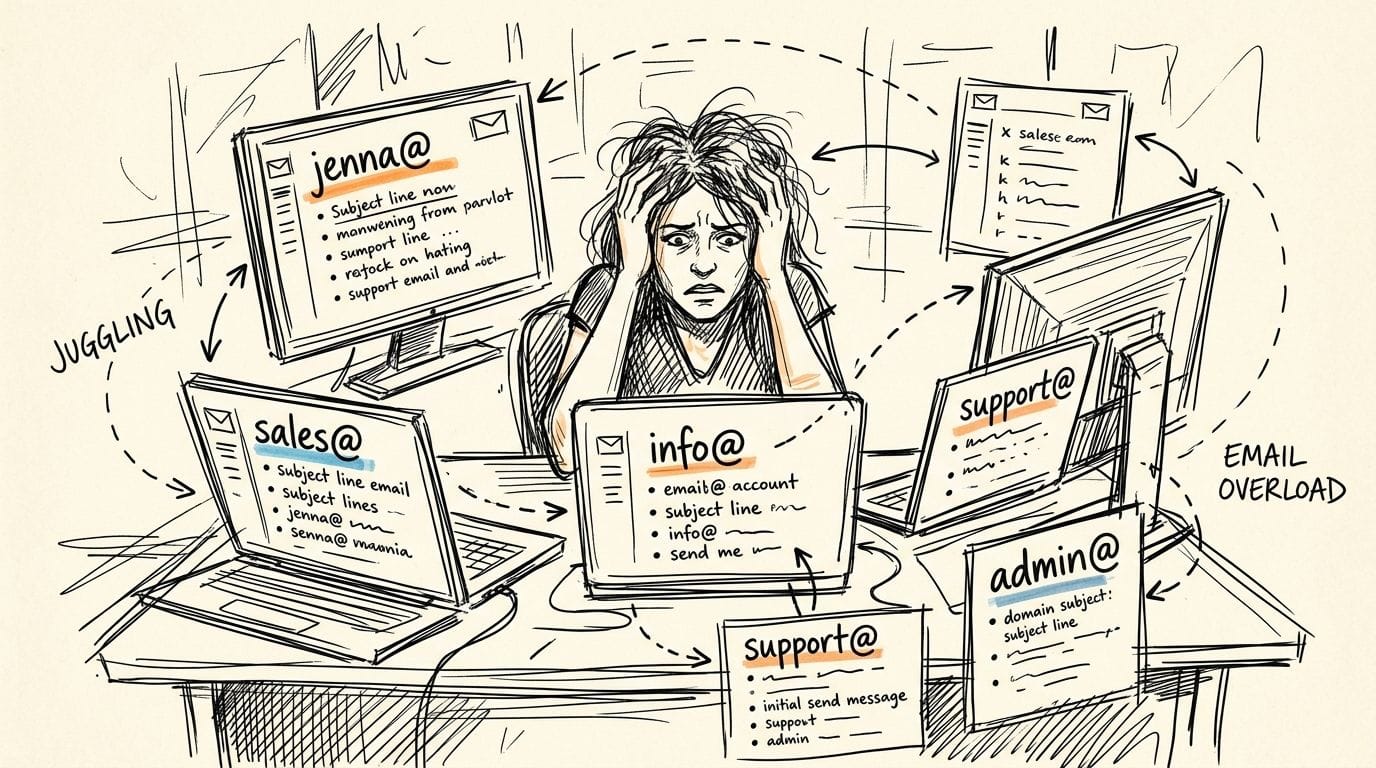
You check info@yourbusiness.com.au for new enquiries. You open sales@yourbusiness.com.au to follow up a quote. Then you jump back to your own mailbox because a staff member needs approval on something urgent. By 10 am, you have replied from the wrong address once, missed a message in another inbox, and started wondering whether you need to pay for more mailboxes just to stay organised.
That problem is a common issue in small Australian businesses. Tradies split quoting from admin. Consultants separate client work from newsletter replies. Online stores want one address for orders, another for support, and another for supplier conversations. Paying for a full mailbox every time is not always necessary.
An outlook email alias gives one person multiple email identities inside the same account. You can receive mail sent to different addresses and, in the right setup, send from those addresses too. Done properly, it keeps your business looking tidy without turning email management into a second job.
Juggling Too Many Inboxes? There’s a Better Way
A common setup looks harmless at first. One business owner uses a personal mailbox for daily work, a separate login for sales, and another for website enquiries. It works until a customer replies to the wrong address, or a quote request sits unseen because it landed in the inbox nobody checked after lunch.
An alias fixes that for the single person who wears multiple hats. Instead of logging into separate mailboxes, you add extra addresses to one account. Mail still lands in one place. Contacts stay in one place. Your account settings stay in one place. Microsoft describes Outlook.com aliases as multiple additional email addresses linked to a single primary account, all using the same inbox, contact list and account settings in its guide on adding or removing an email alias in Outlook.com.
For a sole trader, that could mean using quotes@, accounts@, and hello@ without juggling extra passwords. For a director who handles both client work and internal admin, it can mean cleaner communication with less clutter.
If you are still deciding between full mailboxes and lighter options, it helps to understand your broader professional email hosting options in Australia. The right structure depends on who needs access and whether each address needs its own separate login.
Tip: Use an alias when one person needs multiple public-facing addresses. If several staff need to work in the same inbox, that usually points to a shared mailbox instead.

Performance you can feel, backed by clients who depend on it. Read how our support and uptime create long‑term customer success.Power Your Business with Better Hosting
Alias vs Shared Mailbox vs Forwarding Which to Choose
Plenty of confusion comes from people using the right tool for the wrong job. An alias, a shared mailbox, and forwarding can all make mail appear in one place, but they solve different business problems.
What an alias is good at
An email alias suits one person handling multiple roles. You might run sales yourself, answer support during quieter hours, and keep a separate address for suppliers. In that case, aliases keep the front end neat while your back end stays simple.
Outlook.com also has an important limitation. It does not support ad-hoc plus-addressing such as user+tag@outlook.com, so if you want separate addresses for signups or tracking, you must create aliases manually. The provider comparison in Understanding Email Aliasing and which providers support it notes this, along with the Outlook.com alias limit for personal accounts.
Where a shared mailbox fits better
A shared mailbox is better when multiple people need to read and reply from the same address. Think support@, accounts@, or bookings@ where more than one staff member needs visibility.
If two or three people are answering the same customer threads, an alias is the wrong fit because it still belongs to one user account. You may be able to receive mail through it, but team collaboration becomes messy fast.
When forwarding is enough
Email forwarding is the lightweight option. It sends mail from one address to another mailbox. It can be useful for simple contact forms, vanity addresses, or temporary campaign addresses.
The downside is control. Forwarding does not give you the same clean send-from behaviour as a proper alias setup, and it can create confusion over which address customers should reply to.
Email identity tools compared
| Feature | Email Alias | Shared Mailbox | Email Forwarding |
|---|---|---|---|
| Best for | One person with multiple roles | A team working from one address | Basic redirection |
| Separate login | No | No separate end-user login in normal use | No |
| Separate inbox | No, same inbox | Yes, shared mailbox view | No, mail lands elsewhere |
| Send as the address | Often yes, depending on setup | Yes, if permissions are configured | Not natively |
| Good for sales@ and quotes@ run by one person | Yes | Sometimes overkill | Sometimes |
| Good for support@ used by several staff | No | Yes | No |
| Setup effort | Low to moderate | Moderate | Low |
| Risk of reply confusion | Moderate if From settings are ignored | Lower when team processes are clear | High |
A lot of small businesses start with forwarding because it feels easy. Then they realise replies come from the wrong address, or staff lose the original context. Aliases are the cleaner middle ground when one user needs several business identities without paying for separate full mailboxes.
If you are troubleshooting how Outlook handles extra identities generally, this guide on adding a mailbox in Outlook is useful background because many support issues come from mixing aliases, extra accounts, and shared mailboxes in the same app.
Key takeaway: If one human manages the address, use an alias. If a team manages it, use a shared mailbox. If you just need redirection, forwarding is fine.
Create an Alias in Outlook.com for Personal Use
For freelancers and sole traders, a personal Outlook.com account is the starting point. That can work well if you want a few extra addresses without moving to a full business tenancy straight away.
The exact path in Outlook.com
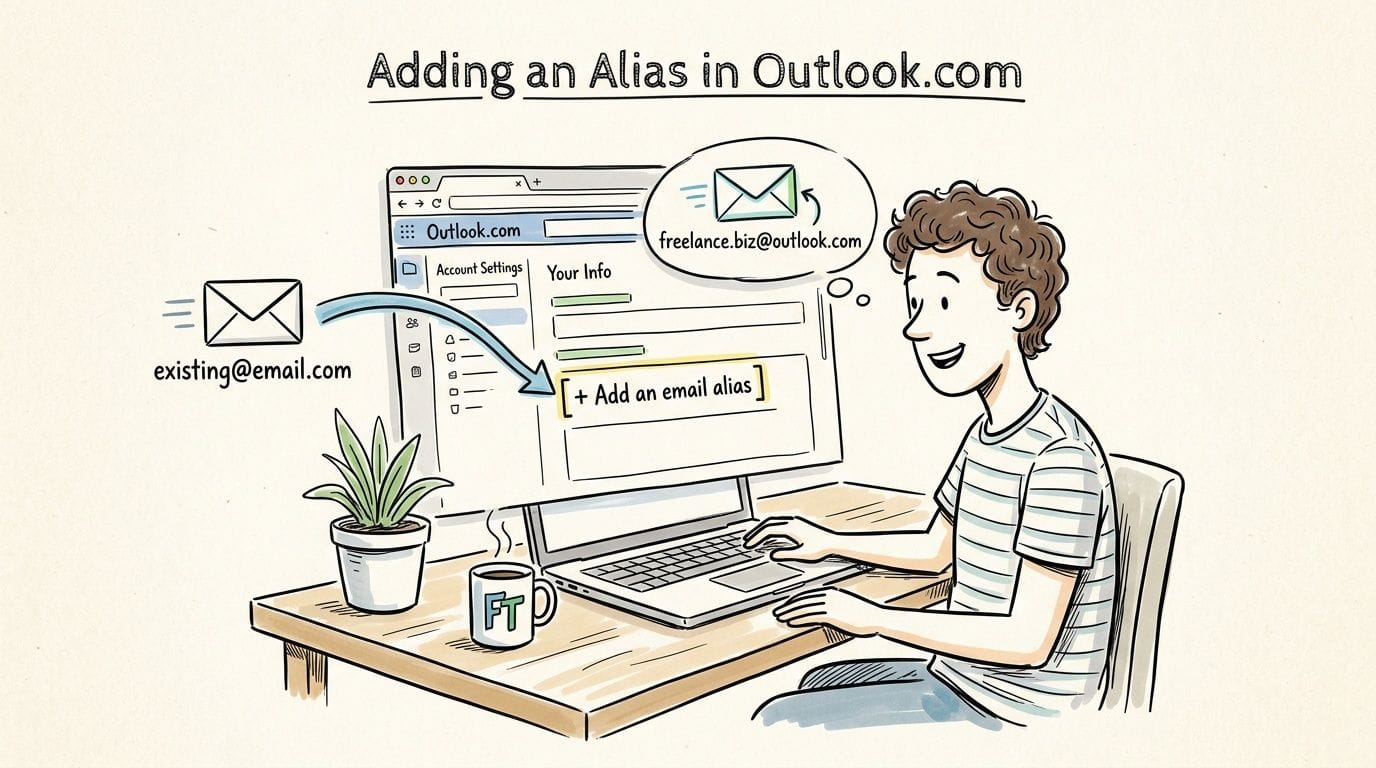
For personal accounts, the 2026 process supports up to 10 aliases per year and starts from My Microsoft account > Your info > Add email, as shown in this Outlook alias walkthrough video.
Use that path and then choose the option to create a new Outlook.com email address if you want a fresh alias under Microsoft’s consumer mail service.
Practical examples that make sense
A freelancer named Jenna might keep her normal mailbox for direct client contact, then add:
- projects@ for active client work
- invoices@ for billing conversations
- newsletter@ for subscriber replies
- bookings@ for consultations
All of those still route back to the same account. That means one sign-in, one inbox, and less chance of forgetting to check a second mailbox.
Step-by-step for personal users
Sign in to your Microsoft account
Open your account page from Outlook.com and go to Your info.Choose Add email
You will see the option to add another email address to the account.Create a new Outlook.com address
Pick a name that matches the role. Keep it short and obvious. Role-based addresses age better than personal nicknames.Finish the prompts
Once Microsoft accepts the address, it becomes attached to the same account.Test receiving first
Send a message to the new alias from another email account and confirm it lands in your inbox.Check send-from behaviour
In Outlook, create a new message and look at the From field. If the alias is available, send yourself a test email before using it with customers.
What catches people out
The biggest issue is name availability. Short, generic names get taken quickly. If sales@ or studio@ is unavailable in the Outlook.com namespace, try something more branded.
Another trap is assuming aliases behave like separate accounts. They do not. They share the same mailbox, and they are for organisation and privacy, not security.
Tip: If your business email signature still shows the wrong role or phone number after you start using a new alias, update it before you go live. This guide on setting a signature in Outlook helps keep each outgoing address looking professional.
What personal aliases do not solve
A personal Outlook.com alias is not the same thing as a branded business mailbox on your own domain. If you want sales@yourbusiness.com.au, you are moving into custom domain territory, where setup gets more technical.
They also are not ideal for team use. If someone else needs access, a personal mailbox with aliases becomes a bottleneck.
Host your website with our 5-star rated, cPanel website hosting plans.
Super fast servers, with security included and hosted in your choice of Australian Data Center.
View cPanel Plans
Add an Alias in Microsoft 365 for Business
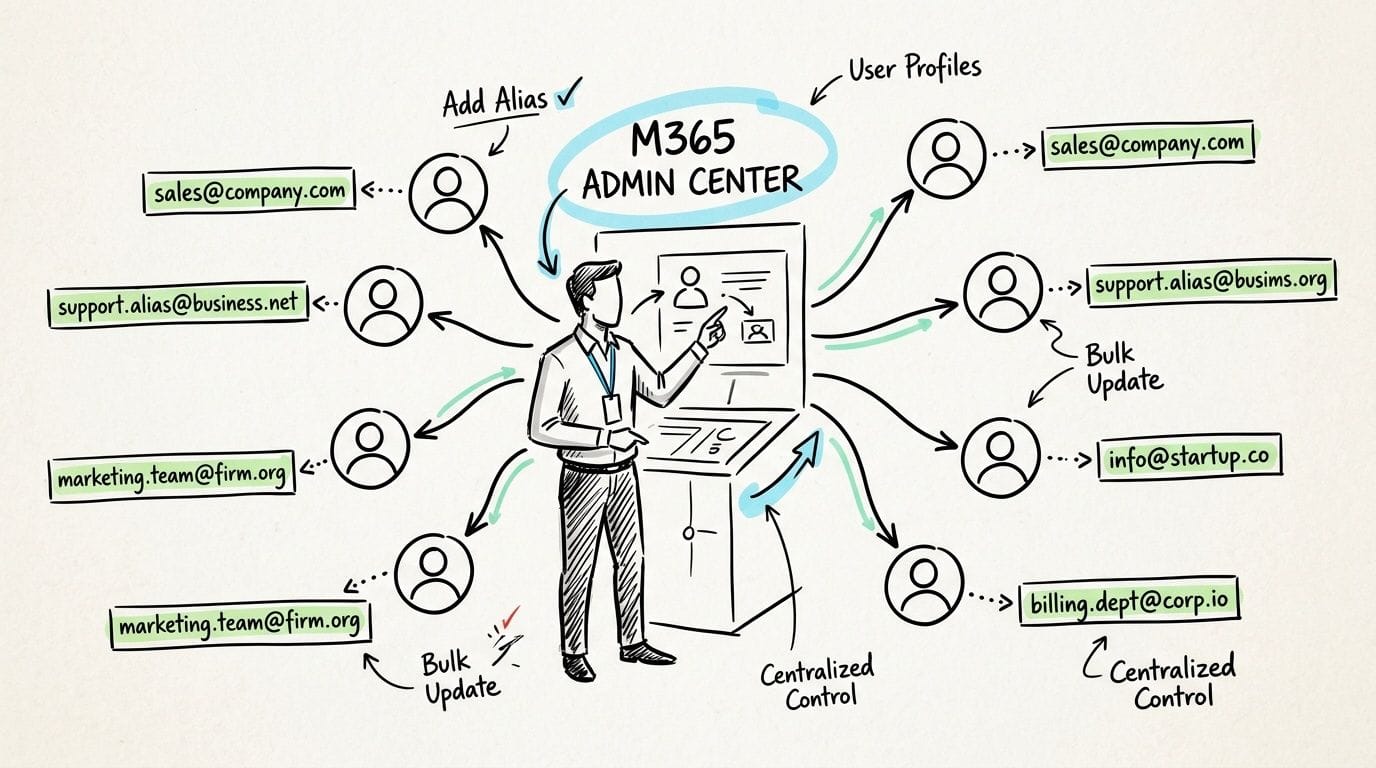
Once you are using Microsoft 365 for work, alias management moves into the admin side. This setup is common for most Australian businesses that want proper branded addresses on a business domain.
The admin centre path most businesses use
For Microsoft 365 business tenants, the standard path is:
- Sign in to admin.microsoft.com with a global admin account.
- Go to Users.
- Open Active users.
- Select the user.
- Choose Manage username and email.
- Enter the new alias prefix.
- Select the verified domain.
- Save the change.
Microsoft’s admin guidance for adding another email alias for a user notes that propagation can take up to 24 hours for Australian businesses using Microsoft 365, and that a common problem is domain verification failure due to auDA TXT record mismatches.
That delay matters in real life. If you create quotes@yourbusiness.com.au at 9 am and immediately tell the team to use it, some send and receive functions may lag behind while Microsoft and DNS changes finish syncing.
A sensible alias structure for a small business
Don’t create aliases just because you can. Build around roles the customer understands.
Good examples:
- sales@yourbusiness.com.au
- accounts@yourbusiness.com.au
- orders@yourbusiness.com.au
- bookings@yourbusiness.com.au
- returns@yourbusiness.com.au
Not-so-good examples:
- jenna-sales2@
- testsupportnew@
- admin-temp-final@
Role-based aliases survive staffing changes. Personal workaround aliases become technical debt.
Why aliases help in day-to-day work
There is a measurable workflow benefit to reducing mailbox hopping. According to aggregated Microsoft 365 telemetry from 2023 to 2024, users who adopt at least one alias reduce email fragmentation by 41%, cut duplicate reply chains by 28%, and lower context-switching overhead during multi-role workflows. The reference also notes the setup process requires just 12 discrete operator actions in HCI terms, framing it as a low-effort task in practical use, in this article on making an alias for your Outlook account.
That lines up with what many business owners feel once the setup is clean. Fewer inboxes to watch means fewer loose ends.
Sending from the alias
Receiving mail through an alias is only half the story. Most businesses want staff to send from sales@ or support@, not from their personal named address.
For Microsoft 365 environments, Outlook on the web works best when alias sending is explicitly enabled. The business guidance in the verified data points to the PowerShell command:
Set-OrganizationConfig -SendFromAliasEnabled $true
That setting is the piece many generic tutorials skip. Without it, staff think the alias is broken because mail arrives fine but outgoing messages still default to the primary address.
Practical rule: Test in Outlook on the web first. If alias sending works there, client-specific issues in desktop Outlook are easier to isolate.
PowerShell when you need more control
If you are adding aliases in bulk or managing a larger tenant, PowerShell is faster than clicking through every user. The exact commands you run will depend on your environment, but the main reasons admins use PowerShell are straightforward:
- Bulk changes: Add several aliases across multiple users without repetitive admin-centre work.
- Feature control: Enable send-from-alias tenant-wide with the setting noted above.
- Repeatability: Keep your process documented so the next admin follows the same method.
If you are not comfortable in PowerShell, stick with the admin centre and test carefully. It is slower, but the margin for error is lower.
What does not work well
Aliases are not a replacement for everything. They are weak when:
- Several staff need access to the same mail flow
- You need separate storage and separate login credentials
- A department needs independent mailbox rules and permissions
- You expect every Outlook client to behave identically without testing
That last one matters. Some issues are not alias issues at all. They are client behaviour issues, especially when Outlook desktop, mobile, and web all behave slightly differently.
Connect Your Custom AU Domain from UpTime for Aliasing
The issue is usually DNS, not Outlook
A custom domain alias depends on your domain records being correct. Many Australian businesses encounter challenges at this point. Setting up an alias on Microsoft’s own addresses is one thing. Making sales@yourbusiness.com.au work cleanly when your domain is hosted with an Australian provider is where generic overseas guides start falling apart.
The pain point for Australian SMBs is that custom domains from local hosts run into DNS MX record conflicts and propagation delays of up to 48 hours on some Australian ISPs, and SPF/DKIM misconfigurations are a major cause of email breaches, according to this AU-focused discussion on custom domain Outlook alias configuration challenges.
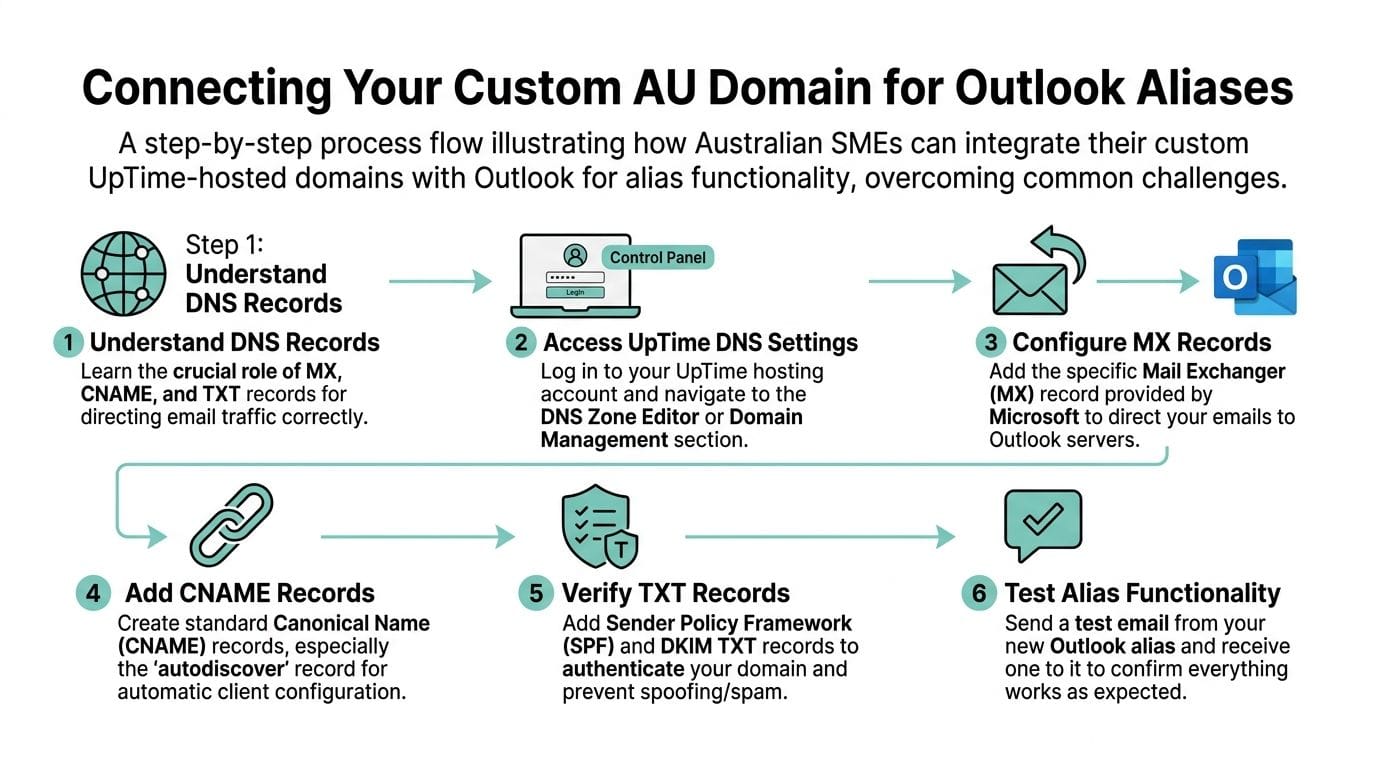
The clean setup order
If your domain is already hosted with an Australian provider, use a simple order of operations.
Add the domain to Microsoft 365
Start in the Microsoft 365 admin centre and add the domain you want to use.Verify ownership
Microsoft will ask for a verification record, a point where businesses often trip over domain panel mistakes or stale DNS values.Review your existing mail setup
Check whether the domain is already handling mail elsewhere. If it is, avoid changing records blindly.Update the required records in your hosting control panel
This happens in your DNS zone management area.Wait for propagation
Even when the settings are correct, changes are not always immediate across Australian networks.Only then add the alias to the user in Microsoft 365
If the domain itself is not verified and routing properly, alias creation will fail or behave inconsistently.
What to check in your hosting panel
You do not need to memorise record syntax. You do need to know what categories matter:
- MX records decide where inbound email goes.
- TXT records help with domain verification and sender authentication.
- CNAME records support service discovery and Microsoft mail features.
If your business already uses cPanel email and you are moving mail handling to Microsoft 365, check whether old records are still in place. Mixed configurations cause the weirdest symptoms. Some messages arrive. Some bounce. Some send but land in junk.
For businesses managing domain DNS through local hosting, setting up business email is useful background before you start changing records, especially if your domain, website, and current mail are all tied together in one hosting account.
SPF and DKIM are not optional housekeeping
A lot of people treat SPF and DKIM as technical extras. They are not. If you skip them or leave old values active, your alias may appear to work while your outgoing mail performs badly.
That shows up as:
- customers not receiving quotes
- invoices landing in spam
- support replies failing trust checks
- inconsistent delivery between providers
One factual option in this space is that UpTime Web Hosting offers email aliases through its email service stack. That can suit businesses that want aliasing inside hosted email rather than routing everything through Microsoft 365. It is not the same design as Microsoft aliasing, so choose based on where you want your primary mail system to live.
Tip: Before changing DNS for a live business domain, list every current mail-related function tied to that domain. Website forms, scanners, accounting software, CRM notifications, and old devices still rely on the existing setup.
What usually goes wrong in Australian setups
Most local issues are practical, not exotic.
- Old MX records remain active and conflict with Microsoft routing.
- TXT verification records are entered incorrectly, especially on .com.au domains.
- Propagation is assumed to be instant, then staff test too early and conclude the alias failed.
- Website and email settings are changed together, making it harder to isolate what broke.
Keep website hosting and email routing mentally separate even if they sit in the same provider panel. That one habit prevents a lot of panic.
Best Practices for Using and Managing Your Aliases
A tidy alias setup can still become messy if people reply from the wrong address or create aliases with no naming discipline.
The upside is worth it. Users who adopt at least one email alias reduce email fragmentation by 41% and cut duplicate reply chains by 28%, but Outlook desktop also commonly defaults to the primary address on replies, creating an 85% user confusion rate in AU IT forum data, according to the same analysis cited earlier in the article.
Build aliases around roles, not people
The cleanest aliases describe a function:
- sales@
- accounts@
- support@
- returns@
- bookings@
That makes handovers easier. If Jenna leaves and Sam takes over sales, sales@ still makes sense. jenna.sales@ does not.
Train your eye on the From field
The most expensive alias mistake is simple. Someone receives a message at quotes@ and replies from jenna@ because Outlook picked the default sender.
That is not just untidy. It confuses customers and breaks the pattern you were trying to create.
A few habits help:
- Turn on the From field: Make sure staff can always see which address they are sending from.
- Test replies, not just new emails: New compose windows and replies do not always behave the same way.
- Check desktop and web separately: If one client behaves oddly, compare it against Outlook on the web.
Use aliases for segmentation, not account security
Aliases are useful for separating public contact points. They are not a substitute for secure sign-in practice. They help keep your main address out of unnecessary circulation, but they do not replace proper authentication controls.
They also pair well with list hygiene. If you are collecting leads or importing contacts into campaigns, it is worth reviewing how to validate emails so your segmented alias addresses do not end up handling bad data, typos, or dead signups.
Key takeaway: An alias cleans up identity. It does not clean up a poor mailing list or bad sender practices.
Keep a small alias register
Even in a tiny business, write down:
| Alias | Purpose | Owner | Can send from it | Notes |
|---|---|---|---|---|
| sales@ | New enquiries | Jenna | Yes | Main website contact |
| accounts@ | Billing | Jenna | Yes | Used on invoices |
| bookings@ | Appointments | Admin | Yes | Reply template needed |
That simple register prevents duplicate aliases, mystery addresses, and the classic situation where nobody knows whether a public address is still monitored.
Quick fixes when something seems off
- Alias not receiving mail: Check domain verification and DNS routing first.
- Alias not appearing in From: Confirm send-from-alias is enabled in the Microsoft 365 tenant.
- Replies show the wrong address: Test in Outlook on the web and compare with desktop.
- Messages land in spam: Review SPF and DKIM before blaming Outlook.
Register your new domain name at competitive market prices including free domain add-ons like privacy, DNS Hosting, Custom Nameservers and Forwarding.
Always the best price and no nasty renewal price hikes.
Register A Domain Name
Frequently Asked Questions about Outlook Aliases
How many aliases can I create in Microsoft 365 Business
The verified data in the brief notes that current Microsoft 365 implementations through third-party providers such as GoDaddy allow up to 300 aliases per email account in some setups, as referenced in Microsoft’s Outlook alias documentation linked earlier. Practical limits still depend on your environment and how cleanly you want to manage them.
Can I use an alias to sign up for other services
Yes, many businesses use aliases for signups, newsletters, or segmented contact points. That is one of the most practical uses of an outlook email alias.
Does deleting an alias make the address available again
Treat deleted aliases carefully. Reuse policies can vary, and removing a public-facing address can break old correspondence or forms. I recommend assuming a deleted address may cause future confusion unless you have a clear migration plan.
How do aliases work on the Outlook mobile app
Mobile behaviour is fine for everyday use, but test it before relying on it for customer-facing replies. If a mobile user must send from a role address, confirm the From field options and run a live test to another account.
If Outlook is failing at the sending stage rather than the alias stage, this guide on Outlook email not sending is the right next check.
If you want help sorting out business email, domain DNS, or hosting in one Australian-based setup, UpTime Web Hosting offers local hosting, domains, email services, and support resources that can help you build a cleaner email arrangement without overcomplicating it.