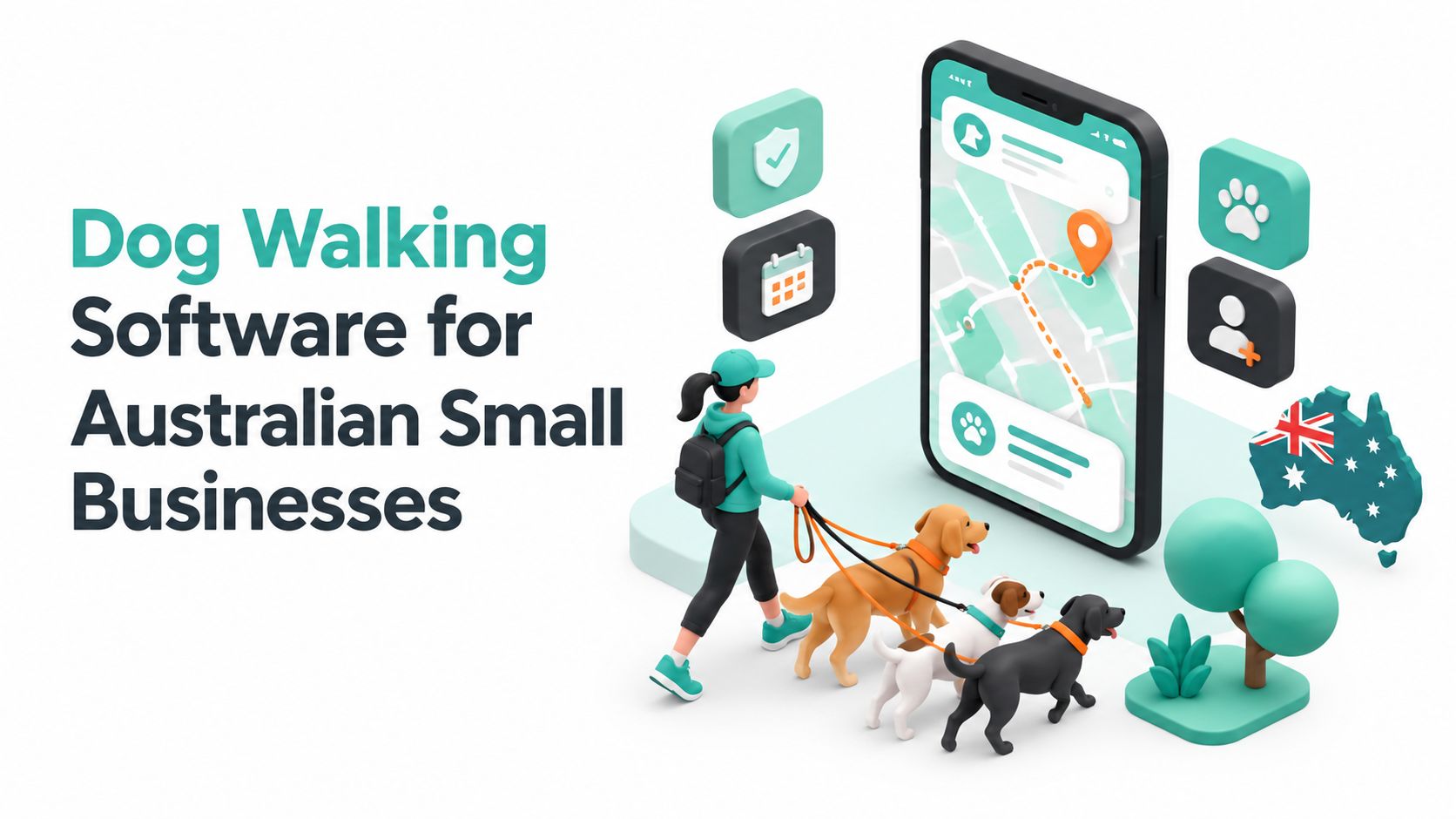
At 6:15 a.m. in Sydney's Inner West, a solo walker is already behind. Three WhatsApp threads are open, one house key is in a hoodie pocket, another is clipped to a lanyard, and a handwritten invoicing book is balanced on the passenger seat. One client has changed the pickup time, another wants a photo of a muddy Labrador, and the third has not paid last week's invoice. That is the moment dog walking software stops being a nice-to-have and starts acting like a back-office control system.
The right platform doesn't just “manage bookings”. It keeps the business running when the day gets messy, which is most days in this trade. For Australian operators, that means rostering, GST-ready billing, client and pet records, GPS walk tracking, automated messages, and recurring payments in one place, instead of scattered across notebooks, texts, spreadsheets, and calendar apps.
The local angle matters. Australian dog walkers have to think about public liability cover, Australian Privacy Principles handling, tax treatment, and where customer data sits. Overseas software can look slick, but if it doesn't fit Australian billing, privacy, and hosting expectations, it creates more work than it saves.
Table of Contents
- What Dog Walking Software Actually Does for Australian Operators
- Core Features That Turn Walks Into a Working Business System
- Australian Pricing Models and How to Match a Plan to Your Walk Volume
- Cloud, Self-Hosted and Onshore Options for Hosting Client Data
- How Scritches Can Help
- Compliance, Insurance and Privacy for Software-Enabled Dog Walkers
- A Brisbane Solo Walker Putting Dog Walking Software Into Practice
- Selection Checklist and Migration Plan When Switching From Spreadsheets
- Choosing the Right Setup and Next Steps for Your Business

Performance you can feel, backed by clients who depend on it. Read how our support and uptime create long‑term customer success.Power Your Business with Better Hosting
What Dog Walking Software Actually Does for Australian Operators
A good setup changes the day from reactive to controlled. The walker starts with a live roster, a route list, and a clear view of which dogs need collecting first. By the time the van or ute is moving, the admin is already under control.
From inbox chaos to one operating screen
For a solo operator, the point is simple. Scheduling, client records, payments, and walk notes sit in one system, so there is no need to hunt through multiple apps just to confirm a lockbox code or a vet contact. For a small agency, the same system adds staff rosters, automated client updates, and reporting, which keeps the team aligned when several walkers are covering different suburbs.
The category is built around recurring visits, pet details, and proof of service. Australian directories for pet-sitting and dog walking software show that the usual features include automated bookings, payments, client updates, team scheduling, recurring bookings, invoicing, and visit updates with photos GetApp's Australian pet-sitting software listings.
Why the Australian context changes the brief
Australian operators need software that fits local obligations. A system that supports GST-ready invoices, ABN fields, and clear audit trails is better than a prettier calendar that cannot handle tax properly. For the local market, I also look for public liability cover details, Australian Privacy Principles handling for client records, and hosting choices that keep customer data onshore. The same point applies to your wider business stack, including a donor management software setup that keeps records structured and easy to audit.
Directory and product listings in Australia also point to features like GST-ready billing, cross-location reporting, and local hosting or Australian privacy compliance PetBoost's Australian pet-business software page.
Practical rule: if the platform cannot handle invoices, recurring walks, and client records in one workflow, it is not reducing admin. It is just moving it around.
The market itself is large enough to justify proper software. One industry source says the Australian Pet Sitting Services industry reached A$1.1 billion in 2026, with 4,053 businesses and 18.5% CAGR from 2021 to 2026 IBISWorld pet sitting services industry data. That matters because the same service businesses buy the tools that handle bookings, payments, messaging, and scheduling.
Core Features That Turn Walks Into a Working Business System
Start with scheduling, or don't bother
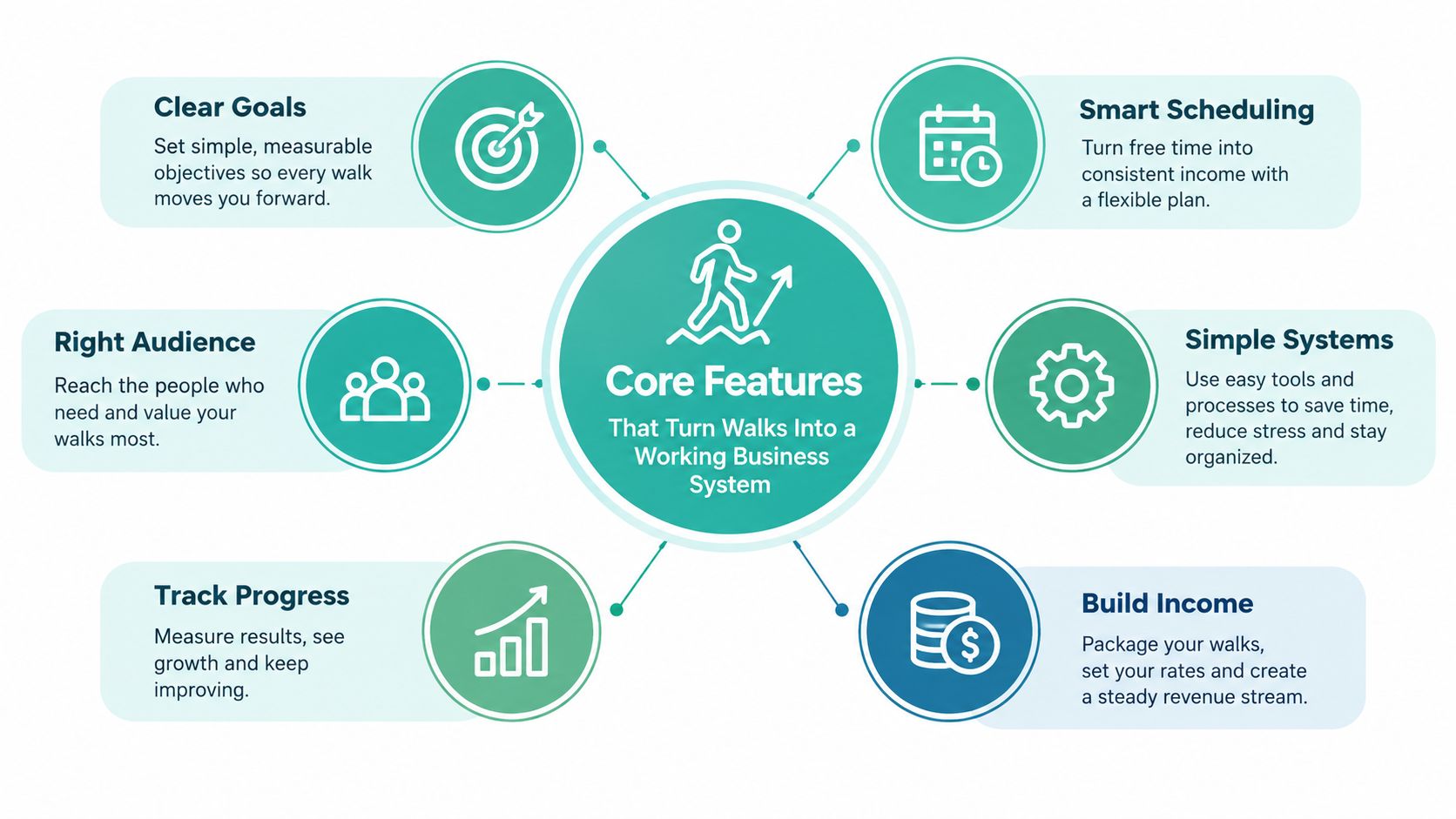
Scheduling is the base layer. If a dog walker cannot set up recurring jobs properly, the business is still run on memory and patch-up messages, even if the software looks polished. The platform should handle repeat bookings, calendar sync, conflict detection, and waitlists for busy periods without manual re-entry.
That matters in Australia because many dog walking businesses run on weekly routines, not random one-off visits. Monday, Wednesday, Friday clients should go in once and recur cleanly. If every repeat booking feels like a fresh job, the software is adding admin instead of removing it.
Add routing, GPS, and proof of service
Routing and GPS tracking turn each walk into a record you can defend. Breadcrumb-style walk logs show the client the visit happened, and they give you something solid if timing, access, or service delivery is disputed. SoftwareAdvice Australia lists GPS tracking, photo check-ins, end-of-service report cards, and reporting among the features buyers look for in this category SoftwareAdvice Australia's pet sitting software directory via PetBoost.
That proof matters when a client says the dog was not collected on time or claims a booking was missed. A clear walk log cuts out guesswork. It also gives agencies a practical way to review staff performance without relying on memory or vague text updates.
Treat client records like business assets
Dog profiles and client records are not admin fluff. They are the difference between a calm handover and an avoidable mistake. The software should store vaccination reminders, behavioural notes, emergency contacts, care instructions, and access details in a structured format, not buried in message history.
Use a checklist system for those handovers, and keep it consistent. A simple way to set that up is through creating checklists in your workflow, because the point is repeatable process, not improvisation.
The same applies to invoicing. Australian operators need GST handling, ABN fields, and sync options for accounting systems like Xero or MYOB. A platform that can also handle invoicing, payments, and visit updates with photos keeps the billing trail connected to the work that was done. That is the right order. Walk, then invoice, then payment.
Bottom line: partial adoption kills return on investment. If scheduling is automated but invoicing is still manual, the business is only halfway digitised.
Communication features finish the job. Automated “on the way” messages, photo report cards, and review prompts make the service feel professional without adding labour. Clients remember that layer, but it only works if the booking and records underneath are already tight.
Host your website with our 5-star rated, cPanel website hosting plans.
Super fast servers, with security included and hosted in your choice of Australian Data Center.
View cPanel Plans
Australian Pricing Models and How to Match a Plan to Your Walk Volume
A Brisbane solo walker quoting half a dozen regular clients does not need an agency platform with bells and whistles. A small agency with two staff and weekend overflow does. That is the starting point for pricing software in Australia, because the right plan is the one that matches how many walks you run, how many people need access, and how much admin you are trying to remove.
Australian buyers usually see three pricing shapes. The first is a simple per-walker subscription. The second is a tiered plan that caps walk volume. The third is a revenue-share or transaction-fee model that takes a cut from card payments or bookings.
Pick the pricing shape that matches the business model
For a solo operator, a flat subscription usually makes the most sense once bookings become regular. For a small agency, a team plan can justify its cost if it includes staff management, reporting, and multiple seats. For operators still testing demand, a free tier or very low-cost entry plan can work, but only if core functions like recurring scheduling and invoicing still hold together.
The local market is not packed with bargain tools. Listings on GetApp's Australian pet-sitting software listings show products starting from about $65 per month, which sets a practical floor for what operators should expect to pay.
What to watch beyond the headline price
The cost sits in the extras. SMS credits, onboarding fees, payment processing, top-ups, and integrations can move the monthly bill more than the base subscription does. A plan that looks cheap on paper can become dear once client messaging, branded report cards, and accounting sync are switched on.
A solo walker doing steady volume should compare the subscription against the transaction model, not just the monthly sticker price. Once card surcharges and payment fees are added, the per-transaction option can end up costing more than a flat subscription very quickly. If bookings are consistent and repeat-heavy, the fixed monthly plan usually wins.
| Plan tier | Indicative AUD price per month | Walk volume included | Walker seats | Key unlocks |
|---|---|---|---|---|
| Free or trial tier | $0 | Low-volume or limited bookings | 1 | Basic scheduling, simple booking capture |
| Solo subscription | Low-to-mid fixed monthly fee | Regular recurring walks | 1 | GST-ready invoicing, client records, payments |
| Team plan | Mid fixed monthly fee | Higher volume and multiple rosters | Multiple | Staff scheduling, reporting, route coordination |
| Agency package | Higher monthly fee | Multi-location or complex workflows | Multiple | Advanced reporting, shared controls, cross-location management |
Buy the plan that fits actual walk volume, staff count, and peak-season demand. If you are paying for features you never use, the software has become another overhead line. Keep the system lean, keep the billing clean, and keep the back office under control.
Cloud, Self-Hosted and Onshore Options for Hosting Client Data
Australian dog walkers need to know exactly where client records live. That includes names, addresses, access notes, GPS logs, photos, invoices, and payment details. If a platform cannot spell out where that data sits and who can reach it, it is not fit for a business that enters homes and handles money.
Offshore cloud, Australian cloud, or self-hosted
Offshore SaaS is usually the cheapest and quickest to deploy. It often wins on update speed too, because the vendor handles maintenance and pushes changes fast. The trade-off is data residency, privacy complexity, and support hours that may not suit AEST operations.
Australian-hosted cloud sits in the middle, and for many operators it is the cleaner choice. It gives better comfort around onshore data handling, local support, and Australian operating expectations. That matters when the business wants tighter control over client records, GPS walk logs, and payment information. If you want a practical starting point on hosting choices, the guide to Australian data sovereignty hosting is worth a look.
Self-hosting is the hardest option, and most small dog walking businesses should avoid it. It needs IT capability, patching discipline, backups, and recovery planning that few solo operators or small agencies have time to manage properly.
Privacy and governance are not optional extras
The Australian Privacy Principles still apply when client data is stored overseas. Overseas storage can trigger contractual and governance obligations, and the business still carries responsibility for how personal information is handled. The Notifiable Data Breaches scheme also applies whenever personal information is exposed in a way that creates a reportable incident.
If privacy is part of the sales pitch, the hosting stack has to support it. A vague “secure cloud” claim is not enough for a business that keeps keys, access notes, and payment data in one system.
The rule of thumb is straightforward. Higher walk volume, more staff handling personal data, and a stronger privacy position all push the decision toward Australian-hosted or onshore infrastructure. If you want to market your business on trust, do not park customer records in a setup you cannot explain clearly.
How Scritches Can Help
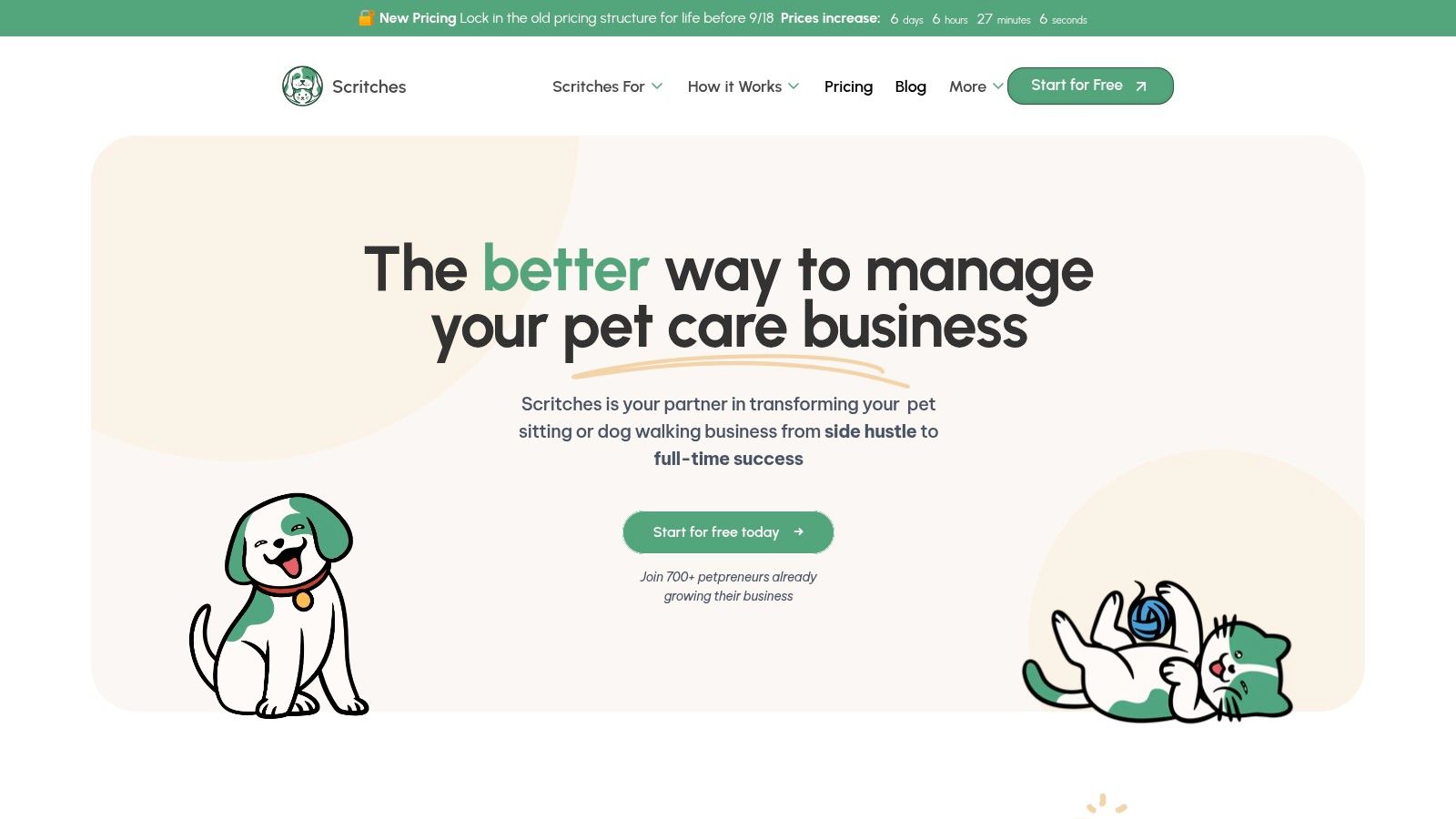
Scritches is a sensible option for solo dog walkers and small pet-care businesses that want one system for bookings, schedules, client records, and payments. It's built for operators who want fewer moving parts, not a bloated platform that needs training just to send a walk update. For a business that's outgrowing spreadsheets and text-based confirmations, dog walking software like this is a practical upgrade path.
What it handles well
The platform covers online booking, availability management, client and pet CRM, forms and intake, digital agreements, invoicing, deposits, and online payments via Stripe. It also tracks cash and other offline payment methods, which matters for Australian operators who still take a mix of payment types. The report card and review automation features are useful too, because they close the loop after the walk rather than leaving the client experience half-finished.
Scritches also leans into a low-friction pet parent experience. Clients can request services without creating an account, which cuts down on drop-off during booking. That matters for small operators who don't want every new client to hit a technical wall before making a request.
Where it fits best
It suits solo walkers first, then small teams that need a simple workflow without the overhead of enterprise software. The free Starter tier, plus Solo, Solo Pro, and Growth options, gives a reasonable path from one-person operation to a small crew. Google, Outlook, and Apple calendar sync on the higher tiers also help if the business already lives in multiple calendars.
For an operator worried about the boring but important side of the job, Scritches helps more than a flashy marketing app would. It centralises the details that usually get lost, then turns them into a repeatable process. That makes it more useful than software that looks impressive but still leaves the walker stitching together messages, payments, and reminders by hand.
Register your new domain name at competitive market prices including free domain add-ons like privacy, DNS Hosting, Custom Nameservers and Forwarding.
Always the best price and no nasty renewal price hikes.
Register A Domain Name
Compliance, Insurance and Privacy for Software-Enabled Dog Walkers
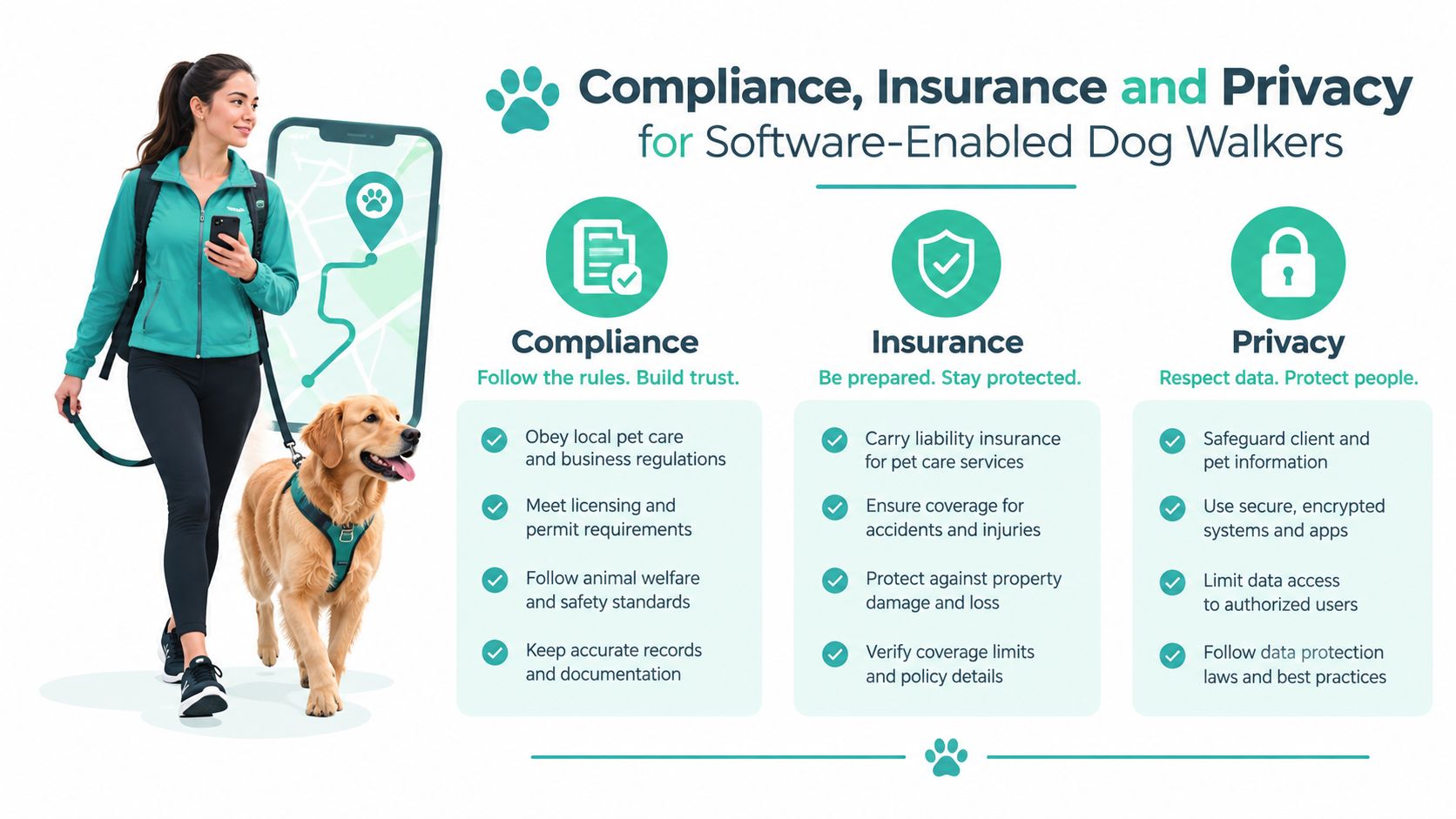
Software will not fix bad compliance, but it does make clean records easier to keep. For Australian dog walking operators, that matters. Councils, insurers, and clients all care about what happened, who agreed to what, and how the business stores personal information.
Insurance and the records behind it
Australian dog walking businesses commonly need public liability cover, and many councils require it when walkers use public parks or other public spaces Comparethemarket's dog walking insurance guidance. The practical point is simple. Your software should link each booking to waivers, service notes, and any incident report, so you are not hunting through messages if a claim or complaint lands on your desk.
Insurance guidance also points to cyber cover. PetCover Australia says that if a dog-walking business manages bookings online, stores customer details, or processes electronic payments, cyber liability insurance can help protect against cyber threats and data breaches PetCover Australia dog walking insurance guidance. That is not an IT add-on. It is part of running a software-based service that handles client data and payments.
Privacy, safety, and incident logging
The same platform should handle the messy side of the job properly. Look for consent capture for pet photos, secure storage of keys and access notes, clear retention rules for client records, and incident logs that you can pull up without trawling through text threads. If the system cannot store that information cleanly, it is not doing the compliance work the business needs.
A Brisbane solo walker makes this obvious. Before software, she confirmed bookings by SMS, retyped invoices at night, and kept key notes in a paper diary. After moving to a platform, bookings were structured, invoices came out consistently, and client communication was easier to trace when a dog owner wanted proof of a visit.
What to insist on
Start with two-factor authentication, encryption at rest, and a payment gateway that fits PCI-DSS expectations. Then check the boring legal basics properly. The business should review website terms, privacy handling, and recordkeeping against Australian website legal requirements guidance before it lets the software run the whole operation.
If the software stores pet details, home access information, and payments, the business is already in the trust business. Compliance has to sit inside the workflow, not sit beside it.
A Brisbane Solo Walker Putting Dog Walking Software Into Practice
Mia runs a solo dog walking business in Brisbane. She started with a paper diary, a notes app, and SMS confirmations, which worked until repeat bookings began stacking up across suburbs. After that, she was spending Sunday night untangling invoices and Monday morning apologising for the occasional clash.
The first win came from recurring bookings. She templated the regular walks, synced her calendar, and stopped double-entering jobs. The second win came from route planning, because she could group nearby dogs more intelligently and cut wasted driving between suburbs. The third win came from invoicing, where GST-friendly templates removed the weekly bookkeeping grind.
What changed in practice
Owners of reactive dogs started getting GPS-backed walk updates and photo cards, which gave them more confidence in longer bookings. That led to better upsells, not because the software was flashy, but because it made the service feel reliable. When she added a second walker, role-based access let her share the relevant client notes without handing over her whole account.
The soft lesson here is blunt. The software only pays off if it reduces repeat admin and makes the business easier to trust. Mia didn't need ten dashboards, she needed clean bookings, clear records, and invoices that didn't need rework.
A smart migration for a solo operator looks like this:
- Import client data first: Clean the spreadsheet, then move only the useful fields, not every messy note ever written.
- Template recurring jobs next: Map Monday, Wednesday, Friday patterns before touching ad hoc bookings.
- Test payment setup early: Confirm how invoices, deposits, and online payments will work before the first live week.
- Run a soft-launch week: Keep a small group on the new system while the old diary still exists as backup.
The right rollout keeps the business calm. The wrong one turns a software switch into a service disruption.
Experience Microsoft 365 Business Standard for free for 30 days.
Up to 25 users with full access to email, OneDrive and Teams. Includes full versions of desktop apps of Outlook, Word, Excel, PowerPoint and more.
Try Microsoft 365
Selection Checklist and Migration Plan When Switching From Spreadsheets
A spreadsheet feels cheap until it starts running the business badly. For Australian dog walkers, the test is whether the software can handle bookings, GST-ready billing, client records, and the privacy and insurance paperwork that sits behind the service. If it cannot do that cleanly, it will create more admin than it removes.
The checklist that matters
- Australian data handling: Confirm where client records are hosted and whether the setup keeps data onshore.
- GST-ready invoicing: Invoices should handle ABNs, tax treatment, and clean billing details without manual fixes.
- Calendar sync: The software needs to fit the diary you already use, not force a messy reset.
- Recurring booking rules: Regular walks should be easy to set up and hard to break.
- Public liability records: Keep waivers, incident notes, and job history easy to find if a client asks.
- Payment fees: Compare the actual cost of taking payments, not just the subscription price.
- Exportable records: You need a clean exit if you ever change systems.
Use this as your practical filter, not a wish list. The best platform for a solo walker is rarely the same one that suits a small agency.
A migration sequence that won't wreck the week
Start with a clean export from the spreadsheet or paper diary. Strip out junk notes, duplicate contacts, and old entries that no longer matter. Then import the client list, map recurring walks, check invoice templates, and connect payments before you turn the new system on.
Run a parallel setup for a short period, with the old system still open as backup. That gives you room to catch broken recurring jobs, missing pet details, or invoice issues before they hit clients. A soft launch with a small group is the safest rollback point if the setup needs adjustment.
If you want a structured handover, use a website migration checklist as a model for the move. The sequence matters more than the software brand. Clean data first, live bookings second, client communication last.
A cut-over in the middle of a billing cycle is asking for trouble. Tell clients and walkers before the switch, set a clear go-live date, and keep the process tight. The goal is a calmer back office, not a shiny new headache.
Choosing the Right Setup and Next Steps for Your Business
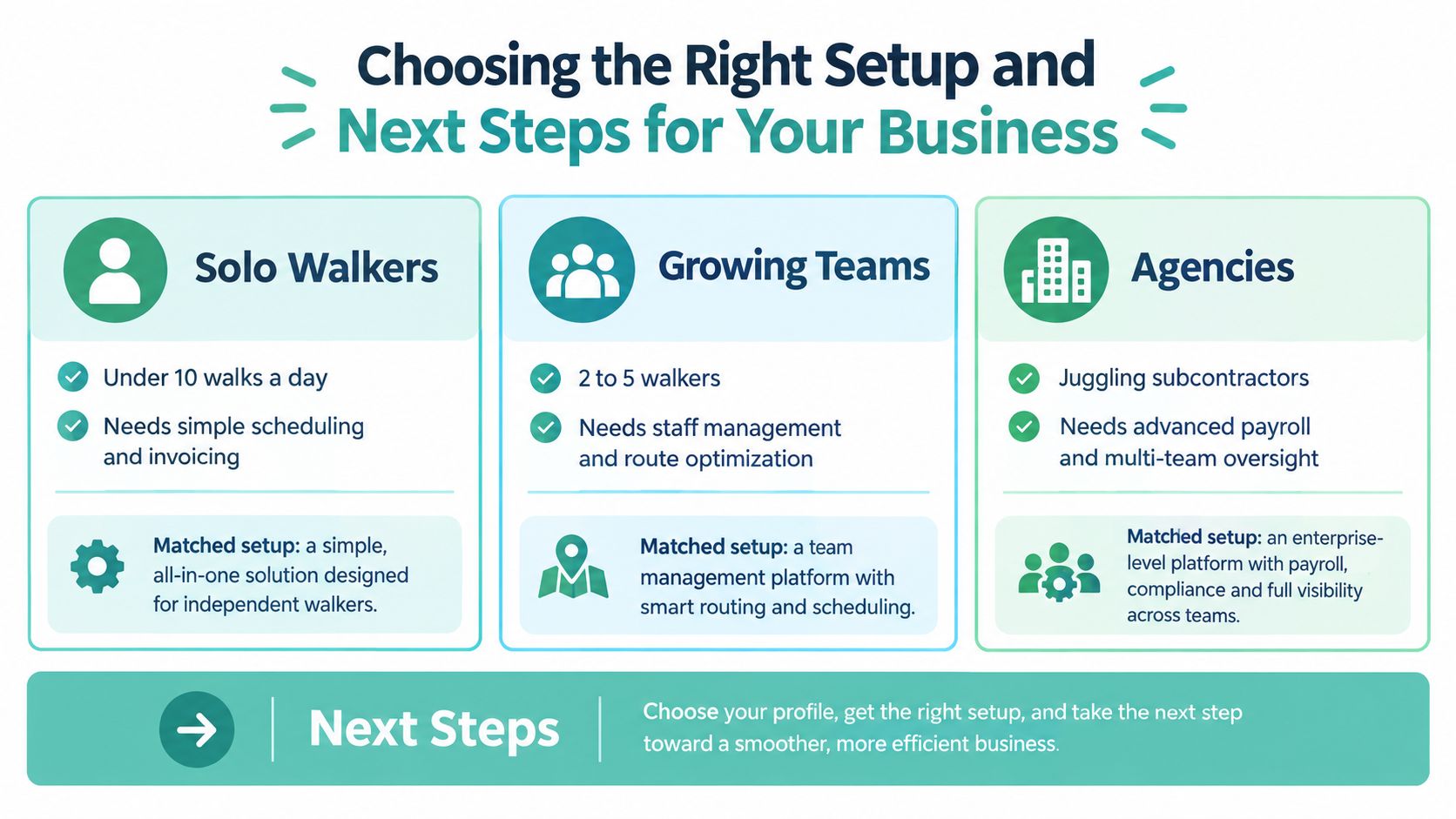
A solo walker under 10 walks a day needs simplicity first. A small team with two to five walkers needs scheduling discipline, shared notes, and route coordination. An agency juggling subcontractors needs stronger reporting, tighter permissions, and a hosting setup that doesn't create privacy headaches.
Match the setup to the profile
Solo operators should prioritise easy booking, GST-ready invoicing, and clean client records. Small teams should lean toward staff scheduling, conflict-aware rosters, and shared reporting. Agencies should put multi-location control, onshore data handling, and audit-ready records at the top of the list.
Pricing should follow that shape. A solo walker usually wants a low fixed monthly bill. A growing team can justify a mid-tier plan if it saves admin time across several people. An agency should pay for control, not vanity features.
Three actions for this week
- Audit current records. Clean the client list, pet notes, invoice history, and recurring schedules before touching software.
- Ask data questions in every demo. Find out where records are hosted, how privacy is handled, and how invoices support Australian tax needs.
- Map a four-week migration. Set a cut-over date, pick a pilot group, and avoid switching mid-cycle.
The software is the operational backbone between marketing, rostering, and compliance. If it can't support that middle layer properly, the business will keep leaking time into admin. Pair it with Australian-hosted accounting, council-aware scheduling, and reliable payment infrastructure, and the whole setup becomes far easier to run.
For operators ready to replace the paper diary and fragile text threads, start by reviewing an Australian-hosted stack from a local provider like UpTime Web Hosting, then book demos with vendors that can answer privacy, GST, and data-residency questions without dodging.