In short
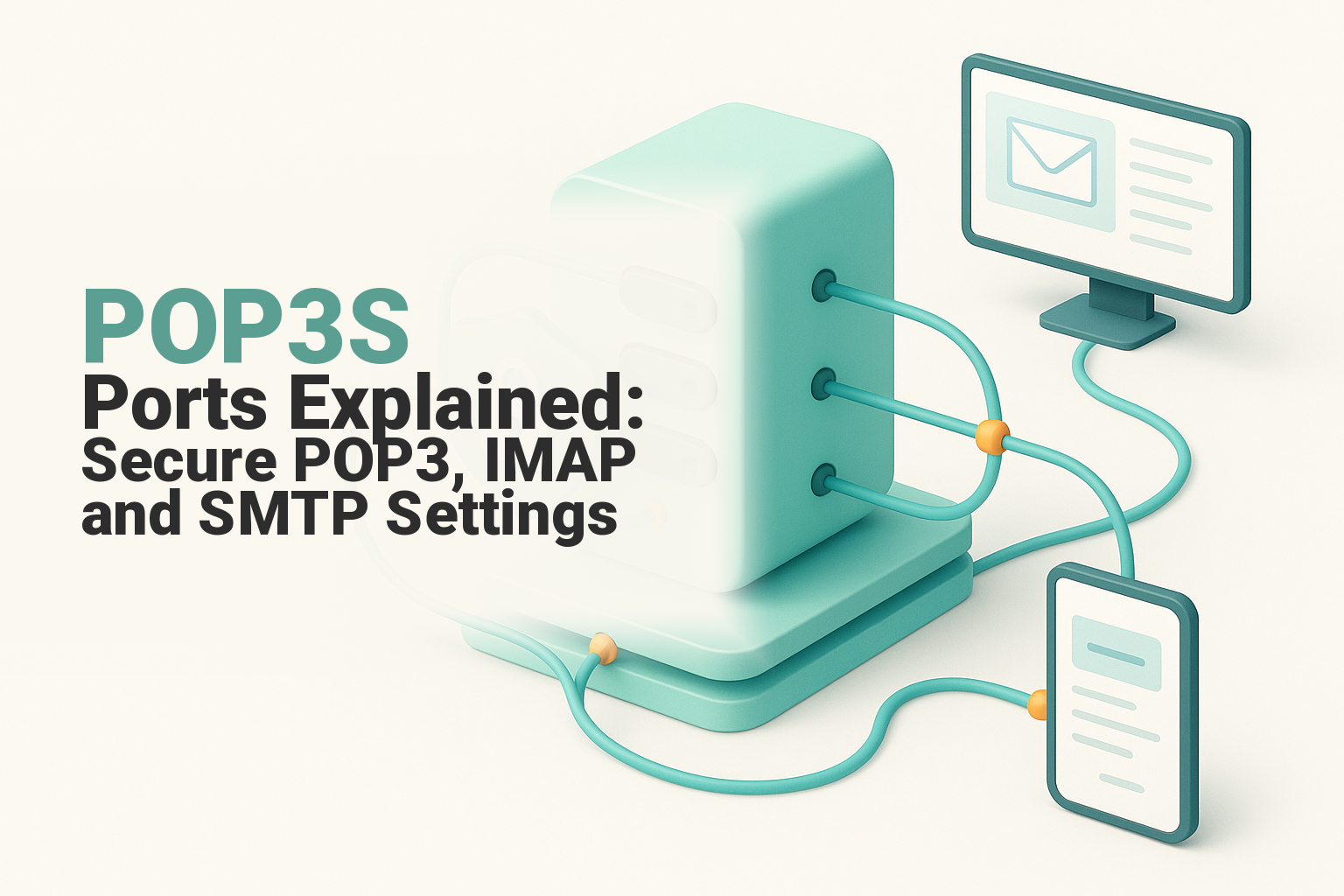
POP3S uses TCP port 995 with implicit TLS, so encryption starts as soon as the mail client connects. Use port 110 only when the provider explicitly requires POP3 with the STLS upgrade; do not choose unencrypted POP3. For most multi-device accounts, secure IMAP on port 993 is usually the better incoming-mail choice.
Key takeaways
- POP3S uses TCP port 995, with the TLS handshake beginning immediately after connection.
- Port 110 starts as a cleartext POP3 connection and is secure only if the client successfully upgrades it with STLS.
- Secure IMAP uses TCP port 993 and is usually preferable when the same mailbox is used on several devices.
- Outgoing email uses SMTP, normally on port 465 with implicit TLS or port 587 with STARTTLS when the provider supports it.
- SMTP port 25 is primarily for server-to-server mail relay, not normal authenticated mail-client submission.
Table of contents
- Which port should you use for secure POP3 email?
- What ports are used by POP3, IMAP and SMTP?
- Should you choose SSL/TLS or STARTTLS?
- Should you use POP3 or IMAP for incoming mail?
- Why do correct ports still fail?
- How do you enter the settings in a mail client?
- What else do people ask about POP3S ports?
- What should you do next?
An email account uses one protocol to receive messages and another to send them. The port number, protocol and encryption option must form a matched set, so changing only the port rarely fixes a configuration that uses the wrong security mode or server hostname.
Which port should you use for secure POP3 email?
Use TCP port 995 when the mail provider supports POP3S or labels the incoming security option SSL/TLS. Port 995 uses implicit TLS, which means the client begins the TLS handshake as soon as it connects.
The IETF's 2018 RFC 8314 defines pop3s on TCP port 995 and recommends implicit TLS for email access. POP3S is not a different version of POP3; it is POP3 carried inside a TLS-protected connection from the beginning. (rfc-editor.org)
The original POP3 specification, RFC 1939, defines TCP port 110. A port 110 session starts without TLS, but RFC 2595 allows the client to issue the POP3 STLS command and upgrade the established connection before authentication. (rfc-editor.org)
Do not pair port 995 with a STARTTLS-style setting. A server listening for implicit TLS expects a TLS handshake immediately, while a STARTTLS or STLS client initially expects a readable protocol greeting. That mismatch commonly produces a timeout, connection reset or generic security error.
For secure POP3, use TCP 995 with implicit TLS unless the provider explicitly tells you to use STLS on 110.

Performance you can feel, backed by clients who depend on it. Read how our support and uptime create long‑term customer success.Power Your Business with Better Hosting
What ports are used by POP3, IMAP and SMTP?
POP3 and IMAP are incoming-mail protocols, while SMTP handles outgoing mail. For a new encrypted setup, the usual choices are POP3S on 995 or IMAPS on 993 for incoming mail, followed by authenticated SMTP on 465 or 587 for outgoing mail.
The IANA Service Name and Transport Protocol Port Number Registry, last updated on August 17, 2026, lists the registered services. RFC 8314 covers the implicit TLS ports, while the 2011 RFC 6409 reserves port 587 for message submission. (iana.org)
| Protocol | Purpose | Implicit TLS port | Cleartext-start or upgrade port | Security mode to select |
|---|---|---|---|---|
| POP3 | Receive and download mail | 995 | 110 | SSL/TLS on 995, or STLS on 110 if required |
| IMAP | Receive and synchronise mail | 993 | 143 | SSL/TLS on 993, or STARTTLS on 143 if required |
| SMTP submission | Send mail from a client | 465 | 587 | SSL/TLS on 465, or STARTTLS on 587 |
| SMTP relay | Transfer mail between servers | Not normally a client setting | 25 | Controlled by server-to-server mail policy |
Port 465 is not an IMAP port. If a form asks for an IMAP port and contains 465, the incoming and outgoing fields have probably been crossed: secure IMAP normally uses 993, while 465 is used for outgoing SMTP submission over implicit TLS.
Port 25 remains the standard SMTP relay port between mail systems. RFC 6409 separates end-user message submission from relay and normally assigns authenticated client submission to port 587, while RFC 8314 also defines implicit TLS submission on port 465. (rfc-editor.org)
The safest default set is POP3S 995 or IMAPS 993 for incoming mail, plus 465 or 587 for authenticated SMTP submission.
Should you choose SSL/TLS or STARTTLS?
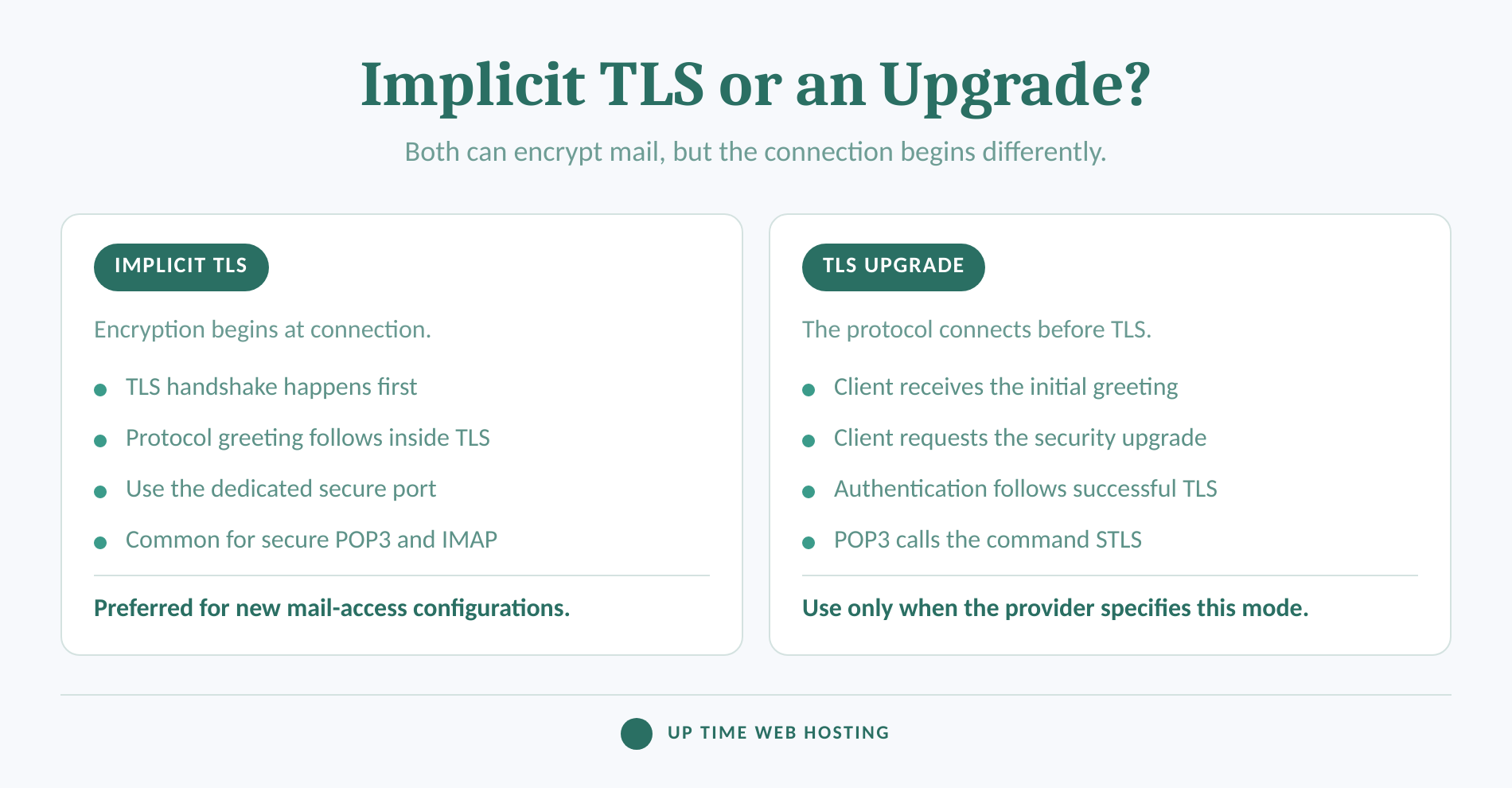
Choose SSL/TLS when the provider gives an implicit TLS port such as 995, 993 or 465. Choose STARTTLS, or STLS for POP3, only when the provider gives a cleartext-start port and explicitly supports the encryption upgrade.
Mail-client menus often retain the label SSL/TLS, but modern secure email connections should use TLS rather than old SSL protocol versions. The IETF's 2015 RFC 7568 states that SSL version 3 must not be used, so SSL in a current settings label should be read as legacy interface wording rather than a recommendation to enable SSLv3. (rfc-editor.org)
STARTTLS describes an upgrade within protocols such as IMAP and SMTP. POP3 uses the equivalent STLS command defined by RFC 2595, although some mail-client interfaces place it under a generic STARTTLS option. The server must advertise and complete the upgrade before the client submits credentials. (rfc-editor.org)
RFC 8314 prefers implicit TLS for mail access. It also explains that SMTP submission on 587 with required STARTTLS and submission on 465 with implicit TLS can provide comparable security when both implementations are correct and refuse to continue without encryption. (rfc-editor.org)
The broader role of certificates, server names and encrypted authentication is covered in this guide to how SSL protects email connections.
Match the port to the security mode: implicit TLS for 995, 993 and 465, or an explicit upgrade for 110, 143 and 587.
Host your website with our 5-star rated, cPanel website hosting plans.
Super fast servers, with security included and hosted in your choice of Australian Data Center.
View cPanel Plans
Should you use POP3 or IMAP for incoming mail?
Use IMAP when the mailbox needs to remain consistent across a phone, computer and webmail. Use POP3 when there is a deliberate reason to download messages to one main device or maintain a local offline workflow.
POP3 is designed around retrieving messages from a server. Some client configurations leave copies on the server, while others remove messages after retrieval, so the result depends on both client settings and server policy. This behaviour can make folders, read status and message availability inconsistent across devices.
IMAP manages the mailbox on the server and synchronises mailbox state with connected clients. The current IMAP specification, RFC 9051, supports implicit TLS or a STARTTLS upgrade and requires implementations to follow the TLS recommendations in RFC 8314. (rfc-editor.org)
Current cPanel Set Up Mail Client documentation recommends IMAP for incoming mail and lists secure IMAP on 993 and secure POP3 on 995. It also warns that its standard POP3 workflow can download messages and remove them from the server, preventing access from another client. (docs.cpanel.net)
POP3 is not insecure simply because it is POP3. Transport security depends on the selected port and encryption mode, while device synchronisation depends on whether POP3 or IMAP is used.
Choose IMAP for synced access across devices and POP3 only when a deliberate download-focused workflow makes sense.
Why do correct ports still fail?
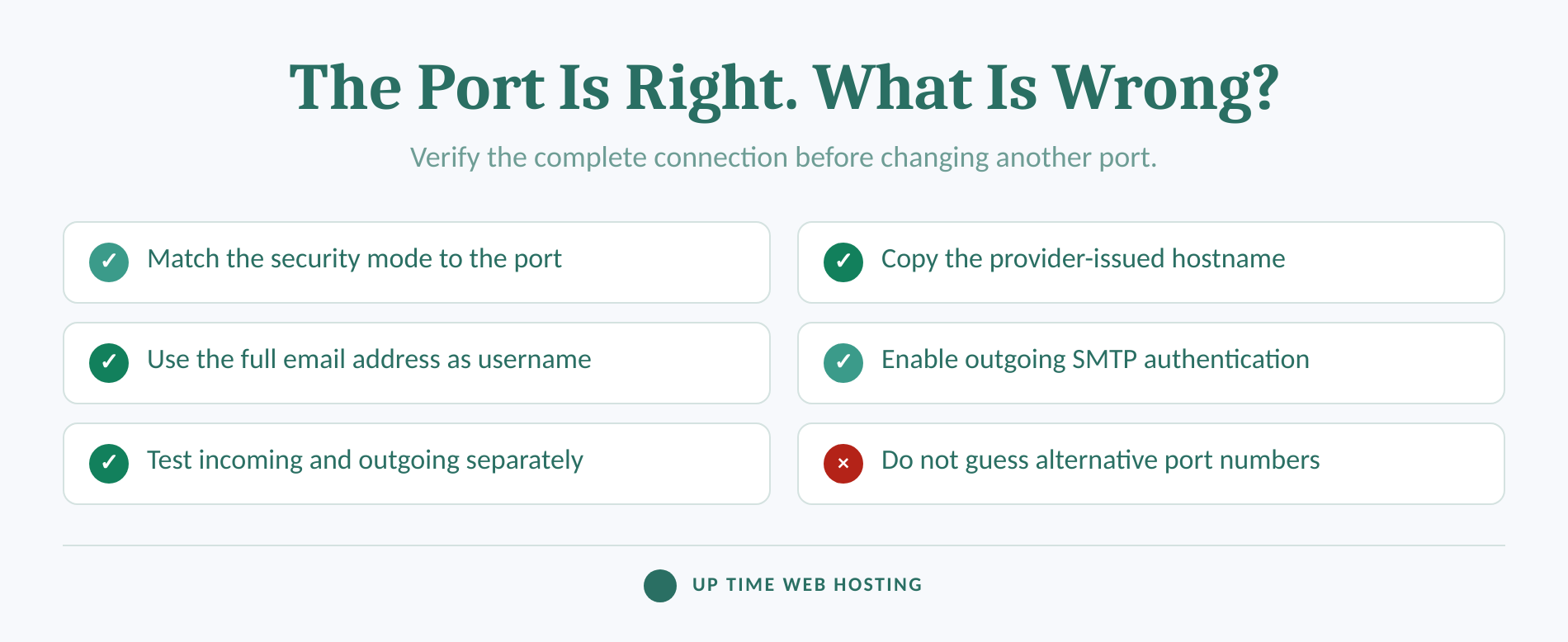
A correct port can still fail when the encryption mode, hostname, username or authentication setting is wrong. Treat the provider's complete configuration as one matched set rather than testing random combinations of ports and security options.
- The port and security mode do not match. Port 995 expects implicit TLS. Selecting STARTTLS with 995 makes the client and server wait for different opening messages.
- The hostname does not match the certificate. A certificate issued for the server hostname may not validate against
mail.yourdomain.example. Use the hostname shown by the hosting provider rather than assuming the mail subdomain is covered. - The username is incomplete. Hosted mail commonly requires the full email address, not only the text before the
@symbol. - Only one direction has been tested. Receiving through POP3 or IMAP and sending through SMTP are separate connections. A successful incoming test does not prove the SMTP settings are correct.
- SMTP authentication is disabled. Message-submission servers normally require the mailbox username and password. Reusing incoming credentials is common, but the outgoing authentication option must still be enabled.
- A firewall or network is blocking the connection. A timeout on one network and a successful connection on another can point to filtering rather than a bad password. cPanel's current firewall documentation lists POP3, IMAP and SMTP as TCP services and identifies their standard ports. (support.cpanel.net)
If a mailbox has been exposed through weak settings or reused credentials, work through the broader email security best practices rather than treating the port change as a complete security response.
If sending succeeds but messages are rejected, delayed or placed in junk folders, changing the SMTP port again is unlikely to help. Check authentication records, bounce details and the email deliverability best practices instead.
When the port looks right, verify the provider's hostname, encryption mode, username and certificate before changing anything else.
How do you enter the settings in a mail client?
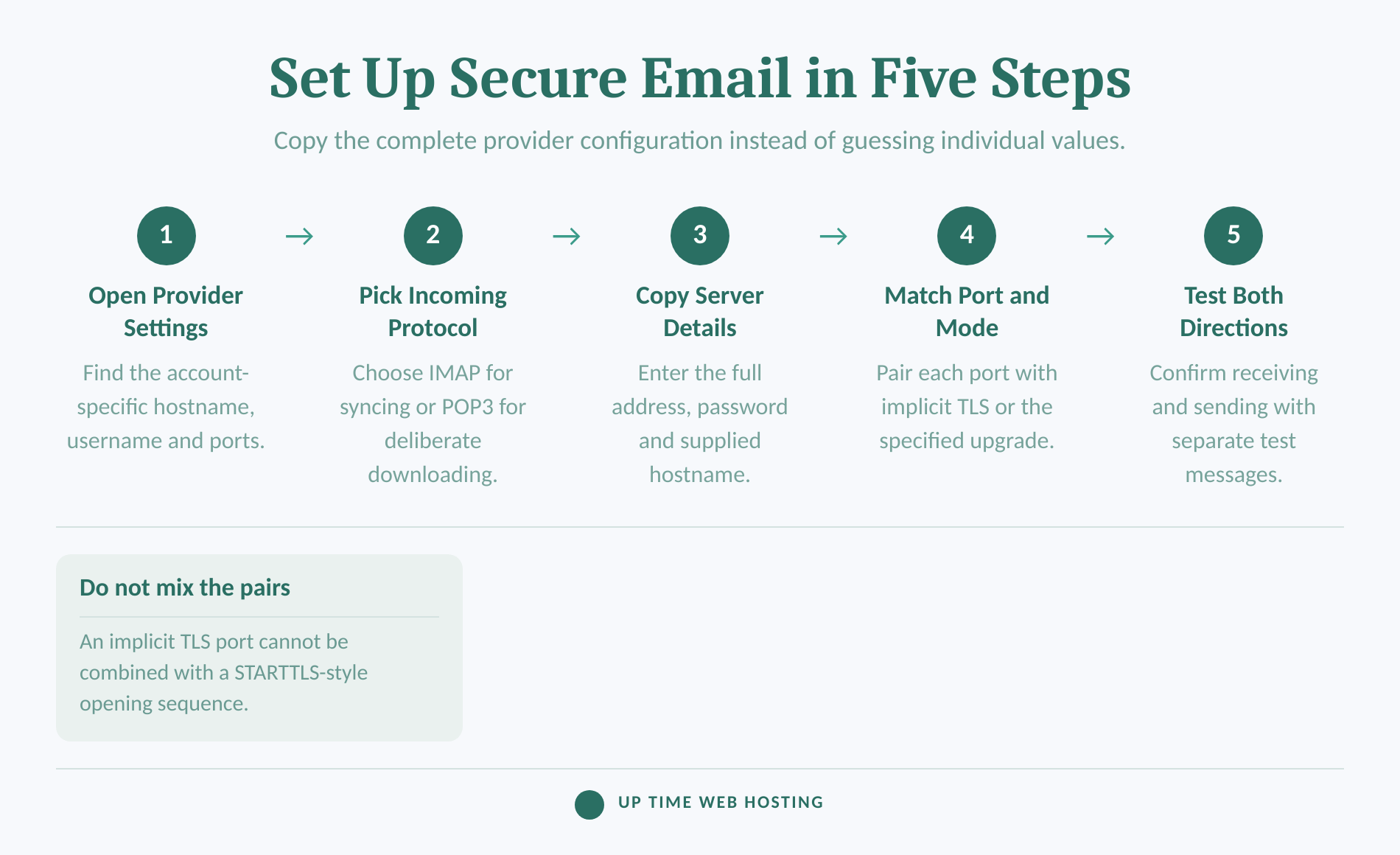
Copy the settings from the provider's control panel before opening the mail client. Enter the incoming and outgoing configurations separately, then test each direction so an SMTP error is not mistaken for a POP3 or IMAP problem.
For a cPanel mailbox, open Email Accounts, find the address and select Connect Devices. Current cPanel documentation recommends the Secure SSL/TLS settings and commonly displays IMAP 993, POP3 995 and SMTP 465 together with the server hostname and account username. (docs.cpanel.net)
- Choose the incoming protocol. Select IMAP for synchronised access or POP3 for a deliberate download-focused setup.
- Copy the incoming server details. Enter the provider-issued hostname, the full email address as the username and the mailbox password.
- Match the incoming port and encryption. Use POP3 995 with
SSL/TLSor IMAP 993 withSSL/TLS, unless the provider explicitly supplies an upgrade-based configuration. - Configure outgoing SMTP separately. Use the outgoing hostname, enable authentication and enter the provider's stated combination, commonly 465 with
SSL/TLSor 587 with STARTTLS. - Test both directions. Receive a new message, then send a message to an unrelated mailbox. Record any exact error code before editing the settings again.
The server name can be as important as the port. cPanel may display the account domain when a matching certificate is installed or provide the server hostname when that is the certificate-covered name, so copy the displayed value exactly instead of assuming it must begin with mail.
For the DNS, mailbox and device steps surrounding the port configuration, follow the domain email settings guide.
Copy the values from the provider's configuration screen exactly, then test receiving and sending as separate functions.
Register your new domain name at competitive market prices including free domain add-ons like privacy, DNS Hosting, Custom Nameservers and Forwarding.
Always the best price and no nasty renewal price hikes.
Register A Domain Name
What else do people ask about POP3S ports?
The common questions concern transport, continued POP3 use and the relationship between ports 110 and 995. The following answers use the exact wording associated with this search topic.
Is POP3 a TCP or UDP protocol?
POP3 is standardised as an application protocol over TCP. RFC 1939 describes the server listening on TCP port 110 and the client establishing a TCP connection. IANA also retains UDP assignments for 110 and 995, but normal POP3 and POP3S mail-client connections use TCP, not UDP. (rfc-editor.org)
Is POP3 still used today?
Yes. POP3 is still supported by current hosting platforms and mail clients, particularly for users who want messages downloaded to one main device or an offline archive. It is less convenient for phones, computers and webmail used together because IMAP keeps server folders and message state synchronised. (docs.cpanel.net)
What ports are used by IMAP and POP3?
POP3 uses TCP port 110 for a cleartext-start connection and TCP port 995 for implicit TLS. IMAP uses TCP port 143 for a cleartext-start connection and TCP port 993 for implicit TLS. For a new encrypted setup, use 995 for POP3S or 993 for IMAPS. (iana.org)
Does POP3 use port 110?
Yes. POP3 uses TCP port 110 in RFC 1939, and the connection can be upgraded to TLS with the STLS extension when both client and server support it. Port 110 should not be used for an unencrypted login; port 995 with implicit TLS is the simpler secure default. (rfc-editor.org)
POP3 remains a TCP-based retrieval option, but secure multi-device setups usually favour IMAP.
What should you do next?
Open the provider's official configuration screen and copy the incoming hostname, outgoing hostname, ports and encryption modes before changing the mail client. If the mailbox does not exist yet, start with the business email setup guide and choose cPanel hosting with the email capacity and Australian support the business needs.
The next action is to confirm the provider-issued settings and use encrypted ports rather than guessing from defaults.