
Picking the right cPanel hosting in Australia is all about giving your business a simple, powerful dashboard to run your website without the headaches. This control panel is a favourite among Aussie small businesses for a good reason – it makes tricky technical jobs, like setting up a professional email or installing WordPress, surprisingly simple.
What Is cPanel Hosting and Why Do Australian Businesses Use It?
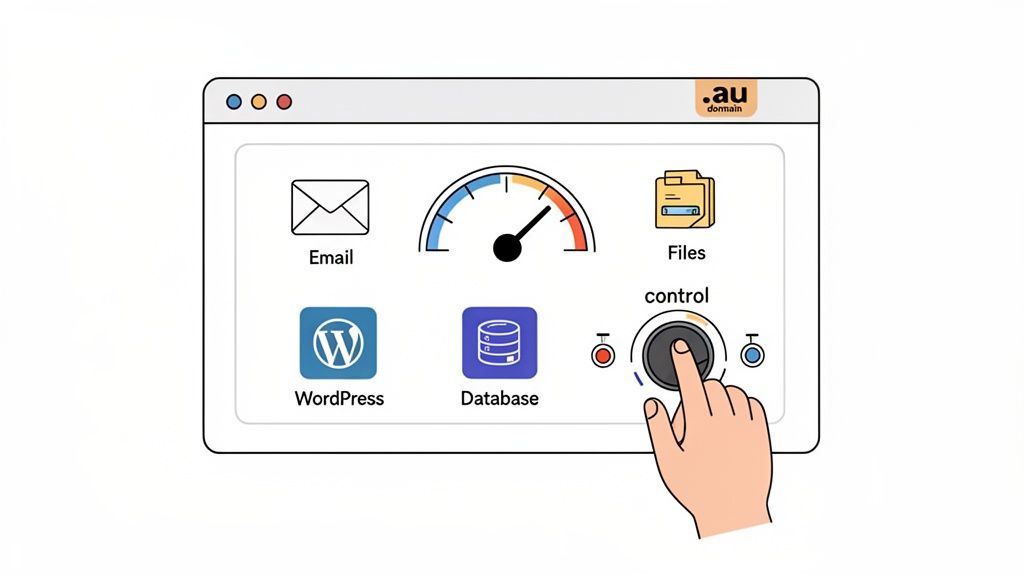
Think of your website like a high-performance car. Your web host provides the engine and all the critical parts under the bonnet, but cPanel is the dashboard. It gives you all the essential controls, dials, and gauges in one clean, graphical layout, so you don't need to be a mechanic to drive it properly.
Instead of needing to type out complex code, you just click on icons to manage every part of your website. This is exactly why cPanel hosting is the go-to choice for countless Australian entrepreneurs, bloggers, and small business owners who need professional tools without a dedicated IT team on standby.
The Control Centre for Your Website
At its heart, cPanel just makes website management easier by organising all the important functions into logical, easy-to-find sections. This intuitive setup means you can get your daily tasks done fast, freeing you up to focus on what really matters: growing your business.
A few clicks are all it takes to handle jobs like:
- Creating Professional Emails: Set up addresses like
sales@yourbusiness.com.auto look professional and build trust. - Managing Website Files: Upload, download, and edit files straight from your browser using the simple File Manager.
- Installing Applications: Get popular software like WordPress, Joomla, or Magento running in seconds with one-click installers.
- Overseeing Databases: Create and manage the MySQL databases that power almost every modern, dynamic website.
For many Australian businesses, cPanel isn't just a convenient tool; it's a genuine strategic advantage. It puts serious server management power into the hands of everyday users, empowering them to run a professional online presence with confidence.
Why cPanel Dominates the Australian Market
There’s a reason cPanel is so common in Australia. Its reliability and user-friendly design are a perfect match for the local small business scene. You’re not just getting a tool; you’re joining a massive community.
In fact, the numbers tell the story. Within the Australian hosting world, cPanel is a true powerhouse, with local sites making up 7% of all global cPanel users. It has a clear appeal for the small businesses and startups that favour a graphical interface for their Linux-based hosting. This makes sense when you see that 72% of cPanel users are small companies with fewer than 50 employees, which perfectly mirrors the profile of Aussie SMEs driving our digital economy. If you want to dive deeper into the stats, you can explore detailed market analysis from Enlyft.
This popularity means there's a huge amount of support and documentation out there, making it easy to find an answer if you ever get stuck. For Aussie business owners, choosing a host that offers cPanel on local servers means getting a familiar, powerful, and easy-to-use platform to manage their entire online operation.

Performance you can feel, backed by clients who depend on it. Read how our support and uptime create long‑term customer success.Power Your Business with Better Hosting
How Australian Servers Give Your Website a Local Advantage
Choosing where your website “lives” is a bigger deal than most people think. Imagine you’re ordering a coffee: you could get one from the local cafe down the street, or you could order it from another country. The local one is in your hands in minutes; the overseas one might take days.
Web hosting works pretty much the same way. When you choose cPanel hosting in Australia with servers physically located on Aussie soil, you’re setting up shop in the same neighbourhood as your customers. This local presence delivers a powerful mix of speed, trust, and reliability that hosting from overseas just can't touch.
Supercharge Your Website Speed with Low Latency
The physical distance between your website's server and your visitor is a massive factor in how quickly your site loads. This delay, known as latency, is simply the time it takes for data to travel from the server to someone's screen. When your server is in the US or Europe, that data has to travel across oceans, which can add precious milliseconds—or even seconds—to your load time.
By hosting your website on Australian servers, you slash that travel time for your local visitors. That means a snappier, more responsive experience for your customers.
- Practical Example: For an e-commerce store in Melbourne, a customer adds an item to their cart and gets an instant response. This makes the checkout process feel smooth and dramatically cuts the chances of them abandoning their cart out of frustration.
- Practical Example: For a local plumber in Sydney, a potential client searching for emergency services can load the contact page immediately, making them far more likely to pick up the phone and call you.
Build Trust and Comply with Data Sovereignty
In an age where everyone's worried about data privacy, where you store customer information really matters. Data sovereignty is the idea that data is subject to the laws of the country where it’s stored. Keeping your customer data on Australian servers helps you stay aligned with local regulations like the Australian Privacy Principles (APPs).
But this isn't just about ticking a legal box; it's a huge trust signal. When your Aussie customers know their personal information is stored locally and protected by laws they understand, their confidence in your business grows. This can be a massive advantage for any business handling sensitive info, from online stores to healthcare providers.
Choosing a provider with a clear commitment to Australian data residency shows your customers you respect their privacy. It’s a clear signal that you’re a local business they can rely on.
Boost Your Local SEO and Get Found by More Customers
Search engines like Google want to give their users the best possible experience, and website speed is a major ranking factor. A faster website doesn't just keep visitors happy; it sends strong, positive signals to Google, which can help push you up the search results.
For businesses targeting a local audience, this effect is even stronger. Hosting your site in Australia helps signal to Google that your business is relevant to Australian searchers.
For example, a Perth-based photographer using cPanel hosting in Australia is more likely to pop up in local search results for "Perth wedding photographer" than a competitor hosted overseas. The combo of faster load times and a local server creates a powerful SEO advantage that helps you connect with the customers right on your doorstep. For a reliable local solution, you can explore services from providers like UpTime Web Hosting, who offer servers across Sydney, Melbourne, Brisbane, and Perth.
Understanding the Technical Features of High-Performance Hosting
Once you get past the flashy promises, the real muscle of quality cPanel hosting in Australia is under the bonnet. To make sure your website runs fast, stays secure, and can handle growth, you need to understand the technical bits and pieces that power it. Let’s pop the hood and take a look at the engine room of a high-performance hosting plan.
As you can see, a solid local server foundation is everything—it directly impacts your site's speed, search rankings, and how much visitors trust you.
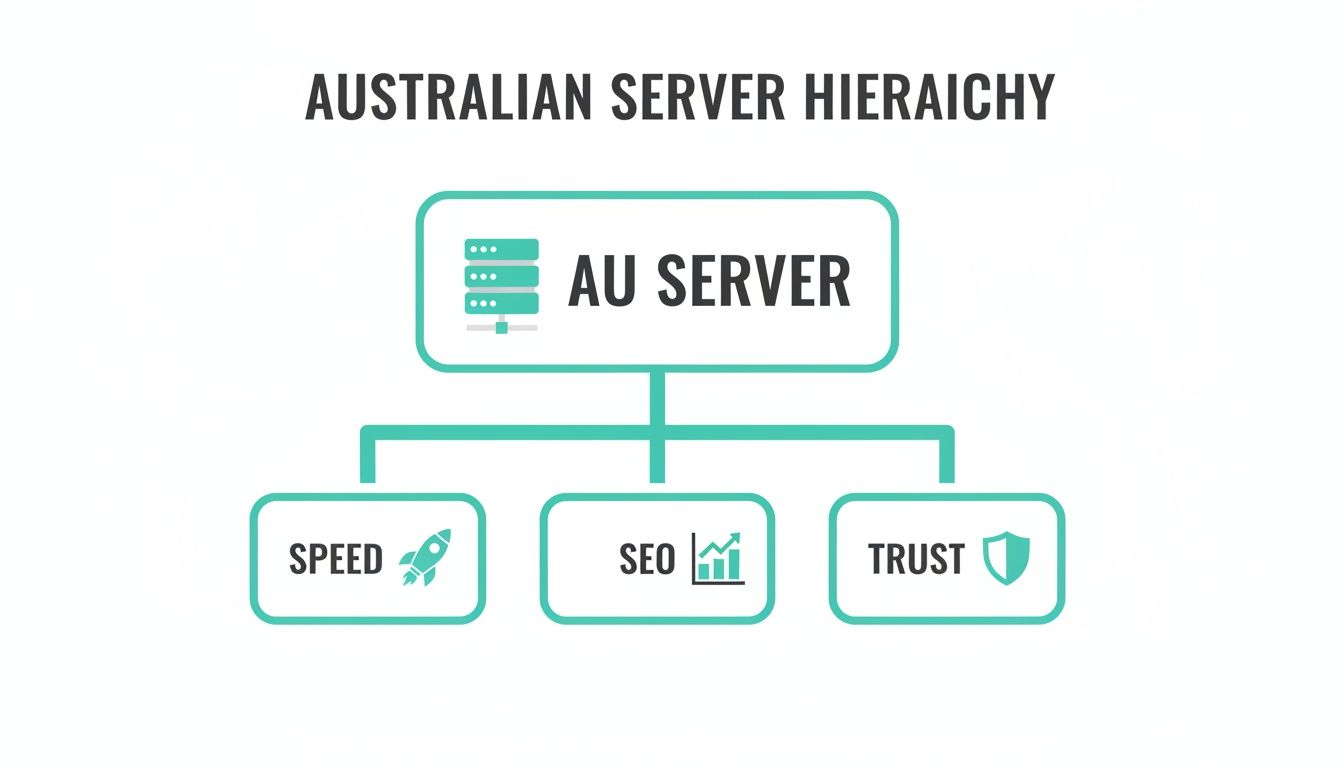
The key takeaway here is simple: everything about your online presence, from performance to perception, starts with the server it’s built on.
The High-Performance Engine Stack
Think of your hosting server like a busy apartment building. For things to run smoothly, you need a smart building manager who gives each resident their own private, soundproof apartment. This is where technologies like CloudLinux OS and LiteSpeed Web Server come in.
CloudLinux OS is that building manager. It gives every website its own secure, isolated space, preventing a "noisy neighbour"—another site on the same server getting a huge traffic spike—from slowing you down. Your resources are your own.
LiteSpeed Web Server is like a super-fast lift in that building. It delivers your website content to visitors much quicker than older technologies like Apache, ensuring your pages load in a snap, even during peak times. Understanding what makes website speed so critical is the first step to appreciating why this matters for both visitors and your Google ranking.
And for WordPress users, AccelerateWP is like a personal concierge for your site. It’s a specialised toolkit that optimises your WordPress installation from the inside out, caching content and fine-tuning settings to deliver an even faster experience.
To help you cut through the jargon, here's a quick rundown of the essential technical features to look for.
Key Technical Features for High-Performance Australian Hosting
| Feature | What It Is | Why It Matters for Your Australian Website |
|---|---|---|
| CloudLinux OS | An operating system that isolates each hosting account on a server. | Prevents other websites from using your resources, ensuring consistent performance. |
| LiteSpeed Web Server | A high-performance web server that's faster than traditional Apache. | Significantly improves page load times, which is crucial for SEO and user experience. |
| NVMe SSD Storage | The latest and fastest type of solid-state drive for file storage. | Your website’s files, images, and database load almost instantly. |
| Nightly Backups | Automated, daily copies of your entire website and databases. | Your ultimate safety net. You can restore your site quickly if anything goes wrong. |
| Free SSL Certificates | Encrypts data between your site and visitors, enabling HTTPS. | Builds trust with the padlock icon and is essential for security and SEO. |
| Web Application Firewall (WAF) | A security filter that blocks malicious traffic before it reaches your site. | Protects against common hacks, brute-force attacks, and other vulnerabilities. |
These features aren't just nice-to-haves; they're the core components that separate a cheap, unreliable host from a professional-grade one that can support your business as it grows.
Your Digital Safety Net: Nightly Backups
Even the most well-built website can hit a snag, whether it’s a buggy plugin update, a simple human error, or a security issue. Automated nightly backups are your non-negotiable safety net. They create a full copy of your site’s files and databases every single day, without you lifting a finger.
Think of it as an automatic, daily snapshot of your entire online business. If disaster strikes, you can simply restore a clean version from the night before with a few clicks, keeping downtime and stress to a minimum.
Essential Security Measures
Great hosting shouldn’t treat security as an optional extra. A robust setup should come standard, with multiple layers of defence to protect your data and your customers' trust.
Here are the security features that should be included out of the box:
- Free SSL Certificates: An SSL certificate encrypts the connection between your website and its visitors. It’s what puts that little padlock in the browser's address bar—a massive trust signal for anyone visiting your site.
- Proactive Malware Scanning: This service acts like a security guard, regularly patrolling your website’s files for malicious code and quarantining threats before they can do any harm.
- Web Application Firewall (WAF): A WAF is your website’s front-door bouncer. It intelligently filters out sketchy traffic and blocks common hacking attempts before they even get close to your site.
Protecting your website isn't a set-and-forget task; it demands constant vigilance. A hosting provider that bundles these security features shows they’re serious about keeping your online assets safe.
Understanding Your Resource Allocations
When you browse hosting plans, you’ll see terms like CPU, RAM, and storage. These are your website's dedicated resources, and they’re simpler to understand than they sound.
- CPU (Central Processing Unit): This is the server's brain. More CPU power lets your site handle more tasks at once, like processing an online order while several people are browsing your products.
- RAM (Random Access Memory): Think of RAM as the server's short-term memory. It holds the data your website needs to access in a hurry. More RAM helps your site respond faster, especially if it’s a complex e-commerce store or a busy blog.
- Storage (NVMe SSD): This is the filing cabinet where all your website’s files are kept. Modern NVMe SSDs are ridiculously fast, meaning your images, videos, and pages are delivered to visitors without any frustrating lag.
Having enough resources is one thing, but managing and maintaining your site is another. For businesses that want an expert in their corner, looking into dedicated web maintenance and support plans can offer invaluable peace of mind.
Host your website with our 5-star rated, cPanel website hosting plans.
Super fast servers, with security included and hosted in your choice of Australian Data Center.
View cPanel Plans
How to Manage Your Business Essentials with cPanel
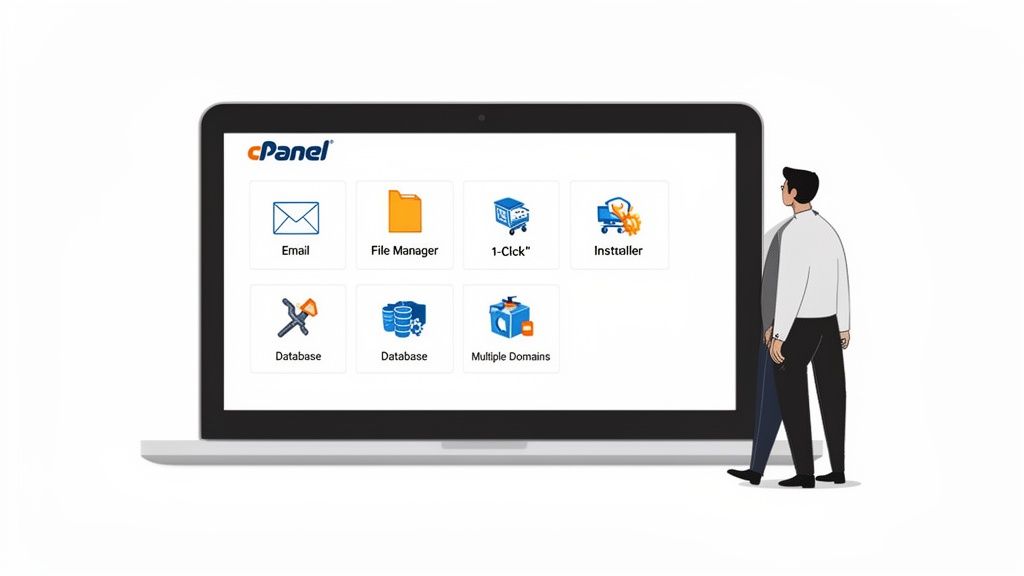
Jumping into your hosting control panel for the first time can feel a bit intimidating. But cPanel is built to make managing your website’s core functions surprisingly simple. Think of it as your digital command centre, where every essential task for your Australian business is just a few clicks away—no coding required.
Whether you're creating a professional email address to build brand trust or installing a new application, cPanel brings all these operations together in one clean dashboard. Let’s walk through a few real-world examples of how you can use it to handle day-to-day business needs with confidence.
Setting Up Professional Email Accounts
Nothing says "legit business" quite like an email address at your own domain. An address like info@yourbusiness.com.au inspires far more confidence than a generic Gmail or Outlook account could ever hope to. With cPanel, setting these up is incredibly straightforward.
You just head over to the "Email Accounts" section, pick your domain, and create a new account by choosing a username and a strong password. You can even set a specific mailbox size for each user, which is perfect for managing accounts for your whole team.
- Practical Example: A new real estate agency in Brisbane needs to set up accounts for its agents. The office manager logs into cPanel, clicks "Email Accounts," and creates
jane@brisbanerealty.auandtom@brisbanerealty.auin under five minutes. Each gets a secure password and a generous storage quota. Simple as that.
This process ensures your team communicates professionally from day one. For detailed, step-by-step instructions, check out our guide on how to set up a business email for your Australian business.
Installing Applications with One Click
Want to start a blog, open an online store, or build a community forum? Forget about manually uploading complicated software. Most quality cPanel hosting in Australia comes bundled with an application installer like Softaculous. This handy tool automates the installation of hundreds of popular applications.
Inside Softaculous, you can find and install software like WordPress, Magento, or Joomla with a single click. The installer handles all the technical grunt work in the background—like setting up the database and configuring files—getting your new project online in minutes.
This one-click process is a game-changer for business owners who just want to get their ideas online quickly. It completely removes the technical barriers, allowing you to focus on creating content or selling products instead of wrestling with a frustrating software installation.
Managing Your Website Files
The File Manager in cPanel is your direct window into your website's file structure. It works a lot like Windows Explorer or macOS Finder, providing a simple, graphical way to manage all the files that make up your site without needing to mess with clunky FTP programs.
With the File Manager, you can easily:
- Upload new files: Drag and drop images, PDFs, or other documents directly to your site.
- Edit existing code: Make quick tweaks to HTML or CSS files right from your browser.
- Organise your folders: Create new directories to keep everything neat and tidy.
- Manage permissions: Adjust who can read, write, or execute certain files for better security.
- Practical Example: A photographer needs to upload a new portfolio gallery. They log into cPanel, open the File Manager, navigate to their website’s
imagesfolder, and simply drag and drop the new photos from their computer. The whole process is visual and intuitive.
This kind of direct access is invaluable for quick updates and routine maintenance, giving you total control over your site's content and structure.
Your Checklist for Choosing an Australian cPanel Host
Picking the right provider for your cPanel hosting in Australia is a big decision for your business, but it doesn't have to feel overwhelming. When you know what to look for, you can cut through the noise and find a partner who will genuinely support your website's performance and security. Think of this as your no-nonsense checklist for making a smart choice.
A crucial part of this is knowing what questions to ask and how to choose the right services, which is the core of choosing the right web hosting provider for your business.
Verify True Australian Infrastructure
First things first: confirm the provider’s servers are physically located in Australia. Don't be fooled by a .com.au domain name—that doesn't guarantee a thing. You need to dig a little deeper to make sure you get the lightning-fast load times that only local servers can deliver.
- Check Server Locations: Scan their website for mentions of Aussie cities like Sydney, Melbourne, Brisbane, or Perth.
- Ask Support Directly: If you can't find it, just ask. A quick email to their support team saying, "Are your cPanel hosting servers physically located in Australia?" will give you a straight answer.
A genuine Australian host will be proud to tell you where their servers are. It’s not just a minor detail; it’s a core feature that directly impacts your site speed and your customers’ experience.
Scrutinise Pricing for Transparency
There's nothing worse than a cheap plan that suddenly isn't so cheap. Watch out for hidden fees that can turn a bargain into a budget-buster. Look for hosts who are completely upfront with their pricing.
- Confirm GST Inclusion: Any price you see should already include GST. If a host adds it at the checkout, that's a major red flag for other potential surprise costs.
- Check for Add-on Fees: Essentials like SSL certificates and nightly backups should be part of the deal, not expensive extras you have to pay for later.
For example, you see a plan for $10 per month. A transparent host bills you exactly $10, GST included. Another provider might advertise $8 per month but then tack on GST, a backup fee, and another charge for an SSL certificate, pushing your final cost way higher.
Assess the Performance and Security Stack
A good host invests in the right technology to keep your website fast and safe. You need to look beyond the marketing promises and check for specific tech names that signal a real commitment to quality.
Your technical checklist should include:
- LiteSpeed Web Server: This is the modern, high-performance engine that gets your website content to visitors much faster than older tech like Apache.
- CloudLinux OS: This is a crucial piece of the puzzle. It isolates your hosting account from others on the same server, meaning a traffic spike on someone else's site won't drag yours down.
- Free Nightly Backups: Consider this your ultimate safety net. Make sure automated, off-site backups are included at no extra cost.
Confirm Local Support and Flexible Terms
When something goes wrong, you want to talk to someone who's in your timezone and understands the local landscape. On top of that, you should never feel locked into a service that isn't delivering.
- Look for a 1300 Number: A local phone number is a strong sign that you'll be dealing with a genuine Australian support team.
- Review Contract Terms: Always favour providers who offer flexible, no lock-in contracts. It gives you the freedom to walk away if your needs change or the service doesn't live up to its promises.
Ticking these boxes ensures you're not just buying server space; you're investing in a solid, high-performance foundation for your online business. To learn more about local options, our guide to Australian web hosting providers breaks it down even further.
Common Questions About cPanel Hosting in Australia
Jumping into the world of web hosting can feel a bit like alphabet soup, especially when you’re trying to find the perfect fit for your Australian business. Getting it right from the start is crucial for your website's success. Let’s clear up some of the most common questions business owners have about cPanel hosting in Australia, giving you the straightforward answers you need to move forward with confidence.
Can I Move My Existing Website to a New cPanel Host?
Yes, absolutely. You are never permanently locked into a hosting provider you’re not happy with. Moving your website to a new cPanel host is a very common process called a "website migration," and it involves transferring all your website's files, databases, and emails over to your new provider.
While that might sound a bit technical and daunting, a good Australian host makes this incredibly simple.
In fact, a provider like UpTime Web Hosting often includes a free migration service with their plans. Their team of experts will handle the entire transfer for you, making sure the move is seamless with little to no downtime. It means you can switch to a faster, more reliable server without having to do any of the technical heavy lifting yourself. You just give them the login details for your old host, and they handle the rest.
Is cPanel Hosting Powerful Enough for a Growing Online Store?
This is a really important question for anyone running an e-commerce business. The short answer is a definite yes, but with one big condition: you need to be on the right type of hosting plan, one built with a performance-focused tech stack. A basic, cheap shared plan will likely buckle under pressure, but a high-performance cPanel plan is more than ready for a thriving online store.
The trick is to look for a few key features that are designed for speed and growth.
- LiteSpeed Web Server: This is a modern, high-performance web server that delivers your product pages and images much faster than older tech. When a customer is in the checkout process, every millisecond counts.
- NVMe SSD Storage: Think of this as ultra-fast storage for your website. It allows your product databases to be accessed almost instantly, preventing those frustrating delays when a customer is searching for an item or filtering a category.
- Scalable Resources: As your store gets busier, you’ll need more CPU power and RAM to handle the extra traffic and orders. A good host lets you easily upgrade your plan without any downtime, so you get the resources you need, right when you need them.
With this kind of technology in place, a cPanel environment can comfortably handle all the demands of a busy online store, ensuring a smooth and speedy experience for your Aussie customers.
Is cPanel the Same as WordPress Hosting?
That’s a great question, and it’s a point of confusion for many people. The easiest way to think about it is that cPanel is the control panel—the dashboard for your hosting—while WordPress is the application you build your website with. They’re not the same, but they work together perfectly.
In fact, the very best cPanel hosting in Australia often serves as the foundation for outstanding WordPress hosting.
A quality host will take a standard cPanel setup and supercharge it with tools specifically designed to make WordPress sites run faster and more securely. A perfect example of this is AccelerateWP, a performance toolkit that optimises your WordPress site by caching content, cleaning up the database, and fine-tuning everything for speed. You still manage it all through the familiar cPanel interface, but you get the massive benefit of a specialised environment for your WordPress site.
Think of it this way: cPanel is the modern, well-equipped workshop. WordPress hosting is the specialised, high-performance tuning service for your specific car (your website) that happens inside that workshop.
Do I Need to Be a Tech Expert to Use cPanel?
Not at all. One of the biggest reasons cPanel has remained so popular for so long is its user-friendly and intuitive design. It was created to take complex server management tasks and present them in a simple, graphical interface that anyone can navigate. You don’t need to know how to write a single line of code to get things done.
Everything from setting up a professional email address to installing WordPress can be done with a few clicks on easy-to-understand icons. This accessibility is a huge plus for small business owners who are already wearing multiple hats and don't have time to become server experts.
On top of that, the strength of the local hosting market means you’re never on your own. The Australia web hosting services market hit AUD 3.67 billion in 2024 and is projected to skyrocket to AUD 10.42 billion by 2034. This incredible growth, fuelled by Australia's vibrant small business and e-commerce sectors, means local providers are investing heavily in robust support to help you succeed. When you have a local Australian support team just a 1300 number away, you have peace of mind knowing that friendly, expert help is just a quick phone call away if you ever get stuck. You can discover more insights about these market trends on Expert Market Research.
Ready to power your website with Australia's best cPanel hosting? At UpTime Web Hosting, we combine high-performance local servers with friendly, expert support to give your business the online foundation it deserves. Experience the difference with our fast, secure, and reliable hosting solutions.