A SAN SSL certificate is one X.509 certificate that can secure multiple domain names and subdomains, with Australian-facing guidance describing coverage from a few entries to as many as 500 domains. For a business running several websites or services, that can mean one organised renewal cycle instead of several unrelated certificate jobs.
You may be dealing with this already. Your main website has one hostname, the online shop has another, and a booking portal, blog, staging site or regional domain sits somewhere else. Each may point to the same hosting environment, but every hostname still needs to match the certificate presented to visitors. A missed renewal or omitted name can turn a routine website change into a browser warning at the worst possible time.
The practical question isn't whether SAN technology is only for large organisations. It is whether grouping the right hostnames will make your Australian hosting operation easier to maintain without creating a larger failure point. The answer depends on how your domains are hosted, how often they change, and whether you can automate validation and renewal.
Table of Contents
- What Is a SAN SSL Certificate
- How Australian Businesses Use SSL Today
- SAN Versus Wildcard and UCC Certificates
- How to Generate and Install a SAN Certificate
- Free Versus Paid SAN Certificates in Australia
- Real Australian SAN Certificate Use Cases
- Troubleshooting SAN SSL Renewal and Management

Performance you can feel, backed by clients who depend on it. Read how our support and uptime create long‑term customer success.Power Your Business with Better Hosting
What Is a SAN SSL Certificate
A small business might run example.com, www.example.com, shop.example.com, and a separate campaign domain from one hosting account. Buying and installing a separate certificate for every hostname creates several files, renewal dates and installation tasks. A SAN certificate groups selected names into one certificate, so the certificate authority can validate and protect them together.
SAN means Subject Alternative Name. It is a field in an X.509 certificate that lists the fully qualified domain names, subdomains and, in some cases, IP addresses the certificate covers. The browser checks the hostname requested by the visitor against those SAN entries. If the hostname isn't listed, the certificate doesn't provide a valid identity for that address, even if another website on the same server works correctly.
The structure is straightforward:
- List the names: Decide which domains and subdomains need HTTPS.
- Request validation: Prove control of each included domain through the certificate authority's chosen method.
- Install the certificate: Place the certificate and private key on the relevant hosting or server environment.
- Verify every hostname: Test each address, not just the main website.
A provider serving mysite.com, yoursite.com and anothersite.com from one application can use one multi-domain certificate for those names, as described in this Australian SAN certificate example. The names don't need to be variations of the same brand. They do, however, need to be deliberately included and correctly validated.
Why the field matters
The SAN list becomes the operational source of truth. If shop.example.com is missing, visitors to that address can receive a hostname mismatch warning. Australian F5 guidance also explains that modern browser identity validation relies on subjectAltName rather than Common Name when SAN is present, so an incorrect list is a direct deployment problem, not a cosmetic detail. (F5's SAN guidance explains the matching behaviour.)
One certificate can reduce the number of renewal workflows, certificate files and support tickets. It doesn't remove the need for careful management. A single certificate with an incomplete SAN list can affect several services at once, which is why you should keep an inventory of every included hostname and remove names that no longer belong on the same infrastructure.
For a plain-language introduction to certificates, see what SSL is and why a website needs it. The SAN decision comes after that basic requirement. It helps you organise coverage across multiple identities.
How Australian Businesses Use SSL Today
A small Australian business may run a main website, an online shop, a booking portal and a separate campaign domain. Managing a separate certificate for every URL creates more renewal dates, certificate files and opportunities for an expiry. A SAN certificate can cover those deliberately selected names in one managed certificate, making renewal easier and reducing the risk that one overlooked hostname loses HTTPS.
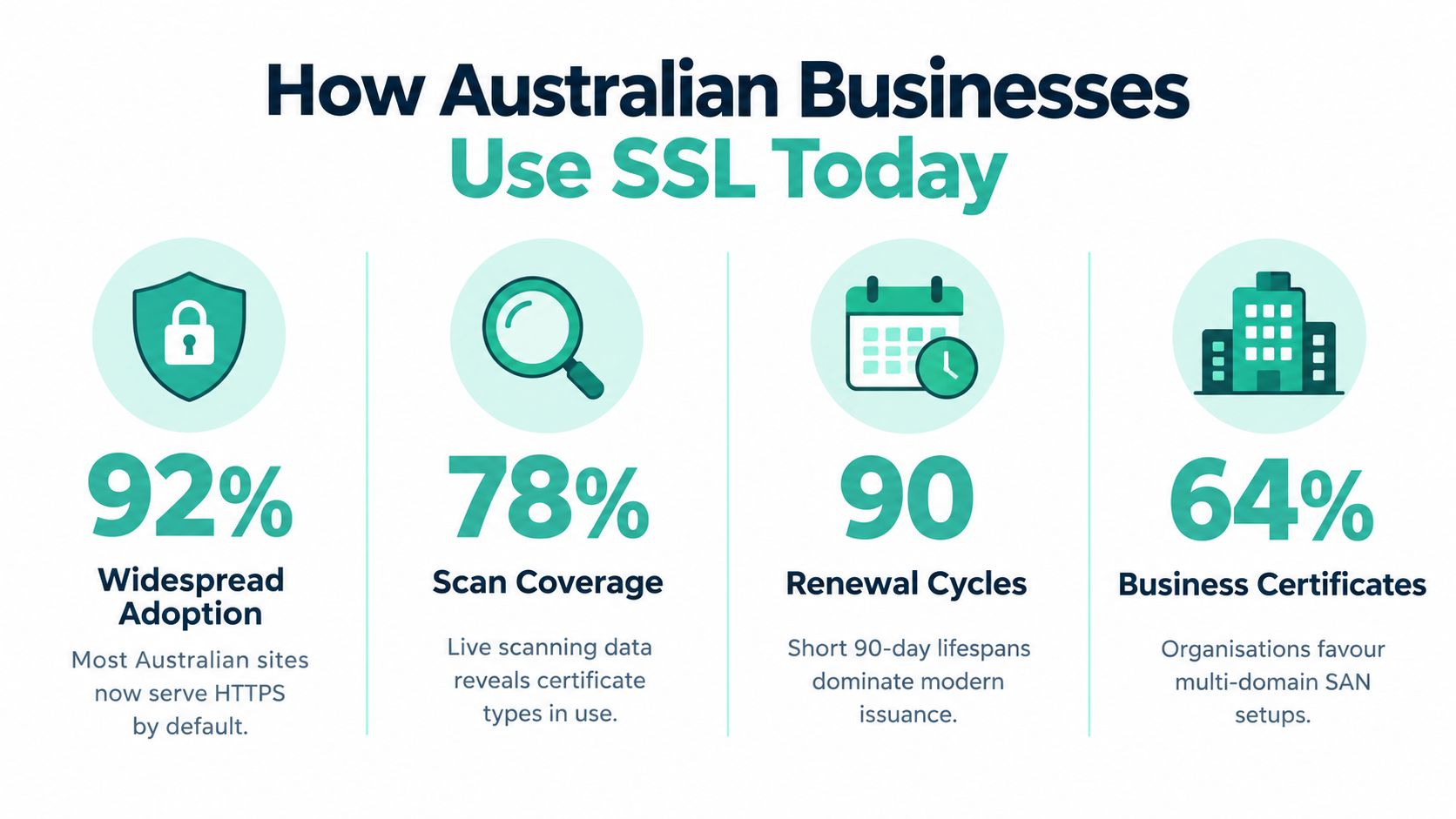
Australian certificate deployment is shaped by hosting and renewal processes as much as by certificate price or brand. A 2026 scan of 8,376 Australian .au domains found that Let's Encrypt accounted for 51.7% of certificates, Google Trust Services for 22.8%, Amazon for 8.9%, DigiCert for 8.8%, and Sectigo for 3.5%. Free and major commercial certificate authorities therefore account for most observed issuance in Australia. (The Australian TLS survey provides the issuer breakdown.)
For small businesses, a free certificate is not automatically a weaker security choice, and a paid certificate does not automatically simplify operations. The certificate authority, validation type, hosting environment and renewal method all affect the result. Australian government guidance recommends a free DV certificate unless the business needs higher assurance, along with automated renewal through a CA that supports ACME. (Australian government certificate guidance sets out this approach.)
Short lifetimes change the routine
The same scan recorded a median Australian certificate lifetime of 89 days, while only 0.7% of certificates were already expired. Those figures favour automated renewal and regular checks over calendar reminders and long periods of manual certificate management. A SAN certificate works well in this setup when its complete hostname list is renewed and installed through one dependable workflow.
Short lifetimes become risky when renewal depends on an old control-panel password, a manual upload or a task with no clear owner. The scan also found 2.9% of certificates had chain trust problems, including missing intermediates or an untrusted root. A browser may reject HTTPS even when the hostname appears in the SAN list if the server sends an incomplete chain.
Operational rule: Treat certificate renewal, chain installation and SAN verification as one deployment task. Completing only one of these jobs does not produce a reliable HTTPS service.
Australian government cryptography guidance recommends TLS 1.3, so the certificate belongs within a correctly configured HTTPS stack rather than serving as the entire security solution. This multi-URL approach is now a routine option for Australian websites, not a niche enterprise feature. Businesses considering web hosting with free SSL should confirm how renewal, chain installation and hostname coverage are handled before selecting a plan.
Host your website with our 5-star rated, cPanel website hosting plans.
Super fast servers, with security included and hosted in your choice of Australian Data Center.
View cPanel Plans
SAN Versus Wildcard and UCC Certificates
These terms overlap, but they solve different coverage problems.
A SAN certificate protects a chosen list of names. That list can include separate domains, selected subdomains and, where supported, other permitted identities. It suits an agency hosting several client domains together, or a business operating a main site and separate regional or service domains.
A wildcard certificate protects one domain and its subdomains through a wildcard name. It suits a business with many changing subdomains under one domain, such as shop.example.com, blog.example.com and portal.example.com. It is less precise because the certificate grants coverage across the subdomain pattern rather than documenting each hostname individually.
A UCC, or Unified Communications Certificate, is closely related to a SAN certificate. The older term is strongly associated with unified communications environments, including mail and collaboration servers, but many providers use UCC and SAN to describe multi-domain coverage. The product name matters less than the actual names, validation level and installation requirements.
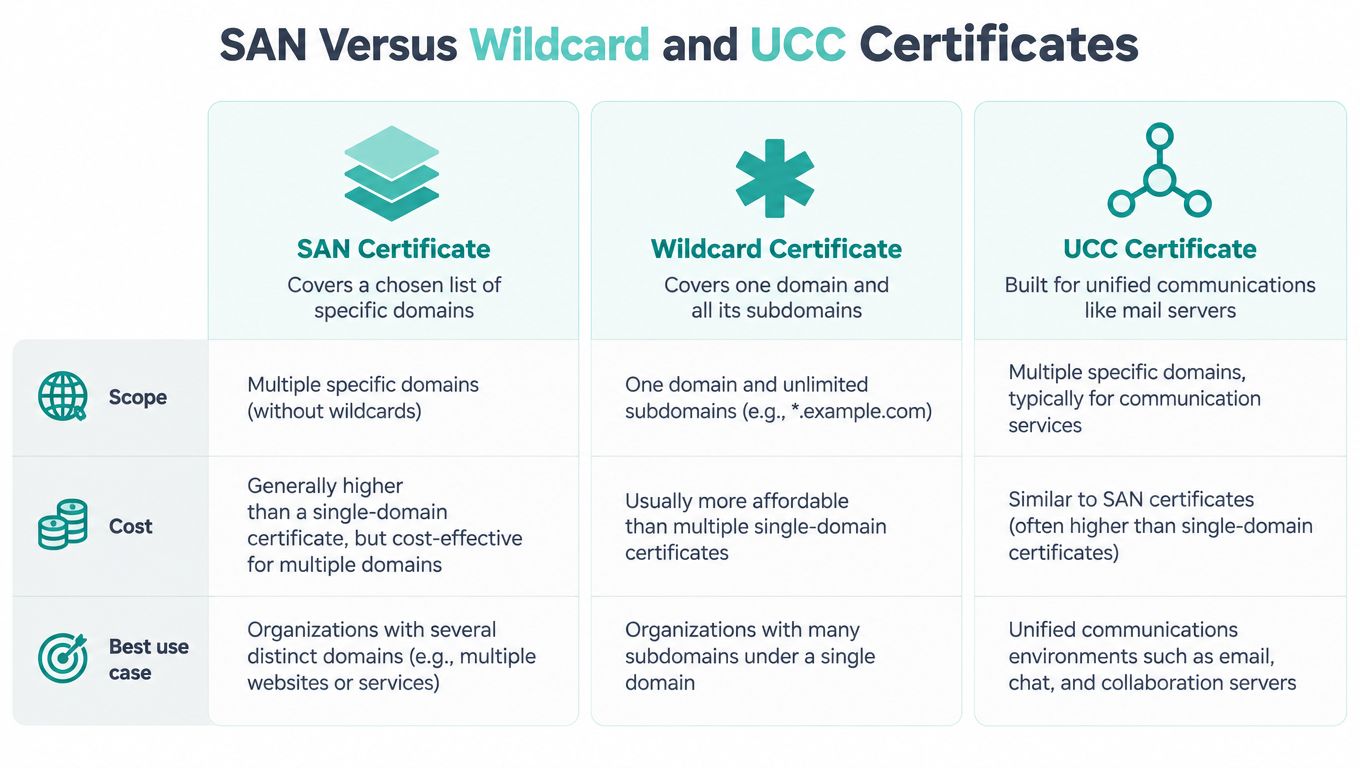
| Certificate form | Scope | Practical choice |
|---|---|---|
| SAN | Specific domains and subdomains listed in the certificate | Several websites or selected hostnames on shared infrastructure |
| Wildcard | One domain and its subdomains | A changing subdomain estate beneath one domain |
| UCC | Multiple names, commonly used for unified communications workloads | Mail, collaboration and related server identities |
Choosing without over-provisioning
A single brochure website usually doesn't need a multi-domain product. A wildcard can be unnecessary if you have only a few known subdomains and want a precise inventory. It can also make separation harder if unrelated services share the same wildcard coverage.
SAN is usually clearer when you can name the exact domains that belong together. It gives the team a visible list to review during renewal and makes it easier to spot an old campaign domain or retired service that should be removed. Australian-facing guidance describes multi-domain products covering up to 500 domains, while another provider describes coverage for up to 100 websites and subdomains, so confirm the issuer's product limit rather than assuming every SAN certificate has the same capacity. (Australian multi-domain SSL guidance discusses those product limits.)
For a subdomain-heavy design, review wildcard SSL certificate coverage and compare the operational boundary with your actual hosting structure. The right choice is the one your team can audit and renew confidently.
How to Generate and Install a SAN Certificate
Start with the hostname list, not the order form. Write down every domain and subdomain that should be covered, note which server or hosting account serves it, and remove anything the business no longer uses. A SAN certificate only helps when the names in it match the assets you need to protect.
cPanel workflow
On a typical cPanel account, the process is straightforward:
- Create the CSR: Open the SSL or TLS area and generate a certificate signing request. Enter the primary hostname and add the alternative names if the interface supports them.
- Submit the request: Send the CSR to the certificate authority, or use your hosting provider's managed issuance flow.
- Complete validation: Follow the domain-control check. DNS or HTTP validation may be automated, depending on the product.
- Install the files: Upload the issued certificate, private key, and intermediate certificate through cPanel's SSL installation tool. Keep the files in the correct account and server.
- Check the bindings: Open each covered hostname over HTTPS and inspect the certificate details. Confirm the requested name appears in the SAN list and the chain is trusted.
The labels vary between cPanel versions and hosting companies. This cPanel SSL installation guide gives a hosting-focused reference for the installation stage.

Windows IIS workflow
Windows and ASP.NET environments present the same job through different tools.
- Generate the CSR in IIS: Use Server Certificates in IIS Manager, enter the certificate details and create the request with the required hostnames.
- Complete validation and receive the certificate: Keep the private key on the server that generated the CSR. A certificate issued from a different CSR will not pair correctly with that key.
- Import the certificate: Complete the certificate request in IIS or import the supplied PFX file into the right certificate store, including the private key.
- Configure site bindings: Open the website bindings, select HTTPS, choose the correct certificate and assign the intended hostname. Repeat the binding checks for each site.
- Test externally: Use a browser and a certificate inspection tool to confirm the SAN entries, expiry status and trusted chain from outside the server.
A manual installation means someone has to create the CSR, order the certificate and install it. That is why teams need a named owner for the task. If the owner is unclear, use managed automation or ask your hosting support team to document the process so renewals do not slip through unnoticed.
Free Versus Paid SAN Certificates in Australia
The decision isn't just about free versus expensive. It is managed renewal versus unmanaged renewal, plus the level of business assurance your customers and internal processes require.
A free DV SAN certificate can be suitable for many small-business websites when the CA validates domain control and the hosting platform renews and installs the certificate automatically. Australian government guidance supports free DV certificates unless the organisation has a business requirement for a higher-assurance certificate. DV confirms control of the domain, while higher validation options involve additional organisation checks.
Paid products can make sense when you need features beyond basic domain validation. Depending on the issuer, those may include business identity checks, support arrangements, warranty terms, product administration or a certificate workflow designed for a more complex server estate. Those features don't replace correct TLS configuration, and they don't make an omitted SAN entry valid.
What to ask before choosing
Ask the provider how the product behaves after the first installation.
- Renewal ownership: Does the platform renew and deploy the certificate, or does someone on your team need to upload files?
- Validation method: Can it use ACME with automated HTTP-01 or DNS-01 validation where appropriate?
- Name changes: Can you add or remove SAN entries through reissue without losing the private key workflow?
- Support boundary: Will support help identify a chain problem, hostname mismatch or failed validation?
- Hosting fit: Can the same process cover cPanel, WordPress, Windows IIS and any separate application services?
Australian hosting providers increasingly market ACME and automated SAN workflows, including automated HTTP-01 and DNS-01 checks and SAN add-ons. (An Australian SSL product workflow illustrates that movement.) The useful question has shifted from how many names a certificate can hold to how reliably the platform keeps all those names valid.

For a WordPress site, start with free SSL certificate options for WordPress and then check whether automated renewal covers every hostname you use. Upgrade to a paid product when a documented business requirement justifies it, not because the word “paid” sounds more secure.
Register your new domain name at competitive market prices including free domain add-ons like privacy, DNS Hosting, Custom Nameservers and Forwarding.
Always the best price and no nasty renewal price hikes.
Register A Domain Name
Real Australian SAN Certificate Use Cases
Consider a Melbourne digital agency that hosts several client brochure sites on a shared platform. Each client has a separate domain, and one client also uses a booking subdomain. A SAN certificate can group the names the agency is comfortable managing together, giving the support team one renewal event and one certificate inventory to review. The agency should keep client ownership and validation records clear, especially when a client leaves.
A regional retailer might run a main .au website, a shop subdomain and a separate blog or campaign domain. Those addresses may sit on the same hosting environment, but they serve different customer journeys. SAN coverage lets the retailer specify those identities directly, while the renewal process can deal with the group as one operational unit.
A professional services firm may use a primary website, a client portal and a separate regional domain. The portal may have stricter access controls, but the certificate question remains practical. If the same team controls the infrastructure and can respond to validation requests for every domain, consolidating the names may reduce administration. If different providers or business owners control them, separate certificates may create a cleaner boundary.
Common misconceptions
“SAN certificates are only for enterprises.” They aren't. A small Australian business with a few related websites can benefit when those sites share a hosting stack and one team manages renewals.
“A SAN certificate makes every subdomain safe automatically.” It doesn't. Only names listed in the SAN field are covered. A new hostname requires a certificate reissue or a separate certificate, depending on the product.
“Shared hosting can't use SAN.” Shared hosting can support SAN certificates when the provider's platform can present the correct certificate for each hostname. Ask how add-on domains, aliases and separate accounts are handled before ordering.
“Wildcard is always simpler.” Wildcard is simpler for a large, changing set of subdomains under one domain. It isn't necessarily simpler for unrelated domains or services that should be separated. The operational boundary matters more than the label.
“The cheapest certificate solves the whole problem.” Price doesn't fix a missing chain, an incorrect hostname or a forgotten renewal. The certificate must match the hosting workflow.
Troubleshooting SAN SSL Renewal and Management
Most SAN failures are preventable inventory and timing problems. Before renewal, compare the certificate's SAN list with the domains currently published by the business. Remove retired names, add legitimate new names through the issuer's reissue process, and confirm that every team responsible for validation still controls its domain.
Use this compact checklist:
- Hostname mismatch: Check the exact address in the browser against the SAN entries.
wwwand the root domain are separate names unless both are covered. - Expired certificate: Check whether automated renewal ran and whether the renewed certificate was installed on every relevant service.
- Untrusted chain: Confirm that the server sends the required intermediate certificate, not just the leaf certificate.
- Validation failure: Check that the CA's HTTP-01 or DNS-01 validation can reach the expected validation location and that a recent hosting change hasn't interrupted it.
- Unexpected certificate: Inspect the server or control panel binding. A valid certificate installed on the wrong site can still produce a warning.
Before you renew: Export or record the current SAN list, certificate issuer, renewal method and installation owner. That small record gives support staff a starting point when a domain changes hands or a service moves.
Automation is increasingly available through ACME-supported certificate authorities and Australian hosting workflows. It works best when domain ownership, DNS administration and server deployment are all clearly assigned. If one of those steps still depends on an individual remembering a calendar reminder, document a fallback process and test it before the certificate approaches expiry.
TLS 1.3 should also be enabled as part of the wider HTTPS configuration, in line with Australian government cryptography guidance. Certificate management protects identity and trust, but secure protocol settings, current server software and careful access control complete the deployment.
UpTime Web Hosting provides Australian cPanel, WordPress and Windows hosting with free SSL options, managed services and local support for businesses running multiple websites and subdomains. Visit UpTime Web Hosting to review hosting options and ask how SAN coverage, automated renewal and certificate installation can fit your setup.