DNS propagation usually takes from a few minutes to 48 hours, depending on the old TTL. An old TTL of 86400 seconds can require up to 24 hours before cached data expires. You've just moved an Australian business website to a new host, changed the DNS record, and opened the site from your office. It looks perfect. Then a customer calls to say they're seeing the old website, or nothing loads at all.
That confusing split is DNS propagation in action. The authoritative DNS service may already hold the new answer, while an internet service provider, office network, mobile carrier, router, browser, or operating system still has the previous answer stored in its cache. This guide explains what's happening, how long it can take, and how to verify the change from Australian networks without guessing.
Table of Contents
- The Website That Won't Load Consistently
- How DNS Resolution Actually Works
- The TTL Factor and Timing Reality
- Checking Propagation with Australian Tools
- DNSSEC and Australian Domain Security
- Best Practices for Australian Business Migrations

Performance you can feel, backed by clients who depend on it. Read how our support and uptime create long‑term customer success.Power Your Business with Better Hosting
The Website That Won't Load Consistently
A café owner in Melbourne changes hosting providers before a seasonal promotion. The new website is live, the checkout works, and the owner's laptop displays the updated menu. A customer in Perth reports that the old menu is still visible. Someone using mobile data sees an error page, while a colleague on the office Wi-Fi sees the new site.
Nothing about that pattern automatically means the migration failed. Different recursive DNS resolvers can retain the previous destination until its time to live, or TTL, expires. Each resolver refreshes independently, so two customers using different networks can receive different answers at the same time.

Why Australian visitors can see different websites
DNS propagation isn't a switch that flips across Australia. It describes the gradual replacement of cached DNS answers across resolvers and connected devices. A customer's ISP may still direct them to the old hosting server, while another provider has already requested the new answer from the authoritative nameserver.
Australia's .au system operates at a substantial scale. auDA reported approximately 2.6 billion queries to the .au DNS each day during 2021–22, alongside more than 4 million registered .au domain names, as documented in its Secure .au report. That distributed infrastructure is designed to answer requests efficiently, not to make every cache refresh at the same moment.
What this looks like in practice
During a website move, you might encounter:
- Old content: Some visitors reach the previous server because their resolver still has the earlier answer.
- Intermittent errors: The old service may have been switched off before every relevant cache expired.
- Mixed email behaviour: Website traffic and mail delivery can follow different records and different TTLs.
- Local confusion: Your office connection may be updated while a customer's fixed-line or mobile provider is not.
For a useful introduction to hosting decisions affecting founders in both regions, this hosting resource for NZ and AU SaaS founders offers relevant context. If users report that a resolver isn't responding at all, consult this practical guide on DNS server not responding errors.
Practical rule: Keep the previous website and mail service available during a planned DNS transition. A successful test from one office connection doesn't prove that every Australian network has refreshed.
How DNS Resolution Actually Works
DNS, or the Domain Name System, translates a human-readable domain into information that networks can use. When a customer enters a domain, their device doesn't normally contact your authoritative nameserver directly. It asks a recursive resolver, often operated by an ISP, business network, public DNS service, or local gateway.
That resolver checks its cache first. If it has a current answer, it returns it immediately. If the answer has expired or isn't stored, the resolver follows the DNS hierarchy until it reaches the authoritative nameserver responsible for the domain.
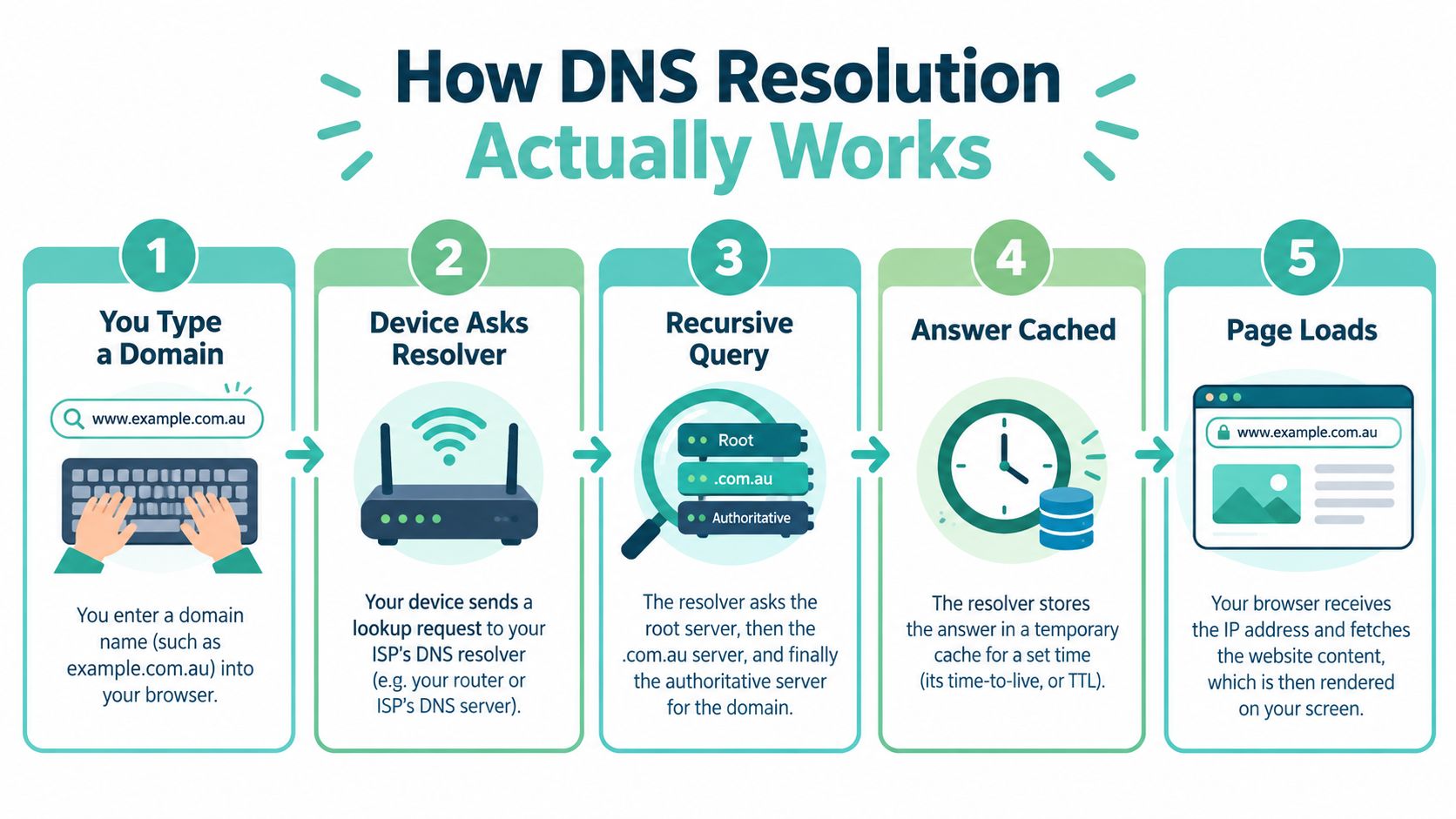
The five-part journey
- You enter a domain. Your browser or application needs the DNS answer before it can request the website.
- Your device asks a resolver. The request usually goes to the DNS resolver configured by the network, such as an Australian ISP.
- The resolver performs a recursive query. It consults the relevant DNS hierarchy and authoritative nameservers when its cache lacks a usable answer.
- The resolver stores the response. The record remains cached for the period allowed by its TTL.
- The browser loads the destination. Once the device receives the current answer, it connects to the website or mail service associated with it.
Propagation happens because the fourth step occurs separately across many resolvers. Updating an authoritative A, AAAA, CNAME, or MX record changes the source of truth, but it doesn't instantly delete older answers already held elsewhere.
Why auDA infrastructure matters
The .au DNS is more than a setting inside a hosting control panel. auDA describes it as Australian critical communications infrastructure and reported 100% availability of the .au DNS in its 2024–25 annual-report release, supporting more than 4 million .au domain names in that release (auDA report).
That availability supports the authoritative side of the process. It doesn't force every downstream resolver to refresh immediately. A correctly operating .au nameserver can publish a new answer while an ISP resolver continues serving a cached previous answer.
This distinction helps separate two problems that business owners often combine:
- Resolution latency: How quickly a resolver answers a DNS query.
- Propagation delay: How long stale cached information remains visible to some users.
The Australian Cyber Security Centre guidance records that .au DNS queries complete within 250 milliseconds 99.99% of the time, demonstrating that normal lookup speed is different from the period during which cached data determines the destination (ACSC DNS resolver guidance). A fast lookup can still return an old address.
Host your website with our 5-star rated, cPanel website hosting plans.
Super fast servers, with security included and hosted in your choice of Australian Data Center.
View cPanel Plans
The TTL Factor and Timing Reality
A DNS change often looks inconsistent because different resolvers are working from different cache states at the same time. One customer reaches the new server, another still lands on the old one, and both results can be correct until the earlier cached answer expires.
TTL is the main timing control for ordinary DNS changes. It tells a resolver how long it can reuse an answer before it has to ask again. If a resolver cached your previous website destination under a long TTL, changing the record now does not shorten that existing cache entry.
That is why timing decisions need to happen before the cutover.
Why changing TTL after the cutover doesn't help
Take a common migration scenario for an Australian business. The current website record has a TTL of 86400 seconds. During the hosting move, the business changes the record value and reduces the TTL to 300 seconds at the same time.
Resolvers that already stored the old answer can keep using it for the longer period they were given. They do not learn about the new 300-second TTL until they query again. In practice, the old TTL sets the waiting period you must plan around. The new TTL mainly affects future caching.
For planned changes, this sequence reduces surprises:
- Audit current records. Record website, email, authentication, nameserver, and DNSSEC details before making changes.
- Lower TTL in advance. For a scheduled cutover, 300 seconds is a common operational choice. Apply it before changing the destination.
- Wait out the earlier cache window. Resolvers that picked up the old longer TTL still need time to expire it.
- Update the records. Change the website or mail target after that preparation period.
- Keep the old service online. Maintain the previous hosting or mail platform while cached answers clear across networks.
- Verify from multiple Australian paths. Check fixed-line, mobile, office, and public resolver views.
- Restore a longer TTL. Once services are stable, increasing TTL can reduce repeat queries and support steadier operations.
A shorter TTL trades faster future changes for more frequent DNS queries. It is useful during planned migrations, but it is not the right permanent setting for every record.
Website and email also move on separate schedules. An A or AAAA record can send visitors to the new host while an MX record still directs mail to the previous provider. Those records may have different TTLs, and they may be refreshed by different resolvers at different times.
Treat the job as a service migration, not a single DNS edit. Test page loads, contact forms, transactional mail, inbound mail, outbound authentication, and any third-party system that depends on DNS. In Australian business environments, this matters during domain, hosting, or mail platform changes because customers may hit your site through one network and send email through another.
Flushing your local cache only changes what your own device sees. It does not clear an ISP resolver or show what customers across Australia are getting. If you need to rule out a local device issue, use this DNS cache flushing guide first, then test from independent networks.
Checking Propagation with Australian Tools
A Brisbane retailer can update DNS in the morning, see the new site from the office by lunch, then get calls from customers who still reach the old server. In that situation, overseas propagation tools are a weak first check. For an Australian business launch or migration, Australian resolver views are usually the faster way to confirm what local customers are seeing.
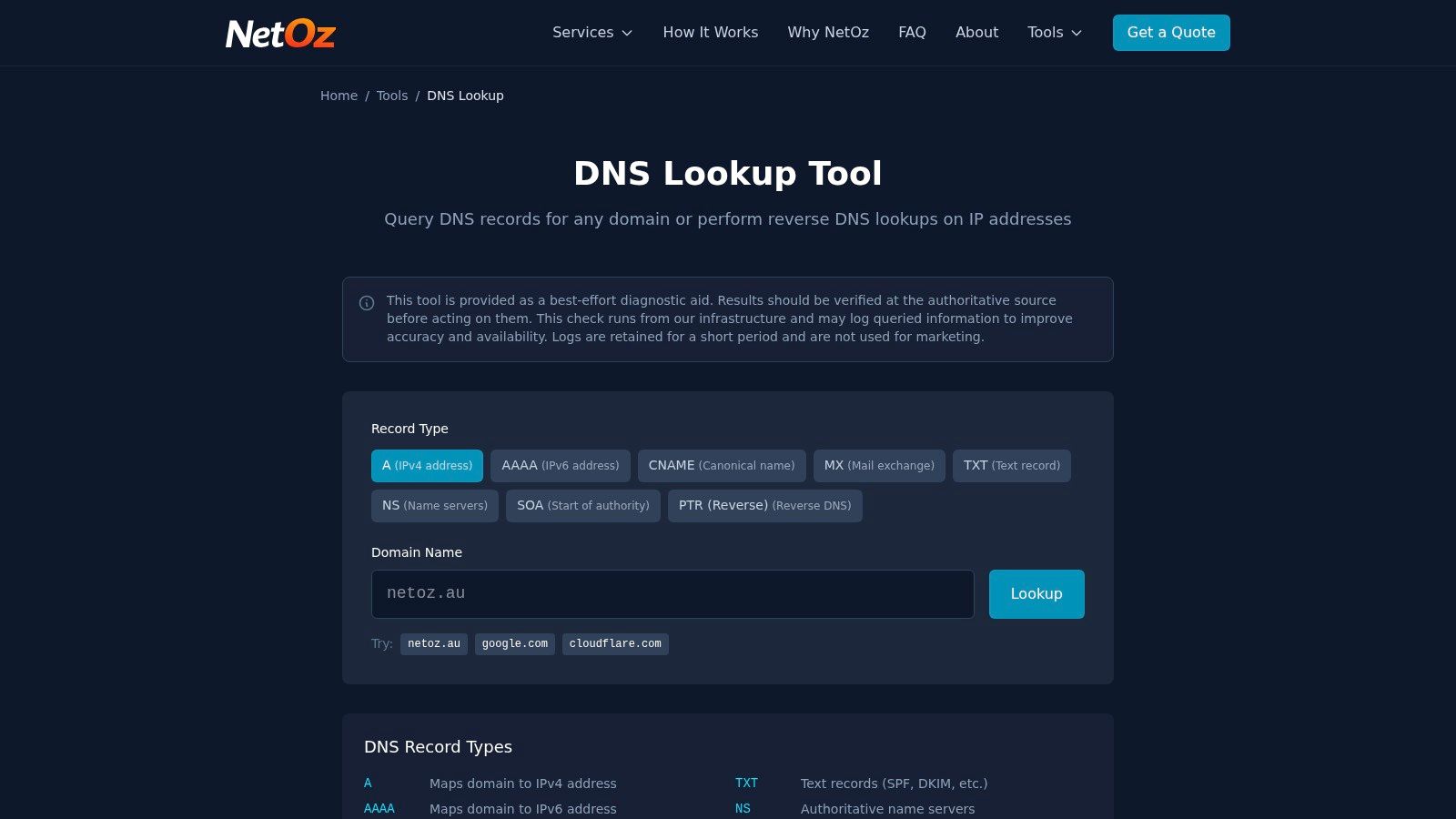
Australian lookup services help because they test from infrastructure closer to the users you care about. As noted earlier, NetOz provides an Australian DNS lookup option. DNS Studio's Australian lookup service queries through a Sydney DNS server and is useful for checking how records resolve from an Australian and Asia-Pacific perspective.
A practical verification sequence
Use a sequence that separates DNS state from service health.
- Authoritative answer: Confirm the authoritative nameserver is publishing the intended record.
- Australian resolver view: Check how an Australian-facing resolver currently answers.
- Network comparison: Test from office Wi-Fi, mobile data, and another fixed-line service if you can.
- Record separation: Check the web record separately from MX and any mail authentication records.
- Service test: Load the website, submit a form, send a test message, and confirm inbound mail arrives.
The comparison is the useful part. If the authoritative answer is correct but one Australian resolver still returns the old destination, that usually points to normal cache expiry. If the authoritative servers do not agree with each other, fix the DNS configuration first. If resolvers return the new value but the site still fails, the fault is usually at the destination, such as the web server, TLS certificate, firewall, or application.
Command-line checks from an Australian network
Technical teams can verify this directly with nslookup on Windows or dig on macOS and Linux. Run the query while connected to the network that matters. The configured resolver changes the answer you see, so an office connection and a mobile connection can produce different results during the same migration window.
One lookup is only one viewpoint. A checker reflects one resolver at one time, and partial change is normal while caches expire across different Australian networks.
When the result points to a real fault
Propagation gets blamed for plenty of issues that are not propagation. Investigate further when:
- Nameservers are wrong: The domain still points to the previous DNS provider.
- Records conflict: The authoritative service is returning inconsistent answers.
- Only email fails: MX or mail authentication records were missed or copied incorrectly.
- Validation fails: DNSSEC data does not match.
- The new host is unavailable: DNS is updated, but the destination service is not responding properly.
Australian checks do not confirm that every resolver worldwide has updated. They do give a practical regional acceptance test for businesses whose customers, staff, and suppliers are mainly in Australia.
DNSSEC and Australian Domain Security
DNSSEC adds authentication to DNS responses through cryptographic signatures and a chain of trust. It doesn't make ordinary record changes propagate faster. Instead, it helps validating resolvers detect responses that don't match the expected signed data.
auDA enabled DNSSEC for .au and relevant second-level domains, including com.au, net.au, and org.au, in 2014. Its published parameters specify a 24-hour TTL for DNSKEY records and a 12-hour TTL for NSEC records (auDA DNSSEC resources). Those security records can therefore remain cached on a different schedule from a deliberately shortened website record.

Why a migration can produce SERVFAIL
A normal stale cache usually returns the old answer. An invalid DNSSEC delegation can produce a validation failure instead. In that situation, the authoritative servers may be online, but a validating resolver refuses to accept the response.
auDA documented a 2023 incident involving an incorrect DNSSEC record that briefly prevented validating resolvers from resolving .au names. The issue was resolved in under an hour, illustrating why DNSSEC errors require a different response from ordinary waiting. The problem isn't necessarily slow propagation. It may be an incomplete chain of trust.
A DNSSEC-aware handover
Before moving DNS operators or nameservers:
- Confirm signing status. Establish whether the .au domain currently uses DNSSEC.
- Inventory DS records. Identify the delegation signer information held at the registry.
- Coordinate keys. Ensure the new authoritative provider has matching keys and signed zone data.
- Plan the transition. Decide whether DNSSEC remains active throughout the change or is deliberately removed and re-established.
- Test validation. Query through DNSSEC-validating resolvers before cancelling the old provider.
- Watch for SERVFAIL. Treat validation failures as configuration defects until proven otherwise.
A hosting move and a DNS operator move aren't always the same task. If you keep authoritative DNS with the existing provider and only change a website record, the DNSSEC risk may be narrower. If you change nameservers, DS records, or the signing provider, involve the registrar and DNS operator in one change plan.
Don't cancel the old DNS service until the new delegation and validation path have passed independent checks.
Register your new domain name at competitive market prices including free domain add-ons like privacy, DNS Hosting, Custom Nameservers and Forwarding.
Always the best price and no nasty renewal price hikes.
Register A Domain Name
Best Practices for Australian Business Migrations
The common advice to “wait 24 to 48 hours” is too blunt. The actual window depends on cached TTLs, resolver behaviour, the records changed, and whether DNSSEC is involved.
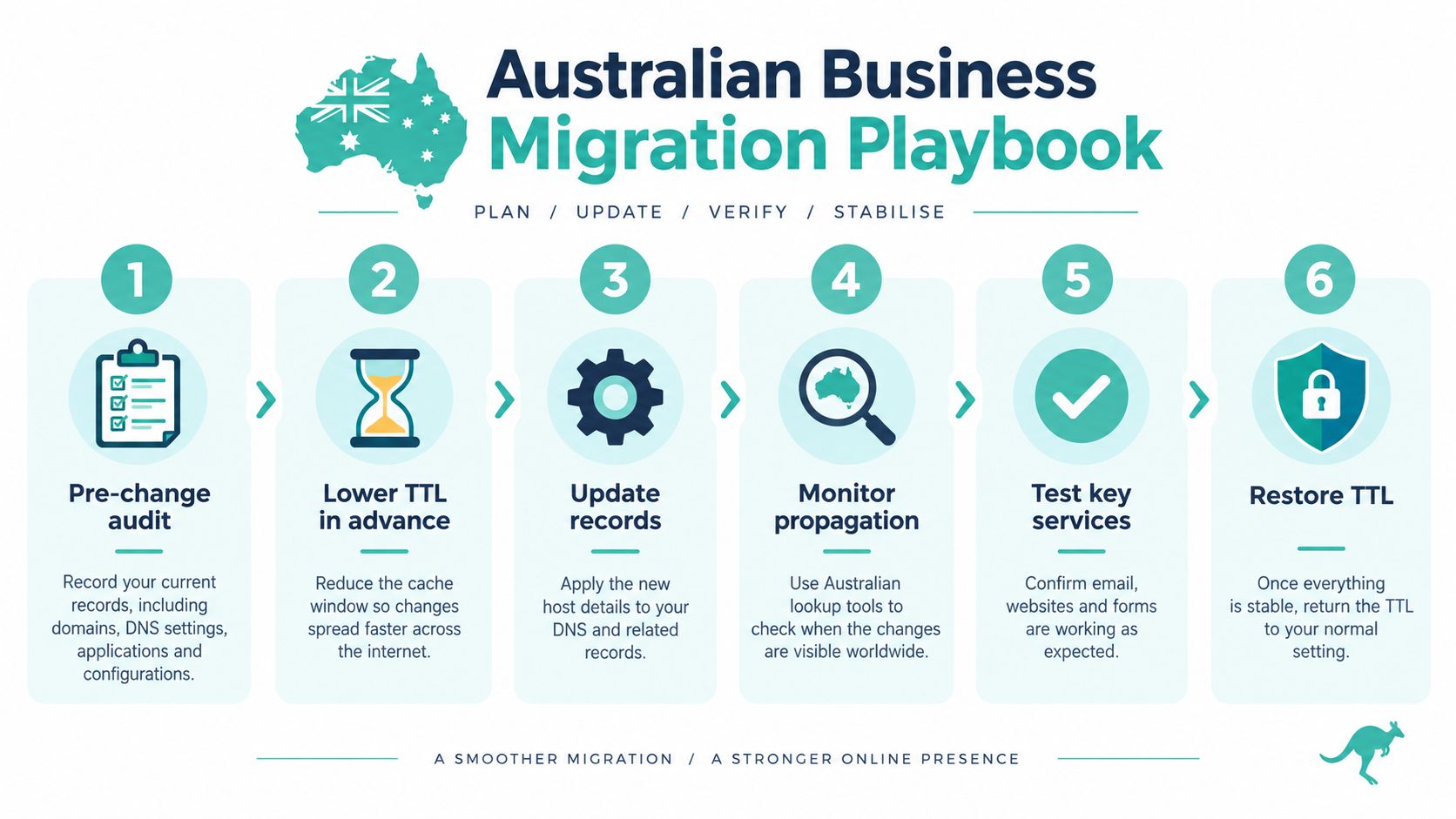
Use this Australian migration playbook:
- Before the change: Record all relevant records and confirm the new website, email, forms, and certificates work.
- In advance: Lower the relevant TTLs and prepare rollback details.
- At cutover: Update the intended records, not unrelated services.
- During transition: Keep the old service available and monitor Australian lookup results.
- After the change: Test website access, inbound email, outbound email, and business forms from multiple networks.
- Once stable: Restore suitable TTLs and retain the migration record.
For a fuller operational checklist, use this website migration checklist. Australian businesses can also consider a local hosting arrangement, such as UpTime Web Hosting, which provides DNS hosting and an optional DNS Manager alongside hosting services. The important point isn't the brand. It's maintaining clear ownership of records, a tested rollback path, and verification that reflects the networks your customers use.
UpTime Web Hosting provides Australian hosting, DNS management, website migration support, email services, and local infrastructure for businesses moving websites or mail between providers. If you want help planning a DNS change without leaving the old service exposed to avoidable downtime, visit UpTime Web Hosting to review the available hosting and migration options.