Think of your business phone system working just like a streaming service—it's flexible, on-demand, and you can access it from anywhere with an internet connection. That’s the simple idea behind VoIP for small business. Instead of being tethered to rigid and often expensive copper landlines, VoIP uses your internet connection to handle all your calls, completely changing the way you communicate.
Why VoIP Is the New Standard for Australian Businesses
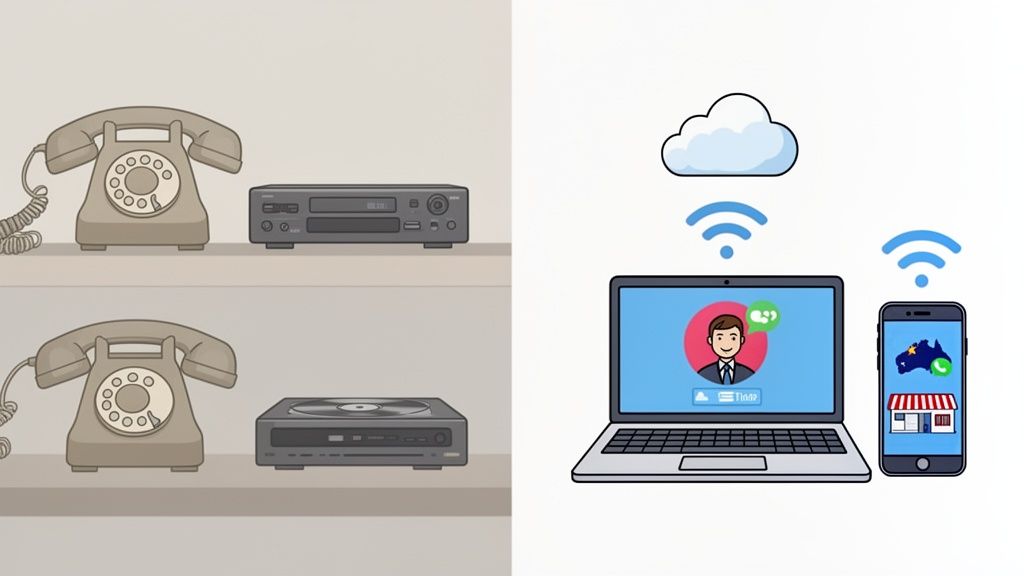
For decades, Aussie businesses were stuck with traditional landlines, a bit like how we all once relied on DVD players. They did the job, sure, but they were clunky, expensive to maintain, and offered zero flexibility. Need a new phone line? You'd have to book a technician. Moving offices? Get ready for a major logistical headache.
VoIP (Voice over Internet Protocol) is the modern answer, much like a streaming platform such as Netflix. It delivers your phone service over the internet, which instantly makes your entire communication system more agile, packed with features, and far more cost-effective. It's exactly why so many small and medium businesses across Australia are ditching their old-school phone systems for good. With services like RingCentral and Nextiva offering tailored plans, the switch has never been easier.
The Modern Way to Communicate
To really get why VoIP is now the standard, you need to understand that it’s part of a bigger shift towards integrated telephony and data connectivity. It’s no longer about having separate systems for your voice calls and your internet; they’re now one and the same. This unlocks powerful capabilities that used to be reserved for huge corporations with massive budgets.
For a small business owner, this means you can:
- Work from literally anywhere: Your business number isn't tied to a desk. It can ring on your office phone, your laptop at home, or your mobile when you’re out on the road.
- Scale up (or down) in minutes: Adding a new team member is as easy as creating a user profile in an online portal. No waiting around for technicians or installations.
- Look like a big player: Features like auto-attendants ("Press 1 for sales, Press 2 for support") and custom music on hold are often included, not expensive extras.
Think of it this way: A traditional landline is a fixed tool, like a hammer. A VoIP system, on the other hand, is a dynamic communications platform—more like a Swiss Army knife. It adapts to how your business actually operates today, supporting remote work, connecting teams in different locations, and seriously improving your customer experience.
A Strategic Tool for Growth
At the end of the day, adopting VoIP for your small business is about much more than just saving a few dollars on your phone bill. It’s a strategic decision that gives your operation the modern tools it needs to compete and grow.
By handling calls more efficiently and professionally, you free up your team to focus on what really matters—running and growing the business. This one change modernises your entire communication framework, bringing it in line with the digital tools you already use to manage your online presence.

Performance you can feel, backed by clients who depend on it. Read how our support and uptime create long‑term customer success.Power Your Business with Better Hosting
The Real-World Benefits of a VoIP Phone System
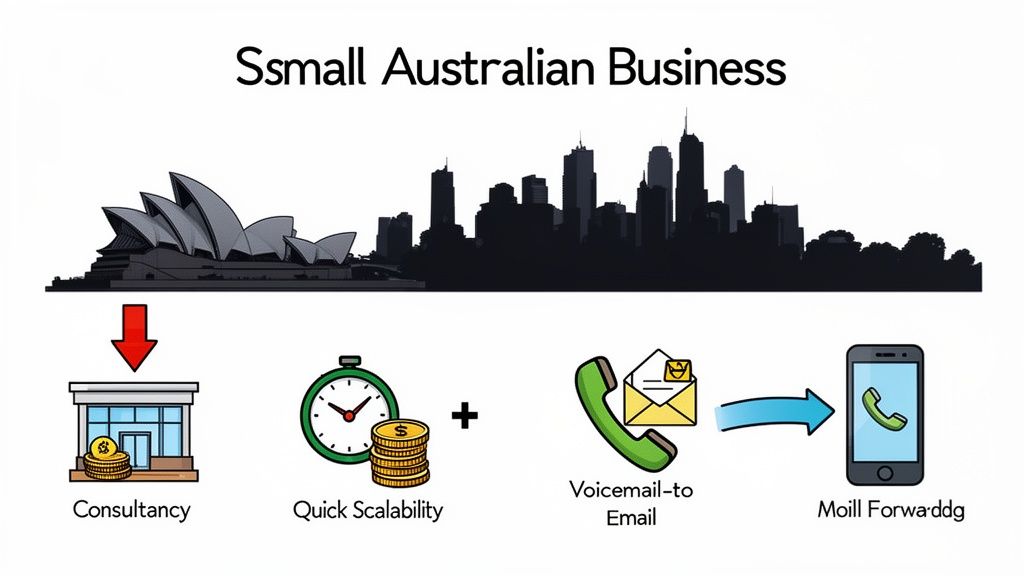
When you switch to VoIP, you're not just getting a dial tone; you're unlocking a suite of powerful features that help your business operate smarter. Here are some of the most impactful benefits you'll see from day one.
- Significant Cost Savings: The most immediate benefit for many is the drop in their monthly phone bill. VoIP eliminates the need for expensive line rentals from traditional telcos. Plus, with many providers like Vonage offering plans with unlimited local and national calls, budgeting becomes simple and predictable.
- Professional Image: An auto-attendant greets callers with a professional menu ("Press 1 for Sales, Press 2 for Support…"). It helps your business sound polished and organised, even if you’re a team of one.
- Voicemail-to-Email: This is a game-changer. Get your voicemails delivered as audio files—and often text transcripts—straight to your email inbox. You can quickly scan messages and prioritise callbacks without ever having to dial into a clunky voicemail system.
- Smart Call Forwarding: Seamlessly redirect calls from your office number to your mobile or any other device. This is essential for business owners on the move or for managing after-hours support across different Aussie time zones.
These features work together to create a unified system that supports a modern, mobile workforce. Just as you need a reliable backup for your website data, it's vital that your communication system is resilient and accessible from anywhere. You can learn more about protecting your digital assets in our guide on the importance of business backup solutions.
Must-Have VoIP Features for Growing Businesses
Knowing that VoIP is a good move for your small business is the first step. The next, more important step is understanding which specific features actually make a difference on the ground. A modern VoIP system is so much more than a way to make and receive calls; it’s a full-blown toolkit designed to make your business sharper, more professional, and incredibly responsive.
Let's unpack the essential features that take a simple phone service and turn it into one of your most valuable business assets.
Your Virtual Switchboard: The Cloud PBX
Throw out that old image of a dusty server closet humming away with a mess of tangled wires. A Cloud PBX (Private Branch Exchange) is the digital brain of your VoIP system, essentially a virtual switchboard that lives securely online. Instead of needing bulky, expensive hardware on-site that requires an IT guru to maintain, you manage everything through a simple web portal.
What does that mean for you? You can add a new team member, set up call forwarding, or check your voicemail history right from your laptop, whether you're in the office or working from a café. This centralised control is what makes VoIP so powerful—you get all the capability without the cost or technical headaches of a traditional PBX system. For an in-depth look, check out this knowledge base article on Cloud PBX.
SIP Trunking: The Digital Phone Line
If the Cloud PBX is your switchboard, then SIP Trunking is the digital pipeline connecting it to the rest of the world. It completely replaces your old-fashioned copper phone lines, using your internet connection to open up multiple channels for calls.
Think of it like upgrading a single-lane country road to a multi-lane highway. With SIP Trunking, you can handle heaps of calls at the same time without paying for individual physical lines. This is a massive source of savings for most businesses and is the key technology that makes VoIP so scalable and cost-effective.
Intelligent Call Routing: Never Miss a Lead
For any growing business, intelligent call routing is one of the most valuable tools in the box. It’s a smart system that automatically sends incoming calls to the right person or department based on rules you set. This goes way beyond simple call forwarding; it's a strategic way to improve customer service and make sure every single opportunity is captured.
For instance, you can create rules based on:
- Time of day: Calls during business hours ring the main office, after-hours calls go straight to a dedicated voicemail, and weekend calls get diverted to an on-call mobile.
- Caller ID: VIP client calling? Send them straight to the owner’s direct line, no waiting.
- Menu selections: Let callers direct themselves using an auto-attendant ("Press 1 for Sales, 2 for Support") to get to the right team faster.
Practical Example: An e-commerce store in Melbourne uses call routing to offer 24/7 support. From 9 am to 5 pm, calls hit their main office. After 5 pm, they’re automatically forwarded to a support agent's mobile phone. On weekends, the calls go to a different on-call team member. The customer dials just one number and gets seamless service, no matter when they call.
Mobile Apps: Your Office in Your Pocket
With a dedicated mobile app, your business phone number is no longer chained to a desk. These apps effectively turn any employee's smartphone into a full-featured office phone. Staff can make and receive calls showing the main business number, which keeps their personal mobile number private and maintains a professional front.
This is an absolute game-changer for businesses with remote or field-based teams. Your staff can access the company directory, check business voicemails, and jump on conference calls, all from the device they already own. This level of flexibility keeps your business running smoothly, no matter where your team is.
Integrated Conferencing and Collaboration
Many modern VoIP systems come with audio and video conferencing built right in, which means you can ditch those separate, often costly, subscriptions for other platforms. You can host team meetings, run client presentations, and hold brainstorming sessions directly through your phone system.
This integration is fantastic because it simplifies your tech setup and makes communication feel much more natural. Of course, for any online system to work well, having a solid grasp of your network is crucial. For a deeper dive into network configurations, check out our guide on the differences between a static vs dynamic IP address.
These core features all work together to create a powerful communication hub that grows right alongside your business, giving you the tools you need to connect with customers and get work done.
Comparing VoIP Systems and Traditional Landlines
To really see the difference, it helps to put the old and new side-by-side. Here’s a quick look at how a modern VoIP system stacks up against a standard business landline.
| Feature | Modern VoIP System | Traditional Landline |
|---|---|---|
| Hardware | Minimal; uses existing devices (computers, smartphones) or IP phones. | Requires on-site PBX hardware, wiring, and physical desk phones. |
| Scalability | Highly scalable. Add or remove users instantly via a web portal. | Difficult to scale. Requires physical installation of new lines. |
| Mobility | Full functionality anywhere with an internet connection via mobile apps. | Tied to a physical location. Forwarding options are basic. |
| Call Routing | Advanced rules (time-of-day, caller ID, menus). | Limited to basic call forwarding. |
| Cost | Lower monthly fees, often with unlimited local/national calls. | Higher line rental fees, plus per-minute call charges. |
| Features | Includes voicemail-to-email, video conferencing, analytics, and more. | Basic features like voicemail and caller ID often cost extra. |
| Maintenance | Handled by the provider; updates are automatic. | Requires specialist technicians for on-site maintenance and repairs. |
As you can see, the shift to VoIP is less of an upgrade and more of a complete transformation in how a business can communicate. It's about gaining flexibility, control, and a suite of powerful tools that a landline simply can't offer.
Host your website with our 5-star rated, cPanel website hosting plans.
Super fast servers, with security included and hosted in your choice of Australian Data Center.
View cPanel Plans
How to Choose the Right VoIP Provider in Australia
Choosing a VoIP provider isn't just about getting a new phone line; it's about finding a long-term partner for your business communications. Get it right, and you’ll have a reliable system that grows with you. Get it wrong, and you're in for a world of dropped calls, frustrated customers, and surprise fees.
This checklist will help you cut through the noise and ask the right questions to find a solid Australian provider.
Before you even think about features or pricing, let’s talk about the absolute foundation: call quality and reliability. Garbled audio or constant dropouts are deal-breakers for any professional business. The secret to crystal-clear calls is low latency, and that means the provider's gear needs to be close to you.
Ask any potential provider point-blank: "Do you have Australian-based servers?" Local servers, particularly in cities like Sydney or Melbourne, dramatically cut down the distance your voice data has to travel. The result? Better, more stable calls.
Scrutinise the Pricing and Contracts
VoIP pricing can sometimes feel like a game of smoke and mirrors. A provider might lure you in with a rock-bottom monthly fee, only to sting you later with extra charges for essential features, call minutes, or setup. You want to find a provider with simple, transparent pricing—what you see is what you get.
Look for plans that are genuinely all-inclusive. Don't be shy about asking for a detailed breakdown of every single potential cost, including any one-off fees for things like number porting or hardware. You should also be cautious of providers pushing long-term contracts. A flexible, no-lock-in contract is a sign that a provider is confident enough in their service to earn your business month after month.
Evaluate Local Australian Support
When your phone system goes down, the last thing you want is to be stuck on hold with an overseas call centre. The quality of customer support is one of those things that’s easy to overlook until you desperately need it. A top-tier provider will offer local, Australian-based support from a team that actually understands the challenges Aussie businesses face.
When you're weighing up support, think beyond just their operating hours. How easy are they to reach? Is there a 1300 number? Do they respond quickly to support tickets? A provider who invests in a knowledgeable local team is showing they’re serious about their clients' success.
This level of support can make or break your experience. To help you sort through the options, it might be worth looking at a detailed guide on selecting the best small business phone system that fits how you work.
Prioritise Security and Fraud Protection
Because VoIP runs over the internet, security isn't just a feature; it's a necessity. Your business calls can carry sensitive client details or financial information, and you have a responsibility to keep that data safe from prying eyes. Any provider worth their salt will have robust security measures built-in as standard.
Here are the key security questions to ask:
- Call Encryption: Do they use protocols like TLS and SRTP to encrypt your calls? This is what stops people from eavesdropping and keeps your conversations private.
- Fraud Protection: What systems do they have to spot and block strange calling patterns? This is crucial for preventing toll fraud, which can leave you with a massive, unexpected bill.
- Network Security: How do they protect their own infrastructure? Look for providers who talk about secure data centres and are proactive about monitoring their network for threats.
You wouldn't leave your website unprotected, and your phone lines deserve the same level of care. To learn more about safeguarding all your digital operations, check out our guide on cybersecurity and data protection. Choosing a provider that takes this stuff seriously turns your VoIP system into a secure asset, not a weak link.
A Simple Plan for Your VoIP Implementation
Switching to VoIP is a lot less daunting than most business owners imagine. You don't need a dedicated IT department or a massive budget to get it done. This is your straightforward, step-by-step roadmap to get your small business set up with a modern phone system, broken down into five simple phases.
Think of this as your checklist for a smooth, headache-free transition. By following these steps, you’ll sidestep the common pitfalls and get your team communicating better from day one.
Phase 1: Check Your Internet Health
First things first: your internet connection is the absolute foundation of your VoIP system. If it's unstable or slow, your call quality will suffer. This step is non-negotiable.
You don't need a complex audit. A quick online speed test will show your current upload and download speeds. As a rule of thumb, you'll need at least 100 Kbps of upload speed free for each simultaneous call. So, for a team of five people who might be on the phone at once, a stable 1 Mbps upload speed is a solid, safe starting point.
Phase 2: Select Your Hardware
One of the great things about a VoIP for small business setup is its flexibility with hardware. You have a few options, and you definitely don't have to splash out on expensive new gear.
- IP Phones: These are the physical desk phones that look and feel just like the ones you're used to, but they plug directly into your internet connection, not an old phone jack. They’re a fantastic choice if you want to keep that familiar office feel.
- Softphones: This is simply software that turns your computer or laptop into a phone. You just plug in a headset with a microphone and make and receive calls through an app. It's a great way to save desk space and cut down on costs.
- Mobile Apps: Almost every provider has a mobile app that lets you use your business number right from your personal smartphone. This is perfect for team members who are often on the road or work from home.
Many businesses end up using a mix of all three, giving each person the tool that best fits their role. That kind of adaptability is a core benefit of modern VoIP.
Phase 3: Keep Your Business Number
For most businesses, your phone number is a key part of your brand. The good news? You don't have to give it up. The process of moving your existing number over to your new VoIP provider is called number porting.
In Australia, this is a highly regulated and very straightforward process. Your new provider handles the whole thing for you. All you typically need to do is give them a copy of your most recent phone bill to prove you own the number. The porting itself usually takes a few days, and your old service stays active right up until the new one kicks in, so you won't experience any downtime.
Phase 4: Configure Your Call Flows
This is where you start to bring your new phone system to life. You'll tell it exactly how to handle incoming calls by setting up what are known as call flows or routing rules, which is usually done through a simple online dashboard.
You might start by setting up a main welcome message or an auto-attendant ("Thanks for calling [Your Business]. Press 1 for sales…"). From there, you decide where those calls go. Sales calls might ring a specific group of people, while support queries go to another. It's worth noting that if your system has connection issues, like a network problem, it can affect these flows. Having a basic grasp of how your network functions helps, and you can learn more about common problems by reading up on what to do when your DNS is not responding.
This infographic highlights the three main things to consider—Quality, Price, and Support—which should guide both your choice of provider and your implementation plan.
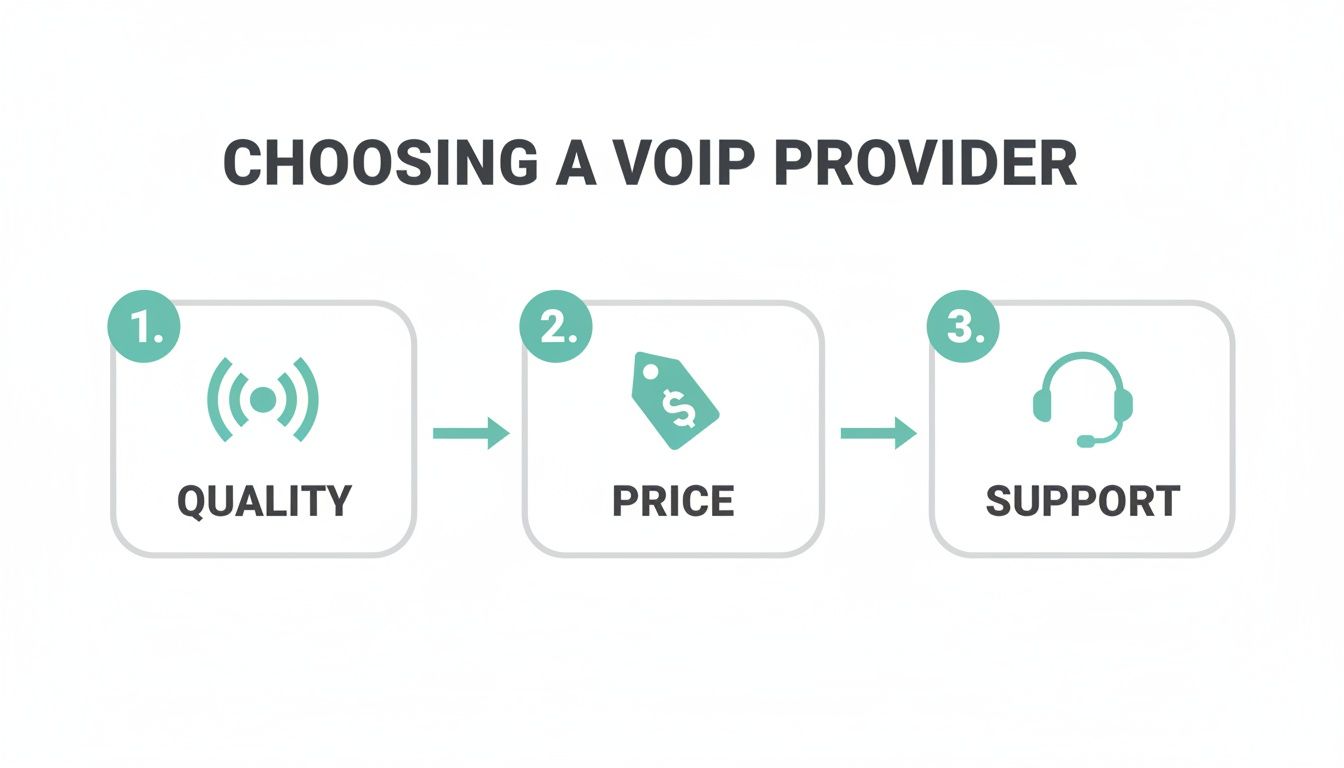
Finding the right balance between these three ensures you get a reliable service at a fair price, with help available when you need it most.
Phase 5: Onboard Your Team
The final, crucial step is making sure your team is comfortable with the new system. After all, new tech is only useful if people know how to use it.
A great tip for a smooth transition is to start with a small pilot group. Choose a few tech-savvy team members to test the system for a week. They can work out any kinks and become champions who help train everyone else.
Give your staff simple cheat sheets on how to do the basics, like transferring a call, checking voicemail, or logging into the mobile app. A quick training session can make a world of difference in making sure everyone feels confident and ready to hit the ground running.
Unifying Your Brand with VoIP and Web Hosting
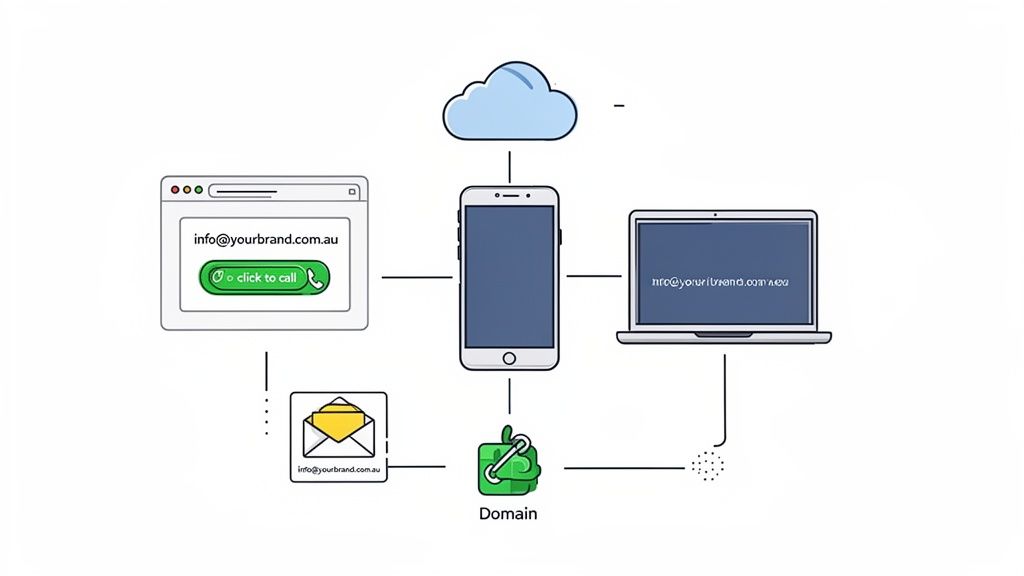
Your business phone system doesn’t exist in a vacuum. It’s a critical piece of your brand's entire digital footprint, working hand-in-hand with your website, domain name, and professional email to build trust and present a polished, cohesive image. Thinking of these services as separate things is a huge missed opportunity to create a seamless experience for your customers.
Picture this: a potential client lands on your professional website, sends an enquiry to info@yourbrand.com.au, and then calls a dedicated business number. This creates a powerful, immediate impression of legitimacy. Consistency is everything here. It tells people you’re an established, organised business, not just a fly-by-night operation using a random mix of personal accounts. A VoIP for small business system is really the final, crucial piece of this professional puzzle.
Creating a Connected Digital Ecosystem
The real magic happens when you get these tools talking to each other. Modern VoIP systems are built to integrate with the digital services you're already using, transforming disconnected channels into one unified communications hub. This isn't just about looking professional; it actively makes your business run smarter.
Even simple integrations can make a massive difference to your day-to-day operations. These connections make sure you never miss a lead and that your entire digital presence is pulling in the same direction. The reliability of this ecosystem is also paramount, which is why choosing the right partners matters. You can learn more by exploring why it’s so important to host your website in Australia.
Here are a few practical examples of how this all clicks into place:
- Voicemail to Business Email: Get voicemail audio files and their transcripts sent straight to your professional email. This keeps all client communications neatly organised in one spot and helps you respond faster.
- Unified Contact Management: Sync contacts between your email platform and your VoIP system. Now, when a client calls, you’ll have their up-to-date info right there at your fingertips.
By linking your communication tools, you create a system where the whole is far greater than the sum of its parts. Every component—from your website to your phone—reinforces your brand and makes it easier for customers to do business with you.
Turning Your Website Into a Lead Generator
One of the most direct ways to connect your web hosting and VoIP service is by popping a 'click-to-call' button on your website. This simple feature, which is easy to add to any WordPress site, lets a customer start a VoIP call to your business instantly, right from their web browser.
This removes friction. It makes it incredibly easy for a potential customer to go from just browsing to actually engaging with you. Instead of hunting for a number and dialling it, they can connect with a single click. This can dramatically boost your lead generation and really hammers home the idea that all your digital tools are working together to help your business grow.
Register your new domain name at competitive market prices including free domain add-ons like privacy, DNS Hosting, Custom Nameservers and Forwarding.
Always the best price and no nasty renewal price hikes.
Register A Domain Name
Got Questions About VoIP? We've Got Answers
Switching your phone system is a big step, and it's natural to have a few questions buzzing around. For most Aussie business owners, there are a few key concerns that pop up time and time again. Let's tackle them head-on so you can make a choice you feel good about.
"Will I Have to Give Up My Current Business Phone Number?"
Not a chance. The thought of losing a number your clients have known for years is a deal-breaker for many, but with VoIP, it’s a non-issue. The process that makes this possible is called number porting.
Think of it like moving your mobile number to a new provider. Your new VoIP company handles the entire transfer of your existing landline, 1300, or 1800 number behind the scenes. Best of all, there's zero downtime. Your old line stays active right up until the moment the new system takes over, so you won't miss a single call. If you want to dive deeper into the nitty-gritty, this article on number porting explains it well.
"What Happens If My NBN Goes Down?"
This is a totally valid worry. After all, your phone system will now rely on your internet connection. But modern VoIP systems are built for this exact scenario with clever fail-safes. The most important one is called automatic call forwarding or failover.
If your internet connection drops, the system is smart enough to detect it instantly. It then automatically reroutes all incoming calls to another number you’ve already chosen—like your mobile phone.
Picture This: An accounting firm in Perth has an unexpected NBN outage right in the middle of tax season. Their VoIP system doesn't miss a beat and starts sending all incoming client calls straight to the office manager's mobile. Clients are none the wiser, and no urgent business is lost.
"Do I Need to Fork Out for Expensive New Phones?"
Definitely not. One of the best things about VoIP is how flexible it is with hardware, which keeps the upfront costs down. You've got a few great options:
- Keep your current phones: An Analog Telephone Adapter (ATA) is a small, inexpensive device that lets you plug your existing analogue desk phones directly into your VoIP network.
- Upgrade to IP Phones: You could buy new, purpose-built IP desk phones. They plug straight into your internet connection and are surprisingly affordable.
- Go phone-free with softphones: A 'softphone' is simply an app you install on your computer or smartphone. With a headset, it turns your device into a complete business phone. For teams that are always on the move, services like the Ooma mobile app are a perfect example of how powerful this can be.
At UpTime Web Hosting, we know your phone system is just as crucial to your digital presence as your website. A reliable VoIP service provides the same solid foundation for professional communication that our Australian web hosting does. To see how our secure, local hosting can bring all your brand's digital tools together, pay us a visit at https://uptimewebhosting.com.au.