Every great Aussie website starts with a solid foundation. Before you get lost in the exciting world of themes and content, you need to claim your patch of digital land. This comes down to two crucial first steps: picking a memorable .au domain name and choosing a fast, local web host.
Getting these right from day one is non-negotiable. It's the difference between a site that feels quick and trustworthy to your Aussie customers and one that just feels... off.
Building Your Foundation for a Successful Aussie Site
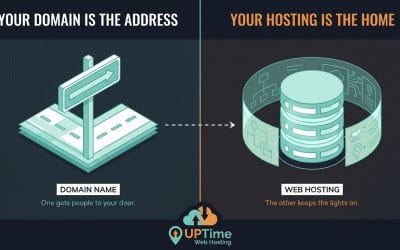
Starting a new website can feel like a massive undertaking, but it all boils down to getting your digital real estate sorted first. Think of it like this: your domain name is your street address, and your web hosting is the plot of land where you'll build your online business.
For any business in Australia, a local identity is everything. When customers see a .au domain, it instantly tells them you’re local. This builds trust and gives you a leg-up in local search results.
Securing Your Australian Domain Name
Your domain name isn't just a web address; it's the heart of your brand online. The best ones are short, easy to remember, and even easier to type. If you're an Aussie business, grabbing a .com.au or .au is the gold standard.
Imagine you're a local florist in Melbourne. A domain like melbourneflowercreations.com.au is perfect. It’s specific, nails the local keyword, and immediately signals you're an Australian business. This simple choice can make a huge difference. For a full walkthrough, have a look at our guide on registering a domain name in Australia.
Expert Tip: Choosing a
.audomain isn't just about showing Aussie pride; it's a smart business move. It boosts your local SEO, builds instant trust with customers, and firmly plants your brand in the Australian market.
The numbers don't lie. WordPress is absolutely dominant in Australia, powering an incredible 43.4% of all websites as of 2025. On top of that, its e-commerce plugin, WooCommerce, runs 25% of the nation's online stores. This growth has helped support over 150,000 jobs in our digital sector. You can see just how big the WordPress footprint is by checking out the latest technology usage statistics.
Choosing Your UpTime WordPress Hosting Plan
Once you've secured your domain, your website needs a place to live. That's where web hosting comes in, but not all hosting is created equal—especially for an Australian audience.
Picking a local host like UpTime, with servers physically located in Sydney or Melbourne, is a game-changer. Why? Because when a customer in Perth tries to visit a site hosted in the US, the data has a long, slow journey across the Pacific. Hosting locally cuts that travel time right down, making your site load faster and keeping both your customers and Google happy.
So, which plan is right for you? Let's break down the options.
Choosing Your UpTime WordPress Hosting Plan
This table should help you figure out which plan fits your business needs. We've designed them to provide the right mix of performance, security, and features for WordPress sites of all sizes.
| Feature | WordPress Starter | WordPress Business | WordPress Premium |
|---|---|---|---|
| Best For | New blogs or personal sites just starting out. | Small businesses and growing online stores. | High-traffic sites or multiple client websites. |
| Local Servers | Sydney or Melbourne | Sydney or Melbourne | Sydney or Melbourne |
| CPU & Memory | Generous allocation for smooth basic performance. | Increased resources for handling more traffic and plugins. | Highest allocation for peak performance and speed. |
| Free SSL Certificate | Included | Included | Included |
| Daily Backups | Automated & Encrypted | Automated & Encrypted | Automated & Encrypted |
| WordPress Optimisation | LiteSpeed & AccelerateWP included for faster load times. | All starter features, plus more power for e-commerce. | Maximum performance tuning for demanding sites. |
For a new local café in Brisbane just getting online, the WordPress Starter plan is a perfect fit. It covers all the essentials: local servers for speed, top-notch security, and built-in performance optimisation.
But if you're an established online store in Sydney getting ready for a big Black Friday sale, you'll want the extra horsepower of the WordPress Business plan. The increased CPU and memory will handle those traffic spikes without breaking a sweat, ensuring a smooth, frustration-free shopping experience for every single customer.

Performance you can feel, backed by clients who depend on it. Read how our support and uptime create long‑term customer success.Power Your Business with Better Hosting
Installing And Configuring WordPress Like A Pro
Alright, you’ve sorted out your domain name and web hosting. That’s the essential foundation sorted. Now comes the fun part: actually building your WordPress website. Forget any horror stories you've heard about complicated manual setups; the tools that come with your UpTime hosting make this part surprisingly straightforward.
This is the basic process we're following to get your website's core elements up and running securely from day one.
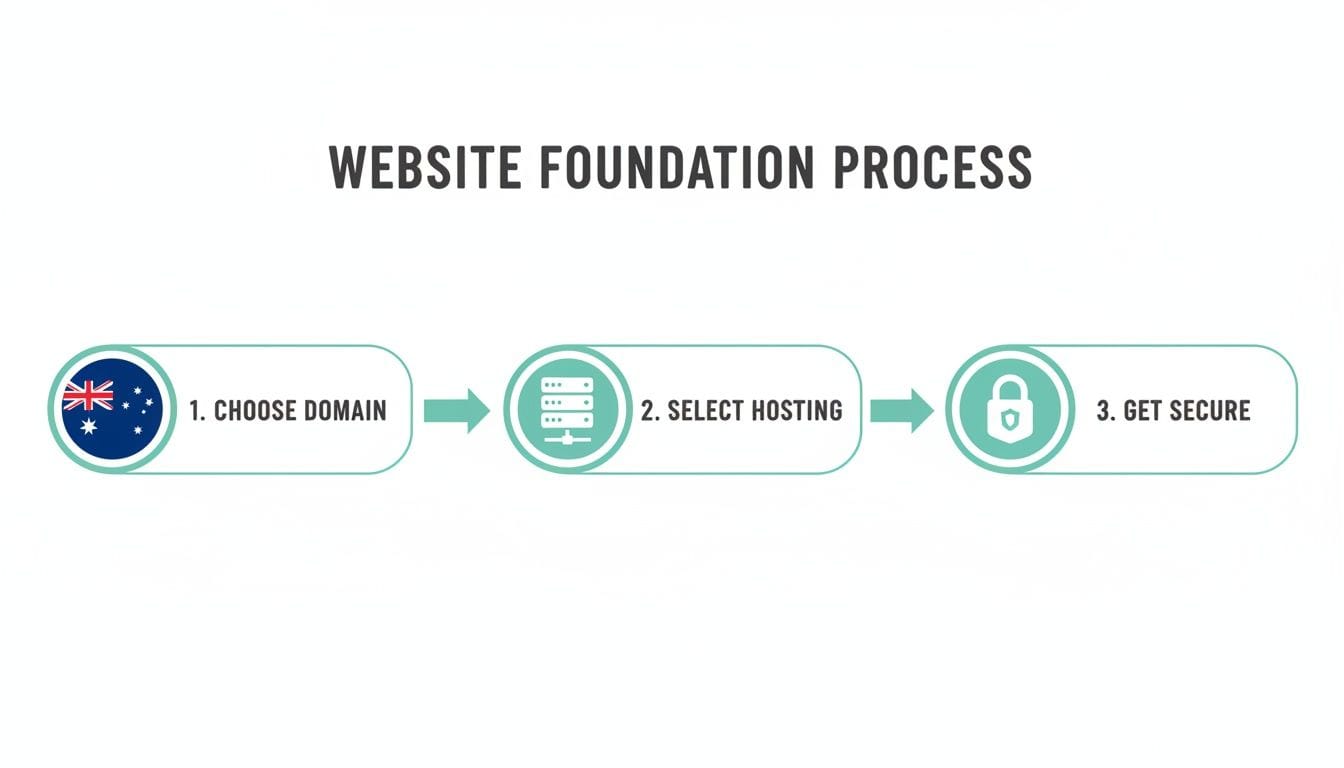
As you can see, getting these three pillars right from the start is what sets you up for success.
Using The cPanel Auto-Installer
When you log into your UpTime hosting account, you’ll find cPanel, which is the industry-standard control panel for managing a website. It’s packed with features, but for now, we're heading straight for the tool that lets you install WordPress in just a few clicks.
This tool, often called Softaculous, is a life-saver. It completely automates what used to be a fiddly, technical process. All you need to do is find the WordPress icon, click it, and follow the simple on-screen prompts. It handles all the background work, like setting up databases and configuring files, so you don't have to touch a single line of code.
During the installation, you’ll just need to fill in a few key details:
- Site Title and Tagline: This is your business name and a short, snappy description. For example, a plumber in Sydney might use "Sydney Plumbing Pros" with a tagline like "Reliable Service, Day or Night."
- Admin Username and Password: This is critical. Choose a username that isn't just "admin" and create a strong, unique password. Think of this as the master key to your entire website.
- Admin Email: Pop in an email address you check all the time. This is where WordPress will send you important site notifications and password reset links if you ever need them.
Once you’ve filled that in and hit "Install," the system takes over. In about a minute, you’ll have a brand-new, fully working WordPress website, ready and waiting for you.
First Steps In The WordPress Dashboard
With WordPress now installed, it's time to log in and familiarise yourself with the dashboard. This is your command centre where you’ll do everything from writing blog posts and adding pages to changing your site's entire look and feel.
Your login page will be at yourdomain.com.au/wp-admin. It's a good idea to bookmark this page right away. Once you log in with the admin details you just created, you'll land on the main dashboard. It might seem a little overwhelming at first, but you'll get the hang of it quickly.
Before you dive into adding content, there are a couple of small but crucial settings you need to adjust, especially for an Aussie business.
Getting your initial settings right is crucial. These small tweaks ensure your site is properly configured for your local audience and for search engines right from the start, saving you from having to fix things later.
In the left-hand menu, navigate to Settings > General. Here's what to change:
- Timezone: Scroll down the list and set this to your local Australian city, like "Sydney" or "Perth". This makes sure any blog posts you schedule will be published at the right time for your audience.
- Date and Time Format: Choose the format that Australians are used to seeing (e.g.,
d/m/Y). It’s a tiny detail, but it makes your site feel instantly more professional and local.
While you're on that page, just double-check that your Site Title and Tagline are displaying correctly. Taking a moment to sort these basics now provides a solid base for everything else you'll do.
If you want to understand more about how hosting and WordPress work together, our straightforward guide to WordPress hosting is a great read.
Designing Your Site with High-Impact Themes and Plugins
With WordPress installed, you've got the engine. Now it’s time to build the car. This is where you move beyond the default setup and start shaping a professional website that truly reflects your brand.
Getting this right is all about pairing a great theme with a few essential plugins. This duo is what will define your site's visual style and its core functionality, shaping the entire experience for your visitors.
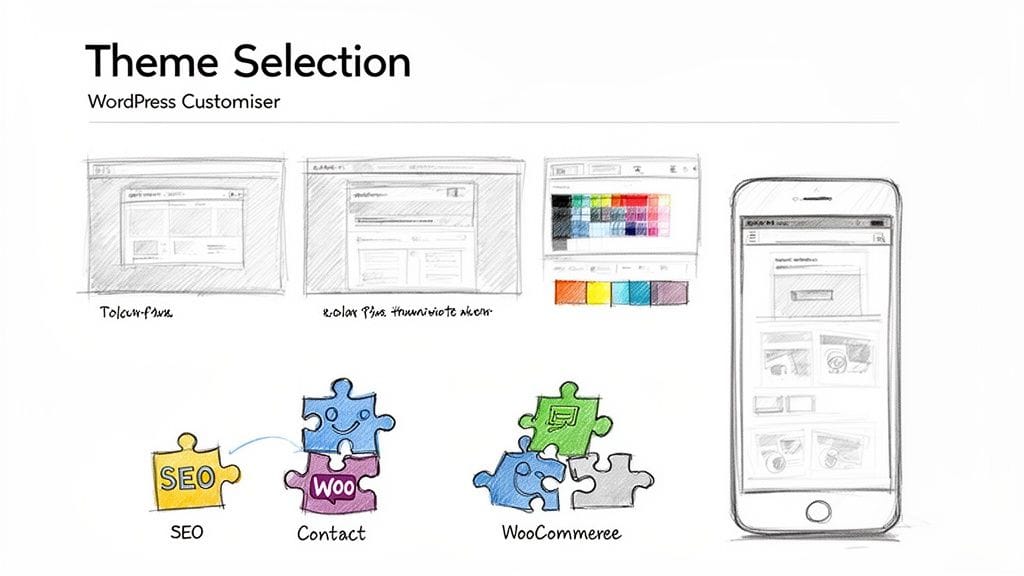
Think of it as a balancing act. A gorgeous but slow site will just drive customers away, while a fast but clunky one won’t build trust. The sweet spot is right in the middle, and we’ll show you how to find it.
Choosing a Theme That Works for You
Your WordPress theme is the design blueprint for your entire website. It dictates the layout, fonts, colours, and the overall impression you make. With thousands of options out there, it’s easy to get lost, but your decision should go much deeper than just appearances.
A quality theme needs to deliver on a few key fronts:
- Lightweight and Fast: Bloated themes jam-packed with features you'll never use will drag your site's speed down. Always look for themes built for performance.
- Mobile-Responsive: Your site has to look and work perfectly on every device, from a big desktop monitor to a smartphone. In today's market, this is completely non-negotiable.
- Highly Rated and Well-Supported: Check the reviews and, just as importantly, the "Last Updated" date. A theme with active developers and good support will save you a world of pain later on.
For instance, a Perth café would want a clean, minimalist theme that makes their food photography pop. A Sydney-based law firm, however, would need something more corporate and professional to project authority and trust.
It's easy to waste days searching for the "perfect" theme. My advice? Find a solid, well-reviewed option and run with it. You can customise almost anything, and it's your branding and content that will ultimately make the site unique.
You can browse a huge library of free themes right inside your WordPress dashboard by going to Appearance > Themes > Add New. For more advanced features and performance, you might consider looking into a premium theme for your WordPress site known for its flexibility and speed.
Essential Plugins for Australian Businesses
Plugins are like apps for your website—they add specific features and functions. It's tempting to go on an installing spree, but piling on too many plugins will slow your site down and can even open up security holes. The smart approach is to stick to a handful of essential tools that provide real, tangible value.
Here's a short list of must-have plugins I recommend for any Australian business:
- An SEO Plugin: A good SEO plugin is vital for helping local customers find you. It gives you a roadmap for optimising your pages and posts for search engines like Google.
- A Contact Form Plugin: You need a way for people to get in touch. A simple plugin lets you add professional contact forms anywhere on your site with ease.
- An E-commerce Plugin (if you sell online): If you're planning to sell products or services, WooCommerce is the gold standard. It’s a powerful and free plugin that transforms your site into a proper online store.
- A Security Plugin: While UpTime Hosting handles security at the server level, adding a security plugin gives you an extra layer of defence and monitoring right from your WordPress dashboard.
This incredible ecosystem of themes and plugins is a big reason why WordPress now powers an estimated 2.5 million sites in Australia alone. It allows a small business owner in Adelaide to get a professional-looking site up and running in a day, often using nothing but free tools to start.
While you're picking tools for looks and functionality, don't forget to make your site accessible to everyone. Integrating useful web accessibility widgets ensures your website is usable by people with disabilities. This not only broadens your potential audience but also shows a commitment to inclusivity. It's not just good ethics; it's good business.
Host your website with our 5-star rated, cPanel website hosting plans.
Super fast servers, with security included and hosted in your choice of Australian Data Center.
View cPanel Plans
Optimising Your Site for Speed and Security
Alright, you've got the design and main features of your site sorted. Now for the really important stuff: making it fast and locking it down. A speedy, secure website isn't just a 'nice to have'—it's absolutely essential. It protects your business, gives your Aussie customers confidence, and plays a huge role in how well Google ranks you.
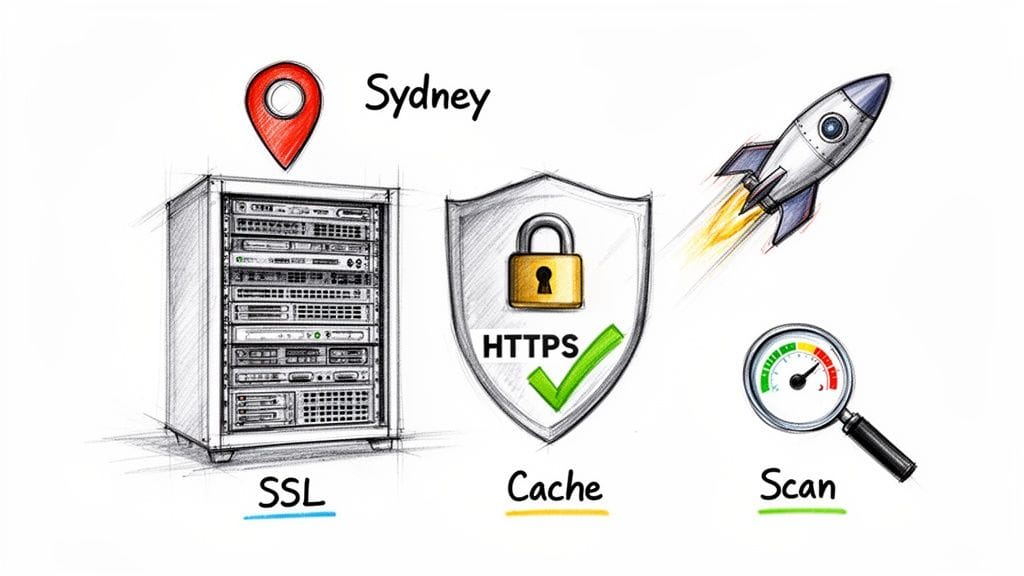
Let's walk through the practical steps to make your site bulletproof and lightning-fast, using the powerful tools that come standard with your UpTime hosting plan.
Getting Your Free SSL Certificate Fired Up
Security really begins with trust. When someone visits your site and sees that little padlock in their browser, they instantly know the connection is encrypted and their details are safe. This is all thanks to an SSL certificate, which enables the secure HTTPS protocol.
The good news? With UpTime Web Hosting, a free SSL certificate is automatically included and activated for your domain. This process, called AutoSSL, usually just happens in the background. Still, it's always smart to do a quick check to make sure it's working.
Just type https:// followed by your domain name into your browser. See the padlock? Great, you're all set. If it’s not showing up, a quick visit to cPanel and the "SSL/TLS Status" section will let you run the check and get your domains secured.
An SSL certificate is completely non-negotiable today. It doesn't just protect user data; it also gives you a leg up in search rankings because Google favours secure websites. It's one of the simplest and most effective things you can do for your site.
Putting Built-in Security Features to Work
Beyond SSL, your hosting account is armed with a layered defence system to fend off common website threats. These tools are working 24/7 at the server level, giving you solid protection without you needing to fiddle with complex settings.
- Proactive Malware Scanning: Our systems are constantly checking your site's files for any malicious code. This helps us catch and quarantine threats before they have a chance to do any real damage.
- DDoS Protected Firewall: We shield your site from Distributed Denial-of-Service (DDoS) attacks. These are nasty attempts to flood your site with traffic to knock it offline, and our firewall ensures your site stays online, even during an attack.
Think of these as the foundation of your security. They handle the heavy lifting so you can focus on your business with peace of mind.
Crank Up Your Site Speed with LiteSpeed
A slow website is a conversion killer. Australians are impatient online; even a one-second delay can send your bounce rate through the roof. This is exactly where LiteSpeed Cache comes in.
Your UpTime hosting account runs on the LiteSpeed web server, a high-performance engine. Its caching plugin is one of the single most effective tools for making a WordPress site fly. Caching works by creating static copies of your pages. When someone visits, the server can deliver this pre-built page instantly instead of having to build it from scratch every single time. The result? A massive reduction in load times.
Getting it running is dead simple:
- In your WordPress dashboard, go to Plugins > Add New.
- Search for "LiteSpeed Cache" and install the official plugin by LiteSpeed Technologies.
- Activate it. That's it! The default settings kick in immediately and start optimising your site.
For most businesses, the standard setup is all you'll ever need. But if you're the type who likes to tinker under the bonnet, you can find some advanced tips in our guide on how to speed up your WordPress site.
Squeezing Out Maximum Performance with AccelerateWP
If you want to take your site from fast to blazing-fast, it’s time to activate AccelerateWP right from your cPanel. This is a premium feature that takes optimisation a step further. It gets deep into your site’s code and resources, fine-tuning things at the object cache level. This is especially powerful for dynamic sites with lots of moving parts, like e-commerce stores or membership sites.
AccelerateWP analyses your site and applies very specific optimisations that cut down on database queries and processing time. For an Australian business, solid Geo SEO is crucial for attracting local customers, and a faster website directly helps your local search visibility.
When you combine AccelerateWP with LiteSpeed Cache, you’re creating a powerhouse. You're ensuring that the WordPress website you've built delivers an exceptional experience for every single visitor, no matter where they are in Australia.
Getting Ready to Launch and Keeping Your Site Healthy
Your new WordPress site is built, looking sharp, secure, and running like a dream. Now for the exciting part—showing it to the world. But before you flick that switch, a few final checks will make sure your launch goes off without a hitch and sets you up for success down the road.
This final stage isn't just about going live. It's about putting a solid plan in place to keep your website in top working order. Think of your site as a living asset for your business; regular maintenance is how you protect that investment and ensure it keeps performing.
Your Pre-Launch Checklist
This is the final once-over before you open your digital doors. Running through these simple steps can prevent those small, embarrassing mistakes and guarantee a professional first impression for your Aussie customers.
- Proofread Everything: Seriously, read every single page, post, and product description. Hunt down any spelling and grammar mistakes. It’s always a great idea to get a friend or colleague to read it too—a fresh pair of eyes often spots things you’ve glazed over.
- Test All Your Forms: Fill out your own contact form, quote request form, or newsletter signup. Did the email land in your inbox? Did the thank-you message pop up? This is a critical link to your customers, so you need to know it works flawlessly.
- Check It On Mobile: Grab your phone and tablet and have a good browse. Does it look great? Is the text easy to read and are the buttons simple to tap? A huge chunk of Australian web traffic is on mobile, so a clunky mobile experience is a real deal-breaker.
- Verify Every Single Link: Click on all of them—in your navigation menu, within your content, and down in the footer. Make sure none of them lead to a dreaded "404 Not Found" error page.
Once you’ve ticked off these checks, you're good to go. Announce your new site on your social media, send an email to your contacts, and start bringing in your first visitors.
A Simple Ongoing Maintenance Plan
The journey doesn't end when your site goes live. To keep it secure and running smoothly, you need a simple, consistent maintenance routine. Don't stress, this isn't complicated and only takes a few minutes each month.
Your main maintenance tasks revolve around keeping everything up-to-date. This means the WordPress core software, your theme, and all your plugins. These updates frequently contain crucial security patches, so staying current is your number one defence against threats.
Peace of mind comes from knowing your hard work is protected. UpTime’s automated nightly backups are your ultimate safety net. If anything ever goes wrong, we can restore your site to a previous version quickly, minimising any disruption to your business.
When you see those update notifications in your WordPress dashboard, it's best to run them. The safest approach is to update your plugins one by one. That way, if an update causes an issue, you'll know exactly which one was the culprit.
When You Need a Helping Hand
Even with the best preparation, things can sometimes go sideways. A plugin update might clash with your theme, or you might accidentally tweak a setting you don’t understand. In those moments, it’s vital to know that expert help is just a phone call or an email away.
That's where our 24/7 Australian support team comes in. If you hit a snag, you don’t have to waste hours trawling through forums for an answer. You can get in touch with a real person, right here in Australia, who knows our platform inside and out. For more ideas on keeping your site in peak condition, you can explore our web maintenance and support plans.
By running through this pre-launch checklist and adopting a straightforward maintenance routine, you’re not just starting strong—you’re ensuring your new website remains a reliable and effective tool for your business for years to come.
Answering Your Top WordPress Questions
Building a WordPress website for the first time can feel like you're staring at a huge puzzle. You know all the pieces are there, but getting them to fit together brings up a lot of questions. Let's tackle some of the most common ones we hear from Aussie business owners just like you, so you can move forward with confidence.
Do I Really Need a .com.au Domain?
While you could use a generic .com, grabbing a .com.au or .au domain is one of the smartest first moves you can make. It’s an instant signal to visitors that you’re a local Australian business, which builds immediate trust and credibility.
Even more importantly, it gives you a serious leg-up in local search results. Think about it: when someone in Melbourne searches for a "local bookkeeper," they’re far more likely to click on a .com.au website. It’s a small detail with a huge impact on your local SEO.
What's the Real Cost of a Basic WordPress Site?
One of the best things about WordPress is just how budget-friendly it is to get a professional site off the ground. For many small businesses, the only initial costs are your domain registration and a solid web hosting plan.
From there, you have access to a massive library of high-quality free themes and essential plugins right from your WordPress dashboard. This means you can launch a polished, fully functional site without a huge upfront investment. As your business grows, you can choose to invest in premium themes or plugins for more advanced features.
A lot of people think you need a massive budget for a professional website. The truth is, with WordPress and affordable local hosting, you can create an impressive online presence for less than the cost of a few flat whites a week.
WordPress is built to scale with you. You can start small with free tools and then strategically add more powerful features as your business and revenue grow.
Can I Move My Existing WordPress Site to UpTime?
Absolutely. If your WordPress site is currently hosted somewhere else, moving it over to our platform is a very common and straightforward process. In fact, to make it completely seamless, we offer a free website migration service for most new customers.
Our expert team handles all the technical heavy lifting. We’ll carefully move all your website files, databases, and even your emails, making sure everything is transferred securely and works perfectly on our servers. We do all this before you point your domain to us, ensuring there’s virtually no downtime. You can get the full rundown on how we handle migrations in our knowledge base.
Quick Answers to Common WordPress Questions
To give you some fast, practical answers, we've put together this quick-fire round of solutions to other common questions we get about building with WordPress in Australia.
| Question | Answer |
|---|---|
| How often should I back up my site? | With UpTime, you don't have to worry. We perform automated, encrypted backups of your site every night and store them securely off-site for total peace of mind. |
| Is WordPress good for e-commerce? | It’s fantastic. The WooCommerce plugin, which powers over 25% of all online stores in Australia, integrates perfectly with WordPress to create a powerful and scalable e-commerce solution. |
| What happens if my site breaks? Who can I call? | Our 24/7 Australian-based support team is always here to help. You can reach a real person via our 1300 number, live chat, or email for fast, expert assistance when you need it most. |
| Do I need to be a coder to use WordPress? | Not at all. Modern WordPress, combined with intuitive page builders and the theme customiser, lets you build beautiful, complex layouts without ever having to touch a single line of code. |
Hopefully, these answers have cleared things up and given you a clearer path forward.
Ready to start building your own WordPress website? At UpTime Web Hosting, we provide fast, secure, and reliable hosting designed specifically for Australian businesses. All our plans come with the tools and 24/7 local support you need to build and grow your site with confidence.
Explore our optimised WordPress hosting plans and see how we can help you succeed online.