If you want to speed up your WordPress site, the three most effective things you can do right now are choose fast, local Australian hosting, set up server-level caching, and compress your images. A slow website costs Australian businesses real money, and focusing on these core areas will give you the biggest and fastest return.
Why a Faster WordPress Site Matters for Australian Businesses
Let's be blunt: a slow website costs you money. It’s easy to file site speed under "technical chores," but for any Aussie business, it's a critical factor that directly hits your bottom line. Every extra second a customer waits is a potential lost sale and a step toward one of your competitors.
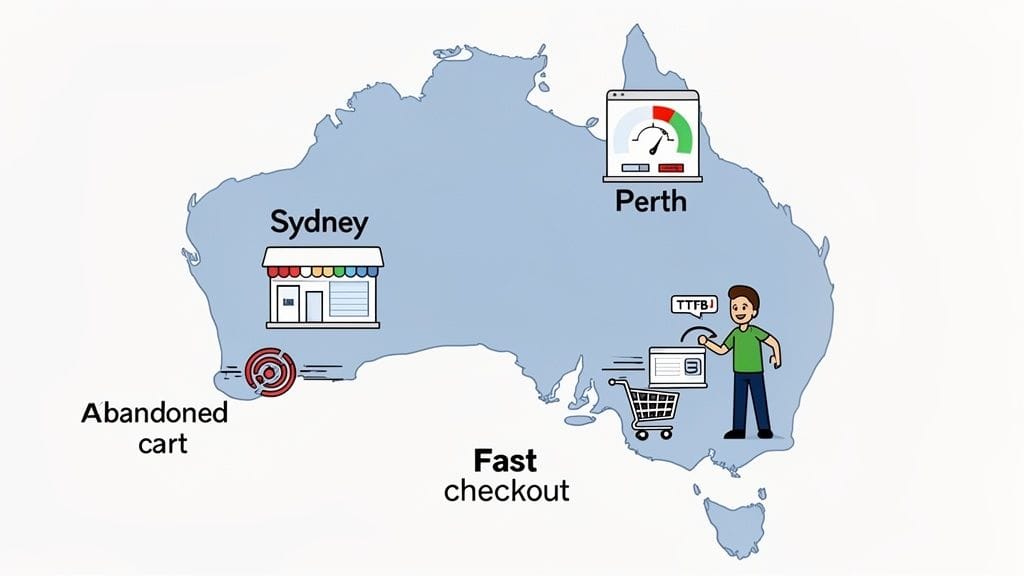
Imagine a customer in Perth trying to buy from your Sydney-based e-commerce store. If your pages lag, their frustration builds, and the chance they’ll abandon their cart skyrockets. This isn't just a theory; it’s a daily reality for businesses with underperforming websites.
The Real Cost of a Slow Website
The financial impact of a sluggish site is genuinely staggering. Website loading speed is a non-negotiable metric that directly influences user engagement and conversion rates, especially here in Australia. For instance, sites that take over five seconds to load can suffer a 70% reduction in mobile sessions.
Here’s a practical example: an Australian online fashion retailer sees that their product pages take 4.5 seconds to load. By optimising their images and leveraging browser caching, they cut this down to 1.8 seconds. The result? A 15% increase in add-to-cart actions and a measurable lift in completed sales within a single quarter.
This link between speed and revenue is undeniable.
- Lower Conversion Rates: Impatient visitors simply don't buy. A fast, snappy checkout process is non-negotiable.
- Higher Bounce Rates: If your homepage takes an age to appear, most people will give up and leave before they even see what you offer.
- Poor SEO Rankings: Google openly prioritises fast websites. A slow site will always struggle to rank for valuable local keywords across Australia.
For Australian businesses, website speed isn't a "nice-to-have" feature—it's a core business metric. The delay between a user's click and your site's response can be the difference between a loyal customer and a permanently lost opportunity.
Beyond Metrics to Business Advantage
Technical terms like Time to First Byte (TTFB) translate into very real-world results. A low TTFB, which you get from quality local hosting, means your server responds almost instantly to a user's request. This is where choosing the right infrastructure, like understanding the benefit of cloud hosting, gives you a massive head start.
Ultimately, a commitment to speeding up your WordPress site is a commitment to a better customer experience. Getting a handle on the right techniques is key, as many guides on how to improve website loading speed for better SEO and sales will confirm. For any Australian business, speed is the foundation of digital success.

Performance you can feel, backed by clients who depend on it. Read how our support and uptime create long‑term customer success.Power Your Business with Better Hosting
Choosing the Right Australian WordPress Hosting
Before you even think about compressing an image or tweaking a single plugin, there's a far more important decision to make. Your web hosting is the very engine of your website. Getting it right is the single most impactful thing you can do to speed up your WordPress site, especially if you're targeting an Australian audience.
Think of it this way: if your website’s server is in the United States, every time a customer from Brisbane visits your site, their request has to travel halfway around the world and back. This physical distance creates a delay called latency. While we measure it in milliseconds, that delay is noticeable and adds up, creating a sluggish experience for your local customers.
Why Local Servers Are Non-Negotiable
For any business focused on Australians, hosting your site on local servers isn't just a good idea—it's essential. Placing your data in a Sydney or Melbourne data centre dramatically cuts down that travel time for the vast majority of Australia's population. It's a simple geographical choice that has a massive and immediate impact on how responsive your site feels.
This proximity is what helps you achieve a low Time to First Byte (TTFB), a key metric that tracks how quickly your server responds to a request. A fast TTFB means your site feels faster from the very first click, which is critical for keeping impatient visitors engaged.
Choosing an Australian host isn't just ticking a box. It’s the foundational step that sets the absolute speed limit for your site in your target market. All other optimisations you make are built on top of this.
LiteSpeed Servers: The Modern Standard for WordPress
Just as important as your server's location is the technology it runs on. For years, Apache was the go-to web server, but times have changed, and modern solutions offer far better performance. This is where LiteSpeed Web Server comes into the picture.
LiteSpeed is engineered from the ground up to be faster and more efficient than Apache, particularly for dynamic, database-driven sites like WordPress. It’s built to handle significantly more traffic using fewer resources, meaning your site stays zippy even when visitor numbers spike.
Many top-tier hosts, including UpTime Web Hosting, pair LiteSpeed servers with other powerful tools made specifically for WordPress. This creates an environment that's already optimised for speed before you even install your first theme. You can take a closer look at our guide for a deeper dive into what makes for the best Australian hosting for WordPress.
Supercharge Your Site With AccelerateWP
On top of a fast server, you can get an extra performance kick from specialised tools. AccelerateWP is a premium feature set included with UpTime’s WordPress hosting plans that takes optimisation to a whole new level.
It provides server-level caching and asset optimisation that goes far beyond what a standard plugin can achieve on its own. Here’s a quick look at what it does:
- Smart Advice: It analyses your specific site and gives you tailored, actionable recommendations to fix performance bottlenecks. For example, it might identify a specific plugin that is slowing down your checkout process and recommend a fix.
- Object Caching: This speeds up not only your public-facing site but also your WordPress admin area by optimising complex database queries.
- Critical CSS Generation: It ensures the most important styling loads first, making your site appear to load almost instantly to the human eye.
Our WordPress hosting plans come with these powerful features built-in, making sure you're starting on the best possible footing from day one.
As you can see, our plans are structured to include performance-enhancing features like LiteSpeed and AccelerateWP right out of the box. By integrating these tools directly into the hosting environment, we remove the guesswork and give you a platform that is already fine-tuned for speed.
Choosing the right plan isn't just about storage space or bandwidth; it's about securing access to a performance-first environment. This foundation sets the stage for every other optimisation you'll make to speed up your WordPress site.
Implementing Server-Level Caching with LiteSpeed
With your fast Australian hosting sorted, the next big performance win for your WordPress site comes from smart caching.
Think of it like a busy café. Instead of the barista making every single coffee from scratch, they pre-grind the beans and have the milk ready to go. It makes the whole process faster for every customer. Caching does pretty much the same thing for your website.
Without caching, every time a new person visits your site, WordPress has to pull content from the database, piece the page together, and then send it to their browser. That’s a lot of work to repeat for every single visitor. Caching creates a ready-made, static copy of your pages, so the server can fire it off almost instantly. It’s one of the single most effective ways to slash server load and make your site feel incredibly responsive.
Now, if you're on a LiteSpeed server—which all our UpTime hosting plans use—you get access to the LiteSpeed Cache plugin. This isn't just another caching plugin; it's a whole different beast. Because it’s built to talk directly to the server, it can optimise your site on a much deeper level than a standard plugin ever could.
A Quick Look: LiteSpeed Cache vs Other Plugins
So, what makes server-level caching so much better? It's all about how deeply the plugin can interact with the server. A standard plugin works from within WordPress, while LiteSpeed works hand-in-hand with the server itself.
| Feature | LiteSpeed Cache (with LiteSpeed Server) | A Standard Caching Plugin |
|---|---|---|
| Caching Method | Direct server-level caching. No PHP overhead. | File-based caching managed by PHP scripts. |
| Performance | Extremely fast, as pages are served before WordPress loads. | Good, but slower due to the need to execute PHP. |
| Advanced Features | Built-in image optimisation, database tools, object cache, and CDN integration. | Usually requires separate plugins for advanced features. |
| E-commerce | Smart caching for dynamic content like shopping carts (ESI). | Often struggles with caching e-commerce pages correctly. |
| Ease of Use | All-in-one solution managed from a single dashboard. | Requires managing multiple, sometimes conflicting, plugins. |
As you can see, the integration between the LiteSpeed server and its cache plugin provides a far more powerful, all-in-one solution. It’s built for performance from the ground up.
Configuring LiteSpeed Cache for Maximum Impact
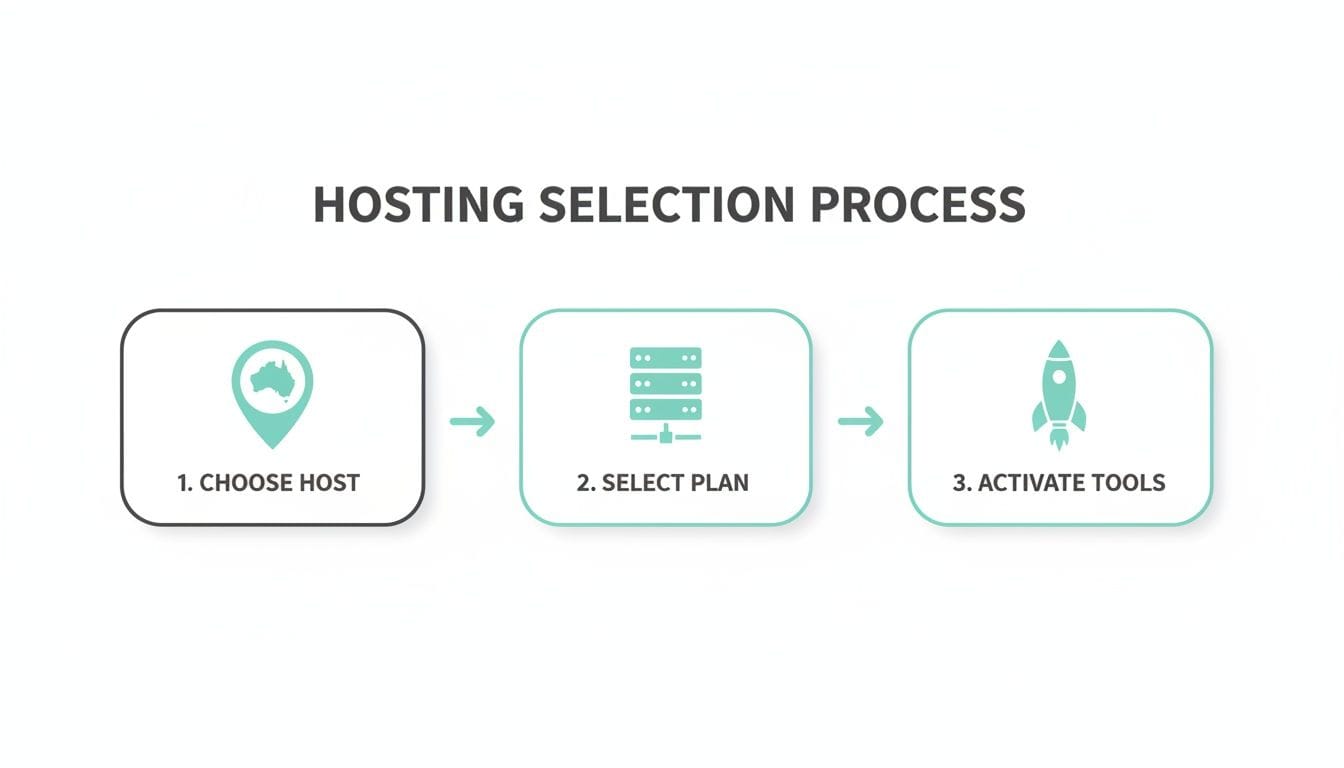
Because LiteSpeed Cache is included with our hosting, getting it running is a piece of cake. Once you’ve installed and activated the plugin, you can kick things off with one of the built-in presets. They’re a fantastic starting point for most Australian business sites.
This simple flow shows that activating these powerful tools isn't an afterthought; it's a core part of getting set up for success from day one.
While the defaults are great, a little fine-tuning can squeeze out even more speed. Here are a few settings we always recommend checking out:
- Guest Mode: This is brilliant. It serves a hyper-fast, cached version of your site to first-time visitors, which is perfect for nailing that all-important first impression and lowering your bounce rate.
- Object Cache: By enabling Redis or Memcached (both available on our hosting), you can seriously speed up the WordPress admin area. It makes the backend of your site feel much snappier, especially if you have a lot of plugins or a busy WooCommerce store.
- Image Optimisation: The plugin has its own tools to compress your images and convert them to the modern, faster WebP format. We’ll dive deeper into this later on.
For a complete walkthrough, we’ve put together a detailed guide on how to improve WordPress speed with a cache plugin that shows you everything, step-by-step.
Why a CDN Is a Must-Have for a National Audience
Even with a blazing-fast server in Sydney, you can't ignore the sheer size of Australia. A visitor from Perth is physically a long, long way from a server on the east coast, and that distance creates lag (latency). This is where a Content Delivery Network (CDN) becomes a total game-changer.
A CDN is essentially a network of servers spread across the country—and the world. It takes copies of your site's "heavy" assets like images, stylesheets (CSS), and scripts (JavaScript) and stores them in multiple locations. When someone visits your site, the CDN serves those files from the server that’s physically closest to them.
So, a customer in Perth downloads your product photos from a server in Perth, not one all the way over in Sydney. This simple change dramatically reduces load times and makes your site feel consistently fast for everyone, no matter where they are.
LiteSpeed Cache integrates perfectly with QUIC.cloud, a CDN built specifically to work with LiteSpeed. Getting it connected is as simple as generating an API key inside the plugin settings. This automatically syncs your site with its global network, which includes servers right here in major Australian cities like Sydney, Melbourne, Brisbane, and Perth.
By pairing powerful server-level caching with a smart CDN, you’re creating a one-two punch that ensures your WordPress site is fast, reliable, and ready for customers from coast to coast.
Host your website with our 5-star rated, cPanel website hosting plans.
Super fast servers, with security included and hosted in your choice of Australian Data Center.
View cPanel Plans
Optimising Your Images and Media for Speed
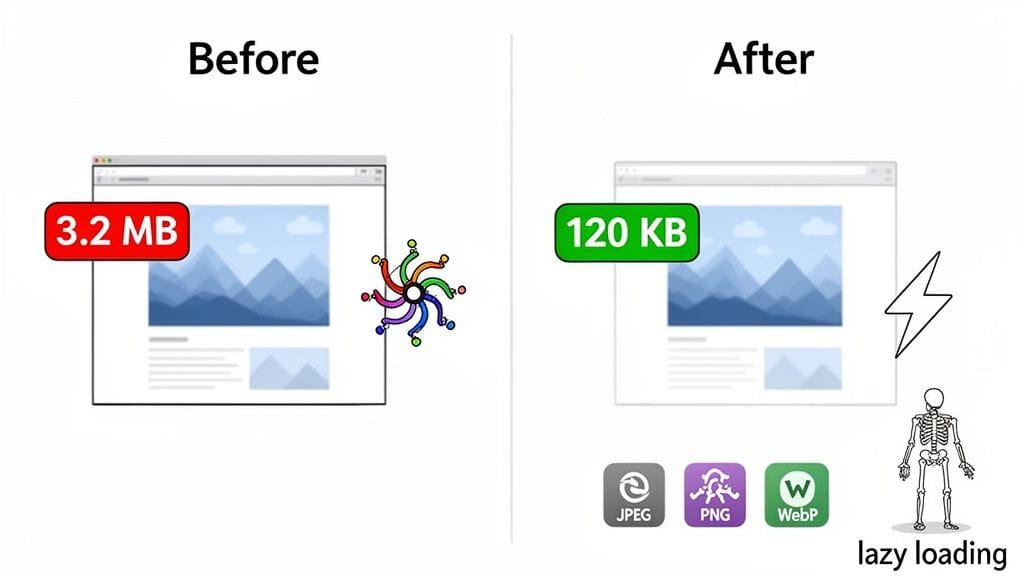
If I could point to one single issue that slows down most WordPress sites, it would be large, unoptimised images. It's the usual suspect. Once you've sorted out fast Australian hosting and enabled caching, tackling your media library is where you'll see the most dramatic improvement in how fast you can speed up your WordPress site.
Think about it: huge image files bloat your page size, making visitors download far more data than they need to. For a customer trying to browse your site on their mobile in a patchy reception area, this can make the experience painfully slow—or even impossible. The great news is, you don't need a graphic design degree to fix it.
Choosing the Right Image Format
Before you even think about uploading an image, picking the correct file type is half the battle. This isn't as complicated as it sounds. Just stick to these simple rules.
JPEG (or .jpg): This should be your go-to for almost all photographs. JPEGs offer fantastic compression, which means you can shrink the file size dramatically with very little, if any, noticeable drop in quality. It’s the perfect choice for product photos, hero banners, and blog post images.
PNG (or .png): Reach for a PNG only when you need a transparent background. Think of things like your company logo or specific icons where you don't want a solid white box around them. PNGs look great, but they create much larger files than JPEGs, so use them sparingly.
WebP: This is the new kid on the block from Google, and it's brilliant. WebP offers the best of both worlds, providing superior compression for both photos and graphics. A WebP image is almost always significantly smaller than its JPEG or PNG equivalent, which translates directly to faster load times. Many modern plugins can even convert your old images to WebP automatically.
Think of it like this: an uncompressed PNG is like shipping a file in a massive cardboard box. A compressed WebP is like vacuum-sealing it. They both contain the same item, but one is far more efficient to send and receive.
A Real-World Australian Example
Let's put this into a practical scenario. Imagine you run an online furniture store based in Melbourne and you've just received professional photos of a new Tasmanian oak dining table. The original file from the photographer is a huge 5MB PNG. Uploading that straight to your product page would grind your site to a halt.
Here’s the smarter way to handle it:
- Resize It: The image only needs to be 1000 pixels wide for your product page, not 5000. The first step is always to resize it to the dimensions you actually need.
- Pick the Right Format: It's a photo, so you save it as a JPEG. That simple change instantly drops the file size to around 400KB.
- Compress It: Next, you run it through a compression tool or plugin. The file is now a lean 95KB, and you can't even spot the difference in quality.
- Serve as WebP: Your optimisation plugin then works its magic, creating a WebP version that’s only 65KB and serving that to visitors with modern browsers.
You’ve just slashed that single image's size by over 98%. Now, imagine that impact multiplied across every single product on your website. The difference in your overall page speed will be massive. For a deeper dive into how images work on the web, have a look at our guide on how to add an image in HTML.
Automating Image Optimisation With Plugins
You don't want to do all of that manually for every single image—it would take forever. Thankfully, this is where a good WordPress plugin becomes your best friend. The LiteSpeed Cache plugin, which works perfectly with our hosting, has powerful image optimisation features built right in.
Once you get it set up, it can handle everything for you:
- Automatically compress any new images you upload on the fly.
- Run a "bulk" optimisation to compress your entire existing media library.
- Create and serve those next-gen WebP versions of your images.
- Enable lazy loading, which is another absolute game-changer for speed.
Lazy loading is a clever trick that stops images from loading until a user actually scrolls down the page to see them. This makes the initial page load feel lightning-fast, especially on long pages with lots of photos. Your visitor's browser doesn't waste time and data downloading images at the bottom of the page that they might not even get to.
Auditing and Pruning Your WordPress Plugins
Think of every plugin you add to your WordPress site like an app on your phone. Some are brilliant and do their job efficiently, while others are quietly chewing through your battery, hogging resources, and making everything lag. This is what we call 'plugin bloat', and it’s one of the most common culprits we see when trying to speed up a WordPress site.
This process is really just a digital declutter for your website. By taking a hard look at what’s running behind the scenes, you can make your site faster, more secure, and a whole lot more reliable for your Australian customers.
Identifying Problematic Plugins
First things first, you need to figure out which plugins are the ones weighing your site down. It's not always the big, complex ones causing the trouble; sometimes, a single, poorly-coded plugin can grind your site to a halt. Guesswork isn't a strategy here. You need actual data.
A fantastic free tool for this job is Query Monitor. While it sounds a bit technical, it gives you a surprisingly clear breakdown of how long each plugin takes to run on any given page.
Once you install and activate it, a new menu pops up in your WordPress admin bar. Visit a page on your site, click on the new menu, and navigate to the "Queries by Component" tab. You'll see exactly which plugins are making the most database queries or taking the longest to load.
A huge red flag we often see is a seemingly simple plugin making dozens of database queries on every single page load. That kind of inefficiency adds up fast and can bring your site to a crawl, especially when you get a bit of traffic.
Conducting Your Plugin Audit
With a tool ready to measure performance, it’s time to do a full audit. Head to the "Plugins" section in your dashboard and make a simple list of everything you have installed. For each one, you need to ask three tough questions:
- Is it absolutely essential? Does this plugin provide a core function that my business genuinely can't do without? Be ruthless here.
- Is there a lighter alternative? Could a different, more modern plugin do the same job with less of a performance hit? For instance, some all-in-one "kitchen sink" plugins can be replaced by a few lightweight, single-purpose ones.
- Is it part of a bigger system? Can another tool I’m already using do this? The LiteSpeed Cache plugin, for example, includes image optimisation and database cleanup, which might make several of your other plugins redundant.
This systematic review helps you sort your plugins into three clear piles: Keep, Replace, and Delete. If you're on the fence about a plugin, try deactivating it and testing your site's speed to see what difference it makes.
Don't Forget Your Theme
Plugins cop most of the blame for slow sites, but your WordPress theme can be just as guilty. A bloated, poorly coded theme is like a bad plugin you can’t switch off. It can load unnecessary scripts, huge stylesheets, and dozens of features you'll never use on every single page.
When you’re picking a theme, keep an eye out for descriptions like lightweight, performance-focused, or built for speed. Try to avoid the "multipurpose" themes that come bundled with their own page builders and a dozen extra plugins, unless you truly need all that complexity. Often, a simpler, cleaner theme gives you a much faster foundation to start with.
By systematically auditing your plugins and being critical about your theme, you're essentially removing the hidden brakes that are holding your website back. This digital tidy-up not only helps to speed up your WordPress site but also tightens security and makes long-term maintenance much easier. For more ideas on what makes a great addition to your site, check out our guide on the top plugins for every WordPress website.
Measuring and Maintaining Your Site Speed
Alright, you've put in the work and your WordPress site is finally loading like a dream. But how do you prove it? And more importantly, how do you make sure it stays that fast?
Getting your site up to speed is one thing; keeping it there is an ongoing job. Think of it like servicing your car—a little bit of regular maintenance stops small rattles from turning into major, expensive problems down the road. This is all about checking your work and setting up a simple routine to protect your investment, keeping both your visitors and Google happy.
Did It Actually Work? Establishing Your Baseline
Before you pop the bubbly, you need some hard data. The only way to know for sure if your optimisations paid off is with a classic 'before and after' test. Hopefully, you ran a speed test before you started, but if not, now's the time to set your current benchmark.
Free tools like GTmetrix and Google PageSpeed Insights are your best friends here. When you use GTmetrix, there's one critical step you can't miss.
- Under the "Analysis Options," make sure you set the Test Server Location to Sydney, Australia. This is non-negotiable for getting a true picture of how your site performs for your local Aussie customers.
Testing from a server in North America or Europe will give you skewed, often slower, results. You need to measure the real experience for someone browsing from Melbourne, not Minnesota.
Once you get your report, don't just fixate on the letter grade. Dig into the numbers that really matter:
- Largest Contentful Paint (LCP): This is how long it takes for the most important part of your page to appear. You want this under 2.5 seconds.
- Total Page Size: The total weight of your page. The smaller, the better. Aim for under 1MB if you can.
- Fully Loaded Time: The total time it takes for every single element on the page to load.
The real win isn't a perfect A+ score, but a tangible improvement in these real-world metrics. Slashing your page size from 3MB to under 1MB or cutting your LCP in half is a massive victory for your users.
A Simple Checklist to Keep Your Site Fast
Maintaining your site’s speed doesn’t need to be a massive time sink. Just a few proactive checks each month will keep things running smoothly.
Run a Monthly Speed Test: Once a month, run your site through GTmetrix again (always from the Sydney server!). This is your early warning system—if things are starting to slow down, you'll catch it before it becomes a real problem.
Keep Everything Up-to-Date: This is basic but crucial. WordPress core, your plugins, and your theme all get regular updates. These often contain vital performance tweaks and security patches, so don't let those update notifications pile up.
Clean Out Your Database: Your database is like a shed; over time, it gets cluttered with junk like old post revisions, trashed pages, and spam comments. The LiteSpeed Cache plugin has fantastic built-in tools to tidy this up with a few clicks. You can find guides on this in our knowledge base articles.
Audit New Additions: Every time you install a new plugin or add a big, image-heavy page, run a quick speed test. It's the easiest way to see if that new addition is dragging your site down.
By working through this simple checklist, you can stop worrying about your site's performance. You've built a fast, responsive website—now you have the tools to keep it that way.
Register your new domain name at competitive market prices including free domain add-ons like privacy, DNS Hosting, Custom Nameservers and Forwarding.
Always the best price and no nasty renewal price hikes.
Register A Domain Name
Got Questions? We've Got Answers
When it comes to speeding up a WordPress site, Aussie business owners tend to run into the same roadblocks. Let's clear up some of the most common questions we hear every day.
How Much Does Website Speed Really Affect My Google Ranking in Australia?
It affects it a lot. Google's Core Web Vitals aren't just a technical metric; they're a direct measure of user experience, and Google uses them as a major ranking signal. A slow site frustrates visitors, causing them to leave. This high bounce rate tells Google your page isn't giving people what they want, which can seriously hurt your spot in local search results.
Think about it: if two local plumbers in Adelaide are competing for the top spot, and one has a lightning-fast mobile site while the other takes ages to load, who do you think Google will favour? The faster site, almost every time. Slow performance directly translates into lost visibility and fewer local customers.
Is a CDN Worth It If All My Customers Are Aussies?
Absolutely. A Content Delivery Network (CDN) is a game-changer, even if your entire customer base is right here in Australia. Our country is huge, and the physical distance between cities like Perth and Sydney creates very real delays, or latency.
Without a CDN, a user in Perth trying to access a site hosted in Sydney will always have a slower experience than someone in Melbourne. A CDN with Australian "Points of Presence" (PoPs) in major cities fixes this. It stores copies of your website in multiple locations, so your Perth customer gets served files from a local Perth server. The result is a consistently fast site for all Australians, coast to coast.
For a deeper dive, you can explore our knowledge base articles on caching and CDNs.
How Often Should I Run a Speed Test on My Site?
Checking your website's speed isn't a one-and-done task. We recommend running a test at least once a month and, crucially, after any big changes. That includes installing a new plugin, switching your theme, or uploading a bunch of new images.
Think of a quick monthly check-up with a tool like GTmetrix (tested from Sydney, of course) as your early warning system. It helps you spot performance drops before they become a real problem for your users and your Google ranking.
Is It Better to Have Fewer Plugins, or Better-Coded Plugins?
This is a classic quality-over-quantity debate. The answer is to aim for fewer, high-quality, and well-coded plugins. While keeping your plugin count low is a great rule of thumb, just one poorly built plugin can do more harm than ten efficient ones combined.
The real key is to be ruthless in your plugin audits. Always choose plugins from reputable developers who provide regular updates and focus on performance. Before you click "install," ask yourself: is this function absolutely essential? Or can an existing tool, like your caching plugin, already handle the job?
Ready to give your WordPress site the performance boost it deserves? At UpTime Web Hosting, we provide 100% Australian hosting with LiteSpeed servers and AccelerateWP built-in, creating the perfect foundation for a lightning-fast website. https://uptimewebhosting.com.au