A solid business backup isn't just an IT chore; it's about copying and storing your critical data so you can get it back when disaster strikes. Think of it as a core part of your business continuity plan—your lifeline when hardware fails, cyberattacks hit, or someone accidentally deletes the wrong thing.
Why Business Backup Is Your Ultimate Safety Net
Picture your business as a thriving online store. One morning you wake up, and a server crash has wiped out every single customer order, product detail, and financial record. For many Australian small and medium-sized businesses (SMBs), this isn't just a nightmare scenario—it's a real threat that could force them to close their doors for good.

It’s a bit like a pilot running through a pre-flight checklist. They don't check the engines and flaps because they expect them to fail; they do it to prevent a catastrophe if something goes wrong. A proper business backup strategy works the same way. It’s the smart, proactive step that turns a potential disaster into a manageable hiccup.
The Real Cost of Doing Nothing
Putting backups in the "I'll get to it later" pile leaves your business dangerously exposed. The fallout from data loss goes way beyond missing a few files.
- Financial Loss: Every minute your site is down means lost sales. On top of that, the cost to try and recover data after the fact can be astronomical. For example, a local cafe's point-of-sale system goes down during the morning rush. Without a backup, they lose all of Saturday's sales records and can't process card payments, forcing them to turn customers away.
- Reputational Damage: Losing customer data completely shatters trust, and winning that back is a long, uphill battle.
- Operational Chaos: Try running your business without access to invoices, client projects, or supplier details. It brings everything to a grinding halt.
A well-planned backup is your insurance policy against a digital disaster. It's the lifeline that keeps you afloat during a crisis, ensuring you can restore operations, protect your reputation, and maintain customer confidence.
A Foundation for Peace of Mind
This guide will walk you through everything you need to know, from the basic concepts to building a practical recovery plan that actually works.
Partnering with a reliable Australian hosting provider gives you a powerful head start. For example, services that include automated backup solutions, like those from UpTime Web Hosting, take this critical task completely off your plate.
These systems automatically create secure, off-site copies of your website and email data every single night. This follows key best practices like data redundancy—a core principle you can learn more about in our knowledge base articles. When you have a strong partner managing this for you, you gain incredible peace of mind, knowing a crucial part of your business is protected from day one.

Performance you can feel, backed by clients who depend on it. Read how our support and uptime create long‑term customer success.Power Your Business with Better Hosting
Understanding The Fundamentals Of Business Backup
To build a solid business backup strategy, you first need to get familiar with the core concepts. Think of your company’s data as a precious manuscript you've spent years writing. You wouldn't keep just one copy locked in a drawer; you'd have multiple copies stored in different safe places. The same logic applies to your digital assets.
This principle is at the heart of choosing the right backup method for your needs. Different methods offer different balances of speed, storage, and recovery complexity.
The Three Main Types Of Backups
Let's go back to that manuscript. A full backup is like making a complete photocopy of the entire book every single time. It’s thorough and simple to restore from, but it uses a lot of paper (storage space) and takes a while to complete.
An incremental backup is much more efficient. It’s like only photocopying the new pages you wrote since your last copy, whether that was a full or incremental one. This is fast and saves a ton of space, but restoring from it is a bit like piecing together a puzzle—you need the last full backup plus every single incremental copy made since.
A differential backup strikes a balance between the two. Think of it as photocopying all the pages that have changed since you made your last full photocopy. It uses more space than an incremental backup but makes restoration much faster, as you only need two pieces: the last full backup and the latest differential copy.
Comparing Backup Types For Your Business
This table breaks down the three main types of data backups, helping you decide which strategy best fits your business needs based on speed, storage, and recovery complexity.
| Backup Type | How It Works | Storage Space | Backup Speed | Restore Speed |
|---|---|---|---|---|
| Full | Copies all selected data every time. | High | Slow | Fast |
| Incremental | Copies only the data changed since the last backup of any type. | Low | Fast | Slow |
| Differential | Copies data changed since the last full backup. | Medium | Medium | Medium |
Each method has its place. Many businesses use a combination, like a full backup on Sunday, differential backups on weeknights, and incremental backups during the day, to balance protection with performance.
RTO And RPO: The Two Most Important Metrics
Beyond the 'how', you need to define the 'how much' and 'how fast'. This is where two critical metrics come into play: Recovery Time Objective (RTO) and Recovery Point Objective (RPO). They sound technical, but the idea is simple.
Let's imagine you run a cafe. Your RPO is the maximum amount of transaction data you can afford to lose. If your point-of-sale system crashes, is losing an entire day's worth of sales acceptable, or can you only stomach losing the last hour? This tolerance for data loss defines your RPO and tells you how frequently you need to back up.
Your RTO is how quickly you need that system back online after a failure. Can your cafe get by for a day taking cash and writing orders by hand, or do you need the system running again within 30 minutes to function? This time limit is your RTO, and it determines what kind of recovery infrastructure you need.
Setting clear RTO and RPO goals is the first step in building a business backup plan that actually works. It moves you from abstract worry to a concrete, actionable strategy tailored to your specific operational needs.
On-Site Versus Off-Site Cloud Backups
Finally, you need to decide where to store these precious copies. An on-site backup means keeping a copy locally—maybe on an external hard drive or a separate server in your office. It's fast and easily accessible, which is great for quick restores.
But what if a fire, flood, or theft hits your building? Your original data and your on-site backup could be destroyed at the same time. This is why an off-site backup is completely non-negotiable for any serious business.
Storing a copy in a different physical location, like a secure cloud server, protects you from these localised disasters. The Australian market is increasingly recognising this, with a projected growth of 6.14% CAGR from 2025 to 2031, driven by SMBs adopting more robust data protection. Rising cybercrime costs are also pushing this trend, making resilient off-site solutions essential. You can find more details in the full market research on Australian data backup trends.
This is where a managed solution offers huge advantages. For instance, UpTime Web Hosting includes encrypted off-site nightly backups with our hosting plans. This automates the entire process, ensuring a secure copy of your website and email data is always stored safely away from your primary server. You get the peace of mind of a robust off-site strategy without any manual effort. You can learn more about how this works in our guide to cloud backup services.
How To Create A Practical Disaster Recovery Plan
Having a backup is one thing; knowing exactly what to do with it when chaos erupts is another entirely. A business backup strategy is only as good as the plan that brings it to life. This is your guide to turning that vague idea of a ‘plan’ into a clear, actionable checklist your team can actually follow under pressure.
First things first, you need to identify your ‘crown jewels’—the critical data and systems your business simply cannot function without. This isn't about backing up everything with the same priority; it's about pinpointing the absolute must-haves that keep the lights on.
Think of it this way: a florist's crown jewels might be their daily customer orders and supplier contact list. A law firm, on the other hand, would prioritise confidential client case files and financial records, which demand much stricter protection and faster recovery.
Defining Your Recovery Objectives
Once you know what you're protecting, you can set realistic goals for getting it back online. This brings us back to your Recovery Time Objective (RTO) and Recovery Point Objective (RPO). Think of these as the guardrails for your entire plan.
- Set a realistic RTO: How quickly do you really need to be back in business? An e-commerce store might need to be back up in under an hour to stop sales from haemorrhaging. A local consultancy, however, could probably tolerate a few hours of downtime without a major crisis.
- Establish a clear RPO: How much data can you afford to lose? That florist might be perfectly fine with nightly backups (an RPO of 24 hours). But the law firm dealing with time-sensitive documents might need near-constant protection to avoid losing even a few minutes of critical updates.
These two objectives directly shape your backup frequency and strategy. Your plan needs to state these goals clearly so everyone understands the priorities when things go wrong.
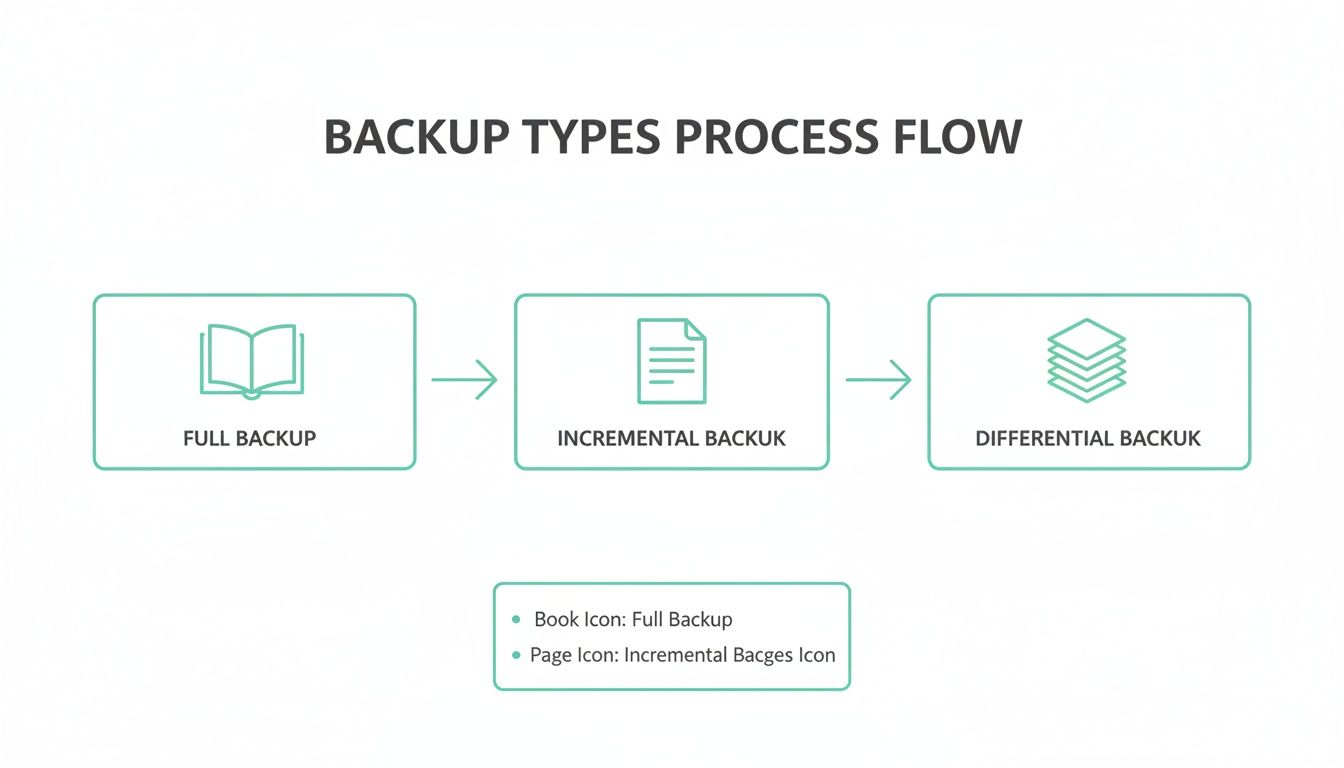
The image above shows a few different ways to approach this, from full backups to more nimble incremental and differential ones. Each offers a different balance of speed, storage, and recovery complexity to help you hit your RPO, and choosing the right one is a key part of an effective DRP.
Building Your Disaster Recovery Checklist
A good DRP is a simple, clear document, not some dense, dusty manual. It should be a straightforward checklist that anyone can grab and follow, even when they're stressed.
- Assign Roles and Responsibilities: Who’s in charge when disaster strikes? Clearly name the person who declares an emergency, the technical lead for restoring data, and the communications lead for keeping staff and customers in the loop. No ambiguity here.
- Document Key Contacts: Pull together a list of essential phone numbers and emails. This includes your IT support, web hosting provider (like the UpTime Web Hosting support team), and key software vendors. Make sure this list is accessible both digitally and physically—you don't want it trapped on a server you can't access.
- Outline Step-by-Step Recovery Procedures: Write down the exact steps for restoring data. For your website, this might be as simple as contacting your host to roll back to the last automated backup. For local files, it will detail how to access your on-site or cloud solution. For a deep dive on your site, check out our guide on how to properly back up a WordPress site.
- Define Data Retention Policies: Decide how long you need to keep backups. Australian regulations often require you to hold financial records for a specific number of years, so your policy needs to line up with any legal and compliance obligations you have.
A disaster recovery plan is not a "set it and forget it" document. It must be a living guide, regularly reviewed and updated as your business technology, team, and critical data evolve.
The pressure to get these plans right is growing. In fact, over 50% of Australian organisations are expected to overhaul their main backup solutions by 2025, driven by frustration with high costs and slow recovery speeds. With cyber threats constantly on the rise—more than 1,100 data breaches were reported in Australia last year—a reliable, tested plan is no longer just a good idea, it's essential.
For businesses hosting with UpTime Web Hosting, a big piece of this puzzle is already solved. Our encrypted, off-site nightly backups mean your website and email data are automatically protected. Your DRP can simply state: "For website or email data loss, contact UpTime Web Hosting support to initiate a restore from the latest nightly backup." This simplifies a critical part of your plan, letting you focus on other vital business data and recovery logistics.
Host your website with our 5-star rated, cPanel website hosting plans.
Super fast servers, with security included and hosted in your choice of Australian Data Center.
View cPanel Plans
The Critical Importance Of Testing Your Backups
An untested business backup isn't a safety net; it's a hopeful wish. You might have the most sophisticated backup system on the planet, but if you've never actually tried to restore from it, you have no real idea if it works. It's like having a detailed fire escape plan but never running a drill—you don't want to be figuring out the route during a real emergency.
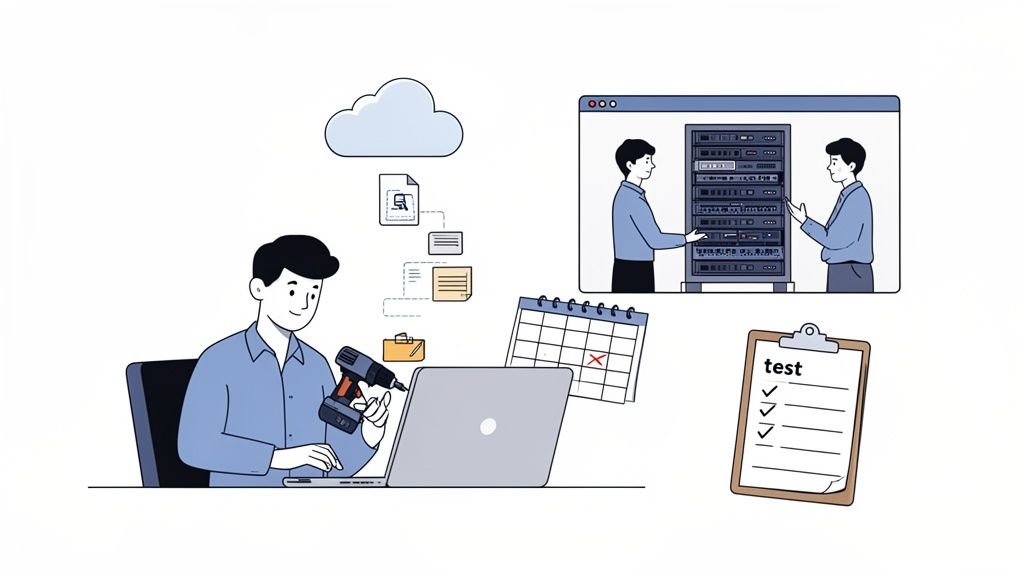
Regularly testing your recovery process is the only way to be certain that your data is not just being saved, but that it's complete, uncorrupted, and actually retrievable. This simple act turns your backup strategy from a theoretical exercise into a proven, reliable asset you can count on when you need it most.
From Fire Drill To Full Simulation
Testing doesn't have to mean shutting down your entire business for a day. You can run different types of tests to validate your plan without disrupting daily operations, and each serves a different purpose.
- Single File Restore: This is the easiest and quickest check. Just pick a few non-critical files at random and try to restore them from your backup. Can you find them easily? Do they open correctly? A practical example is restoring a deleted invoice from last month's accounting folder to ensure the file is intact.
- Application Restore: Take it a step further. Choose one of your key business applications, like your accounting software. Can you restore its database to a specific point in time on a separate test system?
- Full Server Simulation: This is the most thorough test you can do. It involves trying to restore an entire server—operating system, data, and all—onto a new virtual machine or isolated piece of hardware.
An untested backup is a gamble you simply can't afford to take. Regular, scheduled testing is the only way to build true confidence in your ability to recover from a disaster, ensuring business continuity and peace of mind.
For your online presence, this is where a great hosting partner really shines. A common and highly effective test is to restore your entire website to a staging environment. Think of it as a private, offline copy of your site where you can safely check if the backup works perfectly—verifying databases, images, and plugins—all without your live customers ever noticing.
Overcoming The "No Time" Excuse
Let's be honest, the most common reason businesses don't test backups is a perceived lack of time. But the time spent on a quick, scheduled test is minuscule compared to the chaos and financial fallout of discovering your backups are useless during a real crisis.
A simple, effective schedule is easier to manage than you think:
- Monthly: Perform single-file restore tests. This takes just a few minutes.
- Quarterly: Run a more involved application or website restore to a staging environment.
- Annually: Schedule a full disaster recovery simulation as part of a larger business continuity review.
This is another area where managed services provide immense value. Instead of you needing to become a backup expert, you can lean on professional guidance. For example, the UpTime Web Hosting local support team can easily help you restore website data from our nightly backups, making the test process for your site completely straightforward. It simplifies one of the most important parts of your digital presence, and you can learn more about how expert assistance fits into a broader strategy for ongoing web maintenance and support. This kind of guided approach removes the technical barriers, making regular testing achievable for any business.
Navigating Security And Compliance In Australia
For any Australian business, a solid business backup strategy is about much more than just recovering a lost file. It’s a cornerstone of your security posture and, frankly, a legal necessity for meeting our local compliance regulations. Protecting your data isn't just about having a copy; it’s about making sure that copy is secure, private, and stored in a way that ticks all the boxes under Australian law.
This is becoming more critical by the day. Australia's cloud backup market is absolutely booming, with revenues projected to leap from USD 93.0 million in 2024 to a massive USD 415.2 million by 2030. This explosion highlights a real urgency for businesses to find secure, compliant solutions to protect themselves. If you don't believe us, you can explore the research on this rapid market expansion for yourself.
Get this wrong, and the consequences can be severe—think hefty fines and the kind of damage to your brand’s reputation that you can't just undo.
The Double Lock Encryption Method
To truly safeguard your backed-up data, you need to protect it at every single stage of its journey. Think of it like a bank moving cash. They don’t just toss it in a vault; they first load it into an armoured, locked vehicle for transport. Your data deserves the same two-layered approach.
- Encryption In Transit: This is your digital armoured vehicle. It protects your data while it's travelling from your server to its backup location, scrambling everything so it’s completely unreadable to anyone who might try to intercept it.
- Encryption At Rest: This is the vault. Once your data arrives safely at the off-site server, it needs to be locked down tight. Encryption at rest ensures the stored files are useless without the correct decryption key.
At UpTime Web Hosting, our off-site nightly backups use both forms of encryption. It’s an end-to-end defence that keeps your website and email data secure, whether it's on the move or sitting in storage.
Data Sovereignty: The Australian Advantage
A massive piece of the compliance puzzle for Australian businesses is data sovereignty. In simple terms, this is all about where your data physically lives and which country's laws have control over it.
Under the Australian Privacy Act, you have a legal responsibility to protect the personal information of your customers. Storing this sensitive data on servers located overseas can get messy, fast. You could unintentionally expose it to foreign laws and wildly different security standards.
Keeping Australian customer data on Australian soil isn't just a "nice-to-have"—it's a foundational step in meeting your obligations under the Privacy Act. It simplifies compliance and gives you genuine peace of mind that your data is governed by local rules.
This is exactly why choosing a provider with a local footprint matters so much. UpTime Web Hosting operates data centres in Sydney, Melbourne, Brisbane, and Perth. This guarantees your website backups and customer data stay right here in Australia, fully compliant with national privacy principles. It's a core part of our commitment to Australian cybersecurity and data protection.
Creating Simple Data Retention Policies
Finally, a complete compliance strategy needs a clear data retention policy. This is just a set of rules defining how long you keep specific types of data before you securely get rid of it. For instance, you might need to keep financial records for seven years to satisfy the ATO, but other data could be deleted much sooner to manage storage costs and reduce risk.
Your policy doesn't need to be a 100-page legal document. Start by listing the types of data you hold and looking up the legal requirements for each. This ensures you meet your obligations without hoarding unnecessary data, which can easily become a liability over time.
And speaking of getting rid of things, your compliance duties extend to physical hardware, too. When it’s time to retire old equipment, it pays to follow secure e-waste destruction best practices to ensure old hard drives don’t become the source of a future data breach.
Choosing The Right Backup Solution And Partner
Picking the right tools and, more importantly, the right partner for your business backup strategy is one of the most critical decisions you’ll make. With so many options out there, it’s easy to feel a bit lost. The trick is to look past the flashy feature lists and find a solution—and a team—that truly fits the specific needs of your Australian business.
Think of it like hiring a key team member. You wouldn't just glance at their CV; you'd want to know if they're reliable, how they communicate, and if they're a good fit for your company culture. You should apply that same level of scrutiny when choosing your backup provider.
Your Evaluation Checklist
To make a smart choice, you need a clear set of criteria. This checklist will help you cut through the marketing fluff and ask the questions that really matter, ensuring you find a partner you can count on when things go wrong.
- Proven Reliability: Does the provider have a solid track record of consistent uptime and successful data recoveries? Look for established companies with positive, verifiable reviews from other Aussie SMBs.
- Robust Security Measures: How is your data being protected? At a minimum, the solution needs to include encryption for data both while it's travelling (in transit) and while it's stored (at rest), along with proactive malware scanning to make sure your backups are clean.
- Ease of Use: Is the system actually easy to manage? A complicated backup process is one that inevitably gets skipped. For website data, the best solutions are often automated and managed by the provider, taking the task completely off your plate.
Why Local Infrastructure And Support Matter
For Australian businesses, two factors often get overlooked but are absolutely crucial: Australian-based infrastructure and accessible local support. Keeping your data on local servers isn't just better for performance; it's also essential for complying with the Privacy Act.
And when you desperately need help—especially in the middle of a crisis—the last thing you want is to deal with an overseas call centre and frustrating time zone delays.
Choosing a provider with a genuine Australian presence means faster access to your data and support from a team that understands the local business environment. It's the difference between a quick resolution and a prolonged, frustrating ordeal.
This is exactly where a provider like UpTime Web Hosting proves its worth. With 100% Australian servers located in major hubs like Sydney and Melbourne, your data stays onshore, where it belongs. Better yet, our 24/7 local phone and ticket support means an expert is always on hand to help when you need it most, no exceptions.
Aligning Your Hosting With Your Backup Needs
For many small and medium businesses, the most powerful and efficient first line of defence is a comprehensive hosting plan that already includes robust backup features. Instead of trying to bolt on and manage a separate service, you get an integrated solution handled by experts.
When you're sizing up hosting providers, look for these specific backup-related features:
- Automated Nightly Backups: This should be non-negotiable. It ensures you always have a recent point to roll back to.
- Off-Site Storage: Your backups must be stored in a completely different physical location from your live server.
- Transparent Pricing: You should never be hit with surprise fees for storage or data restoration. UpTime Web Hosting, for example, includes GST in all pricing, so what you see is what you pay.
Ultimately, making the right choice turns your backup plan from a necessary chore into a reliable business asset. If you're looking for a more advanced solution to protect all your corporate data, not just your website, you can explore dedicated corporate backups and recovery services to build a more complete protection strategy.
By asking these critical questions and prioritising local, reliable partners, you can select a solution that gives you genuine peace of mind and keeps your business safe.
Even after you’ve put together what feels like a solid plan, questions are bound to pop up. Let's walk through some of the most common ones we hear from Australian SMBs, giving you clear, practical answers to help you feel confident about your backup strategy.
How Often Should I Back Up My Data?
The short answer? It all comes back to your Recovery Point Objective (RPO). That’s just a technical way of asking: "How much data can I afford to lose without it causing a major headache?"
If you’re running a busy e-commerce store with orders flying in every few minutes, losing even an hour of data could be a disaster. In that case, you’d want backups running in near real-time, or at the very least, hourly.
On the other hand, if you're a consultant who updates a business blog once a week, daily or even weekly backups might be perfectly fine. The trick is to honestly assess your operations, figure out what an acceptable loss looks like for your business, and then set your backup schedule to match.
What Is The 3-2-1 Backup Rule?
Ah, the classic 3-2-1 rule. It's a time-tested strategy that’s been the gold standard in data protection for years, and for good reason. It’s a simple framework that dramatically boosts your resilience against almost anything life can throw at your business.
Here’s the breakdown:
- Keep 3 copies of your data (your original production data plus two backups).
- Store these copies on 2 different types of media (for example, a local server and cloud storage).
- Keep 1 copy off-site, protecting you from local disasters like a fire, flood, or even theft.
The 3-2-1 rule has been around for decades, but its core ideas of redundancy and having a copy somewhere else are more important than ever. In fact, many people now add a fourth step: making sure one copy is immutable (unchangeable) to guard against ransomware attacks.
Can I Rely Only On My Web Host's Backups?
While a top-notch web host's backups are an absolutely critical safety net, they're just one piece of the puzzle. Think of it this way: a great host like UpTime Web Hosting takes care of automated, encrypted, off-site nightly backups, which is fantastic for protecting everything that lives on your server—your website, databases, and emails.
But what about the data on your local office computers? Your accounting files, client contracts, spreadsheets, and internal documents aren't part of your hosting plan. You still need a separate, dedicated solution to protect all that crucial business data.
It's a two-pronged approach: let your web host be the expert guardian of your online world, while you manage the protection of your local assets. That way, your entire operation is covered.
A solid backup strategy starts with a reliable foundation. UpTime Web Hosting provides secure, automated, and 100% Australian hosting with nightly off-site backups included, giving you complete peace of mind for your website and emails.