Cloud computer backup services are the modern safety net for your business. They work by automatically copying your critical data to a secure location, completely separate from your office. This protection means you can quickly bounce back from a disaster like a hardware meltdown, a nasty cyberattack, or even a fire or flood. It's really the cornerstone of any solid business continuity plan today.
Why Your Business Can No Longer Ignore Cloud Backups
Let's paint a picture. Imagine your entire business—every client record, every invoice, all your operational files—lives on a single server tucked away in your office. Now, what happens if that server gives up the ghost, a fire breaks out, or a ransomware attack locks you out of everything?
This is exactly why the old way of doing backups just doesn't cut it anymore. Relying on a local hard drive is like having just one key to your entire business; if it’s lost or destroyed, you’re locked out for good.
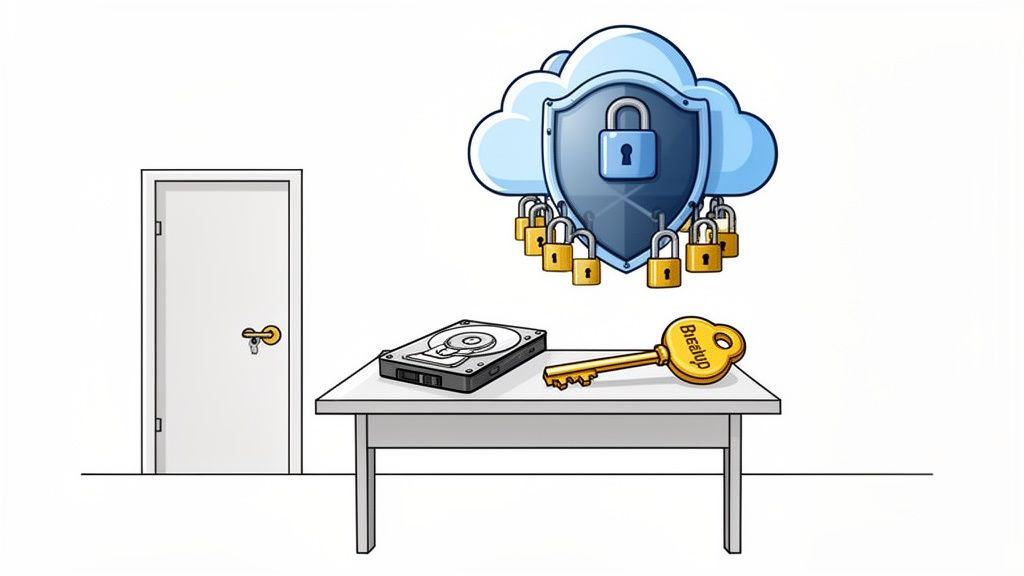
This move away from outdated methods is a huge trend among Australian businesses. To really get why you can't afford to ignore cloud backups, it helps to understand what cloud backup is and how it works to keep your data safe. It represents a fundamental shift in how we approach business resilience.
The New Standard for Data Resilience
Today's threats demand a much smarter solution than a simple external drive. Cloud computer backup services create what's known as an "air gap"—a vital separation between your live data and its secure copy. This protects you from a whole range of risks that local backups are powerless against.
Think of it as your ultimate defence against:
- Ransomware Attacks: If a hacker encrypts your local files, you can simply restore clean, uninfected versions from your cloud backup and carry on. For example, if your accounting server gets hit, a service like Backblaze allows you to restore the entire system to its state from the previous day, bypassing the ransom demand.
- Hardware Failure: Servers and hard drives don't last forever. A cloud backup ensures that when a piece of hardware fails, it doesn't take your business data down with it.
- Natural Disasters: A fire, flood, or even a major power surge can wipe out your office equipment and your on-site backups in one hit. Your off-site cloud copies will remain untouched and safe.
- Human Error: We all make mistakes. Accidentally deleting a crucial file or folder is no longer a catastrophe when you can restore it from yesterday's backup in minutes.
A backup you can't restore is just a waste of money and provides a false sense of security. The true value of a cloud backup service lies in its ability to reliably and quickly get your business back online after a disruption.
The Accelerating Shift in Australia
The move to the cloud isn't just some global trend; it’s a rapidly growing necessity for Australian small and medium businesses. The numbers tell the story. Australia's cloud backup market, which hit USD 93.0 million in revenue, is projected to skyrocket to USD 415.2 million by 2030. This growth shows just how many businesses are ditching old, unreliable methods for more secure and flexible cloud solutions.
Services like the encrypted off-site nightly backups we offer at UpTime Web Hosting make this level of protection accessible and completely automatic. By putting a strong backup strategy in place, you’re building a crucial layer for your overall cybersecurity and data protection framework. It’s a proactive step that moves your data from a position of vulnerability to one of genuine strength and resilience.

Performance you can feel, backed by clients who depend on it. Read how our support and uptime create long‑term customer success.Power Your Business with Better Hosting
Understanding RPO and RTO for Business Continuity
When it comes to building a solid recovery plan, you'll run into two critical acronyms: RPO and RTO. Instead of getting bogged down in technical definitions, let's break them down with a simple analogy. Imagine you're in the middle of writing a massive, critical business proposal.
Recovery Point Objective (RPO) is the last time you hit 'Save'. It answers the question: "How much data can we afford to lose?" If you save your work every 15 minutes, your RPO is 15 minutes. That's the maximum amount of work you'd lose if your computer suddenly died.
Recovery Time Objective (RTO) is how quickly you need a working computer to get back to that proposal and meet your deadline. It answers the question: "How long can we afford to be down?" A low RTO means you need to be back up and running almost instantly, while a higher RTO means you can tolerate a bit more of a break.
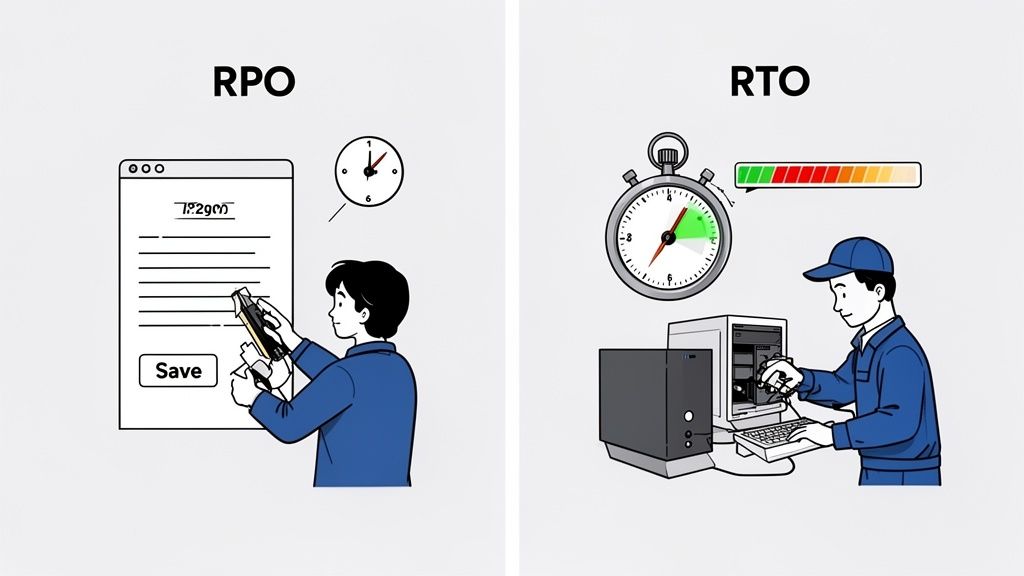
These two metrics are the absolute foundation of any decent data recovery strategy. Getting clear on your RPO and RTO is the most important first step in choosing cloud backup services that actually fit your business, rather than just ticking boxes on a generic feature list. Microsoft offers a great knowledge base article on designing for business continuity that explains this in more detail.
Why Your Business Type Defines Your Needs
Let's be honest: not every business is the same. Your tolerance for data loss or downtime is unique to how you operate day in and day out. A mismatch here isn't just an inconvenience; it can be seriously costly.
Here are a few practical examples for Australian small businesses:
- eCommerce Store: This business is constantly processing orders and payments. Losing even an hour of transaction data would be a disaster. They need a very low RPO (minutes, not hours) to avoid losing sales and an equally low RTO to get the shop back online before frustrated customers click away to a competitor. A service like Veeam offers continuous data protection to meet these tight requirements.
- Marketing Agency: The team works on big client files, but major updates might only happen a few times a day. Losing a whole day's work would be a major headache, but not the end of the world. They could get by with a moderate RPO (like nightly backups) and a moderate RTO (a few hours to get systems restored).
- Local Tradie: A plumber or electrician mainly uses their system for invoicing and scheduling at the end of the day. A high RPO of 24 hours is perfectly fine, and a higher RTO (even up to a full day) is acceptable since urgent jobs can be managed with a phone call.
To make this even clearer, let's compare them side-by-side.
RPO vs RTO Explained with Business Examples
| Concept | What It Measures | eCommerce Store Example | Blogger Example |
|---|---|---|---|
| RPO | Maximum acceptable data loss. How much data, measured in time, can you afford to lose? | Low (e.g., 15 minutes). Losing more than a few minutes of transaction data means lost revenue and angry customers. | High (e.g., 24 hours). A daily backup is fine. Losing a day's draft is annoying but not business-critical. |
| RTO | Maximum acceptable downtime. How quickly must you be back online after a disaster? | Low (e.g., 1 hour). Every hour the site is down is an hour of zero sales. Speed is everything. | High (e.g., 1-2 days). If the blog is down for a day, it's not ideal, but it doesn't directly stop cash flow. |
Seeing these scenarios highlights that there's no "one-size-fits-all" answer. The right choice for one business could be completely wrong for another.
Understanding these objectives is not just a technical exercise; it's a core business decision. It forces you to put a real number on what an interruption costs in lost revenue, customer trust, and operational chaos.
Translating RPO and RTO into a Backup Plan
Once you've figured out your RPO and RTO, you can start evaluating different cloud computer backup services to see which ones can actually deliver on your requirements. This process directly shapes the type of service you need, how often your backups should run, and, of course, the price.
For businesses that can't afford any downtime, looking into dedicated corporate backups and recovery solutions is the next logical step. These services are built from the ground up to handle tight RPO and RTO targets, making sure any disruption is kept to an absolute minimum.
Ultimately, your choice of backup technology—from simple file backups to full system images—will be guided by these two simple but incredibly powerful metrics. It's how you ensure your investment delivers true business continuity when you need it most.
Choosing Your Backup Method: File vs. Image
When you start digging into cloud computer backup services, you'll quickly learn that not all backups are the same. The two main players are file-level backups and image-level backups, and knowing the difference is critical. Your choice here directly affects how fast and how completely you can get back on your feet after a disaster, shaping your entire business continuity plan.
Let’s think about it this way: imagine all your business data is everything inside a busy office. A file-level backup is like cherry-picking the most important documents from your filing cabinet—client contracts, invoices, financial reports—and making copies. It’s precise, great for protecting individual items, and doesn't eat up a ton of storage space.
An image-level backup, however, is like taking a perfect, high-resolution photograph of the entire office. It captures everything exactly as it is: the computers on the desks, the software installed, the layout of the furniture, and every single document in that filing cabinet. It’s a complete carbon copy of your working environment.
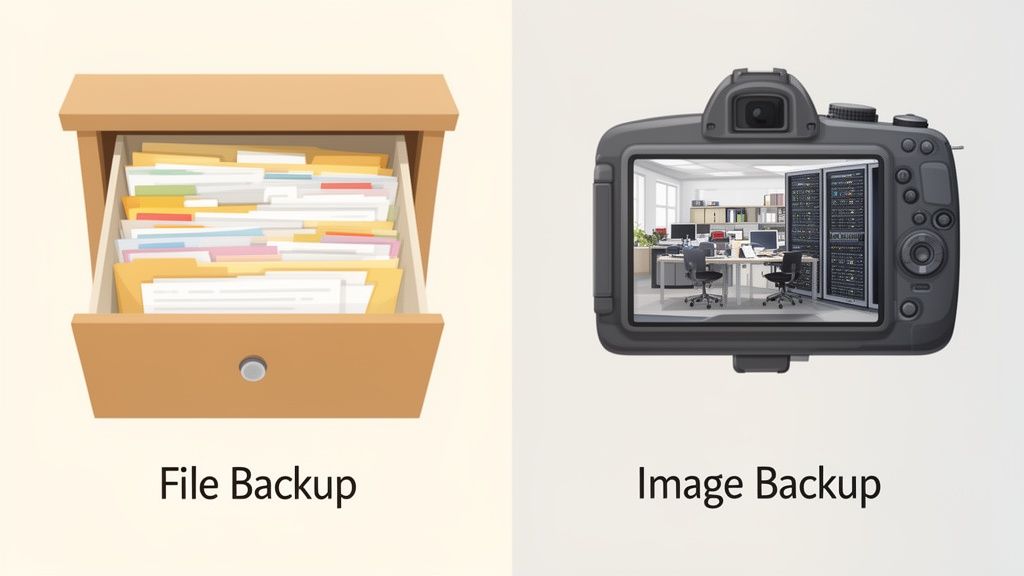
When to Use File-Level Backups
A file-level backup is your go-to when the mission is to protect specific, important data rather than entire systems. They're typically faster to run and use less storage, making them a really cost-effective choice for many small businesses.
Here are a few real-world examples:
- Protecting a Shared Folder: An accounting firm might only need to back up the shared network drive holding all their client tax files. The individual accountants' computers aren't the priority; the data is. A practical example is using a service like IDrive to target just that specific network-attached storage (NAS) device.
- Archiving Project Files: A graphic design agency could use file backups to secure completed project folders. If a client needs a file from a job completed months ago, it can be restored quickly without touching the rest of the system.
- Securing a Website Database: While many hosting plans include site backups, you might want your own separate copy of your website’s files and database. For those comfortable with the tech side, understanding what FTP is and how it works is handy for manually grabbing these specific files.
The big win here is granularity. You can restore a single corrupted file without having to roll back an entire system. The trade-off? If a whole server dies, you’re in for a long recovery. You’d need to rebuild the operating system and reinstall all your applications from scratch before you could even think about restoring the data.
When to Use Image-Level Backups
Image-level backups, often called full-system or bare-metal backups, are built for one thing: rapid, complete recovery. This method is the foundation of any serious disaster recovery plan where a low Recovery Time Objective (RTO) is non-negotiable. If your business simply cannot afford to be offline for more than a few hours, this is what you need.
Image backups are lifesavers in these situations:
- Recovering from Ransomware: When ransomware locks up a server’s entire hard drive, a file backup is useless because the operating system itself is compromised. An image backup lets you wipe the infected machine and restore the whole system to a clean state from before the attack ever happened.
- Surviving Critical Hardware Failure: If your main server's motherboard gives up the ghost, you can’t just drop your files onto a new machine and expect it to work. With an image backup, you can restore the complete server environment—OS, applications, settings, and data—onto brand new (even different) hardware and be back in business fast. For a deeper understanding, check out this knowledge base article on bare metal recovery from NAKIVO.
The power of an image-level backup isn't just in restoring data; it's in restoring function. It brings your entire operational environment back to life, eliminating the time-consuming and error-prone process of manual system rebuilds.
Sure, this approach uses more storage and can take longer to complete each backup. But its ability to dramatically slash downtime makes it absolutely essential for any business where staying operational is critical. It’s not about which backup type is "better"—it's about matching the right tool to your specific business needs and recovery goals.
Host your website with our 5-star rated, cPanel website hosting plans.
Super fast servers, with security included and hosted in your choice of Australian Data Center.
View cPanel Plans
What to Look for in a Reliable Backup Service
Knowing the difference between file and image backups is a great start, but how do you sift through the dozens of providers all claiming to be the best? To find the right cloud backup service, you need to look past the marketing fluff and focus on the core features that actually protect your business. These are the non-negotiables that separate a basic online storage locker from a proper disaster recovery solution.
The right service is a digital fortress for your data. Its walls are built with strong encryption, smart retention policies, and proven restorability. Without these, you're not buying peace of mind; you're just paying for risk. Let's break down what really matters, so your investment pays off when you need it most.
Unbreakable Security with End-to-End Encryption
First on the list, and for good reason, is end-to-end encryption. This isn't just a techy buzzword; it’s the process that keeps your data safe at every single point of its journey. Think of it like putting your valuable documents in a locked safe before they even leave your office.
This process has two critical parts:
- Encryption in Transit: As your data travels from your computer to the cloud provider's server, it's completely scrambled. This makes it unreadable to anyone trying to snoop on your connection.
- Encryption at Rest: Once your data arrives, it stays scrambled on the provider's servers. Even if a hacker physically broke into the data centre and stole the hard drives, all they’d get is useless gibberish without the unique decryption key—a key that only you should control.
Without end-to-end encryption, your sensitive business info is vulnerable during transfer or could be accessed by staff at the data centre. A truly secure service ensures you hold the only key. A great place to start your research is by learning about encryption standards and best practices so you can ask providers the right questions.
Smart Data Retention Policies
A backup isn't just about saving the latest version of your files; it's about having access to a complete history. A data retention policy defines how long your backups are kept and how many different versions are saved. This is your only defence against those slow-burn disasters, like a file that got corrupted months ago or an accidental deletion you only just noticed.
Imagine a critical spreadsheet gets corrupted, but nobody realises for 45 days. If your backup service only keeps files for 30 days, the last known good version of that file is gone forever. A flexible retention policy puts you in control.
The real power of a backup is the ability to go back in time. A service with configurable retention lets you balance storage costs with your need for historical recovery points, giving you full control over your data's timeline.
Look for providers that let you set different rules for daily, weekly, and monthly backups. This tiered approach gives you granular control, ensuring you can restore a file from last Tuesday or from six months ago, depending on your business and compliance needs. Carbonite is an example of a service that offers flexible retention settings for businesses.
The Ultimate Proof: Restore Testing
Here’s a simple but critical truth: a backup you haven’t tested isn’t a real backup. It’s a hope. Regular restore testing is the only way to be certain that your data is being backed up correctly and, more importantly, that you can actually get it back in an emergency.
So many businesses faithfully run backups for years, only to discover they're useless when disaster strikes. The files might be corrupt, the backup set might have been incomplete, or the process itself was flawed from the start. Scheduling regular tests—at least quarterly—is a non-negotiable part of any serious backup strategy.
This doesn't have to be a huge production. Start small. Try restoring a single file or a folder to a different location. The goal is to get familiar with the process and confirm it works before you’re in a high-pressure crisis. Reputable providers like Acronis offer solutions that simplify this process, making it much easier to validate your recovery plan.
Understanding Service Level Agreements (SLAs)
Finally, the Service Level Agreement (SLA) is the contract that outlines the provider's promises to you. It can be a dry, technical document, but it contains crucial details about the reliability and support you can expect. Don't just skim it—make sure you understand it.
Key things to look for in an SLA include:
- Uptime Guarantee: This is the percentage of time the service promises to be available, which should be 99.9% or higher.
- Recovery Guarantees: Some SLAs will specify the RTO and RPO targets they commit to meeting.
- Support Response Times: The document should clearly state how quickly you can expect a response when you have a problem.
An SLA is your guarantee of quality. It holds the provider accountable and gives you a clear course of action if they don't meet their promises. For a better understanding of what to look for, AWS provides a detailed explanation of SLAs in their knowledge base.
Meeting Australian Security and Compliance Needs
When you're an Australian business looking at cloud backup services, it’s easy to get lost in feature lists and pricing tables. But there’s a critical question that often gets overlooked: where will your data actually live? The physical location of your backups has huge implications for security, performance, and your legal obligations.
Choosing a provider that stores your data on Australian soil isn’t just about supporting local; it’s a non-negotiable for compliance. As soon as your data crosses borders, it falls under the laws of that country. Those laws might not offer anywhere near the same privacy protections we have here, creating a messy and high-risk legal headache for your business.
The simplest, cleanest way to meet your obligations under the Australian Privacy Act is to partner with a provider that operates local data centres, like our facilities in Sydney and Melbourne. This ensures your data stays governed by Australian law, period.
The Importance of Data Sovereignty
This all comes down to a concept called data sovereignty. It's pretty straightforward: your data is subject to the laws and regulations of the country where it is physically stored. For any Australian business handling sensitive customer information—from medical records and financial details to simple contact lists—keeping that data within our borders is a cornerstone of responsible data management.
But this isn't just about ticking a compliance box. Storing data locally gives you a tangible performance boost. The physical distance your data has to travel, known as latency, directly impacts how fast you can back up and, more importantly, restore your systems.
- Faster Backups: Less distance means your data gets to the backup server much more quickly. This cuts down the time your systems are under load during the backup process.
- Quicker Restores: In a disaster, every second counts. Lower latency means you can pull your data back and get your business online significantly faster, which is a massive win for your Recovery Time Objective (RTO).
To really get your head around this, it's worth digging into why data sovereignty is so important for your business website and its backups. Understanding this helps you ask the right questions and make sure a provider’s setup truly meets your needs.
For Australian SMBs, data sovereignty isn't a "nice-to-have" feature—it's a core security and compliance requirement. Choosing a provider with local data centres is the most direct path to ensuring your data is protected under the laws you operate by.
Building a Digital Fortress Around Your Data
A solid backup is your last line of defence, but a truly great provider also gives you proactive security layers to protect your live environment. These features work hand-in-hand with your backups, creating a robust defence against modern cyber threats and reducing the odds you’ll ever need to hit the big red "restore" button.
Think of it like having both a fireproof safe (your backup) and a state-of-the-art alarm system (proactive security).
There are two essential security layers you should be looking for:
- DDoS Protection: Distributed Denial-of-Service (DDoS) attacks are brute-force attempts to flood your server with junk traffic, knocking your website and services offline. A quality provider like UpTime Web Hosting includes sophisticated DDoS protection that spots and filters this malicious traffic before it even reaches your server, keeping you online.
- Proactive Malware Scanning: Instead of waiting for an infection to take hold, proactive scanning regularly scours your files for known viruses, trojans, and other malicious code. If it finds anything suspicious, it can be quarantined and removed automatically, stopping a small problem from becoming a catastrophic data breach.
When you combine these security measures with the peace of mind that comes from data sovereignty, you get a comprehensive protective shield. It means your cloud backup service isn't just a recovery tool; it's part of an integrated strategy to keep your digital assets safe, compliant, and always available.
How to Build Your Complete Backup Strategy
A truly solid backup strategy is about more than just protecting one part of your business. It’s about building a multi-layered defence that shields every digital asset you own—from your customer-facing website right down to the critical files on your office computers. When you approach it this way, no single point of failure can bring your operations to a grinding halt.
The first line of that defence usually starts with your web hosting. Foundational protections, like the automated encrypted off-site nightly backups we include with our cPanel and WordPress hosting, are a fantastic starting point for safeguarding your website. But it is just a starting point, as it only covers your online presence. For a deeper dive into protecting your site, check out our guide on how you can effectively back up your WordPress site.
But here’s the thing: a resilient business protects a whole lot more than just its website.
Integrating Your Web and Business Backups
The next, crucial step is to bring that same level of protection "inland" to your core business operations. This means putting dedicated cloud computer backup services in place for your office PCs, local servers, and every other system your business leans on day-to-day. The aim here is to create two powerful, parallel streams of protection.
Think of it like this:
- Website Protection: This is your online shopfront. Automated, nightly backups of your site files and databases ensure it can always be recovered quickly. For example, using a WordPress plugin like UpdraftPlus can provide an extra layer of protection specifically for your site.
- Business Operations Protection: This is your internal engine. Comprehensive backups of your accounting software, client records, project files, and employee computers keep the whole machine running.
When you bring these two together, you’ve got a genuine business continuity plan where your web assets and your operational data are equally secure.
This is where the principles of data security really come into play for Australian businesses, covering everything from data sovereignty and compliance to the technical nuts and bolts.
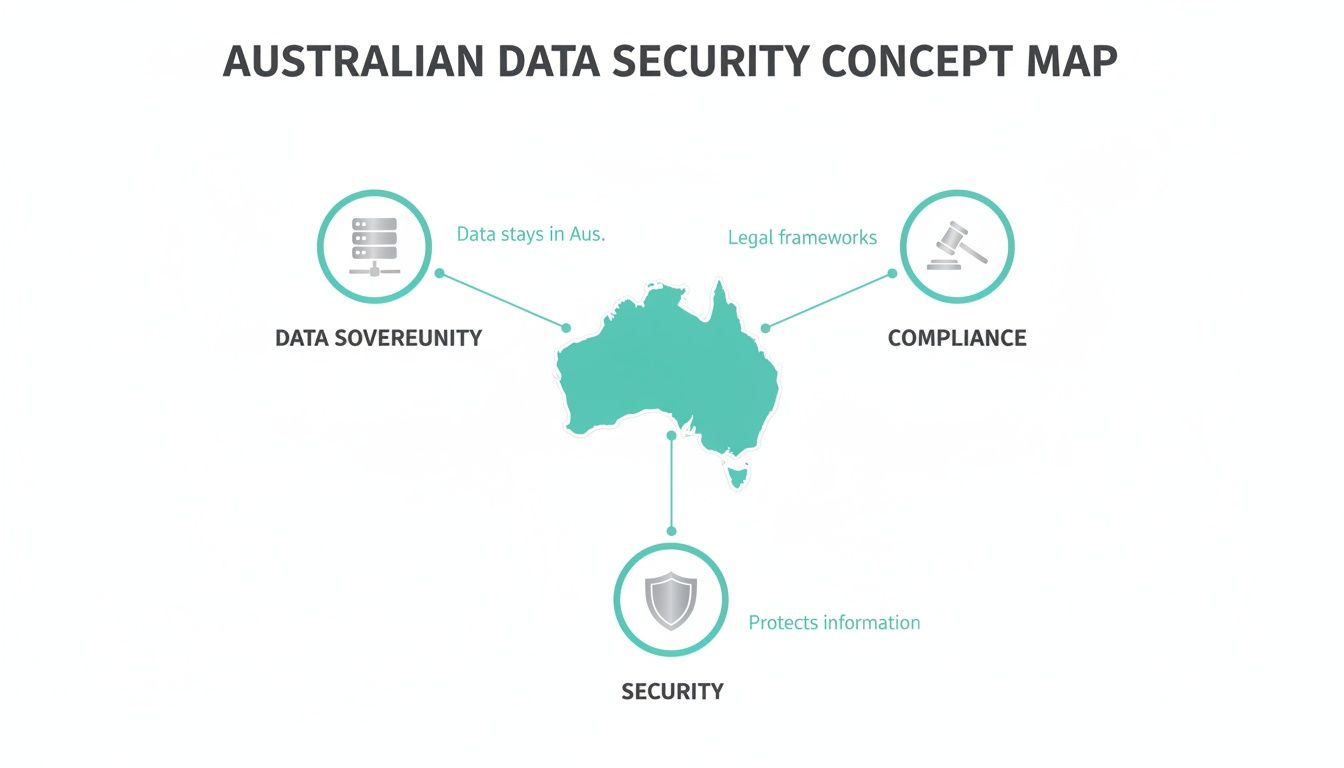
As the visual above highlights, a truly effective strategy has to consider the legal and geographical factors alongside the technical ones. It's a holistic approach.
Your Action Plan for Total Data Protection
A backup strategy is only as good as its execution. While cloud backups are brilliant for preventing data loss, remember that strong security and compliance also mean thinking about the entire lifecycle of your data. This includes using trusted methods for secure data destruction on old equipment to ensure sensitive information doesn't leak from retired hardware.
Here’s how to get started on building your complete plan:
- Evaluate Your Current Setup: First, take an honest look at what’s currently being backed up. Is it just your website? Are your office computers and local servers actually protected? Be ruthless in identifying the gaps.
- Define Your Needs: Go back to your RPO and RTO for different parts of the business. The recovery needs for your website might be totally different from your accounting server, and that’s okay.
- Consult with Experts: Don’t feel like you have to figure this all out on your own. A quick chat with someone who does this day-in, day-out can cut through the confusion and pinpoint the most effective solutions for you.
Your goal is a unified strategy where every critical piece of your business is covered. This proactive approach transforms your backup plan from a simple IT task into a powerful tool for business resilience.
Ready to build a complete business continuity plan that lets you sleep at night? Our local Australian support team is here to help you evaluate your current setup and design a strategy that provides total peace of mind.
Register your new domain name at competitive market prices including free domain add-ons like privacy, DNS Hosting, Custom Nameservers and Forwarding.
Always the best price and no nasty renewal price hikes.
Register A Domain Name
Frequently Asked Questions
When you start digging into cloud backups, a few questions always pop up. We hear them all the time from Aussie business owners trying to get their heads around it all. Here are some straightforward answers to the most common queries.
How Often Should My Business Back Up Its Data?
The simple answer is: it depends entirely on your business. The key concept here is your Recovery Point Objective (RPO), which is just a technical way of asking, "How much data can we afford to lose without it causing a major headache?"
If you run a busy e-commerce store with orders flying in every minute, you'll want backups running constantly, or at least every hour. Losing even an hour of transaction data would be a disaster. But if you have a business blog that you only update a few times a week, the nightly backups included with a service like UpTime Web Hosting are probably spot on.
For a deeper dive, our knowledge base has a great guide on how to develop a backup schedule that makes sense for you.
Is Cloud Backup More Secure Than a Physical Hard Drive?
Absolutely, and it’s not even close. Professional cloud computer backup services are leagues ahead in security. Your data is protected with end-to-end encryption and stored in highly secure, geographically separate data centres staffed by security experts.
Think about a local hard drive sitting in your office. It's a single point of failure, vulnerable to theft, fire, flood, or even just a simple hardware glitch or someone accidentally knocking it off a desk. Cloud backups are built from the ground up to protect you from all those localised disasters.
Plus, when you choose an Australian provider, your data is kept safe under local privacy laws, which adds another solid layer of protection. The team at Backblaze has a fantastic blog post explaining data encryption if you want to learn more.
What Is the Difference Between Cloud Backup and Cloud Storage?
This one trips a lot of people up, but the distinction is critical. Think of cloud storage—like Dropbox or Google Drive—as a digital filing cabinet. It’s great for syncing files across devices and sharing them with your team.
Cloud backup, on the other hand, is a complete time machine for your digital world. It’s a service that automatically takes full, versioned copies of your files, applications, and even entire systems on a regular schedule.
The real magic happens when something goes wrong. If you get hit by ransomware or a team member accidentally deletes a crucial folder, a backup service lets you rewind the clock and restore everything to a specific point in time before the disaster. With cloud storage, if you delete a file on your computer, it's often deleted everywhere it’s synced. That's not a backup; it's a recipe for data loss.
Ready to build a complete backup strategy with a trusted Australian partner? At UpTime Web Hosting, we offer secure, automated solutions to protect your entire business. Explore our managed hosting and backup services today.