So, how much does a website really cost in Australia? The answer can be anything from a few hundred dollars for a weekend DIY project to well over $15,000 for a custom-built site from a top agency.
It’s a massive range, I know. But for most small businesses, a professionally designed website usually lands somewhere between $2,000 and $10,000 for the initial build. The final price tag all comes down to the site's complexity, the features you need, and of course, who you get to build it.
Your Guide to Website Costs in Australia
Trying to pin down the true cost of a website is a bit like planning a big road trip. You don't just budget for the car; you have to factor in fuel, insurance, and the odd tune-up to keep it on the road. A website is the same. There's the one-time cost to get it built (buying the car), and then there are the ongoing costs to keep it running smoothly and securely (the fuel and maintenance).
This guide will break down every expense you can expect, so you can budget properly and avoid any nasty surprises down the track.
First up, let's look at the different ways to get a website built and what you can expect to pay for each. This chart gives you a quick comparison of the typical costs for a simple brochure site, whether you hire a freelancer or work with a small agency.
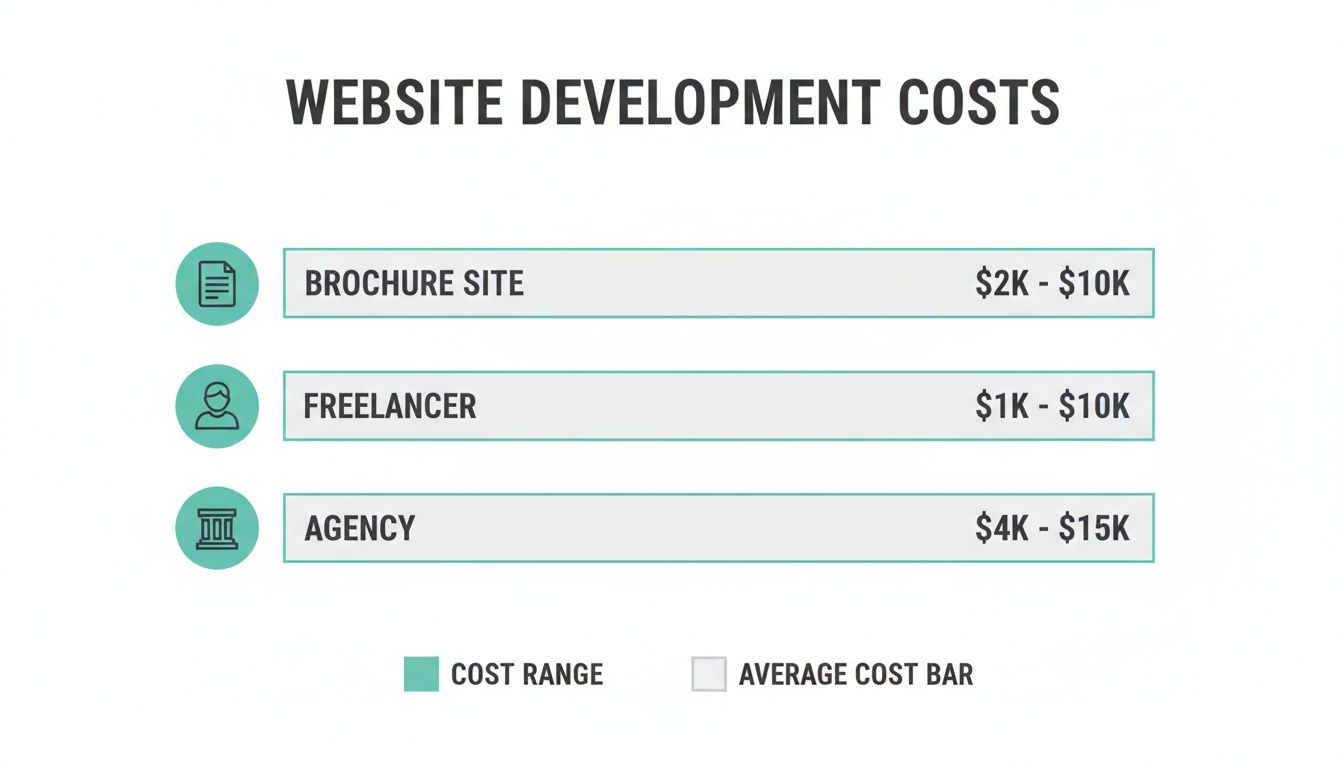
As you can see, the path you choose makes a huge difference to the investment required, reflecting different levels of custom work and support.
Estimated Website Creation Costs in Australia (2026)
To give you a clearer picture, here’s a breakdown of what you can expect to pay for different types of websites in Australia. These figures are a general guide and include both the initial setup and the typical monthly running costs.
| Website Type | Typical One-Time Cost (AUD) | Typical Monthly Ongoing Cost (AUD) | Best For |
|---|---|---|---|
| Basic Brochure Website | $2,000 - $7,000 | $50 - $250 | Service businesses, trades, consultants |
| Small Business Website | $5,000 - $15,000 | $100 - $500 | Businesses needing blogs, portfolios, forms |
| eCommerce Store | $8,000 - $25,000+ | $200 - $1,000+ | Online retailers selling products |
| Custom Web App | $20,000+ | $500 - $2,000+ | Startups, complex platforms, SaaS |
These prices are just a starting point. The more complex your needs, the higher the investment will be, especially for eCommerce and custom applications.
Key Factors Driving Your Budget
So, what pushes the price up or down? A few core things. A simple, informational "brochure" website for a local plumber is naturally going to cost a lot less than a complex eCommerce store built to handle thousands of products and transactions.
The choice between a freelancer and a full-service agency also plays a big role. Freelancers might charge between $1,000 and $10,000 for a project, while a small agency could deliver a similar site in 4-8 weeks, but with a more structured process and a larger team behind them.
It's also crucial to remember the ongoing costs. A maintenance plan to keep your site secure, updated, and backed up can range from $100 to $2,000 a month. Don't skip this part—it’s your website’s insurance policy.
Remember, the initial build is just one piece of the puzzle. A website is a long-term business asset that requires continuous investment to deliver a return.
One-Time vs Ongoing Expenses
To get your budget right, you need to split your costs into two clear categories: the money you spend upfront and the money you spend to keep it running.
- One-Time Costs: These are the big-ticket items for getting the site built and launched. Think design, development, writing the content, and getting all your images sorted.
- Ongoing Costs: These are the regular bills. This includes your web hosting, renewing your domain name each year, security certificates (SSL), and those all-important maintenance plans. For a deep dive on domains, check out our guide to registering a domain name in Australia.
If you're planning on selling online, it's worth digging a bit deeper to understand the true cost of an ecommerce website. It gives you a much better sense of the specific financial commitments involved in running an online store.
Breaking Down Your Initial Website Investment
Think of building a website a bit like building a house. Your upfront, one-time fee is the construction phase, and just like a real build, a few key decisions will determine the final bill. The choices you make right now will have the biggest impact on your initial website creation cost, so let's walk through them.
We'll start with the absolute basics: the digital land you're building on and its street address.
- Domain Name: This is your website’s unique address online (like
yourbusiness.com.au). A standard.com.audomain will usually set you back $15-$25 per year. But be warned, premium or highly desirable names can easily run into the thousands. - Web Hosting: This is where your website's files live, making them accessible to the world. It’s like renting the plot of land your digital house sits on. Basic shared hosting can start from as little as $10-$30 per month, but more powerful options for busy, high-traffic sites can cost hundreds.
Once you've secured your plot of land, it's time to think about the architectural plan—the design and structure of your website.
Design: The Blueprint of Your Website
Your website's design is the very first thing visitors will notice. It sets the tone, shapes their perception of your brand, and ultimately dictates their experience. You've got two main paths here: a pre-made template or a completely custom design, and this decision is a major fork in the road for your budget.
A template-based design is like picking a pre-designed floor plan. It’s much faster and more affordable, with premium themes often costing between $0 and $200. The trade-off? You're limited by the template's existing structure.
A custom design is the equivalent of hiring an architect. It’s built from the ground up to meet your specific business needs, delivering a truly unique user experience that embodies your brand. Naturally, this bespoke approach requires a much larger investment, typically starting from $3,000 and easily going beyond $10,000 for complex projects.
Scope and Functionality: Adding the Rooms
The sheer size and complexity of your website are direct cost drivers. A simple five-page brochure site for a local cafe is like a straightforward, single-storey home—cost-effective and quick to build. In contrast, a national B2B firm needing a secure client portal, a deep resource library, and multi-language support is building a multi-level commercial complex. Each specialised "room" adds to the cost.
This image shows how different pages and features come together to form a complete website, each contributing to the overall complexity and cost.
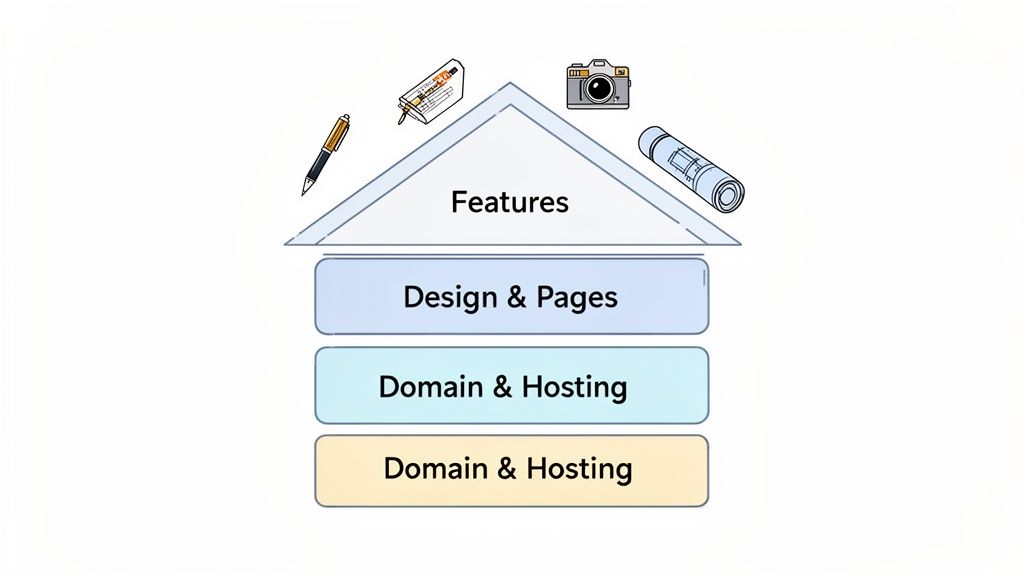
As you can see, a website is far more than just a homepage. It's a network of interconnected pages, and each one needs to be planned, designed, and built.
Here are a few key features that can significantly increase the scope and cost:
- eCommerce Functionality: If you want to sell products online, you’ll need secure payment gateways, product pages, and a system to manage inventory. This alone can add $2,000 - $15,000+ to the project.
- Booking Systems: Essential for service businesses like consultants or health clinics, an integrated booking calendar can cost between $500 and $2,500 to set up properly.
- Content Creation: Don't forget the words and images that fill the pages! Professional copywriting and photography are what make a site feel polished and trustworthy. It's smart to budget $500 - $5,000 for high-quality content.
The more features and custom pages your website needs, the more time and expertise are required to build it. Each new function is like adding another room to your house—it increases the materials, labour, and overall cost.
Getting a handle on these initial investment pieces is the key to budgeting accurately. If you want to dig a bit deeper, you can learn more about web page design costs in our guide, which breaks down how every little element contributes to the final price tag. This initial setup is just the beginning; next, we’ll look at what it takes to keep your digital asset running smoothly day-to-day.

Performance you can feel, backed by clients who depend on it. Read how our support and uptime create long‑term customer success.Power Your Business with Better Hosting
Planning for Your Website's Ongoing Success
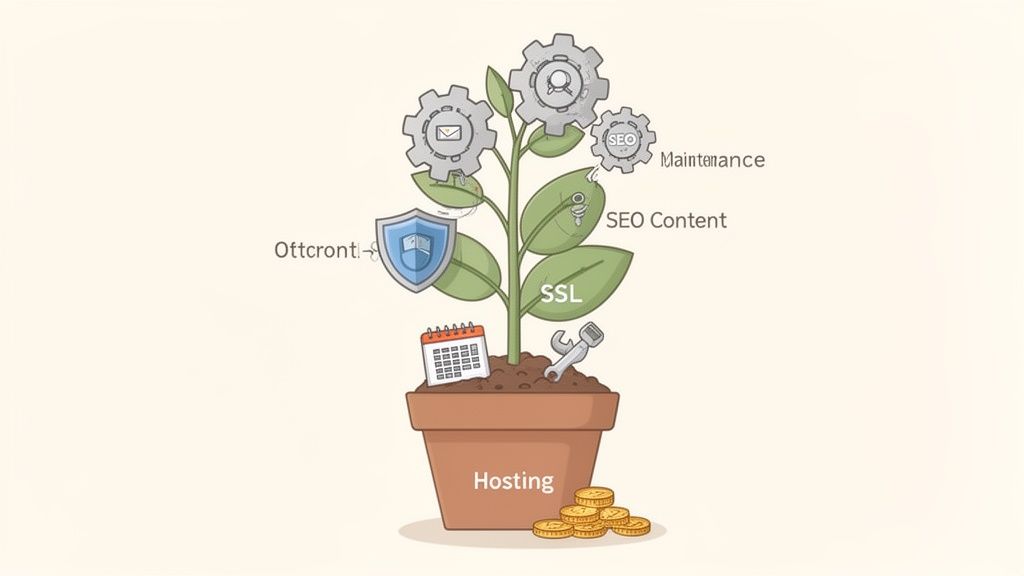
Getting your website live is a massive milestone, but it’s really just the starting line. A common mistake is to treat the initial build as a one-and-done expense. The reality? A high-performing website isn't a static brochure; it’s a living business asset that needs regular attention to keep delivering value.
Think of it like buying a car. The sticker price gets you on the road, but you still have to budget for fuel, insurance, and regular servicing to keep it running smoothly and safely. Your website is no different. These ongoing expenses are investments, not just costs—they protect your initial outlay and are essential for keeping your site secure, fast, and growing.
Essential Ongoing Website Costs
First up, the most fundamental recurring cost is web hosting. This is essentially the rent you pay for your website's home on the internet. Hosting providers store your site’s files on powerful servers, making sure visitors can access it 24/7.
In Australia, you can expect to pay anywhere from $20 to over $100 per month for quality hosting. It all depends on your site's needs. A simple blog won't need much grunt, but a busy eCommerce store handling high traffic and secure payments will require a much more powerful plan.
Next on the non-negotiable list is your SSL certificate. This little piece of tech encrypts the connection between your website and its visitors, safeguarding sensitive information like passwords and credit card details. It's the digital lock on your front door and what puts that reassuring padlock icon in the browser's address bar.
Most modern hosting plans, including those from UpTime Web Hosting, come with a free SSL certificate. If you had to buy one separately, they can run from $50 to $200 per year. Without an SSL, browsers will flag your site as "Not Secure," which is a surefire way to scare potential customers away.
Protecting Your Digital Asset
Your phone and laptop get regular software updates to stay secure and functional, right? Your website needs the same TLC. The platforms and plugins that power your site are constantly being improved to patch security holes and add new features.
This is where website maintenance comes in. It’s the routine work of:
- Updating Software: Keeping your Content Management System (CMS), plugins, and themes up-to-date to shield against new vulnerabilities.
- Running Backups: Regularly saving a copy of your site so you can quickly restore it if something goes wrong.
- Security Scanning: Proactively looking for malware and other threats that could compromise your website.
A professional maintenance plan in Australia typically costs between $75 and $500 per month. It might feel like an optional extra, but skipping maintenance is one of the biggest gambles you can take. To really get why, check out our guide on why website maintenance is non-negotiable.
Neglecting website maintenance is like leaving the doors to your physical business unlocked overnight. It saves a little effort in the short term but exposes you to significant and costly risks down the road.
Fuelling Your Business Growth
Beyond the technical must-haves, your website needs fuel to actually grow and bring in new customers. This is where you invest in marketing and content to turn your site from an online brochure into a lead-generating machine.
Search Engine Optimisation (SEO) is all about making your site more visible on search engines like Google. For an Australian SEO specialist or agency, a monthly retainer can be anywhere from $500 to $5,000+. This investment helps people find you at the exact moment they're searching for what you offer.
Likewise, creating fresh, valuable content—like blog posts, case studies, or videos—keeps your audience coming back and positions your business as an expert. A content budget could range from a few hundred to several thousand dollars a month, depending on how ambitious your goals are. These aren't just expenses; they're the engines that drive your digital marketing forward.
Choosing Your Path: DIY vs Agency vs Template
When it comes to the actual website build, you're looking at three main roads. The right one for your business really hinges on a trade-off between your budget, how much time you can spare, and your technical confidence. Getting this balance right is the secret to managing your website creation costs without any nasty surprises.
Let's unpack these options to help you figure out where you fit. Each one offers a different mix of control, cost, and complexity, from getting your hands dirty to hiring a full team.
The DIY Route with a Website Builder
Going down the Do-It-Yourself (DIY) path means rolling up your sleeves and using a website builder to create your site. This approach gives you total control over the process and is, by a long shot, the most budget-friendly way to get started.
Modern builders are made for people who don't speak code. They often use drag-and-drop tools that feel more like putting together a presentation than building software. This puts you firmly in the driver's seat, letting you make tweaks and updates whenever you want without having to call a developer.
- Practical Example: A local artist needs an online portfolio. Using a website builder, they can pick a slick, visual template, upload photos of their work, write their bio, and have a professional-looking site live in a single weekend. The only real cost is the builder's monthly subscription fee.
The big trade-off here, though, is your time. While the tools are simple enough, you're responsible for everything—from design choices and writing content to setting up every single page and making sure it all works smoothly. For a deeper dive into how popular platforms compare, you can explore our analysis of Wix versus WordPress to see the pros and cons.
Hiring a Professional Web Agency
At the complete opposite end of the spectrum is hiring a professional web design agency. Think of this as the premium, hands-off option. You’re paying for a dedicated team of experts—designers, developers, project managers, and strategists—to manage the entire project from start to finish.
An agency will sit down with you to properly understand your business goals and then translate them into a fully custom, high-performing website. The end result is a bespoke digital asset, built to your exact needs, optimised for a great user experience, and designed to turn visitors into customers. This is the go-to choice for businesses that need complex features, custom software integrations, or a truly unique brand presence online.
Of course, that level of expertise comes at a price. It’s the most expensive path, but it saves you an enormous amount of time and delivers a polished, professional outcome that can bring a serious return on your investment.
Using a Simple Template
The third option is a happy medium: using a pre-made template on a platform like WordPress or another Content Management System (CMS). This is much faster than a pure DIY build because the main design and structure are already sorted. Your job is to simply customise it with your own branding, text, and images.
This approach gets you online much quicker than starting from scratch and is often far cheaper than bringing in an agency. It's a solid choice for businesses that need a fairly standard website—like a blog, a simple site for a service-based business, or a basic portfolio—and just want to get up and running without a massive upfront cost.
The main catch is flexibility. You have to work within the limits of the template, so making big custom changes can be tricky or might require you to hire a developer for a few hours to make small tweaks.
Choosing the right path is a strategic business decision. It's not just about the initial cost, but about balancing the value of your time against the value of professional expertise.
To give you a clearer picture of these trade-offs, let's compare the three approaches side-by-side.
Website Creation Paths Compared: DIY vs Agency vs Templates
Deciding how to build your website is one of the biggest factors influencing its final cost. The table below breaks down the three primary methods, weighing up the typical costs, pros, and cons to help Australian businesses make the right call.
| Approach | Typical Cost (AUD) | Pros | Cons | Best For |
|---|---|---|---|---|
| DIY Builder | $30 - $150 / month | Low cost, full control, immediate updates. | Time-intensive, learning curve, design can look generic. | Startups, sole traders, and those with tight budgets. |
| Agency | $5,000 - $25,000+ | Expert quality, custom design, saves you time. | Highest cost, longer timeline, less direct control. | Established businesses and complex projects. |
| Template | $500 - $3,000 | Faster launch, professional look, lower cost than agency. | Limited customisation, may need developer help. | Small businesses needing a standard website quickly. |
Ultimately, whether you decide to build it yourself, hire a team of pros, or find a middle ground with a template, understanding these key differences will help you set a realistic budget and choose the path that best aligns with your business goals.
Host your website with our 5-star rated, cPanel website hosting plans.
Super fast servers, with security included and hosted in your choice of Australian Data Center.
View cPanel Plans
Real Cost Scenarios for Australian Businesses
Numbers on a page can feel a bit abstract. To really get a handle on what a new website might set you back, let's walk through four common scenarios for Australian businesses. These real-world examples break down the likely one-time build costs and ongoing fees, helping you figure out where your own project might land.
Each situation calls for a different game plan—from a simple DIY job to a full-blown agency project—all designed to solve a specific business problem.
Scenario 1: The Perth Plumber's Lead Generation Site
A sole trader plumber in Perth needs a straightforward, professional website to get the phone ringing. The goal is simple: show up when locals search for "plumbers in Perth," highlight their services, display a few glowing reviews, and make it dead simple for potential customers to call or send an enquiry.
This is a classic case where a DIY approach using a quality website builder makes perfect sense. It’s light on the wallet and gives the business owner total control to make quick updates.
- Approach: DIY with a premium website builder plan.
- One-Time Cost: $0. The only investment here is the business owner’s time—probably around 10-15 hours to pick a template, write the copy, and pop in some photos.
- Ongoing Monthly Cost: Roughly $30 - $50. This covers the website builder subscription, which bundles in hosting, an SSL certificate, and a professional email address.
- Reasoning: A simple 5-7 page brochure site (think Home, About, Services, Testimonials, Contact) doesn't need any fancy custom coding. A modern builder gives you all the tools you need for a professional-looking site without having to pay a developer.
Scenario 2: The Melbourne Boutique's First eCommerce Store
A chic fashion boutique in a Melbourne laneway is ready to start selling online. The website needs to handle product catalogues, secure payments, inventory management, and look great on any device.
This kind of project needs more specialised grunt, making a template-based build on a dedicated eCommerce platform the smart middle ground.
- Approach: A customised eCommerce template, set up by a freelancer.
- One-Time Cost: $2,500 - $5,000. This budget gets you a skilled freelancer to configure the platform, style a premium template to match the store's vibe, hook up payment gateways, and upload the first wave of products. You can find experienced pros on platforms like the Wix Marketplace to get the job done.
- Ongoing Monthly Cost: $150 - $300. This covers the eCommerce platform subscription, payment processing fees (usually a small cut of each sale), and a little extra for some basic marketing apps.
- Reasoning: While you could build an online store yourself, hiring a freelancer gets it done faster and ensures crucial bits like payment security and shipping are set up properly from the get-go. It helps you dodge common mistakes and start making money sooner.
A well-structured eCommerce site isn't just a digital catalogue; it's your 24/7 salesperson. Investing in a professional setup ensures it works effectively from day one, building customer trust and driving sales.
Scenario 3: The Sydney Consulting Firm's Professional Hub
A growing consulting firm in Sydney needs a sophisticated website that screams "expert." It has to feature a professional blog, a secure client-only portal for downloading reports, and integrate smoothly with their CRM to manage leads.
With the need for custom features and a polished corporate image, bringing in a professional web agency is the way to go. This ensures the site is not just a pretty face but a hard-working business development tool. For anyone building a brand around their expertise, Jane Friedman's guide to creating an author website has some great lessons that apply here too.
- Approach: Custom build by a small web agency.
- One-Time Cost: $8,000 - $15,000. This investment covers the whole nine yards: strategy, custom design, development, plugging in all the content, and building that secure client portal.
- Ongoing Monthly Cost: $300 - $600. This fee typically includes premium hosting, a solid website maintenance plan for security and updates, and licensing for any specialised plugins.
- Reasoning: An agency doesn’t just build a site; they bring a strategic eye to the project, making sure it’s engineered to hit business goals like generating leads and keeping clients happy. A custom build means you get unique features and a design that perfectly fits your firm's brand and credibility.
Scenario 4: The Local Restaurant's Digital Front Door
A popular local restaurant wants a website that does more than just list its opening hours. It needs to handle online table bookings, process takeaway orders, and feature dynamic menus that are easy for staff to update with the daily specials.
This is the perfect job for a website builder that specialises in the hospitality industry. It lets the restaurant manage everything from one central spot.
- Approach: DIY build using a specialised restaurant website builder.
- One-Time Cost: $0 - $500. The setup cost is minimal, with the main investment being time. That optional $500 would be for getting a professional photographer in to make the food look absolutely irresistible.
- Ongoing Monthly Cost: $60 - $120. This fee covers the platform subscription, which conveniently bundles in the booking system, online ordering, and hosting.
- Reasoning: These specialised platforms come with all the restaurant-specific features you need, straight out of the box. This saves thousands compared to building it all from scratch, while the integrated systems for bookings and orders make life easier for staff and customers alike.
How to Budget Smart and Avoid Hidden Costs
Figuring out the money side of a new website can feel a bit like navigating a maze, but a clear plan is your best defence against surprise expenses. The secret to managing your website creation cost is to get ahead of every potential expense right from the start and, crucially, to ask the right questions before you sign on the dotted line.
Before you even chat with a developer, get clear on your "must-haves" versus your "nice-to-haves." It's a simple exercise, but it keeps you focused and prevents "scope creep"—that sneaky tendency for projects to grow bigger and bigger over time, taking your budget along for the ride.
Your Pre-Project Budgeting Checklist
A solid budget doesn't leave anything to chance. Use this checklist to get a handle on all the potential one-time and ongoing costs, so you've got a realistic number to work with from day one.
- Initial Build: What's the total estimated cost for the design and development work?
- Content Creation: Are you writing the copy and finding images, or is that an extra line item?
- Domain & Hosting: What are the yearly renewal fees? For great value, check out options like our affordable web hosting in Australia.
- Plugins & Licences: Are there any premium tools that need annual payments to keep working?
- Ongoing Maintenance: What’s covered in the monthly plan for security and updates?
- Future Updates: If you need changes or new features after launch, what’s the hourly rate?
Uncovering Hidden Fees
The most common way budgets get blown out of the water is by assuming something is included when it isn’t. When you're looking over a quote from a freelancer or an agency, it's absolutely vital to clarify what’s been left out.
A detailed proposal should clearly define the project scope, but what it doesn't say is just as important. Always ask, "What is specifically excluded from this price?" to avoid costly misunderstandings later on.
Common things left out of a base quote can include content writing, licences for stock photos, setting up your SEO, or even training you on how to use your new website. Asking about exclusions upfront forces everyone to be transparent and helps you compare quotes on a true apples-to-apples basis.
Practical Example: You get a quote for $5,000 to build your new site. You assume this covers the text for your five main pages. But later, you discover content creation is actually an extra $1,500. By asking what’s excluded beforehand, you could have budgeted for this or decided to write the copy yourself. To manage your online spend effectively and avoid these kinds of surprises, it pays to explore proven strategies like these marketing budget allocation best practices. By planning smart, you ensure your investment delivers a powerful return without the financial headache.
Your Website Cost Questions, Answered
When it comes to building a website, the price tag is often the biggest question mark. We hear these questions all the time from Australian business owners, so let's clear the air and help you nail down a realistic budget.
Is It Cheaper to Build a Website Myself?
On paper, yes. A DIY website builder might only set you back $30 a month, which looks a lot better than the multi-thousand-dollar quotes from a professional. It's almost always the cheaper option if you're only counting cash.
But the real cost isn't just about money; it's about your time. Are you prepared to sink 20+ hours into learning a new platform, designing pages, and troubleshooting issues? If that time pulls you away from actually running your business, then hiring a pro who can get it done right and quickly suddenly looks like a much better investment. If you're keen to give DIY a go, the Sitejet website builder from UpTime Web Hosting is a powerful starting point.
What Are the Main Hidden Costs of a Website?
The initial build cost is just the beginning. The real surprises often pop up months later when the bills for extras start rolling in. Keep an eye out for these common "gotchas":
- Premium Plugin/App Subscriptions: Many of the cool features you want, from booking systems to advanced forms, run on third-party tools that come with annual renewal fees.
- Stock Photography Licences: Those beautiful, professional photos on other sites aren't free. You'll need to pay for the right to use them.
- Content Creation: Don't assume copywriting and professional photos are included. If a developer's quote doesn't explicitly mention them, that cost is on you.
- Future Updates: Need to change a banner or add a new service page six months from now? That’s almost always considered new work and billed at an hourly rate.
The best way to avoid these nasty surprises? When you get a quote, always ask what’s not included.
How Much Should a Small Business Website Cost in Australia?
You should budget between $3,000 and $10,000 for a professionally built small business website in Australia. This price range typically gets you a great-looking, custom-designed site with about 5-10 pages, a blog, and essential features like a contact form.
After the launch, you’ll have ongoing costs for things like hosting, security, and maintenance. These usually fall between $75 and $300 per month. To understand exactly what you're paying for, check out our guide on Why Website Maintenance is Non-Negotiable.
Ready to bring your business online with fast, secure, and reliable Australian hosting? At UpTime Web Hosting, we’ve got everything you need to get started and grow, from domain names to high-performance hosting plans. Explore our hosting solutions and start your project today.