Your website looked fine yesterday. This morning, customers can't log in, your homepage is redirecting somewhere it shouldn't, or Google has flagged the site as unsafe. For a lot of Australian businesses, that's the moment wordpress security stops being a technical afterthought and becomes a business problem.
Most site owners aren't dealing with targeted movie-style hacking. They're dealing with automated bots, stale plugins, weak admin habits, and hosting setups that make recovery harder than it needs to be. If your site handles enquiries, bookings, payments, or any personal information, the cost of getting this wrong reaches well beyond downtime.
A practical wordpress security setup doesn't need to be complicated. It needs to be layered, maintained, and suited to the way Australian businesses run websites.
Table of Contents
- Why WordPress Security is Critical for Your Australian Business
- Laying a Secure Foundation with Initial Setup and User Management
- Hardening Your Core Files and Software Components
- Building Your Digital Fortress with Firewalls and Encryption
- Mastering Vigilance Scanning Monitoring and Backups
- Your Ongoing Commitment to WordPress Security

Performance you can feel, backed by clients who depend on it. Read how our support and uptime create long‑term customer success.Power Your Business with Better Hosting
Why WordPress Security is Critical for Your Australian Business
A hacked website rarely stays “just a website issue” for long. It affects enquiries, bookings, ad campaigns, rankings, customer trust, and the time your team loses trying to work out what changed and when. If you run an online store or collect customer details through forms, the stakes climb even higher.
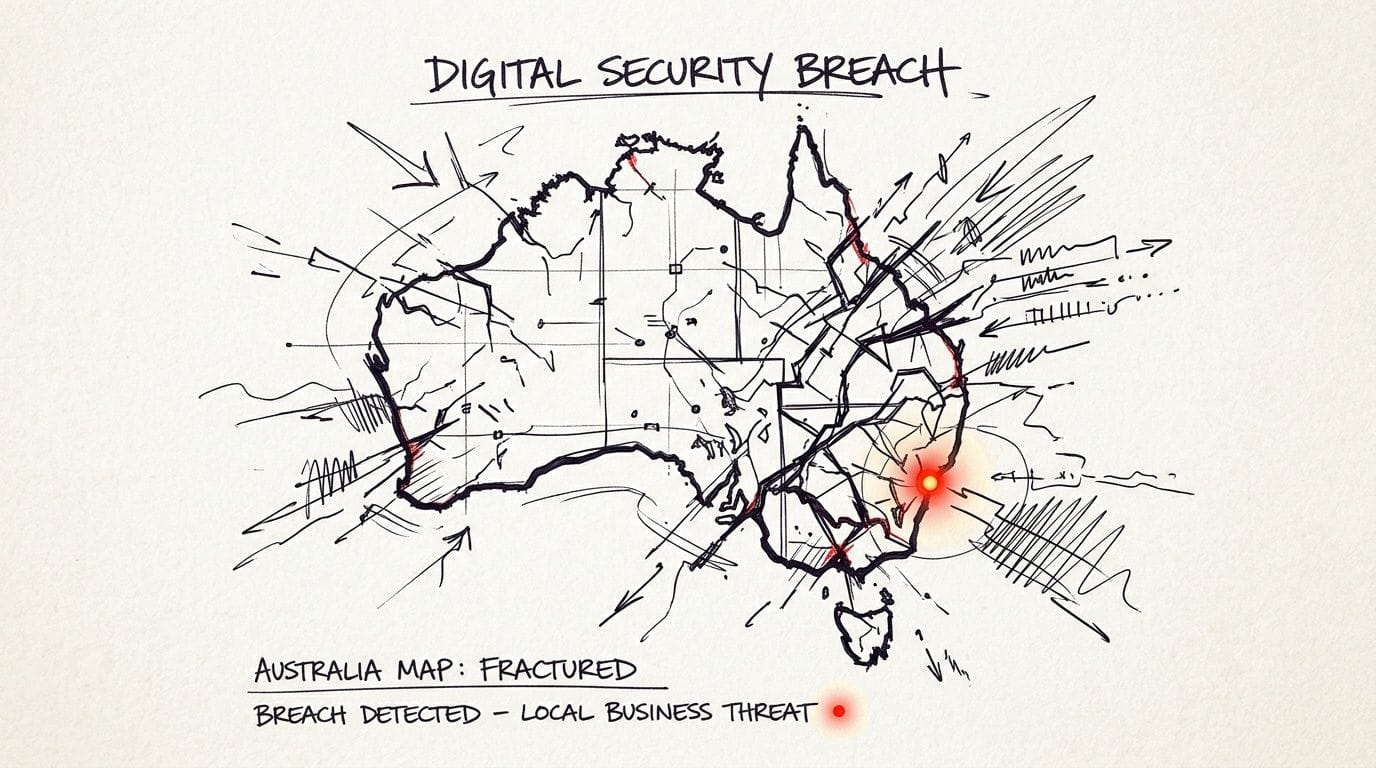
The threat volume is constant. Around 13,000 WordPress sites are hacked daily worldwide, the median time from vulnerability disclosure to mass exploitation is 5 hours, and 11,334 new vulnerabilities were found in the WordPress ecosystem in 2025, according to Patchstack's WordPress security report. That tells you two things. Attackers automate everything, and waiting a few days to “get around to updates” is often too late.
Australian businesses have another layer to think about. If your site stores personal information, a breach can trigger compliance work under local privacy obligations. That turns a technical cleanup into a legal, operational, and customer communication problem.
Practical rule: If your website collects names, phone numbers, email addresses, addresses, or payment-related data, treat wordpress security as part of risk management, not just website maintenance.
That broader risk lens is why it helps to read beyond WordPress-only advice. Guidance on GM GROUP Services' security expertise is useful because it frames cyber protection the way business owners experience it. As continuity, compliance, reputation, and incident response.
A lot of owners try to solve this with a single plugin and hope for the best. That usually isn't enough. Strong wordpress security comes from layers: secure hosting, tighter accounts, current software, hardened configuration, firewall protection, monitoring, and clean backups you can restore quickly.
For businesses hosting locally, infrastructure matters because it decides how much of that work is already built in and how much you're patching together yourself. If you want a plain-English overview of what secure hosting controls should include, this summary of cybersecurity and data protection for Australian websites is a useful benchmark.
Laying a Secure Foundation with Initial Setup and User Management
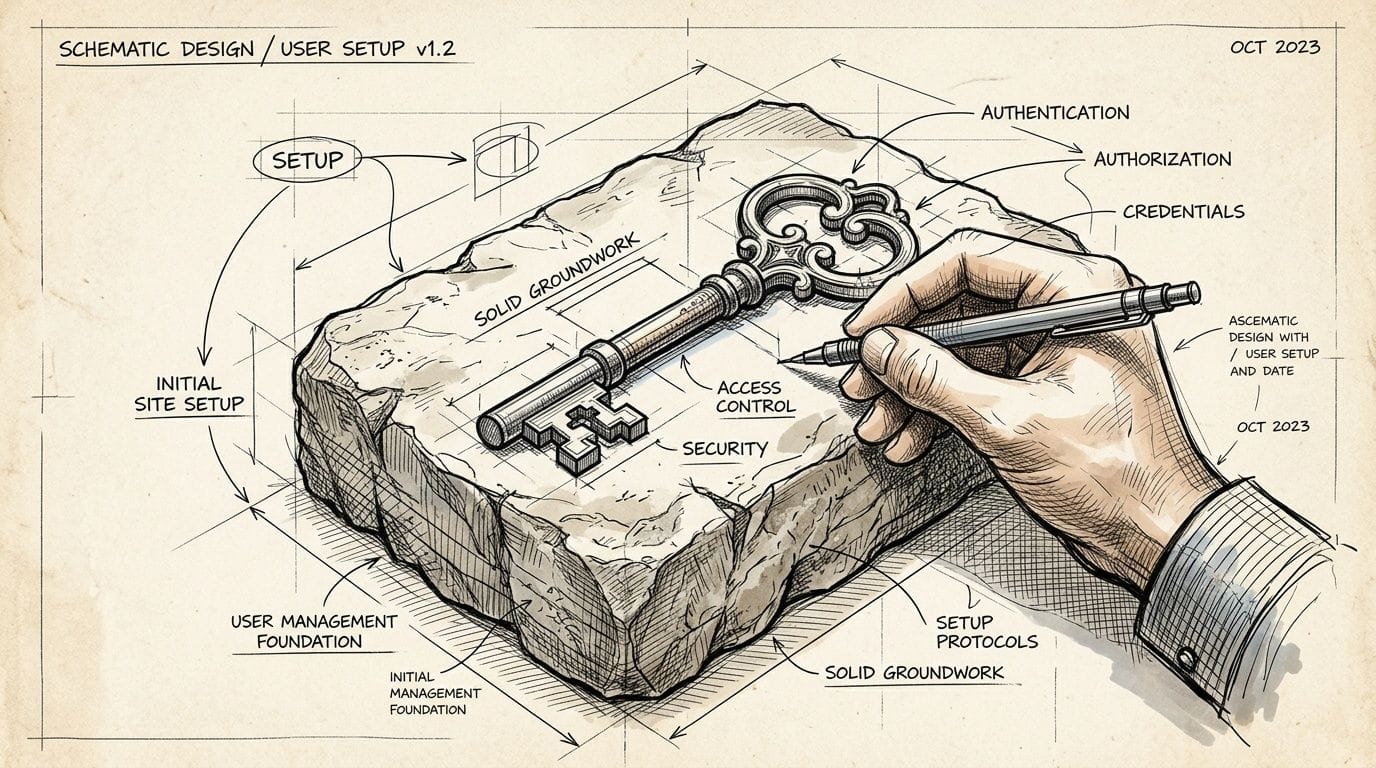
The easiest compromises often start with boring defaults. An old admin account. A staff member with too much access. A forgotten user left behind after a project ended. Good wordpress security starts before you touch firewalls or code snippets.
Start with accounts that bots can't guess
Never use “admin” as your administrator username. It gives attackers half the login combination before they even start. Create a unique admin username, use a long password generated by a password manager, and don't reuse that password anywhere else, especially not on email or hosting accounts.
Two-factor authentication belongs here too, not later. If your login relies on only a password, a phished or reused credential can undo a lot of other good work. If your team hasn't enabled it yet, the 2FA setup guide in the knowledge base is the first admin task worth completing.
A simple rule helps:
- One person, one login: Don't share a single administrator account across staff, agencies, and contractors.
- Unique credentials only: Every WordPress, cPanel, email, and domain login should have its own password.
- Remove old access fast: If someone no longer works on the site, disable or delete the account that day.
Give people the lowest access they need
WordPress includes roles for a reason. Most users don't need administrator access, even if they insist they do.
Here's a practical way to assign them:
| Role | Good use case | Avoid this mistake |
|---|---|---|
| Administrator | Owner, trusted technical lead | Giving it to every staff member |
| Editor | Marketing manager updating pages and posts | Using admin when content access is enough |
| Author | Regular blog contributor | Letting authors install plugins |
| Contributor | Draft-only writers | Assuming they can publish |
| Subscriber | Membership or portal users | Leaving open registration on business sites that don't need it |
If a designer needs to change content, they're often fine as an Editor. If an SEO consultant needs page access, they usually don't need plugin installation rights. Least privilege sounds restrictive, but it reduces accidental damage as much as malicious misuse.
Most wordpress security problems I see on business sites aren't caused by sophisticated intrusions first. They start with somebody having access they never needed.
Tighten settings early
A few setup choices make automated attacks less effective.
- Disable public user registration if you're not running a membership site, course, forum, or shop feature that needs it.
- Change the default database prefix during setup or shortly after launch if the site still uses the standard pattern. It won't stop every attack, but it does remove one common assumption from automated SQL injection attempts.
- Review comments and form plugins before launch so you're not exposing spam-heavy endpoints you won't monitor.
- Separate admin email from general enquiries where possible, so compromise of one inbox doesn't hand over your website too.
If you're changing an existing installation, use a controlled method rather than editing tables blindly. The knowledge base article on changing WordPress database table prefixes via phpMyAdmin is the sort of job worth following step by step.
There's also a people side to this. Agencies, virtual assistants, in-house marketers, and developers come and go. Build a habit of checking user accounts whenever a project changes hands. If your wordpress security plan depends on remembering who still has access from two years ago, it isn't a plan yet.
Host your website with our 5-star rated, cPanel website hosting plans.
Super fast servers, with security included and hosted in your choice of Australian Data Center.
View cPanel Plans
Hardening Your Core Files and Software Components
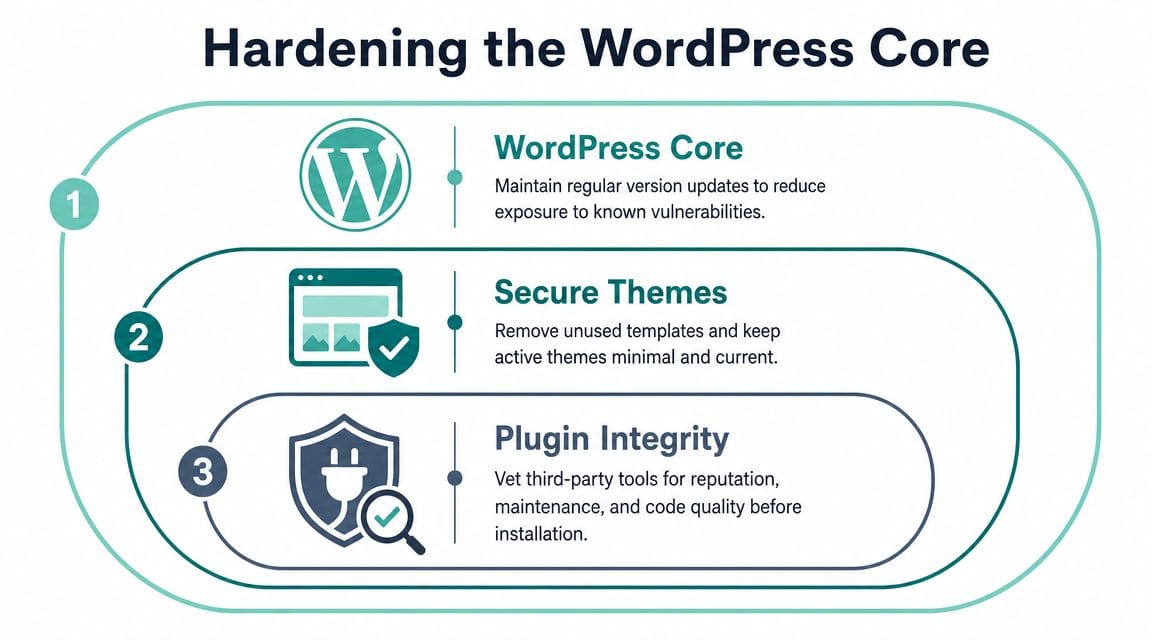
Most site owners know they should update plugins. Fewer lock down the files that control WordPress itself, or clean out the unused themes and extensions that increase risk. In this context, wordpress security becomes less about checklists and more about reducing your attack surface.
Use clean software and remove what you don't need
If a premium plugin or theme is “free” on a random download site, assume it's risky. Nulled software often carries hidden code, backdoors, or modified files that are hard to spot during a quick visual check.
Keep your sources tight:
- Use the official repository for common plugins where possible.
- Buy direct from reputable vendors for premium themes or extensions.
- Delete inactive plugins and themes you don't plan to use. Deactivated doesn't mean harmless.
- Audit old custom code from past freelancers before carrying it forward into a rebuild.
There's also a business trade-off here. Teams often install too many plugins because each one solves a narrow problem. That can hurt security, maintenance, and performance all at once. If you're trying to improve rankings as well as site health, it's worth understanding how technical housekeeping overlaps with expert SEO services for WordPress sites, particularly around plugin bloat, crawl issues, and site stability.
Treat updates as security work
This is the biggest recurring task because it closes known gaps before bots exploit them. In the Australian region, 87.3% of hacked WordPress sites were compromised via outdated plugins or themes, and one cited mitigation approach includes commands such as wp plugin update --all plus hardening wp-config.php with DISALLOW_FILE_EDIT=true, as noted in this Australian-region WordPress security write-up.
That doesn't mean turning on every auto-update without thought. A practical approach looks like this:
- Update security-sensitive plugins first. Form builders, ecommerce tools, backup plugins, login tools, and anything that handles uploads deserve priority.
- Check changelogs before major updates. A patch that changes templates or checkout behaviour can break production sites.
- Use staging when the site matters to revenue. If the website takes orders or bookings, test before pushing live.
- Remove abandoned plugins. If a plugin hasn't been maintained and has a replacement, migrate off it.
What works in practice: A short weekly maintenance window beats reactive panic. One disciplined routine is safer than ten rushed fixes after something breaks.
Harden wp-config.php and htaccess
These files control behaviour that attackers care about. A few small edits can close off easy wins.
Start with wp-config.php:
define('DISALLOW_FILE_EDIT', true);
That line disables the built-in theme and plugin editor in the dashboard. If someone gets into wp-admin, they can't immediately inject code through the editor.
Also make sure your security keys and salts are present and current. They help protect session handling. If your hosting setup allows it, placing wp-config.php one level above the public web root adds another obstacle for direct access.
For .htaccess, use targeted rules rather than copying giant snippets you don't understand. Useful examples include:
Options -Indexes
That prevents directory browsing.
<Files wp-config.php>
order allow,deny
deny from all
</Files>
That helps protect the configuration file from direct access.
<Files xmlrpc.php>
order deny,allow
deny from all
</Files>
That's useful if your site doesn't need XML-RPC.
One more hardening job often gets skipped because people worry it looks “too technical”. Database naming. If you inherited an older site with the default prefix, use a documented method. This guide on changing WordPress table prefixes in phpMyAdmin helps avoid partial changes that break the site.
Secure hosting also plays a role here because current PHP versions, account isolation, and update tooling reduce the chance that one weak point turns into a bigger compromise. This is one area where UpTime Web Hosting can simplify the server side, with CloudLinux, LiteSpeed, malware scanning, DDoS-protected firewalls, and encrypted off-site backups already included instead of being stitched together across separate services.
Building Your Digital Fortress with Firewalls and Encryption
Hardening WordPress itself is only part of the job. You also want to stop bad traffic before it reaches the application. That's where perimeter controls earn their keep.
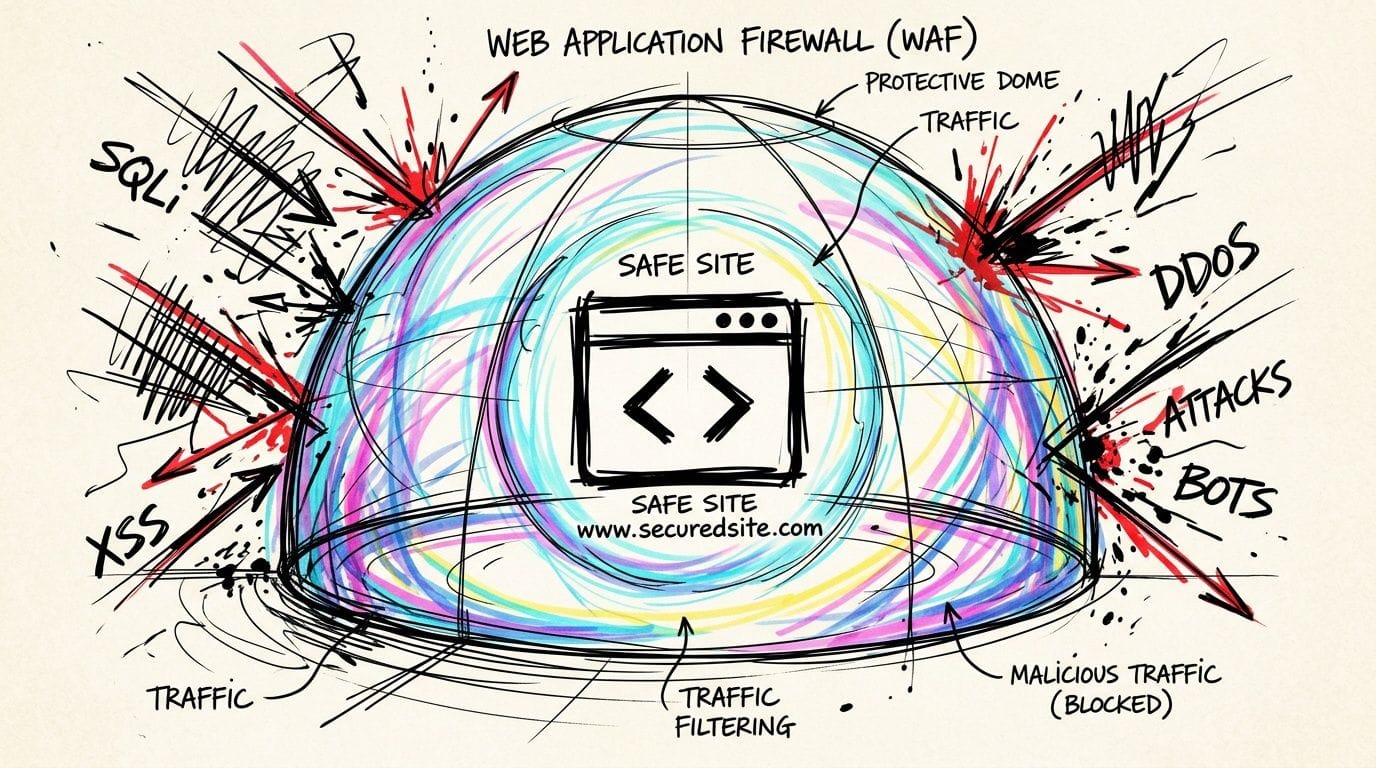
What a firewall actually does
A Web Application Firewall, or WAF, inspects requests coming into your site and blocks patterns that look malicious. Think SQL injection attempts, obvious cross-site scripting payloads, repeated abuse of login endpoints, and requests aimed at known vulnerable files.
Not all WAFs sit in the same place:
| Type | Where it runs | Main trade-off |
|---|---|---|
| Plugin WAF | Inside WordPress | Easier to deploy, but the request reaches WordPress first |
| Server-level WAF | On the hosting stack | Better filtering before PHP runs |
| Cloud WAF | In front of the server | Strong perimeter control, but adds another service to manage |
For many Australian business sites, a layered mix works well. Let the host filter obvious junk at network or server level, then use a reputable WordPress security plugin for application-level visibility and login controls.
The ACSC-focused guidance in this Australian WordPress security checklist notes that many attacks succeed through misconfigured server files, and recommends a stronger .htaccess ruleset, a WAF such as Wordfence with ModSecurity, and disabling XML-RPC where it isn't needed. The same source also states that passkeys can reduce login exploits by 100%.
HTTPS login protection and XML-RPC
HTTPS isn't optional anymore. If your admin area, contact forms, checkout, or customer portal can be accessed over an insecure connection, you're exposing data in transit and undermining trust before anyone even reaches your content.
For logins, combine several controls rather than relying on one:
- Use SSL everywhere: Redirect all traffic to HTTPS and keep certificates current.
- Add 2FA or passkeys: Password-only login is too fragile.
- Limit repeated attempts: This slows brute-force attacks and noisy bot traffic.
- Use CAPTCHA carefully: It helps on exposed forms, but don't make your site miserable to use.
- Disable XML-RPC if unused: Many business sites do not need it.
Good wordpress security often comes down to reducing exposed surfaces. If a feature isn't needed, turn it off.
A practical perimeter stack
You don't need enterprise complexity. You do need sensible defaults that work together.
A straightforward setup for a business WordPress site includes:
- A hosting-level firewall to absorb broad attack noise before it reaches PHP.
- An application WAF for WordPress-specific request inspection and visibility.
- SSL/TLS certificates so the whole site runs under HTTPS.
- Login hardening through 2FA or passkeys, rate limits, and bot friction.
- DDoS filtering so traffic floods don't turn into avoidable downtime.
If your host provides a preconfigured firewall layer, use it before piling on extra plugins. This overview of the cPGuard web application firewall is a good example of the kind of server-side protection worth understanding. It reduces reliance on WordPress-only defences and gives you another barrier if a plugin issue appears before you can patch it.
Mastering Vigilance Scanning Monitoring and Backups
Even a well-hardened site needs detection and recovery. Attackers don't always announce themselves with a defaced homepage. Sometimes the first clue is a rogue admin account, a modified core file, suspicious outbound email, or a search warning that appears after the compromise has been sitting there undetected.
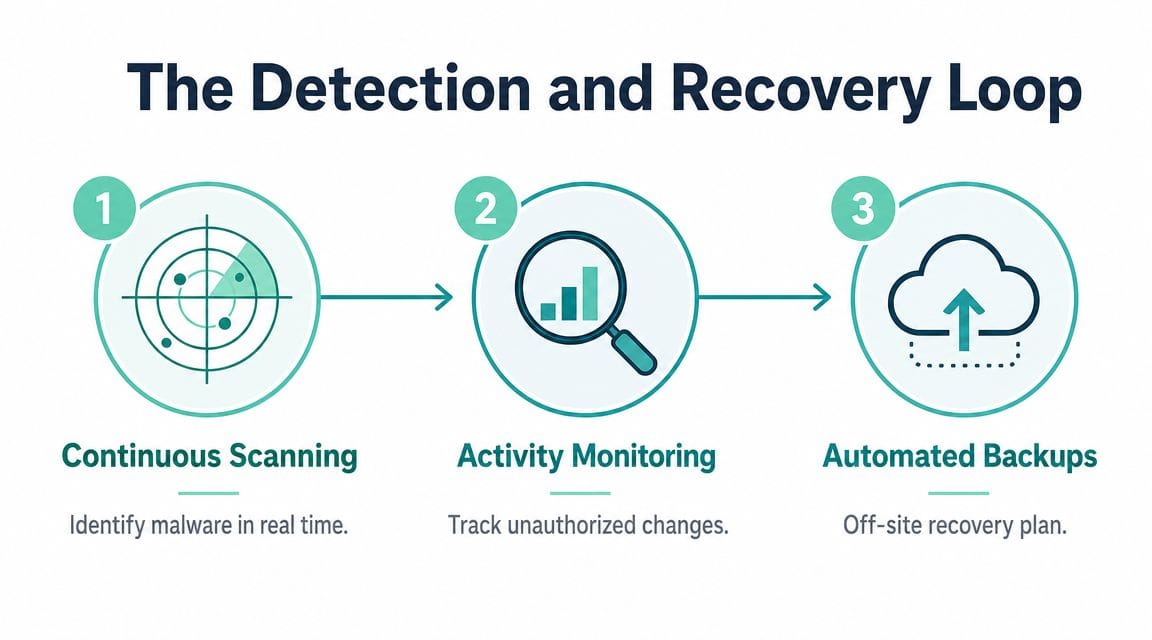
Look for changes not just malware
Malware scans matter, but they're only one part of vigilance. A solid wordpress security routine also watches for changes that shouldn't happen.
That includes:
- Core file changes: If a standard WordPress file differs from the official version, find out why.
- Plugin and theme modifications: Unexpected edits can signal tampering.
- New user accounts: Attackers often create a fallback admin before doing anything obvious.
- Login anomalies: Repeated failures, strange login times, or unusual locations deserve attention.
- File uploads and scheduled tasks: These can be used to re-establish access after cleanup.
This matters more as supply chain risk grows. Guidance discussing AI-driven attacks on the Australian WordPress plugin ecosystem argues that proactive threat detection, constant monitoring, and encrypted off-site backups aligned with OAIC expectations are becoming more important as plugin-focused attacks evolve.
A practical monitoring stack for a small business site might combine a WordPress activity log plugin, host-level malware scanning, email alerts for suspicious changes, and a basic uptime monitor. You don't need a full security operations centre. You do need enough visibility to notice when the site starts behaving differently.
Backups are your recovery plan
Backups aren't there to tick a box. They exist so you can recover to a known good state without rebuilding the website from scratch.
A useful backup setup has four qualities:
- It runs automatically.
- It stores copies off-site, not only on the same server.
- It protects both files and the database.
- It's restorable without guesswork.
For Australian businesses, encrypted off-site backups matter for more than convenience. If your site holds customer data, clean recovery copies help you contain an incident and respond properly. They also reduce the pressure to keep a compromised server online while you investigate.
Recovery rule: A backup you've never restored is still unproven.
If you want a practical walkthrough, this guide on how to back up a WordPress site covers the main methods and what to look for in an off-site routine.
Keep a simple incident checklist
When owners suspect a compromise, they often make one of two mistakes. They either ignore it because the site still “mostly works”, or they start changing everything at once and destroy the evidence they need.
Keep a short checklist ready:
- Take the site seriously at first sign of compromise.
- Change administrator, hosting, database, and email passwords.
- Put the site into maintenance mode if customer risk is active.
- Scan files and compare recent changes.
- Remove unknown users, plugins, and scheduled tasks.
- Restore from a clean backup if integrity is uncertain.
- Patch the cause before bringing the site fully back.
- Review whether customer notification obligations apply.
That final point matters in Australia. If personal information may have been exposed, your response is no longer just technical. It becomes a business and compliance issue.
Register your new domain name at competitive market prices including free domain add-ons like privacy, DNS Hosting, Custom Nameservers and Forwarding.
Always the best price and no nasty renewal price hikes.
Register A Domain Name
Your Ongoing Commitment to WordPress Security
Good wordpress security isn't a one-off cleanup. It's an operating habit.
The simplest way to think about it is in layers. First, set a strong foundation with clean admin practices and sensible user roles. Then harden the application by keeping themes, plugins, and key files under control. Add perimeter protection with firewalls, HTTPS, and login defences. Finally, stay vigilant with scanning, monitoring, and tested backups.
Those layers work best when responsibility is shared properly. You still need to manage users, approve updates carefully, and avoid risky plugins. Your hosting environment should handle the security controls that are better solved at server and infrastructure level, such as firewalling, malware scanning, isolation, encrypted backups, and ongoing monitoring.
That split matters for small and medium businesses because time is always limited. Most owners don't want to spend their week reviewing logs, hardening file permissions, and planning incident response. They want a setup that removes obvious risk, makes secure choices easier, and gives them a clear recovery path if something goes wrong.
There's also a compliance reality to accept. For Australian small businesses, failing to protect personal information can trigger mandatory breach notifications under the Privacy Act, with potential compliance costs and fines exceeding AUD $25,000, as noted in this Australian business security context reference. That makes secure, local hosting a business decision, not just a technical preference.
A practical review is worth doing today. Check who still has admin access. Remove plugins nobody uses. Confirm backups are off-site and restorable. Make sure HTTPS is enforced. Turn on 2FA. If any of those steps feel messy, that usually means the environment needs tightening, not that the work can wait.
If your current setup leaves too much security work on your plate, take a look at UpTime Web Hosting. For Australian businesses running WordPress, it offers local hosting with security features such as free SSL, malware scanning, DDoS-protected firewalls, encrypted off-site backups, CloudLinux, LiteSpeed, and 24x7 monitoring, which can make a layered wordpress security approach much easier to maintain.