
Australia's WooCommerce market is larger and more concentrated than many local business owners realise. Store Leads records 78,983 live WooCommerce stores in Australia in 2026, compared with 45,717 in 2020 Q1, while its quarterly dataset lists 74,042 stores in 2026 Q1 and 81,730 in 2026 Q2, a rebound of roughly 10.4% quarter over quarter in Q2 2026 (Store Leads' Australian WooCommerce data). That scale matters, but platform choice alone won't protect your margin. Payment fees, mobile buying behaviour, server location and operational discipline decide whether a WooCommerce store remains profitable as it grows.
Table of Contents
- The Scale and Architecture of WooCommerce in Australia
- Localising Your Checkout and Shipping Infrastructure
- Understanding Australian Shopper Behavior and Device Trends
- Technical Requirements for High Performance Local Hosting
- Evaluating Open Source Control Versus Hosted SaaS Platforms
- Your Pre Launch Migration and Go Live Checklist

Performance you can feel, backed by clients who depend on it. Read how our support and uptime create long‑term customer success.Power Your Business with Better Hosting
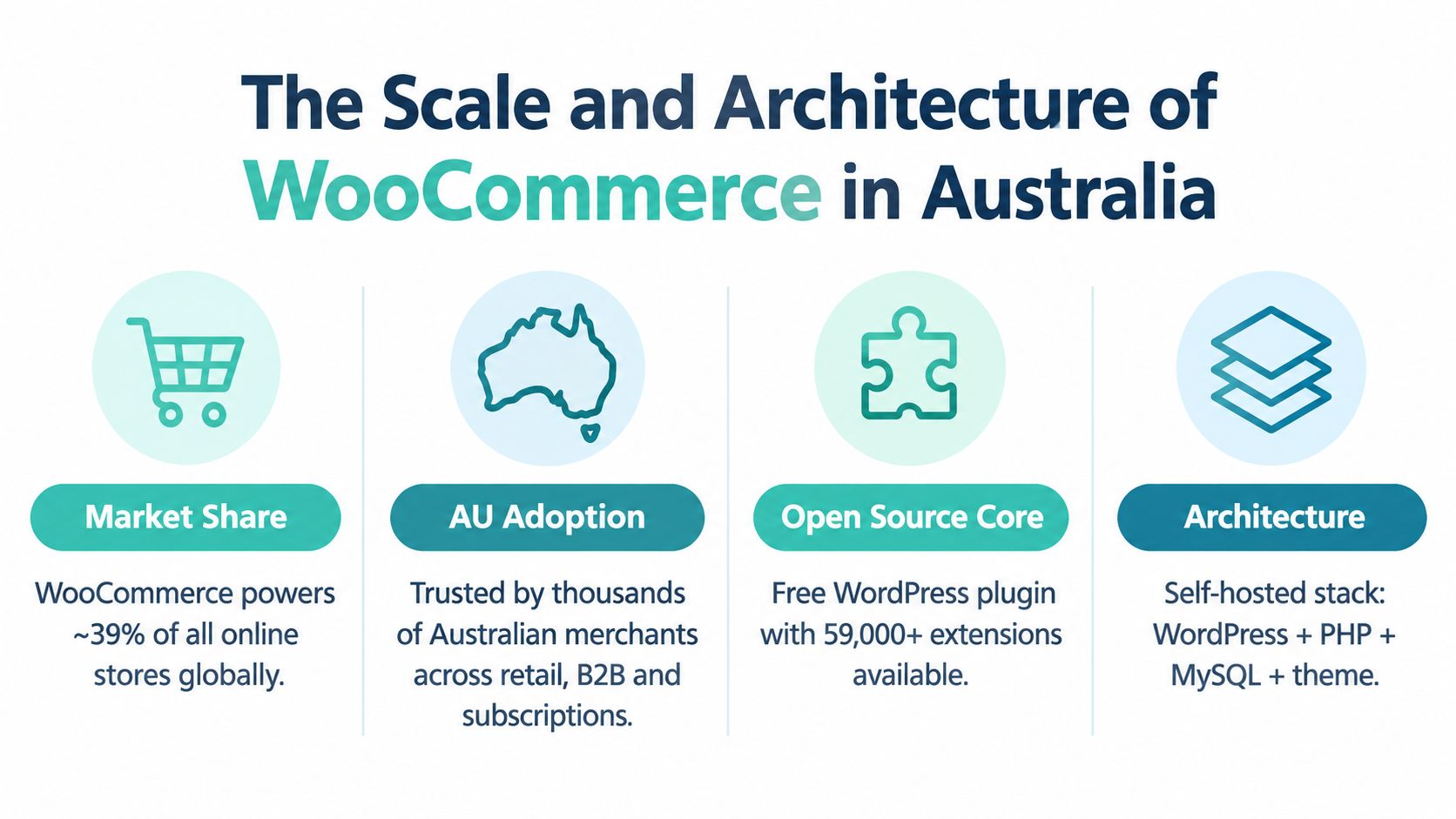
The Scale and Architecture of WooCommerce in Australia
WooCommerce adoption is concentrated in Australia's largest commercial centres. Store Leads' state data shows New South Wales with 4,057 stores, Victoria with 3,749, and Queensland with 2,640. Sydney alone accounts for 1,549 stores, giving local agencies, developers and hosting providers a clear view of where demand is strongest (Store Leads' Australian store data).
A separate regional dataset from AfterShip lists 93.61K Australian WooCommerce stores and a 27.45% share of the region's ecommerce platform mix (AfterShip's Australian ecommerce statistics). The totals differ because technology trackers identify stores through different methods. Both datasets point to established use across retailers, service businesses, subscription operators and B2B sellers.
Why the architecture matters
WooCommerce operates inside WordPress, so the merchant controls hosting, the database, theme, checkout and extension layer. That control supports custom wholesale workflows, connections to Australian inventory systems, subscriptions and content-led search strategies.
It also puts more technical work on the business. A hosted SaaS platform handles much of the server and update burden. A WooCommerce team must manage PHP compatibility, plugin conflicts, database health, backups, caching, security and checkout testing. The core software can reduce platform lock-in, but it does not remove maintenance costs or the need for reliable technical support.
Those choices affect profit in Australia. A store serving weekend mobile shoppers needs fast page delivery and a checkout that works reliably on smaller screens. Server location influences latency, while hosting capacity affects whether traffic spikes turn into abandoned carts. Payment extensions also need evaluation against local transaction fees, settlement requirements and the merchant's average order value.
Practical rule: Choose WooCommerce because your business needs control, not because the plugin itself is free.
WordPress familiarity remains another reason Australian SMEs choose the platform. A retailer can publish buying guides, category content and product information beside the catalogue, without maintaining separate publishing infrastructure. That arrangement suits teams responsible for content, search visibility and ecommerce operations at the same time.
For a technical review of how CMS choices affect modern search performance, the 2026 guide to CMS core web vitals provides useful context. WooCommerce can provide a sound foundation, but profitability depends on the hosting, payment setup and implementation around it.
Localising Your Checkout and Shipping Infrastructure
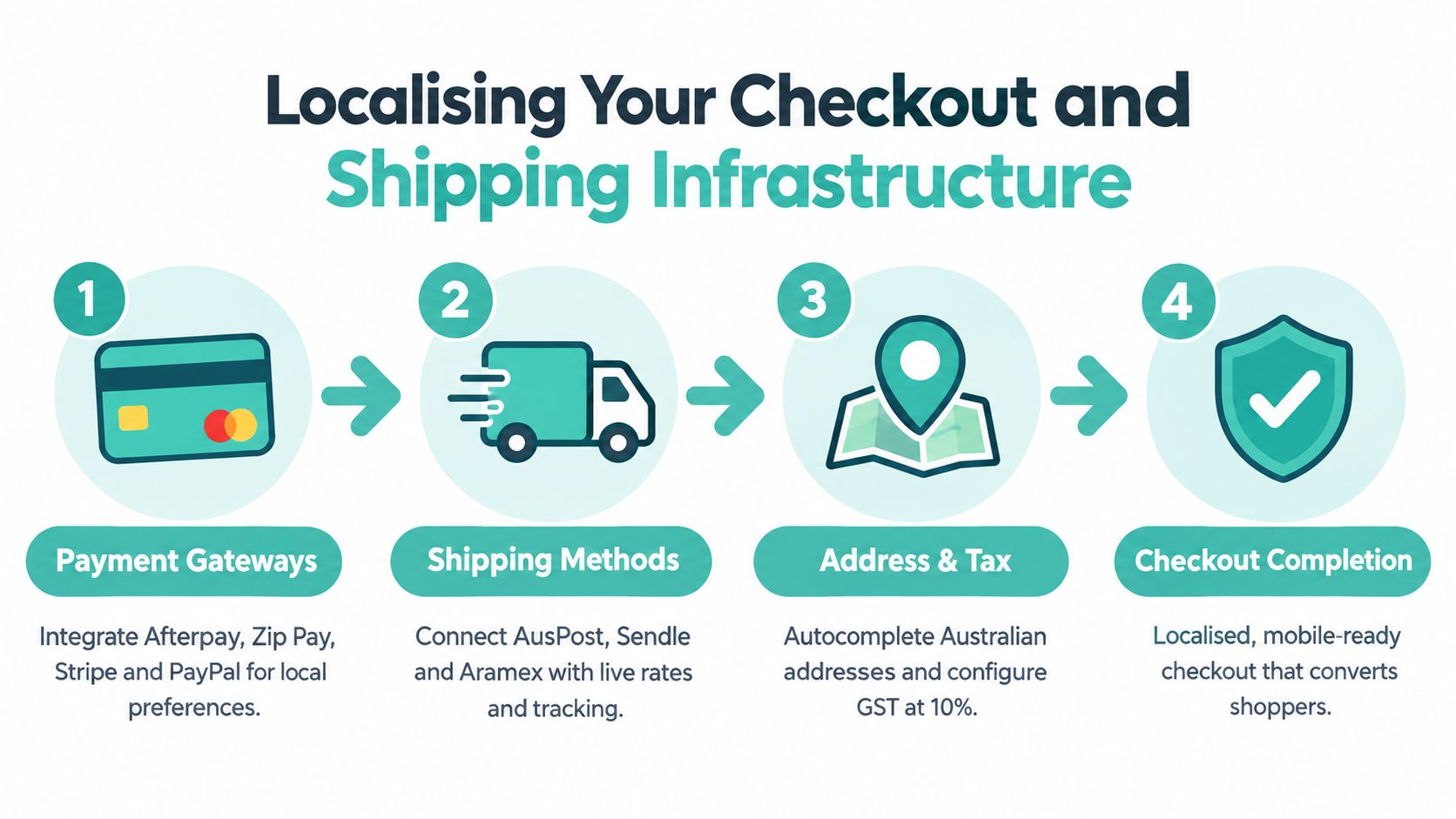
A WooCommerce installation becomes commercially useful when its checkout reflects how Australians pay and receive goods. The configuration should start with payment coverage, then move through tax, address handling and shipping rates rather than adding extensions at random.
WooPayments is available in Australia and supports card payments, Apple Pay, recurring revenue and accelerated checkout across 135+ currencies, according to WooCommerce's payments information. That combination suits Australian merchants selling locally while accepting international orders, particularly when subscriptions or express checkout are part of the sales model.
Model the payment economics before launch
The headline card rate isn't the whole cost. WooPayments lists Australian pricing of 1.75% + $0.30 for cards, 1.7% + $0.10 for in-person payments, 6.00% + $0.30 for Afterpay, an additional 1.50% for international transactions, 2.00% for currency conversion, and a $25 dispute fee (Australian WooPayments pricing details). The listed fee treatment also includes 10% GST, with reverse-charge treatment for GST-registered ABNs.
Those charges should influence checkout design and reporting. A high-value international order can carry payment and conversion costs that aren't visible in the product margin. A BNPL-heavy catalogue needs its own profitability view, because the fee structure can be materially different from standard card processing.
Use a simple payment review process:
- Map payment methods to customer intent. Offer cards and Apple Pay for speed, then assess whether Afterpay fits the margin of each product category.
- Separate domestic and international reporting. Track currency conversion and international surcharges rather than treating every order as equivalent.
- Record disputes as a cost centre. A dispute fee belongs in the financial model, not only in customer service notes.
- Test recurring billing. Subscription renewals, failed cards and customer notifications need testing before a live launch.
WooCommerce supports automated tax calculations for stores based in Australia through its official tax service (WooCommerce Tax documentation). Confirm the settings with your accountant, especially where products, shipping and customer locations create different tax treatments.
Make shipping part of the conversion experience
The official Australia Post shipping method documentation explains how the premium extension pulls rates from the Australia Post API. That can reduce the risk of displaying a shipping charge that doesn't match the fulfilment destination, parcel details or selected service.
Don't leave shipping testing until the final day. Check metro and regional addresses, multiple-item baskets, bulky products, free-shipping thresholds and failed rate responses. A checkout that calculates the correct price but takes too long to answer still creates friction, so caching must never serve stale cart or delivery data. Guidance on shopping cart optimisation is relevant when you're tuning those dynamic steps.
Host your website with our 5-star rated, cPanel website hosting plans.
Super fast servers, with security included and hosted in your choice of Australian Data Center.
View cPanel Plans
Understanding Australian Shopper Behavior and Device Trends
Mobile volume doesn't automatically equal mobile revenue. Metorik's 2026 WooCommerce findings report that 72% of orders are placed on mobile, while desktop average order value is 2.3 times higher. Australian stores also show a weekend average-order-value fall of about 31%, from $190 to $119 (the Australian WooCommerce findings summarised by Plug2Data).
That pattern changes how a merchant should interpret analytics. Mobile may be the main discovery and ordering device, while desktop remains the stronger environment for considered, higher-value baskets. A store that optimises only for mobile speed but ignores desktop merchandising can improve order volume without improving revenue quality.
Design for the task, not just the screen
On mobile, remove avoidable effort. Keep product variations readable, make delivery information visible before payment, preserve the cart during interruptions and ensure Apple Pay or another accelerated option works properly. Don't force a customer to pinch-zoom a size chart or re-enter information already available through the browser.
On desktop, use the extra space to support larger baskets. Cross-sell related products, explain product differences and make delivery timing prominent. A customer buying a considered item may need more evidence, not more animation.
The Australian weekend pattern also deserves a merchandising response. If your own data shows lower weekend basket values, test bundles, replenishment prompts or threshold-based shipping incentives rather than assuming a weekend discount will increase profitable demand. Australia Post describes a selective online spending environment, with a record-low average basket size and marketplaces taking a growing share of transactions (Australia Post's ecommerce report coverage).
A useful test: Compare mobile and desktop revenue by product category and day, then change one checkout or merchandising element at a time.
Use analytics to distinguish a technical issue from a shopper-context issue. If mobile users complete lower-value orders but abandon when delivery costs appear, the fix may be clearer shipping communication rather than another design plugin. For broader planning around ecommerce growth with AdManage.ai, connect campaign timing to those device and basket patterns.
Performance work should also focus on the actual purchase path. A practical WordPress performance optimisation guide can help organise testing across templates, scripts, images and dynamic checkout requests.
Technical Requirements for High Performance Local Hosting
WooCommerce is a dynamic application, so hosting affects more than page-load perception. Product queries, sessions, cart calculations, payment requests and order processing all depend on server resources and configuration. For an Australian SME, the host should be evaluated as part of the revenue system, not treated as a commodity afterthought.
An Australian data centre can reduce the physical distance between the server and domestic shoppers. Sydney or Melbourne infrastructure is a sensible starting point for many national stores, while businesses serving specific regions may also consider other local locations. Server location won't fix oversized images, inefficient plugins or poor database queries, but a distant server adds avoidable latency to an already dynamic stack.
Build the stack around dynamic commerce
A capable baseline includes a current PHP release, MySQL, and a web server such as NGINX or LiteSpeed. Add object caching with Redis where the host supports it, full-page caching for cacheable pages, and a CDN such as Cloudflare for static assets.
The caching rules matter more than the feature list. Product and content pages can often be cached, but cart, checkout, account and payment responses need careful exclusions. A badly configured cache can show the wrong basket, retain stale stock information or interfere with customer sessions.
Treat security and recovery as operating requirements
Use free SSL, malware scanning, a web application firewall and DDoS protection. Maintain encrypted off-site backups and confirm that restoration is tested, not merely advertised. WooCommerce stores contain customer, order and payment-related data, so a recovery plan should identify who acts, what gets restored and how the store returns to service.
UpTime Web Hosting is one Australian hosting option that lists Sydney, Melbourne, Brisbane and Perth infrastructure, alongside CloudLinux, LiteSpeed, malware scanning, DDoS-protected firewalls, free SSL, encrypted off-site nightly backups and monitoring. Those features are relevant only when they match your store's traffic, plugin stack and support expectations.
Use the WordPress hosting requirements guide to turn a hosting conversation into a technical checklist. Ask about resource limits, staging, backup retention, support escalation and whether Redis or server-level caching is available on the plan you're considering.
Server test before commitment: Measure the same staging store from Australian locations, with caching enabled and disabled, then inspect checkout requests separately from ordinary page loads.
Don't rely on a single speed score. Monitor time to first byte, checkout response time, error logs, PHP worker saturation and database growth. A fast homepage doesn't prove that the order process can handle a busy campaign.
Evaluating Open Source Control Versus Hosted SaaS Platforms
The WooCommerce decision is a trade between control and responsibility. An open-source store lets the merchant choose hosting, retain direct access to the WordPress database and shape checkout logic around the business. A hosted SaaS platform usually offers a simpler operational starting point, with more infrastructure managed by the platform provider.
| Decision area | WooCommerce | Hosted SaaS |
|---|---|---|
| Infrastructure | You choose the host, server resources and caching approach | The provider controls most infrastructure |
| Custom workflows | Developers can extend WordPress, WooCommerce and the database | Customisation follows the provider's supported framework |
| Data control | The merchant controls the site and store data environment | Data access depends on export tools and platform terms |
| Maintenance | Updates, security and compatibility need active management | More maintenance is handled centrally |
| Cost structure | Hosting, development, extensions and payment fees must be modelled | Subscription and platform charges should be modelled alongside payment costs |
For a simple catalogue with limited custom requirements, hosted convenience can be valuable. The business owner may prefer predictable administration over server decisions, especially when there isn't a developer available to maintain WordPress.
WooCommerce becomes more compelling when the store already depends on WordPress content, requires custom customer roles, needs a local ERP connection or wants to control the hosting relationship. It can also provide more room to change the technical stack as the business matures, although every extension increases the testing burden.
The wrong choice is usually made at the beginning, when the owner compares only the apparent monthly price. Include development time, maintenance, payment fees, fulfilment integrations, backup requirements and the cost of changing platforms later. The WooCommerce or hosted platform comparison can help frame that decision around business requirements rather than launch-day convenience.
Register your new domain name at competitive market prices including free domain add-ons like privacy, DNS Hosting, Custom Nameservers and Forwarding.
Always the best price and no nasty renewal price hikes.
Register A Domain Name
Your Pre Launch Migration and Go Live Checklist
A WooCommerce launch should finish with evidence, not optimism. Whether you're migrating an existing catalogue or opening a new store, use a staging environment and test the complete customer journey with Australian addresses, payment methods and delivery rules.
Validate the store before customers arrive
Start with the data. Import products, variations, images, customers and historical orders into staging, then compare totals and spot-check records. Check that product URLs, category relationships, stock quantities and customer account access behave as expected.
The migration itself should preserve search equity. Create a redirect map for changed URLs, update the XML sitemap and inspect important landing pages manually. Don't assume that a successful database import has preserved metadata, canonical settings or structured product information.
Use this order of checks:
- Test Australian payments. Run sandbox and live-mode checks as appropriate, including successful card payments, failed payments, refunds, Apple Pay, recurring billing and any selected BNPL method.
- Verify tax configuration. Review GST settings with your accountant and confirm that product and shipping tax displays match the intended customer-facing prices.
- Check delivery calculations. Test Australia Post rates across metro, regional and remote addresses, as well as different parcel sizes, quantities and split shipments.
- Review dynamic caching. Confirm that cart, checkout, account and payment pages aren't served from an inappropriate cache, while static product assets remain efficient.
- Run mobile and desktop QA. Place real test orders on both device types, inspect variation selection, coupon entry, address completion, confirmation emails and receipt details.
Switch over in a controlled window
Before changing the live destination, confirm SSL, backups, monitoring and analytics. Record the previous site state, keep a rollback plan and ensure the team knows who handles failed payments, fulfilment errors and customer enquiries after launch.
For teams using AI to support migration documentation, the guide to migrating AI prompts offers a useful way to organise repeatable instructions and handover material. Keep the actual store migration decisions under human review, particularly where customer data, tax records and redirects are involved.
The WooCommerce migration hosting guidance is also useful when planning staging, transfer and launch responsibilities. After the switch, check Search Console, analytics, order notifications, payment settlements, server logs and crawl errors. Early monitoring catches problems that a pre-launch checklist can't reproduce.
The official WooCommerce documentation hub provides setup, getting-started, FAQ and order-management material for the team responsible for day-to-day operations.
UpTime Web Hosting provides Australian WooCommerce-ready hosting with local infrastructure, free SSL, LiteSpeed, CloudLinux, security scanning, DDoS protection, off-site backups and monitoring. If payment fees, mobile checkout performance and server location are part of your growth plan, visit UpTime Web Hosting to review a hosting setup suited to your store.