You’ve got a product idea, maybe a supplier lined up, maybe a few samples on the dining table, and now you’re staring at a list of decisions that all sound expensive or technical. ABN. GST. Hosting. WooCommerce. Shopify. Payment gateways. Shipping zones. Returns. Security certificates. It’s easy to think the hard part is finding something to sell.
It usually isn’t.
For most new stores, the hard part is building a setup that customers trust, that loads quickly on Australian connections, and that doesn’t fall apart the first time a promotion works. That’s why selling products online in australia isn’t just a marketing exercise. It’s an operations exercise from day one.
The Australian E-Commerce Gold Rush is Here
A lot of new founders assume they’re late. They look at Amazon, big retail chains, polished direct-to-consumer brands, and decide the window has closed. It hasn’t.
The opportunity is still substantial. Australia’s online shopping industry is projected to hit $64.9 billion in 2026, with nearly 9.8 million households shopping online and more than 116,000 businesses operating in the sector according to IBISWorld’s Australian online shopping industry data. That matters for one reason. Customers already expect to buy online. You’re not trying to teach the market new behaviour.
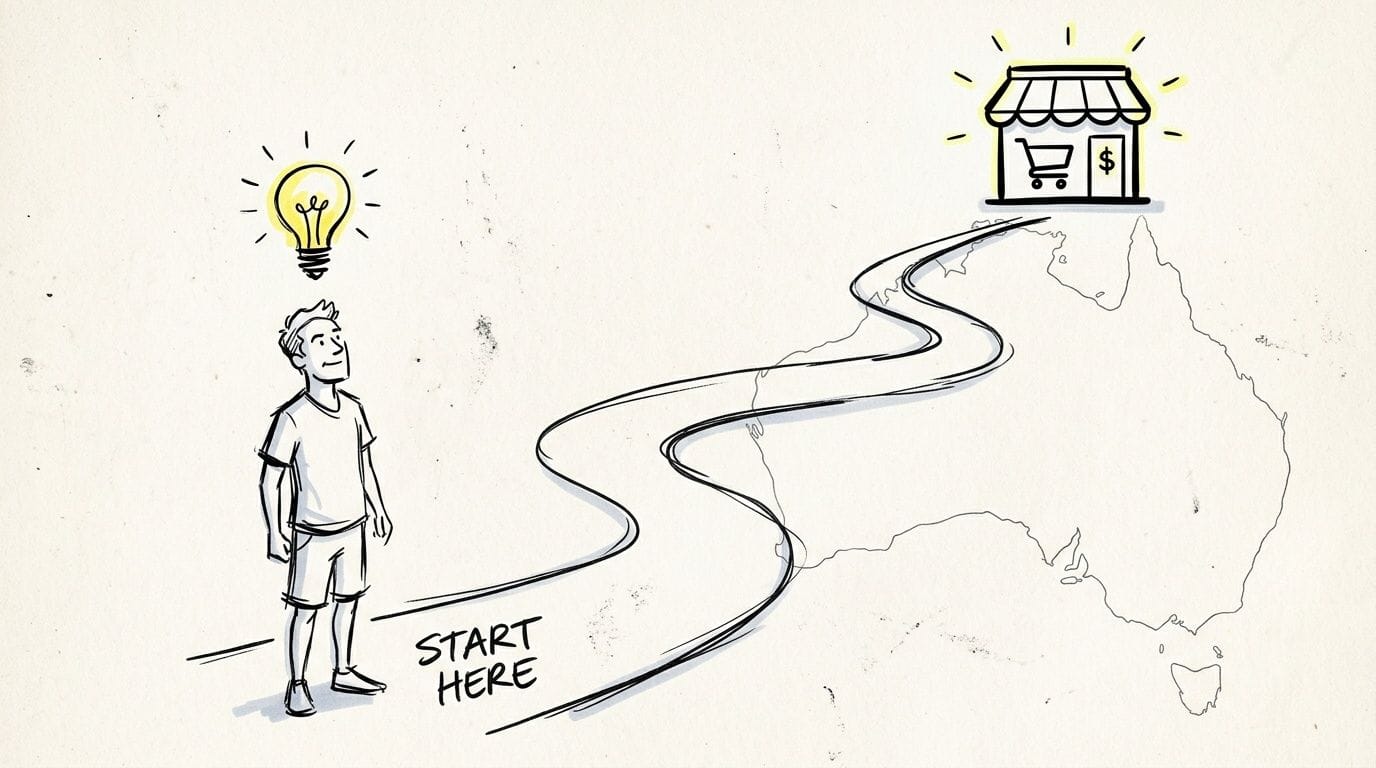
What this looks like in practice
A new seller in Brisbane might start with handmade homewares. A Sydney founder might launch a niche fitness product. A regional business in WA might move from Facebook messages and bank transfers to a proper checkout. Different categories, same pattern. Once buyers can find the store, trust the site, and complete payment without friction, sales become far more predictable.
That’s the part many people miss. The market is large, but buyers aren’t patient. If a page loads slowly, shipping terms are vague, or checkout feels sketchy, they leave.
Practical rule: Customers don’t separate branding from infrastructure. If your store is slow or insecure, they assume the business is too.
Why this moment suits smaller Australian brands
Smaller stores have one advantage larger retailers often struggle with. They can move fast. You can test a product bundle in a week, change your shipping offer in an afternoon, or rewrite weak product pages tonight.
A practical approach looks like this:
- Start narrow: Launch with a small catalogue that’s easy to fulfil and explain.
- Build trust early: Use local contact details, clear policies, and a recognisable Australian brand presence.
- Fix the buying journey first: Product pages, speed, payments, and delivery expectations matter more than fancy design.
- Treat your website like a sales asset: It isn’t a brochure. It’s the storefront, cashier, and first staff member a customer meets.
If you’re entering this market now, you don’t need to outspend established retailers. You need to be clearer, faster, and more reliable where it counts.

Performance you can feel, backed by clients who depend on it. Read how our support and uptime create long‑term customer success.Power Your Business with Better Hosting
Your Business Blueprint ABN GST and Domain Name
A common early mistake looks like this. A founder spends a weekend choosing colours, buys ads, then discovers they cannot register the domain they want, their invoices are missing business details, and their pricing falls apart once GST applies. Fixing that after launch costs time, trust, and margin.
Get the business setup right before you build the storefront. In Australia, those early decisions shape how customers see the brand, how suppliers deal with you, and how cleanly the site can be configured for tax, email, and checkout later.
Start with the ABN
If you plan to sell through your own website, sort out the ABN first. It sits underneath invoicing, wholesale applications, payment provider checks, and business registrations. It also affects your domain options.
If you want a local domain, read why you need an ABN to register a .au domain name. New store owners often hit this issue late. They settle on a brand name, go to buy the domain, and realise Australian domain rules are tighter than a standard .com purchase.
There is a technical angle here too. Your domain becomes part of your email setup, store URLs, and security records such as SSL and DNS. Changing it later is possible, but it creates avoidable work and can affect search visibility, email delivery, and customer confidence.
Get clear on GST before you set prices
GST becomes mandatory once your turnover passes the registration threshold. The Australian Taxation Office explains the rule clearly in its guidance on registering for GST.
The practical issue is not the paperwork. It is margin control. If you launch with thin pricing, then add GST later without adjusting product, shipping, and ad costs, profit disappears fast.
Three areas usually break first:
- Retail pricing gets squeezed if the listed price was never built with GST in mind.
- Bookkeeping becomes harder if sales tax settings were left messy in the cart and accounting system.
- Cash flow tightens because money collected is not all yours to spend.
A simple test helps. If the business only works before GST, it needs a pricing review before launch.
Your domain name affects trust and infrastructure
For Australian stores, a .com.au domain often does more than look local. It can improve buyer confidence, reduce hesitation at checkout, and make the business easier to verify across suppliers, payment gateways, and customer support channels.
Choose the domain with the long term build in mind:
- Match the trading name so customers can find you without guessing.
- Skip clever spellings that create typing mistakes and support headaches.
- Keep it short because short domains are easier to remember and use in ads, packaging, and email.
- Leave room to grow so the name still fits if the catalogue expands.
This decision also connects back to profitability. Your domain is tied to site structure, email reputation, redirects, and security certificates. Rebranding a weak domain later is not only a marketing task. It is a technical migration, and technical migrations often create downtime, tracking issues, and lost revenue if handled poorly.
If you are still comparing store setups, an ecommerce platform showdown gives useful context on how platform choices affect control, maintenance, and future changes.
What to set up before the first order
Founders who handle these items early avoid a lot of rework.
| Setup item | Why it matters |
|---|---|
| ABN | Supports invoicing, supplier accounts, registrations, and payment checks |
| GST review | Helps you set pricing, tax rules, and reporting correctly from day one |
| .com.au domain | Builds local trust and supports a more credible brand presence |
| Business email | Looks more professional and is easier to align with your domain and security setup |
| Basic policies | Gives customers clear expectations on delivery, returns, and contact options |
This part of selling products online in australia is easy to treat as admin. It is really the first layer of commercial infrastructure. If the ABN, GST setup, and domain are right, the store is easier to configure, secure, and scale without expensive fixes later.
Choosing Your Platform and Australian Hosting
A common Australian launch mistake looks harmless at first. The founder picks a platform in an afternoon, grabs the cheapest hosting plan available, and puts the budget into ads and creative. Three months later, the store is paying for clicks that land on slow product pages, mobile checkout stalls during peak periods, and support inbox volume climbs because the site feels unreliable.
That is not an IT problem. It is a margin problem.
Platform first, but with a clear operating model
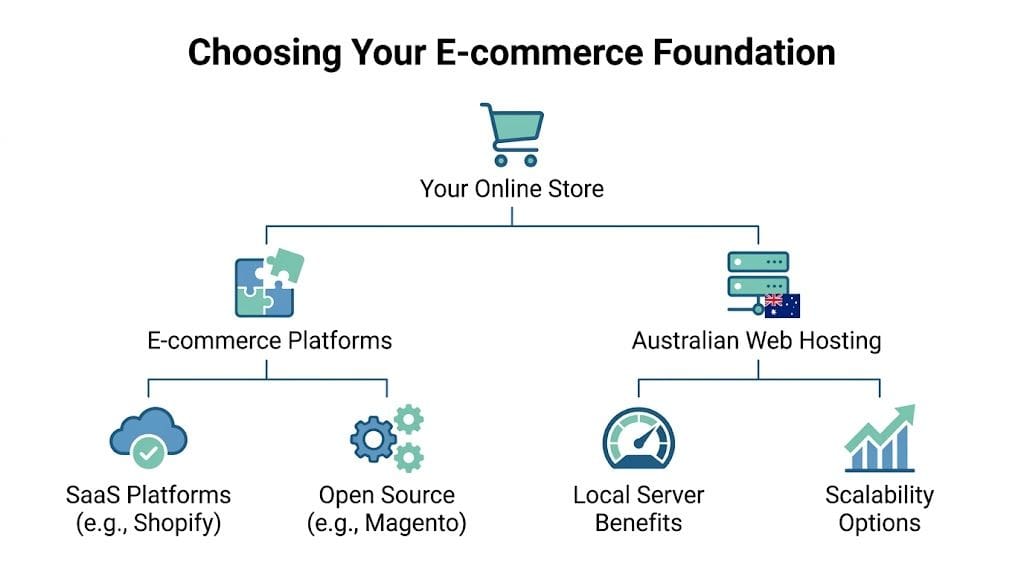
For Australian sellers, the starting point is usually Shopify or WordPress with WooCommerce. Both can work. The better choice depends on how the business needs to operate once orders start coming in.
Shopify fits founders who want a managed environment, faster setup, and fewer technical decisions. The trade-off is control. You get convenience, but custom workflows, deep content structures, and some integrations can become expensive or restrictive later.
WordPress with WooCommerce fits businesses that want more say over content, SEO structure, product configuration, and system integrations. The trade-off is maintenance. Someone needs to stay on top of updates, hosting, performance, and security.
If you’re comparing options, an ecommerce platform showdown is useful for understanding the trade-offs between managed platforms and more flexible builds. Use that kind of comparison to decide how much control you need, based on catalogue complexity, marketing plans, and who will handle technical work each month.
Hosting affects conversion, ad efficiency, and admin time
Founders often treat hosting as background infrastructure. In practice, it affects revenue every day.
A slow store wastes paid traffic. A store with weak uptime loses sales during promos. A store with poor security settings creates checkout hesitation, failed updates, and recovery work that steals time from merchandising and marketing. On WooCommerce in particular, hosting quality shapes how fast category pages load, how stable checkout stays under traffic, and how painful the back end feels when staff are updating stock or processing orders.
For Australian stores, server location matters as well. Local hosting can reduce latency for local shoppers, and it tends to produce a more consistent experience for customers outside the major metro areas. That matters on mobile, where weaker connections expose bloated themes, oversized images, and underpowered servers quickly. Why switching to local Australian hosting can improve website performance explains the practical reasons businesses move away from offshore or generic shared setups.
Regional traffic is where weak infrastructure shows up
A founder in Sydney can test the site on fast office internet and assume everything is fine. The same product page may feel very different to a shopper in regional WA using mobile data.
That gap costs money.
Australian e-commerce stores do not just serve CBD customers on fast fibre. They serve commuters, regional households, tradies ordering from the ute, and parents shopping on a phone after work. If pages hesitate, filters lag, or the cart takes too long to update, the sale often disappears before the founder sees a formal complaint.
A store that performs well across Australia usually has better margins than one that only feels fast under ideal conditions.
What to look for in Australian hosting
If the store is running on WooCommerce or another self-managed setup, hosting should be assessed against e-commerce workload, not brochure-site pricing.
Use a checklist like this:
- Australian server locations: Helps reduce latency for local customers
- SSL included: Needed for secure checkout, account pages, and customer trust
- Speed tools: Caching, image handling, and server-level optimisation help stores stay responsive
- Security controls: Malware scanning, web application protection, account isolation, and DDoS mitigation reduce avoidable incidents
- Nightly off-site backups: Useful when plugin conflicts, bad updates, or user errors break the site
- Scalable resources: Needed for sale periods, catalogue growth, and ad-driven traffic spikes
- Support that understands WordPress and e-commerce: Generic hosting support often struggles with cart, plugin, and checkout issues
One Australian provider commonly considered in this category is UpTime Web Hosting. The relevant point is not the brand name itself. It is the feature set: local servers, WordPress-focused hosting, SSL, backups, and performance features that suit stores rather than static websites.
A practical way to choose
The cheapest plan is rarely the cheapest outcome.
Ask these questions before making the call:
| Question | Why it matters |
|---|---|
| Where are most customers based? | Helps determine whether Australian server location should be a priority |
| How custom is the buying journey? | Points toward a managed platform or a more flexible WooCommerce build |
| Will paid traffic start soon? | Speed and uptime matter more once every click has a cost |
| How often will products change? | Frequent updates make admin performance more important |
| Who handles maintenance? | Decides whether convenience or control is the better fit |
What works in practice
The profitable setup is usually simple in principle. Choose the platform based on how the business needs to run. Choose the hosting based on speed, uptime, security, and where Australian customers will access the site.
Stores that get this right tend to spend less on fixes later. Stores that get it wrong usually pay in abandoned carts, messy rebuilds, and ad campaigns that never convert as well as they should.
Host your website with our 5-star rated, cPanel website hosting plans.
Super fast servers, with security included and hosted in your choice of Australian Data Center.
View cPanel Plans
Secure Payments and Tax Compliance
A store can spend heavily on traffic and still lose money at checkout.
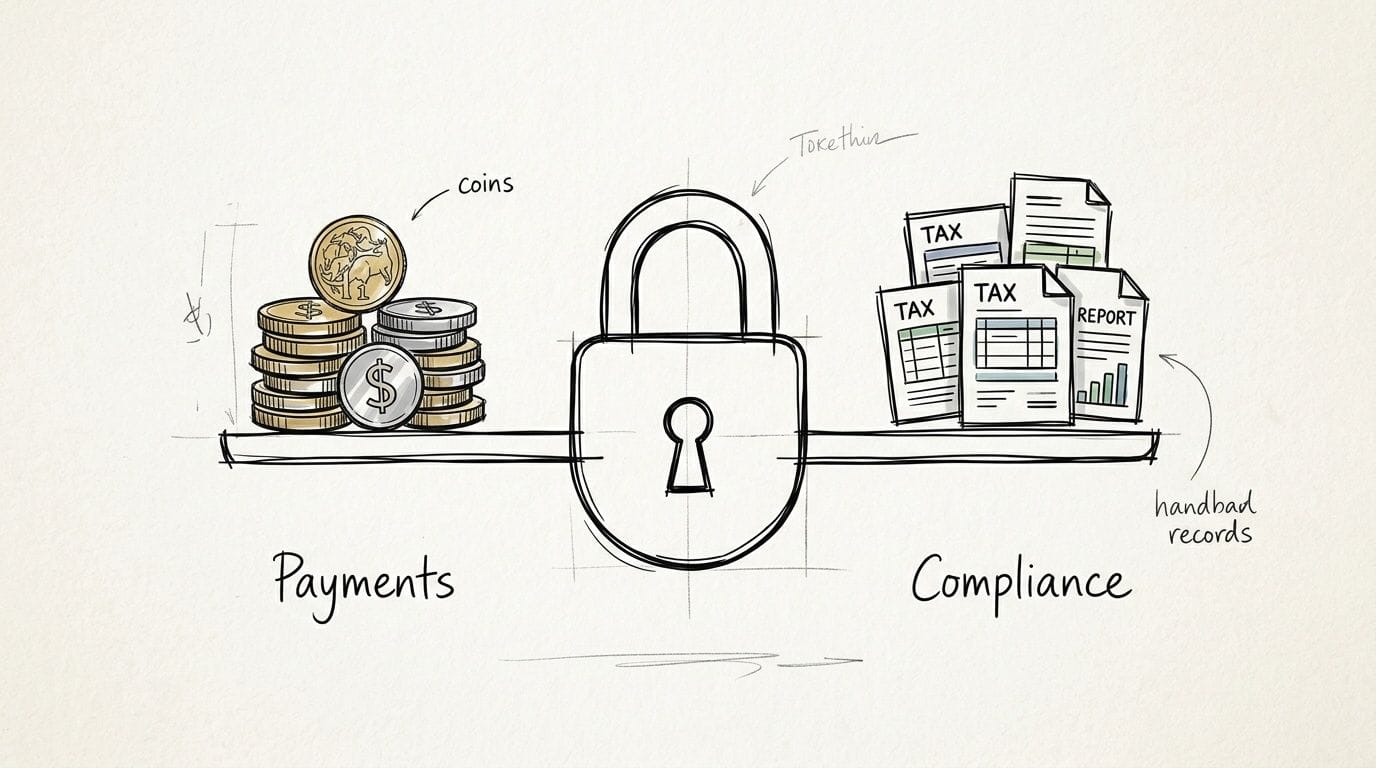
That usually happens for two reasons. The payment flow creates hesitation, or the tax setup is messy enough that reported profit looks better than actual profit. In Australian e-commerce, both problems are operational, not cosmetic. They sit close to the same foundation as hosting, speed, and site security. If the store feels slow, inconsistent, or unsafe at the point of payment, conversion drops. If tax settings are wrong, margin disappears after the sale.
Set up payment methods that reduce friction
For a new Australian store, the baseline is straightforward. Accept major cards through a recognised gateway, keep the checkout on-brand, and avoid sending customers through clumsy redirects unless there is a clear reason.
Mobile matters most here. A checkout that feels fine on desktop can fall apart on a phone with extra fields, slow loading scripts, or payment buttons that shift around. That is one reason technical setup affects profitability. Every extra second and every awkward tap gives the customer a chance to leave.
Buy Now Pay Later can make sense for higher-ticket products, gifts, fashion, homewares, and categories where customers compare options before committing. It does not suit every store. The fees are higher than standard card processing, and returns can be more painful to reconcile. But for the right product range, BNPL can lift completed orders enough to justify the cost.
Security needs to be obvious before the customer reaches "Pay now"
Customers make a trust decision quickly. They look at the URL bar, the browser warning state, the polish of the checkout, and whether the store behaves like a real business.
They notice:
- HTTPS in the browser
- consistent branding across checkout, emails, and receipts
- no broken layouts or strange pop-ups
- payment options they recognise
- forms that load quickly and work properly on mobile
If you want a clear explanation of the basics, HTTP vs HTTPS and why secure connections matter covers the difference in plain English.
Security is not only about SSL certificates and fraud settings. Slow pages, failed redirects, mixed-content warnings, and plugin conflicts also damage trust. I have seen stores fix a checkout speed issue and recover more revenue than they expected, because buyers stopped dropping off in the final step.
GST has to be built into pricing, not cleaned up later
Once your business is registered for GST, tax settings need to match how you sell. That includes your displayed prices, your invoices, your shipping charges, and the way your platform records each order.
The common mistake is simple. A founder sets retail prices based on competitors, turns GST on later, and only then sees what payment fees, packaging, and fulfilment do to margin.
Set these rules early:
- whether product prices shown on the site include GST
- how GST is applied to shipping
- whether your receipts and tax invoices match ATO expectations
- how your platform reports GST on refunds, partial refunds, and discounts
- who checks the numbers each month, you, your bookkeeper, or your accountant
Refunds are where weak setups show up fast. If the store records a sale one way and a refund another, BAS reporting becomes harder than it needs to be.
Mistakes that cost stores money
A few patterns come up repeatedly in Australian launches:
- Too few payment choices. Customers get to checkout and cannot use their preferred method.
- Bloated checkout pages. Extra scripts and fields slow the final step and hurt mobile conversion.
- Poor tax configuration. GST on products, shipping, and refunds does not line up cleanly.
- Weak trust signals. The site is technically secure, but it does not look or behave like a secure store.
- No reconciliation routine. Payment gateway payouts, platform sales totals, and accounting records drift apart.
The profitable approach is plain. Use payment methods Australians already trust, make the checkout fast and consistent, and configure GST properly from day one. Payment and tax systems are part of the store’s revenue engine. When they are handled well, the business keeps more of what it sells.
An Australian Shipping and Returns Strategy
Shipping is where your online promise becomes physical. The customer doesn’t judge the store only by the product. They judge it by how quickly they understand delivery, how fair the shipping cost feels, and what happens if the item isn’t right.
A founder might spend weeks perfecting product photos, then lose the sale because shipping was vague until the final checkout screen. That happens more often than it should.
Set your shipping offer around real buying behaviour
One useful anchor is basket size. In 2024, the average Australian e-commerce basket size was $98.10, according to Oceanport Link’s Australian e-commerce trends report. That doesn’t mean every store should set the same free shipping threshold. It does mean you should use the average order value in your category and your own margins to design a threshold that encourages a slightly larger cart.
For example, if your typical first order sits below where shipping becomes comfortable for the business, a free shipping threshold can push customers to add one more item. Done well, it lifts order value. Done badly, it eats margin.
Australia Post or couriers
Most new stores end up weighing two broad options.
| Option | Usually works well for | Watch-outs |
|---|---|---|
| Australia Post | Broad national coverage, PO boxes, familiar tracking experience | Can feel less flexible for some premium delivery expectations |
| Courier services | Faster metro delivery, some higher-touch experiences | Coverage and pricing can be less friendly outside dense metro routes |
The right answer often isn’t one or the other. It’s using the carrier that fits the order type. Small lightweight parcels might suit one path. Urgent metro deliveries or larger items might suit another.
Returns are part of the product experience
Customers read return policies when they’re unsure. A clumsy policy increases hesitation before purchase. A clear one reduces it.
Good returns policies usually do four things well:
- State the timeframe clearly: Don’t bury this in legal language
- Explain the condition required: Customers should know if items must be unused or in original packaging
- Describe the process: Tell them how to start the return and what happens next
- Set expectations on refund timing: Uncertainty creates support tickets and distrust
The best returns policy is firm, readable, and easy to find. If customers have to hunt for it, they assume the process will be painful.
If you’re testing low-risk fulfilment models
Some founders start with supplier-led fulfilment before moving into holding stock. If that’s your plan, it’s worth checking whether dropshipping is legal in Australia and then building your delivery messaging around what you can control.
That last part matters. Customers don’t care whether the delay is caused by your supplier, your courier, or your own warehouse routine. They see one brand. Yours.
A strong shipping and returns setup makes the business feel organised. A weak one makes even a good product feel risky.
Attracting Buyers and Driving Conversions
A common Australian launch scenario goes like this. The ads start, clicks come in, and the owner assumes the hard part is done. Then the store leaks margin because mobile pages drag, product feeds are messy, and checkout confidence falls apart on a slow connection.
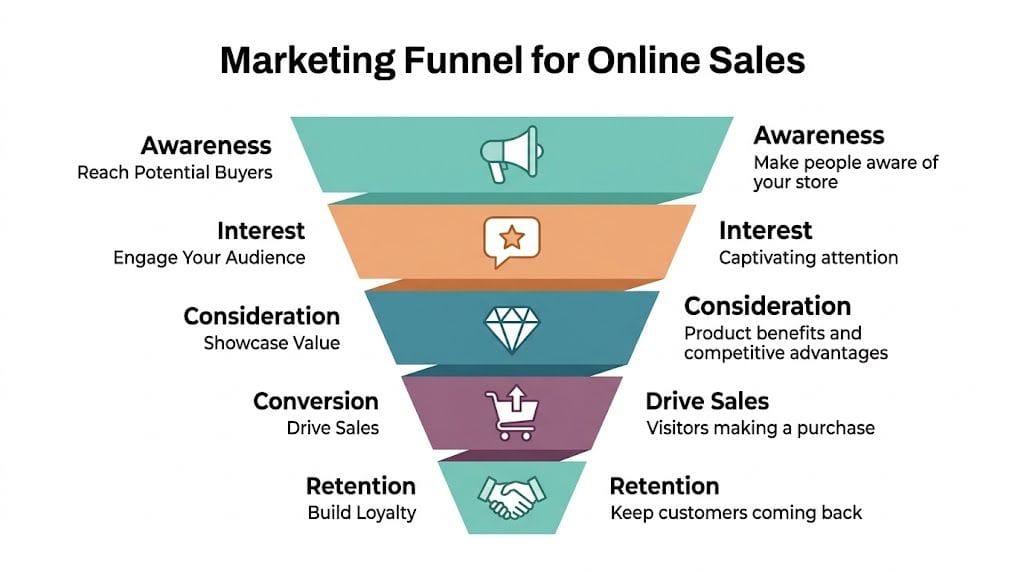
That is why conversion work starts with infrastructure, not just ad creative. If your hosting, caching, image handling, and SSL setup are weak, you pay for traffic that never had a fair chance to convert. For Australian stores, that cost shows up fast because paid clicks are not cheap, and regional shoppers will abandon a page that feels clunky on mobile.
Start with channels that capture existing demand
For product businesses, Google Shopping is often the cleanest starting point. Buyers there are already comparing options, prices, and delivery promises. You are stepping into an active buying decision, which usually makes early testing more efficient than broad social campaigns.
Use simple commercial benchmarks to keep yourself honest. Aiming for ROAS above 4x, cost per acquisition under A$40, and click-through rate above 2% gives you a practical starting frame, based on Spacewolf’s Australian PPC KPI guidance. Those figures are not universal targets. A low-margin store may need stronger numbers, while a business with repeat purchase behaviour can tolerate more aggressive acquisition costs.
What to focus on in the first few weeks
New stores usually improve faster by tightening the full path from search to checkout than by increasing ad spend.
- Build a product feed with accurate titles, clear images, current pricing, and the right availability data.
- Send traffic to pages that answer practical objections fast, including delivery timing, payment options, sizing, and returns.
- Check which products earn clicks but stall at the page level.
- Improve page speed, image compression, copy, and trust signals before scaling budget.
- Retarget visitors who viewed products or reached cart, then left.
Local technical decisions have a direct impact on profit. If your site responds slowly for Australian users, your ad account can look weaker than it really is. Poor speed reduces conversion rate, lowers the value of every paid click, and pushes up the true cost of customer acquisition.
Small changes often produce outsized gains
A better shipping message can improve click quality before a visitor even lands. Analysts at Spacewolf found that testing wording such as “Free AU Shipping” lifted CTR. The reason is practical. It answers a cost concern early and filters in buyers who are more comfortable proceeding.
Other conversion improvements are usually less glamorous than founders expect:
- Sharper product titles: State what the item is, who it suits, and the key feature
- Better first image: Shopping listings are crowded, and the thumbnail has to earn the click
- Clear page speed discipline: Compress images, trim scripts, and avoid bloated apps that slow mobile performance
- Visible payment methods: Card, wallet, and BNPL options reduce hesitation for some categories
- Cleaner product pages: Remove distractions that interrupt the path to cart
Email starts paying off earlier than many founders expect
If every visitor has to buy on the first session, paid acquisition becomes expensive fast. Collect email addresses early and use them with purpose. Abandoned cart flows, browse abandonment reminders, back-in-stock notices, and post-purchase follow-ups work well when the technical setup is sound.
Before rewriting subject lines, check whether your messages are reaching inboxes with an email deliverability and spam checker. Poor deliverability can make a decent campaign look weak.
A store can have solid offers and still underperform because emails land in promotions tabs, spam folders, or nowhere at all.
SEO supports conversion when the store structure is sound
For e-commerce, SEO is not just blog content. Product and category pages need descriptive titles, useful copy, internal links that help shoppers move logically, and load times that hold up on mobile. Search visibility and conversion rate are connected. A page that is hard to crawl is often hard to use.
If you need help prioritising that work, these SEO services for Australian business websites give a useful reference point. The job is straightforward. Make key pages faster, clearer, and easier to trust.
A simple weekly conversion review
Use a repeatable review cycle instead of reacting to a single bad day.
| Check each week | What you’re looking for |
|---|---|
| CTR | Whether ads and listings attract the right clicks |
| CPA | Whether acquisition cost still fits your margins |
| ROAS | Whether revenue justifies the spend |
| Top exit pages | Whether shoppers drop off at product, cart, or checkout |
| Device experience | Whether mobile users get a fast, low-friction buying path |
Selling products online in Australia gets more profitable when the business treats site speed, security, and page clarity as revenue drivers. Marketing gets the click. Infrastructure decides how much of that spend turns into sales.
If you’re building or rebuilding an online store, UpTime Web Hosting is one Australian option for local hosting, domains, SSL, WordPress support, and performance-focused infrastructure. For new e-commerce businesses, that foundation matters because speed, security, and reliability affect every sale after the click.