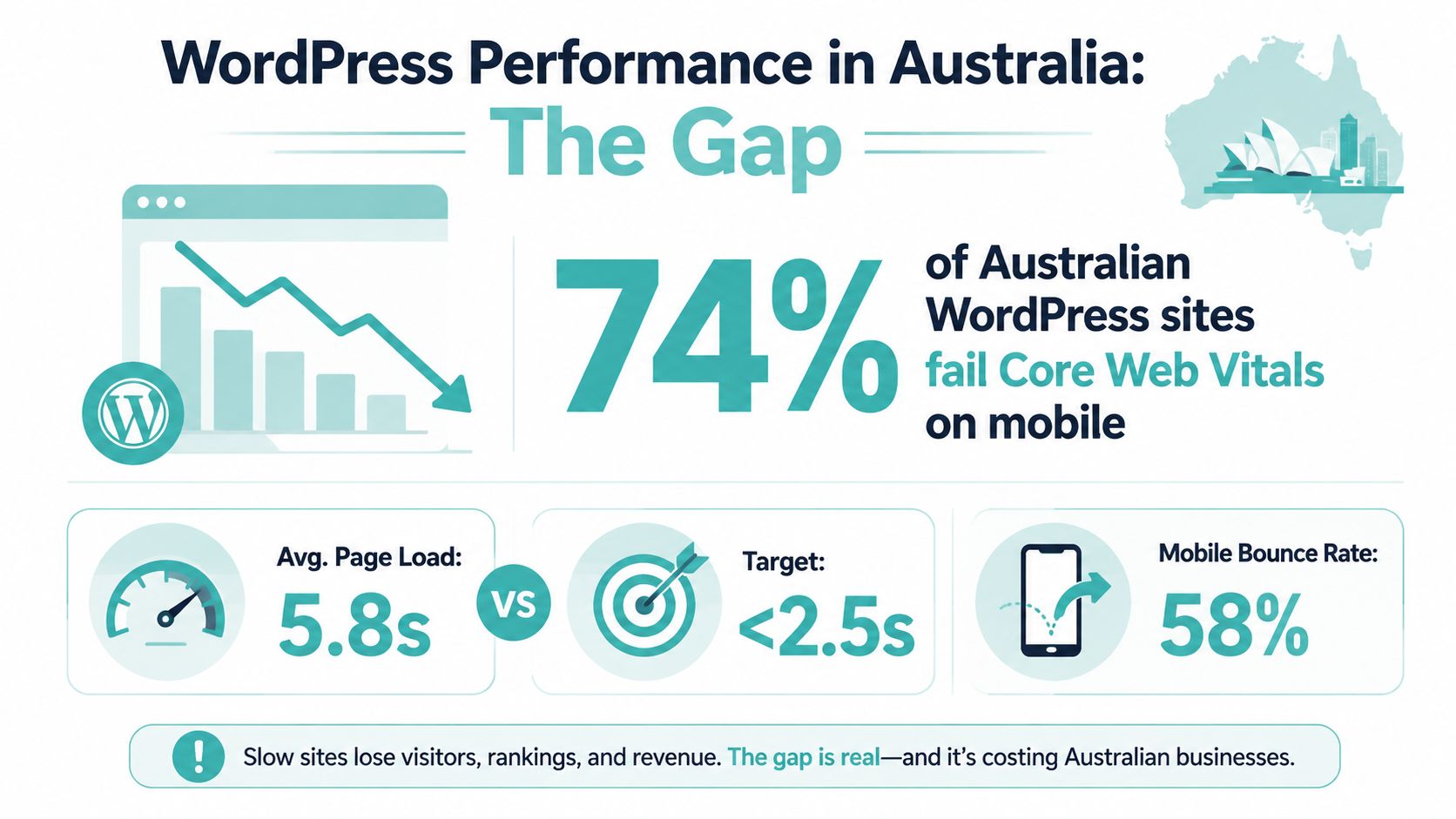
Only 43.44% of WordPress sites passed all three Core Web Vitals on mobile in an analysis of 16.9 million websites, while the median WordPress mobile Lighthouse performance score was just 38 out of 100 (WordPress performance data). Faster broadband alone hasn't solved the problem for Australian businesses. A slow origin server, oversized images, excessive JavaScript, and poorly controlled caching can still make a site feel sluggish for visitors in Sydney, regional New South Wales, Queensland, Western Australia, and everywhere in between.
That's why effective WordPress performance optimization starts with infrastructure and real-user conditions, not with blindly installing another speed plugin. The practical priority is to measure locally, reduce server response time, control page weight, and keep testing after every meaningful change.
Table of Contents
- Why Most WordPress Sites Still Underperform in Australia
- Establishing Your Performance Baseline with Local Testing
- Server and Hosting Configuration for Faster Response Times
- Front-End Optimisation for Images, Scripts, and Delivery
- Auditing Themes, Plugins, and Background Processes
- Monitoring, Security Tradeoffs, and Ongoing Maintenance

Performance you can feel, backed by clients who depend on it. Read how our support and uptime create long‑term customer success.Power Your Business with Better Hosting
Why Most WordPress Sites Still Underperform in Australia
The mobile pass rate has improved, but the overall picture remains uncomfortable. The same large-scale analysis reported that WordPress Core Web Vitals performance improved from 28% in 2023 to 40% in 2024, reaching 43.44% by June 2025 (WordPress performance data). That still means most WordPress sites in the dataset failed at least one mobile metric.
The Australian context matters because site owners can't treat the access network as the only cause of slow browsing. The ACCC's Web Performance Test Report, published on 30 June 2021, used SamKnows metrics focused on first visual object load time and full page load time. It found that NBN access speed and the chosen internet provider did not have a material impact on browsing performance (ACCC Web Performance Test Report).
That finding changes the optimisation conversation. If two users have broadly comparable access conditions, the WordPress site itself becomes a major variable. Server processing, caching, image delivery, script execution, and the time required to display the first useful content are all areas a business can control.
Broadband improvements don't remove site-side bottlenecks
A business may upgrade its office connection and still deliver a slow website. The visitor's browser must wait for the origin server, download the page assets, process JavaScript, and render visible content. A faster plan doesn't automatically fix a bloated theme or an uncached database query.
Regional users make this more important. ACCC reporting found that NBN fixed wireless users achieved 83.8% of plan speeds during busy hours, while Australian mobile networks continue to show measurable variation in latency and speed across locations (Australian mobile connections barometer). A page that looks acceptable on a desktop connection in a capital city may still struggle on a variable mobile link outside a metropolitan centre.
Practical rule: Optimise the parts of the request you own before asking visitors to change the connection they use.
Engineering choices create the durable gains
The most reliable improvements usually come from reducing page weight, serving cached HTML, lowering origin latency, and ensuring the first visible content appears quickly. Plugin-level adjustments still matter, but they can't compensate for an overloaded host or a page that asks a mobile browser to process unnecessary assets.
For a broader technical reference, performance tips for your custom site provides useful background on reducing front-end and server-side friction. Australian businesses considering infrastructure changes can also review why switching to local Australian hosting can help before committing to a new optimisation stack.
Establishing Your Performance Baseline with Local Testing
Don't change caching rules, compress images, or remove plugins until you know how the site currently behaves. A baseline gives you a point of comparison and stops you from confusing a temporary cache hit with a genuine improvement.
Start with representative URLs rather than testing only the homepage. For a typical Australian SME site, I'd record the homepage, one standard service or product page, a blog post, an archive page, and the most commercially important landing page. A homepage can be heavily cached and unusually simple, so it doesn't tell you how the rest of the site performs.
Use a repeatable Australian test setup
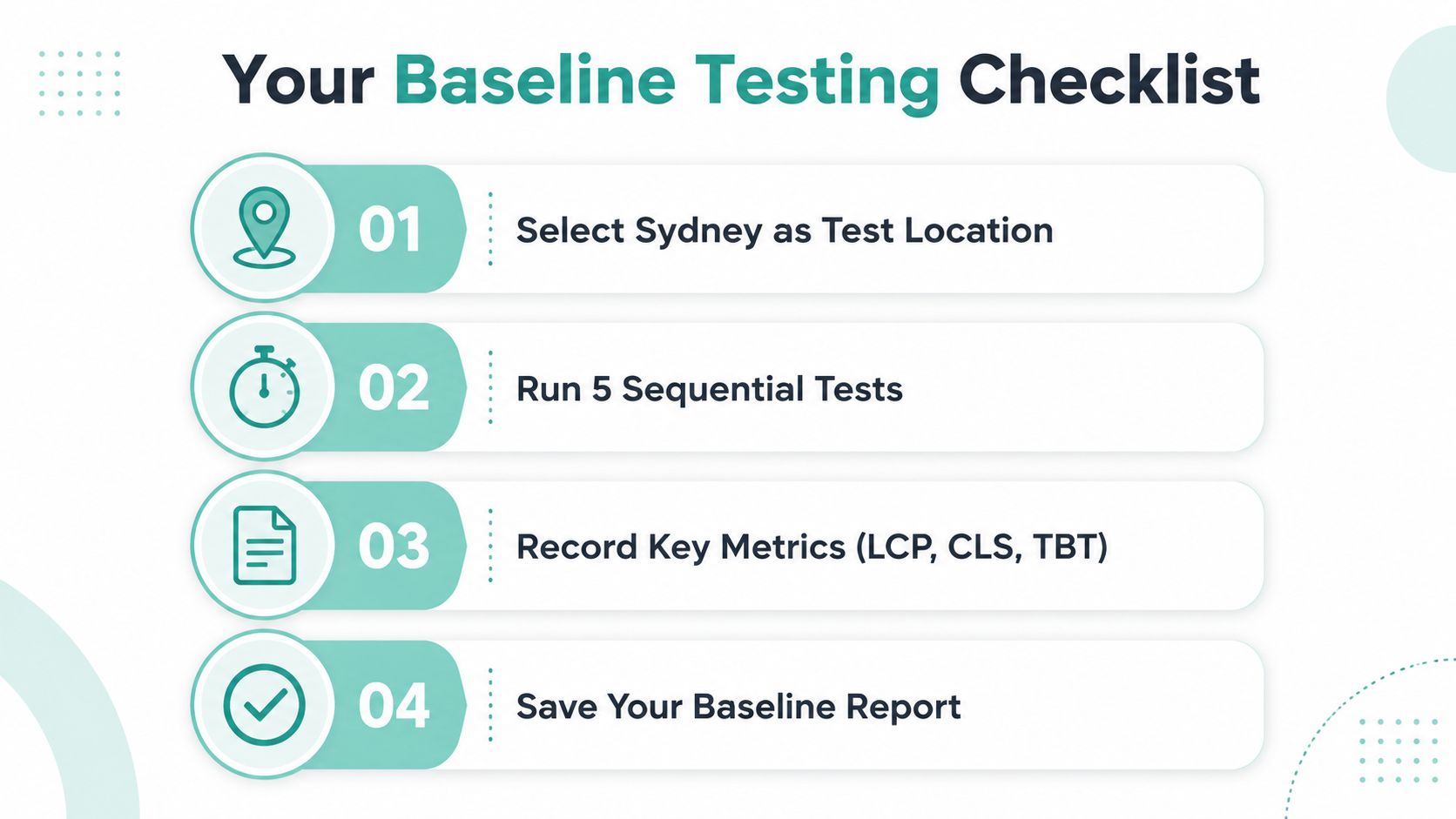
Set the testing location to Sydney, Australia where the tool supports location selection. Sydney-based testing is more representative of Australian visitors than a default overseas test server, particularly when you're assessing origin response and CDN behaviour. Guidance for Australian WordPress testing also recommends repeating tests monthly to identify regressions (Australian WordPress speed testing guidance).
Run both mobile and desktop tests. Keep the device profile, connection settings, URL, and test location consistent. A useful record includes:
- LCP: Aim for 2.5 seconds or less, measuring how quickly the largest visible element renders.
- INP: Aim for 200 milliseconds or less, showing whether the page responds promptly to interaction.
- CLS: Aim for 0.1 or less, indicating that content stays visually stable.
- TTFB: Track a response under 500 milliseconds, which helps identify server-side delay.
These thresholds and the local testing method are outlined in Australian WordPress performance benchmarks by industry. Record the raw results, not just a headline score. Lighthouse can point towards a problem, but a score without the waterfall, cache state, and location gives you limited diagnostic value.
Compare cache states before interpreting results
Test a first load with the cache cold, then repeat the same URL with the cache warm. If the repeat load is substantially better, page caching or CDN delivery may be doing its job while the origin remains slow. If both versions are slow, investigate hosting, PHP execution, database queries, image weight, and blocking scripts.
A simple baseline sheet can include:
- URL and template: Note whether it's a homepage, post, archive, product, or landing page.
- Test conditions: Record Sydney, device type, connection profile, date, and cache status.
- Core metrics: Save LCP, INP, CLS, TTFB, and the key waterfall observations.
- Change log: Write down one grouped change at a time, then test again.
A WordPress website health check can help identify broader configuration issues before you start tuning individual assets. Re-test after grouped changes rather than altering ten settings at once. Otherwise, you won't know which adjustment helped or which one caused a broken menu, missing form, or cache inconsistency.
Host your website with our 5-star rated, cPanel website hosting plans.
Super fast servers, with security included and hosted in your choice of Australian Data Center.
View cPanel Plans
Server and Hosting Configuration for Faster Response Times
Hosting is the floor beneath every other WordPress optimisation. If the server takes too long to generate the first response, front-end work starts from a disadvantage. Independent Australian benchmark coverage across 17 hosts recorded an average TTFB of 485 milliseconds, with only three providers averaging under 400 milliseconds and a 298-millisecond gap between the fastest and slowest host (Australian WordPress hosting benchmark).
That gap exists before you remove a plugin or resize a hero image. It makes infrastructure a measurable performance decision, not an administrative detail.
Set targets for each layer
Use the following targets when assessing a host or reviewing a slow site. These figures are published in Australian WordPress hosting guidance (hosting performance targets).
| Metric | Target | Why It Matters |
|---|---|---|
| Origin TTFB | Under 200 ms | Shows whether the server can begin responding quickly |
| DNS lookup | Under 20 ms | Reduces delay before the connection starts |
| TLS negotiation | Under 50 ms | Limits setup time for secure delivery |
| CDN edge response | Under 30 ms | Helps static assets arrive promptly from the delivery layer |
These are useful targets, not promises that every URL will meet them under every condition. Dynamic WooCommerce requests, uncached pages, large databases, and third-party integrations can change the result.
Configure the stack before adding more plugins
Run PHP 8.0 or newer where your themes and plugins support it. Current PHP versions can process requests more efficiently, but test compatibility on staging rather than switching production blindly.
If the server supports it, enable LiteSpeed caching through the host's server-level tools. AccelerateWP can also provide WordPress-specific optimisation features in supported hosting environments. Server-level page caching is generally preferable to layering several overlapping cache plugins, because the web server can serve cached output before WordPress loads fully.
Object caching is a separate layer. Redis or Memcached can reduce repeated database work for sites with dynamic queries, large catalogues, memberships, or busy administration areas. Object caching won't fix an oversized image, but it can reduce the time WordPress spends rebuilding frequently requested data.
Server-side priority: Fix origin response and cache configuration before spending hours minifying already-small CSS files.
Australian hosting can also reduce the physical distance between the server and local visitors. It won't remove every regional network limitation, and an Australian server won't rescue an unoptimised page, but it gives local businesses a more appropriate starting point for local traffic.
Database-heavy businesses should also consider how to scale Shopify and WooCommerce databases when catalogues, orders, and metadata become a source of server load. For a plain-language explanation of the first response phase, see what server response time means for WordPress.
Front-End Optimisation for Images, Scripts, and Delivery
Once the server responds promptly, reduce what the browser must download and execute. This matters particularly for mobile visitors on variable connections, where a large image or third-party script creates a delay that a desktop test may hide.
Start with the assets users see first
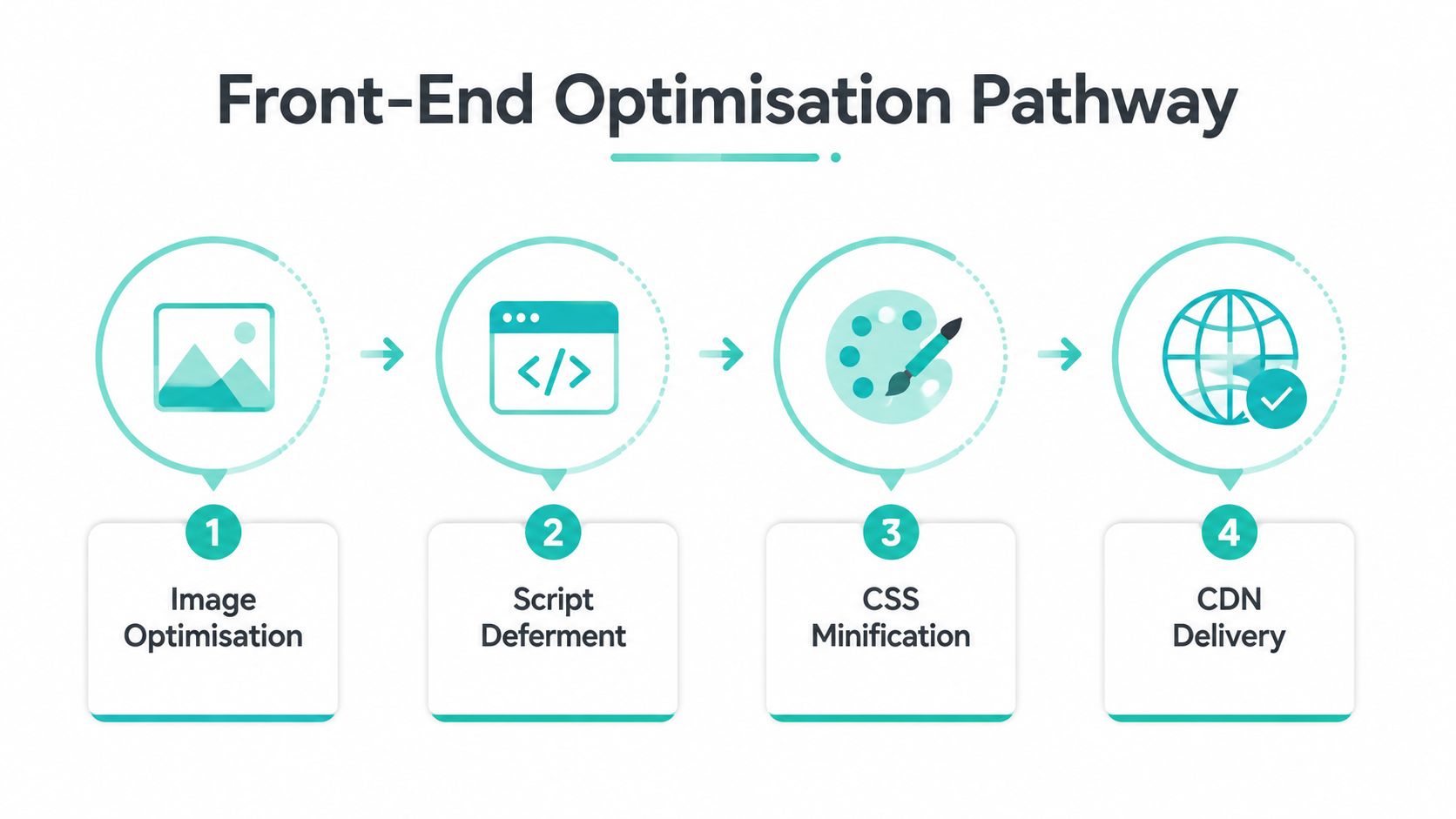
Images often provide the quickest front-end win. Australian performance guidance says image optimisation alone can remove 40% to 60% of image-related performance issues when files are compressed, resized correctly, converted to WebP, and lazy-loaded below the fold (Australian web performance guidance).
The workflow should be deliberate:
- Resize before upload: Don't upload a large camera original when the design displays a much smaller image.
- Use WebP: Convert suitable JPEG and PNG assets to WebP, then check visual quality on real devices.
- Set dimensions: Width and height attributes reserve space and reduce layout movement.
- Lazy-load lower content: Defer images below the initial viewport, but don't lazy-load the main LCP image.
- Review mobile rendering: Make sure WordPress serves an appropriate responsive size rather than the full desktop asset.
A business landing page, for example, may use a large hero photograph, several service icons, and a testimonial section. The hero image deserves priority and correct sizing. The testimonial images lower down should load only as the visitor approaches them.
Control JavaScript rather than hiding problems
JavaScript optimisation should include deferring non-critical scripts, removing unused scripts, and code-splitting large bundles (Australian web performance guidance). In practice, that means loading analytics, chat widgets, social embeds, and marketing tags after essential content where their function allows it.
Don't combine every file automatically. Modern delivery can handle separate assets efficiently, and aggressive combination may create larger bundles or introduce compatibility problems. Test menus, forms, sliders, filters, checkout interactions, and consent tools after changing defer or delay settings.
CSS needs similar discipline. Minify production CSS, remove rules that the site no longer uses, and keep critical above-the-fold styles available early. Avoid stripping styles globally when a page builder or booking form depends on them.
Use the CDN for delivery, not as a substitute for lean pages
A CDN can serve cached static assets from locations closer to visitors, which helps metropolitan and regional users alike. It doesn't make the origin server faster, and it can't reduce the execution time of a heavy JavaScript bundle. Configure cache rules carefully, purge changed assets, and verify that images, CSS, fonts, and scripts continue to load correctly.
For WordPress-specific cache configuration, this guide to improving WordPress speed with a cache plugin is a useful practical reference. The principle remains simple: deliver fewer bytes, execute less code, and make the first useful content arrive quickly.
Auditing Themes, Plugins, and Background Processes
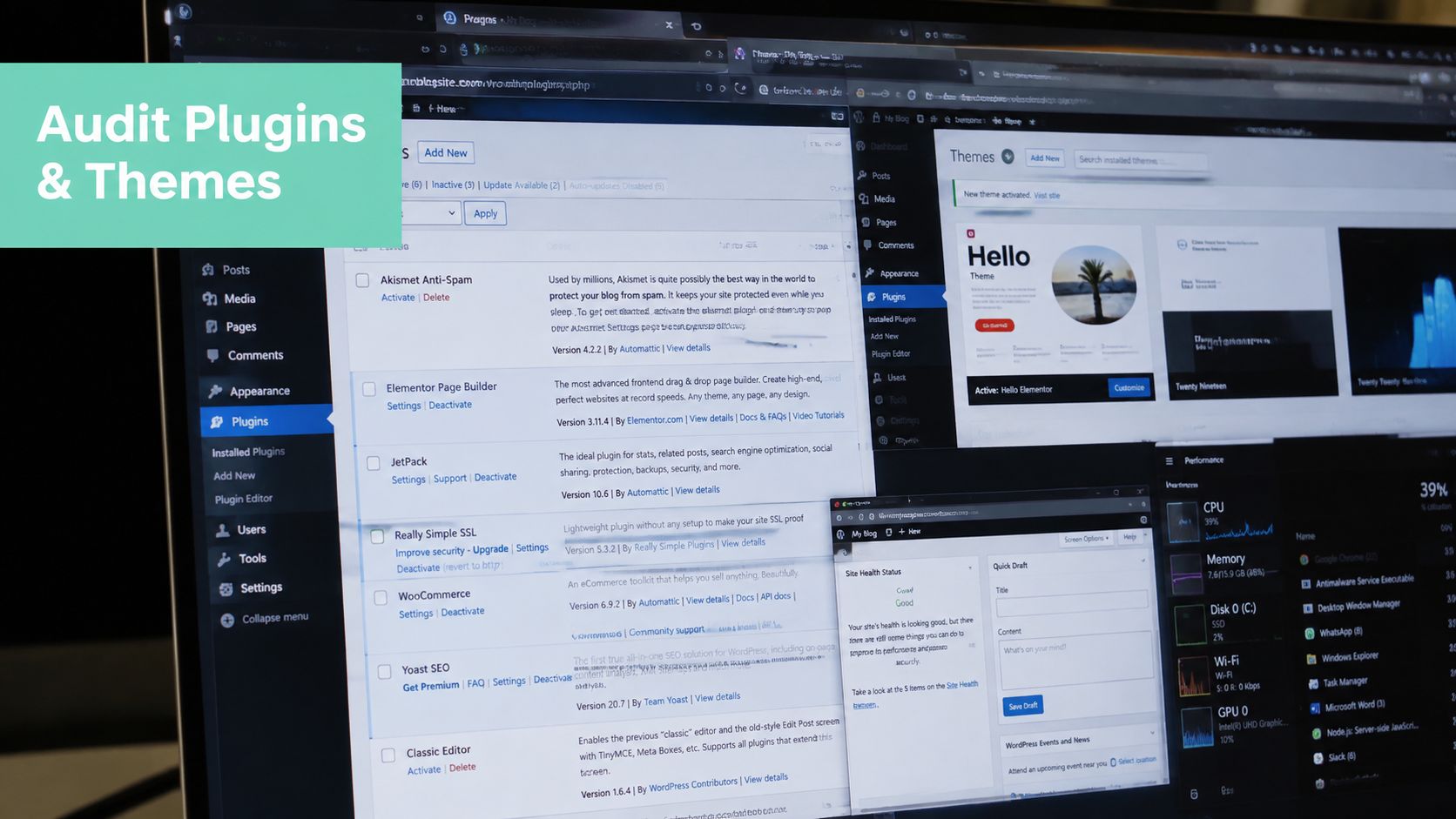
A plugin audit should answer one question: does this feature justify the server and browser work it creates? The number of active plugins matters less than what those plugins do on every request. A single page builder, form integration, security layer, or marketing tool can add more overhead than several small utilities.
Audit by page impact
Begin on staging and use a profiling tool such as Query Monitor to identify slow database queries, HTTP requests, and excessive hooks. Compare a page with the suspected plugin enabled against a representative page where the feature isn't required.
Look for plugins that:
- Load CSS or JavaScript site-wide when used on only one page.
- Add remote requests before the main content appears.
- Create repeated database queries or uncached fragments.
- Duplicate functionality already supplied by the theme, host, or another plugin.
- Remain installed despite no longer serving a business purpose.
A lean theme often beats a multipurpose theme packed with sliders, animations, custom widgets, and unused layout systems. Replacing a theme is a rebuild decision, not a quick toggle, so test templates, forms, menus, SEO output, and accessibility before making the change.
Clean the database with a rollback plan
Back up the database before removing anything. Useful cleanup targets include old post revisions, spam comments, expired transients, orphaned metadata, and leftover data from plugins that have been removed. Tools such as WP-Optimize and Advanced Database Cleaner can help, but automated cleanup still needs review because an incorrect deletion can damage content or settings.
Don't chase a smaller database for its own sake. Remove known waste, inspect autoloaded options, and focus on queries that affect real page requests. A small brochure site may need only occasional maintenance, while a WooCommerce site with orders, product metadata, logs, and sessions deserves a more controlled process.
Move scheduled work away from page loads
By default, WordPress can trigger scheduled tasks when visitors load a page. On a busy or regionally distributed site, that can create intermittent response spikes. Disabling the default wp-cron trigger and replacing it with a real server-side cron job lets scheduled tasks run predictably instead of competing with a visitor's request.
Schedule resource-heavy work, such as imports, report generation, backups, and inventory synchronisation, outside the busiest operating periods where possible. Test every scheduled action after the change, especially if the site relies on WooCommerce stock updates, email queues, or membership renewals.
A Brisbane e-commerce case study reported mobile load time improving from 4.2 seconds to 1.1 seconds, described as a 74% improvement, after an eight-week optimisation and rebuild. It also reported bounce rate falling from 68% to 38%, mobile conversion rate increasing by 127%, and organic traffic rising by 89% (Australian WordPress performance case study). Those results shouldn't be treated as a guarantee, but they show why a structured audit can affect more than a synthetic score.
Register your new domain name at competitive market prices including free domain add-ons like privacy, DNS Hosting, Custom Nameservers and Forwarding.
Always the best price and no nasty renewal price hikes.
Register A Domain Name
Monitoring, Security Tradeoffs, and Ongoing Maintenance
Performance work decays when the site changes. A new campaign script, uncompressed image, plugin update, page-builder template, or hosting configuration change can reintroduce the problem you removed. Australian businesses also need to monitor from Australian locations, because a site can look healthy from an overseas lab while regional users experience slower delivery.
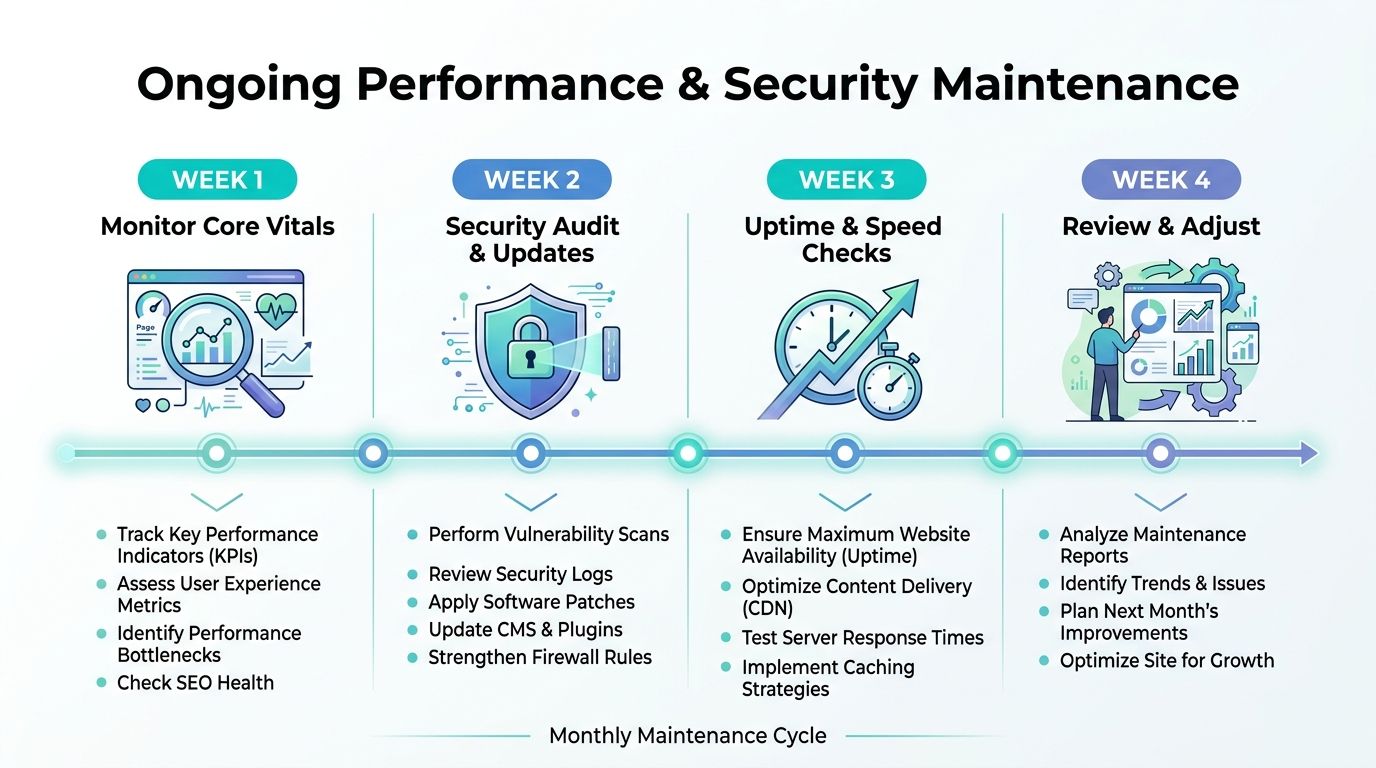
Use a maintenance rhythm that people can follow
A practical monthly cycle separates performance checks from security work instead of treating both as one rushed task:
- Week 1, monitor Core Web Vitals: Test key mobile URLs from Sydney and compare the results with the baseline.
- Week 2, review security and updates: Update WordPress, themes, and plugins after checking compatibility and backups.
- Week 3, check uptime and speed: Review outages, slow response periods, cache status, and important user journeys.
- Week 4, review and adjust: Remove unnecessary scripts, correct new image issues, and document the changes.
This schedule doesn't replace real-user monitoring or server logs. It gives a small team a repeatable operating habit, which is more valuable than an occasional speed test forgotten after a redesign.
Keep security controls proportionate
Security plugins can add front-end assets, scheduled scans, login checks, and database work. Choose the protection your site needs, disable modules that provide no useful coverage, and run intensive scans at sensible times. An edge firewall can block unwanted traffic before it consumes WordPress resources, while regular updates and reliable backups reduce the risk of emergency repairs.
Don't disable security to improve a lab score. Instead, identify whether the overhead comes from a front-end feature, an admin-only scan, repeated bot traffic, or a poorly configured rule. Keep essential protections, then move non-critical processing away from visitor requests.
Design for Australian variability
The Australian mobile environment includes metropolitan users with strong connections and regional users dealing with more variable latency and throughput. ACCC data shows fixed wireless performance can fall to 83.8% of plan speeds during busy hours, and mobile benchmarking reports measurable variation across Australian networks (Australian mobile connections barometer).
That makes the priority clear. Reduce origin response time, third-party script weight, and image payload before adding clever front-end effects. A simple page that arrives consistently is more useful than a visually elaborate page that performs well only in one lab.
For a managed approach to updates, backups, monitoring, and routine checks, review WordPress maintenance services. Good maintenance should leave you with a change record, a current baseline, and a clear explanation of what was changed and why.
UpTime Web Hosting provides Australian WordPress hosting with local infrastructure, LiteSpeed and AccelerateWP support, caching options, security controls, backups, and ongoing monitoring. If your site is slow for mobile or regional visitors, visit UpTime Web Hosting to review a hosting setup that matches your performance and maintenance requirements.