In short
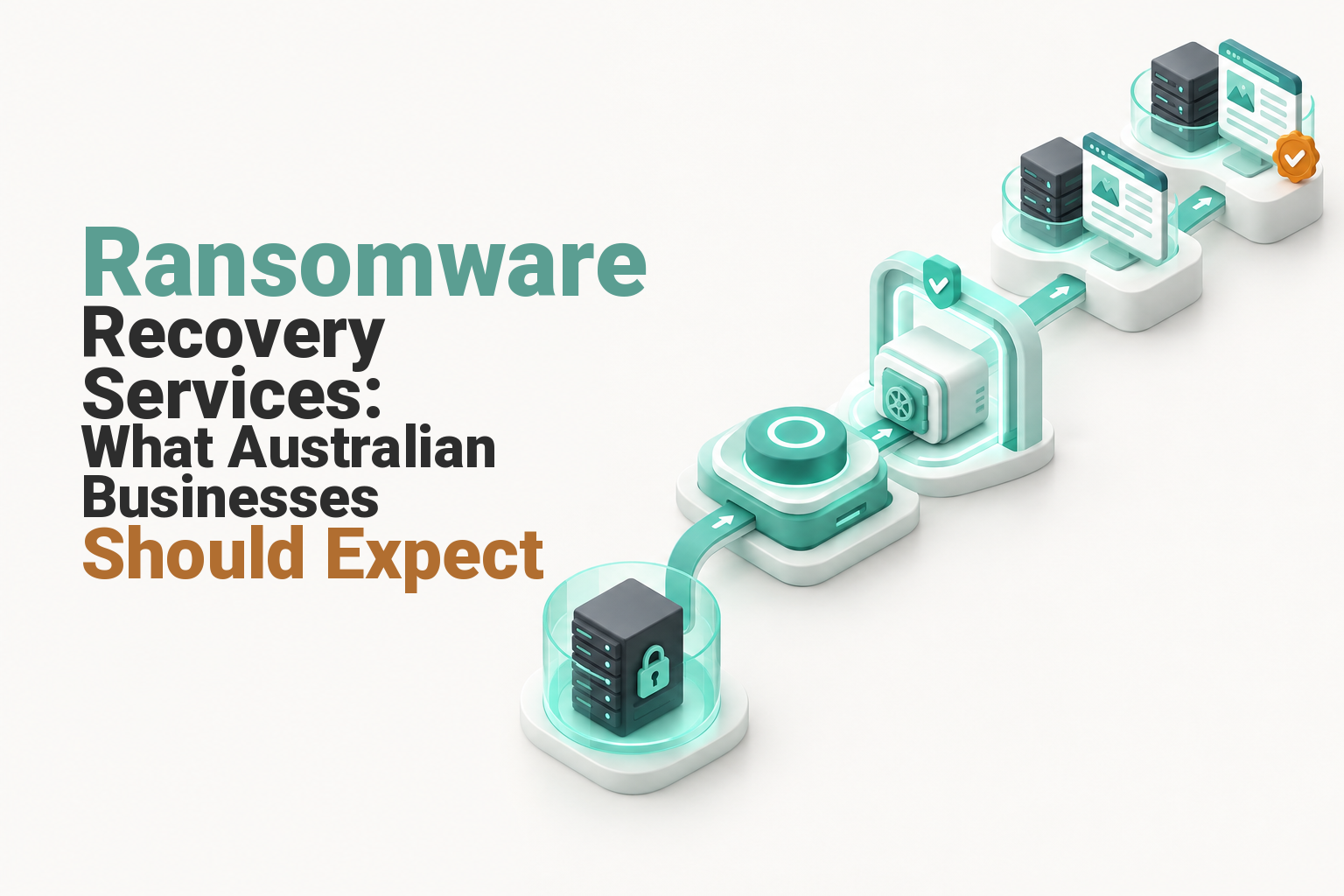
Ransomware recovery services help a business contain the incident, identify clean backups, rebuild affected systems and restore critical operations in a controlled order. The right provider should explain its scope immediately, protect evidence, validate recovery points and coordinate with incident response, insurance, legal and regulatory contacts where needed.
Key takeaways
- Containment comes before restoration because reconnecting systems or backups too early can spread the damage or reintroduce malware.
- A usable backup must be clean, complete, restorable and old enough to predate the compromise.
- Recovery providers work faster when they receive a timeline, ransom note, affected-system list, backup inventory and clear business priorities.
- There is no reliable universal average for full recovery because the scope, backup condition and system dependencies vary widely.
- Australian privacy, ransom-payment reporting and sanctions obligations may apply alongside the technical recovery work.
Contents
- Who should you call after ransomware?
- What should happen in the first hour?
- What will a ransomware recovery provider ask for?
- Can a provider simply restore the latest backup?
- Which systems should be restored first?
- What reporting and legal steps apply in Australia?
- How do you choose a ransomware recovery service?
- What else do Australian businesses ask about ransomware recovery?
- What should you do next?
Ransomware recovery is not simply copying files back to their original folders. A business looking for recovery help now needs to know whether the incident is contained, which copies of its data can be trusted and what must return first for the organisation to trade safely.
Who should you call after ransomware?
Call a provider that can protect recoverable data and restore systems, but also establish who is responsible for active incident containment and forensic scoping. Ransomware recovery often needs several roles, and assuming one supplier covers every role can leave a dangerous gap.
The recovery team may include:
- A backup and recovery provider to identify recovery points, prepare clean restore locations and restore data, applications or devices.
- A cyber incident-response or digital-forensics specialist to determine whether the attacker is still present, assess the affected environment and preserve evidence.
- Internal IT staff or a managed IT provider to isolate systems, reset accounts, rebuild infrastructure and coordinate technical access.
- Legal, privacy and insurance advisers to guide notifications, evidence handling, policy requirements and payment decisions.
- Business owners and process leaders to decide which services must return first and what temporary workarounds are acceptable.
ASD's guidance for organisations responding to a cyber incident, updated in October 2025, asks organisations to identify their technical resources, actions already taken, containment status and next investigative steps. That is a useful model for the first call with any provider.
A single company may cover several roles, but the scope should be confirmed in writing. Ask whether the engagement includes containment, forensic investigation, backup validation, system rebuilding, data restoration, threat monitoring, insurer coordination and regulatory support.
Recovery also needs to fit the organisation's wider disaster recovery plan. A technically successful restore can still fail the business if the wrong systems return first or staff do not know how to operate while restoration continues.
Ransomware recovery works best when restoration, incident response, legal, insurance and business decisions have named owners.

Performance you can feel, backed by clients who depend on it. Read how our support and uptime create long‑term customer success.Power Your Business with Better Hosting
What should happen in the first hour?
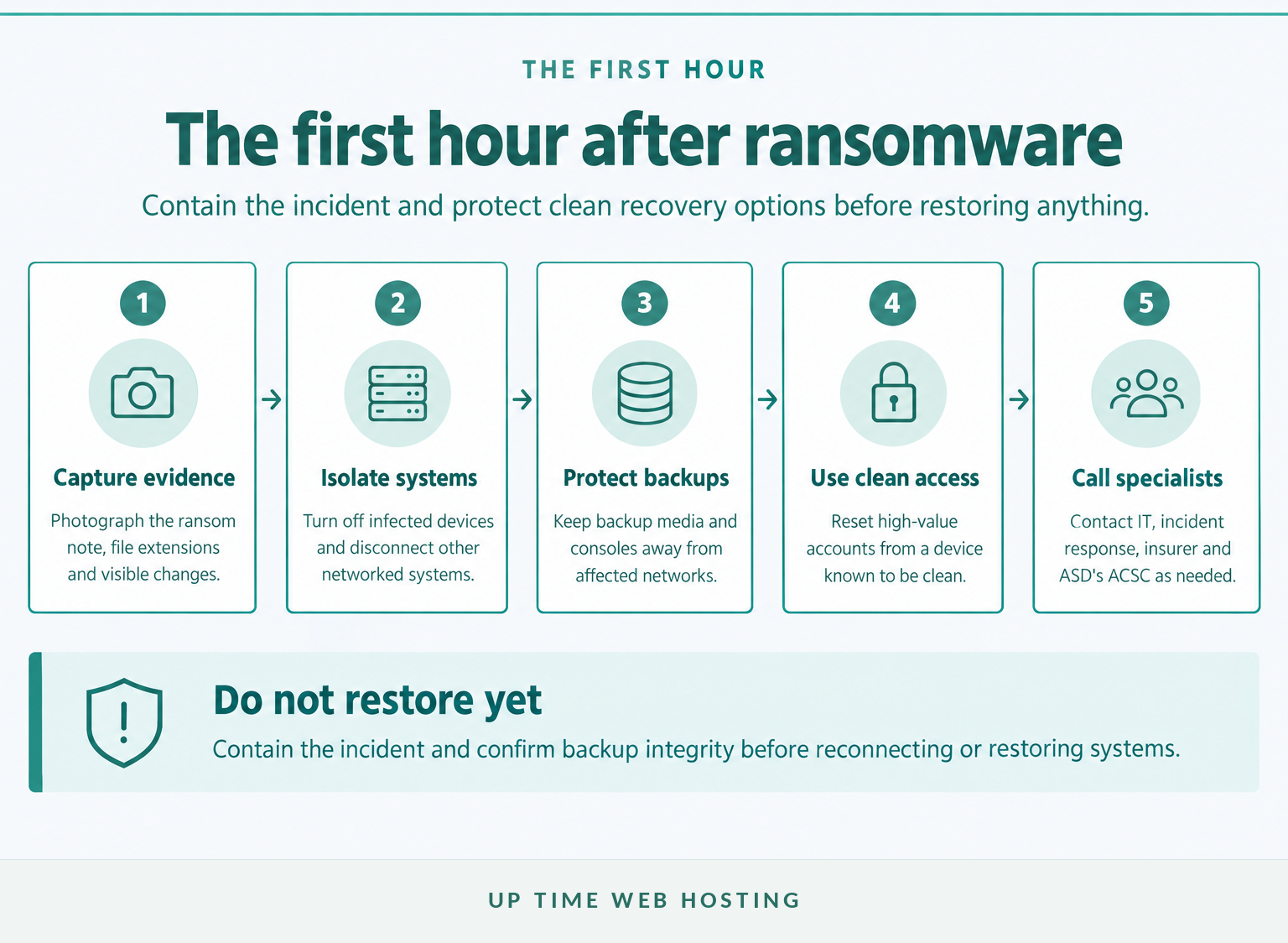
Use the first hour to record evidence, isolate affected technology and protect any backups that may still be clean. Do not start restoring systems until the incident is contained and a provider has assessed where restoration can happen safely.
The ASD's ACSC 2023 Ransomware Emergency Response Guide tells affected organisations to record the ransom note, unusual file extensions and visible changes before turning off infected devices and disconnecting other networked devices. In a complex environment, the person directing incident response should control shutdown decisions, but isolation cannot wait.
- Capture what is visible. Photograph the ransom note, attacker contact details, changed filenames, file extensions and error messages. Record who first noticed the problem and the approximate time.
- Isolate affected systems. Disconnect network access or follow the incident lead's shutdown instructions. Do not reconnect a device merely to check whether it is working.
- Protect the backups. Keep backup media, storage systems and management consoles away from the affected network. Do not test a backup from a suspected device.
- Move communication to clean technology. Use a device believed to be unaffected for password changes, incident calls and secure access to external systems.
- Activate the response contacts. Notify the responsible executive, IT provider, recovery provider, insurer and legal adviser according to the incident plan.
If the business needs government cyber security assistance, the Australian Cyber Security Hotline operates 24 hours a day on 1300 CYBER1. Incidents can also be submitted through the ReportCyber and recovery portal.
The first hour is for containment and evidence, not for reconnecting backups or rushing into a restore.
What will a ransomware recovery provider ask for?
A recovery provider needs a concise incident handover rather than a long history of the organisation's technology. The most useful handover identifies what happened, what remains connected, which backups exist and which business services matter first.
| Information | Useful examples | Why the provider needs it |
|---|---|---|
| Incident timeline | First warning, first encrypted file, outage time, actions already taken | Helps separate confirmed events from assumptions and identifies possible recovery points |
| Ransomware evidence | Ransom note, file extensions, screenshots, attacker contact method | Supports identification, reporting and specialist assessment |
| Affected technology | Servers, computers, websites, databases, cloud accounts, network segments | Defines the initial recovery scope and isolation boundary |
| Current containment | Devices shut down, accounts disabled, network links removed | Shows what may still be exposed and prevents duplicated or conflicting work |
| Backup inventory | Locations, dates, retention periods, last successful test, access method | Allows the provider to find candidate recovery points without exposing them prematurely |
| Authorised access | System owners, administrator contacts, MFA recovery process | Establishes who can approve access and security changes without sharing passwords insecurely |
| Business priorities | Payroll, bookings, production, website, email, customer records | Sets the restoration order according to business impact |
| External obligations | Insurer, legal adviser, customers, regulators, key suppliers | Helps the recovery plan account for evidence and notification deadlines |
The handover should be created on a clean device and shared through a channel approved by the recovery provider. Do not send current passwords or recovery keys through an ordinary email account that may be compromised.
Unknown information should be marked as unknown rather than guessed. A provider can investigate a missing fact, but an incorrect assumption about the backup date, affected network or attacker access can send the recovery down the wrong path.
The handover should also name a decision-maker who can authorise isolation, password resets, system rebuilds, emergency expenditure and changes to the recovery order.
A provider can scope recovery faster when the business supplies a clean, time-stamped handover pack and clear operating priorities.
Host your website with our 5-star rated, cPanel website hosting plans.
Super fast servers, with security included and hosted in your choice of Australian Data Center.
View cPanel Plans
Can a provider simply restore the latest backup?
No, the newest backup may be incomplete, connected to the compromised environment or already affected by malicious changes. A recovery provider should validate the backup and restore it into a controlled environment before it is trusted for production use.
A backup assessment should check:
- Separation: Could compromised user or administrator accounts modify or delete the backup?
- Recovery date: Is there a copy from before the known or suspected compromise?
- Integrity: Can the data be read, scanned and restored without errors?
- Coverage: Does the backup include applications, databases, configuration and encryption keys, not just documents?
- Consistency: Were related systems captured at compatible points in time?
- Testing: Has a representative restore completed successfully in an isolated location?
ASD's system-management guidance says backups should reflect business criticality, be retained securely and support restoration to a common point in time. It also calls for coordinated restoration testing so dependencies can be identified before an emergency.
An off-site backup reduces the chance that one local incident destroys every copy, but distance alone does not make a backup safe from compromised credentials. Businesses assessing architecture, retention and testing can compare practical off-site backup solutions before the next incident.
How is a clean recovery different from getting the files back?
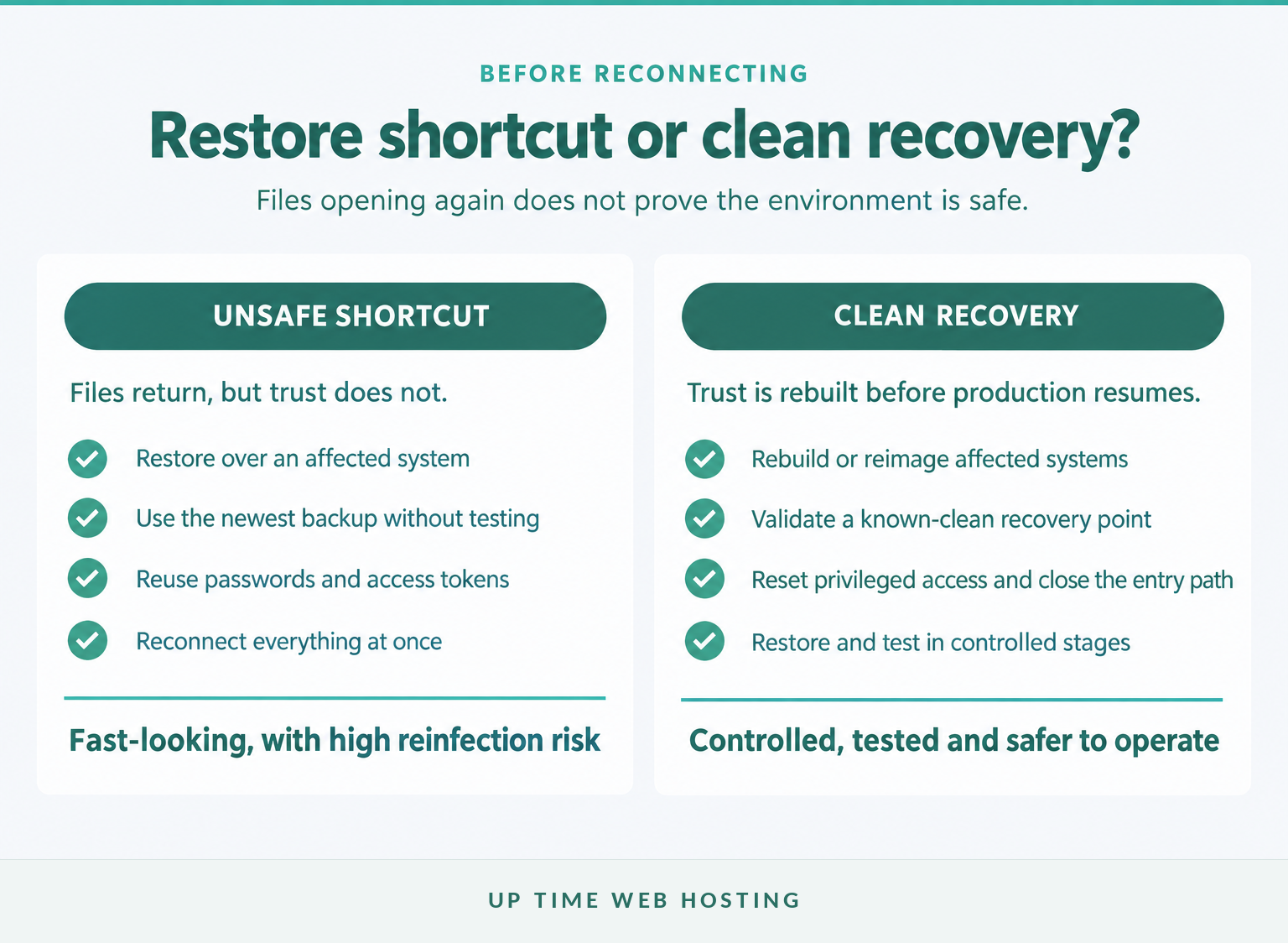
A clean recovery rebuilds trust in the systems, accounts and data being returned to service. Getting files to open is only one recovery test and does not prove that the attacker, malicious software or compromised credentials have been removed.
Clean recovery commonly involves rebuilding or reimaging affected systems, updating software, closing the suspected entry path, resetting privileged access and restoring data only after the target environment is ready. Restored applications should then be tested by technical staff and the people who use them for real work.
The recovery team should also watch restored systems for unexpected connections, account activity, file changes and alerts. Public-facing websites may need the controls covered in this website malware protection guide, but the same principle applies across the organisation: remove the path back in before normal access resumes.
A backup is useful only when it is clean, complete, restorable and old enough to sit before the compromise.
Which systems should be restored first?

Restore systems according to business impact and technical dependency, not according to which server or device is easiest to recover. The provider should agree on a staged order with business leaders before production restoration begins.
A typical dependency-led order is:
- Trusted administration and identity controls. Secure privileged accounts, multi-factor authentication, administrative workstations and recovery consoles.
- Core network and security services. Restore the clean network segments, DNS, firewalls, logging and other foundations required by applications.
- Minimum viable business services. Bring back the systems needed for essential trading, service delivery, payroll, bookings or customer communication.
- Applications and data dependencies. Restore databases, file services, integrations and application components in a compatible order.
- User devices and lower-priority systems. Rebuild staff endpoints, reporting tools, archives and non-essential services after the core environment is stable.
The exact order changes by organisation. A medical service, online retailer, manufacturer and professional practice will have different critical operations, so the recovery sequence should align with the business continuity plan and any temporary manual processes.
How long does ransomware recovery take?
There is no reliable universal average for full ransomware recovery. A provider should complete initial scoping before offering phased milestones, and any estimate should state its assumptions.
Recovery time depends on the number of affected systems, the health and age of the backups, whether identity services were compromised, the availability of clean hardware or cloud capacity, application dependencies, security testing and any forensic or legal work.
A useful recovery schedule separates these milestones:
- containment achieved
- first known-clean recovery point confirmed
- first critical service restored
- minimum business operations available
- all agreed systems restored
- post-incident security changes completed
This prevents a single optimistic completion date from hiding the difference between restoring one important service and finishing the entire recovery program.
Restore by business impact and technical dependency, not by which server is easiest to bring online.
What reporting and legal steps apply in Australia?
Australian businesses may need to report the cybercrime, assess privacy notification duties and meet sector-specific or ransom-payment reporting rules. These decisions should run alongside technical recovery because some deadlines begin before every fact is known.
Should the incident be reported?
ASD's ACSC encourages affected organisations to report ransomware and seek assistance through ReportCyber or the Australian Cyber Security Hotline. Reporting can also provide a reference record for later coordination with authorities, insurers and advisers.
When does OAIC notification apply?
The OAIC's June 2026 quick reference guide applies to entities covered by the Notifiable Data Breaches scheme. This includes Australian Government agencies, businesses and not-for-profit organisations with annual turnover above AU$3 million, private health providers and certain smaller entities.
A covered entity must assess whether unauthorised access, disclosure or loss is likely to cause serious harm. If an eligible data breach is suspected, reasonable steps should be taken to complete the assessment within 30 calendar days; confirmed eligible breaches generally require notification to affected people and the OAIC as soon as practicable.
Other sector, contractual or government-supply-chain obligations may also apply, including where the Privacy Act threshold does not.
What if a ransom or extortion payment is made?
Australia's mandatory ransomware payment reporting obligation commenced on 30 May 2025. As of October 2026, Home Affairs' ransomware payment reporting guidance says businesses carrying on business in Australia with previous-financial-year turnover exceeding AU$3 million, and specified critical infrastructure entities, must report a ransomware or cyber-extortion payment within 72 hours of making it or learning that it was made on their behalf.
This payment report is separate from reporting the underlying cybercrime or notifying an eligible privacy breach.
Can paying be illegal?
A ransomware payment can breach Australian sanctions or other Commonwealth or state criminal laws. DFAT's cyber sanctions guidance, last updated in December 2024, strongly recommends not paying and warns that making or facilitating payment to a sanctioned person or entity can lead to serious criminal penalties.
Payment also does not guarantee that systems will be restored or stolen data withheld. Obtain urgent legal advice before any payment decision and follow the cyber insurer's instructions where a policy applies.
This section provides general information, not legal advice. Reporting duties depend on the entity, sector, information involved and incident circumstances.
Australian businesses should report early, assess privacy obligations and obtain legal advice before any ransom payment.
Register your new domain name at competitive market prices including free domain add-ons like privacy, DNS Hosting, Custom Nameservers and Forwarding.
Always the best price and no nasty renewal price hikes.
Register A Domain Name
How do you choose a ransomware recovery service?
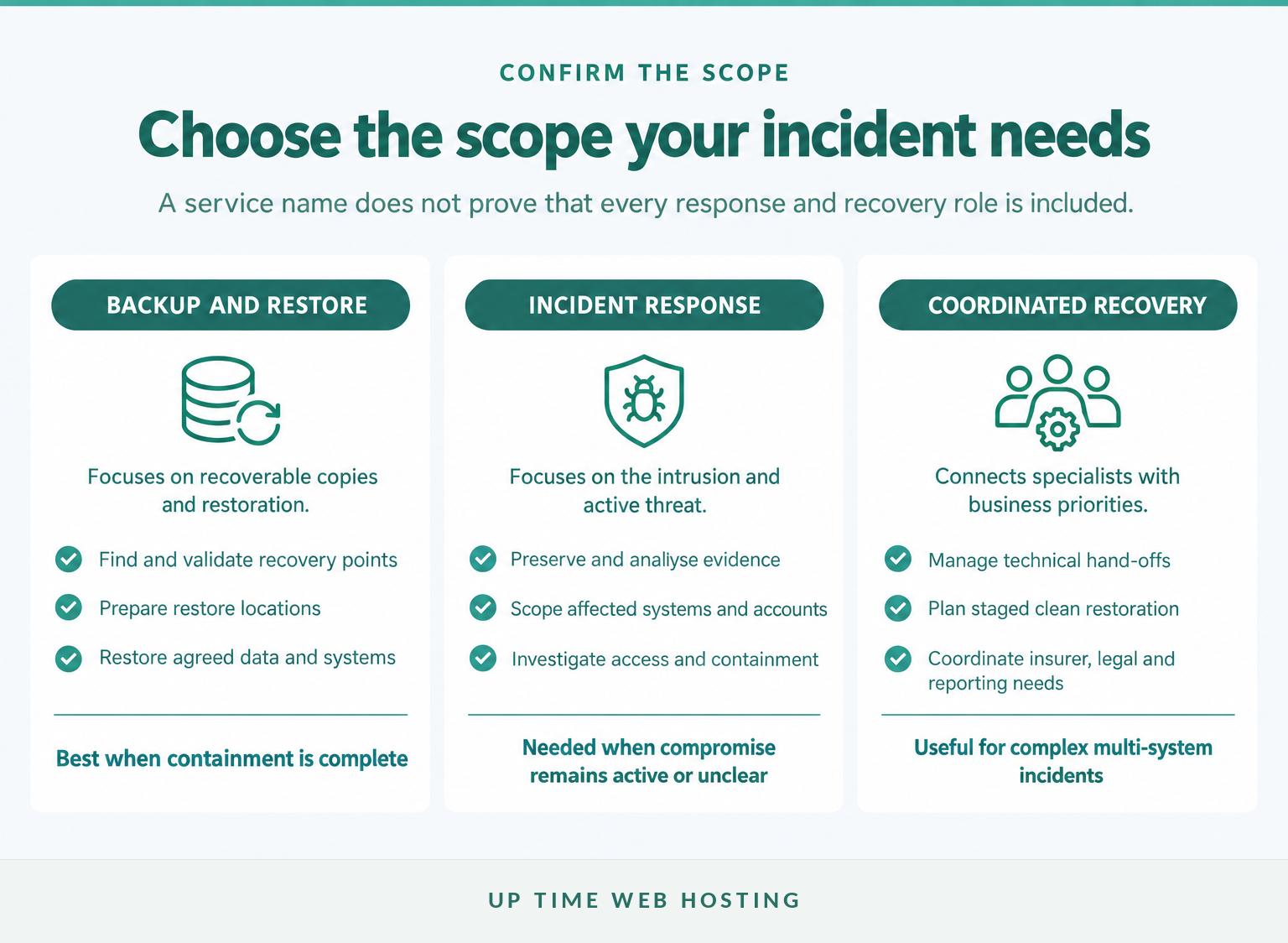
Choose a provider according to the work the incident requires, not the wording used in the service name. Before approval, ask for a written scope that explains containment, backup validation, clean rebuilding, restoration, testing and specialist hand-offs.
Ask each prospective provider:
- Which servers, operating systems, applications, databases, cloud services and devices are supported?
- Does the service contain active threats, or does containment need a separate incident responder?
- Who assesses the intrusion path and whether the attacker remains in the environment?
- How are backups protected, scanned, tested and approved as recovery points?
- Where will restored systems be built and tested before production use?
- How will business priorities and application dependencies set the restoration order?
- What evidence, timelines and change records will be maintained for insurance or regulatory use?
- Which fees, approvals, working hours and stop-or-proceed decisions apply during the engagement?
Be cautious when a provider guarantees complete data recovery or promises a fixed completion time before seeing the environment. A careful provider will explain uncertainty, define decision points and state which work is excluded.
The organisation should also ask who owns each decision. Technical staff can advise that a backup is restorable, but a business owner may need to decide whether the data loss is acceptable, whether a temporary process is workable and when customer-facing services can safely resume.
Choose a provider whose documented scope covers the work your incident needs, with no assumptions about forensics, negotiation or legal advice.
What else do Australian businesses ask about ransomware recovery?
These questions appear frequently when businesses first assess their recovery options. Each answer depends on the incident, but the following principles provide a safer starting point.
Is it possible to recover files from ransomware?
Yes. Files may be recovered from a clean backup, a previous version or, in some cases, a legitimate decryption method. Recovery is less certain when backups were connected to the infected network, overwritten or encrypted. A provider should assess recoverability before changing the affected systems.
Is it illegal to pay a ransomware ransom?
A ransomware payment can be illegal in Australia if it breaches sanctions or other Commonwealth or state criminal laws. The Australian Government strongly recommends not paying. Before any payment decision, obtain urgent legal advice, involve the insurer if applicable, check sanctions exposure and understand mandatory payment reporting duties.
What is the average to make a full recovery from a ransomware attack?
There is no reliable universal average for full ransomware recovery. Timing depends on the number of affected systems, whether identity services were compromised, backup health, forensic and legal work, hardware or cloud capacity, and testing. Ask providers for phased milestones after initial scoping, not an unsupported fixed deadline.
Can ransomware virus be removed?
Ransomware can be removed, but cleaning a device is not the same as restoring trust. ASD's ACSC says the safest approach for many affected devices is to wipe them and reinstall the operating system, then restore only from backups confirmed to be free from ransomware.
Ransomware recovery has no guaranteed outcome or standard timetable, so cautious assessment beats confident promises.
Experience Microsoft 365 Business Standard for free for 30 days.
Up to 25 users with full access to email, OneDrive and Teams. Includes full versions of desktop apps of Outlook, Word, Excel, PowerPoint and more.
Try Microsoft 365
What should you do next?
If ransomware is active now, stop reconnecting systems, use a clean device and contact the Australian Cyber Security Hotline, the incident-response contact and the insurer. If the immediate crisis is contained, document recovery priorities and test a real restore before the next outage.
UpTime Networks' published Backup and Recovery service covers servers, workstations, databases and email, with on-premises and cloud options. Its documented focus is backup protection and restoration, so any need for forensic investigation, attacker negotiation or legal advice should be confirmed separately.
Contact Up Time Web Hosting to discuss whether UpTime Networks Backup and Recovery fits your servers, workstations, databases and email.